Q3QM1400T003Tablet PC
Xplore Technologies Corp of America
Click to zoom
Application Details
- Equipment Class
- DTS - Digital Transmission System
- Date of Grant
- Mar 15, 2004
- Application Purpose
- Original Equipment
- Date of Application
- Mar 15, 2004
- Equipment Note
- Tablet PC
- Frequency Range
- 2412.00000000 - 2462.00000000
- Country
- United States
Documents & Files
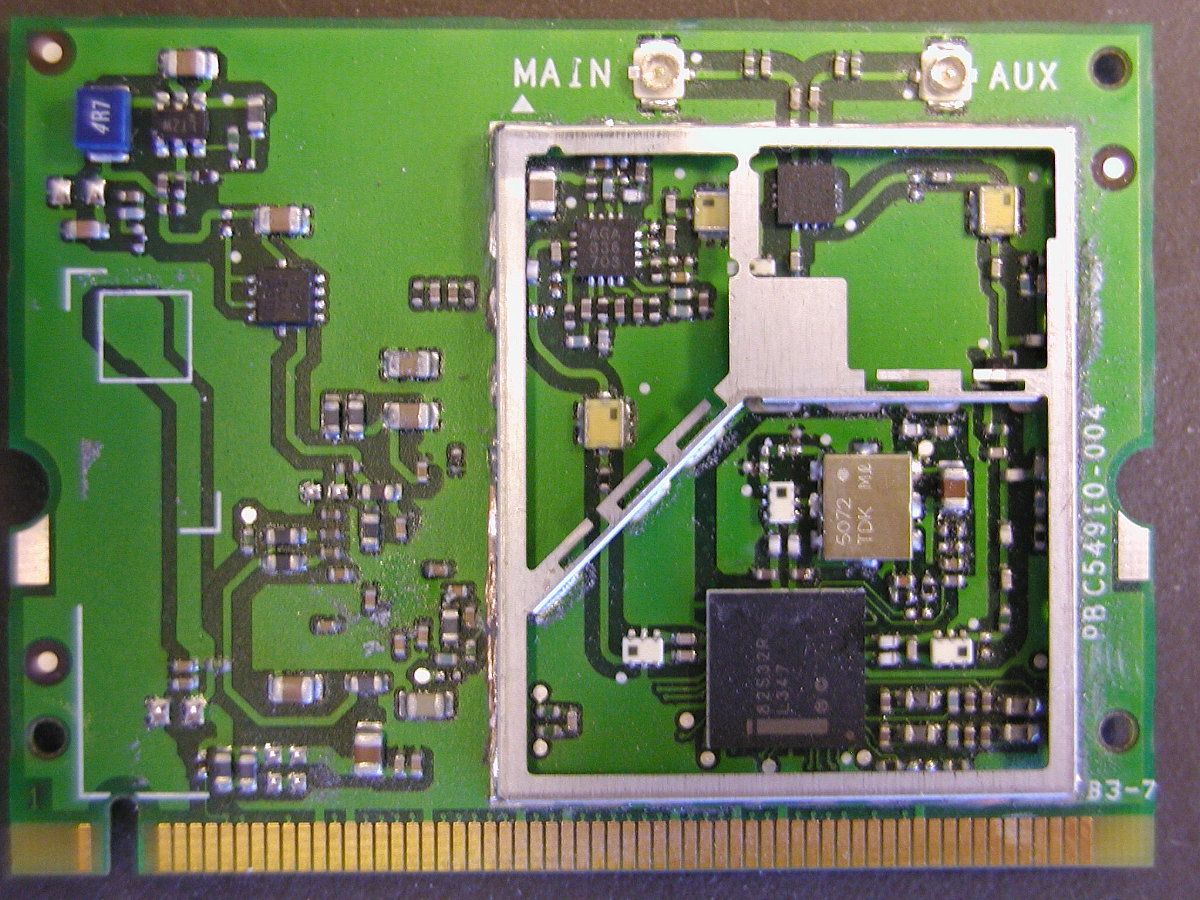
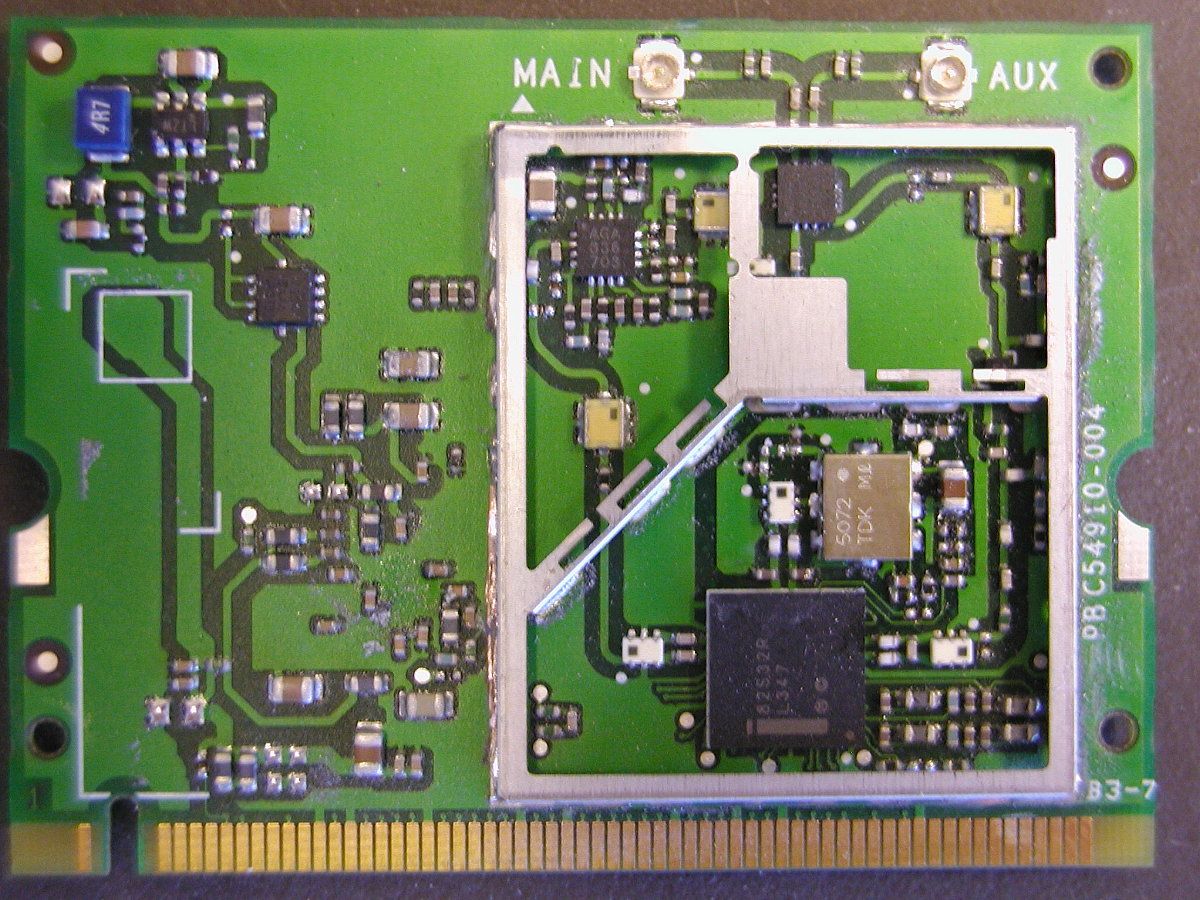
Document Text
Text extracted from the exhibit documents filed with the FCC. Open a document above to read the original.
Users Manual
Safety and Regulatory Guide for Motion Tablet PCs and Accessories • Product Safety Information • Regulatory Notices • Safety Compliance Notices English2 Product Safety Information Motion Tablet PCs and accessories are designed to optimize safety, minimize strain, and withstand the rigors of portability. However, to further reduce the risk of personal injury or damage to the unit, certain precautions should be observed. Basic Personal Safety Precautions ■ Do not attempt to service the Tablet PC nor its components yourself. Perform only those service installations for which Motion provides special instructions, for example, swapping the battery, changing memory modules. See the Motion web site for a list of serviceable accessories for your Tablet PC. ■ To avoid personal injury from electric shock or fire: • Completely power down the Tablet PC when replacing memory modules, cleaning the Tablet PC, its components, or chassis, or performing operations requiring similar steps. To do this, first turn the power off at the power switch, remove the battery, then disconnect the AC adapter from the electrical outlet or from any other type of external power source, such as an external battery • Do not operate the Tablet PC near water, for example, near a bathtub, kitchen sink or laundry tub, in a wet basement, by a swimming pool, or in the rain. The cases, portfolios, and other accessories currently offered by Motion are not designed to be water resistant nor water tight. Visit the Motion website to see the most current list of accessories. • Do not connect or disconnect any cables or perform maintenance or reconfiguration of this product during an electrical storm. • Avoid using the wired modem or LAN during an electrical storm, as a remote risk of electric shock from lightning exists. • Do not push foreign objects into air vents or other openings of the Tablet PC or accessories, such as the PCA card slots or the optical disk drive bays. Doing so can short out interior components and may cause fire or electric shock. • When installing memory modules, ground yourself by touching a grounded conductive surface, such as a device with a grounded plug. Avoid touching the pins and leads on the memory module or internal circuitry of the Tablet PC. ■ If the Motion battery pack leaks and the fluid get in your eyes, do not rub them. Instead, rinse your eyes with clean running water and immediately seek medical attention. Otherwise, eye injury may result. ■ If acid leaking from the battery pack contacts your skin or clothing, immediately wash it away with running water. Otherwise, skin inflammation can occur. Set Up Precautions ■ When setting up the Tablet PC in the Motion FlexDock, Desktop Stand, or Hardtop Keyboard, place it on a level surface so it does not fall over and damage the unit, docking station, keyboard, connectors, or other components. ■ When you move the Tablet PC between environments with very different humidity and/or temperature ranges, allow sufficient time to adjust to the new humidity or temperature. ■ Do not drop the Tablet PC or subject it to other mechanical shocks. ■ Do not apply heavy pressure to the Tablet PC or subject it to strong impact. Excessive pressure or impact can cause damage to Tablet PC components or otherwise cause malfunctions. Tablet PC Precautions ■ Do not attempt to service the Tablet PC yourself, disassemble nor modify it nor its components. You may damage the unit or its components. ■ Operate the Tablet PC at the recommended temperature range of +5 o C to +35 o C (+41 o F to +95 o F). Store it at a temperature of -20 o C to +60 o C (+4 o F to +140 o F) ■ Certain environments may contain particles or debris that can adhere to the Tablet PC display or to the Tablet PC pen tip. To avoid damaging the display, clean it frequently with the cleaning cloth provided or with a soft cloth. You may spray a window-type cleaner or apply water to the cloth, but do not spray liquids directly on the display. ■ Change pen tips regularly, especially if you work in an environment that contains particles or debris. Dropping the pen onto a rough surface may damage the pen tip or embed particles in it that can damage the Tablet PC display. For instructions for changing the pen tips, see Chapter 4 of the Motion Tablet PC User Guide found on the Tablet PC or go to the Motion website at www.motioncomputing.com to download the latest version of this Guide. English3 ■ Store the pen in the pen bay of the Tablet PC. Carrying it in a pocket, toolbox, or similar receptacle that contains particles or debris may damage the pen tip or embed particles in it that can damage the Tablet PC display. Cabling and Power Cord Precautions ■ Power cord sets for use in other countries must meet the requirements of that country. Use the appropriate AC adapter and power cord for your locale. For information about power cord set requirements, contact the Motion Reseller from whom you purchased the product, or contact Motion Computing if you purchased the product from us. ■ If no power cord was provided for your Tablet PC or for an accessory, purchase a power cord that is approved for use in your country and that matches the required voltage / amperage rating of the Tablet PC. ■ If you use an extension cord with your AC adapter, ensure that the total ampere rating of the products plugged into the extension cord does not exceed the ampere rating of the extension cable. ■ When using your power cord, make sure to position it around objects so it will not be cut or punctured. Power Adapter Precautions ■ Use only the AC adapter and power cord approved for this Tablet PC or Tablet PC accessory. Use of another type of AC adapter may risk fire or explosion. ■ Place the AC adapter in a ventilated area, such as on a desktop or the floor, when you use it to run the Tablet PC or to charge the battery. Do not cover the AC adapter with papers or other items that will reduce cooling; also, do not use the AC adapter while it is ins…
Text truncated - open the document above for the full version.
Users Manual
MOTION COMPUTING M1400 TABLET PC USER GUIDE Motion Computing M1400 Tablet PC User Guide ii Copyright Information Acrobat is a registered trademark of Adobe Systems Incorporated. Bluetooth is a trademark of the Bluetooth Alliance. Intel, Intel Inside, the Intel Inside logo, and Pentium are trademarks or registered trademarks of Intel Corporation or its subsidiaries in the United States and other countries. Microsoft Windows, Windows XP, Windows XP Tablet PC Edition, and Windows Journal are either registered trademarks or trademarks of Microsoft Corporation in the United States and/ or other countries. PCTEL is a registered trademark of PCTEL, Inc. Phoenix, FirstWare, FirstWare Recover, FirstWare Vault, and FirstWare Assistant are trademarks of Phoenix Technologies, Inc. Realtek is a trademark of Realtek Semiconductor Corporation. Sigmatel is a registered trademark of Sigmatel Corporation. VirtualDrive and FarStone are trademarks or registered trademarks of FarStone Technologies, Inc. Wi-Fi is a registered trademark of the Wi-Fi Alliance. Motion Computing, Inc. has made every effort to identify trademarked properties and owners on this page. All brands and product names used in this document are for identification purposes only and may be trademarks or registered trademarks of their respective companies. NOTICE: The information in this publication is subject to change without notice. MOTION COMPUTING, INC. SHALL NOT BE HELD LIABLE FOR TECHNICAL OR EDITORIAL ERRORS OR OMISSIONS CONTAINED HEREIN NOR FOR ACCIDENTAL OR CONSEQUENTIAL DAMAGES RESULTING FROM THE FURNISHING, PERFORMANCE, OR USE OF THIS MATERIAL. The information contained in this document is provided “as is” without warranty of any kind and is subject to change without notice. The warranties for Motion Products are set forth in the express limited warranty statements accompanying such products. Nothing herein should be construed as constituting an additional warranty. This publication contains information protected by copyright. No part of this publication may be photocopied or reproduced in any form without prior written consent from Motion Computing, Inc. © 2004 Motion Computing, Inc. Motion Computing and View Anywhere are trademarks or registered trademarks of Motion Computing, Inc. (March 2004) P/N xxx-xx-xxxx Rev.A00 Motion Computing M1400 Tablet PC User Guide iii About This User Guide CAUTIONS, WARNINGS AND NOTICES The following notices are found in this User Guide: WARNING: Text set off in this way indicates that failure to follow directions in the warning could result in bodily harm or loss of life. CAUTION: Text set off in this way indicates that failure to follow directions in the Caution could result in damage to the equipment or loss of information. IMPORTANT: Text set off in this way presents information or instructions that should be followed or information of particular interest. NOTE: Text set off in this way presents information or instructions. MENU ITEMS, BUTTONS, ICONS Menu items, icons, and instructions found in the procedures in this User Guide are set apart by capitalizing them exactly as shown on screen. For example, the Start menu, Dashboard, Tablet and Pen Settings icon, Apply, Reset, etc. Buttons on the chassis are identified through diagrams. W RITING ON THE DISPLAY Writing on the Motion Tablet PC digitizer display in this User Guide refers to any hand-written input using the specially-designed Motion digitizer Pen, provided. The display responds only to this Motion Pen and not to any other type of pen or to a stylus or other device such as those used with personal digital assistants (PDAs). The display surface may be damaged by ink pens or other pointed objects. I NKUse of the term ink in the documentation refers to digital ink, that is, text entered in handwritten format and converted to an object that can be displayed exactly as you write it. R EFERENCES TO USING THE P EN AND P EN FUNCTION B UTTON Notations for using the Motion Digitizer Pen, which are found throughout this User Guide, are described below: • Tap — Tap the Pen on the Tablet PC display, without pressing the function button on the Pen • Double-tap — Double-tap the Pen on the display, without pressing the function button on the Pen • Right-click — Press the function button on the Pen and tap the Pen on the display (equivalent to a mouse right-click) • Press and hold — Press and hold the tip of the Pen to the display, without pressing the function button on the Pen (equivalent to a mouse right-click) • Tap and drag — Tap and drag the Pen on the display • Select/Highlight — Tap on the item on the Tablet PC display with the Pen to activate the function Motion Computing M1400 Tablet PC User Guide iv Chapter 1 Getting Started with Your Motion Tablet PC Motion Computing M1400 Tablet PC User Guide 5 Chapter 1 Getting Started with Your Motion Tablet PC Thank you for purchasing a Tablet PC from Motion Computing®! Your Motion Tablet PC combines the best features of desktop and notebook computing with the unique mobility and versatility found only in a Tablet PC. MOTION T ABLET PC F EATURES The Motion M1400 Tablet PC offers these features: •Microsoft® Windows® XP Tablet PC Edition operating system •Intel® processor, Ultra Low Voltage (ULV), and Intel 855GME chipset •Standard 12.1-inch XGA TFT LCD display with an ambient light sensor that automatically balances brightness (depending on lighting condi- tions); optional View Anywhere TM Display that reduces reflection and glare and improves contrast and viewing angles •20GB hard drive (minimum) •PC333 DDR SDRAM slot with 256MB of installed RAM, upgradeable to 2GB •IEEE 802.11b/g and Bluetooth wireless built-in •Built-in fingerprint sensor for convenient, secure Tablet PC access •Two amplified microphones with ambient noise filters improve voice recognition and Voice over IP (VoIP) capabilities •Motion Dashboard for convenient access to Tablet PC controls •USB 2.0; fully backward compatible to USB 1.1 •…
Text truncated - open the document above for the full version.
Cover Letter(s)
Responses: Item 1. The operational description and the test report refers to the equipment meeting “FCC SAR,” however no RF exposure exhibit was uploaded. The application filing is also listed as a non-composite, non-SAR application. Please explain SAR report to be uploaded soon. Item 2. The equipment class listed on the 731 form is DSS for both specifications. Equipment class should be DTS for the 802.11 equipment specification. Please verify if this is correct I was misinformed regarding the 802.11 device. It is a DSSS and therefore should have an equipment code of DTS. The Blue Tooth should remain DSS because BT devices are FHSS. Item 3. Operational description refers the selling configuration of this equipment with an 802.11 a/b/g card. Form 731 and test report do not reflect this configuration. Please explain This particular configuration is being submitted via our manufacturing site in Taiwan (Compal Electronics). Compal was unable to support both applications at the same time and keep our initial launch date of 3-15, so this drove Motion to submit the Intel configuration for approval. Compal will not obtain approval for the Gemtek ABG version until 6-15-04. This unit only operates in the b/g modes. Updated Test report uploaded to support both modes Item 4. The test report indicates that the frequency range of the transmitters are software controlled. Please elaborate as to how the frequency assignment is restricted to 2400 to 2483.5MHz The standard Frequency hopping is applied. I believe the software control of the frequency bands is prohibited by the FCC. We do not control frequency bands via software. Item 5. Please clarify if all operational modes of the 802.11 and the Bluetooth transmitters were investigated, including data rates and modulation types The unit was tested at full data transfer which was determined to be worst case. Both the b and g modes were tested, please see updated test report. Item 6. The FCC ID label refers to FCC ID: MXF-M920808G which intimates the mini-PCI card is already certified by the FCC. The form 731 does not indicate that this is a composite device and there is no reference to certification as a system. Please explain and clarify the purpose and scope of this application. This was submitted as a NEW application. The device is being certified as a system. Item 7. While the AC conducted test setup photos include the required ancillary equipment per ANSI C63.4, the radiated test setup photos do not include this equipment. Please explain how the test setup satisfies the requirements of ANSI C63.4. The photos in the test report were to show the testing of the device in three orthogonal plans during EIRP measurements. While performing the EIRP, it is not necessary to have all the peripherals as the power is from the antenna. Please refer to new exhibit for Radiated setup photos. Item 8. The test equipment used list in section 9 of the test report indicates testing only with a horn antenna. Per the radiated data sheets other equipment was used during testing. Please provide a complete list of the test equipment used for all tests, including AC conducted. Please see updated test report Item 9. 2.1033(b)(4): While the operational description clearly outlines the digital portion of the equipment, the FCC requires more detailed information regarding such items as a detailed description of modulation type, data rates, RF path, antennas used, etc. Please provide an updated operational description See uploaded spec files. Item 10. 2.1033(b)(5): The block diagram must indicate all clocks used within the transmit circuitry for the wireless cards within the computer. Please update the block diagram to additionally include this information. See updated block diagram Item 11. 2.1033(b)(7): The internal photos provided for the wireless cards require more detail. Specifically, all shielding must be removed from the PCBs to show component placement and layout. The “wireless access” portion of the internal photos is missing close-up shots of sufficient detail to show component layout. Please update the internal photos for the wireless cards. See Uploaded information Item 12. 2.1033(b)(7): The front and the back external photos are sufficient, however adequate detail of the sides of the device is missing. Please update the external photos to include photos of all sides of the equipment. Please see new exhibit Item 13. 2.1033(b)(8): The test report does not include any information regarding the peripherals used during testing. Please update the test report to include this information. New exhibit uploaded with information Item 14. The schematic diagrams provided do not appear to include the appropriate information for the transmitter PCBs. Please provide. Unable to obtain directly from OEM, are attempting to have the OEM send directly to CKC or Nemko. Item 15. The users manual does not include any of the FCC required manual statements, such as those specified in 15.19, 15.21, 15.27 and RF Safety Requirements, please provide an updated users manual. Please refer to the Safety and Regulatory Guide. Item 16. General Comment: On many of the pages, the NEMKO emblem is upside down. No action necessary to this item; it just appears strange. Error in Adobe, problem fixed in new report Item 17. Please show the calculation used for determining the average time of occupancy on page 23 of the test report. Please see updated test report Item 18. Please provide information demonstrating compliance to 15.247(h): Hopping Intelligence. Will be providing shortly
Cover Letter(s)
Item 1. SAR exhibits missing, awaiting upload of appropriate documentation. As indicated via correspondence, this will be uploaded as soon as we receive it. Item 2. Responses to E04-000012-1 items 3 and 5 indicated a revised test report. At the time of review of these items, the revised test report was not available, please provide when the exhibit becomes available. The report has been uploaded. Item 3. Response to E04-000012-1 item 6 regarding system certification: If this product is to be certified as a complete system, then references to other FCC ID’s should be removed from the product labeling. Please call and discuss if necessary. Uploaded label has been uploaded Item 4. Please clarify why the CE letter of opinion was provided. This doesn’t seem to have anything to do with the FCC certification. This document was mixed in by mistake, please remove it. Item 5. Please clarifiy why the FCC grant PD9WM3B2200BG was provided. This document was mixed in by mistake, please remove it. Item 6. Please provide an operational description for the 802.11 module. Since certification as a system has been requested, this application must include all supporting documentation. New exhibit uploaded. Item 7. The internal photos provided do not appear to coincide with the original photos. The 802.11 card originally provided is a Broadcom card, while the photos provided neither show the same component layout nor have the same markings as the original. Please provide internal photos of the equipment actually installed in the device, including photos with and without RF shielding. In the original request, the Broadcom a/b/g card was going to be tested and certified, however, Motion Computing decided to use the Intel b/g Card instead. When documents were sent for filing, the Broadcom photos were sent instead of Intel’s. Photo’s of the Intel card will be provided shortly. Item 8. Response to E04-000012-1 indicated that the schematic diagrams for the transmitters would be delivered to Nemko or CKCCS. Please advise when these exhibits become available. Schematics for the Intel card have been uploaded. Item 9. The users manual makes reference to the necessity for using shielded cables although there is no reference to this effect in the provided test report. Is this statement a recommendation or a requirement for compliance? Statement provided, ” Connections to this Tablet PC must be made only with shielded cables. This reduces possible interference with radio communications and complies with FCC Rules and Regulations for this EMC classification.” It is a recommendation, the manual has been changed to reflect the recommendation. Please see updated exhibit.
Internal Photos
DDR RAM 5 Position Button IO Board Board Assembly Button Fingerprint Reader LCD
Internal Photos
Video Inverter Video Driver Logic Digitizer Microphone Modem
Internal Photos
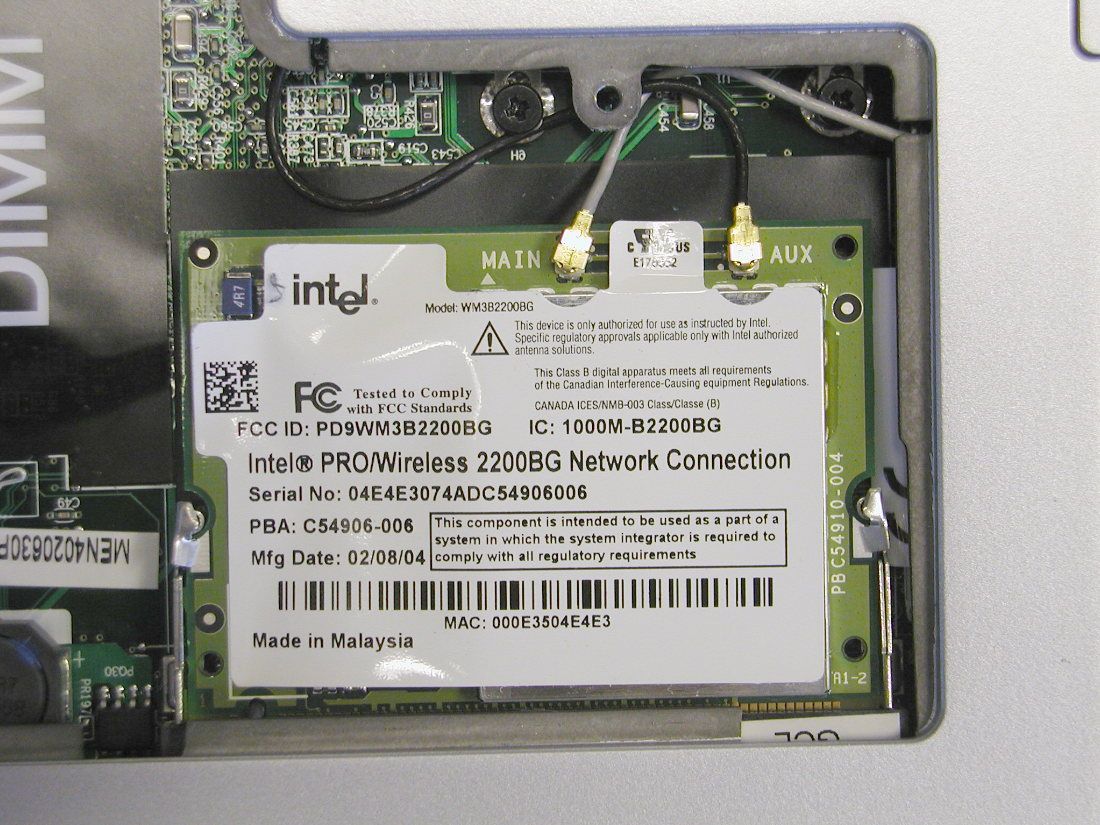
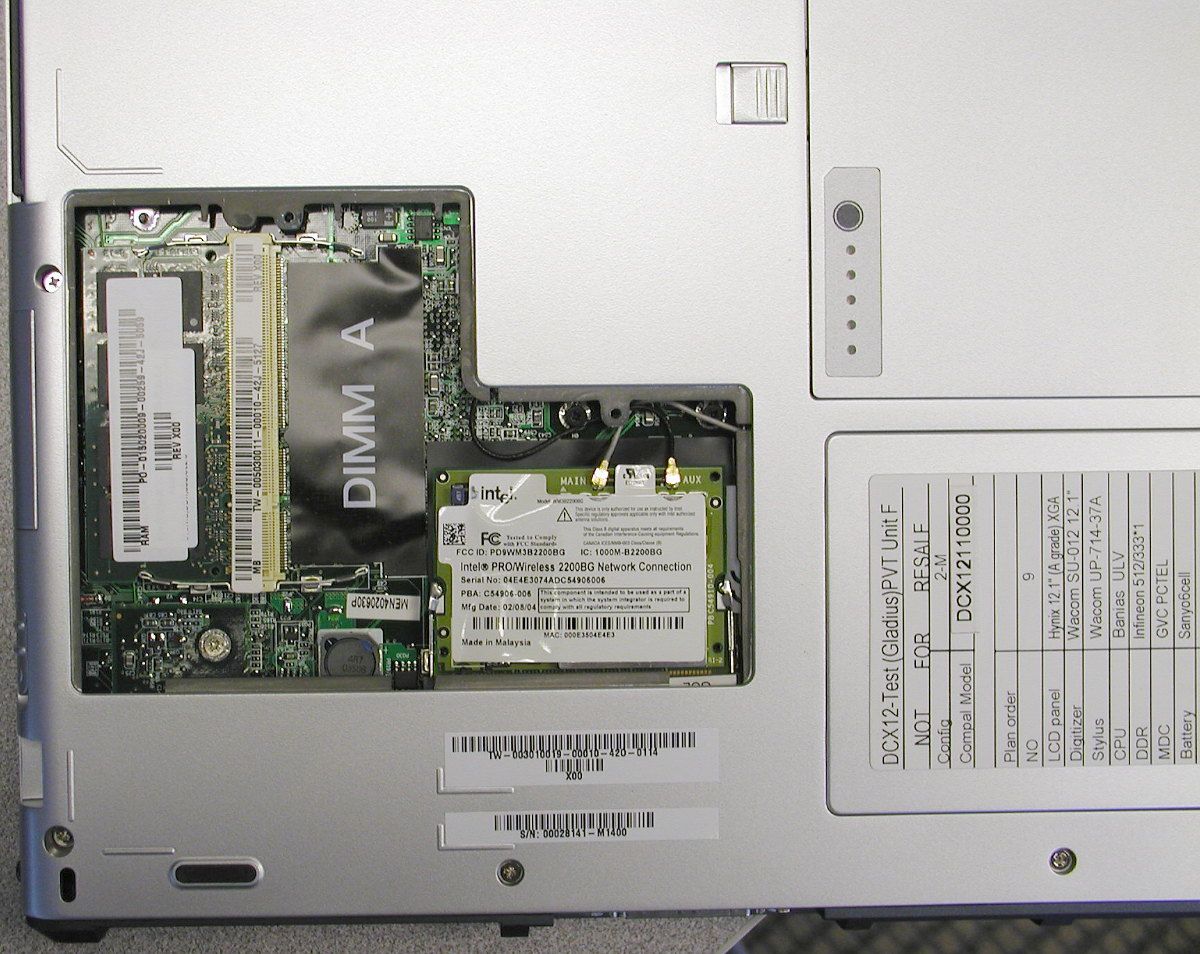
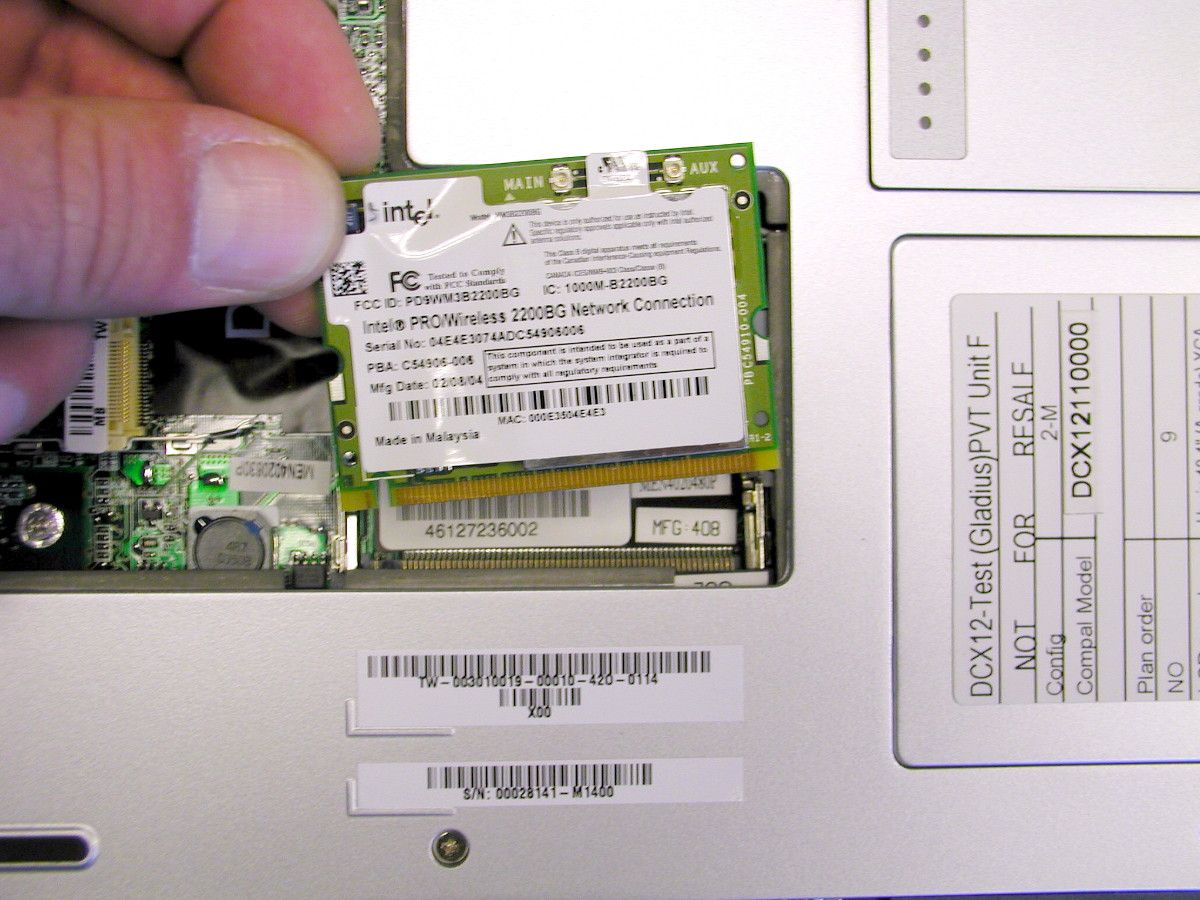
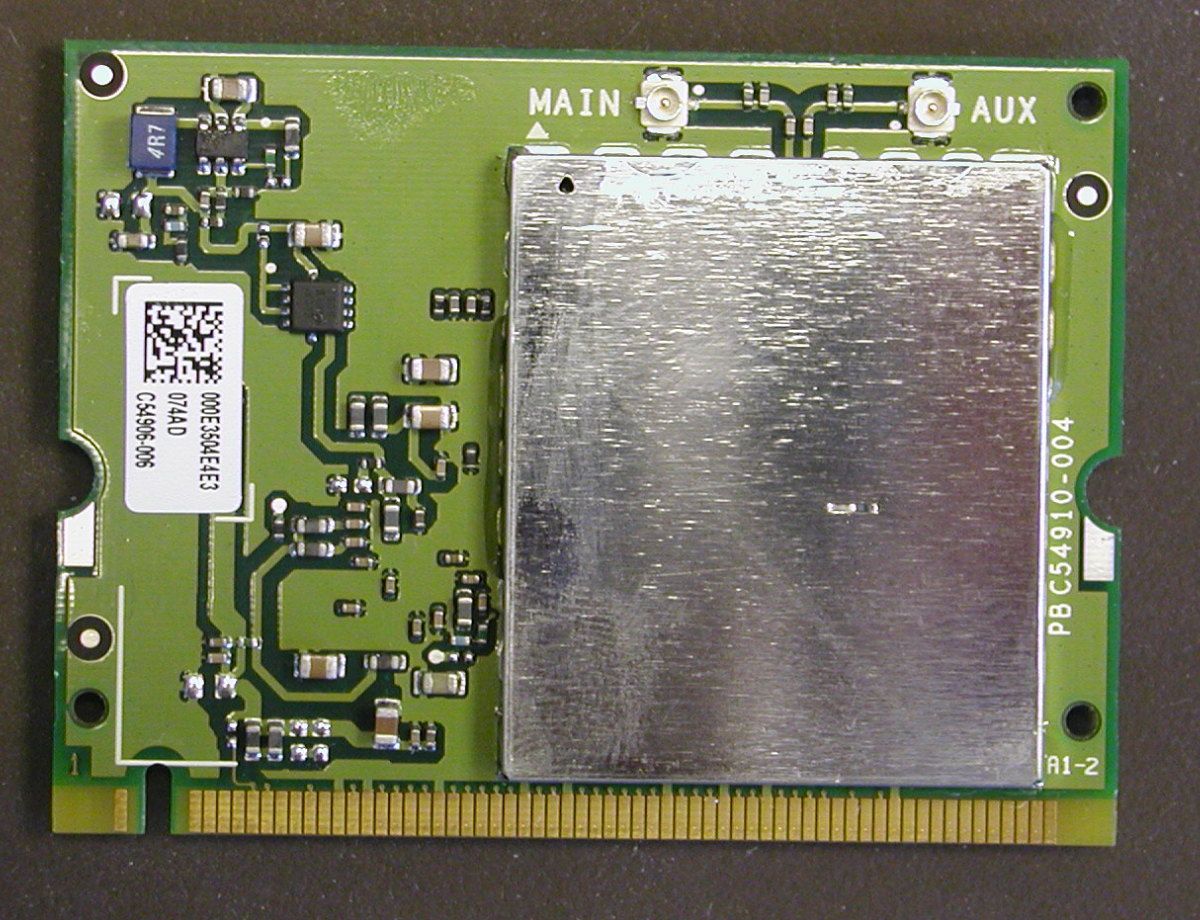
Wireless USI Upper left Microphone Ram and Wireless access
RF Exposure Info
© 2004 Celltech Labs Inc. 1 of 22 Test Report S/N: 021204-475Q3Q Test Date(s): March 03, 2004 Test Type: FCC/IC SAR Evaluation Celltech Labs Inc. declares under its sole responsibility that this wireless portable device has demonstrated compliance with the Specific Absorption Rate (SAR) RF exposure requirements specified in FCC 47 CFR §2.1093 and Health Canada’s Safety Code 6. The device was tested in accordance with the measurement standards and procedures specified in FCC OET Bulletin 65, Supplement C (Edition 01-01), and Industry Canada RSS-102 Issue 1 (Provisional) for the General Population / Uncontrolled Exposure environment. All measurements were performed in accordance with the SAR system manufacturer recommendations. I attest to the accuracy of data. All measurements were performed by me or were made under my supervision and are correct to the best of my knowledge and belief. I assume full responsibility for the completeness of these measurements and vouch for the qualifications of all persons taking them. This test report shall not be reproduced partially, or in full, without the prior written approval of Celltech Labs Inc.. The results and statements contained in this report pertain only to the device(s) evaluated. Russell Pipe Senior Compliance Technologist Celltech Labs Inc. DECLARATION OF COMPLIANCE SAR RF EXPOSURE EVALUATION Test Lab CELLTECH LABS INC. Testing and Engineering Services 1955 Moss Court Kelowna, B.C. Canada V1Y 9L3 Phone: 250-448-7047 Fax: 250-448-7046 e-mail: [email protected] web site: www.celltechlabs.com Applicant Information MOTION COMPUTING INC. 9433 Bee Caves Road Building 1, Suite 250 Austin, Texas 78733 Rule Part(s): FCC 47 CFR §2.1093; IC RSS-102 Issue 1 (Provisional) Test Procedure(s): FCC OET Bulletin 65, Supplement C (Edition 01-01) FCC Device Classification: Digital Transmission System (DTS) FCC IDENTIFER: Q3QM1400T003 Model(s): M1400 (T003) Device Type: Tablet PC with WLAN & Bluetooth Transmitters Modulation(s): WLAN DSSS (Direct Sequence Spread Spectrum) Bluetooth ODFM (Orthogonal Frequency Division Multiplexing) Tx Frequency Range(s): 2412 - 2462 MHz (WLAN) 2402 - 2480 MHz (Bluetooth) RF Output Power Tested: 22.3 dBm - WLAN Peak Conducted - Primary Antenna (2437 MHz) 22.4 dBm - WLAN Peak Conducted - Auxiliary Antenna (2437 MHz) 4.0 dBm - Bluetooth Peak Conducted (2441 MHz) Antenna Type(s) Tested: Internal (Primary WLAN, Auxiliary WLAN, Bluetooth) Battery Type(s) Tested: Lithium-ion 11.1V (1800 mAh, 3600 mAh) Max. SAR Measured: 0.312 W/kg (WLAN & Bluetooth Simultaneous Transmit) © 2004 Celltech Labs Inc. 2 of 22 Test Report S/N: 021204-475Q3Q Test Date(s): March 03, 2004 Test Type: FCC/IC SAR Evaluation TABLE OF CONTENTS 1.0INTRODUCTION......................................................................3 2.0DESCRIPTION OF DUT............................................................. 3 3.0SAR MEASUREMENT SYSTEM.................................................. 4 4.0MEASUREMENT SUMMARY...................................................... 5 5.0DETAILS OF SAR EVALUATION................................................ 6 6.0EVALUATION PROCEDURES.................................................... 6 7.0SYSTEM PERFORMANCE CHECK............................................. 7 8.0SIMULATED EQUIVALENT TISSUES.......................................... 8 9.0SAR SAFETY LIMITS............................................................... 8 10.0ROBOT SYSTEM SPECIFICATIONS........................................... 9 11.0PROBE SPECIFICATION........................................................... 10 12.0SAM PHANTOM V4.0C.............................................................. 10 13.0PLANAR PHANTOM................................................................. 10 14.0DEVICE HOLDER..................................................................... 10 15.0TEST EQUIPMENT LIST............................................................ 11 16.0MEASUREMENT UNCERTAINTIES............................................. 12-13 17.0REFERENCES.........................................................................14 APPENDIX A - SAR MEASUREMENT DATA............................................. 15 APPENDIX B - SYSTEM PERFORMANCE CHECK DATA............................ 16 APPENDIX C - SYSTEM VALIDATION..................................................... 17 APPENDIX D - PROBE CALIBRATION.................................................... 18 APPENDIX E - MEASURED FLUID DIELECTRIC PARAMETERS................ 19 APPENDIX F - SAM PHANTOM CERTIFICATE OF CONFORMITY............... 20 APPENDIX G - PLANAR PHANTOM CERTIFICATE OF CONFORMITY........ 21 APPENDIX H - SAR TEST SETUP & DUT PHOTOGRAPHS......................... 22 © 2004 Celltech Labs Inc. MOTION COMPUTING INC. FCC ID: Q3QM1400T003 3 of 22 M1400 (T003) Tablet PC with WLAN & Bluetooth Transmitters Test Report S/N: 021204-475Q3Q Test Date(s): March 03, 2004 Test Type: FCC/IC SAR Evaluation This measurement report demonstrates that the MOTION COMPUTING INC. Model: M1400 (T003) Tablet PC with co- located WLAN & Bluetooth Transmitters FCC ID: Q3QM1400T003 complies with the SAR (Specific Absorption Rate) RF exposure requirements specified in FCC 47 CFR §2.1093 (see reference [1]), and Health Canada Safety Code 6 (see reference [2]) for the General Population / Uncontrolled Exposure environment. The test procedures described in FCC OET Bulletin 65, Supplement C (Edition 01-01) (see reference [3]) and IC RSS-102 Issue 1 (Provisional) (see reference [4]), were employed. A description of the product, operating configuration, detailed summary of the test results, methodology and procedures used in the evaluation, equipment used, and the various provisions of the rules are included within this test report. FCC Rule Part(s) 47 CFR §2.1093 IC Rule Part(s) IC RSS-102 Issue 1 (Provisional) Test Procedure(s) FCC OET Bulletin 65, Supplement C (01-01) FCC Device Classification Digital Transmission System (DTS) Device Type Tab…
Text truncated - open the document above for the full version.
Test Report
Date:NEMKO USE ONLY JOB # Company: EQUIPMENT CONFIGURATION LIST (HARDWARE/PERIPHERALS): Place an "*" next to EUT and any item that is part of the EUT. Item*Rev. (A)*1 (B) (C) (D) (E) (F) (G) (H) (I) (J) (K) (L) ¹ FCC ID STATUS 1. FCC DOC3. None - (If performing FCC testing, contact lab manager) 2. FCC A/B Verification4. Certification (include FCC ID in parenthesis) INTER-CONNECTION CABLES: Place an "*" next to EUT and any item that is part of the EUT. Item*Ln (m) Term ²Qty. (1) (2) (3) (4) (5) (6) (7) (8) (9) (10) (11) (12) (13) ² TERMINATION 1. Peripheral4. Resistive 2. Loopback5. Remote Equipment 3. EUT6. Other Cable TypeManufacturerShield Power SupplyDelta Electronics Inc. CameraDigimate CD PlayerAopen Inc. MouseMicrosoft 2 KeyboardMicrosoft M1400 Tablet PCMotion Computing Inc.M1400N/A 1/23/2004 4L0050 MOTION COMPUTING INC. Generic DescriptionManufacturerModel No.Serial #FCC ID Status¹
Test Report
Nemko Test Report: 4L0050RUS1Rev3 Applicant: Motion Computing, Inc. 9433 Bee Caves Road Building 1, Suite 250 Austin, TX 78733 Equipment Under Test: M1400 (T003) (E.U.T.) In Accordance With: FCC Part 15, Subpart C, 15.247 Digital Transmission System Transceiver Tested By: Nemko Dallas Inc. 802 N. Kealy Lewisville, Texas 75057-3136 Authorized By: Tom Tidwell, Frontline Group Manager Date: 3 March, 2004 Nemko Dallas FCC PART 15, SUBPART C EQUIPMENT: M1400 (T003) TEST REPORT NO.:4L0050RUS1Rev3 Page 2 of 56 Table of Contents Section 1. Summary of Test Results ......................................................... 3 Section 2. Equipment Under Test (E.U.T.) ................................................ 5 Section 3. Powerline Conducted Emissions .............................................. 7 Section 4. Occupied Bandwidth............................................................... 10 Section 5. Maximum Peak Output Power ................................................ 27 Section 6. RF Exposure........................................................................... 31 Section 7. Spurious Emissions (radiated)................................................ 32 Section 8. Peak Power Spectral Density ................................................. 40 Section 9. Test Equipment List ................................................................. 42 ANNEX A - TEST DETAILS ....................................................................... 43 ANNEX B - TEST DIAGRAMS ................................................................... 54 Nemko Dallas FCC PART 15, SUBPART C EQUIPMENT: M1400 (T003) TEST REPORT NO.:4L0050RUS1Rev3 Page 3 of 56 Section 1. Summary of Test Results Manufacturer: Motion Computing, Inc. Model No.: M1400 (T003) Serial No.: None General: All measurements are traceable to national standards. These tests were conducted on a sample of the equipment for the purpose of demonstrating compliance with Part 15, Subpart C, Paragraph 15.247 for Direct Sequence Spread Spectrum devices. Radiated tests were conducted is accordance with ANSI C63.4-1992. Radiated emissions are made on an open area test site. A description of the test facility is on file with the FCC. New Submission Production Unit Class II Permissive Change Pre-Production Unit THIS TEST REPORT RELATES ONLY TO THE ITEM(S) TESTED. THE FOLLOWING DEVIATIONS FROM, ADDITIONS TO, OR EXCLUSIONS FROM THE TEST SPECIFICATIONS HAVE BEEN MADE. NONE See “ Summary of Test Data”. NVLAP LAB CODE: 100426-0 Nemko Dallas Inc. authorizes the above named company to reproduce this report provided it is reproduced in its entirety and for use by the company’s…
Text truncated - open the document above for the full version.
Contact Information
Applicant
David J Ball(Senior Regulatory and Compliance Specialist)
Technical Contact
Non-Technical Contact
Nemko Dallas, Inc.Tom Tidwell
[email protected]972-436-9600
Test Firm
Nemko Dallas, Inc.Michael Cantwell
Technical Specifications
| # | Rule Parts | Frequency Range | Power Output |
|---|---|---|---|
| 1 | 15C | 2.41 GHz - 2.46 GHz | 170.00 mW |
Other Applications from Xplore Technologies Corp of America
Q3QHMRKB001
Jul 30, 2014Wireless Keyboard
Equipment Class
DSS - Part 15 Spread Spectrum Transmitter
Q3QHOK6321
Mar 25, 2014RFID Tag Reader
Equipment Class
DXX - Part 15 Low Power Communication Device Transmitter
Q3QUHFRFID
Dec 12, 2013RFID Module
Equipment Class
DSS - Part 15 Spread Spectrum Transmitter
Q3QTIRFID7960
Feb 01, 2012MC-C5/MC-F5
Equipment Class
DXX - Part 15 Low Power Communication Device Transmitter
Q3QIHWM622ANH
May 05, 2010Tablet PC MC-C5 / MC-F5
Equipment Class
DTS - Digital Transmission System