Q6DCTX404EV2IEEE 802.11B WLAN PCI Card
Creatix Polymedia GmbH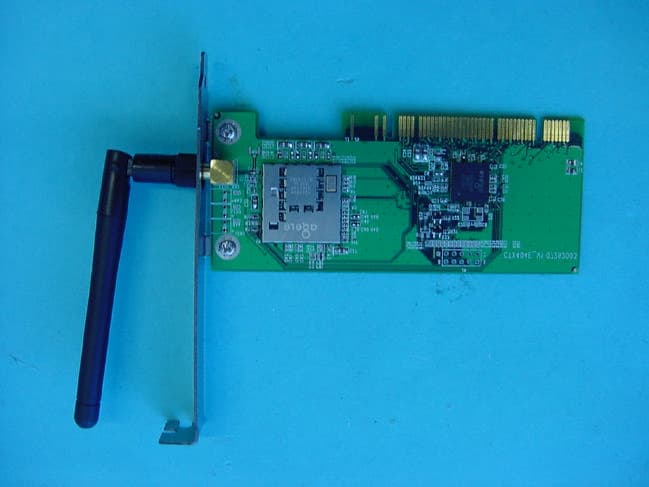
Click to zoom
Application Details
- Equipment Class
- DTS - Digital Transmission System
- Date of Grant
- Sep 03, 2003
- Application Purpose
- Original Equipment
- Date of Application
- Sep 03, 2003
- Equipment Note
- IEEE 802.11B WLAN PCI Card
- Frequency Range
- 2412.00000000 - 2462.00000000
- Company
- Creatix Polymedia GmbH
- Country
- Germany
Documents & Files
Document Text
Text extracted from the exhibit documents filed with the FCC. Open a document above to read the original.
Users Manual
Regulatory Statements FCC Certification The United States Federal Communication Commission and the Canadian Department of Communication have established certain rules governing the use of electronic equipment. Part15, Class B This device complies with Part 15 of the FCC Rules. Operation is subject to the following two conditions: (1) This device my not cause harmful interference, and (2) this device must accept any interference received, including interference that may cause undesired operation. This equipment has been tested and found to comply with the limits for a Class B digital device, pursuant to Part 15 of the FCC Rules. These limits are designed to provide reasonable protection against harmful interference in a residential installation. This equipment generates, uses and can radiate radio frequency energy and, if not installed and used in accordance with the instructions, may cause harmful interference to radio communications. However, there is no guarantee that interference will not occur in a particular installation. If this equipment does cause harmful interference to radio or on, the user is encouraged to try to correct the interference by one or more of the following measures: - Reorient or relocate the receiving antenna. - Increase the separation between the equipment and receiver. - Connect the equipment into an outlet on a circuit different from that to which the receiver is connected. - Consult the dealer or an experienced radio/TV technician for help. Caution: 1. 2. 3. This equipment complies with FCC radiation exposure limits set forth for an uncontrolled environment. This equipment should be installed and operated with minimum distance 20cm between the radiator and your body. This transmitter must not be co-located or operating in conjunction with any other antenna or transmitter. Changes or modifications made to this equipment not expressly approved by Creatix Polymedia GmbH may void the FCC authorization to operate this equipment Installation of the Creatix CTX 404 WLAN 802.11 b After starting the PC the Wireless LAN card is found as a New Hardware “Network Controller”. Click on „Install the software automatically (Recommended)” and click “Next”> Click „Next“> Finish the driver installation with a click on the “Finish“ button. Installation Client Mgr 3.23 Select your CD-ROM, open the folder “Client Mgr 3.23”, double-click on “setup.exe” to install the Wireless LAN Utility. The Client Manager installation is managed via an installation wizard. When the Welcome screen appears , click “Next “> to continue. Click “Yes”. Click “Next”> to continue Select the language of your Client Manager and Click “Next”>. Click “Finish”. Configuration of the Wireless LAN Card: To configure the WLAN Card go to the “Network Connections”< start –control panel > and click on the connection of the “Creatix CTX 404 Wireless LAN 802.11b” with the right mouse button to go to the context menu <Properties> Go to “Wireless Network” Disable the box “Use Windows to configure wireless network settings” to use Manufacturer’s Configuration Utility. Client Manager At the Wireless Client Manager you can see the current status of the Wireless Network Card. Configuration Wireless Network Settings Choose your country Here you can set up the “Network Type” (Access-Point or Peer-to-Peer) and then press the button scan to find your Access Point Here you can set up the “ WEP encryption” WEP encryption is recommended to ensure the security of your wireles network. Uninstall the device Creatix CTX 404 WLAN 802.11 b Go to the Control Panel < System – Hardware – Device Manager> Click with the right mouse button to the Creatix CTX404WLAN 802.11b and click uninstall. Go into the hidden directory \ Windows \ Inf Check all “oem.inf“ files (they can be opened by a double click) to find the oem.inf file “Copyright 2002, Agere System Inc” Delete this file. After deleting the file shut down your PC to remove the card or restart to install a new update for the driver.
Users Manual
Creatix 802.11b Wireless PCI CARD CTX404E V.2 User Manual This handbook is protected by copyright. It must not be copied, reproduced, translated or transmitted in electronic media, in whole or in part. Accuracy of the information is not guaranteed. Any mention in this handbook of products of other manufacturers is for information purposes only and represents no misuse of trademarks. Safety instructions This equipment has been designed and tested in accordance with the requirements of Standard IEC 950 „Safety of Information Technology Equipment, Including Electrical Business Equipment“ Extracts from these requirements according Standard IEC 950: The CTX404E V.2 was evaluated for use in maximum ambient temperature of 40 °C. The CTX404E V.2 may only be used in countries where the card is certified. Regulatory Statements FCC Certification The United States Federal Communication Commission and the Canadian Department of Communication have established certain rules governing the use of electronic equipment. Part15, Class B This device complies with Part 15 of the FCC Rules. Operation is subject to the following two conditions: (1) This device my not cause harmful interference, and (2) this device must accept any interference received, including interference that may cause undesired operation. This equipment has been tested and found to comply with the limits for a Class B digital device, pursuant to Part 15 of the FCC Rules. These limits are designed to provide reasonable protection against harmful interference in a residential installation. This equipment generates, uses and can radiate radio frequency energy and, if not installed and used in accordance with the instructions, may cause harmful interference to radio communications. However, there is no guarantee that interference will not occur in a particular installation. If this equipment does cause harmful interference to radio or on, the user is encouraged to try to correct the interference by one or more of the following measures: - Reorient or relocate the receiving antenna. - Increase the separation between the equipment and receiver. - Connect the equipment into an outlet on a circuit different from that to which the receiver is connected. - Consult the dealer or an experienced radio/TV technician for help. Caution: 1. This equipment complies with FCC radiation exposure limits set forth for an uncontrolled environment. This equipment should be installed and operated with minimum distance 20cm between the radiator and your body. 2. This transmitter must not be co-located or operating in conjunction with any other antenna or transmitter. 3. Changes or modifications made to this equipment not expressly approved by Creatix Polymedia GmbH may void the FCC authorization to operate this equipment Table of Contents Safety Instructions.................................................... Regulatory Statement................................................ Introduction............................................................. Wireless Network Options.......................................... • Peer to Peer • Access Point Network Install....................................................................... • Windows XP Configuration CTX404E V.2........................................ • Windows Utility Configuration Network................................................ Uninstall.................................................................... Support Inquiry.......................................................... Introduction The 802.11b Wireless PCI Card is a powerful 32-bit PCI Card that plugs quickly and easily into your Desktop PC for wireless network applications without wires or cables. Based on the IEEE 802.11b standard, it offers a transferring date rate of 11Mbps in a wireless LAN environment. Once connected with other networked PC’s, it allows you to share hard disk drives, DVD drives, CD drives, printers, and the likes. The 802.11b Wireless PCI Card allows you to take full advantage of your PC’s mobility with access to real-time information and online services anytime and anywhere. Plus, with the network installation simplicity and flexibility, you can eliminate the need to pull cable through walls and ceilings. Exploring WWW and augmenting networks can never be done more easily. Features Features: Compliant with IEEE 802.11b standard for 2.4GHz Wireless LAN Compliant with PCI Standard Works with all existing network infrastructure. Compatible with specific wireless products and services Capable of up to 128-Bit WEP Encryption Protocol Freedom to roam while staying connected 11 Mbps High-Speed Transfer Rate Lower power consumption Easy to install and configure Wireless Network Options The Peer-to-Peer Network This network installation lets you set a small wireless workgroup easily and quickly. Equipped with wireless PCI or wireless PC Cards, you can share files and printers between each PC and laptop. Or you can use one computer as an Internet Server to connect to a wired global network and share files and information with other PCs via a wireless LAN. The Access Point Network The network installation allows you to share files, printers, and Internet access much more conveniently. With wireless PCI Cards, you can connect wireless LAN to a wired global network via an Access Point. Install the CTX404E V.2 1. Before installing the device, make sure the computer is turned off. 2. Remove the expansion slot cover from the computer. 3. Carefully slide the wireless PCI card into an available PCI slot, push it evenly and firmly and ensure it is screwed securely in place using the mounting screw. 4. Once the device has been connected to your computer, Windows will detect the new hardware automatically. Windows XP Click on „Install the software automatically (Recommended)” and click “Next”> Click „Next“> Finish the driver installation with a click on the “Finish“ button. Installation Client Mgr 3.23 Select your CD-ROM, open the folder “…
Text truncated - open the document above for the full version.
External Photos
CETECOM ICT Services GmbH Test report no.:4-1105-01-03/03 Issue date:2003-08-26 Page 50 (52) Photographs of the equipment
ID Label/Location Info
Label location CTX404E V.2 The label is located as below:
Internal Photos
CETECOM ICT Services GmbH Test report no.:4-1105-01-03/03 Issue date:2003-08-26 Page 51 (52) Photographs CETECOM ICT Services GmbH Test report no.:4-1105-01-03/03 Issue date:2003-08-26 Page 52 (52) Photographs
Test Report
CETECOM ICT Services GmbH Radio Satellite Communication Untertürkheimer Straße 6-10 . D-66117 Saarbrücken Telefon: +49 (0)681 598-0 Telefax: -9075 RSC14 issue test report consist of 52 Pages Page 1 (52) Recognized by the Federal Communications Commission Anechoic chamber registration no: 90462 (FCC) Anechoic chamber registration no: 3436 (IC) TCB ID: DE 0001 Accredited by the German Accreditation Council DAR–Registration Number TTI–P–G 166/98 Independent ETSI compliance test house ETSI Accredited Bluetooth™ Test Facility (BQTF) Test Report No.: 4-1105-01-03/03 FCC Part 15.247 / CANADA RSS-210 CTX 404E V.2 FCC ID: Q6DCTX404EV2 CETECOM – ICT Services GmbH Untertürkheimerstr. 6-10 66117 Saarbrücken, Germany Telephone: + 49 (0) 681 / 598-0 Fax: + 49 (0) 681 / 9075 CETECOM ICT Services GmbH Test report nr.:4-1105-01-03/031 Issue date: 2003-08-26 Page 2 (52) Table of Contents 1 General information 1.1 Notes 1.2 Testing laboratory 1.3 Details of applicant 1.4 Application details 1.5 Test item 1.6 Test standards 2 Technical test 2.1 Summary of test results 2.2 Test report 1 General information 1.1 Notes The test results of this test report relate exclusively to the test item specified in 1.5. The CETECOM ICT Services GmbH does not assume responsibility for any conclusions and generalisations drawn from the test results with regard to other specimens or samples of the type of the equipment represented by the test item. The test report may only be reproduced or published in full. Reproduction or publication of extracts from the report requires the prior written approval of the CETECOM ICT Services GmbH. 1.2 Testing laboratory CETECOM ICT Services GmbH Untertürkheimer Straße 6 - 10 66117 Saarbrücken Germany Telefone : + 49 681 598 - 9100 Telefax : + 49 681 598 - 9075 E-mail : [email protected] Internet : www.cetecom.de Accredited testing laboratory DAR-registration number : TTI-P-G-166/98-30 Accredited Bluetooth TM Test Facility (BQTF) BLUETOOTH TM is a trademark owned by Bluetooth SIG, Inc. and licensed to CETECOM CETECOM ICT Services GmbH Test report no.:4-1105-01-03/03 Issue date:2003-08-26 Page 3 (52) 1.3 Details of applicant Name : Creatix Polymedia Gesellschaft für Kommunikationssysteme GmbH Street : Heinrich-Barth-Str. 3 City : 66115 Saarbrücken Country : Germany Telephone: +49 (0) 681 98 11-3 00 Telefax : +49 (0) 681 98 11-3 90 Contact : Herr Frank von Ehren Telephone: +49 (0) 681 98 11-4 13 1.4 Application details Date of receipt of application : 2003-08-19 Date of receipt of test item : 2003-08-19 Date of test : 2003-08-19 1.5 Test item Type of equipment : 2.4 GHz WLAN PCI card 802.11b Type designation : CTX 404E V.2 Manufacturer : -applicant - Street : City : Country : Serial number : FCC ID : Q6DCTX404EV2 Hardware : Software : Additional information : Frequency : 2412 – 2462 MHz Type of modulation : 22M0P7D (DSSS) Ch.Sep. : 5 MHz Number of channels : 11 Antenna : external rod antenna with inverted SMA connector Power supply : 3.3 V via PC slot Output power cond./rad. : 88.51 mW / 116.68 mW EIRP Type of equipment : Class B Temperature range : 0°C - +40°C Field strength peak : 107.9 dBμV/m Occupied bandwidth : 11437 kHz Transmitter spurious : 46.0 dBμV/m at 2758.9 MHz Receiver spurious . 37.5 dbμ/m at 4138 MHz Temperature range : 0°C - +40°C 1.6 Test standards: FCC Part 15 §15.247 / CANADA RSS-210 CETECOM ICT Services GmbH Test report no.:4-1105-01-03/03 Issue date:2003-08-26 Page 4 (52) Test set-ups: The tests were performed with a special shielded PC with extender card to get free radiation of the test sample. We also used special test software to set the samples in the required modes. We also made a conducted measurement to show the reaction of the sample on the AC line. 2 Technical test 2.1 Summary of test results The radiated measurements are performed in vertical and horizontal plane in the frequency range from 9 kHz to 25 GHz in semi-anechoic chambers. The EUT is positioned on a non-conductive support with a height of 0.80 m above a conductive ground plane that covers the whole chamber. The receiving antennas are conform with specifications ANSI C63.2-1987 clause 15 and ANSI C63.4-1992 clause 4.1.5. These antennas can be moved over the height range between 1.0 m and 4.0 m in order to search for maximum field strength emitted from EUT. The measurement distances between EUT and receiving antennas are indicated in the test setups for the various frequency ranges. For each measurement, the EUT is rotated in all three axes until the maximum field strength is received. The wanted and unwanted emissions are received by spectrum analyzers where the detector modes and resolution bandwidths over various frequency ranges are set according to requirement ANSI C63-4-1992 clause 4.2. CETECOM ICT Services GmbH Test report no.:4-1105-01-03/03 Issue date:2003-08-26 Page 5 (52) Antennas are conform with ANSI C63.2-1996 item 15. 9 kHz - 30 MHz: Quasi Peak measurement, 9kHz Bandwidth, loop antenna. 30 MHz - 200 MHz: Quasi Peak measurement, 120KHz Bandwidth, biconical antenna 200MHz - 1GHz: Quasi Peak measurement, 120KHz Bandwidth, log periodic antenna >1GHz: Average, RBW 1MHz, VBW 10 Hz, wave-guide horn All measurement settings are according to FCC 15.35, 15.205, 15.209, 15.247 and the „Measurement guidelines for DSSS systems“. No deviations from the technical specification(s) were ascertained in the course of the tests performed. The product fulfills also the requirements for CANADA RSS-210. FINAL VERDICT : PASS Technical responsibility for area of testing : 2003-08-26 RSC 8414 Ames H. Date Section Name Signature Technical responsibility for area of testing : 2003-08-26 RSC8412 Hausknecht D. Date Section Name Signature CETECOM ICT Services GmbH Test report no.:4-1105-01-03/03 Issue date:2003-08-26 Page 6 (52) 2.2 Test report TEST REPORT Test report no. : 4-1105-01-03/03 CETECOM ICT Services GmbH Test report no.:4-1105-01-03/03 Issue date:2003-08-26 Page 7 (52) TEST REPORT REFERENCE LIST OF ME…
Text truncated - open the document above for the full version.
Test Setup Photos
CETECOM ICT Services GmbH Test report no.:4-1105-01-03/03 Issue date:2003-08-26 Page 47 (52) Test site RADIATED EMISSIONS CETECOM ICT Services GmbH Test report no.:4-1105-01-03/03 Issue date:2003-08-26 Page 48 (52) Test site RADIATED EMISSIONS CETECOM ICT Services GmbH Test report no.:4-1105-01-03/03 Issue date:2003-08-26 Page 49 (52) Test site CONDUCTED EMISSIONS
Contact Information
Applicant
Frank von Ehren(Product Manager)
[email protected]+49 681 9811 413
Test Firm
Cetecom ICT Services GmbHRalf Hoehn
Technical Specifications
| # | Rule Parts | Frequency Range | Power Output |
|---|---|---|---|
| 1 | 15C | 2.41 GHz - 2.46 GHz | 117.00 mW |
Other Applications from Creatix Polymedia GmbH
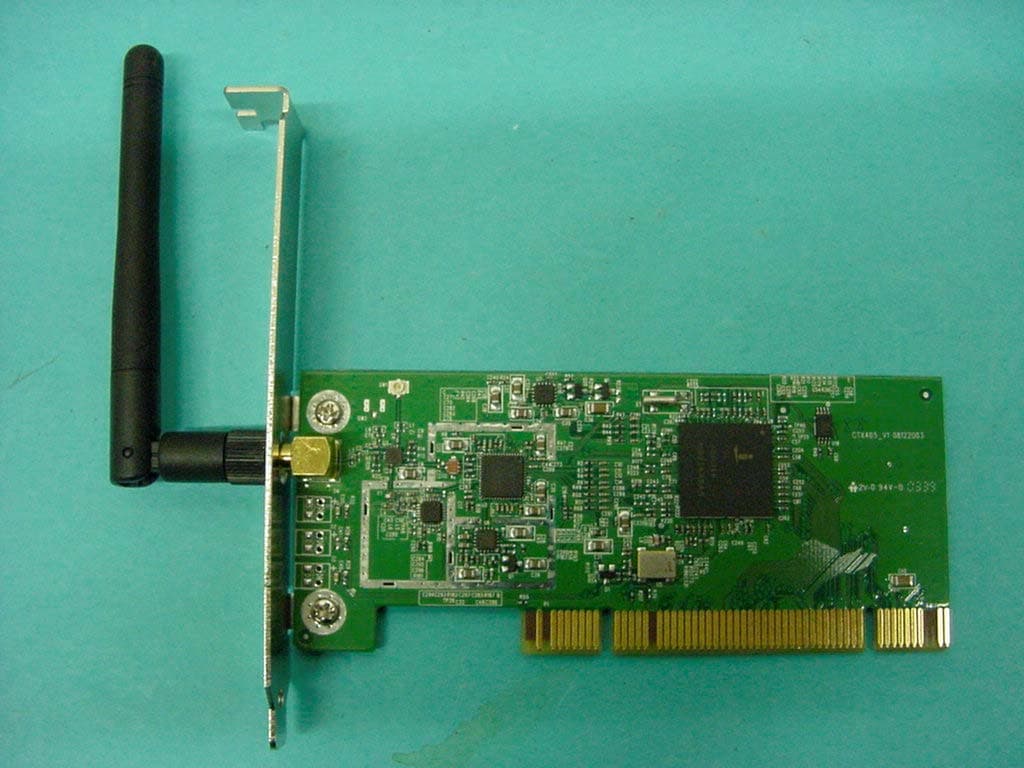
Q6DCTX405
Sep 19, 2004WLAN PCI Card 802.11 b/g
Equipment Class
DTS - Digital Transmission System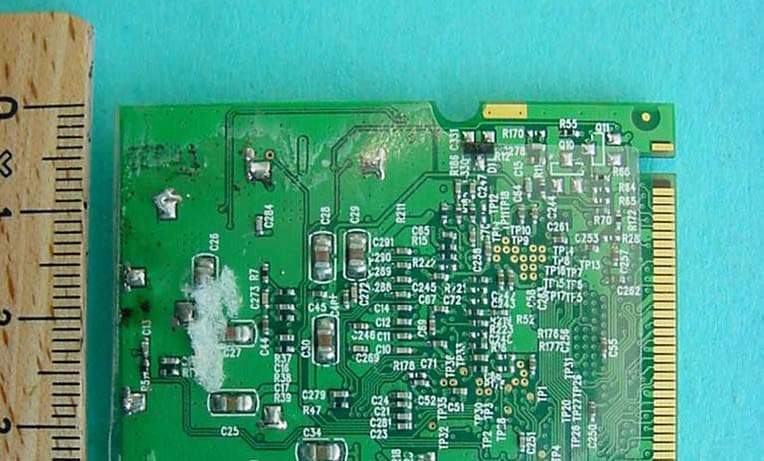
Q6DCTX714
Dec 11, 2003802.11b/g WLAN miniPCI Card
Equipment Class
DTS - Digital Transmission SystemQ6DCTX712V2
Sep 11, 2003802.11b WLAN miniPCI Card
Equipment Class
DTS - Digital Transmission System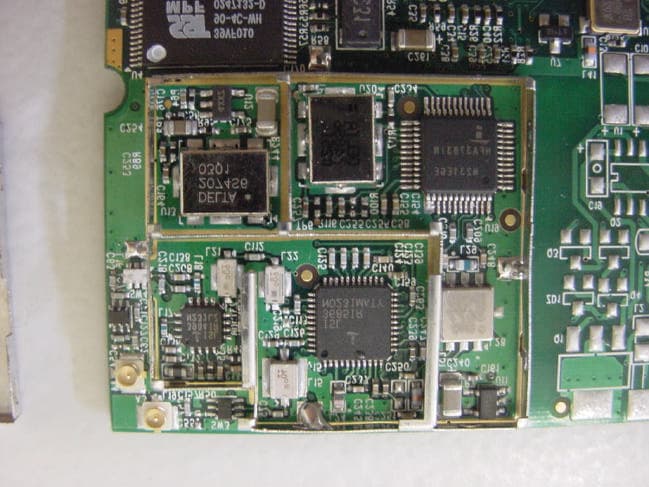
Q6DCTX712AV2
Jun 25, 2003802.11b WLAN miniPCI Card
Equipment Class
DTS - Digital Transmission System