Q9MDM-FA60MP3 PLAYER
DM Technology Co., Ltd.
Click to zoom
Application Details
- Equipment Class
- JBP - Part 15 Class B Computing Device Peripheral
- Date of Grant
- Oct 28, 2004
- Application Purpose
- Original Equipment
- Date of Application
- Oct 28, 2004
- Equipment Note
- MP3 PLAYER
- Company
- DM Technology Co., Ltd.
- Country
- South Korea
Documents & Files
Document Text
Text extracted from the exhibit documents filed with the FCC. Open a document above to read the original.
Users Manual
3 Contents 2 PreparationsFeatures ........................................................................................................4Location of Controls ......................................................................................6Connection to ComputerConnecting to a PC ......................................................................................8USB Driver Manual Installation ....................................................................10Windows 98 Installation ..............................................................................12Use as a Removable Disk ............................................................................13Remove the USB Cable ..............................................................................14Firmware Upgrade ........................................................................................15Basic UsageListening to Music ........................................................................................16Mode Change ..............................................................................................18V oice Recording............................................................................................19 MP3 Encoding ..............................................................................................20Search for your favorite music / voice files ..................................................21FM Radio ......................................................................................................22FM Encoding ................................................................................................25 Additional UsageMenu Settings ..............................................................................................26Using the Play Music Menu ..........................................................................29Setting Playlist ..............................................................................................31Sound Configuration ....................................................................................32Playback Mode Settings ..............................................................................35Recording Mode Settings ............................................................................37FM Optimize ................................................................................................41Display Settings ..........................................................................................43System Settings ............................................................................................45Product Specifications ..................................................................................49Customer SupportT roubleshooting ............................................................................................51 Specifications................................................................................................53 Document1 10/13/04 4:16 PM Page 2 5 Features 4 ● V oice Recording & MP3 Playback ● FM Radio & Recording ● FM Channel Auto-Store ● Digital Interface (USB) ● MP3 transfer using your PC, Store Recording, E-mail Transfer ● Removable Disk Drive AvailableY ou can carry this MP3 player anywhere and transfer and/or edit music files using your PC. ● Create Playlist ● File Repeat ● High-speed File Search ● V arious Sound Mode Selections CLASSIC, JAZZ, POP, ROCK, USER1, USER2 ● Display Remaining Recording Time ● Monitor Recording Content ● Auto Power OffAutomatically turns off when no button is pressed for 30 seconds. ● Firmware Upgrade ● Graphics LCD ● Background Highlight for LCD ● Connect to external devices using LINE IN for recording ● As a Multi-CODEC Player, supports the MP3, WMA, ASF file f ormats. Document1 10/13/04 4:16 PM Page 4 7 Location of Controls 6 LCD Display Strap Hole USB Connector Port LINE IN / Input Terminal Earphone / Output Terminal Built –in Microphone Hold Switch Battery Cover Jog key Menu, T rack Navigation/ Fast Search/ V olume Control COMPONENTS Earphone User manual T wo Battery (1.5V AAA/LR03 type) USB Cable Line In Cable OO OO pp pp tt tt ii ii oo oo nn nn Arm Band Carring Case Installation CD Neck Strap LCD Display Insert Battery 1 Press ▲ to push the battery cover up and then lower it. 2 Insert two batteries (AAA), align themaccording to their polarity (+, -) and closethe cover. Document1 10/13/04 4:16 PM Page 6 9 Connecting to a PC 8 Recommended PC EnvironmentThe following is required for normal operation of the player.■ Pentium 133MHz or higher ■ CD-ROM Drive (2X or higher) ■ Minimum 20MB Free Space ■ Windows 98 SE/ME/2000/XP ■ Supports USB (1.1) ■ VGA Graphics To transfer mp3 files from a PC, you need to first connect the PC to the MP3 player using the USB cable provided. A new removable disk volume will be displayed in My Computer. 1 Connect the one end of the USB cable to the USB port of your PC. 2 T urn on the player and plug the other end of the USB cable into the USB port of the player. - Do not unplug the USB cable during the USB driver installation. This may cause a malfunction of the player. - When you see the internal message “Mass Connect” on the LCD, setup has successfully completed. 3 The system searches for a new device and the USB driver is installed. The installationprocess may not be displayed. It is recommended checking the Device Manager if the driverinstallation was successful. 4 When done, you’ll see “DM tech MP-00 Device” displayed in the list [Device Manager] as inthe figure below. 5 For problems with the installation as in the figure below, refer to the “USB Driver ManualInstallation”. How to check USB driver How to check USB driver Windows 98: Control Panel ➝ System ➝ Device Manager ➝ Disk Drives ➝ DM tech MP-00 Windows 2000: Control Panel ➝ System ➝ Hardware ➝ Device Manager ➝ Disk Drives ➝ DM tech MP-00 USB Device Windows XP: Control Panel ➝ System ➝ Hardware ➝ Device Manager ➝ Universal Serial Bus controlle…
Text truncated - open the document above for the full version.
ID Label/Location Info
MP3 Player MODEL : DM-FA60 FCC ID: Q9MDM-FA60
Test Report
EMI TEST REPORT Emission of electromagnetic disturbance Test Report No. : ERI-FCC04-0054 Equipment : MP3 Player Name of basic model : DM-FA60 Family model : Refer to the page 4 Manufacturer : GUANGZHOU DEBAO YUCHANG ELECTRONICS CO.,Ltd Applicant : D.M. Technology Co., Ltd. Tested date : 2004. 9. 13 – 9. 14 Issued date : 2004. 10. 29 Test results : PASS Test Standards : FCC Part 15 Subpart B (Class B) /Digital devices & peripherals Test Procedure and Items: - AC Power line Conducted emissions measurement : ANSI C63.4-1992 - Radiated emissions measurement : ANSI C63.4-1992 Tested by: YOUNG-SIK, KIM Approved by: SANG-KYU, LEE The results in this report apply only to the sample tested. This test report shall not be reproduced except in full, without the written approval of ERI Laboratory. EMC RESEARCH INSTITUTE EMC Research Institute CONTENTS 1. CLIENT INFORMATION 2. LABORATORY INFORMATION 3. EQUIPMENT UNDER TEST INFORMATION(EUT) 3.1 Identification of the EUT 3.2 Additional information about the EUT 3.3 Peripheral equipment 4. CONTINUOUS DISTURBANCE VOLTAGE, MAIN TERMINAL 4.1 Operating environment 4.2 Test set-up and test procedures 4.3 Operation Conditions 4.4 Test instrument 4.5 Test results 5. RADIATED DISTURBANCE: 30MHz – 1000MHz 5.1 Operating environment 5.2 Test set-up 5.3 Test conditions 5.4 Test instrument 5.5 Test results (Test mode: Up & Download mode) 5.6 Test results (Test mode: Play mode) 5.7 Test results (Test mode: FM Tuner mode) APPENDIX (None) EMC Research Institute 1. CLIENT INFORMATION The EUT has been tested by request of : Company : Frous electronics Co., Ltd. Address : 4 th Fl. 419-5, DoGok-Dong, KangNam-Gu, Seoul, Korea Name of contact : Tae-Yeol, Kim Telephone : +82-2-3461-3793 Facsimile : +82-2-3461-3796 2. LABORATORY INFORMATION The 10m full-anechoic chamber and/or EMC facilities are used for these testing. These facilities were accredited by KOLAS, EK, MIC of Korea and FCC of USA. Address ELECTROMAGNETIC RESEARCH INSTITUTE. 66-6, JEIL-RI, YANGJI-MYUN, YOUNGIN-CITY, KYUNGGI-DO, KOREA Telephone No. : +82-31-336-1186~7 Facsimile No. : +82-31-336-1184 Registered No. KOLAS : 111 EK : J MIC : KR0030 FCC Filing No. : 302567 3. EQUIPMENT UNDER TEST INFORMATION(EUT) 3.1 Identification of the EUT Type of equipment : MP3 Player Model name : DM-FA60 Manufacturer : GUANGZHOU DEBAO YUCHANG ELECTRONICS CO.,Ltd Address : DONGSI BUILDING, HONGTU, INDUSTRIAL ZONE, LICUN VILLAGE, DASHI TOWN, PANYU CITY, UANGDONG, CHINA Telephone : + 86-20-3456-1885 Facsimile : + 86-20-3456-1811 Country of origin : CHINA Rating : AC110V, 60Hz EMC Research Institute 3.2 Additional information about the EUT Class B, Family Models List: Basic Model Variant Model Differential point Memory size DM-FA60 256M DM-FA60 (512M) DM-FA60 Memory size 128M 3.3 Peripheral equipment Defined as equipment needed for correct operation of the EUT. Description Model No. Serial No. Manufacture NOTE PC CM2080 5Y17JNZ9R622 LG Printer C6247A CN13V1B1RY HP Earphone - - - EMC Research Institute 4. CONTINUOUS DISTURBANCE VOLTAGE, MAIN TERMINAL : Frequency range 0.15 MHz to 30 MHz 4.1 Operating environment Temperature : 24.0 Relative Humidity : 48.0 % 4.2 Test set-up and test procedures The mains terminal disturbance voltage was measured with the equipment under test(EUT) in a shield room. The EUT was connected to an artificial mains network(LISN) placed on the floor. The EUT was placed on non-metallic table 0.4m above the metallic, grounded floor. The distance to other metallic surface was at least 0.8m. Amplitude measurements were performed with a quasi-peak detector and an average detector. 4.3 Operation Conditions Up & Down load mode, play mode 4.4 Test instrument Instrument Model No Serial No. Makers Next cal.date Used Test receiver ESCS30 100022 R&S 2005. 06. 16 ESH3-Z5 100029 R&S 2004. 11. 11 L.I.S.N. ESH3-Z5 100031 R&S 2005. 01. 06 Shield room 8 6 3.3m/H - - - AC Main LISN LISN Note PC EUT Printer Earphone EMC Research Institute 4.5 Test results Date of test: Sep 14, 2004. An overview sweep performed with peak detector & average detector are included in the report as test reports. Frequency Tested LISN Meter Range Freq. Reading Limits Margin QP AV QP AV QP AV [MHz] [MHz] [dBuV] [dBuV] [dBuV] 0.156 N 45.3 44.1 65.7 55.7 20.4 11.6 0.219 N 32.1 31.5 62.8 52.8 30.7 21.3 0.15-30 0.252 N 34.8 32.9 61.6 51.6 26.8 18.7 0.315 N 32.9 32.3 59.8 49.8 26.9 17.5 0.423 N 26.2 23.4 57.3 47.3 31.1 23.9 0.438 N 24.1 22.3 57.2 47.2 33.1 24.9 2.727 N 25.7 22.2 56.0 46.0 30.3 23.8 5.770 N 20.9 15.3 60.0 50.0 39.1 34.7 16.000 N 23.0 21.7 60.0 50.0 37.0 28.3 24.000 N 21.3 19.5 60.0 50.0 38.7 30.5 * <5 : mean less than 5dB * Other frequency keep over 20dB margin. EMC Research Institute [Live line] [Neutral line] EMC Research Institute 5. RADIATED DISTURBANCE : 30MHz – 1000MHz 5.1 Operating environment Temperature : 24.0 Relative Humidity : 49.0 % 5.2 Test set-up The frequency range investigated was 30 MHz to 1000 MHz. All readings are quasi-peak unless stated otherwise. The half-wave dipole antenna was tuned to the frequency found during Preliminary radiated measurements. The EUT, support equipment and Interconnecting cables were re-configured to the set-up to the producing the Maximum emission for the frequency and were placed on top of a 0.8 meter High non-metallic 1 X 1.5 meter table. The EUT, support equipment, and interconnecting cables were re-arranged and manipulated to maximize each EME emission. The turntable containing the system was rotated the antenna height was varied 1 to 4 meters and stopped at the azimuth or height producing the maximum emission. And this device(EUT) was tested in 3 orthogonal planes. The antenna measured both horizontal and vertical polarization. <General test set-up for radiated emissions> 5.3 Operation Conditions Up load mode, play mode, tuner mode EMC Research Institute 5.4 Test instrument Instrument Model No. Serial No. Makers Next cal.date Used Test receiver ESCS30 100021 R&S 2005. 02.06 Biconical Antenna VH…
Text truncated - open the document above for the full version.
Contact Information
Applicant
Myeong-Ho Kim
Test Firm
EMC Research InstituteKyu-Hong Jung
Technical Specifications
| # | Rule Parts | Frequency Range | Power Output |
|---|---|---|---|
| 1 | 15B | - | - |
Other Applications from DM Technology Co., Ltd.
Q9MIS07N
Jan 30, 2008Internet Radio device
Equipment Class
DTS - Digital Transmission System
Q9MDM-AV7
Nov 25, 2004Portable Mulitmedia Player
Equipment Class
JBP - Part 15 Class B Computing Device Peripheral
Q9MDM-AV10
Feb 23, 2004DIGITAL PRESENTATION DEVICE
Equipment Class
JBP - Part 15 Class B Computing Device Peripheral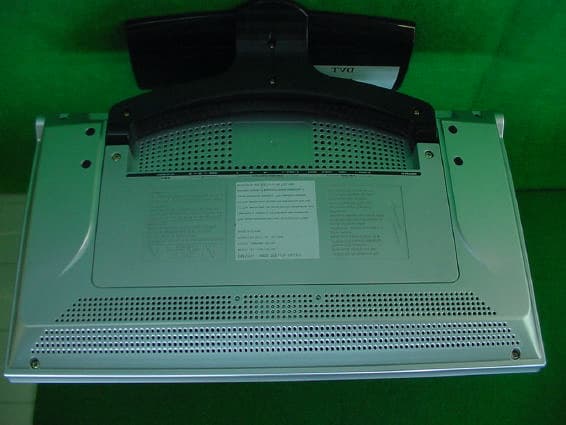
Q9MDML-3017W
Aug 18, 2003Digital presentation device
Equipment Class
JBP - Part 15 Class B Computing Device Peripheral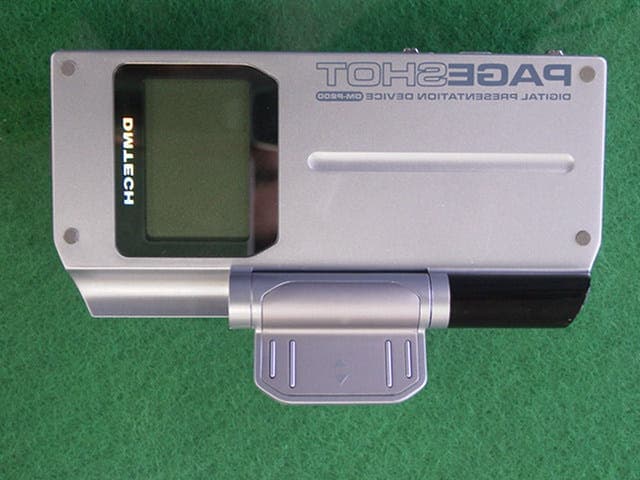
Q9MDM-P200
Jul 07, 2003DIGITAL PRESENTATION DEVICE
Equipment Class
JBP - Part 15 Class B Computing Device Peripheral