QFXRM-133XWCDMA2100/GSM Cellular Phone with BT
Microsoft Corporation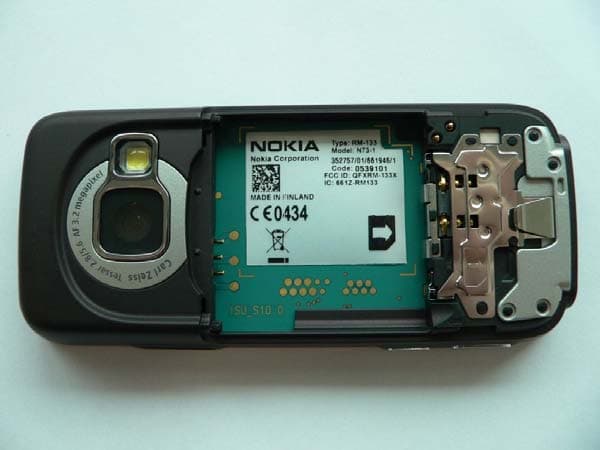
Click to zoom
Application Details
- Equipment Class
- DSS - Part 15 Spread Spectrum Transmitter
- Date of Grant
- Apr 03, 2008
- Application Purpose
- Original Equipment
- Date of Application
- Apr 02, 2008
- Equipment Note
- WCDMA2100/GSM Cellular Phone with BT
- Frequency Range
- 2402.00000000 - 2480.00000000
- Company
- Microsoft Corporation
- Country
- United States
Documents & Files
Document Text
Text extracted from the exhibit documents filed with the FCC. Open a document above to read the original.
Users Manual
Nokia N73 User Guide 9252070 ISSUE 3 EN R1108_en.book Page 1 Wednesday, March 5, 2008 9:53 AM DECLARATION OF CONFORMITY Hereby, NOKIA CORPORATION declares that this RM-133 product is in compliance with the essential requirements and other relevant provisions of Directive 1999/5/ EC. A copy of the Declarat ion of Conformity can be found at http://www.nokia.com/ph ones/declaration_of_conformity/ The crossed-out wheeled bin means that within the European Union the product must be taken to separate co llection at the product end-of-life. This applies to your device but also to any enhancements marked with this symbol. Do not dispose of these products as unsorted municipal waste. For more information, see product Eco-Declaration or country specific information at www.nokia.com.© 2007 Nokia. All rights reserved.Nokia, Nokia Connecting People, Pop-Port, Nseries, N73 and Visual Radio are trademarks or registered trademarks of Nokia Corporation. Nokia tune is a sound mark of Nokia Corporation. Other product and company names mentioned herein may be trademarks or tradenames of their respective owners.Reproduction, transfer, distribution or storag e of part or all of the contents in this document in any form without the prior written permission of Nokia is prohibited.This product includes software licensed from Symbian Software Ltd © 1998-200(7). Symbian and Symbian OS are trademarks of Symbian Ltd. Java™ and all Java-based marks are trademarks or registered trademarks of Sun Microsystems, Inc. US Patent No 5818437 and other pending patents. T9 text input software Copyright ©1997-2007. Tegic Communications, Inc. All rights reserved.This product is licensed under the MPEG -4 Visual Patent Portfolio License (i) for personal and noncommercial use in connection with information which has been encoded in compliance with the MPEG-4 Visual Standard by a consumer engaged in a personal and noncommercial activity and (ii) for use in connection with MPEG-4 video provided by a licensed video pr ovider. No license is granted or shall be implied for any other use. Additional information, including that related to promotional, internal, and commercial use s, may be obtained from MPEG LA, LLC. See <http://www.mpegla.com>.Nokia operates a policy of ongoing development. Nokia reserves the right to make changes and improvements to any of th e products described in this document without prior notice.TO THE MAXIMUM EXTENT PERMITTED BY APPLICABLE LAW, UNDER NO CIRCUMSTANCES SHALL NOKIA OR ANY OF ITS LICENSORS BE RESPONSIBLE FOR ANY LOSS OF DATA OR INCOME OR ANY SPECIAL, INCIDENTAL, CONSEQUENTIAL OR INDIRECT DAMAGES HOWSOEVER CAUSED.THE CONTENTS OF THIS DOCUMENT ARE PROVIDED "AS IS". EXCEPT AS REQUIRED BY APPLICABLE LAW, NO WARRANTIES OF ANY KIND, EITHER EXPRESS OR IMPLIED, INCLUDING, BUT NOT LIMITED TO, THE IMPLIED WARRANTIES OF MERCHANTABILITY AND FITNESS FOR A PARTICULAR PURPOSE, ARE MADE IN RELATION TO THE ACCURACY, RELIABILITY OR CONTENTS OF THIS DOCUMENT. NOKIA RESERVES THE RIGHT TO REVISE THIS DOCUMENT OR WITHDRAW IT AT ANY TIME WITHOUT PRIOR NOTICE.Export controlsThe availability of particular products and applications and services for these products may vary by region. Please check with your Nokia dealer for details, and availability of language options.This device may contain commodities, tec hnology or software subject to export laws and regulations from the US and other countries. Diversion contrary to law is prohibited.FCC/INDUSTRY CANADA NOTICEYour device may cause TV or radio interference (for example, when using a telephone in close proximity to receiving equipment). The FCC or Industry Canada can require you to stop using your te lephone if such interference cannot be eliminated. If you require assistance, contac t your local service facility. This device complies with part 15 of the FCC rules. Operation is subject to the following two conditions: (1) This device may not cause harmful interference, and (2) this device must accept any interference received , including interference that may cause undesired operation. Any changes or modific ations not expressly approved by Nokia could void the user's authority to operate this equipment.The third-party applications provided with yo ur device may have been created and may be owned by persons or entities not affiliated with or related to Nokia. Nokia does not own the copyrights or intellect ual property rights to the third-party applications. As such, Nokia does not take any responsibility for end-user support, 0434 R1108_en.book Page 2 Wednesday, March 5, 2008 9:53 AM functionality of the applications, or the information in the applications or these materials. Nokia does not provide any warranty for the third-party applications.BY USING THE APPLICATIONS YOU ACKNOWLEDGE THAT THE APPLICATIONS ARE PROVIDED AS IS WITHOUT WARRANTY OF ANY KIND, EXPRESS OR IMPLIED, TO THE MAXIMUM EXTENT PERMITTED BY APPLICABLE LAW. YOU FURTHER ACKNOWLEDGE THAT NEITHER NOKIA NOR ITS AFFILIATES MAKE ANY REPRESENTATIONS OR WARRANTIES, EXPRESS OR IMPLIED, INCLUDING BUT NOT LIMITED TO WARRANTIES OF TITLE, MERCHANTABILITY OR FITNESS FOR A PARTICULAR PURPOSE, OR THAT THE APPLICATIONS WILL NOT INFRINGE ANY THIRD-PARTY PATENTS, COPYRIGHTS, TRADEMARKS, OR OTHER RIGHTS. Issue 3 EN, 9252070 R1108_en.book Page 3 Wednesday, March 5, 2008 9:53 AM ContentsFor your safety7Get connected10Your Nokia N7311Charge the battery11Settings11Transfer content fr om another device11 Essential indicators12Volume and loudspeaker control13Multimedia key (Nokia N73 (originaledition))14Headset14Memory card tool14File manager15Download!16Support17Nokia support and contact information17Software updates17 Help17Tutorial18Camera19Take pictures19Take pictures in a sequence24You in the picture—self-timer24Record videos25Gallery28View and browse files28Albums30Edit images31Edit video clips32Slide show33Presentations33Image print34Print online35Share online36 R1108_en.book Page 4 Wednesday, March 5, 2008 9:53 AM Media appli…
Text truncated - open the document above for the full version.
Users Manual
Make calls 77 Make callsVoice calls Tip! To increase or decrease the volume during a call, use the volume key on the side of your device. 1 In the standby mode, enter the phone number, including the area code. To remove a number, press . For international calls, press twice for the + character (replaces the inte rnational access code), and enter the country code, area code (omit the leading zero if necessary), and phone number. 2 Press to call the number. 3 Press to end the call (or to cancel the call attempt). Pressing always ends a call, even if another application is active. To make a call from Contacts , press , and select Contacts . Scroll to the desired name, or enter the first letters of the name to the sear ch field. Matching contacts are listed. To call, press . Select the call type Voice call . You must copy the contacts from your SIM card to Contacts before you can make a call this way. See ‘Copy contacts’, p. 75.To call your voice mailbox (network service), press and hold in the standby mode. See also ‘Call divert’, p. 123. Tip! To change the phone number of your voice mailbox, press , and select Tools > Voice mail > Options > Change number . Enter the number (obtained from your service provider), and select OK . To call a recently dialed number in the standby mode, press . Scroll to the number, and press . Make a conference call1 Make a call to the first participant. 2 To make a call to another participant, select Options > New call . The first call is automatically put on hold. 3 When the new call is answered, to join the first participant in the conference call, select Options > Conference . To add a new person to the call, repeat step 2, and select Options > Conference > Add to conference . Your device supports conference calls between a maximum of six participants, including yourself.To have a private conversation with one of the participants, select Options > Conference > Private . Select a participant, and select Private . The conference call is put on hold on your device. The other participants can still continue the conference call. After you finish the private conversation, select R1108_en.book Page 77 Wednesday, March 5, 2008 9:53 AM Make calls 78 Options > Conference > Add to conference to return to the conference call.To drop a participant, select Options > Conference > Drop participant , scroll to the participant, and select Drop . 4 To end the active conference call, press . Speed dial a phone numberTo activate speed dialing, press , and select Tools > Settings > Call > Speed dialling > On . To assign a phone number to on e of the speed dialing keys ( — ), press , and select Tools > Spd. dial . Scroll to the key to which you want to assign the phone number, and select Options > Assign . is reserved for the voice mailbox. To call in the standby mode, press the speed dial key and . Voice dialingYour device supports enhanced voice commands. Enhanced voice commands are not dependent on the speaker’s voice, so the user does not record voice tags in advance. Instead, the device creates a voice tag for the entries in contacts, and compares the spoken voice tag to it. The voice recognition in the device adapts to the main user’s voice to recognize the voice commands better. The voice tag for a contact is the name or nickname that is saved on the contact card. To listen to the synthesized voice tag, open a contact card, and select Options > Play voice tag . Make a call with a voice tag Note: Using voice tags may be difficult in a noisy environment or during an emergency, so you should not rely solely upon voice di aling in all circumstances. When you use voice dialing, the loudspeaker is in use. Hold the device at a short distance away when you say the voice tag. 1 To start voice dialing, in the standby mode, press and hold the right selection key. If you are using a compatible headset with the headset key, press and hold the headset key to start voice dialing. 2 A short tone is played, and Speak now is displayed. Say clearly the name or nickname that is saved on the contact card. 3 The device plays a synthesized voice tag for the recognized contact in the selected device language, and displays the name and number. After a timeout of 2.5 seconds, the device dials the number.If the recognized contact was not correct, select Next to view a list of other matches, or Quit to cancel voice dialing. R1108_en.book Page 78 Wednesday, March 5, 2008 9:53 AM Make calls 79 If several numbers are saved under the name, the device selects the default number, if it has been set. Otherwise the device selects the first available number of the following: Mobile , Mobile (home) , Mobile (business) , Telephone , Tel. (home) , and Tel. (business) . Video callsWhen you make a video call (network service), you can see a real-time, two-way video between you and the recipient of the call. The live video image, or video image captured by the camera in your device is shown to the video call recipient. To be able to make a video call, you must have a USIM card and be in the coverage of a UMTS network. For availability of and subscription to vide o call services, contact your service provider.A video call can only be made between two parties. The video call can be made to a comp atible mobile device or an ISDN client. Video calls cann ot be made while another voice, video, or data call is active.Icons: You are not receiving video (the recipient is not sending video or the network is not transmitting it). You have denied video send ing from your device. To send a still image instead, see ‘Call’, p. 116. Even if you denied video sending during a video call, the call is still charged as a video call. Check the pricing with your service provider. 1 To start a video call, enter the phone number in the standby mode, or select Contacts and a contact. 2 Select Options > Call > Video call . The secondary camera on the front is used by default in video calls. Starting a video call may take a while. Waiting for…
Text truncated - open the document above for the full version.
Cover Letter(s)
NOKIA CORPORATION Meesmannstr. 103 44807 Bochum GERMANY Tel. +49 234 984 0 Fax. +49 234 984 3801 Mar 12, 2008 Federal Communications Commission Authorization & Evaluation Division, 7435 Oakland Mills Road, Columbia, MD. 21046 Attention: Equipment Authorization Branch REQUEST FOR CONFIDENTIALITY Pursuant to Sections 0.457 (d) (l) (ii) and 0.459 of the Commission’s Rules, the Applicant hereby requests confidential treatment of some of the information accompanying this Application of FCC ID: QFXRM-133X and as outlined below: - Exhibit 4: Block Diagram - Exhibit 5: Schematic Diagrams - Exhibit 10: List of Active Devices and Tune-Up Procedure - Exhibit 12: Theory of Operation / Description of Circuitry These materials contain trade secrets and proprietary information not customarily released to the public and the public disclosure of these matters might be harmful to the Applicant and provide unjustified benefits to its competitors. The Applicant understands that pursuant to Rule 0.457 (d) (l) (ii) disclosure of this Application and all accompanying documentation will not be made before the date of the Grant for this Application. NOKIA CORPORATION Guido Paland Product Certification Officer Devices, Bochum
External Photos
NOKIA External Photographs FCC ID: QFXRM-133X Exhibit: 3 IC: 661Z-RM133 Applicant: Nokia Corporation Copyright© Nokia. All rights reserved NOKIA External Photographs FCC ID: QFXRM-133X Exhibit: 3 IC: 661Z-RM133 Applicant: Nokia Corporation Copyright© Nokia. All rights reserved NOKIA External Photographs FCC ID: QFXRM-133X Exhibit: 3 IC: 661Z-RM133 Applicant: Nokia Corporation Copyright© Nokia. All rights reserved
ID Label/Location Info
1 (1) Exhibit 1 Label and Location FCC ID: QFXRM-133X Applicant Nokia UK IC ID: 661Z-RM133 Label: Location:
Internal Photos
NOKIA Internal Photographs FCC ID: QFXRM-133X Exhibit: 9 IC: 661Z-RM133 Applicant: Nokia Corporation Copyright© Nokia. All rights reserved NOKIA Internal Photographs FCC ID: QFXRM-133X Exhibit: 9 IC: 661Z-RM133 Applicant: Nokia Corporation Copyright© Nokia. All rights reserved NOKIA Internal Photographs FCC ID: QFXRM-133X Exhibit: 9 IC: 661Z-RM133 Applicant: Nokia Corporation Copyright© Nokia. All rights reserved
Test Report
FCC Part 15C Compliance Test Report FCC Part 15C Compliance Test Report / Template Version 6.0 T:\Projects\RM-133\EMC\Results\FCC\Salo_FCC_0812_04.doc Copyright © TCC Nokia 1 (36) TCC Nokia Tampere Laboratory P.O. Box 68 Sinitaival 5 FIN-33720 TAMPERE, FINLAND Tel. +358 (0) 7180 46800 Fax. +358 (0) 7180 46880 Test Report no.: 17-Mar-2008 Tre_FCC_0619_02.doc Date of Report: Number of pages: 36 Alison Kingston Customer’s Contact person: Testing laboratory: TCC Nokia Tampere Laboratory P.O. Box 68 Sinitaival 5 FIN-33720 TAMPERE, FINLAND Tel. +358 (0) 7180 46800 Fax. +358 (0) 7180 46880 FCC listing no.: IC recognition no.: 94436 3608 Nokia Corporation Client: Nokia House Summit Avenue, Southwood FARNBOROUGH HAMPSHIRE GU14 0NG UK Tel. +44 1252 866000 Fax. +44 1252 866001 Tested devices/ accessories: GSM phone RM-132 /Battery BP-6M, AC-Charger AC-4, Headset HS-23 FCC ID: 661Z-RM133 QFXRM-133X IC: Supplement reports: - Testing has been carried out in accordance with: CFR 47, FCC rules Part 15 Subpart C, ANSI C63.4 (2003), IC standards RSS-GEN and RSS-210. Deviations, modifications or clarifications (if any) to above mentioned documents are written in each section under "Test method and limit". The test report must always be reproduced in full; reproduction of an excerpt only is subject to Documentation: written approval of the testing laboratory. The documentation of the testing performed on the tested devices is archived for 15 years at TCC Nokia. The EUT complies with the requirements in respect of all parameters subject to the test. Test Results: The test results relate only to devices specified in this document. Date and signature for the contents: Anni Manninen, System Manager FCC Part 15C Compliance Test Report / Template Version 6.0 T:\Projects\RM-133\EMC\Results\FCC\Salo_FCC_0812_04.doc Copyright © TCC Nokia 2 (36) TCC Nokia Tampere Laboratory P.O. Box 68 Sinitaival 5 FIN-33720 TAMPERE, FINLAND Tel. +358 (0) 7180 46800 Fax. +358 (0) 7180 46880 1. Summary for FCC Part 15C Compliance Test Report Date of receipt 2.5.2006 Testing completed 12.5.2006 The customer's contact person Alison Kingston Test Plan referred to \EMC\TESTPLAN\ Notes - Document name T:\Projects\RM-132\EMC\Results\FCC\Tre_FCC_0619_02.doc 1.1. EUT and Accessory Information The EUT is a 5-band (GSM850/900/1800/1900 and WCDMA Band I) mobile phone with GPRS, EGPRS and Bluetooth. Bluetooth is tested with maximum rated TX power. Product Type SN HW MV SW DUT GSM phone RM-132 004400711716512 5120 - 1.0613.0.4 40653 GSM phone RM-132 004400711716645 5120 - 1.0613.0.4 40654 Battery BP-6M - - - - 40599 Headset HS-23 - 0.6 1.2 0.2 40655 AC-Charger AC-4 - 1.1 1.0 - 40656 AC-Charger AC-4 - 1.1 1.0 - 40657 1.2. Summary of Test Results Bluetooth: Section in CFR 47 Section in RSS-GEN or RSS-210 Name of the test Result 15.247(b)(1) A8.4 (2) Peak output power PASSED 15.247(c) A8.5 Band edge compliance of RF emissions PASSED 15.247(c) A8.5 Spurious RF conducted emissions PASSED 15.247(c), 15.209 A8.5 Spurious radiated emissions PASSED 15.207 7.2.2 AC powerline conducted emissions PASSED 15.247(a)(1) A8.1 (1) 20 dB bandwidth PASSED 15.247(a)(1) A8.1 (2) Carrier frequency separation PASSED 15.247(a)(1)(iii) A8.1 (4) Number of hopping frequencies PASSED 15.247(a)(1)(iii) A8.1 (4) Time of occupancy PASSED PASSED The EUT complies with the essential requirements in the standard. FAILED The EUT does not comply with the essential requirements in the standard. NP The test was not performed by the TCC Nokia Tampere Laboratory. "The test results of QFXRM-132 are re-used for certification of the QFXRM-133X. The table above indicates the results, which will be re-used." FCC Part 15C Compliance Test Report / Template Version 6.0 T:\Projects\RM-133\EMC\Results\FCC\Salo_FCC_0812_04.doc Copyright © TCC Nokia 3 (36) TCC Nokia Tampere Laboratory P.O. Box 68 Sinitaival 5 FIN-33720 TAMPERE, FINLAND Tel. +358 (0) 7180 46800 Fax. +358 (0) 7180 46880 CONTENTS 1. Summary for FCC Part 15C Compliance Test Report.............................................. 2 1.1. EUT and Accessory Information ............................................................................................2 1.2. Summary of Test Results .......................................................................................................2 2. Test setups.................................................................................................................. 5 2.1. Conducted RF test setup .......................................................................................................5 2.2. AC powerline conducted emissions test setup.......................................................................5 2.3. Spurious radiated emissions test setup .................................................................................5 3. Peak output power (FCC §15.247(b)(1), RSS-210 A8.4 (2))...................................... 6 3.1. Test method and limit .............................................................................................................6 3.2. Bluetooth Test results ............................................................................................................6 4. Band edge compliance of RF emissions (FCC §15.247(c), RSS-210 A8.5) ............ 9 4.1. Test method and limit .............................................................................................................9 4.2. Bluetooth Test results ............................................................................................................9 5. Spurious RF conducted emissions (FCC §15.247(c), RSS-A8.5).......................... 14 5.1. Test method and limit ...........................................................................................................14 5.2. Bluetooth Test results ..........................................................................................................14 6. Spurious radiated emissions (FCC §15.247(c), §15.209, RSS-210 A8.5…
Text truncated - open the document above for the full version.
Test Setup Photos
RM-133_test_setup_photographs 1 (3) TCC Nokia TCC Salo P.O. Box 86 FIN -24101 Salo FINLAND Tel. +358 7180 8000 Fax. +358 7180 45220 EUT test setups Picture 1 Spurious radiated emission measurement RM-133_test_setup_photographs 2 (3) TCC Nokia TCC Salo P.O. Box 86 FIN -24101 Salo FINLAND Tel. +358 7180 8000 Fax. +358 7180 45220 Picture 2 Radiated emission measurement RM-133_test_setup_photographs 3 (3) TCC Nokia TCC Salo P.O. Box 86 FIN -24101 Salo FINLAND Tel. +358 7180 8000 Fax. +358 7180 45220 Picture 3 AC powerline conducted emission measurement
Contact Information
Applicant
Hasnain Syed(Director, EMC, SI and RF Compliance)
Test Firm
TCC TampereJari Jantunen
Technical Specifications
| # | Rule Parts | Frequency Range | Power Output | Emission |
|---|---|---|---|---|
| 2 | 15C | 2.40 GHz - 2.48 GHz | 1.78 mW | 1M00GXD |
Other Applications from Microsoft Corporation
QFXRM-749
May 26, 2011GSM/WCDMA cellular telephone with BT, WLAN, FM Tx and RF ID
Equipment Class
DXX - Part 15 Low Power Communication Device Transmitter
QFXRM-609
Mar 16, 2011GSM/WCDMA cellular telephone with Bluetooth and WLAN
Equipment Class
DSS - Part 15 Spread Spectrum Transmitter
QFXRM-691
Mar 07, 2011GSM/WCDMA cellular telephone with BT, WLAN, FM Tx and RF ID
Equipment Class
DXX - Part 15 Low Power Communication Device Transmitter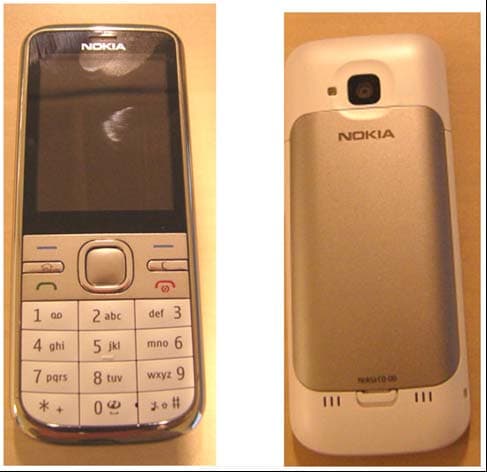
QFXRM-744
Mar 07, 2011GSM/WCDMA cellular phone with Bluetooth
Equipment Class
DSS - Part 15 Spread Spectrum Transmitter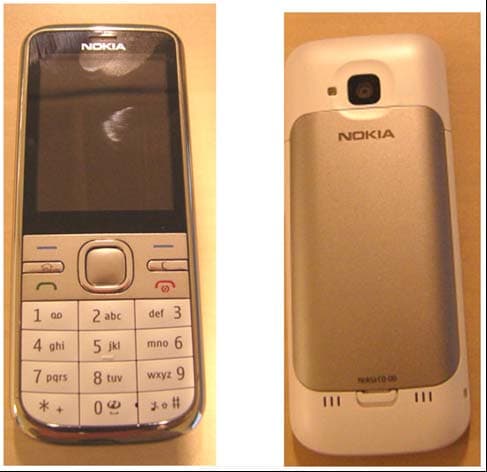
QFXRM-745
Mar 03, 2011GSM/WCDMA cellular phone with Bluetooth
Equipment Class
JBP - Part 15 Class B Computing Device Peripheral