QFXRM-745GSM/WCDMA cellular phone with Bluetooth
Microsoft Corporation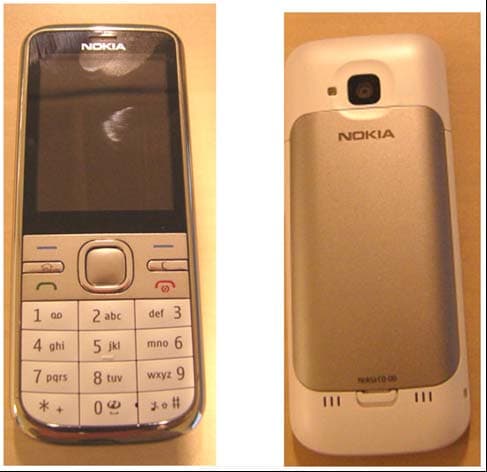
Click to zoom
Application Details
- Equipment Class
- JBP - Part 15 Class B Computing Device Peripheral
- Date of Grant
- Mar 03, 2011
- Application Purpose
- Original Equipment
- Date of Application
- Mar 02, 2011
- Equipment Note
- GSM/WCDMA cellular phone with Bluetooth
- Company
- Microsoft Corporation
- Country
- United States
Documents & Files
Document Text
Text extracted from the exhibit documents filed with the FCC. Open a document above to read the original.
Users Manual
Nokia C5–00 User Guide TARKISTA Issue 1 CyanCyanMagentaMagentaYellowYellowBlackBlack Contents Safety4 Get started5 Keys and parts5 Insert SIM card and battery5 Insert a memory card6 Wrist strap7 Charge the battery7 Switch the device on and off8 Volume control8 Connect a compatible headset8 Antenna locations8 Transfer content from another device8 Install Ovi Suite9 Ovi by Nokia9 About Ovi Store10 Remove a memory card10 Remove battery and SIM card10 Basic use11 Write text11 Menu12 Display indicators12 Shortcuts14 Offline profile14 Access codes15 Configuration settings15 Settings wizard15 Remote lock16 Personalise your device16 Home screen16 Contacts bar16 Themes17 Profiles 18 Telephone18 Make a call18 Answer a call19 Make a video call19 Call and data registers20 Call divert20 Contacts20 Stay connected with your online friends20 Copy contacts21 Manage names and numbers21 Save and edit names and numbers22 Ringing tones, images, and call text for contacts22 Messaging23 About messaging23 Write and send messages23 E-mail24 About Chat26 About Ovi Contacts26 Connect to the service27 Instant messaging27 Connectivity31 Connect your computer to web31 About Bluetooth31 Send and receive data with Bluetooth31 Synchronisation32 Web33 About Web browser33 Browse the web33 About Search33 Subscribe to a web feed33 Discover nearby events34 Positioning34 2Contents www.nokia.com/support CyanCyanMagentaMagentaYellowYellowBlackBlack About GPS34 About assisted GPS (A-GPS)34 Maps35 Landmarks 40 GPS data40 Music and audio41 Ovi Music41 FM Radio41 Camera42 Capture an image42 Record a video clip42 Images and videos42 About Gallery42 About Share online43 Time management43 Calendar43 Alarm clock44 Clock settings44 Settings45 Device and SIM card security45 Restore original settings45 Data management45 Protected content45 Find help46 Support46 Keep your device software and applications up to date46 Prolong battery life47 In-device help48 Protect the environment49 Save energy49 Recycle49 Product and safety information49 Contents3 www.nokia.com/support CyanCyanMagentaMagentaYellowYellowBlackBlack Safety Read these simple guidelines. Not following them may be dangerous or illegal. Read the complete user guide for further information. SWITCH OFF IN RESTRICTED AREAS Switch the device off when mobile phone use is not allowed or when it may cause interference or danger, for example, in aircraft, near medical equipment, fuel, chemicals, or blasting areas. ROAD SAFETY COMES FIRST Obey all local laws. Always keep your hands free to operate the vehicle while driving. Your first consideration while driving should be road safety. INTERFERENCE All wireless devices may be susceptible to interference, which could affect performance. QUALIFIED SERVICE Only qualified personnel may install or repair this product. BATTERIES, CHARGERS AND OTHER ACCESSORIES Use only batteries, chargers, and other accessories approved by Nokia for use with this device. Do not connect incompatible products. KEEP YOUR DEVICE DRY Your device is not water- resistant. Keep it dry. PROTECT YOUR HEARING Listen to a headset at a moderate level, and do not hold the device near your ear when the loudspeaker is in use. 4Safety www.nokia.com/support CyanCyanMagentaMagentaYellowYellowBlackBlack Get started Keys and parts 1Earpiece 2Display 3Left selection key 4Home key 5Call key 6Number keys 7Secondary camera lens 8Navi™ key (scroll key). Can also be used to capture images. 9Right selection key 10Clear key C 11End/Power key 12Microphone 13Charger connector 14Micro USB connector 15Nokia AV connector (3.5 mm) 16Camera flash 17Volume keys. Can also be used to zoom when using the camera. 18Memory card slot 19Main camera lens 20Back cover release button 21Wrist strap eyelet 22Loudspeaker Note: The surface of this device does not contain nickel in the platings. The surface of this device contains stainless steel. Insert SIM card and battery Important: Do not use a mini-UICC SIM card, also known as a micro-SIM card, a micro-SIM card with an adapter, or a SIM card that has a mini-UICC cutout (see Get started5 www.nokia.com/support CyanCyanMagentaMagentaYellowYellowBlackBlack figure) in this device. A micro SIM card is smaller than the standard SIM card. This device does not support the use of micro- SIM cards and use of incompatible SIM cards may damage the card or the device, and may corrupt data stored on the card. 1To remove the back cover of the device, pull the release button (1) toward the bottom of the device, and lift the cover off (2). 2Slide the SIM card into the SIM card holder. Make sure the contact area is facing down. The battery must be removed before you can insert the SIM card. 3Insert the battery. 4To replace the back cover, carefully align the top lugs (1), and line up the back cover, then gently press down until the cover locks into place (2). Insert a memory card The memory card may be supplied with the device, and may already be inserted. 1Open the memory card slot cover. 2Place the card in the slot with the contact area facing up. 3Push the card gently to lock it into place. Close the slot cover. 6Get started www.nokia.com/support CyanCyanMagentaMagentaYellowYellowBlackBlack Wrist strap Thread the wrist strap, and tighten it. A wrist strap may not be included. Charge the battery Your battery has been partially charged at the factory, but you may need to recharge it before you can switch on your device for the first time. If the device indicates a low charge, do the following: 1Connect the charger to a wall outlet. 2Connect the charger to the device. 3When the battery is fully charged, disconnect the charger from the device, then from the wall outlet. You do not need to charge the battery for a specific length of time, and you can use the device while it is charging. If the battery is completely discharged, it may take several minutes before the charging indicator appears on the display or before any calls can be made. Tip: If you have old compatible Nokia ch…
Text truncated - open the document above for the full version.
External Photos
11 FEBRUARY 2011 Exhibit 03: External Photos FCC ID: QFXRM-745 Applicant: Nokia Corporation Copyright © 2011 Nokia. All rights reserved. Front and Back Top and Bottom 11 FEBRUARY 2011 Exhibit 03: External Photos FCC ID: QFXRM-745 Applicant: Nokia Corporation Copyright © 2011 Nokia. All rights reserved. Back with cover removed Sides
ID Label/Location Info
14 February 2011 Exhibit 01: Type Label FCC ID: QFXRM-745 Applicant: Nokia Corporation Copyright © 2011 Nokia. All rights reserved 14 February 2011 Exhibit 01: Type Label FCC ID: QFXRM-745 Applicant: Nokia Corporation Copyright © 2011 Nokia. All rights reserved
Internal Photos
10 FEBRUARY 2011 Exhibit 09: Internal Photos FCC ID: QFXRM-745 Applicant: Nokia Corporation Copyright © 2011 Nokia. All Rights Reserved Front – cover removed 10 FEBRUARY 2011 Exhibit 09: Internal Photos FCC ID: QFXRM-745 Applicant: Nokia Corporation Copyright © 2011 Nokia. All Rights Reserved Back cover 10 FEBRUARY 2011 Exhibit 09: Internal Photos FCC ID: QFXRM-745 Applicant: Nokia Corporation Copyright © 2011 Nokia. All Rights Reserved PWB front 10 FEBRUARY 2011 Exhibit 09: Internal Photos FCC ID: QFXRM-745 Applicant: Nokia Corporation Copyright © 2011 Nokia. All Rights Reserved PWB back 10 FEBRUARY 2011 Exhibit 09: Internal Photos FCC ID: QFXRM-745 Applicant: Nokia Corporation Copyright © 2011 Nokia. All Rights Reserved Back cover - back 10 FEBRUARY 2011 Exhibit 09: Internal Photos FCC ID: QFXRM-745 Applicant: Nokia Corporation Copyright © 2011 Nokia. All Rights Reserved Back cover - back
Test Report
FCC Part 15B Compliance Test Report / Template Version 14.0 FCC15B_RM-745_03.doc Copyright © TCC Nokia 1 (13) TCC Nokia Tampere Laboratory P.O. Box 68 Sinitaival 5 FIN-33720 TAMPERE, FINLAND Tel. +358 (0) 7180 46800 Fax. +358 (0) 7180 46880 FCC Part 15B Compliance Test Report Test Report no.: FCC15B_RM-745_03.doc Date of Report: 23-Feb-2011 Number of pages: 13 Customer’s Contact person: Markku Porttila Testing laboratory: TCC Nokia Tampere Laboratory P.O. Box 68 Sinitaival 5 FIN-33720 TAMPERE, FINLAND Tel. +358 (0) 7180 46800 Fax. +358 (0) 7180 46880 Customer: Nokia Corporation Nokia House Summit Avenue, Southwood FARNBOROUGH HAMPSHIRE GU14 0NG UK Tel. +44 1252 866000 Fax. +44 1252 866001 FCC listing no.: IC recognition no.: 94436 661AK-1 Tested devices/ accessories: Phone RM-745 / Battery BL-5CT, AC charger AC-8E, Headset WH-102, Data cable CA-101D, Laptop IBM Thinkpad T40, AC adapter 02K6543, Printer HP deskjet 1600CC3540A, Parallel cable for printer FCC ID: QFXRM-7 45 IC: 661Z-RM745 Supplement reports: This report is copy of FCC15B_RM-645_05.doc Testing has been carried out in accordance with: CFR 47, FCC rules Part 15 Subpart B, ANSI C63.4 (2003), ICES-003, CISPR 22 and IC standards RSS-132 (Issue 2, September 2005), RSS-133 (Issue 5, February 2009), RSS-139 (Issue 2, February 2009) and RSS-210 (Issue 7, June 2007). Deviations, modifications or clarifications (if any) to above mentioned documents are written in each section under "Test method and limit". Documentation: The test report must always be reproduced in full; reproduction of an excerpt only is subject to written approval of the testing laboratory. The documentation of the testing performed on the tested devices is archived for 15 years at TCC Nokia. Test Results: The EUT complies with the requirements in respect of all parameters subject to the test. The test results relate only to devices specified in this document. Date and signature for the contents: Teuvo Miettinen, Test Engineer, EMC FCC Part 15B Compliance Test Report / Template Version 14.0 FCC15B_RM-745_03.doc Copyright © TCC Nokia 2 (13) TCC Nokia Tampere Laboratory P.O. Box 68 Sinitaival 5 FIN-33720 TAMPERE, FINLAND Tel. +358 (0) 7180 46800 Fax. +358 (0) 7180 46880 1. Summary for FCC Part 15B Compliance Test Report Date of receipt 21-Jan-2010 Testing completed 04-Feb-2010 The customer's contact person Markku Porttila Test Plan referred to T:\Projects\RM-645\TestPlan_RS\RS_Testplan_RM-645.xls Notes - Document name FCC15B_RM-645_05.doc 1.1. EUT and Accessory Information The EUT is a 6-band (GSM850/900/1800/1900 and WCDMA Band I/VIII) mobile phone with GPRS, EGPRS and Bluetooth. GSM bands are tested in idle mode. Bluetooth is tested with maximum rated TX power. Product Type SN HW MV SW DUT Phone RM-645 004401109654273 2903 - 031.012.2 42158 Battery BL-5CT 3635639385050104361;0670555 - - - 42160 AC charger AC-8E 4868679374320623693;0675387 - - - 42162 Headset WH-102 06943239375c4101466 - - - 42163 Data cable CA-101D 07303689473M1268462 - - - 42164 Laptop IBM Thinkpad T40 99ARTGD - - - 41868 AC Adapter 02K6543 - - - 40202 Printer HP deskjet 1600CC3 540A USB8302546 - - - 40077 Parallel cable for printer - - - - - 40087 1.2. Summary of Test Results GSM 850: Section in CFR 47 Section in ICES-003 (RSS-132) Name of the test Result 15.107, a 5.3 AC powerline conducted emissions PASSED 15.109, a 5.5 (4.6) Radiated emissions PASSED GSM 1900: Section in CFR 47 Section in ICES-003 (RSS-133) Name of the test Result 15.107, a 5.3 AC powerline conducted emissions NP 15.109, a 5.5 (6.6) Radiated emissions PASSED Bluetooth: Section in CFR 47 Section in ICES-003 Name of the test Result 15.107, a 5.3 AC powerline conducted emissions NP 15.109, a 5.5 Radiated emissions PASSED PASSED The EUT complies with the essential requirements in the standard. FAILED The EUT does not comply with the essential requirements in the standard. NP The test was not performed by the TCC Nokia Tampere Laboratory. FCC Part 15B Compliance Test Report / Template Version 14.0 FCC15B_RM-745_03.doc Copyright © TCC Nokia 3 (13) TCC Nokia Tampere Laboratory P.O. Box 68 Sinitaival 5 FIN-33720 TAMPERE, FINLAND Tel. +358 (0) 7180 46800 Fax. +358 (0) 7180 46880 The test results of QFXRM-645 are re-used for certification of the QFXRM-745. The table above indicates the results, which will be re-used. FCC Part 15B Compliance Test Report / Template Version 14.0 FCC15B_RM-745_03.doc Copyright © TCC Nokia 4 (13) TCC Nokia Tampere Laboratory P.O. Box 68 Sinitaival 5 FIN-33720 TAMPERE, FINLAND Tel. +358 (0) 7180 46800 Fax. +358 (0) 7180 46880 CONTENTS 1. Summary for FCC Part 15B Compliance Test Report.............................................. 2 1.1. EUT and Accessory Information .......................................................................................... 2 1.2. Summary of Test Results .................................................................................................... 2 2. AC powerline conducted emissions (FCC §15.107, ICES-003 section 5.3) ................................................................................ 5 2.1. Test setup ........................................................................................................................... 5 2.2. Test method and limit .......................................................................................................... 5 2.3. GSM 850 Test results .......................................................................................................... 6 3. Radiated emissions (FCC §15.109, ICES-003 section 5.5, RSS-132 4.6, RSS-133 6.6, RSS-139 6.6) ............ 7 3.1. Test setup ........................................................................................................................... 7 3.2. Test method and limit .......................................................................................................... 7 3.3. GSM 850 Test results ............................................................…
Text truncated - open the document above for the full version.
Test Setup Photos
EMC Test Setup Photos / Template Version 1.0 EMC_Photo_RM-745_05.doc Copyright © TCC Nokia 1 (2) RM-745 Test Setups Picture 1. FCC Part 15C Radiated emissions Picture 2. FCC Part 15B Radiated emissions EMC Test Setup Photos / Template Version 1.0 EMC_Photo_RM-745_05.doc Copyright © TCC Nokia 2 (2) Picture 3. FCC Part 15C AC powerline conducted emissions Picture 4. FCC Part 15B AC powerline conducted emissions
Contact Information
Applicant
Hasnain Syed(Director, EMC, SI and RF Compliance)
Test Firm
TCC MicrosoftJari Jantunen
Technical Specifications
| # | Rule Parts | Frequency Range | Power Output |
|---|---|---|---|
| 1 | 15B | - | - |
Other Applications from Microsoft Corporation
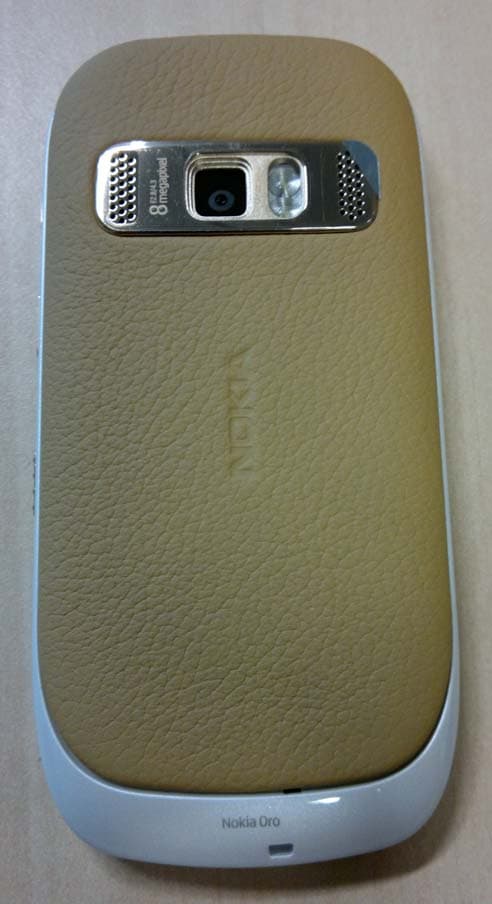
QFXRM-749
May 26, 2011GSM/WCDMA cellular telephone with BT, WLAN, FM Tx and RF ID
Equipment Class
DXX - Part 15 Low Power Communication Device Transmitter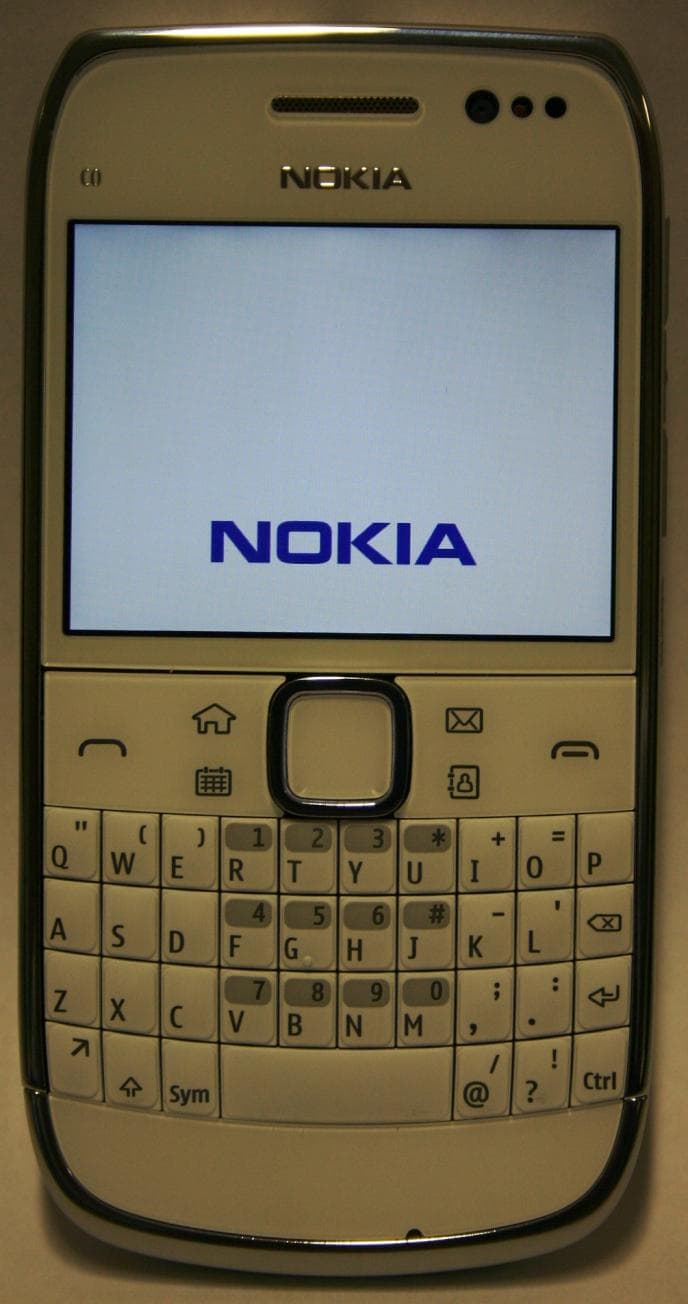
QFXRM-609
Mar 16, 2011GSM/WCDMA cellular telephone with Bluetooth and WLAN
Equipment Class
DSS - Part 15 Spread Spectrum Transmitter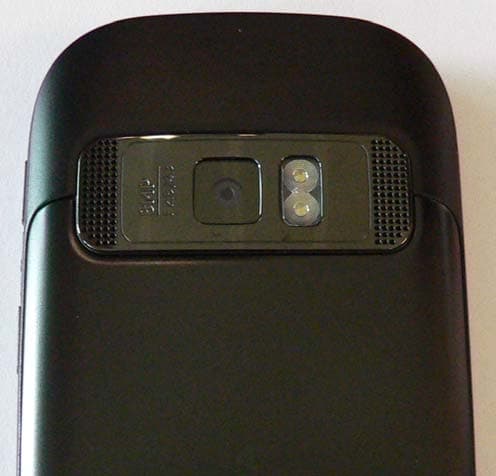
QFXRM-691
Mar 07, 2011GSM/WCDMA cellular telephone with BT, WLAN, FM Tx and RF ID
Equipment Class
DXX - Part 15 Low Power Communication Device Transmitter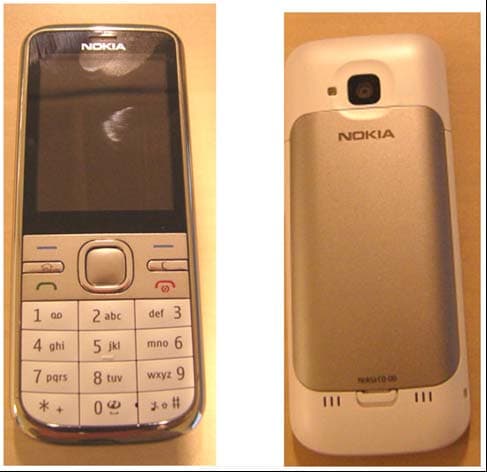
QFXRM-744
Mar 07, 2011GSM/WCDMA cellular phone with Bluetooth
Equipment Class
DSS - Part 15 Spread Spectrum Transmitter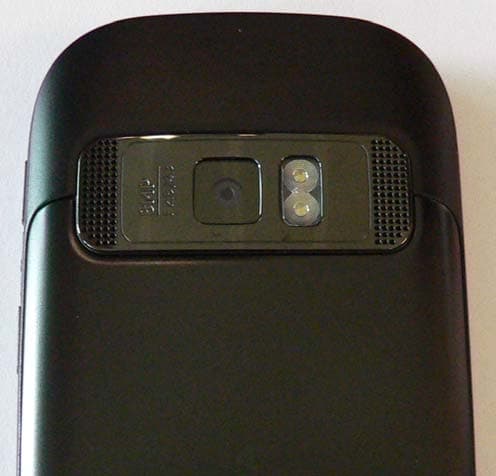
QFXRM-675X
Oct 14, 2010GSM/WCDMA cellular telephone with BT, WLAN, FM Tx and RFID
Equipment Class
DSS - Part 15 Spread Spectrum Transmitter