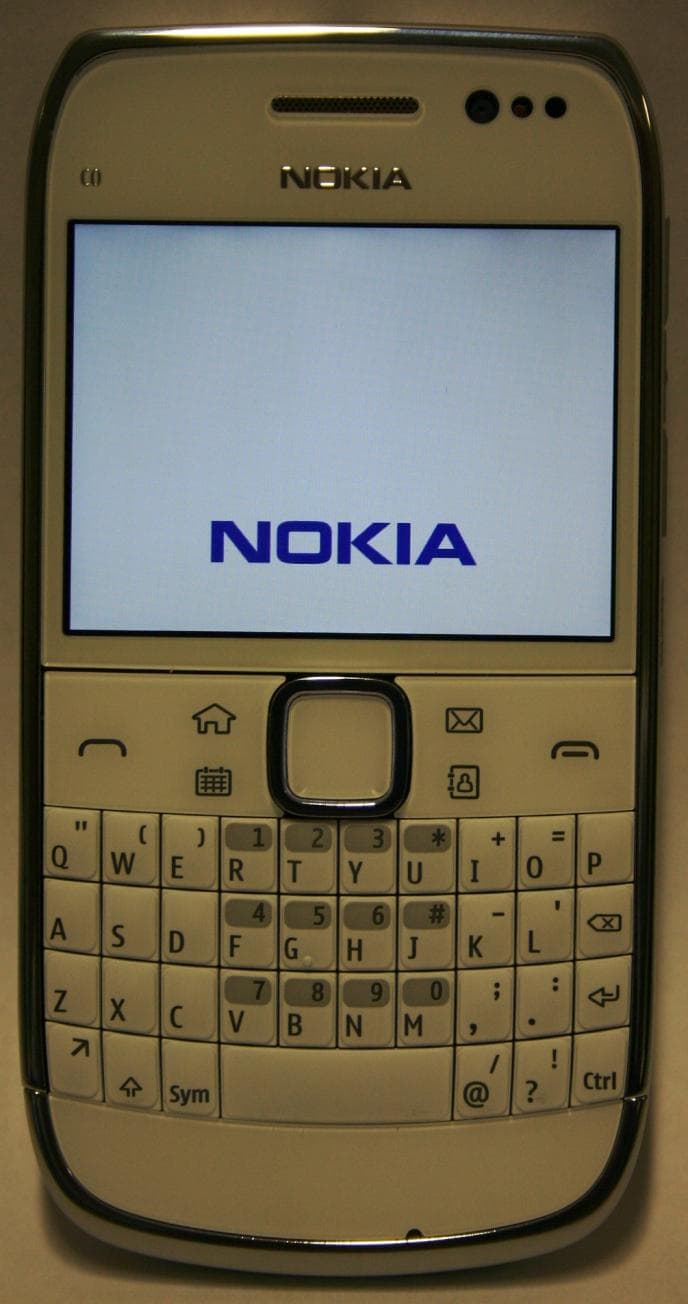
QFXRM-749GSM/WCDMA cellular telephone with BT, WLAN, FM Tx and RF ID
Microsoft Corporation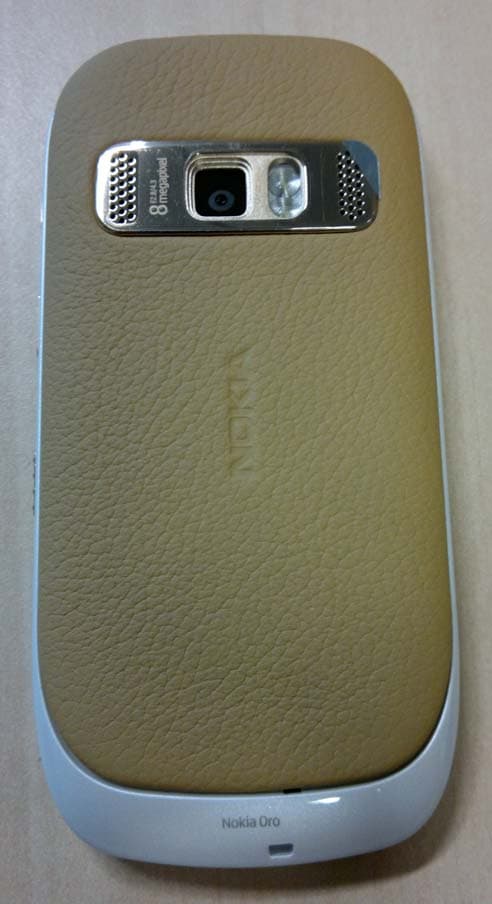
Click to zoom
Application Details
- Equipment Class
- DXX - Part 15 Low Power Communication Device Transmitter
- Date of Grant
- May 26, 2011
- Application Purpose
- Original Equipment
- Date of Application
- May 25, 2011
- Equipment Note
- GSM/WCDMA cellular telephone with BT, WLAN, FM Tx and RF ID
- Frequency Range
- 13.56000000 - 13.56000000
- Company
- Microsoft Corporation
- Country
- United States
Documents & Files
Document Text
Text extracted from the exhibit documents filed with the FCC. Open a document above to read the original.
Users Manual
Product and safety information 9226267 Issue 1 CyanCyanMagentaMagentaYellowYellowBlackBlack Safety Read these simple guidelines. Not following them may be dangerous or illegal. Read the complete user guide for further information. SWITCH OFF IN RESTRICTED AREAS Switch the device off when mobile phone use is not allowed or when it may cause interference or danger, for example, in aircraft, near medical equipment, fuel, chemicals, or blasting areas. ROAD SAFETY COMES FIRST Obey all local laws. Always keep your hands free to operate the vehicle while driving. Your first consideration while driving should be road safety. INTERFERENCE All wireless devices may be susceptible to interference, which could affect performance. QUALIFIED SERVICE Only qualified personnel may install or repair this product. BATTERIES, CHARGERS AND OTHER ACCESSORIES Use only batteries, chargers, and other accessories approved by Nokia for use with this device. Do not connect incompatible products. KEEP YOUR DEVICE DRY Your device is not water- resistant. Keep it dry. 2Safety 2www.nokia.com/support CyanCyanMagentaMagentaYellowYellowBlackBlack GLASS PARTS The front cover of the device is made of glass. This glass can break if the device is dropped on a hard surface or receives a substantial impact. If the glass breaks, do not touch the glass parts of the device or attempt to remove the broken glass from the device. Stop using the device until the glass is replaced by qualified service personnel. PROTECT YOUR HEARING Listen to a headset at a moderate level, and do not hold the device near your ear when the loudspeaker is in use. Safety3 www.nokia.com/support3 CyanCyanMagentaMagentaYellowYellowBlackBlack Charge the battery Your battery has been partially charged at the factory, but you may need to recharge it before you can switch on your device for the first time. If the device indicates a low charge, do the following: 1 2 You do not need to charge the battery for a specific length of time, and you can use the device while it is charging. If the battery is completely discharged, it may take several minutes before the charging indicator appears on the display or before any calls can be made. If the battery has not been used for a long time, to begin charging, you may need to connect the charger, then disconnect and reconnect it. Tip: You can also use a compatible USB data cable to charge the battery. Charge the battery over USB Battery low, but you don't have a charger with you? You can use a compatible USB cable to connect to a compatible device, such as a computer. To avoid breaking the charger connector, be careful when connecting or disconnecting the charger cable. 4Charge the battery 4www.nokia.com/support CyanCyanMagentaMagentaYellowYellowBlackBlack You can use the device while it's charging. For example, if connected to a computer, you can synchronise your device. Charging over USB can take longer to start and you may not be able to use the device immediately. Charging may not work if you connect through a non- powered USB hub. Your device charges more quickly when connected to a wall outlet. Product and safety information Feature specific instructions Your device contains a complete in-device user guide, which you can refer to for additional information about your device. To read the in-device user guide, select Menu > Applications > User guide. Using some of the services or downloading content may cause transfer of large amounts of data, which may result in data traffic costs. Some home screen widgets may connect to the internet automatically. To prevent this, select Options > Widgets to offline mode. The social networking services are third-party services and not provided by Nokia. Check the privacy settings of the social networking service you are using as you may share information with a large group of people. The terms of use of the social networking service apply to sharing information on that service. Familiarise yourself with the terms of use and the privacy practices of that service. This device is able to communicate with Microsoft Exchange ActiveSync enabled servers. The provision of this device to you does not grant you, and you do not receive, any rights under any Microsoft intellectual property with respect to any server software, or server device, that is accessed using this device or with respect to use of Microsoft Exchange ActiveSync apart from this device. Important: To prevent damage to the SIM card, always remove the battery before you insert or remove the card. Important: Do not use a mini-UICC SIM card, also known as a micro-SIM card, a micro-SIM card with an adapter, or a SIM card that has a mini-UICC cutout (see figure) in this device. A micro SIM card is smaller than the standard SIM card. This device does not support the use of micro-SIM cards and use of incompatible SIM cards may Product and safety information5 www.nokia.com/support5 CyanCyanMagentaMagentaYellowYellowBlackBlack damage the card or the device, and may corrupt data stored on the card. Use only compatible memory cards approved by Nokia for use with this device. Incompatible cards may damage the card and the device and corrupt data stored on the card. Important: Do not remove the memory card when an application is using it. Doing so may damage the memory card and the device, and corrupt data stored on the card. Do not connect products that create an output signal as this may cause damage to the device. Do not connect any voltage source to the Nokia AV connector. If you connect an external device or headset, other than those approved by Nokia for use with this device, to the Nokia AV connector, pay special attention to volume levels. Note: Using WLAN may be restricted in some countries. For example, in France, you are only allowed to use WLAN indoors. For more information, contact your local authorities. Note: FM transmitter can not be used in Greece. For more information, contact your local operator and go to www.nokia.com/f…
Text truncated - open the document above for the full version.
Users Manual
Nokia Oro User Guide Issue 1 Contents Safety5 Get started7 Keys and parts7 Insert the SIM card9 Insert or remove a memory card10 Insert the battery11 Charging12 Switch the device on or off13 Use your device for the first time14 Device set-up14 Copy contacts or pictures from your old device15 Lock or unlock the keys and screen16 Antenna locations16 Change the volume of a call, song, or video17 Headset17 Connect to a wireless headset17 Visit Nokia's Ovi Store18 Use the in-device user guide18 Install Nokia Ovi Suite on your PC18 Basic use20 Touch screen actions20 Interactive home screen elements22 Switch between open applications23 Write text24 Display indicators27 Set the notification light to blink for missed calls or messages28 Flashlight29 Search in your device and on the internet29 Use your device offline29 Prolong battery life30 Restore original settings31 Personalisation32 Profiles32 Change your theme33 Home screen33 Organise your applications36 Download a game, application, or other item37 Telephone37 Call a phone number37 Answer a call37 Reject a call38 Call a contact38 Mute a call38 Answer a waiting call38 Make a video call39 Answer a video call40 Reject a video call40 Make a conference call40 Call the numbers you use the most41 Use your voice to call a contact42 Make calls over the internet43 Call the last dialled number43 Record a phone conversation44 Turn to silence44 View your missed calls44 Call your voice mailbox 45 Divert calls to your voice mailbox or another phone number45 Prevent making or receiving calls45 Allow calls only to certain numbers46 Video sharing47 Contacts48 About Contacts48 Save phone numbers and mail addresses49 Save a number from a received call or message49 Contact your most important people quickly49 Add a picture for a contact50 2Contents © 2011 Nokia. All rights reserved. Set a ringing tone for a specific contact50 Send your contact information using My Card51 Create a contact group51 Send a message to a group of people51 Copy contacts from the SIM card to your device51 Back up your contacts to Ovi by Nokia52 Messaging52 About Messaging52 Send a message52 Send a message to a contact53 Send an audio message53 Receive messages54 View a conversation54 Listen to a text message55 Change language55 Mail56 Mail56 Open mail from the home screen59 Internet59 About the web browser59 Browse the web59 Add a bookmark60 Subscribe to a web feed60 Discover nearby events61 Unreadable characters while browsing the web61 Social networks61 About Social61 See your friends' status updates in one view62 Post your status to social networking services62 Link your online friends to their contact information62 See your friends' status updates on the home screen63 Upload a picture or video to a service 63 Share your location in your status update63 Contact a friend from a social networking service64 Add an event to your device calendar 64 Camera65 About the camera65 Take a picture65 Save location information to your pictures and videos65 Take a picture in the dark66 Picture and video tips66 Record a video67 Send a picture or video67 Your pictures and videos68 About Photos68 View pictures and videos68 Edit the pictures you have taken69 Video editor70 Print a picture you have taken71 View pictures and videos on a TV71 Videos and TV72 Videos72 Music and audio73 Music player73 About Ovi Music75 Protected content76 Record sounds76 Play music through a radio76 FM radio77 Maps79 Navigate to a destination79 Contents3 © 2011 Nokia. All rights reserved. My position79 Search84 Favourites85 Check in87 Drive and Walk88 Give feedback on Maps93 Report incorrect map information93 Office93 Quickoffice93 Read PDF documents94 Make a calculation94 Write notes95 Translate words from one language to another95 Open or create zip files95 Time management96 Clock96 Calendar98 Device management101 Keep your device software and applications up to date101 Manage files103 Increase available memory so you can add more content105 Manage applications105 Synchronise content106 Copy contacts or pictures between devices108 Protect your device108 Prepare your device for recycling109 Connectivity110 Internet connections110 Wireless LAN111 NFC112 Bluetooth115 USB data cable118 Store your files on a remote drive119 Close a network connection120 Find more help121 Support121 Access codes121 Protect the environment122 Save energy122 Recycle122 Product and safety information123 Index130 4Contents © 2011 Nokia. All rights reserved. Safety Read these simple guidelines. Not following them may be dangerous or illegal. Read the complete user guide for further information. SWITCH OFF IN RESTRICTED AREAS Switch the device off when mobile phone use is not allowed or when it may cause interference or danger, for example, in aircraft, near medical equipment, fuel, chemicals, or blasting areas. ROAD SAFETY COMES FIRST Obey all local laws. Always keep your hands free to operate the vehicle while driving. Your first consideration while driving should be road safety. INTERFERENCE All wireless devices may be susceptible to interference, which could affect performance. QUALIFIED SERVICE Only qualified personnel may install or repair this product. BATTERIES, CHARGERS AND OTHER ACCESSORIES Use only batteries, chargers, and other accessories approved by Nokia for use with this device. Do not connect incompatible products. KEEP YOUR DEVICE DRY Your device is not water-resistant. Keep it dry. GLASS PARTS The front cover of the device is made of glass. This glass can break if the device is dropped on a hard surface or receives a substantial impact. If the glass breaks, do not touch the glass parts of the device or attempt to remove the broken glass from the device. Stop using the device until the glass is replaced by qualified service personnel. Safety5 © 2011 Nokia. All rights reserved. PROTECT YOUR HEARING Listen to a headset at a moderate level, and do not hold the device near your ear when the loudspeaker is in use. 6Safety © 2011 Nokia. A…
Text truncated - open the document above for the full version.
External Photos
12 Apr 2011 External Photographs FCC ID: QFXRM-749 Exhibit 3 IC: 661Z-RM749 Applicant: Nokia Corporation Copyright © 2011 Nokia. All rights reserved. Front and Back 12 Apr 2011 External Photographs FCC ID: QFXRM-749 Exhibit 3 IC: 661Z-RM749 Applicant: Nokia Corporation Copyright © 2011 Nokia. All rights reserved. Sides 12 Apr 2011 External Photographs FCC ID: QFXRM-749 Exhibit 3 IC: 661Z-RM749 Applicant: Nokia Corporation Copyright © 2011 Nokia. All rights reserved. Top and Bottom
ID Label/Location Info
Confidential 12 April 2011 Exhibit 01: Type Label FCC ID: QFXRM-749 IC: 661Z-RM749 Applicant: Nokia Corporation Copyright © 2011 Nokia. All rights reserved Confidential 12 April 2011 Exhibit 01: Type Label FCC ID: QFXRM-749 IC: 661Z-RM749 Applicant: Nokia Corporation Copyright © 2011 Nokia. All rights reserved
Internal Photos
CONFIDENTIAL 12 April 2011 Internal Photographs FCC ID: QFXRM-749 Exhibit 9 IC: 661Z-RM749 Applicant: Nokia Corporation Copyright © 2011 Nokia. All rights reserved. Front Cover plus Touch Panel Flex CONFIDENTIAL 12 April 2011 Internal Photographs FCC ID: QFXRM-749 Exhibit 9 IC: 661Z-RM749 Applicant: Nokia Corporation Copyright © 2011 Nokia. All rights reserved. Front Keymat Front Cover Chin CONFIDENTIAL 12 April 2011 Internal Photographs FCC ID: QFXRM-749 Exhibit 9 IC: 661Z-RM749 Applicant: Nokia Corporation Copyright © 2011 Nokia. All rights reserved. Display Front Display Back CONFIDENTIAL 12 April 2011 Internal Photographs FCC ID: QFXRM-749 Exhibit 9 IC: 661Z-RM749 Applicant: Nokia Corporation Copyright © 2011 Nokia. All rights reserved. AV Jack Back AV Jack Front Camera Module BackCamera Module Front CONFIDENTIAL 12 April 2011 Internal Photographs FCC ID: QFXRM-749 Exhibit 9 IC: 661Z-RM749 Applicant: Nokia Corporation Copyright © 2011 Nokia. All rights reserved. PWB Top Side CONFIDENTIAL 12 April 2011 Internal Photographs FCC ID: QFXRM-749 Exhibit 9 IC: 661Z-RM749 Applicant: Nokia Corporation Copyright © 2011 Nokia. All rights reserved. UI Flex & Chassis Front UI Flex and Chassis Back CONFIDENTIAL 12 April 2011 Internal Photographs FCC ID: QFXRM-749 Exhibit 9 IC: 661Z-RM749 Applicant: Nokia Corporation Copyright © 2011 Nokia. All rights reserved. Back Cover CONFIDENTIAL 12 April 2011 Internal Photographs FCC ID: QFXRM-749 Exhibit 9 IC: 661Z-RM749 Applicant: Nokia Corporation Copyright © 2011 Nokia. All rights reserved. Vibra uSD Card Reader PWB Bottom
Test Report
FCC Part 15C Compliance Test Report / Template Version 15.0 FCC15CFMTX_RM-749_22.docx Copyright © TCC Nokia 1 (15) TCC Nokia Copenhagen Laboratory Frederikskaj 1790 COPENHAGEN V DENMARK Tel. +45 33 292929 Fax. +45 33 292934 FCC Part 15C Compliance Test Report Test Report no.: FCC15CFMTX_RM-749_22.docx Date of Report: 12-Apr-2011 Number of pages: 15 Customer’s Contact person: Lenaghan Alison Testing laboratory: TCC Nokia Copenhagen Laboratory Frederikskaj 1790 COPENHAGEN V DENMARK Tel. +45 33 292929 Fax. +45 33 292934 Customer: Nokia UK Ltd. Nokia House Summit Avenue, Southwood FARNBOROUGH HAMPSHIRE GU14 0NG UK Tel. +44 1252 866000 Fax. +44 1252 866001 FCC listing no.: IC recognition no.: 99059 661AL-1 Tested devices/ accessories: Phone RM-749 / Battery BL-5K FCC ID: QFXRM-749 IC: 661Z-RM749 Supplement reports: - Testing has been carried out in accordance with: CFR 47, FCC rules Part 15 Subpart C, ANSI C63.4 (2003), Public Notice DA 00-705, DTS procedures KDB 558074, IC standards, RSS-210 (Issue 8, December 2010). Deviations, modifications or clarifications (if any) to above mentioned documents are written in each section under "Test method and limit". Documentation: The test report must always be reproduced in full; reproduction of an excerpt only is subject to written approval of the testing laboratory. The documentation of the testing performed on the tested devices is archived for 15 years at TCC Nokia. Test Results: The EUT complies with the requirements in respect of all parameters subject to the test. The test results relate only to devices specified in this document Date and signature for the contents: Ruben Hansen, System Manager, EMC FCC Part 15C Compliance Test Report / Template Version 15.0 FCC15CFMTX_RM-749_22.docx Copyright © TCC Nokia 2 (15) TCC Nokia Copenhagen Laboratory Frederikskaj 1790 COPENHAGEN V DENMARK Tel. +45 33 292929 Fax. +45 33 292934 1. Summary for FCC Part 15C Compliance Test Report Date of receipt 23-Mar-2011 Testing completed 12-Apr-2011 The customer's contact person Lenaghan Alison Test Plan referred to T:\Projects\RM-749\TestPlan\RS_testplan_RM-749.xls Notes - Document name T:\Projects\RM-749\EMC\FCC15CFMTX_RM-749_22.docx 1.1. EUT and Accessory Information The EUT is a 9-band (GSM850/900/1800/1900) and WCDMA Band (I/II(1900)/IV(1700)/V(850)/VIII/) mobile phone with GPRS, EGPRS, HSDPA, HSUPA and WLAN and Bluetooth and FM transmitter. Bluetooth and WLAN are tested with maximum rated TX power. Product Type SNHWMVSW DUT Phone RM-749 004402/13/500070/5 2000 - 021-005 23747 Battery BL-5K 4181570035A10100192;0670580 - - - 23738 1.2. Summary of Test Results FM TX: Section in CFR 47 Section in RSS-210 Name of the test Result 15.239(a) A2(0.8) Field strength of the fundamental signal PASSED 15.239(c) A2(0.8) Spurious radiated emissions PASSED 15.207 6.6 AC powerline conducted emissions PASSED 15.239(a) A2(0.8) 26dB(bandwidth) PASSED PASSED The EUT complies with the essential requirements in the standard. FAILED The EUT does not comply with the essential requirements in the standard. NP The test was not performed by the TCC Nokia Laboratory. FCC Part 15C Compliance Test Report / Template Version 15.0 FCC15CFMTX_RM-749_22.docx Copyright © TCC Nokia 3 (15) TCC Nokia Copenhagen Laboratory Frederikskaj 1790 COPENHAGEN V DENMARK Tel. +45 33 292929 Fax. +45 33 292934 CONTENTS 1. Summary for FCC Part 15C Compliance Test Report ............................................... 2 1.1. EUT and Accessory Information ............................................................................................. 2 1.2. Summary of Test Results ........................................................................................................ 2 2. Field strength of the fundamental signal (FCC §15.239(a), RSS-210 A2.8) ......................................................................................... 4 2.2. Test method and limit .............................................................................................................. 4 2.3. FMTX Test results ................................................................................................................... 5 3. Spurious radiated emissions (FCC §15.239(c), RSS-210 A2.8) ......................................................................................... 6 3.2. Test method and limit .............................................................................................................. 6 3.3. FMTX Test results ................................................................................................................... 7 4. AC powerline conducted emissions (FCC §15.207, RSS-210 6.6) ................................................................................................ 9 4.1. Test Setup ............................................................................................................................... 9 4.2. Test method and limit .............................................................................................................. 9 4.3. FM TX Test results ................................................................................................................ 10 5. 26dB bandwidth (FCC §15.239(a), RSS-210 A2.8) ....................................................................................... 11 5.2. Test method and limit ............................................................................................................ 11 5.3. FMTX Test results ................................................................................................................. 12 6. Test Equipment ........................................................................................................... 14 6.1. Conducted measurements .................................................................................................... 14 6.2. Radiated measurements ....................................................................................................…
Text truncated - open the document above for the full version.
Test Report
FCC Part 15C Compliance Test Report / Template Version 8.0 T:\Projects\RM-749\EMC\FCC15CNFC_RM-749_31.docx Copyright © TCC Nokia 1 (17) TCC Nokia Copenhagen Laboratory Frederikskaj 1790 COPENHAGEN V DENMARK Tel. +45 33 292929 Fax. +45 33 292934 FCC Part 15C Compliance Test Report Test Report no.: FCC15CNFC_RM-749_31 Date of Report: 14-Apr-2011 Number of pages: 17 Customer’s Contact person: Alison Lenaghan Testing laboratory: TCC Nokia Copenhagen Laboratory Frederikskaj 1790 COPENHAGEN V DENMARK Tel. +45 33 292929 Fax. +45 33 292934 Customer: Nokia Corporation Nokia House Summit Avenue, Southwood FARNBOROUGH HAMPSHIRE GU14 0NG UK Tel. +44 1252 866000 Fax. +44 1252 866001 FCC listing no.: IC recognition no.: 99059 661AL-1 Tested devices/ accessories: Phone RM-; Battery BL-5K; AC-Charger AC-10; Headset WH-102 FCC ID: QFXRM-749 IC: 661Z-RM749 Supplement reports: - Testing has been carried out in accordance with: CFR 47, FCC rules Part 15 Subpart C, ANSI C63.4 (2009), Public Notice DA 00-705, DTS procedures KDB 558074, IC standards RSS-GEN and RSS-210. Deviations, modifications or clarifications (if any) to above mentioned documents are written in each section under "Test method and limit". Documentation: The test report must always be reproduced in full; reproduction of an excerpt only is subject to written approval of the testing laboratory. The documentation of the testing performed on the tested devices is archived for 15 years at TCC Nokia. Test Results: The EUT complies with the requirements in respect of all parameters subject to the test. The test results relate only to devices specified in this document. Date and signature for the contents: Ruben Hansen, System Manager, EMC FCC Part 15C Compliance Test Report / Template Version 8.0 T:\Projects\RM-749\EMC\FCC15CNFC_RM-749_31.docx Copyright © TCC Nokia 2 (17) TCC Nokia Copenhagen Laboratory Frederikskaj 1790 COPENHAGEN V DENMARK Tel. +45 33 292929 Fax. +45 33 292934 1. Summary for FCC Part 15C Compliance Test Report Date of receipt 23-Mar-2011 Testing completed 14-Apr-2011 The customer's contact person Alison Lenaghan Test Plan referred to T:\Projects\RM-749\TestPlan\RS_testplan_RM-749.xls Notes - Document name T:\Projects\RM-749\EMC\FCC15CNFC_RM-749_31.docx 1.1. EUT and Accessory Information The EUT is a RFID device. The RFID module is tested with maximum rated TX power. Product Type SN HW MV SW DUT Phone RM-749 004402/13/413841/5 2000 - 021-005 23749 Battery BL-5K 4181570035A10100201;0670580 - - - 23743 AC-Charger AC-10E 3997910291032200816;0675408 - - - 24012 Headset WH-102 0694323939454109323 - - - 24189 Dummy Battery SF-227T - - - 24033 1.2. Summary of Test Results Section in CFR 47 Section in RSS-210Result 15.209 2.7 Radiated Emission PASSED 15.225 (a) A2.6 Radiated Emission PASSED Occupied Bandwidth PASSED 15.225 (e) A2.6 Frequency Stability PASSED PASSED The EUT complies with the essential requirements in the standard. FAILED The EUT does not comply with the essential requirements in the standard. NP The test was not performed by the TCC Nokia Copenhagen Laboratory. FCC Part 15C Compliance Test Report / Template Version 8.0 T:\Projects\RM-749\EMC\FCC15CNFC_RM-749_31.docx Copyright © TCC Nokia 3 (17) TCC Nokia Copenhagen Laboratory Frederikskaj 1790 COPENHAGEN V DENMARK Tel. +45 33 292929 Fax. +45 33 292934 CONTENTS 1. Summary for FCC Part 15C Compliance Test Report ............................................... 2 1.1. EUT and Accessory Information ............................................................................................. 2 1.2. Summary of Test Results ........................................................................................................ 2 2. Test setups .................................................................................................................... 4 2.1. Voltage Stability test setup ...................................................................................................... 4 2.2. Radiated Emission 30 to 1000 MHz ........................................................................................ 4 2.3. Radiated Emission 9 kHz to 30 MHz ....................................................................................... 5 2.4. AC power line conducted emissions test setup ....................................................................... 5 3. Radiated Emissions 9 KHz – 30 MHz .......................................................................... 6 3.1. Test method and limit .............................................................................................................. 6 3.2. Test results .............................................................................................................................. 6 3.3. Frequency Mask 12.9 to 14.1 MHz ......................................................................................... 7 3.4. Radiated emissions 30 – 1000 MHz ....................................................................................... 8 3.5. Test method and limit .............................................................................................................. 8 3.6. Test results .............................................................................................................................. 8 4. AC powerline conducted emissions (FCC §15.207, RSS-GEN 7.2.2) .......................................................................................... 10 4.1. Test Setup ............................................................................................................................. 10 4.2. Test method and limit ............................................................................................................ 10 4.3. NFC Test results ................................................................................................................... 11 5. Occupied bandwidth ..........................................................................................…
Text truncated - open the document above for the full version.
Test Setup Photos
EMC Test Setup Photos / Template Version 1.0 EMC_Photo_RM-749_28.docx Copyright © TCC Nokia 1 (3) RM-749 Test Setups Picture 1. FCC Part 15C Radiated emissions Picture 2. FCC Part 15C Radiated emissions, FM TX Picture 3. FCC Part 15B Radiated emissions EMC Test Setup Photos / Template Version 1.0 EMC_Photo_RM-749_28.docx Copyright © TCC Nokia 2 (3) Picture 4. FCC Part 15B Radiated emissions, Data Peripherals Picture 5. FCC Part 15C AC powerline conducted emissions Picture 6. FCC Part 15C AC powerline conducted emissions, FM TX EMC Test Setup Photos / Template Version 1.0 EMC_Photo_RM-749_28.docx Copyright © TCC Nokia 3 (3) Picture 7. FCC Part 15B AC powerline conducted emissions
Contact Information
Applicant
Hasnain Syed(Director, EMC, SI and RF Compliance)
Test Firm
TCC CopenhagenSvend Bogsted
Technical Specifications
| # | Rule Parts | Frequency Range | Power Output |
|---|---|---|---|
| 2 | 15C | 13.56 MHz - 13.56 MHz | - |
Other Applications from Microsoft Corporation
QFXRM-609
Mar 16, 2011GSM/WCDMA cellular telephone with Bluetooth and WLAN
Equipment Class
DSS - Part 15 Spread Spectrum Transmitter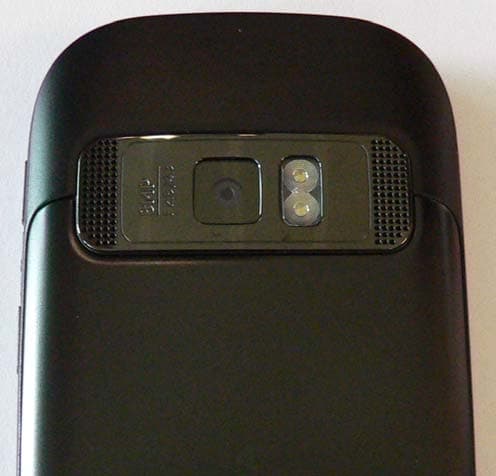
QFXRM-691
Mar 07, 2011GSM/WCDMA cellular telephone with BT, WLAN, FM Tx and RF ID
Equipment Class
DXX - Part 15 Low Power Communication Device Transmitter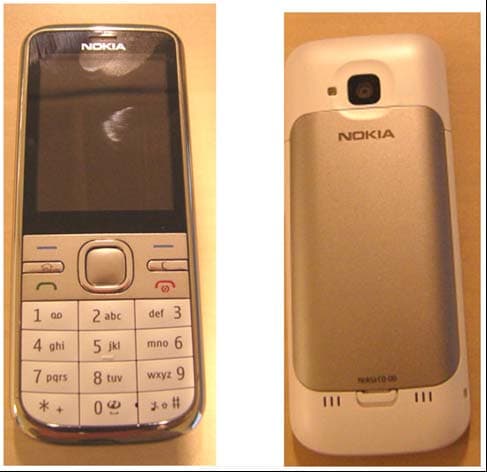
QFXRM-744
Mar 07, 2011GSM/WCDMA cellular phone with Bluetooth
Equipment Class
DSS - Part 15 Spread Spectrum Transmitter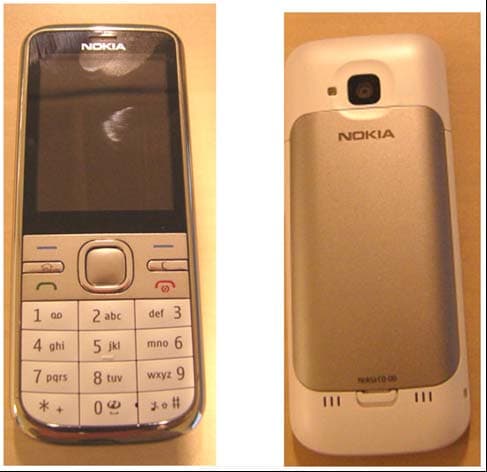
QFXRM-745
Mar 03, 2011GSM/WCDMA cellular phone with Bluetooth
Equipment Class
JBP - Part 15 Class B Computing Device Peripheral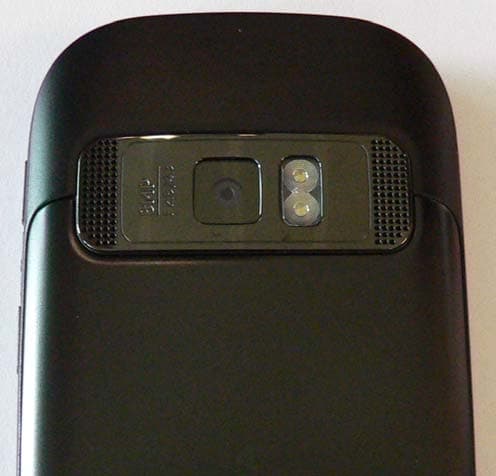
QFXRM-675X
Oct 14, 2010GSM/WCDMA cellular telephone with BT, WLAN, FM Tx and RFID
Equipment Class
DSS - Part 15 Spread Spectrum Transmitter