QFXRM-342GSM/WCDMA Cellular Telephone w/ BT/WLAN/FMtx
Microsoft Corporation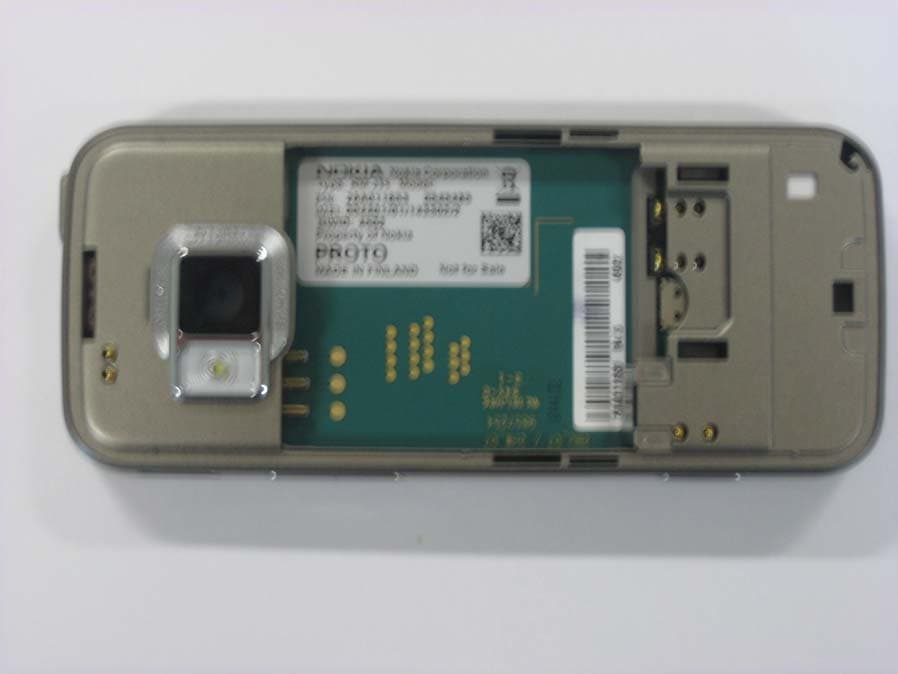
Click to zoom
Application Details
- Equipment Class
- PCE - PCS Licensed Transmitter held to ear
- Date of Grant
- Mar 11, 2008
- Application Purpose
- Original Equipment
- Date of Application
- Mar 10, 2008
- Equipment Note
- GSM/WCDMA Cellular Telephone w/ BT/WLAN/FMtx
- Frequency Range
- 826.40000000 - 846.60000000
- Company
- Microsoft Corporation
- Country
- United States
Documents & Files
Document Text
Text extracted from the exhibit documents filed with the FCC. Open a document above to read the original.
Users Manual
Nokia N78 User Guide Issue 1 DECLARATION OF CONFORMITY Hereby, NOKIA CORPORATION declares that this RM-342 product is in compliance with the essential requirementsand other relevant provisions of Directive 1999/5/EC. A copy of the Declaration of Conformity can be found at http://www.nokia.com/phones/declaration_of_conformity/. © 2008 Nokia. All rights reserved.Nokia, Nokia Connecting People, Nokia Original Enhancements logos, Nseries, N78, Navi, N-Gage, Visual Radio, and Nokia Care are trademarks or registered trademarks of Nokia Corporation. Nokia tune is a sound mark of Nokia Corporation. Other product and company names me ntioned herein may be trademarks or tradenames of their respective owners.Reproduction, transfer, distribution, or storage of part or all of the contents in this document in any form without the prior written permission of Nokia is prohibited. This product includes software licensed from Symbian Software Ltd © 1998-2007. Symbian and Symbian OS are trademarks of Symbian Ltd.US Patent No 5818437 and other pending patents. T9 text input software Copyright © 1997-2007. Tegic Communications, Inc. All ri ghts reserved. Java and all Java-based marks are trademarks or registered trademarks of Sun Microsystems, Inc. Portions of the Nokia Maps software are copyright © 1996-2002 The FreeType Project. All rights reserved. This product is licensed under the MPEG-4 Visual Patent Portfo lio License (i) for personal and noncommercial use in connection with information which has been encoded in compliance with the MPEG-4 Visual Standard by a consumer engaged in a person al and noncommercial activity a nd (ii) for use in connection with MPEG-4 video provided by a licensed video provider. No license is granted or shall be implied for any other use . Additional information, including that related to promotional, internal, and commercial uses, may be obtained from MPEG LA, LLC. See http://www.mpegla. com. .Nokia operates a policy of ongoing development. Nokia reserves th e right to make changes and improvements to any of the product s described in this document without prior notice.TO THE MAXIMUM EXTENT PERMITTED BY APPLICABLE LAW, UNDER NO CI RCUMSTANCES SHALL NOKIA OR ANY OF ITS LICENSORS BE RESPONSIBLE FO R ANY LOSS OF DATA OR INCOME OR ANY SPECIAL, INCIDENTAL, CONSEQUENTIAL OR INDIRECT DAMAGES HOWSOEVER CAUSED. THE CONTENTS OF THIS DOCUMENT ARE PROVIDED "AS IS". EXCEPT AS REQUIRED BY APPLICABLE LAW, NO WARRANTIES OF ANY KIND, EITHER EXP RESS OR IMPLIED, INCLUDING, BUT NOT LIMITED TO, THE IMPLIED WARRANTIES OF MERCHANTABILITY AND FITNESS FOR A PARTICULAR PURPOSE, ARE MAD E IN RELATION TO THE ACCURACY, RELIABILITY OR CONTENTS OF THIS DOCUMENT. NOKIA RESERVES THE RIGHT TO REVISE THIS DOCUMENT OR WITHDRAW IT AT A NY TIME WITHOUT PRIOR NOTICE. The third-party applications provided with your device may have been created and may be owned by persons or entities not affili ated with or related to Nokia. Nokia does not own the copyrights or intellectual prop erty rights to the third-party applications. As such, Nokia doe s not take any responsibility for end-user support, functionality of the applications, or the information in the applications or these materials. Nokia does not provide any warranty for the third-party applications.BY USING THE APPLICATIONS YOU ACKNOWLEDGE THAT THE APPLICATIONS ARE PROVIDED AS IS WITHOUT WARRANTY OF ANY KIND, EXPRESS OR IMP LIED, TO THE MAXIMUM EXTENT PERMITTED BY APPLICABLE LAW. YOU FURTHER ACKNOWLEDGE THAT NEITHER NOKIA NOR ITS AFFILIATES MAKE ANY REPRESEN TATIONS OR WARRANTIES, EXPRESS OR IMPLIED, INCLUDING BUT NOT LIMITED TO WARRANTIES OF TITLE, MERCHANTABILITY OR FITNESS FOR A PARTICULA R PURPOSE, OR THAT THE APPLICATIONS WILL NOT INFRINGE ANY THIRD-PARTY PATENTS, COPYRIGHTS, TRADEMARKS, OR OTHER RIGHTS.The availability of particular products an d applications and services for these products may vary by region. Please check with your Nokia dealer for details, and availability of language options.Export controlsThis device may contain commodities, technology or software subject to export laws and regulations from the US and other countr ies. Diversion contrary to law is prohibited.FCC/INDUSTRY CANADA NOTICEYour device may cause TV or radio interference (for example, wh en using a telephone in close proximity to receiving equipment). The FCC or Industry Canada can require you to stop using your telephone if such inte rference cannot be eliminated. If you require assistance, conta ct your local service facility. This device complies with part 15 of the FCC rules. Operation is subject to the following two conditions: (1) This de vice may not cause harmful interference, and (2) this device must accept any interference received, including interference that may cause undesired operat ion. Any changes or modifications not expressly approved by Nokia could vo id the user's authority to operate this equipment. /Issue 1 ContentsFor your safety ..........................................10About your device.........................................................11Network services...........................................................12Enhancements, batteries, and chargers.....................12Get started.................................................14Keys and parts (front)...................................................14Keys and parts (back)....................................................15Insert (U)SIM card and battery.....................................15Switch the device on.....................................................16Charge the battery........................................................17Wrist strap.....................................................................17Get connected............................................18Find help....................................................19Instructions inside - In-device help.............................19Get started.....................................................................19…
Text truncated - open the document above for the full version.
Users Manual
ConnectionsYour device offers several options to connect to theinternet or to another co mpatible device or PC. Wireless LANYour device supports wi reless local area network (WLAN). With WLAN, you can connect your device tothe internet and compatible devices that haveWLAN. About WLANTo use WLAN, it must be available in the location,and your device must be connected to the WLAN. Some places, like France, have restrictions on the use of wireless LAN. Check with your localauthorities for more information.Features that use WLAN, or that are allowed to runin the background while using other features,increase the demand on battery power and reducethe battery life.Your device supports the following WLAN features: ● IEEE 802.11b/g standard ● Operation at 2.4 GHz ● Wired equivalent privacy (WEP) with keys up to 128 bits, Wi-Fi protected access (WPA), and802.1x encryption methods. These functions canbe used only if they are supported by thenetwork. WLAN connectionsTo use WLAN, you must cr eate an internet access point (IAP) in a wireless LAN. Use the access pointfor applications that n eed to connect to the internet. See "WLAN internet access points" , p. 102 . Important: Always enable one of the available encryption methods to increase thesecurity of your wirele ss LAN connection. Using encryption reduces the risk of unauthorized accessto your data.A WLAN connection is established when you createa data connection using a WLAN internet access point. The active WLAN connection ends when youend the data connection.You can use WLAN during a voice call or when packetdata is active. You can only be connected to one 101 Connections WLAN access point device at a time, but severalapplications can use the sa me internet access point. When the device is in the offline profile, you can stilluse WLAN (if available). Remember to comply with any applicable safety requirements whenestablishing and using a WLAN connection. Tip: To check the unique media access control (MAC) address that iden tifies your device, enter *#62209526# in the standby mode. WLAN wizardThe WLAN wizard helps you to connect to a WLANand manage your WLAN connections.The WLAN wizard shows the status of your WLANconnections in the active standby mode. To view the available options, scroll to the row showing the status, and select it.If the search finds WLANs, for example, WLAN network found is displayed, to create an internet access point (IAP) and start the web browser usingthis IAP, select the status and Start Web browsing . If you select a secured WL AN network, you are asked to enter the relevant passcodes. To connect to ahidden network, you mu st enter the correct network name (service set identifier, SSID). Tocreate a new access point for a hidden WLAN, select New WLAN . If you are connected to a WLAN, the IAP name isdisplayed. To start the web browser using this IAP,select the status and Continue Web browsing . To end the connection in the WLAN, select the statusand Disconnect WLAN . If WLAN scanning is off and you are not connected to any WLAN, WLAN scanning off is displayed. To set scanning on and search for available WLANs,select the status and press the scroll key.To start a search for avai lable WLANs, select the status and Search for WLAN . To set WLAN scanning off, select the st atus and select WLAN scanning off . To access the WLAN wizard application in the menu,press , and select Tools > WLAN wiz. . WLAN internet access pointsPress , and select Tools > WLAN wiz. Select Options and from the following: ● Filter WLAN networks — Filter out WLANs in the list of found networks. The selected networksare filtered out the next time the applicationsearches for WLANs. ● Details — View the detail s of a network shown in the list. If you select an active connection, theconnection details are displayed. ● Define access point — Create an internet access point (IAP) in a WLAN. 102 Connections ● Edit access point — Edit the details of an existing IAP. You can also use connection manager to createinternet access points. See "Active data connections" , p. 103 . Operating modesThere are two operating modes in WLAN:infrastructure and ad hoc.The infrastructure operating mode allows twokinds of communication: wireless devices areconnected to each other through a WLAN accesspoint device, or wireless devices are connected to awired LAN through a WLAN access point device. In the ad hoc operating mode, devices can send andreceive data directly with each other. Connection managerActive data connectionsPress , and select Tools > Connectivity > Conn. mgr. > Active data connections . In the active data connections view, you can see theopen data connections: data calls packet data connections WLAN connections Note: The actual time invoiced for calls by your service provider may vary, depending onnetwork features, rounding off for billing, and soforth.To end a connection, select Options > Disconnect . To close all open connections, select Options > Disconnect all . To view the details of a connection, selectOptions > Details . The details shown depend on the connection type. Available WLAN networksPress , and select Tools > Connectivity > Conn. mgr. > Available WLAN networks . The available WLAN view shows a list of WLANswithin range, their networ k mode (infrastructure or ad hoc), and signal strength indicator. is shown for networks with encryption, and if your device has an active connection in the network.To view the details of a network, select Options > Details . To create an internet access point in a network,select Options > Define access point . 103 Connections Bluetooth connectivityAbout Bluetooth connectivityYou can make a wireless connection to othercompatible devices with Bluetooth connectivity.Compatible devices may include mobile phones, computers, and enhancements such as headsetsand car kits. You can use Bluetooth connectivity tosend images, video clips, music and sound clips, andnotes; make a wireless connection to yourcompatible PC (for examp…
Text truncated - open the document above for the full version.
External Photos
External Photographs FCC ID: QFXRM-342 Exhibit: 3 IC: 661Z-RM342 Applicant: Nokia Corporation Copyright© Nokia. All rights reserved External Photographs FCC ID: QFXRM-342 Exhibit: 3 IC: 661Z-RM342 Applicant: Nokia Corporation Copyright© Nokia. All rights reserved External Photographs FCC ID: QFXRM-342 Exhibit: 3 IC: 661Z-RM342 Applicant: Nokia Corporation Copyright© Nokia. All rights reserved
ID Label/Location Info
1 (1) Exhibit 1: Label and Location FCC ID: QFXRM-342 Applicant: Nokia Corporation IC: 661Z-RM342 Label: Location:
Internal Photos
Internal Photographs FCC ID: QFXRM-342 Exhibit: 9 IC: 661Z-RM342 Applicant: Nokia Corporation Copyright© Nokia. All rights reserved Internal Photographs FCC ID: QFXRM-342 Exhibit: 9 IC: 661Z-RM342 Applicant: Nokia Corporation Copyright© Nokia. All rights reserved Internal Photographs FCC ID: QFXRM-342 Exhibit: 9 IC: 661Z-RM342 Applicant: Nokia Corporation Copyright© Nokia. All rights reserved USB chip
RF Exposure Info
Nokia ____________________________________________________________________________ SAR Report Salo_SAR_0802_11 Applicant: Nokia Corporation Type: RM-342 Copyright © 2008 TCC Nokia 1/72 SAR Compliance Test Report Test report no.: Salo_SAR_0802_11 Date of report: 2008-01-18 Template version: 8.0 Number of pages: 72 Testing laboratory: TCC Nokia Salo Laboratory P.O.Box 86 Joensuunkatu 7H / Kiila 1B FIN-24101 SALO, FINLAND Tel. +358 (0) 7180 08000 Fax. +358 (0) 7180 45220 Client: Nokia Corporation Nokia House Summit Avenue, Southwood FARNBOROUGH HAMPSHIRE GU14 0NG UK Tel. +44 1252 866000 Fax. +44 1252 866001 Responsible test engineer: Virpi Tuominen Product contact person: Alison Kingston Measurements made by: Janne Hirsimäki, Ari Orte, Virpi Tuominen Tested device: RM-342 FCC ID: QFXRM-342 IC: 661Z-RM342 Supplement reports: Salo_SAR_0803_04 Testing has been carried out in accordance with: 47CFR §2.1093 Radiofrequency Radiation Exposure Evaluation: Portable Devices FCC OET Bulletin 65 (Edition 97-01), Supplement C (Edition 01-01) Evaluating Compliance with FCC Guidelines for Human Exposure to Radiofrequency Electromagnetic Fields RSS-102 Evaluation Procedure for Mobile and Portable Radio Transmitters with Respect to Health Canada’s Safety Code 6 for Exposure of Humans to Radio Frequency Fields IEEE 1528 - 2003 IEEE Recommended Practice for Determining the Peak Spatial-Average Specific Absorption Rate (SAR) in the Human Head from Wireless Communications Devices: Measurement Technique Documentation: The documentation of the testing performed on the tested devices is archived for 15 years at TCC Nokia. Test results: The tested device complies with the requirements in respect of all parameters subject to the test. The test results and statements relate only to the items tested. The test report shall not be reproduced except in full, without written approval of the laboratory. Date and signatures: For the contents: Nokia ____________________________________________________________________________ SAR Report Salo_SAR_0802_11 Applicant: Nokia Corporation Type: RM-342 Copyright © 2008 TCC Nokia 2/72 CONTENTS 1. SUMMARY OF SAR TEST REPORT.............................................................................................................................................3 1.1 TEST DETAILS.............................................................................................................................................................................3 1.2 MAXIMUM RESULTS....................................................................................................................................................................3 1.2.1 Head Configuration........................................................................................................................................................3 1.2.2 Body Worn Configuration ............................................................................................................................................4 1.2.3 Maximum Drift ................................................................................................................................................................4 1.2.4 Measurement Uncertainty ...........................................................................................................................................4 2. DESCRIPTION OF THE DEVICE UNDER TEST...........................................................................................................................5 2.1 DESCRIPTION OF THE ANTENNA..................................................................................................................................................5 3. TEST CONDITIONS .....................................................................................................................................................................6 3.1 TEMPERATURE AND HUMIDITY....................................................................................................................................................6 3.2 TEST SIGNAL, FREQUENCIES AND OUTPUT POWER......................................................................................................................6 4. DESCRIPTION OF THE TEST EQUIPMENT ...............................................................................................................................6 4.1 MEASUREMENT SYSTEM AND COMPONENTS................................................................................................................................6 4.1.1 Isotropic E-field Probe Type ET3DV6 .........................................................................................................................8 4.1.2 Isotropic E-field Probe Type ES3DV3 .........................................................................................................................9 4.2 PHANTOMS................................................................................................................................................................................9 4.3 TISSUE SIMULANTS.................................................................................................................................................................10 4.3.1 Tissue Simulant Recipes ............................................................................................................................................10 4.3.2 System Checking ..........................................................................................................................................................10 4.3.3 Tissue Simulants used in the Measurements .......................................................................................................12 5. DESCRIPTION OF THE TEST PROCEDURE .............................................................................................................................13 5.1 DEVICE HOLDER...................…
Text truncated - open the document above for the full version.
RF Exposure Info
Nokia ____________________________________________________________________________ SAR Report Salo_SAR_0802_11 Applicant: Nokia Corporation Type: RM-342 Copyright © 2008 TCC Nokia 71/72 APPENDIX C: RELEVANT PAGES FROM PROBE CALIBRATION REPORT(S) See the next six pages. Nokia ____________________________________________________________________________ SAR Report Salo_SAR_0802_11 Applicant: Nokia Corporation Type: RM-342 Copyright © 2008 TCC Nokia 72/72 APPENDIX D: RELEVANT PAGES FROM DIPOLE VALIDATION KIT REPORT(S) See the next nine pages.
Test Report
FCC Part 22/24 Compliance Test Report FCC Part 22/24/27 Compliance Test Report / Template Version 11.0 T:\Projects\RM-342\EMC\Results\FCC\Salo_FCC_0808_08.doc Copyright © TCC Nokia 1 (7) TCC Nokia Salo Laboratory P.O. Box 86 Joensuunkatu 7H / Kiila 1B FIN-24101 SALO, FINLAND Tel. +358 (0) 7180 08000 Fax. +358 (0) 7180 45220 Test Report no.: 20-Feb-2008 Salo_FCC_0808_08.doc Date of Report: Number of pages: 7 Alison Kingston Customer’s Contact person: Testing laboratory: TCC Nokia Salo Laboratory P.O. Box 86 Joensuunkatu 7H / Kiila 1B FIN-24101 SALO, FINLAND Tel. +358 (0) 7180 08000 Fax. +358 (0) 7180 45220 FCC listing no.: IC recognition no.: 533467 661V-1 Nokia Corporation Customer: Nokia House Summit Avenue, Southwood FARNBOROUGH HAMPSHIRE GU14 0NG UK Tel. +44 1252 866000 Fax. +44 1252 866001 Tested devices/ accessories: Phone RM-324 / Battery BL-6F, Headset HS-45, Audio Adapter AD-54 and AC- Charger AC-5 FCC ID: 661Z-RM342 QFXRM-342 IC: Supplement reports: - Testing has been carried out in accordance with: CFR 47, FCC rules Parts 22 and 24, TIA-603-C-2004 and IC standards RSS-GEN (Issue 2, June 2007), RSS-132 (Issue 2, September 2005) and RSS-133 (Issue 3, June 2005). Deviations, modifications or clarifications (if any) to above mentioned documents are written in each section under "Test method and limit". The test report must always be reproduced in full; reproduction of an excerpt only is subject to Documentation: written approval of the testing laboratory. The documentation of the testing performed on the tested devices is archived for 15 years at TCC Nokia. The EUT complies with the requirements in respect of all parameters subject to the test. Test Results: The test results relate only to devices specified in this document. Date and signature for the contents: Sami Lehtonen, System Manager FCC Part 22/24/27 Compliance Test Report / Template Version 11.0 T:\Projects\RM-342\EMC\Results\FCC\Salo_FCC_0808_08.doc Copyright © TCC Nokia 2 (7) TCC Nokia Salo Laboratory P.O. Box 86 Joensuunkatu 7H / Kiila 1B FIN-24101 SALO, FINLAND Tel. +358 (0) 7180 08000 Fax. +358 (0) 7180 45220 1. Summary for FCC Part 22/24 Compliance Test Report Date of receipt 04-Jan-2008 Testing completed 19-Feb-2008 The customer's contact person Alison Kingston Test Plan referred to T:\Projects\RM-342\TestPlan_RS\RS_Testplan_RM-342.xls Notes - Document name T:\Projects\RM-342\EMC\Results\FCC\Salo_FCC_0808_08.doc 1.1. EUT and Accessory Information The EUT is a 6-band (GSM850/900/1800/1900 and WCDMA Band II(1900)/V(850)) mobile phone with GPRS, EGPRS, Bluetooth, WLAN and FM transmitter. The EUT is tested with maximum rated TX power, modulated with pseudo random bit sequence (PRBS9). Product Type SN HW MV SW DUT Phone RM-342 004401/01/562356/0 5200 - 0.130EE 12474 Battery BL-6F 3820667275270100000;0670523 - - - 12385 Audio adapter AD-54 07508387353N2110588 0.6 1.7 - 12455 Headset HS-45 06946446495D1900020 2 0.5 - 12459 AC- Charger AC-5E 3943497311080605805;0675540 - - - 12548 1.2. Summary of Test Results WCDMA 850 (Band V): Section in CFR 47 Section in RSS-GEN or RSS-132 Name of the test Result §2.1046(a), 22.913(a) 4.6, 4.4 Conducted RF output power NP §22.913(a) 4.6, 4.4 Radiated RF output power NP §2.1049(h) 4.4.1 99 % occupied bandwidth NP §22.917(a) 4.7, 4.5 Band edge compliance NP §22.917(a), §2.1051 4.7, 4.5 Spurious emissions at antenna terminals NP §22.917(a), §2.1053 4.7, 4.5 Spurious radiated emissions PASSED §2.1055(a) 4.5, 4.3 Frequency stability, temperature variation NP §2.1055(d) 4.5, 4.3 Frequency stability, voltage variation NP WCDMA 1900 (Band II): Section in CFR 47 Section in RSS-133 Name of the test Result §2.1046(a) 6.2 Conducted RF output power NP §24.232(b) 6.2 Radiated RF output power NP §2.1049(h) 5.6 99 % occupied bandwidth NP §24.238(a) 6.3 Band edge compliance NP §24.238(a), §2.1051 6.3 Spurious emissions at antenna terminals NP §24.238(a), §2.1053 6.3 Spurious radiated emissions PASSED §2.1055(a) 7 Frequency stability, temperature variation NP §2.1055(d) 7 Frequency stability, voltage variation NP PASSED The EUT complies with the essential requirements in the standard. FAILED The EUT does not comply with the essential requirements in the standard. NP The test was not performed by the TCC Nokia Salo Laboratory. FCC Part 22/24/27 Compliance Test Report / Template Version 11.0 T:\Projects\RM-342\EMC\Results\FCC\Salo_FCC_0808_08.doc Copyright © TCC Nokia 3 (7) TCC Nokia Salo Laboratory P.O. Box 86 Joensuunkatu 7H / Kiila 1B FIN-24101 SALO, FINLAND Tel. +358 (0) 7180 08000 Fax. +358 (0) 7180 45220 CONTENTS 1. Summary for FCC Part 22/24 Compliance Test Report ........................................... 2 1.1. EUT and Accessory Information ............................................................................................2 1.2. Summary of Test Results .......................................................................................................2 2. Spurious radiated emissions (FCC §22.917(a), §24.238(a), §2.1053, RSS-GEN 4.7, RSS-132 4.5, RSS-133 6.3) ......... 4 2.1. Test setup ..............................................................................................................................4 2.2. Test method and limit .............................................................................................................4 2.3. WCDMA 850 Test results.......................................................................................................5 2.4. WCDMA 1900 Test results.....................................................................................................5 3. Test Equipment........................................................................................................... 6 3.1. Conducted measurements .....................................................................................................6 3.2. Radiated measurements .......................................................................................................…
Text truncated - open the document above for the full version.
Test Report
FCC Part 22/24/27 Compliance Test Report / Template Version 10.0 T:\Projects\RM-342\EMC\Results\FCC\Tre_FCC_0808_05.doc Copyright © TCC Nokia 1 (9) TCC Nokia Tampere Laboratory P.O. Box 68 Sinitaival 5 FIN-33720 TAMPERE, FINLAND Tel. +358 (0) 7180 46800 Fax. +358 (0) 7180 46880 FCC Part 22/24 Compliance Test Report Test Report no.: Tre_FCC_0808_05.doc Date of Report: 18.2.2008 Number of pages: 9 Customer’s Contact person: Alison Kingston Testing laboratory: TCC Nokia Tampere Laboratory P.O. Box 68 Sinitaival 5 FIN-33720 TAMPERE, FINLAND Tel. +358 (0) 7180 46800 Fax. +358 (0) 7180 46880 FCC listing no.: IC recognition no.: 94436 3608 Customer: Nokia Corporation Nokia House Summit Avenue, Southwood FARNBOROUGH HAMPSHIRE GU14 0NG UK Tel. +44 1252 866000 Fax. +44 1252 866001 Tested devices/ accessories: GSM phone RM-342 / Battery BL-6F, AC charger AC-5E, Audio adapter AD-54, Headset HS-45 FCC ID: QFXRM-342 IC: 661Z-RM342 Supplement reports: - Testing has been carried out in accordance with: CFR 47, FCC rules Parts 22 and 24, TIA-603-C-2004 and IC standards RSS-GEN (Issue 2, June 2007), RSS-132 (Issue 2, September 2005) and RSS-133 (Issue 3, June 2005). Deviations, modifications or clarifications (if any) to above mentioned documents are written in each section under "Test method and limit". Documentation: The test report must always be reproduced in full; reproduction of an excerpt only is subject to written approval of the testing laboratory. The documentation of the testing performed on the tested devices is archived for 15 years at TCC Nokia. Test Results: The EUT complies with the requirements in respect of all parameters subject to the test. The test results relate only to devices specified in this document. Date and signature for the contents: Jari Jantunen, System Manager FCC Part 22/24/27 Compliance Test Report / Template Version 10.0 T:\Projects\RM-342\EMC\Results\FCC\Tre_FCC_0808_05.doc Copyright © TCC Nokia 2 (9) TCC Nokia Tampere Laboratory P.O. Box 68 Sinitaival 5 FIN-33720 TAMPERE, FINLAND Tel. +358 (0) 7180 46800 Fax. +358 (0) 7180 46880 1. Summary for FCC Part 22/24 Compliance Test Report Date of receipt 27.11.2007 Testing completed 10.12.2007 The customer's contact person Alison Kingston Test Plan referred to T:\Projects\ Notes - Document name T:\Projects\RM-235\EMC\Results\FCC\Tre_FCC_0749_03.doc 1.1. EUT and Accessory Information The EUT is a 6-band (GSM850/900/1800/1900 and WCDMA II/V) mobile phone with GPRS, EGPRS, Bluetooth and WLAN. The EUT is tested with maximum rated TX power, modulated with pseudo random bit sequence (PRBS9). Product Type SN HW MV SW DUT GSM phone RM-235 004401011432032 4500 - 0.67EE 41330 Battery BL-6F - - - - 41333 AC Charger AC-5E - - - - 41334 Audio adapter AD-54 - - - - 41335 Headset HS-45 - - - - 41336 1.2. Summary of Test Results GSM 850: Section in CFR 47 Section in RSS-GEN or RSS-132 Name of the test Result §2.1046(a), 22.913(a) 4.6, 4.4 Conducted RF output power NP §22.913(a) 4.6, 4.4 Radiated RF output power NP §2.1049(h) 4.4.1 99 % occupied bandwidth NP §22.917(a) 4.7, 4.5 Band edge compliance NP §22.917(a), §2.1051 4.7, 4.5 Spurious emissions at antenna terminals NP §22.917(a), §2.1053 4.7, 4.5 Spurious radiated emissions PASSED §2.1055(a) 4.5, 4.3 Frequency stability, temperature variation NP §2.1055(d) 4.5, 4.3 Frequency stability, voltage variation NP FCC Part 22/24/27 Compliance Test Report / Template Version 10.0 T:\Projects\RM-342\EMC\Results\FCC\Tre_FCC_0808_05.doc Copyright © TCC Nokia 3 (9) TCC Nokia Tampere Laboratory P.O. Box 68 Sinitaival 5 FIN-33720 TAMPERE, FINLAND Tel. +358 (0) 7180 46800 Fax. +358 (0) 7180 46880 GSM 1900: Section in CFR 47 Section in RSS-133 Name of the test Result §2.1046(a) 6.2 Conducted RF output power NP §24.232(b) 6.2 Radiated RF output power NP §2.1049(h) 5.6 99 % occupied bandwidth NP §24.238(a) 6.3 Band edge compliance NP §24.238(a), §2.1051 6.3 Spurious emissions at antenna terminals NP §24.238(a), §2.1053 6.3 Spurious radiated emissions PASSED §2.1055(a) 7 Frequency stability, temperature variation NP §2.1055(d) 7 Frequency stability, voltage variation NP PASSED The EUT complies with the essential requirements in the standard. FAILED The EUT does not comply with the essential requirements in the standard. NP The test was not performed by the TCC Nokia Tampere Laboratory. The test results of QFXRM-235 are re-used for certification of the QFXRM-342. The table above indicates the results, which will be re-used. FCC Part 22/24/27 Compliance Test Report / Template Versio…
Text truncated - open the document above for the full version.
Contact Information
Applicant
Hasnain Syed(Director, EMC, SI and RF Compliance)
Technical Specifications
| # | Rule Parts | Frequency Range | Power Output | Emission | Tolerance |
|---|---|---|---|---|---|
| 6 | 22H | 826.4 MHz - 846.6 MHz | 50.00 mW | 4M20F9W | 0.1 ppm |
Other Applications from Microsoft Corporation
QFXRM-749
May 26, 2011GSM/WCDMA cellular telephone with BT, WLAN, FM Tx and RF ID
Equipment Class
DXX - Part 15 Low Power Communication Device Transmitter
QFXRM-609
Mar 16, 2011GSM/WCDMA cellular telephone with Bluetooth and WLAN
Equipment Class
DSS - Part 15 Spread Spectrum Transmitter
QFXRM-691
Mar 07, 2011GSM/WCDMA cellular telephone with BT, WLAN, FM Tx and RF ID
Equipment Class
DXX - Part 15 Low Power Communication Device Transmitter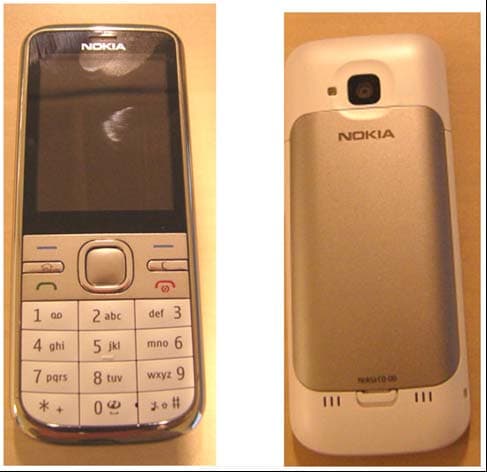
QFXRM-744
Mar 07, 2011GSM/WCDMA cellular phone with Bluetooth
Equipment Class
DSS - Part 15 Spread Spectrum Transmitter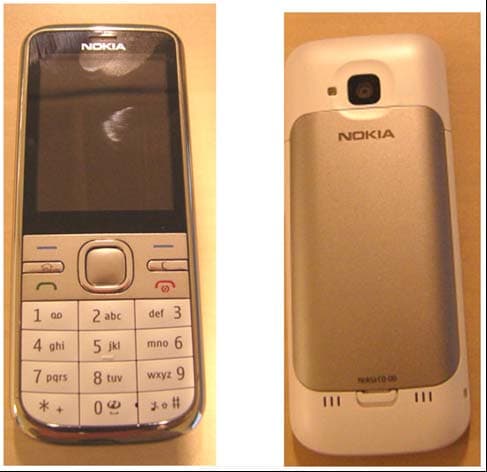
QFXRM-745
Mar 03, 2011GSM/WCDMA cellular phone with Bluetooth
Equipment Class
JBP - Part 15 Class B Computing Device Peripheral