QVEFSK4U2Remote Control
SMK Manufacturing, Inc.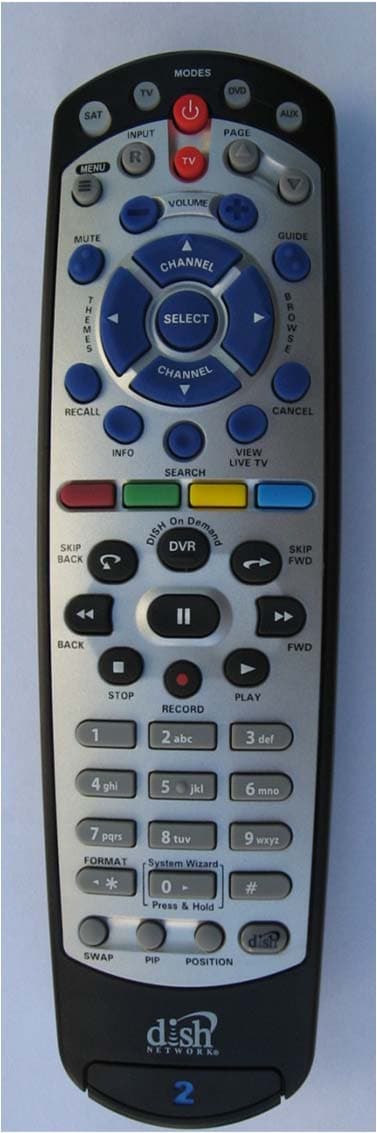
Click to zoom
Application Details
- Equipment Class
- DXX - Part 15 Low Power Communication Device Transmitter
- Date of Grant
- Aug 29, 2011
- Application Purpose
- Original Equipment
- Date of Application
- Aug 28, 2011
- Equipment Note
- Remote Control
- Frequency Range
- 369.50000000 - 394.30000000
- Company
- SMK Manufacturing, Inc.
- Country
- United States
Documents & Files
Document Text
Text extracted from the exhibit documents filed with the FCC. Open a document above to read the original.
Users Manual
Remote User Guide Safety Instructions You must keep safety in mind while using this device. Keep these and any other instructions for future reference. Observe Warnings: Carefully follow all warnings on the device and in the operating instructions. Heat: Do NOT place the device near heat sources such as radiators, stoves, heat registers, or other appliances that produce heat. Care and Use Cleaning: Do NOT use liquid, abrasive, solvent, or aerosol cleaners. Use a damp cloth for cleaning. When Not in Use: Remove the batteries if this device is to be left unattended or unused for a long period of time. Refer servicing to qualified personnel when a solid object or liquid has fallen onto or into the device. Do NOT attempt to service this device. Refer all servicing to qualified personnel. Opening covers other than the battery cover will void the warranty. Publishing Information Copyright © 2011. EchoStar Technologies L.L.C., Englewood, Colorado 80112. All rights reserved. The information in this User Guide may change without notice. Revisions may be issued to tell you about such changes. Send comments or questions about this User Guide to [email protected] or Technical Publications, EchoStar Technologies L.L.C, 90 Inverness Drive Circle East, Englewood, Colorado 80112. Document Number: 180532 Printed in DISH Network is a registered trademark of DISH Network L.L.C. All product names, trade names, or corporate names mentioned in this User Guide are acknowledged to be the proprietary property of the registered owners. 1 Configuring the 20.1 Remote Configuring the 21.1 Remote The 20.1 remote does not require any configuration. Go to Insert the Batteries (page 2). 1 2 3 4 Pull the remote battery cover off. Decide whether to use IR or UHF signals for the remote. Use UHF signals if you do not have a clear line of sight between the remote and the receiver. Set UHF/IR SWITCH to either UHF or IR. If your remote has a blank, black key, continue to Insert the Batteries on page 2. If your remote shows a “1” or a “2” on the bottom, you can pull out this key and flip it to the other number (2 to 1 and 1 to 2). To separate the key from the remote, insert your thumbnail or a coin in the crease. Remove the key by grasping at the bottom. Insert the key you wish to use to designate the remote and slide into place. Usually a 1 = TV1 and a 2 = TV2. For remotes showing the blank, black key, leave this key as it is. Complete the following steps to configure your remote. 2 Insert the Batteries Pull the remote battery cover off. Insert 4 AAA batteries, making sure to match the plus (+) ends with the plus markings on the battery case. Replace the remote battery cover. 1 2 3 3 Using System Wizard Note: Not all receivers support System Wizard. If System Wizard does not appear, continue with page 4 or page 5 to make your remote work with your receiver. Use System Wizard initially to set up the remote to work with the receiver. System Wizard can also store/ restore your remote settings. Note: If your batteries are low, replace them before beginning. Press and hold 0 until System Wizard message appears. Make sure the remote and receiver are in line of sight. If first time in System Wizard, follow instructions provided. When green checkmark displays, select Advanced to store/ restore remote settings. Follow the on-screen options. Select Continue to return to Live TV. 1 2 3 4 4 Making 20.1 and 21.1 IR Remote Work with Receiver Turn your receiver and TV on, and press SYSTEM INFO on the front of the receiver. Confirm that you see the System Info screen. Press RECORD on your remote. The receiver then matches the remote’s address. Confirm that your remote operates your receiver by pressing remote buttons. If this is not working, go back to step 3. 1 2 3 4 1 For 20.1 and 21.1 IR Use the following instructions to configure your remote while using IR signals. Note: Use these instructions if your receiver does not support System Wizard. 5 Making 21.1 UHF Remote Work with Receiver Verify the UHF antenna is installed on the back of the receiver. Turn your receiver and TV on, and press SYSTEM INFO on the front of the receiver. Confirm that you see the System Info screen. Press RECORD on your remote. The remote address will probably change on the screen. Confirm that your remote operates your receiver by pressing remote buttons. If this is not working, go back to step 4. 3 2 1 4 5 For 21.1 UHF Use the following instructions if you have configured your remote to use UHF signals. 1 1 Note: Use these instructions if your receiver does not support System Wizard. 6 SAT Mode To use the features described in this section, make sure you are in SAT mode by pressing the SAT Mode button. Note: Some features may not be available depending on your receiver model. SAT Power & TV Power Top button turns the receiver on/off Bottom button turns the TV on/off Press this button for SAT Mode Volume and Mute Buttons Control TV volume Programming required Recall Return to last TV channel viewed Picture-In-Picture (PIP) Buttons Watch two separate programs at once (in Single Mode) Number Buttons Enter a channel number or navigate through menus Receiver Menu Access receiver features and settings Input Press once for Input Press and hold for Recover Themes Search for programs using Themes Info Get info on programs Search Search for a program Shortcut Keys (for future use) Digital Video Recorder (DVR) Buttons Pause live TV and play or record programming Format Format the picture to the desired width to match the program you are viewing System Wizard Press and hold to fix remote control issues and sync data DishHOME Explore interactive TV features Arrow/Select Buttons Channel up/down, navigate through menus, and select a desired option View Satellite Programming Exit out of any menu/guide and return to viewing live TV Cancel Return to previous menu or to watching a program Browse See what is on other channels while watching TV Program Guide Display current and f…
Text truncated - open the document above for the full version.
Cover Letter(s)
8/19/2011 Equipment Autorisation Division Federal Communications Commission 7435 Oakland Mills Road Columbia, MD 21046 FCC ID: QVEFSK4U2 Product Name: FSK Module Remote Request for Confidentiality Pursuant to Sections 0.457 and 0.459 of the commissions rules, we hereby request that the following documents be held confidential: Schematics Block diagram BOM Operation Description These materials contain trade secrets and proprietary information and are not customarily released to the public. The public disclosure of this information might be harmful to the company and provide unjustified benefits to our competitors. RF Engineer
Cover Letter(s)
8/12/2011 Nemko Canada Inc 303 River Road Ottawa, Ontario, Canada K1V 1H2 Attn: Director of Certification FCC ID: QVEFSK4U2 Authority to Act as Agent On our behalf, I appoint Leo Gateno of SMK USA, 1055 Tierra Del Rey, Suite H, Chula Vista, CA 91910, USA to act as our agent in the preparation of this application for equipment certification. I certify that submitted documents properly describe the device or system for which equipment certification is sought. I also certify that each unit manufactured, imported or marketed, as defined in Federal Communication Commission’s regulations will have affixed to it a label identical to that submitted for approval with this application. For instances where our authorized agent signs the application for certification on our behalf, I acknowledge that all responsibility for complying with the terms and conditions for certification, as specified by Nemko Canada Inc, still resides with SMK USA, 1055 Tierra Del Rey, Suite H, Chula Vista, CA 91910, USA. Agency agreement expiration date: October 1, 2011
Cover Letter(s)
8/12/2011 Nemko Canada Inc 303 River Road Ottawa, Ontario, Canada K1V 1H2 Attn: Director of Certification FCC ID: QVEFSK4U2 Authority to Act as Agent On our behalf, I appoint Alan Laudani of Nemko USA Inc., 11696 Sorrento Valley Rd, San Diego, CA, USA to act as our agent in the preparation of this application for equipment certification. I certify that submitted documents properly describe the device or system for which equipment certification is sought. I also certify that each unit manufactured, imported or marketed, as defined in Federal Communication Commission’s regulations will have affixed to it a label identical to that submitted for approval with this application. For instances where our authorized agent signs the application for certification on our behalf, I acknowledge that all responsibility for complying with the terms and conditions for certification, as specified by Nemko Canada Inc, still resides with SMK USA, 1055 Tierra Del Rey, Suite H, Chula Vista, CA 91910, USA. Agency agreement expiration date: October 1, 2011
Internal Photos
RF Module
Test Report
Nemko USA, Inc. 11696 Sorrento Valley Rd., Suite F San Diego, CA 92121-1024 Phone (858) 755-5525 Fax (858) 452-1810 FCC Part 15 Subpart C, 15.231: 29/08/2011 Certification Test Report In Accordance With: FCC Part 15 Subpart C, 15.231 Applicant: SMK Manufacturing, Inc 1055 Tierra Del Rey Chula Vista, CA 91910 Equipment Under Test (EUT): FSK Remote Model: 186371 FCC ID: QVEFSK4U2 Tested By: Nemko USA Inc. 11696 Sorrento Valley Road, Suite F San Diego, CA 92121 Test Report Number: 2011 08182836 FCC Date: August 12, 2011 Project Number 10213104 NEX Number 182836 Total Number of Pages: 26 Nemko USA, Inc. 11696 Sorrento Valley Road, Suite F, San Diego, CA 92121 Phone (858) 755-5525 Fax (858) 452-1810 Report Number: 2011 08182836 FCC FCC ID: QVEFSK4U2 Specification: FCC Part 15 Subpart C, 15.231 RSS-210 Issue 8 December 2010 Page 2 of 26 Section 1. Summary of Test Results 1.1 General All measurements are traceable to national standards These tests were conducted on a sample of the equipment for the purpose of demonstrating compliance with Part 15; Subpart C. Radiated tests were conducted is accordance with ANSI C63.4-2003. Radiated emissions are made on an open area test site. A description of the test facility is on file with the FCC. The assessment summary is as follows: Apparatus Assessed: FSK Remote Model: 186371 Specification: FCC Part 15 Subpart C, 15.231 RSS-210 Issue 8 December 2010 Date Received in Laboratory: July 7, 2011 Compliance Status: Complies Exclusions: None Non-compliances: None Nemko USA, Inc. 11696 Sorrento Valley Road, Suite F, San Diego, CA 92121 Phone (858) 755-5525 Fax (858) 452-1810 Report Number: 2011 08182836 FCC FCC ID: QVEFSK4U2 Specification: FCC Part 15 Subpart C, 15.231 RSS-210 Issue 8 December 2010 Page 3 of 26 1.2 Report Release History REVISION DATE COMMENTS - August 12, 2011 Prepared By: Alan Laudani - August 12, 2011 Initial Release: Alan Laudani Note that the results contained in this report relate only to the items tested and were obtained in the period between the date of initial receipt of samples and the date of issue of the report. This test report has been completed in accordance with the requirements of ISO/IEC 17025. Nemko USA Inc. authorizes the applicant to reproduce this report provided it is reproduced in its entirety and for use by the company’s employees only. Any use which a third party makes of this report, or any reliance on or decisions to be made based on it, are the responsibility of such third parties. Nemko USA Inc. accepts no responsibility for damages, if any, suffered by any third party as a result of decisions made or actions based on this report. Alan Laudani, RF/EMC Test Engineer Nemko USA, Inc. 11696 Sorrento Valley Road, Suite F, San Diego, CA 92121 Phone (858) 755-5525 Fax (858) 452-1810 Report Number: 2011 08182836 FCC FCC ID: QVEFSK4U2 Specification: FCC Part 15 Subpart C, 15.231 RSS-210 Issue 8 December 2010 Page 4 of 26 TABLE OF CONTENTS Section 1. Summary of Test Results .......................................................................... 2 1.1 General ............................................................................................................. 2 1.2 Report Release History ..................................................................................... 3 Section 2: Equipment Under Test ................................................................................... 5 2.1 Theory of Operation .......................................................................................... 5 2.2 Technical Specifications of the EUT ................................................................. 5 Section 3: Test Conditions .............................................................................................. 6 3.1 Specifications .................................................................................................... 6 3.2 Deviations From Laboratory Test Procedures ................................................... 6 3.3 Test Environment .............................................................................................. 6 3.4 Test Equipment ................................................................................................. 6 Section 4: Observations .................................................................................................. 7 4.1 Modifications Performed During Assessment ................................................... 7 4.2 Record Of Technical Judgements ..................................................................... 7 4.3 EUT Parameters Affecting Compliance ............................................................ 7 4.4 Tests Deleted .................................................................................................... 7 4.5 Additional Observations .................................................................................... 7 Section 5: Results Summary ........................................................................................... 8 5.1 Test Results ...................................................................................................... 8 Appendix A: Test Results .............................................................................................. A1 Conducted Emissions .................................................................................................... A1 Occupied Bandwidth ..................................................................................................... A2 Frequency Stability ........................................................................................................ A6 Types of Momentary Signals ......................................................................................... A7 Duty Cycle ..................................................................................................................... A8 Permissible Field Strength Limits for Momentarily Operated Devices ........................... A9 Co…
Text truncated - open the document above for the full version.
Test Setup Photos
Wire used for antenna (relative plots)
Contact Information
Applicant
Tom Fukushima(Engineering Manager)
Technical Contact
SMK Manufacturing, IncLeon W Gateno
[email protected]619-216-6425
1055 Tierra Del Rey Suite H · Chula Vista · United States
Non-Technical Contact
SMK Manufacturing, IncLeon W Gateno
[email protected]619-216-6425
Test Firm
Nemko USA, Inc. - San Diego EMC DivisionJan Blomgren
[email protected]760-444-3500
Technical Specifications
| # | Rule Parts | Frequency Range | Power Output |
|---|---|---|---|
| 1 | 15C | 369.5 MHz - 394.3 MHz | - |
Other Applications from SMK Manufacturing, Inc.
QVE4SYDN
Mar 31, 2015Remote Control with 2.4GHz ISM radio for a set top box
Equipment Class
DTS - Digital Transmission System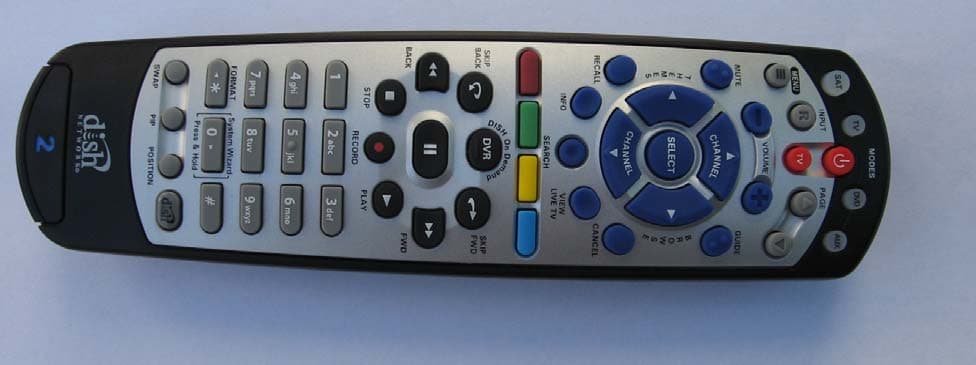
QVEFSK2LC
Nov 08, 2012Remote Control Device Transmitter
Equipment Class
DSC - Part 15 Security/Remote Control Transmitter
QVEFSRC01
Dec 01, 2011Scoop pointer remote and wireless presenter
Equipment Class
DXX - Part 15 Low Power Communication Device Transmitter
QVEFSRX01
Dec 01, 2011USB receiver for Scoop pointer remote and Scoop wireless presenter
Equipment Class
DXX - Part 15 Low Power Communication Device Transmitter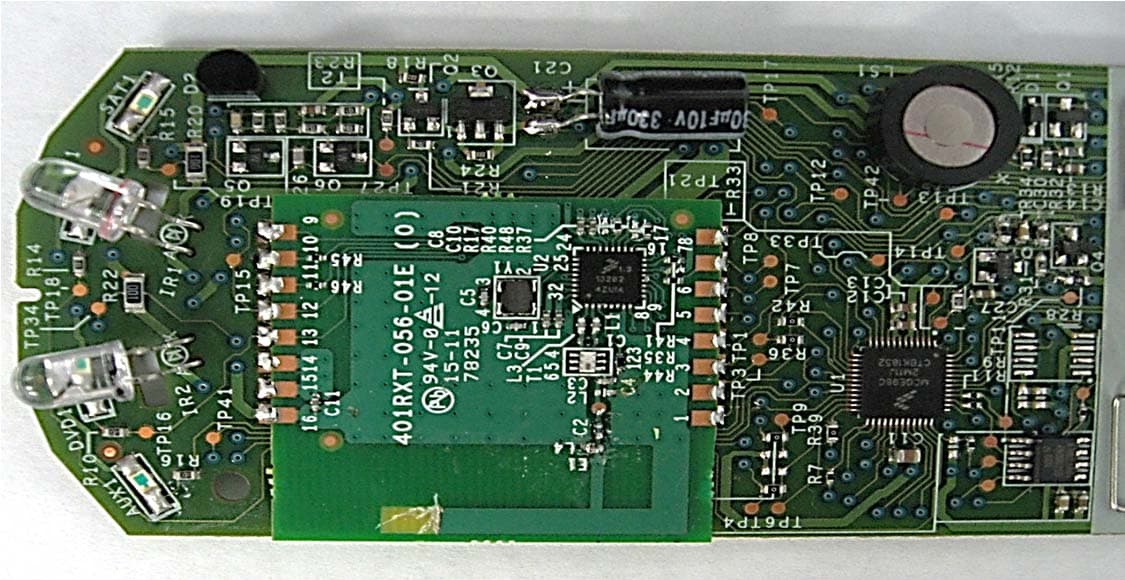
QVE4XIPR
Aug 10, 2011Remote Control
Equipment Class
DXX - Part 15 Low Power Communication Device Transmitter