RKH-HS311Bluetooth Headset
Huges Hi-Tech Inc
Click to zoom
Application Details
- Equipment Class
- DSS - Part 15 Spread Spectrum Transmitter
- Date of Grant
- Feb 18, 2004
- Application Purpose
- Original Equipment
- Date of Application
- Feb 18, 2004
- Equipment Note
- Bluetooth Headset
- Frequency Range
- 2402.00000000 - 2480.00000000
- Company
- Huges Hi-Tech Inc
- Country
- Taiwan
Documents & Files
Document Text
Text extracted from the exhibit documents filed with the FCC. Open a document above to read the original.
Users Manual
Bluetooth headset user guide Bluetooth headset features 1) Talk/End/Reject and Power - To accept/end/reject call; turn power ON or OFF of the headset. 2) Microphone - Voice input for outgoing audio. 3) LED indication - Light indication of the headset status. 4) Charging port – Plug for charging the battery. 5) Speaker – Listen for incoming audio. 6) Internal buzzer - Sound notification of headset status Introduction This bluetooth headset is a light weight wireless system utilizing bluetooth wireless technology. The headset contains a microphone and a speaker; it’s for hands free communications with mobile phones. The power is provided by integral rechargeable battery. Any device that you want to use with this Bluetooth headset must be compatible with Bluetooth technology version 1.1 and support the product and make sure that you: 1. Fully charge headset at least 12 hours before you use it the first time. 2. Pair the headset with your Bluetooth phone or other devices before you start making calls. What's in the package? 1. One bluetooth headset.2. One adaptor 3. One user guide4. One hanging string Choose right or left ear wearing style Headset can be worn on either ear. Just plug in the speaker to your ear. Prepare to use your Bluetooth headset 1. Charging and battery time Before use your headset, you need to fully charge the battery. NOTE: When the headset is under charging, it stays on “OFF” mode. You’ll need to turn “ON” the headset to use after the charging. A. Connect the adaptor into an electrical outlet. B. Plug the adaptor's connector into charging port. C. While charging, the blue indicator light will stay solid on, when charging is completed, the light will be off. 3 1 2 4 5 5 6 Then you can take the adaptor's connector out from the headset and disconnect the adaptor from the electrical outlet. D. Charging time is about 2.5-3 hours. (Note: First time use, please charge at least 12 hours) 2. Linking the headset to the phone (Pairing) Before you use your headset for the first time, you must pair the headset to a Bluetooth phone. The Bluetooth connection between the headset and your phone can be established by setting up a paired link. With a paired link, the phone remembers the headset's ID, and process with future use. 3. Pairing the headset to the phone Before you can pair your headset you need to put it into pairing mode. Note: Pairing must be done every time while the headset establishes a link with a different Bluetooth phone. Pairing mode can be entered by 2 methods: One: When you charge the headset, the headset will automatically enter pairing mode. It will directly enter the blow C. stage. Or Two: Enter from the power OFF state. You will need to start from the below B. stage. NOTE: During pairing, it is recommended that the headset and phone distance is as close as possible with no solid objects in between. To proceed pairing the headset with the bluetooth phone, please follow below stages: A. Check the mobile phone user guide, and then find out the locations of Bluetooth device discovery. B. Ensure headset is switched off. C. Press and hold the button on headset for 3 seconds, the blue LED rapid flashing. This means the headset is in pairing mode. D. Perform a Bluetooth device discovery from the mobile phone. NOTE: It may take several seconds to establish connections. E. The phone's display will advise that it has found HH311 and ask you to confirm that you want to pair with it. Confirm this. F. Enter the passkey 1234, when your phone menu prompts you, and the phone will start to pair the headset. G. Your phone screen will advise that pairing has been successful, and the blue LED on your headset will change state, it will flash once every 3 sec. when Bluetooth pairing has been established. If the pairing fails, the blue LED keep rapid flashing for about 2 minutes, then stop. A re-pairing procedure is needed. Please refer to above A. ~ G. NOTE: Your phone screen will also give the status. Once the headset and phone have successfully paired, you are ready to place and receive calls. Turning your headset ON and OFF To switch your headset on, press the button for about 3 seconds, the blue LED rapid flashing, release the button. The headset power is turn ON. After 2 minutes, the LED will slow flash; indicate headset is awaiting a call. To switch your headset off, press and hold the button for 3 seconds until there are 5 times blue LED flashing, then release the button. You will find no LED indication. Making a call with the headset by voice dialing If your bluetooth phone supports voice dialing, you can use this feature with the headset. Please refer to your phone's user guide for more information on voice control. 1. Voice dialing to your phone must be turned on and voice tags stored. 2. The headset power is ON. 3. Press the button once on the headset. 4. A short tone will prompt you and you can speak the voice “tag” name as entered in the phone’s voice dial phone book. 5. The phone automatically dials your selection, and you see the details of the call on the phone screen. 6. When connected, you are free to communicate normally by the headset. NOTE: Make sure the headset and the cell phone are under link stage. For the examples of Ericsson and Nokia cell phones, the and symbols mean "link" status. For Nokia cell phone, it is necessary to press the bigger button once to make the symbols on the cell phone when the headset is out of 10 meters, power off or after charging. Making a call from the mobile phone 1. Using the phone's keypad, dial the phone number. 2. To send the call, press the phone's SEND/CALL key the phone initiates the all. 3. The call will then transfer automatically to the headset when connection is made. Ending a call from the headset To end a call, press the button on headset. Or you can end the call from the phone key pad. Or when the other side hangs up the phone, the call ends automatically. Receiving/Answering a call If there is an incoming call, a ring …
Text truncated - open the document above for the full version.
External Photos
REPORT NO: ER/2004/20008 ID: RKH-HS311 DATE: Feb. 19, 2004 The results shown in this test report refer only to the sample(s) tested unless otherwise stated. This test report cannot be reproduced, except in full, without prior written permission of the Company. SGS Taiwan Ltd. No. 134, Wu Kung Rd., Wuku Industrial Zone, Taipei Country, Taiwan. / 1361 t (886-2) 2299-3939f (886-2) 2298-2698www.sgs.com.tw ILAC MRA APPENDIX 2 EXTERNAL OF EUT REPORT NO: ER/2004/20008 ID: RKH-HS311 DATE: Feb. 19, 2004 The results shown in this test report refer only to the sample(s) tested unless otherwise stated. This test report cannot be reproduced, except in full, without prior written permission of the Company. SGS Taiwan Ltd. No. 134, Wu Kung Rd., Wuku Industrial Zone, Taipei Country, Taiwan. / 1361 t (886-2) 2299-3939f (886-2) 2298-2698www.sgs.com.tw ILAC MRA All of EUT Front View of EUT REPORT NO: ER/2004/20008 ID: RKH-HS311 DATE: Feb. 19, 2004 The results shown in this test report refer only to the sample(s) tested unless otherwise stated. This test report cannot be reproduced, except in full, without prior written permission of the Company. SGS Taiwan Ltd. No. 134, Wu Kung Rd., Wuku Industrial Zone, Taipei Country, Taiwan. / 1361 t (886-2) 2299-3939f (886-2) 2298-2698www.sgs.com.tw ILAC MRA Back View of EUT
ID Label/Location Info
FCC ID LABEL FORMAT AND LOCATION Applicant:HUGES HI-TECH INC. FCC ID:RKH-HS311 FCC ID: RKH-HS311 This device complies with part 15 of the FCC Rules. Operation is subject to the following two conditions: (1) This device may not cause harmful interference, and (2) this device must accept any interference received, including interference that may cause undesired operation. FCC ID LABEL AREA
Internal Photos
REPORT NO: ER/2004/20008 ID: RKH-HS311 DATE: Feb. 19, 2004 The results shown in this test report refer only to the sample(s) tested unless otherwise stated. This test report cannot be reproduced, except in full, without prior written permission of the Company. SGS Taiwan Ltd. No. 134, Wu Kung Rd., Wuku Industrial Zone, Taipei Country, Taiwan. / 1361 t (886-2) 2299-3939f (886-2) 2298-2698www.sgs.com.tw ILAC MRA APPENDIX 3 INTERNAL OF EUT REPORT NO: ER/2004/20008 ID: RKH-HS311 DATE: Feb. 19, 2004 The results shown in this test report refer only to the sample(s) tested unless otherwise stated. This test report cannot be reproduced, except in full, without prior written permission of the Company. SGS Taiwan Ltd. No. 134, Wu Kung Rd., Wuku Industrial Zone, Taipei Country, Taiwan. / 1361 t (886-2) 2299-3939f (886-2) 2298-2698www.sgs.com.tw ILAC MRA Open View of EUT Internal of EUT
Test Report
REPORT NO: ER/2004/20008 ID: RKH-HS311 DATE: Feb. 18, 2004 Page: 1 of 51 SGS Taiwan Ltd. No. 134, Wu Kung Rd., Wuku Industrial Zone, Taipei Country, Taiwan. / 1361 t (886-2) 2299-3939 f (886-2) 2298-2698 www.sgs.com.tw ILAC MRA ELECTROMAGNETIC EMISSIONS COMPLIANCE REPORT INTENTIONAL RADIATOR CERTIFICATION TO FCC PART 15 SUBPART C REQUIREMENT OF Product name: Bluetooth Headset Brand Name: N/A Model Name: 311 FCC ID: RKH-HS311 REPORT NO: ER/2004/20008 ISSUE DATE: Feb. 18, 2004 FCC Rule Part: 15.247 Prepared for HUGES HI-TECH INC. 7F, NO.188, SEC.2, CHUNG-HSING ROAD, HSIN TIEN CITY, TAIPEI HSIEN, TAIWAN, R.O.C. Prepared by SGS Taiwan Ltd. No. 134, Wu Kung Rd., Wuku Industrial Zone, Taipei County, Taiwan. Note: This report shall not be reproduced except in full, without the written approval of SGS Taiwan Ltd. This document may be altered or revised by SGS Taiwan Ltd. personnel only, and shall be noted in the revision section of the document. The results shown in this test report refer only to the sample(s) tested unless otherwise stated. This test report cannot be reproduced, except in full, without prior written permission of the Company. REPORT NO: ER/2004/20008 ID: RKH-HS311 DATE: Feb. 18, 2004 Page: 2 of 51 The results shown in this test report refer only to the sample(s) tested unless otherwise stated. This test report cannot be reproduced, except in full, without prior written permission of the Company. No. 134, Wu Kung Rd., Wuku Industrial Zone, Taipei Country, Taiwan. / 1361 t (886-2) 2299-3939 f (886-2) 2298-2698 www.sgs.com.tw SGS Taiwan Ltd. Applicant: HUGES HI-TECH INC. 7F, NO.188, SEC.2, CHUNG-HSING ROAD, HSIN TIEN CITY, TAIPEI HSIEN, TAIWAN, R.O.C. Equipment Under Test: Bluetooth Headset BRAND NAME: N/A FCC ID Number: RKH-HS311 MODEL No.: 311 Model Difference: N/A File Number: ER/2004/20008 Date of test: Feb. 10, 2004 ~ Feb. 16, 2004 ILAC MRA VERIFICATION OF COMPLIANCE We hereby certify that: The above equipment was tested by SGS Taiwan Ltd. The test data, data evaluation, test proce- dures, and equipment configurations shown in this report were made in accordance with the procedures given in ANSI C63.4 (1992) and the energy emitted by the sample EUT tested as described in this report is in compliance with conducted and radiated emission limits of FCC Rules Part 15.247 The test results of this report relate only to the tested sample identified in this report. Test By: Date Feb. 18 2004 Alex Hsieh Approved By Date Feb. 18 2004 Vincent Su REPORT NO: ER/2004/20008 ID: RKH-HS311 DATE: Feb. 18, 2004 Page: 3 of 51 The results shown in this test report refer only to the sample(s) tested unless otherwise stated. This test report cannot be reproduced, except in full, without prior written permission of the Company. No. 134, Wu Kung Rd., Wuku Industrial Zone, Taipei Country, Taiwan. / 1361 t (886-2) 2299-3939 f (886-2) 2298-2698 www.sgs.com.tw SGS Taiwan Ltd. ILAC MRA Table of Contents 1. GENERAL INFORMATION.........................................................................................................6 1.1 Product Description............................................................................................................................6 1.2 Related Submittal(s) / Grant (s)..........................................................................................................6 1.3 Test Methodology...............................................................................................................................6 1.4 Test Facility.........................................................................................................................................6 1.5 Special Accessories.............................................................................................................................6 1.6 Equipment Modifications....................................................................................................................6 2. SYSTEM TEST CONFIGURATION............................................................................................7 2.1 EUT Configuration.............................................................................................................................7 2.2 EUT Exercise......................................................................................................................................7 2.3 Test Procedure.....................................................................................................................................7 2.4 Configuration of Tested System..........................................................................................................8 3. SUMMARY OF TEST RESULTS.................................................................................................9 4. DESCRIPTION OF TEST MODES..............................................................................................9 5. CONDUCTED EMISSION TEST................................................................................................10 5.1 Standard Applicable..........................................................................................................................10 5.2 EUT Setup.........................................................................................................................................10 5.3 Measurement Procedure....................................................................................................................10 5.4 Measurement Equipment Used:........................................................................................................11 5.5 Measurement Result..........................................................................................................................11 6. PEAK OUTPUT POWER MEASUREMENT............................................................................15 6.1 Standard Applicable....................................................................................…
Text truncated - open the document above for the full version.
Test Setup Photos
REPORT NO: ER/2004/20008 ID: RKH-HS311 DATE: Feb. 19, 2004 The results shown in this test report refer only to the sample(s) tested unless otherwise stated. This test report cannot be reproduced, except in full, without prior written permission of the Company. SGS Taiwan Ltd. No. 134, Wu Kung Rd., Wuku Industrial Zone, Taipei Country, Taiwan. / 1361 t (886-2) 2299-3939f (886-2) 2298-2698www.sgs.com.tw ILAC MRA APPENDIX 1 PHOTOGRPHS OF SET UP REPORT NO: ER/2004/20008 ID: RKH-HS311 DATE: Feb. 19, 2004 The results shown in this test report refer only to the sample(s) tested unless otherwise stated. This test report cannot be reproduced, except in full, without prior written permission of the Company. SGS Taiwan Ltd. No. 134, Wu Kung Rd., Wuku Industrial Zone, Taipei Country, Taiwan. / 1361 t (886-2) 2299-3939f (886-2) 2298-2698www.sgs.com.tw ILAC MRA Radiated Emission Set up Photos REPORT NO: ER/2004/20008 ID: RKH-HS311 DATE: Feb. 19, 2004 The results shown in this test report refer only to the sample(s) tested unless otherwise stated. This test report cannot be reproduced, except in full, without prior written permission of the Company. SGS Taiwan Ltd. No. 134, Wu Kung Rd., Wuku Industrial Zone, Taipei Country, Taiwan. / 1361 t (886-2) 2299-3939f (886-2) 2298-2698www.sgs.com.tw ILAC MRA Conducted Emission Set Up Photos
Contact Information
Applicant
Max Ko
Test Firm
SGS Taiwan Ltd.Wyse Chiu
Technical Specifications
| # | Rule Parts | Frequency Range | Power Output |
|---|---|---|---|
| 1 | 15C | 2.40 GHz - 2.48 GHz | 810.00 µW |
Other Applications from Huges Hi-Tech Inc

RKH-HS221
May 10, 2005Bluetooth 221 Headset
Equipment Class
DSS - Part 15 Spread Spectrum Transmitter
RKH-HS601
Apr 11, 2005Ultimate Headset
Equipment Class
DSS - Part 15 Spread Spectrum TransmitterRKH-HS222
Aug 22, 2004Bluetooth Headset
Equipment Class
DSS - Part 15 Spread Spectrum Transmitter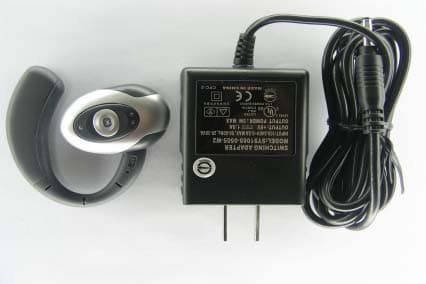
RKH-HS332A
Apr 19, 2004Bluetooth Headset
Equipment Class
DSS - Part 15 Spread Spectrum Transmitter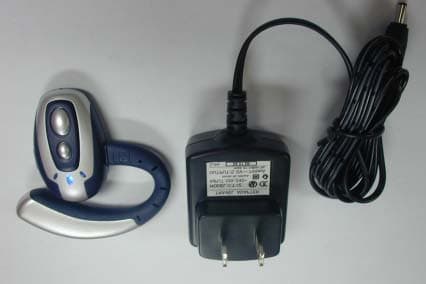
RKH-HS304
Feb 18, 2004Bluetooth Headset
Equipment Class
DSS - Part 15 Spread Spectrum Transmitter