RQK-SMART-P300UHANDHELD TERMINAL(INDUSTRIAL PDA)
Sammi Information Systems Co, Ltd
Click to zoom
Application Details
- Equipment Class
- DSS - Part 15 Spread Spectrum Transmitter
- Date of Grant
- Sep 29, 2013
- Application Purpose
- Original Equipment
- Date of Application
- Sep 29, 2013
- Equipment Note
- HANDHELD TERMINAL(INDUSTRIAL PDA)
- Frequency Range
- 902.75000000 - 927.25000000
- Country
- South Korea
Documents & Files
Document Text
Text extracted from the exhibit documents filed with the FCC. Open a document above to read the original.
Users Manual
시작하기 전에... SMARTP300UUser’s ManualSMART-P300UUser s Manual 시작하기 전에... 1. This user manual may be changed without notice in accordance with improvements to the product or changes in available functions. 2. This user manual has been prepared based on information available at the time of publishing and may have technical or editorial errors or omissions. 3. The screen and shape of the product in this manual may differ from that of the actual product. 4. All the content of this manual is protected by Copyright Law. 5. All the rights for the software installed on this product belong to SAMMINFORMATION SYSTEMS CO.,LTD. And are protected by Copyright Law. 6. Among the content specified in this manual, some functions may not be installed in your PDA (Wireless LAN, Bluetooth) Before starting... Consent on Copyright and Use... 1. All the contents in this manual and PDA software are protected by Copyright Law and all the rights belong toSAMMINFORMATION SYSTEMSLaw and all the rights belong to SAMMINFORMATION SYSTEMS CO.,LTD 2. No part of this manual may be duplicated, renovated or translated into other languages without a prior written consent. We notify you in advance that act of duplicating, correcting or distributing this manual without permission will be an object of criminal punishment in accordance with Copyright Lawbe an object of criminal punishment in accordance with Copyright Law. 3. As to instructions for separate business programs not specified in this manual, and questions about and after service for such programs, please contact the software provider. 4.For all other application programs loaded separately onto this product except4.For all other application programs loaded separately onto this product except the basic program, each product provider should specify contact information required to make inquiries or ask for technical support on the product manual or on the packing box, or enclose a separate manual with contact information. 5. SAMMINFORMATION SYSTEMS CO. ,LTD Does not provide any ,py warranty for all the software units loaded after PDAs are shipped out of the factory. 6. The logos and product names, Microsoft, Windows and Internet Explorer, are trademarks of Microsoft and MS Windows CE software loaded in this product is a product officially licensed by Microsoft.loaded in this product is a product officially licensed by Microsoft. 7. All the product names and program names used in this manual and the product are company names, symbols, trademarks or registered trademarks of each owner. 8 SAMMINFORMATION SYSTEMS CO LTDmay ask the application8. SAMMINFORMATION SYSTEMS CO.,LTD may ask the application program providers to provide their software loaded in this product on request of mobile communication providers or for improvement or verification of the products. Table of Contents 1.Important Notices... 2.Before Using 2.1 Package Components 2.2 Product Description 2.3 To connect with a PC 3. User Interface 3.1 About the Home Screen 3.2 Title Bar Status Icons 4. Using the Phone 41Th h f i4.1 To use the phone function 4.2 To use the text message function 5. Applications 5.1 Data communication Applications 5.2 Bluetooth Applications 6. Others 6.1 Problem solving 6.2 Guidance on customer support and after service 6.3 Product Warranty 6.4 Communication and Product Specification 6 5 System Product Specification6.5 System Product Specification 1. Important Notices... !! Do not use the product while driving. Be sure to observe traffic related laws as, otherwise, it may cause a car accident. Be sure to carefully read this user manual as not observing the cautions may cause injury of the user or other persons, or physical losses. The manufacturer and seller do not take any responsibilities for all the accidents occurred due to not observing the cautions specified in this manual. This product should be used only for the established purpose. Do not use the product for other purposes than those specified in the user manual. Be careful not to hurt your hands when handling the product box, manual and component parts. If there is smell of burn or excessive heat from the product while in use, remove the battery and immediately contact the after service center guided in this manual. Be sure to use the product in a bright place to protect your eyesight, as looking into the LCD screen in a dark place for a long period of time may hurt your eyesight. We recommend you to back up important data in this product without fail TheWe recommend you to back up important data in this product without fail. The seller and manufacturer do not take any responsibility for data loss. Especially, when you ask for repair of the product, be sure to back up the data. The manufacturer and seller as well as the after service center do not take any responsibility for data loss. Do not place the product near magnets or magnetic fields. It may cause failure of the product. 1. Important Notices... Do not handle the product with wet hands as it may cause malfunction of the product and especially if the AC adapter is handled with wet hands there is a risk !! product and, especially, if the AC adapter is handled with wet hands, there is a risk of electric shock. Use the LCD screen with a stylus pen provided by the manufacturer or a tool not pointed. Otherwise, the LCD may be damaged. The film attached on the LCD is a film used to protect the LCD. If the product is used with the film on, accurate operation may not be achieved. Be sure to use the product after replacing the film with the LCD protection film separately provided. When sing USB cable adapter and snapon be caref l ith the direction ofWhen using USB cable, adapter and snap-on, be careful with the direction of connector insertion. If it is inserted the other way around, it may cause a problem for PDA or PC. Also, do not use extremely bent or pressed by heavy object cable. The product may not properly operate in very cold winter or hot summer. The pyppyp y proper operati…
Text truncated - open the document above for the full version.
Users Manual
3.1 About the Home Screen 3. User Interface ......................................................................... Setting Locking Function The screen will be shown like hihi f hithe right picture after touching Device Unlocked on standby screen. Closing the function can be closed by touch sliding. The PIN number box is displayed after touch sliding if the PIN number is set. Status Window Pop-up menu is shown when you touch the status bar on the above screen. User can see Expansion, Sync, Sound, Battery and Alarm on the Pop-up menu. 3.1 About the Home Screen 3. User Interface ......................................................................... Wireless Manager Wireless Manager can g manage Bluetooth, Phone and Wi-Fi on/off. Efficient battery management is possible by ending unused functions Clock & Alarms Set date, time and alarm. The time is automatically set depending on the region setting and also can be controlled arbitrarily. 3.1 About the Home Screen 3. User Interface ......................................................................... Messaging Unread text message and Email can be checkedEmail can be checked. E-mail is needed to Setup processing that makes email interwork with user’s account. It needs an account address and a password. The explanation of the function of text message isfunction of text message is on the next page. Ta s k s Tasks is the function of managing ongoing work or task. Itt th ffi i tIt supports the efficient work process by prioritizing the tasks. 3.1 About the Home Screen 3. User Interface ......................................................................... Calendar It supports the function to manage appointmentsto manage appointments, anniversaries and schedule according to date. Alarm setting and writing the relative information are available Searching the Internet Input a word that you want to search for. Start searching the Internet. The device is needed to connect to Wireless LAN to search the internet. The basic searching engine is set to bing engine of Microsoft. 3.1 About the Home Screen 3. User Interface ......................................................................... Getting Started ‘Getting Started’Getting Started Quick menu will be shown to set up several bif tibasic functions. You can make a decision whether Getting Stared is shown or not on Hone Screen through Add/remove Getting Started menu. 3.2 Title Bar Status Icons 3. User Interface ......................................................................... Icons The network, phone, volume, batter y and time of current device is shown as y icons on the status bar. The following is explaining the meaning of each icon. Title Bar Status Icon Descriptions IconsExplanation You have a new notification. YhttYou have a new text message. You have a new e-mail message. You have a new instant message. You missed a call. hkhThespeakerphone is on. The phone is roaming. An alarm is set. The microphone is on. An internet call is in progress. 3.2 Title Bar Status Icons 3. User Interface ......................................................................... Icons IconsExplantion A bluetooth headset is detected. An ActiveSync connection has been established. There was a problem with the ActiveSync synchronization. An ActiveSync synchronization is in progress over USB. A UMTS network is available. Connecting to a UMTS network. A UMTS connection is active. A 3G+ network is available. An EDGE network is available. Connecting to an EDGE network. An EDGE connection is active. A GPRS network is available. Connecting to a GPRS network. A GPRS connection is active. An HSDPA network is available. Connecting to an HSDPA network. An HSDPA connection is active. 3.2 Title Bar Status Icons 3. User Interface ......................................................................... Icons IconsExplanation Bluetooth is on. Wi-Fi is on but not connected, and no networks are detected. Wi-Fi is not connected to a network, and other networks are detected. Other wireless networks are detected. Connected to a wireless network. Synchronizing through a Wi-Fi connection. Connected to a wireless network, and other networks are detected. If ti b ti l t ki ilblInformation about a new wireless network is available. A network connection is active. A network connection is inactive. The phone has maximum signal strength. hh hlThe phone has no signal. The phone capability is off. The phone has no service. The phone is searching for service. Data is being transferred. A voice call is in progress. 3.2 Title Bar Status Icons 3. User Interface ......................................................................... Icons IconsExplanationp A voice call in on hold. There is no SIM card present in the computer. The volume is off and the phone is set to vibrate. The volume is on. The volume is off. The battery has a full charge. The battery has a high charge. The battery hasa medium charge.The battery hasa medium charge. The battery has a low charge. The battery has a very low charge. The battery is attached to external power and is charging. No battery is installed in the computerNo battery is installed in the computer. Call forwarding is on. Voice mail is off. GPS locator is off. GPSlocator is onGPSlocator is on. 4.1 To use the phone function 4. Using the Phone ......................................................................... Start the phone function When you turn on the PDA, the standby screen is shown lik th i ht i t Aftlike the right picture. After that, you can use the phone function by touching Phone on the left bottom. Add the phone number 1. Input phone numbers you want to add on the Phone ppy screen. 2. Touch in the bottom bar then the phone numbers can be added through Save to contacts menu. 3. Save them pressing the OK button after finishing inputting phone number after inputting Family/Sur name through New Contact 4.1 To use the phone function 4. Using the Phone ....................................…
Text truncated - open the document above for the full version.
Users Manual
5.2 Bluetooth Applications 5. Applications ......................................................................... Bluetooth Activate Bluetooth. ‘setting’ -> ‘Bluetooth’ You can search peripheral Bluetooth devices like the left screen Touch ‘Add new device’ and search them. Afhi d ih d iAfter searching a device, connect the device you are going to use. 6.1 Problem solving 6. Others ........................................................................... Problem solving 1. Check followings first when a problem occurs while using the product. 2. If the problem is still not solved, contact the customer center with the phone number below Problem Solution 1Wh th d t i hi d f number below. A/S consultation phone no.: Product does not turn on. 1.When the product is shipped from the factory, the circuitry is disconnected. Press the power button for 2 seconds or longer, when the product will turn on. 2. Check if the battery is fully charged and charge the battery before using the product. No sound from the speaker. 1. Check if the earphone is plugged in. If the earphone is not plugged in, the speaker will not output any sound. 2. Check if the volume of the product is not set at 0not set at 0. Screen is dark. 1. Enter into ‘Setup’ and adjust the lighting. 1UihWbi I do not understand what is explained in the manual. 1.Use customer support in the Web site or contact customer center over phone, when we will sincerely answer your questions. 6.1 Problem solving 6. Others ........................................................................... Problem Solution 1. This product is designed to properly radiate the heat generated inside the product through the case. The product seems to be hot. 2. If the product is used for a long period of time or the adapter is connected for long, you may feel warmth from the case. Please use the product at ease as there is no problem with the product. Buttons cannot be pressed or screen touch does not work. 1. Check if the line is connected or in hold state The PC does not recognize the product. 1. If the connection is frequently cut and instable, please connect the product not to a separate hub but product. product not to a separate hub but directly to the USB terminal of the PC. 6.1 Problem solving 6. Others ........................................................................... Problem solving 1. Check followings first when a problem occurs while using the product. 2. If the problem is still not solved, contact the customer center with the phone number below Problem Solution 1Wh th d t i hi d f number below. A/S consultation phone no.: Product does not turn on. 1.When the product is shipped from the factory, the circuitry is disconnected. Press the power button for 2 seconds or longer, when the product will turn on. 2. Check if the battery is fully charged and charge the battery before using the product. No sound from the speaker. 1. Check if the earphone is plugged in. If the earphone is not plugged in, the speaker will not output any sound. 2. Check if the volume of the product is not set at 0not set at 0. Screen is dark. 1. Enter into ‘Setup’ and adjust the lighting. 1UihWbi I do not understand what is explained in the manual. 1.Use customer support in the Web site or contact customer center over phone, when we will sincerely answer your questions. 6.1 Problem solving 6. Others ........................................................................... Problem Solution 1. This product is designed to properly radiate the heat generated inside the product through the case. The product seems to be hot. 2. If the product is used for a long period of time or the adapter is connected for long, you may feel warmth from the case. Please use the product at ease as there is no problem with the product. Buttons cannot be pressed or screen touch does not work. 1. Check if the line is connected or in hold state The PC does not recognize the product. 1. If the connection is frequently cut and instable, please connect the product not to a separate hub but product. product not to a separate hub but directly to the USB terminal of the PC. 6.2 Guidance on customer support and after service 6. Others ........................................................................... 1.1. Guidance on after service centerGuidance on after service center 1) Telephone number A/S consultation telephone : 82-2-850-3243 2) C l i i2) Consultation time Mon. through Fri. : 9:00~18:00 (Not available during lunch time,12:00~13:00, Saturdays, Sundays and holidays) 3) Web site Use the customer center after accessing the site at http://smarterminal.com/ Service & Support to download our current manuals.pp 4) Content of service Free or charged repair of all the models of PDA and sale of various accessories. 22..Before asking for repair 1) Be sure to check the content of ‘Problem solving’ in the previous page before asking for repair. If the problem is still not solved, then ask for repair. 2) Do not forget to backup important data contained in the product in advance. Data may be deleted during repair due to memory formatting, etc. The Company does not take any responsibility for the data lost during after service repair. 3)Be sure to write your telephone number and address. If there is no contact information for the tbl ithcustomer, a problem may occur in the process. 3. Quality Assurance 1)The warranty of the product is on the overleaf of the manual. 2)The products manufactured and sold by the Company are products shipped after going through strict quality control and inspection of SAMMINFORMATION SYSTEMS CO.,LTD. 6.2 Guidance on customer support and after service 6. Others ........................................................................... 3) Warranty period -Main body: 1 year -Accessories (consumables): 6 months (battery and items excluding the main body) -Mandatory period to keep spare parts in stock: 3 years from the date ofMandatory period to keep spare parts in stock: 3 years from…
Text truncated - open the document above for the full version.
Cover Letter(s)
Sammi Information Systems Co, Ltd 11F Kolon Aston Bldg, 505-14, Gasan-dong,Guemcheon-Gu, Seoul, Korea Date: September 16, 2013 Attestation Letter for FCCID: RQK-SMART-P300U To whom it may concern: We hereby declare that 1. This device uses the granted module for only WCDMA, GPRS and EDGE functions. - FCCID: QIPPH8 - Name of grantee: Cinterion Wireless Modules GmbH 2. For WLAN function this device uses “SDC-SSD40NBT” chip. The Chip supports WLAN(IEEE 802.11 a/b/g/n), Bluetooth (BT) functions but the BT and WLAN 5GHz(IEEE 802.11a/n) functions are disabled by software and cannot be enabled by the user. Therefore only the WLAN 2.4GHz(IEEE 802.11 b/g/n) function of this chip is used in this device. 3. This is not supports ad-hoc mode. 4. For BT function, this device uses “F1C23” chip. But this device does not support EDR mode by software. (Only supports BDR mode) Sincerely, Dong-Su Park Assistant Manager
Cover Letter(s)
Sammi Information Systems Co, Ltd 11F Kolon Aston Bldg, 505-14, Gasan-dong,Guemcheon-Gu, Seoul, Korea Date: September 16, 2013 Timco Engineering, Inc. 849 N.W. State Road 45 P.O. Box 370 Newberry, Florida 32669 USA LETTER OF AUTHORIZATION We, the undersigned, hereby authorize Harvey Sung of DIGITAL EMC CO., LTD. to act on our behalf in all manners relating to application for equipment authorization for FCC ID: SS4BIP1500 including signing of all documents relating to these matters. Any and all acts carried out by Harvey Sung of DIGITAL EMC CO., LTD. on our behalf shall have the same affect as acts of our own. This authorization is valid until further written notice from Sammi Information Systems Co, Ltd Sincerely, Dong-Su Park Assistant Manager
Cover Letter(s)
Sammi Information Systems Co, Ltd 11F Kolon Aston Bldg, 505-14, Gasan-dong,Guemcheon-Gu, Seoul, Korea Date: September 16, 2013 Timco Engineering, Inc. 849 N.W. State Road 45 P.O. Box 370 Newberry, Florida 32669 USA RE: Request of Confidentiality for FCCID: RQK-SMART-P300U To Whom It may Concern: Pursuant to Sections 0.457 and 0.459 of the Commission`s Rules(CFR 47), and Section 552 (b) (4) of the Freedom of Information Act, Sammi Information Systems Co, Ltd hereby requests confidentiality and treatment of certain information accompanying this application. The materials contain trade secrets and proprietary information not customarily released to the public. The public disclosure of these matters might be harmful to the Applicant and provide unjustified benefits to its competitors. We are also hereby request Short-Term Confidentiality for 180 days after the grant as outlined in Public Notice DA 04-1705. This provision will give Sammi Information Systems Co, Ltd temporary confidentiality of commercially sensitive information prior to product release. The requested permanent and Short-Term Confidential exhibits are listed as follows: PERMANENT & SHORT-TERM CONFIDENTIAL LIST Exhibit Description File name PERMANENT 1 Block Diagram Block Diagram_RQK-SMART-P300.pdf 2 Operational Description Operation Description_RQK-SMART-P300U.pdf 3 Schematics Schematic_RQK-SMART-P300U.pdf 4 Part Lists and Tune-Up Procedure Parts List_RQK-SMART-P300U.pdf Tune Up Procedure_RQK-SMART-P300U.pdf SHORT-TERM 5 External Photos Ext Photo_RQK-SMART-P300U.pdf 6 Internal Photos Int Photo_RQK-SMART-P300U.pdf 7 Test-Setup Photos Test Photo_(DTS & DSS)_RQK-SMART-P300U.pdf Test Photo_(PCE)_RQK-SMART-P300U.pdf 8 Users Manual User Manual_RQK-SMART-P300U.pdf The Applicant understands that pursuant to Rule 0.457, disclosure of this application and all accompanying documentations, where applicable, will not be public before the date of the Grant for this application. Sincerely, Dong-Su Park Assistant Manager
Cover Letter(s)
Sammi Information Systems Co, Ltd 11F Kolon Aston Bldg, 505-14, Gasan-dong,Guemcheon-Gu, Seoul, Korea Date: September 16, 2013 Timco Engineering, Inc. 849 N.W. State Road 45 P.O. Box 370 Newberry, Florida 32669 USA DECLARATION FOR ADDITIONAL FREQUENCY HOPPING REQUIREMENTS To whom it may concern: We hereby declare that the Bluetooth of RQK-SMART-P300U meet following FCC requirements of the Section 15.247(a)(1) : 1. The hopping sequence is pseudorandom. 2. All channels are used equally on average. 3. The receiver input bandwidth approximately equal the transmit bandwidth. 4. The receiver hop in sequence with the transmit signal. Sincerely, Dong-Su Park Assistant Manager
External Photos
FCCID: RQK-SMART-P300U Copyright Ⓒ 2013, Digital EMC Co., Ltd. View 1 FCCID: RQK-SMART-P300U Copyright Ⓒ 2013, Digital EMC Co., Ltd. View 2 FCCID: RQK-SMART-P300U Copyright Ⓒ 2013, Digital EMC Co., Ltd. View 3
ID Label/Location Info
FCC ID: RQK-SMART-P300U Copyright Ⓒ 2013, Digital EMC Co., Ltd. SAMPLE LABEL & LOCATION LABELLING REQUIREMENTS The Label shown shall be permanently affixed at a conspicuous location on the device and be readily visible to the user at the time of purchase - The FCC label shown is representative of the label that will appear on the radio when in production. Other information may also be included on this label.
Internal Photos
FCCID: RQK-SMART-P300U Copyright Ⓒ 2013, Digital EMC Co., Ltd. Page1 / 13 View 1 FCCID: RQK-SMART-P300U Copyright Ⓒ 2013, Digital EMC Co., Ltd. Page2 / 13 View 2 FCCID: RQK-SMART-P300U Copyright Ⓒ 2013, Digital EMC Co., Ltd. Page3 / 13 View 3 FCCID: RQK-SMART-P300U Copyright Ⓒ 2013, Digital EMC Co., Ltd. Page4 / 13 View 4 FCCID: RQK-SMART-P300U Copyright Ⓒ 2013, Digital EMC Co., Ltd. Page5 / 13 View 5 FCCID: RQK-SMART-P300U Copyright Ⓒ 2013, Digital EMC Co., Ltd. Page6 / 13 View 6 FCCID: RQK-SMART-P300U Copyright Ⓒ 2013, Digital EMC Co., Ltd. Page7 / 13 View 7 FCCID: RQK-SMART-P300U Copyright Ⓒ 2013, Digital EMC Co., Ltd. Page8 / 13 View 8 FCCID: RQK-SMART-P300U Copyright Ⓒ 2013, Digital EMC Co., Ltd. Page9 / 13 View 9 FCCID: RQK-SMART-P300U Copyright Ⓒ 2013, Digital EMC Co., Ltd. Page10 / 13 View 10 (RFID ANTENNA) FCCID: RQK-SMART-P300U Copyright Ⓒ 2013, Digital EMC Co., Ltd. Page11 / 13 View 11 (BT ANTENNA) FCCID: RQK-SMART-P300U Copyright Ⓒ 2013, Digital EMC Co., Ltd. Page12 / 13 View 12 (WLAN ANTENNA) FCCID: RQK-SMART-P300U Copyright Ⓒ 2013, Digital EMC Co., Ltd. Page13 / 13 View 13 (GSM/WCDMA ANTENNA)
Internal Photos
ྙ ྚ ྛ ྜ ྙGaG GPS ྚGaG MAIN ANT ྛGaG WI-FI ANT ྜGaG BT ANT ྜྷGa UHF ANT ྜྷ 㵬㦤G}pl~
Internal Photos
DOTH-300UREV02MAP
RF Exposure Info
Report No.: DRTFCC1309-0873 FCC ID: RQK-SMART-P300U Date of issue: Sep. 12, 2013 Copyright Ⓒ 2013, DIGITAL EMC Co., Ltd. Dipole Verification Plots DIGITAL EMC CO., LTD DUT: Dipole 835 MHz; Type: D835V2; Serial: D835V2 - SN:464 Communication System: CW; Frequency: 835 MHz;Duty Cycle: 1:1 Medium parameters used: f = 835 MHz; σ = 0.92 mho/m; ε r = 40.3; ρ = 1000 kg/m 3 Phantom section: Flat Section DASY4 Configuration: Probe: ET3DV6R - SN1703; ConvF(6.54, 6.54, 6.54); Calibrated: 2013-07-29; Electronics: DAE3 Sn520 Phantom: SAM with CRP; Type: SAM; Serial: TP-1221 Measurement SW: DASY4, V4.7 Build 80; Postprocessing SW: SEMCAD, V1.8 Build 186 Test Date: 2013-09-09; Ambient Temp:21.7; Tissue Temp:22.3 835 MHz System Verification Area Scan (51x101x1): Measurement grid: dx=15mm, dy=15mm Zoom Scan (7x7x7)/Cube 0: Measurement grid: dx=5mm, dy=5mm, dz=5mm Power Drift = -0.047 dB Peak SAR (extrapolated) = 3.39 W/kg SAR(1 g) = 2.36 mW/g; SAR(10 g) = 1.54 mW/g 0 dB = 2.56mW/g DIGITAL EMC CO., LTD DUT: Dipole 835 MHz; Type: D835V2; Serial: D835V2 - SN:464 Communication System: CW; Frequency: 835 MHz;Duty Cycle: 1:1 Medium parameters used: f = 835 MHz; σ = 0.92 mho/m; ε r = 40.3; ρ = 1000 kg/m 3 Phantom section: Flat Section DASY4 Configuration: Probe: ET3DV6R - SN1703; ConvF(6.54, 6.54, 6.54); Calibrated: 2013-07-29; Electronics: DAE3 Sn520 Phantom: SAM with CRP; Type: SAM; Serial: TP-1221 Measurement SW: DASY4, V4.7 Build 80; Postprocessing SW: SEMCAD, V1.8 Build 186 Test Date: 2013-09-09; Ambient Temp:21.7; Tissue Temp:22.3 835 MHz System Verification Area Scan (51x101x1): Measurement grid: dx=15mm, dy=15mm Zoom Scan (7x7x7)/Cube 0: Measurement grid: dx=5mm, dy=5mm, dz=5mm Power Drift = -0.047 dB Peak SAR (extrapolated) = 3.39 W/kg SAR(1 g) = 2.36 mW/g; SAR(10 g) = 1.54 mW/g DIGITAL EMC CO., LTD DUT: Dipole 835 MHz; Type: D835V2; Serial: D835V2 - SN:464 Communication System: CW; Frequency: 835 MHz;Duty Cycle: 1:1 Medium parameters used: f = 835 MHz; σ = 0.952 mho/m; ε r = 53.6; ρ = 1000 kg/m 3 Phantom section: Flat Section DASY4 Configuration: Probe: ET3DV6R - SN1703; ConvF(6.39, 6.39, 6.39); Calibrated: 2013-07-29; Electronics: DAE3 Sn520 Phantom: SAM with CRP; Type: SAM; Serial: TP-1221 Measurement SW: DASY4, V4.7 Build 80; Postprocessing SW: SEMCAD, V1.8 Build 186 Test Date: 2013-08-30; Ambient Temp: 22.5 Tissue Temp:22.9 835 MHz System Verification Area Scan (61x81x1): Measurement grid: dx=15mm, dy=15mm Zoom Scan (7x7x7)/Cube 0: Measurement grid: dx=5mm, dy=5mm, dz=5mm Power Drift = -0.019 dB Peak SAR (extrapolated) = 3.68 W/kg SAR(1 g) = 2.44 mW/g; SAR(10 g) = 1.57 mW/g 0 dB = 2.66mW/g DIGITAL EMC CO., LTD DUT: Dipole 835 MHz; Type: D835V2; Serial: D835V2 - SN:464 Communication System: CW; Frequency: 835 MHz;Duty Cycle: 1:1 Medium parameters used: f = 835 MHz; σ = 0.952 mho/m; ε r = 53.6; ρ = 1000 kg/m 3 Phantom section: Flat Section DASY4 Configuration: Probe: ET3DV6R - SN1703; ConvF(6.39, 6.39, 6.39); Calibrated: 2013-07-29; Electronics: DAE3 Sn520 Phantom: SAM with CRP; Type: SAM; Serial: TP-1221 Measurement SW: DASY4, V4.7 Build 80; Postprocessing SW: SEMCAD, V1.8 Build 186 Test Date: 2013-08-30; Ambient Temp: 22.5 Tissue Temp:22.9 835 MHz System Verification Area Scan (61x81x1): Measurement grid: dx=15mm, dy=15mm Zoom Scan (7x7x7)/Cube 0: Measurement grid: dx=5mm, dy=5mm, dz=5mm Power Drift = -0.019 dB Peak SAR (extrapolated) = 3.68 W/kg SAR(1 g) = 2.44 mW/g; SAR(10 g) = 1.57 mW/g DIGITAL EMC CO., LTD DUT: Dipole 835 MHz; Type: D835V2; Serial: D835V2 - SN:464 Communication System: CW; Frequency: 835 MHz;Duty Cycle: 1:1 Medium parameters used: f = 835 MHz; σ = 0.925 mho/m; ε r = 40.3; ρ = 1000 kg/m 3 Phantom section: Flat Section DASY4 Configuration: Probe: ET3DV6R - SN1703; ConvF(6.54, 6.54, 6.54); Calibrated: 2013-07-29; Electronics: DAE3 Sn520 Phantom: SAM with CRP; Type: SAM; Serial: TP-1221 Measurement SW: DASY4, V4.7 Build 80; Postprocessing SW: SEMCAD, V1.8 Build 186 Test Date: 2013-09-02; Ambient Temp: 22.2 Tissue Temp:22.6 835 MHz System Verification Area Scan (41x111x1): Measurement grid: dx=15mm, dy=15mm Zoom Scan (7x7x7)/Cube 0: Measurement grid: dx=5mm, dy=5mm, dz=5mm Power Drift = -0.001 dB Peak SAR (extrapolated) = 3.60 W/kg SAR(1 g) = 2.4 mW/g; SAR(10 g) = 1.57 mW/g 0 dB = 2.59mW/g DIGITAL EMC CO., LTD DUT: Dipole 835 MHz; Type: D835V2; Serial: D835V2 - SN:464 Communication System: CW; Frequency: 835 MHz;Duty Cycle: 1:1 Medium parameters used: f = 835 MHz; σ = 0.925 mho/m; ε r = 40.3; ρ = 1000 kg/m 3 Phantom section: Flat Section DASY4 Configuration: Probe: ET3DV6R - SN1703; ConvF(6.54, 6.54, 6.54); Calibrated: 2013-07-29; Electronics: DAE3 Sn520 Phantom: SAM with CRP; Type: SAM; Serial: TP-1221 Measurement SW: DASY4, V4.7 Build 80; Postprocessing SW: SEMCAD, V1.8 Build 186 Test Date: 2013-09-02; Ambient Temp: 22.2 Tissue Temp:22.6 835 MHz System Verification Area Scan (41x111x1): Measurement grid: dx=15mm, dy=15mm Zoom Scan (7x7x7)/Cube 0: Measurement grid: dx=5mm, dy=5mm, dz=5mm Power Drift = -0.001 dB Peak SAR (extrapolated) = 3.60 W/kg SAR(1 g) = 2.4 mW/g; SAR(10 g) = 1.57 mW/g DIGITAL EMC CO., LTD DUT: Dipole 835 MHz; Type: D835V2; Serial: D835V2 - SN:464 Communication System: CW; Frequency: 835 MHz;Duty Cycle: 1:1 Medium parameters used: f = 835 MHz; σ = 0.95 mho/m; ε r = 53.5; ρ = 1000 kg/m 3 Phantom section: Flat Section DASY4 Configuration: Probe: ET3DV6R - SN1703; ConvF(6.39, 6.39, 6.39); Calibrated: 2013-07-29; Electronics: DAE3 Sn520 Phantom: SAM with CRP; Type: SAM; Serial: TP-1221 Measurement SW: DASY4, V4.7 Build 80; Postprocessing SW: SEMCAD, V1.8 Build 186 Test Date: 2013-09-02; Ambient Temp: 22.2 Tissue Temp:22.6 835 MHz System Verification Area Scan (61x81x1): Measurement grid: dx=15mm, dy=15mm Zoom Scan (7x7x7)/Cube 0: Measurement grid: dx=5mm, dy=5mm, dz=5mm Power Drift = -0.…
Text truncated - open the document above for the full version.
Contact Information
Applicant
Dong-Su Park
Test Firm
Dt&C Co., Ltd.Lee Sang-Wook
Technical Specifications
| # | Rule Parts | Frequency Range | Power Output |
|---|---|---|---|
| 2 | 15C | 902.75 MHz - 927.25 MHz | 762.10 mW |
Other Applications from Sammi Information Systems Co, Ltd
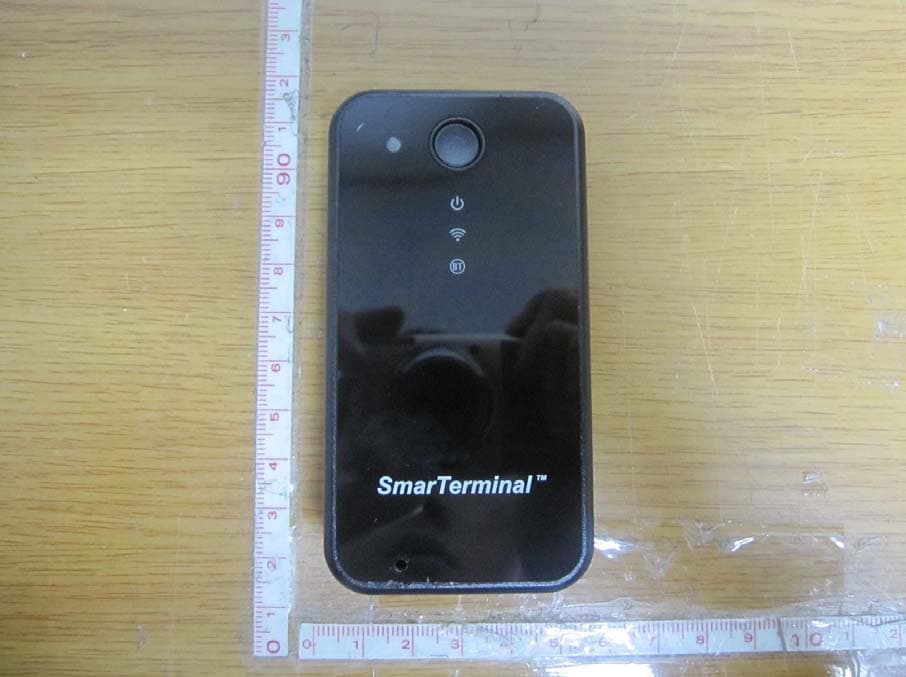
RQKSM-R400
Jul 17, 2012UHF RFID READER (BLUETOOTH EMBEDDED)
Equipment Class
DSS - Part 15 Spread Spectrum Transmitter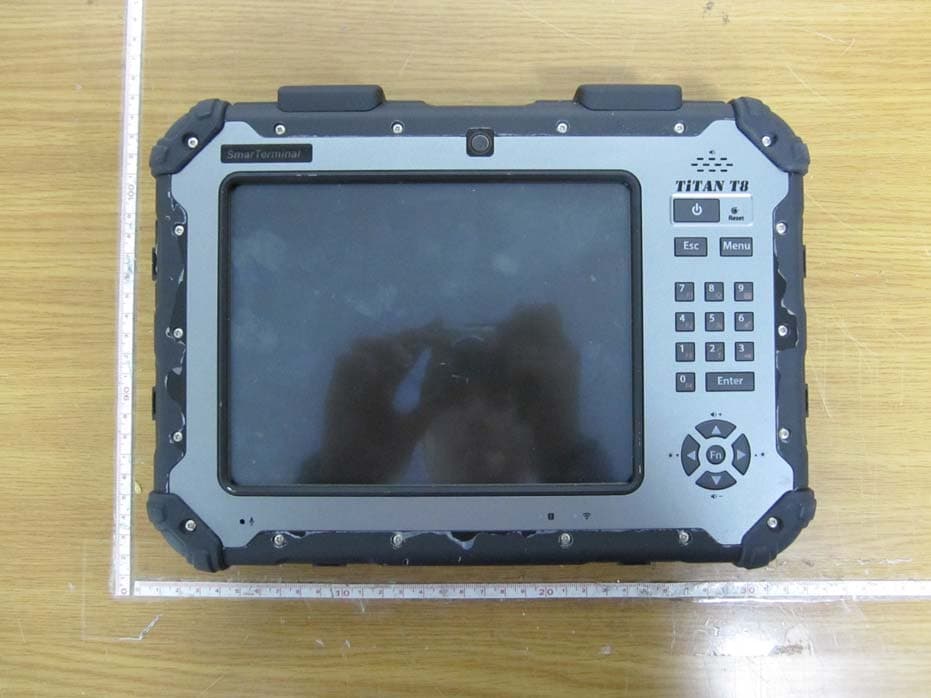
RQKTITANT8
Nov 08, 2011INDUSTRIAL TABLET COMPUTER
Equipment Class
DTS - Digital Transmission System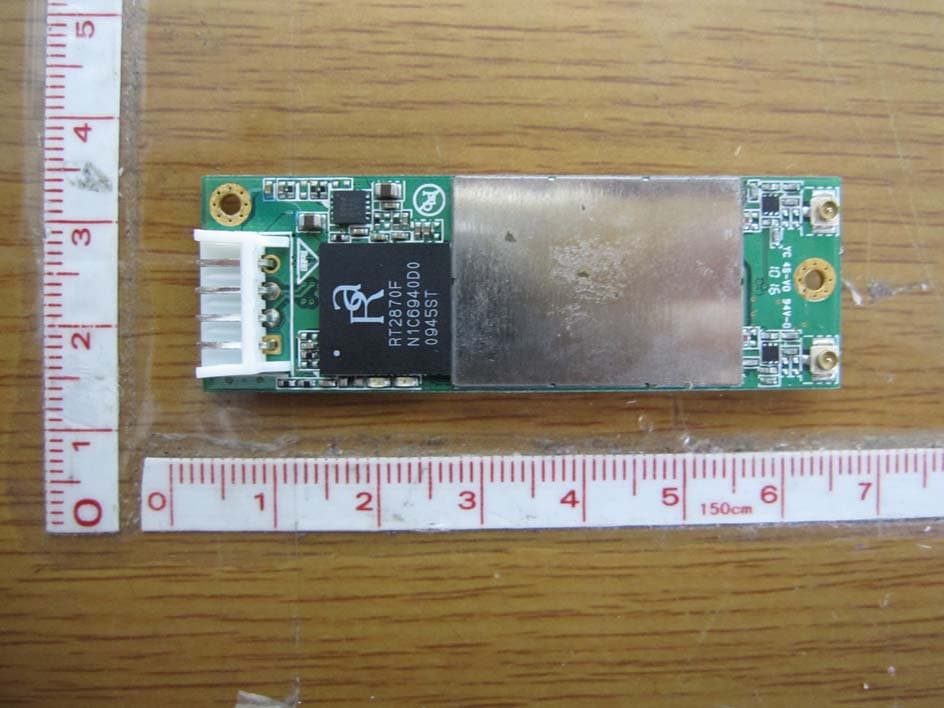
RQKWUBR-506N
Dec 05, 2010WIRELESS LAN MODULE
Equipment Class
DTS - Digital Transmission System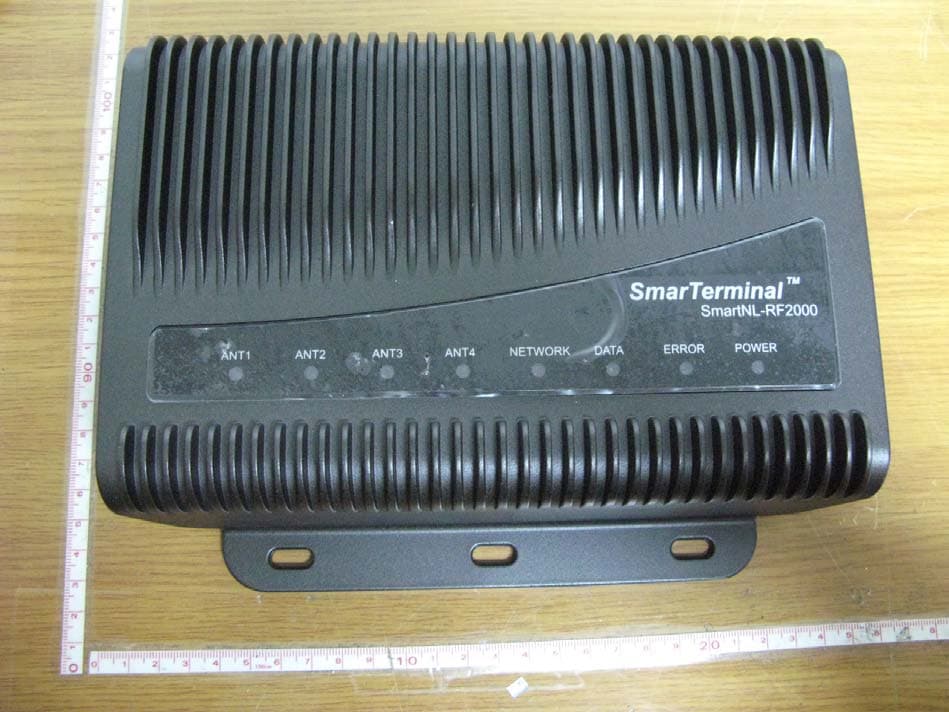
RQKSMARTNL-RF2000
Jul 07, 2010UHF-RFID READER
Equipment Class
DSS - Part 15 Spread Spectrum Transmitter
RQKSMARTRFGUNUHF
Jul 09, 2007UHF RFID Reader
Equipment Class
DSS - Part 15 Spread Spectrum Transmitter