RWZ-BTH003Bluetooth Headset
AMOI Electronics Co., Ltd.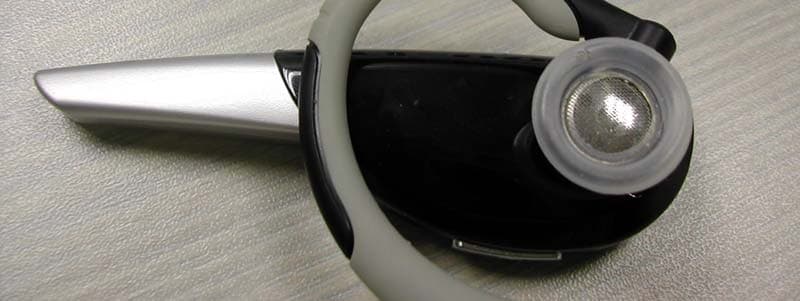
Click to zoom
Application Details
- Equipment Class
- DSS - Part 15 Spread Spectrum Transmitter
- Date of Grant
- Nov 17, 2005
- Application Purpose
- Original Equipment
- Date of Application
- Nov 17, 2005
- Equipment Note
- Bluetooth Headset
- Frequency Range
- 2402.00000000 - 2480.00000000
- Company
- AMOI Electronics Co., Ltd.
- Country
- China
Documents & Files
Document Text
Text extracted from the exhibit documents filed with the FCC. Open a document above to read the original.
Users Manual
-1- USER MANUAL Congratulations on selecting Amoi Bluetooth Headset BTH-003! As you know, BTH-003, not just gets a fashion appearance, but also wears well. Most importantly, it is convenient for you to call your friends or get calls, when in the office, walking on the way, or driving. It can be adapted to most devices that support the Bluetooth Headset and Hands-free profiles, like Bluetooth mobile phone, desktop computer, notebook computer or PDA. Bluetooth Earphone Note: If this BTH-003 is provided as an accessory of AMOI mobile phone, items marked with *2 will not be attached in your package. In this case, connecting the charge adapter *1 with the phone's AC adapter, you will get a different AC adapter for the headset. It works as well. If this headset is sold separately, items marked with *1 will not be attached. Packing Power Adapter Your package contains the following items: Charge Adapter Warranty Card User's Manual *1 *2 *2 Bluetooth Headset 331111 Microphone USB Charge Socket Receiver Microphone Your Headset Headset Hanger Volume Up Key (VOL+) Volume Down Key (VOL-) Indicator Light Multi-function Key (FCN) Pictures in this user's manual are for reference only. AMOI reserves the right to change the package items without prior notice. 22 Before Using your headsetBefore Using your headset 1.Check phone compatibility Amoi BTH-003 is compatible with most Bluetooth phones that are compliant with Bluetooth Specification V1.1 or higher specification, and support the headset profile and hands-free profile. Make sure your phone has Bluetooth capability by visiting your phone manufacturer's web. 2.Charge BTH-003 A rechargeable Li-ion battery powers this BTH-003. Be sure to fully charge the battery before using the headset for the first time. To charge the battery, follow the steps below: A. Insert one terminal of the AC adapter into the USB charge socket of BTH-003 and another into the AC wall outlet. Or you can use the universal USB to charge the headset, that is, to insert one terminal of the universal USB to BTH-003, and another to a device that supports USB such as desktop or notebook computers. Before using, please read the following guidelines. 33 B. Charge the headset until the blue light on BTH-003 turns off. C. When finished, please disconnect the AC adapter and the headset. D. The headset is off after finishing charging or cutting the power supply during charging. Low Battery Indication When the battery gets extremely low, the headset will utter three beeps every 2 minutes and the blue indicator light will dim out. In this case, please charge your headset. Note: BTH-003 cannot be used when charging. See more details in section “battery &charging” below. Warning: Do not attempt to charge the headset with anything other than the AC adapter provided. Use of unauthorized AC adapter might damage or destroy the headset. Turning headset On / OffTurning headset On / Off Hold FCN key for 4 ~ 7s to turn on the headset. When it is on, the receiver will utter two beeps and the blue indicator light will flash for 5 times rapidly. In standby or pairing mode, hold FCN for about 2s to turn the headset off. When turning it off, you will hear two beeps and the blue indicator light will quickly flash for 5 times and then go out. Notes: Please don't hold FCN for more than 8s, or the headset will go into pairing mode and the blue indicator light will keep flashing rapidly and ceaselessly. If this happens, turn off the headset, wait for 3 to 5 seconds, and repeat process to turn on the headset; or wait for about 2 minutes, the headset will go to standby mode automatically. Status What you hear What you see Standby Mode No tone Flash blue once for every 6s Talk Mode Ring Flash blue 4 times for every 6s Connecting Mode No tone Flash blue 3 times for every 6s Low Battery Three alert beeps Dim out Active Connecting Mode No tone Flash blue twice for every 6s Headset Status Notes: 1. Your headset is in standby mode when it's on, but not connected with the phone. 2. In active connecting mode, your headset will search for Bluetooth devices around actively. Before pairing, please put the headset near the Bluetooth phone. Distance less than 1 meter would be better. Also, please make sure there is no barrier between the phone and the headset. Metal barrier may cause failure. Match Method 1: A. Turn the headset off. B. Hold FCN for 8 ~ 10s until the indicator light flashes rapidly and ceaselessly. It will keep in this status for about 2 minutes. Note: During the first 4 ~ 6s, the light would flash quickly for 5 times. But please keep holding the key, or it will go into standby mode, not the pairing mode. C. Make correct settings on your Bluetooth mobile phone. Typically, the steps involve going to “Setup”, “Connect”, or “Bluetooth” menu on your phone and then selecting the option to “discover” a Bluetooth device. D. After the “BTH-003” headset being found, the mobile will ask if you want to get a pairing with it. Confirm this by pressing “yes” or “OK”, then enter the pre-programmed passkey “1234” and press “OK” to pair your headset and mobile phone. The headset will be connected with your phone automatically. “Pair” to your Bluetooth Phone“Pair” to your Bluetooth Phone 44 55 66 How to wearHow to wear E. When pairing and connection are all finished, the indicator light will flash slowly (3 times every 6 seconds). Thus, a unique and encrypted wireless link has been created between the headset and phone. At the same time, the phone displays 'Pairing/Connection Successful'. Note: If the light keeps flashing quickly, or the phone displays 'Match /Connection Unsuccessful', please repeat the processes to try again. Match Method 2: Be sure the Bluetooth function of your cellphone is on. Follow steps A and B in method 1 to go into pairing mode, then press FCN key once, your headset will go into Active Connecting Mode and begin to search for the Bluetooth device around actively. The indicator light will flash in blue for 2…
Text truncated - open the document above for the full version.
Cover Letter(s)
American Telecommunications Certification Body Inc. 6731 Whittier Ave, McLean, VA 22101 November 14, 2005 RE: Amoi Electronics Co., Ltd. FCC ID: RWZ-BTH003 After a review of the submitted information, I have a few comments on the above referenced Application. 1) The FCC ID given on the confidentiality Letter is incorrect. Please correct. 2) The 731 form should cite actual tunable frequencies (i.e. 2402 – 2480 MHz), not frequency band of operation. Please correct. 3) Block diagram should include frequencies associated with crystal, etc., according to Part 2 of the rules. Please update the block diagram. 4) Please update and/or label the internal photographs to show the antenna and its location in the unit. 5) Please provide an operational description for this application. 6) It is suggested that an exhibit similar to the attached be provided, using information relevant to this application. See attachment. However, please ensure other test issues below are resolved first. 7) The fundamental Radiated limits cited are not applicable to 15.247. The data should remain, but limits and margins marked N/A or data in these boxes removed. 8) Please reverify the bandwidth test. Typically Bluetooth 20 dB bandwidths are about 800 kHz. Your plots suggest that possibly the device was not properly modulated during this test and was operating only in a CW fashion. Please review. 9) Note bandedge tests should be repeated with proper modulation present. 10) Radiated tables cite the use of a correction factor for average measurements, however average measurements do not appear to match these values consistently. Please review. 11) The power output is 10 – 15 dB below expected values based upon power output of Bluetooth, typical Bluetooth devices, etc. Was test setup corrected for any test cables, etc. Note FCC expects device to operation at maximum output power during all tests. 12) If output power was not properly at maximum output, then other tests would need to be repeated with full output power. 13) The users manual appears to be missing information regarding separation distance from users and also prohibition against co-location requirement. Please update the manual to include the following or similar: The antenna used for this transmitter must be installed to provide a separation distance of at least 20 cm from all persons and must not be co-located or operating in conjunction with any other antenna or transmitter. Timothy R. Johnson Examining Engineer mailto: [email protected] The items indicated above must be submitted before processing can continue on the above referenced application. Failure to provide the requested information may result in application termination. z Page 2 November 15, 2005 Correspondence should be considered part of the permanent submission and may be viewed from the Internet after a Grant of Equipment Authorization is issued. Please do not respond to this correspondence using the email reply button. In order for your response to be processed expeditiously, you must submit your documents through the AmericanTCB.com website. Also, please note that partial responses increase processing time and should not be submitted. Any questions about the content of this correspondence should be directed to the sender.
Cover Letter(s)
ADT (Shanghai) Corporation 2F, Building C, No.1618, Yishan Rd., 201103, Shanghai, China Nov 16, 2005 FCC ID: RWZ-BTH003 The following lists are the answers for the comments on Nov, 14, 2005, please kindly have a review on it: 1) The FCC ID given on the confidentiality Letter is incorrect. Please correct. Re: See the attachment (RWZ-BTH003)Authority&Confidential_1116. 2) The 731 form should cite actual tunable frequencies (i.e. 2402 – 2480 MHz), not frequency band of operation. Please correct. Re: See the attachment (RWZ-BTH003)731Form_1116. 3) Block diagram should include frequencies associated with crystal, etc., according to Part 2 of the rules. Please update the block diagram. Re: See the attachment (RWZ-BTH003)BlkDia_1116. 4) Please update and/or label the internal photographs to show the antenna and its location in the unit. Re: See the attachment (RWZ-BTH003)Intpho_1116. 5) Please provide an operational description for this application. Re: See the attachment (RWZ-BTH003)OpDes_1116. 6) It is suggested that an exhibit similar to the attached be provided, using information relevant to this application. See attachment. However, please ensure other test issues below are resolved first. Re: See the attachment (RWZ-BTH003)noneSARspec_1116. 7) The fundamental Radiated limits cited are not applicable to 15.247. The data should remain, but limits and margins marked N/A or data in these boxes removed. Re: See the attachment (RWZ-BTH003)TestRpt_1116 8) Please reverify the bandwidth test. Typically Bluetooth 20 dB bandwidths are about 800 kHz. Your plots suggest that possibly the device was not properly modulated during this test and was operating only in a CW fashion. Please review. Re: See New Report 4.5, Bluetooth bandwidth was a CW fashion at old report, attachment (RWZ-BTH003)TestRpt_1116. 9) Note bandedge tests should be repeated with proper modulation present. Re: See New Report 4.6, Bluetooth bandwidth was a CW fashion at old report, attachment (RWZ-BTH003)TestRpt_1116. 10) Radiated tables cite the use of a correction factor for average measurements, however average measurements do not appear to match these values consistently. Please review. Re: See New Report 4.2, attachment (RWZ-BTH003)TestRpt_1116. 11) The power output is 10 – 15 dB below expected values based upon power output of Bluetooth, typical Bluetooth devices, etc. Was test setup corrected for any test cables, etc. Note FCC expects device to operation at maximum output power during all tests. Re: The Output Power was a maximum Output. The report didn’t supplement. 12) If output power was not properly at maximum output, then other tests would need to be repeated with full output power. Re: The Output Power was a maximum Output. The report didn’t supplement. 13) The users manual appears to be missing information regarding separation distance from users and also prohibition against co-location requirement. Please update the manual to include the following or similar: Previous: The antenna used for this transmitter must be installed to provide a separation distance of at least 20 cm from all persons and must not be co-located or operating in conjunction with any other antenna or transmitter. However regarding item 13, you are correct that the 20 cm portion is not necessary given the output power of the device. The statement should be reduced to the following: Corrected: The antenna used for this transmitter must not be co-located or operating in conjunction with any other antenna or transmitter. Re: See the attachment (RWZ-BTH003)UserMan_1116. Thank you very much.
Operational Description
Turning headset On / Off Hold the FCN key for 4 ~ 7s to turn on the headset. When it is on, the receiver will sound two beeps and the indicator light will flash blue 5 times rapidly. In standby or pairing mode, hold FCN for about 2s to turn the headset off. When turning it off, you will hear two beeps and the indicator light will quickly flash blue 5 times and then go out. Notes: Please don’t hold FCN for more than 8s, or the headset may go into pairing mode and the blue indicator light will keep flash rapidly and ceaselessly ;If that happens, turn off the headset, wait for3 to 5 seconds, and repeat process to turn on the headset; or wait for about 2 minutes, the headset will go to standby mode automatically. “pair” to your Bluetooth Phone Before pairing, please put the headset near the Bluetooth phone. A distance less than 1meter would be better, and please ensure that there is no barrier between the phone and the headset. The metal barrier may cause failure. Match Method 1: A. Ensure the headset is off B. Hold FCN for 8 ~ 10s until the indicator light flashes rapidly and ceaselessly. It will keep this status for about 2 minutes Note: At the beginning 4 ~ 6s, the light would flash quickly for 5 times, but keep holding the key, or it will go into standby mode, not the pairing mode. C. Set your Bluetooth phone to “discover” Bluetooth device by following your phone’s instruction guide. Typically, the steps involve going to a “setup”, “connect”, or “Bluetooth” menu on your phone and then selecting the option to “discover” a Bluetooth device. D. Your phone will find the “BTH-003” headset and ask if you want to pair with it. Confirm this by pressing “yes” or “ok”, and then your headset will connect with your phone automatically. E. When finishing pairing and connecting, the indicator light will flash slowly (3 times for every 6 seconds), a unique and encrypted wireless link has been created between your headset and your phone. At the same time the phone displays ‘Pairing / Connection Successful’. F. If the light keeps flashing quickly, or the phone displays ‘Match / Connection Unsuccessful’, please repeat the process to try again. Match Method 2: Follow the steps A and B of method 1 to go into pairing mode, then press the FCN key once, your headset will go into Active Connecting Mode and begin to search for the Bluetooth device around actively. The indicator light will flash blue 2 times for every 6 seconds in this mode. Notes: 1. When pairing, maybe need your phone password or PIN code. It depends on your phone model. 2. If there is no Bluetooth phone to match with the headset in 2 minutes, it will exit the pairing mode and go into standby mode. The last successful match information will be kept in the headset memory. How to wear You can wear the headset on the left or right ear. Adjust the headset hanger as shown in the following pictures. Also you can wear the headset without the hanger, pick the hanger off in the way as shown in the middle picture below. Headset Hanger Notes: 1. For optimal performance, please put the headset and the phone on the same side of your body. Generally speaking, if there are no barrier between the phone and headset, you will get better performance. 2. The adjustment of the hanger depends on the built-in flexible metal tinsel, but the tinsel is easily to damage, so please be careful when adjusting. Basic Operations You can use the headset when it is on and has been connected with your Bluetooth mobile phone. Making a Call 1. Using phone’s keypad Dial number on keyboard, and then press phone’s “send” key. 2. Voice Dialing Please ensure that you’ve set up voice tags on your phone. Press the FCN key once, you will hear the voice-activated tone, then say the related voice command of the number you want to dial. 3. Voice Redialing Please make sure that your phone supports the voice redialing and has already set up the redialing voice command. Press FCN once; you will hear the voice-activated tone; say the redialing voice command to redial. 4. Manual Redialing Please ensure that your phone supports headset redialing manually. In standby mode, press VOL- (the volume down key) for 2s and release. When you hear one short beep, redialing begins. Note: To improve the successful rate of the voice dialing, please use the headset to record the voice command. Ending a Call Press FCN to end or end the call from phone’s keyboard. Answering a Call After you hear the ring tone, press FCN once. Or you can answer the call by using the keyboard, but maybe you need to press FCN once to transfer the voice from the phone to the headset. Down, pick the hanger off Wear on the right Adjust the hanger Turn Forward Rotate Right Wear on the left ear It depends on your phone; please refer to the phone’s user manual for more details. Note: Generally speaking, the ring of the headset comes later than the ring of the phone. Rejecting a Call Hold FCN for 2s, you’ll hear two beeps, and then release the key; or you can reject the call through the phone directly. Note: Call rejecting, diverting or waiting needs the support of your phone, and the cue tone may also vary with different phones. For more details, please refer to the phone’s user manual. Transferring call When using the headset to answer the call, hold VOL+ (the volume up key) until you hear one short beep, the call will be transferred to the phone. Press FCN once to switch the call back. Call-Waiting During a call, if there is another call coming, you will hear two beeps from your headset, and at this time you can press FCN once to end the current call, and press FCN once again to get the new call. Volume Adjusting In standby mode, use the volume up & down key to adjust the volume. VOL+ to up and VOL- to down. There are 16 levels to be adjusted. The volume cannot be adjusted in standby mode. Headset Status The following table shows the different statuses of the receiver and indicator light when the headset works in different mode. Status …
Text truncated - open the document above for the full version.
RF Exposure Info
FCC ID: RWZ-BTH003 No SAR Evaluation Required if power is below the following threshold: Tunable Range F(GHz) Low F(GHz) High Center of Tunable Band (GHz) 60/f SAR Limitation mW 2.402 2.480 2.441 24.62 Maximum measured transmitter power: Pout Conducted (mW) Maximum Antenna Gain dBi Pout EIRP (mW) 1.445 2 2.29 Threshold for no SAR evaluation is 24.62 mW Maximum TX Power is 1.445 mW Conducted and 2.29 mW EIRP Conclusion: No SAR evaluation required since maximum Transmitter Pout (both conducted and EIRP) is below FCC threshold
Test Report
FCC ID: RWZ-BTH003 Report No.: 051017FIA01 1 Report Format Version 1.0.0 FCC TEST REPORT REPORT NO.: 051017FIA01 MODEL NO.: BTH-003 RECEIVED: Oct. 24, 2005 TESTED: Oct. 24 ~ Nov. 9, 2005 ISSUED: Nov. 10, 2005 APPLICANT: Amoi Electronics Co., Ltd. ADDRESS: 45 Tiyu Road, Xiamen, Fujian, China ISSUED BY: ADT (Shanghai) Corporation ADDRESS: 2F, Building C, No.1618, Yishan Rd., 201103, Shanghai, China This test report consists of 48 pages in total. It may be duplicated completely for legal use with the approval of the applicant. It should not be reproduced except in full, without the written approval of our laboratory. The client should not use it to claim product endorsement by A2LA, NVLAP or any government agencies. The test results in the report only apply to the tested sample. ADT (Shanghai) Corporation. FCC ID: RWZ-BTH003 Report No.: 051017FIA01 2 Report Format Version 1.0.0 TABLE OF CONTENTS 1. CERTIFICATION ............................................................................................................4 2. SUMMARY OF TEST RESULTS ...................................................................................5 2.1 MEASUREMENT UNCERTAINTY ................................................................................6 3. GENERAL INFORMATION ............................................................................................7 3.1 GENERAL DESCRIPTION OF EUT ...............................................................................7 3.2 DESCRIPTION OF TEST MODES .................................................................................8 3.2.1 CONFIGURATION OF SYSTEM UNDER TEST............................................................8 3.2.2 TEST MODE APPLICABILITY AND TESTED CHANNEL DETAIL.................................9 3.3.3 GENERAL DESCRIPTION OF APPLIED STANDARDS .............................................. 11 3.3.4 DESCRIPTION OF SUPPORT UNITS......................................................................... 11 4. TEST TYPES AND RESULTS ......................................................................................12 4.1 CONDUCTED EMISSION MEASUREMENT ...............................................................12 4.1.1 LIMITS OF CONDUCTED EMISSION MEASUREMENT ............................................12 4.1.2 TEST RESULTS ...........................................................................................................12 4.2 RADIATED EMISSION MEASUREMENT ....................................................................13 4.2.1 LIMITS OF RADIATED EMISSION MEASUREMENT .................................................13 4.2.2 TEST INSTRUMENTS .................................................................................................14 4.2.3 TEST PROCEDURES ..................................................................................................15 4.2.4 DEVIATION FROM TEST STANDARD ........................................................................15 4.2.5 TEST SETUP ...............................................................................................................16 4.2.6 EUT OPERATING CONDITIONS.................................................................................16 4.2.7 TEST RESULTS ...........................................................................................................17 4.3 NUMBER OF HOPPING FREQUENCY USED ............................................................23 4.3.1 LIMIT OF HOPPING FREQUENCY USED ..................................................................23 4.3.2 TEST INSTRUMENTS .................................................................................................23 4.3.3 TEST PROCEDURES ..................................................................................................23 4.3.4 DEVIATION FROM TEST STANDARD ........................................................................23 4.3.5 TEST SETUP ...............................................................................................................24 4.3.6 TEST RESULTS ...........................................................................................................24 4.4 DWELL TIME ON EACH CHANNEL ............................................................................26 4.4.1 LIMIT OF DWELL TIME USED ....................................................................................26 4.4.2 TEST INSTRUMENTS .................................................................................................26 4.4.3 TEST PROCEDURES ..................................................................................................26 4.4.4 DEVIATION FROM TEST STANDARD ........................................................................26 4.4.5 TEST SETUP ...............................................................................................................27 4.4.6 TEST RESULTS ...........................................................................................................27 4.5 CHANNEL BANDWIDTH ..............................................................................................31 4.5.1 LIMITS OF CHANNEL BANDWIDTH ...........................................................................31 FCC ID: RWZ-BTH003 Report No.: 051017FIA01 3 Report Format Version 1.0.0 4.5.2 TEST INSTRUMENTS .................................................................................................31 4.5.3 TEST PROCEDURE ....................................................................................................31 4.5.4 DEVIATION FROM TEST STANDARD ........................................................................31 4.5.5 TEST SETUP ...............................................................................................................32 4.5.6 EUT OPERATING CONDITION ...................................................................................32 4.5.7 TEST RESULTS .....................................…
Text truncated - open the document above for the full version.
Contact Information
Applicant
William Ding(Manager)
Technical Contact
ADT (Shanghai) CorporationWallace Pan
[email protected]+86-21-6465-9091
2F, Building C, no. 1618, Yishan rd., · Shanghai · China
Non-Technical Contact
ADT (Shanghai) CorporationLily Liu
[email protected]+86-21-6465-9091
Test Firm
BUREAU VERITAS ADT (Shanghai) CorporationZhaoqian YU
Technical Specifications
| # | Rule Parts | Frequency Range | Power Output |
|---|---|---|---|
| 1 | 15C | 2.40 GHz - 2.48 GHz | 1.40 mW |
Other Applications from AMOI Electronics Co., Ltd.
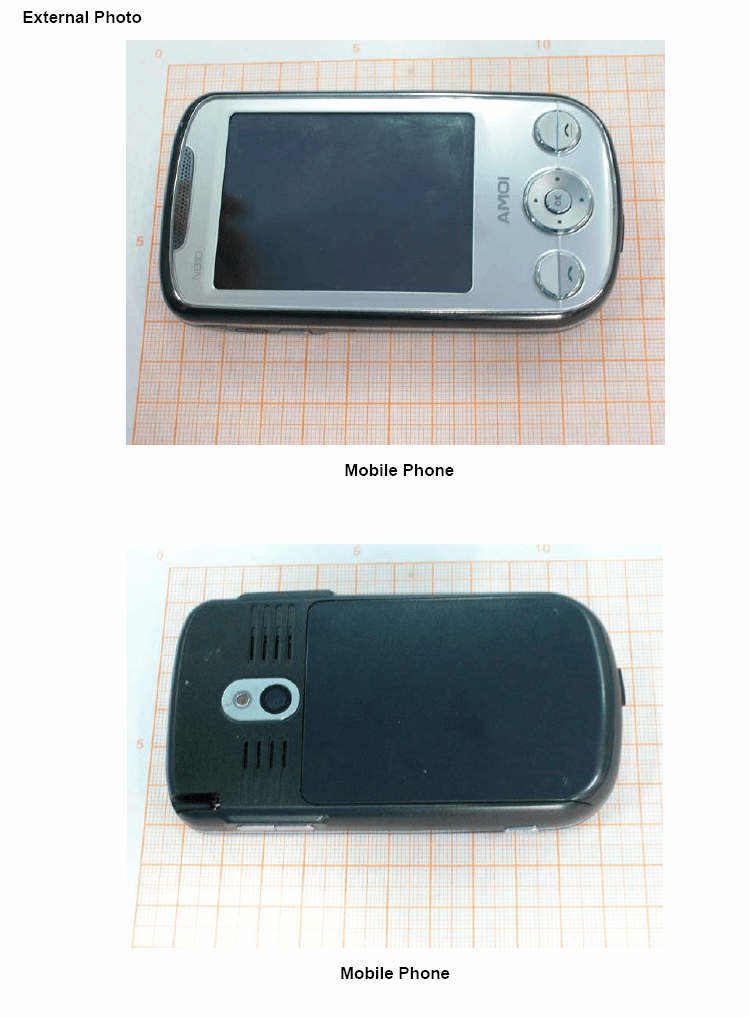
RWZ-N810
Nov 11, 2007PCS1900 (Mobile Phone)
Equipment Class
PCF - PCS Licensed Transmitter held to face
RWZ-SMT5700WOC
Sep 09, 2007GSM850 AND PCS1900 (Mobile Phone)
Equipment Class
DSS - Part 15 Spread Spectrum Transmitter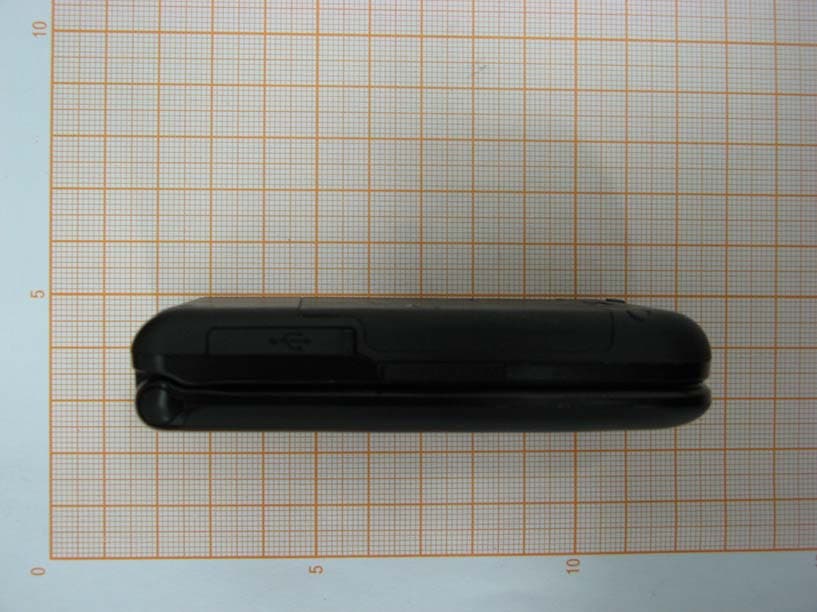
RWZV870
Apr 24, 2007CDMA 1X EVDO/GSM Digital Mobile Phone
Equipment Class
PCE - PCS Licensed Transmitter held to ear
RWZ-6711
Mar 15, 2007GSM850 AND PCS1900 (Mobile Phone)
Equipment Class
PCE - PCS Licensed Transmitter held to ear
RWZ-A320A
Dec 22, 2005Tri Band GSM Mobile Phone
Equipment Class
PCE - PCS Licensed Transmitter held to ear