SG720151010G10Mobile phone
Haier Telecom (Qingdao) Co., Ltd.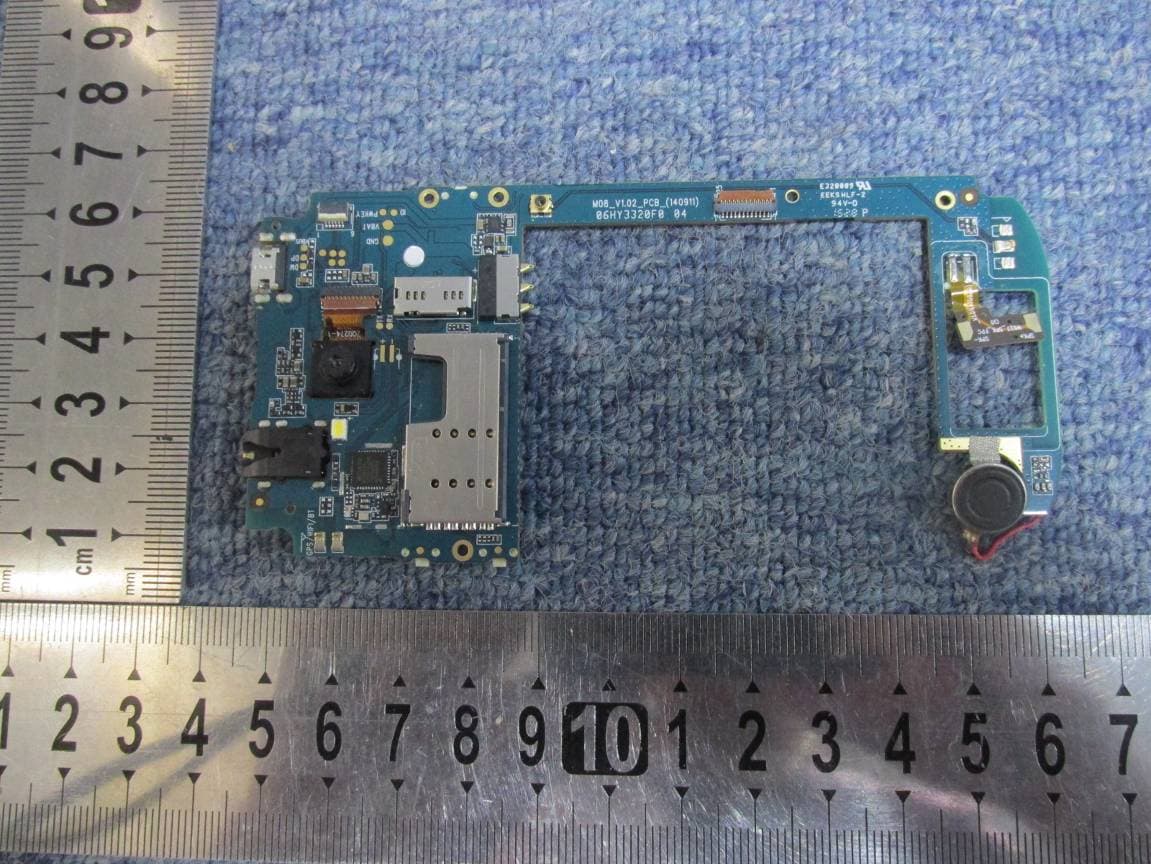
Click to zoom
Application Details
- Equipment Class
- DSS - Part 15 Spread Spectrum Transmitter
- Date of Grant
- Oct 22, 2015
- Application Purpose
- Original Equipment
- Date of Application
- Oct 22, 2015
- Equipment Note
- Mobile phone
- Frequency Range
- 2402.00000000 - 2480.00000000
- Country
- China
Documents & Files
Document Text
Text extracted from the exhibit documents filed with the FCC. Open a document above to read the original.
Users Manual
Haier G10+ User Manual Android 4.4 is the Operating System for your Touch Screen Smartphone –G10+. -2- INTRODUCTION Thanks for choosing the Haier G10+, Android smart phone based on 1.3 GHz Dual Core Processor. This smart phone is running on Android OS, v4.4. If you’d like your phone to live a long and fruitful life, please read this guide carefully and keep it for future reference. You never know when you might need it. And don’t worry if the pictures we use to demonstrate your phone’s functions look a little different from what you see on its screen. It’s the functions that matter. * The Manufacturer reserves the right for the changes in the manual without advanced notice. -3- Safety 1 1 . . 1 1 S S a a f f e e t t y y P P r r e e c c a a u u t t i i o o n n s s Please read through the following briefings carefully, and act in accordance with these rules, so as to prevent causing any danger or violating any law. Use cell phone when the signal strength is good. Keep your calls short or instead use headset or send a text message. This advice applies especially to children, adolescents and pregnant women. If you are using a Bluetooth headset device, please make sure it has a low power emitter. Caution: risk of explosion if battery is replaced by an incorrect type. Dispose of used batteries according to the instructions. For pluggable equipment, the socket‐outlet shall be installed near the equipment and shall be easily accessible. 1 1 . . 2 2 U U s s i i n n g g y y o o u u r r p p h h o o n n e e s s a a f f e e l l y y On The Road Using a phone while driving is illegal in many countries. Please follow local laws and drive safely at all times. Near Sensitive Electronics Don’t use your phone near sensitive electronic equipment – particularly medical devices such as pacemakers – as it could cause them to malfunction. It can also interfere with the operation of fire detectors and other automatic‐control equipment. For more information about how your phone affects pacemakers or other electronic equipment, please contact the manufacturer or your local distributor. Your phone may cause interference when used near TVs, -4- radios or automated office equipment. While Flying Your phone can cause interference with aircraft equipment. So it’s essential you follow airline regulations. And if airline personnel ask you to switch off your phone, or disable its wireless functions, please do as they say. In Hospital Your phone may interfere with the normal operation of medical equipment. Follow all hospital regulations and turn it off when you’re asked to by posted warnings or medical staff. At a Petrol Station Don’t use your phone at petrol stations. In fact, it’s always best to switch off whenever you’re near fuels, chemicals or explosives. Around Water Keep your phone away from water (or any other liquid). It’s not a waterproof model. Making Repairs Never take your phone apart. Please leave that to the professionals. Unauthorized repairs could break the terms of your warranty. Broken Antenna Don’t use your phone if the antenna is damaged, as it could cause injury. Around Children Keep your mobile out of children’s reach. It should never be used as a toy and it might not be good for their health. -5- Original Accessories Only use the original accessories supplied with your phone or those approved by the manufacturer. Using unapproved accessories may affect performance, make the warranty void, break national regulations on the use of mobile phones, or even cause injury. Near Explosives Turn off your phone in or near areas where explosive materials are used. Always obey local laws and turn off your phone when requested. Emergency Calls To make an emergency call your phone must be turned on and in an area where there’s network coverage. Dial the national emergency number and press ‘send’. Explain exactly where you are and don’t hang up until help has arrived. Working Temperature The working temperature for the phone is between 0 Degree and 40 Degree Celsius. Please don’t use the phone outside the range. Using the phone under too high or too low temperature might cause problems. To prevent possible hearing damage, do not listen at high volume levels for long periods. -6- 2 2 U U n n d d e e r r s s t t a a n n d d i i n n g g y y o o u u r r P P h h o o n n e e 2 2 . . 1 1 Y Y o o u u r r P P h h o o n n e e -7- N N a a m m e e F F u u n n c c t t i i o o n n Power Key Long press To turn on / off the phone from, and short press to turn on / off the screen backlight or screen lock the phone Ear PieceReceive the voice Sensors 1. Ambiance sensor, for detecting the light or surrounding brightness 2. Proximity sensor, used to measure distance between the phone and turn off the display during a call Front Camera Capturing images using front camera MicrophoneVoice receiver Menu KeyTo enter the option menu Home Key Short Press to return to home screen and long press to show the list off previous application opened Return Key Return to the previous menu or screen The volume keys Increase volume level or Decrease volume level Headset Port To connect your 3.5” handsfree or audio port Micro‐USB Port To connect the charger or data cable Flash Light Brighten the environment when you capture images. Back Camera Capturing images using Backcamera Loud Speaker Produces the sound, phone ringtone, notification and loud the conversation sound -8- 2 2 . . 2 2 D D e e s s c c r r i i p p t t i i o o n n I I c c o o n n s s Icons Descriptions IconsDescriptions Shows the phone’s network signal strength. Show the phone’s battery capacity. Speaker has been activated. You have unread SMS. Call on hold USB storage Turned on. The ringing type is set on Vibration. Flight Mode 3G network in use. 2G network in use. You have missed calls. A clock alarm is active. In call Bluetooth ON 2 2 . . 3 3 I I n n s s e e r r t t i i n n g g & & R R e e m m o o v v i i n n g g t t h h e e B B a a t t t t e e r r y y Inserting the Battery 1. O…
Text truncated - open the document above for the full version.
Cover Letter(s)
Rev 11/20/07 Haier Telecom (Qingdao) Co.,Ltd. Federal Communications Commission Authorization and Evaluation Division Confidentiality Request regarding application for certification of FCC ID: SG720151010G10. Pursuant to Sections 0.457 and 0.459 of the Commission’s Rules, we hereby request confidential treatment of information accompanying this application as outlined below: Exhibit Type File Name Block Diagram SG720151010G10 _Block Diagram.pdf Circuit Diagram SG720151010G10_Schematics.pdf Operational Description SG720151010G10_Operational description.pdf Tune up procedure SG720151010G10_Tune up procedure.pdf BOM List SG720151010G10_BOM List.pdf The above materials contain trade secrets and proprietary information not customarily released to the public. The public disclosure of these materials may be harmful to the applicant and provide unjustified benefits to its competitors. The applicant understands that pursuant to Section 0.457 of the Rules, disclosure of this application and all accompanying documentation will not be made before the date of the Grant for this application. Sincerely, Regards, Signature: Name/Title: James Shi/ Type Approval Manager Company name: Haier Telecom (Qingdao) Co., Ltd. Tel: +86-532-88936513 E-Mail: [email protected] Address: No.1 Haier Road, Hi-tech Zone, Qingdao, China
Cover Letter(s)
Date: 18 Oct. 2015 Equipment Authorization Division Office of Engineering and Technology Federal Communications Commission 7435 Oakland Mills Road Columbia, MD 21046 Ref: FCC ID: SG720151010G10 Dear Sirs: Haier Telecom (Qingdao) Co.,Ltd. requests acceptance of the labeling proposal described below for mobile phone bearing FCC identifier SG720151010G10. The subject cell phone are compact handheld models as shown in figure 1, authorized under 47CFR Part 22 Subpart H and 24 Subpart E for WCDMA mobile services. Figure 1. Because the majority of the cell phone housing is composed of display, speaker, operating controls and a removable battery pack, there is extremely limited space available to attach the required label carrying the FCC identifier. Attaching the label to the battery pack is not acceptable because the battery pack is a removable item. For this reason, Haier Telecom (Qingdao) Co.,Ltd. proposes placing the label carrying the FCC identifier inside the battery compartment as shown in figure 2. Figure 2. The consumer packaging for these models includes the battery pack as a separate item, NOT installed on the radio. As such, the FCC identifier will be readily visible to the user before the battery pack is installed and whenever the battery pack is removed or replaced. In this location, the label will also be protected from physical abuse and remain readable for the anticipated life of the device. The consumer packaging for these models is a "gift box" which does not allow the transceiver to be seen at time of purchase. In order to meet the requirements of 47CFR Part 2.925 (d), Haier Telecom (Qingdao) Co.,Ltd will add the FCC identifier " SG720151010G10" to the outside of the consumer "gift box" packaging. Thank you for your attention to this matter. Signature: Name/Title: James Shi/ Type Approval Manager Company name: Haier Telecom (Qingdao) Co., Ltd. Tel: +86‐532‐88936513 E‐Mail: [email protected] Address: No.1 Haier Road, Hi‐tech Zone, Qingdao, China
Cover Letter(s)
Haier Telecom (Qingdao) Co., Ltd. Declaration Letter To who concern For our business issue and marketing requirement, we would like to list below models on the certificate and reports, and the difference between these models as following: Model Difference G10+, W717+ The only difference is the model name Regards, Signature: Name/Title: James Shi/ Type Approval Manager Company name: Haier Telecom (Qingdao) Co., Ltd. Tel: +86-532-88936513 E-Mail: [email protected] Address: No.1 Haier Road, Hi-tech Zone, Qingdao, China
Cover Letter(s)
\\192.168.6.111\任务\15 -15149 海尔 G10+ FCC\签字\POA_Letter_140225.docx Haier Telecom (Qingdao) Co.,Ltd. Federal Communications Commission Authorization and Evaluation Division 1435 Oakland Mills Road Columbia, MD 21046 Date: 2015-09-21 SUBJECT: FCC Application for ( SG720151010G10) To Whom It May Concern: We, the undersigned, hereby authorize Mr. Zhang Shangwen from CCIC-SET on our behalf, to apply to the Federal Communications Commission on our equipment. Any and all acts carried out by CCIC-SET on our behalf shall have the same effect as acts of our own. This is to advise that we are in full compliance with the Anti- Drug Abuse Act. We, the applicant, are not subject to a denial of federal benefits pursuant to Section 5301 of the Anti-Drug Act of 1988, 21 USC853a, and no party to the application is subject to a denial of federal benefits pursuant to that section. Regards, Signature: Name/Title: James Shi/ Type Approval Manager Company name: Haier Telecom (Qingdao) Co., Ltd. Tel: +86-532-88936513 E-Mail: [email protected] Address: No.1 Haier Road, Hi-tech Zone, Qingdao, China
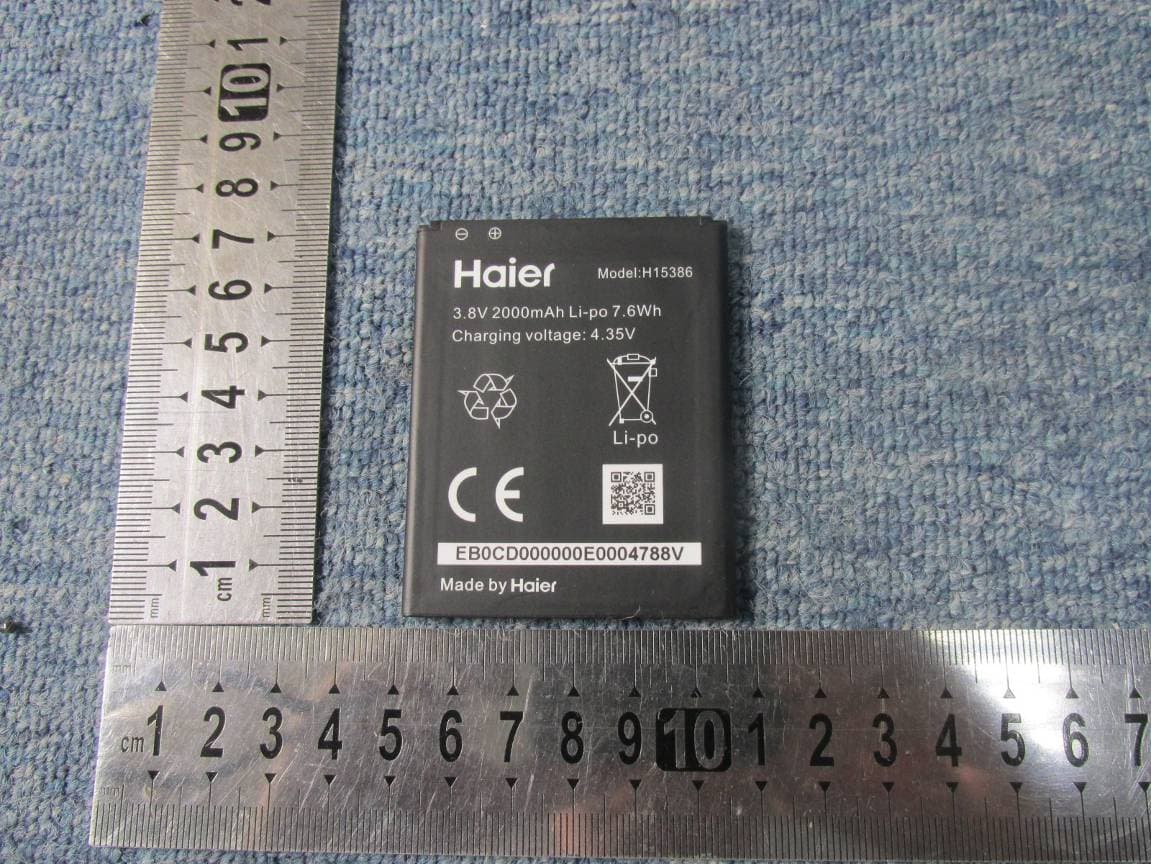
Internal Photos
Internal Photo GSM/WCDMA ANT WIFI/BT ANT
Test Report
Report No.: SET2015-14335 Page 1 of 65 RF TEST REPORT Report No.: SET2015-14335 Product Name: Mobile phone FCC ID: SG720151010G10 Model No. : G10+/W717+ Applicant: Haier Telecom (Qingdao) Co.,Ltd. Address: No.1 Haier Road, Hi-tech Zone, Qingdao, China Dates of Testing: 10/08/2015 — 10/15/2015 Issued by: CCIC-SET Lab Location: Electronic Testing Building, Shahe Road, Xili, Nanshan District, Shenzhen, 518055, P. R. China Tel: 86 755 26627338 Fax: 86 755 26627238 This test report consists of 65 pages in total. It may be duplicated completely for legal use with the approval of the applicant. It should not be reproduced except in full, without the written approval of our laboratory. The client should not use it to claim product endorsement by CCIC-SET. The test results in the report only apply to the tested sample. The test report shall be invalid without all the signatures of testing engineers, reviewer and approver. Any objections must be raised to CCIC-SET within 20 days since the date when the report is received. It will not be taken into consideration beyond this limit. Report No.: SET2015-14335 Page 2 of 65 Test Report Product Name ....................... : Mobile phone Brand Name .......................... : Haier Trade Name ........................... : Haier Applicant ............................... : Haier Telecom (Qingdao) Co.,Ltd. Applicant Address ................ : No.1 Haier Road, Hi-tech Zone, Qingdao, China Manufacturer ........................ : Haier Telecom (Qingdao) Co.,Ltd. Manufacturer Address ......... : No.1 Haier Road, Hi-tech Zone, Qingdao, China Test Standards ...................... : 47 CFR Part 15 Subpart C 2013:Radio Frequency Devices ANSI C63.10:2009:American National Standard for Testing Unlicensed Wireless Devices DA 00-705: Filing and Measurement Guidelines for Frequency Hopping Spread Spectrum Systems Test Result ............................ : PASS Tested by ............................. : 2015.10.15 Lu Lei, Test Engineer Reviewed by ......................... : 2015.10.15 Zhu Qi, Senior Engineer Approved by ......................... : 2015.10.15 Wu Li’an, Manager Report No.: SET2015-14335 Page 3 of 65 Table of contents 1. GENERAL INFORMATION .................................................................................................... 4 1.1. EUT Description ....................................................................................................................... 4 1.2. Test Standards and Results ........................................................................................................ 5 1.3. Frequency Hopping System Requirements ............................................................................... 6 1.4. Facilities and Accreditations ..................................................................................................... 7 2. 47 CFR PART 15C REQUIREMENTS .................................................................................... 8 2.1. Antenna requirement ................................................................................................................. 8 2.2. Number of Hopping Frequency ................................................................................................ 9 2.3. Peak Output Power.................................................................................................................. 12 2.4. 20dB Bandwidth ..................................................................................................................... 14 2.5. Carried Frequency Separation ................................................................................................. 20 2.6. Time of Occupancy (Dwell time) ........................................................................................... 23 2.7. Conducted Spurious Emissions ............................................................................................... 30 2.8. Conducted Band Edge ............................................................................................................. 40 2.9. Conducted Emission ............................................................................................................... 47 2.10. Radiated Band Edges and Spurious Emission ........................................................................ 51 3. LIST OF MEASURING EQUIPMENT ................................................................................. 65 Change History Issue Date Reason for change 1.0 2015.10.15 First edition Report No.: SET2015-14335 Page 4 of 65 1. General Information 1.1. EUT Description EUT Type Mobile phone Hardware Version M08_V1.02_PCB_(140911) Software Version S001 EUT supports Radios application GSM/GPRS/WCDMA/HSPA WLAN2.4GHz 802.11b/g/n (HT20/HT40) Bluetooth V3.0+EDR / Bluetooth V4.0LE Frequency Range Bluetooth EDR 2402MHz~2480MHz Channel Number Bluetooth EDR 79 Bit Rate of Transmitter Bluetooth EDR 1/2/3Mbps Modulation Type Bluetooth EDR GFSK,π/4-DQPSK,8DPSK Antenna Type Internal antenna Antenna Gain -4dBi Note 1: The EUT is a mobile phone, it contains Bluetooth Module operating at 2.4GHz ISM band; the frequencies allocated for the Bluetooth Module is F(MHz)=2402+1*n (0<=n<=78). The lowest, middle, highest channel numbers of the Bluetooth Module used and tested in this report are separately 0 (2402MHz), 39 (2441MHz) and 78 (2480MHz). Note 2: For a more detailed description, please refer to Specification or User’s Manual supplied by the applicant and/or manufacturer. Note 3: a. When power on, the EUT will scan the whole frequency until a Connection command from the other BT devices. b. When receiving the signal from the other BT devices, The EUT transmit are sponse signal. c. The other devices receive the response signal and recognize it, then send a connection command to establish the connection. d. After the connection establish successfully, the data transmission is beginning. At the same time, the both devices will shift frequencies in synchroni…
Text truncated - open the document above for the full version.
Contact Information
Applicant
David Yang(Certification Manager)
Test Firm
CCIC-SETQi Zhu
Technical Specifications
| # | Rule Parts | Frequency Range | Power Output |
|---|---|---|---|
| 1 | 15C | 2.40 GHz - 2.48 GHz | 3.50 mW |
Other Applications from Haier Telecom (Qingdao) Co., Ltd.
SG7201511L50
Dec 07, 2015Mobile Phone
Equipment Class
DTS - Digital Transmission System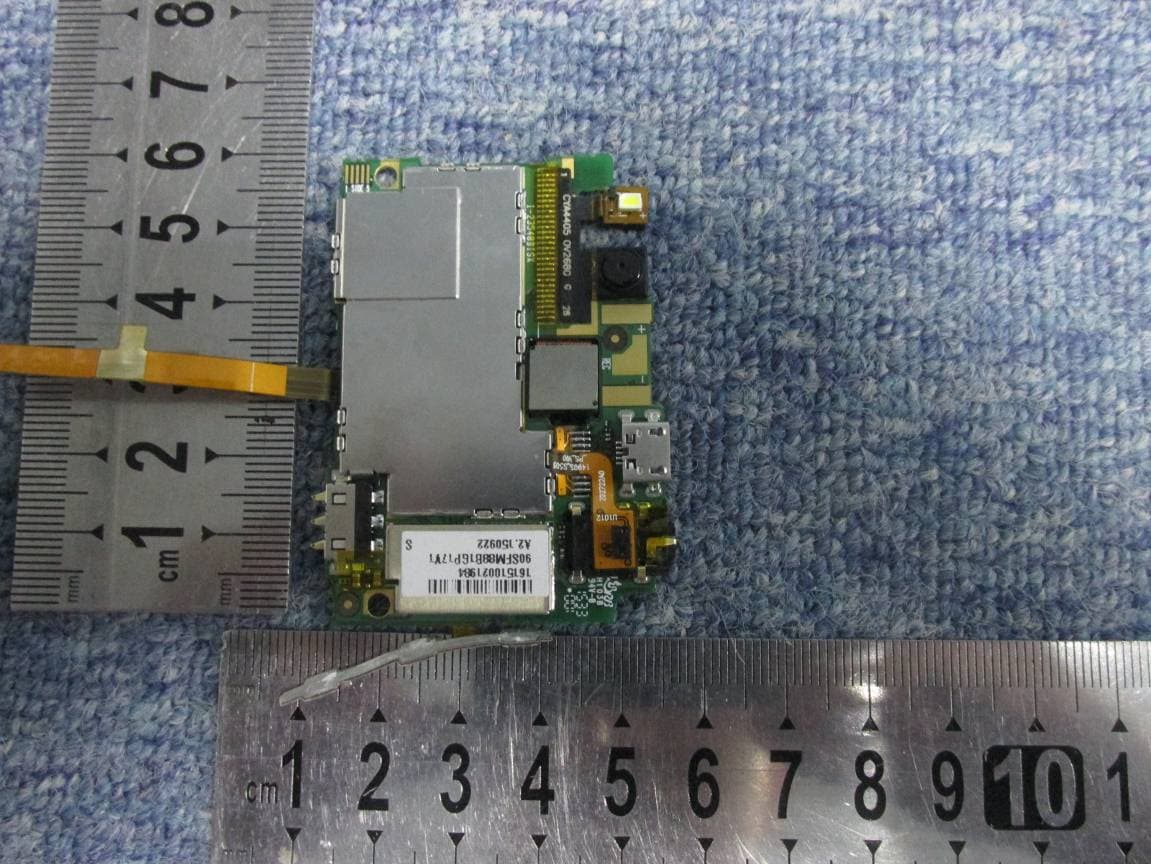
SG7201511L32
Dec 03, 2015Mobile Phone
Equipment Class
PCE - PCS Licensed Transmitter held to ear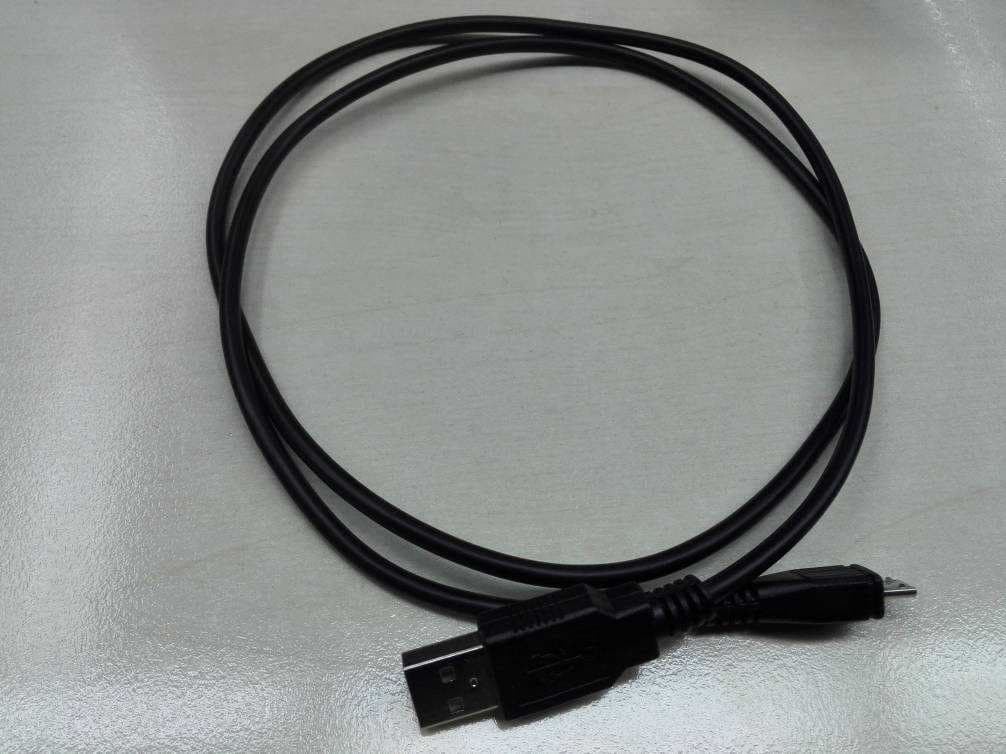
SG71507L51
Dec 03, 2015L51
Equipment Class
DTS - Digital Transmission System
SG720151015I70
Nov 03, 2015Smart phone
Equipment Class
PCE - PCS Licensed Transmitter held to ear
SG720150715G30
Jul 20, 2015Mobile Phone
Equipment Class
DSS - Part 15 Spread Spectrum Transmitter