SH6ZP1000WIRELESS ZOOM PRESENTER
Raytac Corp.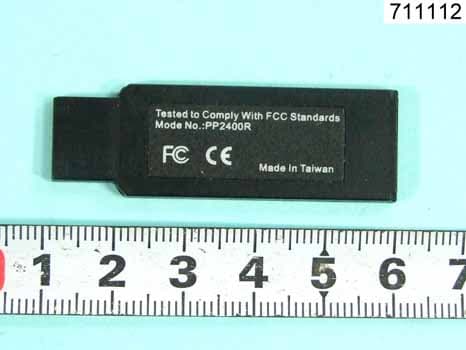
Click to zoom
Application Details
- Equipment Class
- DXX - Part 15 Low Power Communication Device Transmitter
- Date of Grant
- Jan 30, 2007
- Application Purpose
- Original Equipment
- Date of Application
- Jan 29, 2007
- Equipment Note
- WIRELESS ZOOM PRESENTER
- Frequency Range
- 2405.00000000 - 2480.00000000
- Company
- Raytac Corp.
- Country
- Taiwan
Documents & Files
Document Text
Text extracted from the exhibit documents filed with the FCC. Open a document above to read the original.
Users Manual
Raytac ZP1000 Wireless Zoom Presenter User’s Guide Be sure to carefully read this User’s Guide first for the proper use of the Wireless Zoom Presenter and keep it for future reference. 2 Information in this document is subject to change without notice. No part of this document may be reproduced or transmitted in any form or by any means, electronic or mechanical, for any purpose, without the express written prior permission of the seller. The seller provides this document without warranty, or condition of any kind. The seller may make improvements or change in the product described in this documentation at any time. Other product and company name herein may be the trademarks of their respective owners. c 2004 All rights reserved. IMPORTANT SAFETY AND HEALTH INFORMATION WARNING! RISK OF INJURY! Laser beam can cause permanent damage to eyes. Do not look into the laser beam or shine the laser beam into your eyes, other peoples’ eyes, or pet’s eyes. WARNING! RISK OF INJURY! Keep this device away from Children. This is a working tool, not a toy or entertainment device. It should only be used by adults. Trademarks: Microsoft, Windows, Windows Vista and PowerPoint are registered trademarks of Microsoft Corporation. Other trademarks and registered trademarks not listed above may be used in this manual. 3 Introduction Thank you for choosing the omni-directional Wireless Zoom Presenter —“Totally Control Your Presentation” What’s the benefits Making your presentation easier and more successful With the omni-directional Wireless Zoom Presenter, you will be able to manipulate your presentation to zoom and move around your presentation screen, you also don’t need to stand beside your notebook computer or have an additional person to assist you, nor do you need to aim at the receiver of the remote control. This Wireless Presenter provides you with a single tool to manage your presentations. Multi-function Design The omni-directional Wireless Zoom Presenter combines the features of the presentation controls, wireless mouse, Zoom in/out and laser pointer into one ergonomic device. Excellent 2.4GHz RF technology enables you to control the computer up to 100 feet (30 meters) away from the receiver (connected to the USB port), the laser pointer functions up to 130 feet (40 meters) from the target. Easy to use The omni-directional Wireless Zoom Presenter is a USB plug-and-play device, and the laser beam safety design provides protection against unintentional laser beam into human eyes. Equipment Checklist Wireless Zoom Presenter (with USB receiver in the back) 1 AAA batteries 2 User’s Guide 1 Driver disc 1 Pouch (optional) 1 System Requirement Operating systems: Windows®98 SE, Me, 2000, XP, Windows Vista TM One available USB port for connecting the USB receiver. 4 Getting Started Inserting the battery Open the battery cover and insert two AAA batteries. Notes on batteries: Be sure that the polarity of the batteries is set properly. Do not charge, heat, open, or short-circuit the batteries. Do not use different type of batteries together, or mix old and new batteries. Connecting the RF receiver Take out the USB receiver from the back of the Wireless Zoom Presenter, connect the USB receiver to an available USB port in your computer. Do as follows, depending on your operating system: Windows® 98 SE/Me The system prompts you to insert the operating system CD-ROM. Follow the instructions on the screen to install the required drivers. Windows® 2000/XP, Windows Vista TM The operating system identifies the receiver as a “USB Human Interface Device” and begins installation automatically. Follow the instructions or messages on the screen to complete the installation. Activate the Laser Press and hold both Laser key for around three seconds to activate the laser.(the mode indicator flashes) Note: The Wireless Zoom Presenter might be jammed if there are have several 2.4GHz remote controls within range and work in the same RF channel, in such case, you may try to change RF ID as follows. (Implement RF ID change only when serious RF interference) 1. Press the ID link button on the USB receiver and the LED lights up steady, the receiver is ready for linking. 2. Press the Zoom In and Zoom out keys on the Presenter simultaneously for three seconds. The LED on the receiver begins blinking to confirm a successful link. 5 Installing software 1. Place the driver disc into your computer’s CD-ROM drive. 2. Run “RaytacZoom_v1.0_Setup.exe” (The version of this driver is subject to change without notice for improvement.) 3. After installation, the software will create one icon on your desktop (optional) called “RaytacZoom.ppa” Now, your Wireless Zoom Presenter is ready to go. To use Raytac Zoom Presenter 1. Run “RaytacZoom.ppa” and choose “Microsoft PowerPoint” as default executed program. 2. click “Tool” on the tool bar of PowerPoint, select “Macro” and click “Macro Security” 3. In the “Macro Security”, choose “Middle”, and confirm your selection. 4. Close the program and restart “RaytacZoom.ppa”. 5. You will have PowerPoint program pop up, and system will ask you if you want to execute Macro, click “Enable Macro”. 6. Plug the Raytac Remote USB dongle into the USB slot, and now you are ready to use. 7. Open your PowerPoint file, and press F5 on keyboard or “Slide” on the Zoom Presenter to start your slide in the full screen mode. 8. Click the “Zoom In/Out” key on your remote, you will have a Zoom icon on the left top corner to show that you can using the Zoom functions. 9. You can click “Zoom In/Out” key to zoom your window every click., the maximum is four times the zoom. 10. You can slide either in zoom mode or normal mode, but the next page will always come up under the normal mode. 11. These zoom functions will be activated as long as this PowerPoint activated, and will be deactivated after you switch the PowerPoint off. 12. If you don’t want to have the zoom functions on, just turn …
Text truncated - open the document above for the full version.
External Photos
SPORTON International Inc. PAGE NUMBER : A1 OF A 3 TEL : 886-2-2696-2468 ISSUED DATE : Jan. 24, 2007 FAX : 886-2-2696-2255 APPENDIX A. Photographs of EUT SPORTON International Inc. PAGE NUMBER : A2 OF A 3 TEL : 886-2-2696-2468 ISSUED DATE : Jan. 24, 2007 FAX : 886-2-2696-2255 SPORTON International Inc. PAGE NUMBER : A3 OF A 3 TEL : 886-2-2696-2468 ISSUED DATE : Jan. 24, 2007 FAX : 886-2-2696-2255
Internal Photos
SPORTON International Inc. PAGE NUMBER : A1 OF A5 TEL : 886-2-2696-2468 ISSUED DATE : Jan. 24, 2007 FAX : 886-2-2696-2255 APPENDIX A. Photographs of EUT SPORTON International Inc. PAGE NUMBER : A2 OF A5 TEL : 886-2-2696-2468 ISSUED DATE : Jan. 24, 2007 FAX : 886-2-2696-2255 SPORTON International Inc. PAGE NUMBER : A3 OF A5 TEL : 886-2-2696-2468 ISSUED DATE : Jan. 24, 2007 FAX : 886-2-2696-2255 SPORTON International Inc. PAGE NUMBER : A4 OF A5 TEL : 886-2-2696-2468 ISSUED DATE : Jan. 24, 2007 FAX : 886-2-2696-2255 SPORTON International Inc. PAGE NUMBER : A5 OF A5 TEL : 886-2-2696-2468 ISSUED DATE : Jan. 24, 2007 FAX : 886-2-2696-2255
Test Report
SPORTON International Inc. No. 52, Hwa Ya 1st Rd., Kwei-Shan Hsiang, TaoYuan Hsien, Taiwan, R.O.C. Ph: 886-3-327-3456 / FAX: 886-3-327-0973 / www.sporton.com.tw Report Format Version: RF-15.249-2006-6-16-d FCC RADIO TEST REPORT Applicant’s company Raytac Corp. Applicant Address 6F., No.788, Zhongzheng Rd., Zhonghe City, Taipei County 235, Taiwan FCC ID SH6ZP1000 Manufacturer’s company Taicom Data Systems Manufacturer Address NO. 45, Wu-Kung 5 Rd. Wu-Ku lndustrial Park Taipei-Hsien Taiwan Product Name Wireless Zoom Presenter Brand Name Raytac Model Name ZP1000 Test Rule Part(s) 47 CFR FCC Part 15 Subpart C § 15.249 Test Freq. Range 2400 ~ 2483.5MHz Received Date Jan. 11, 2007 Final Test Date Jan. 24, 2007 Submission Type Original Equipment Statement The test result in this report refers exclusively to the presented test model / sample. Without written approval of SPORTON International Inc., the test report shall not be reproduced except in full. The measurements and test results shown in this test report were made in accordance with the procedures and found in compliance with the limit given in ANSI C63.4-2003 and 47 CFR FCC Part 15 Subpart C. The test equipment used to perform the test is calibrated and traceable to NML/ROC. Lab Code: 200079-0 Report No.: FR711112 Report Format Version: RF-15.249-2006-2-17-c Page No. : i of ii FCC ID: SH6ZP1000 Issued Date : Jan. 25, 2007 Table of Contents 1. CERTIFICATE OF COMPLIANCE.................................................................................................................. 1 2. SUMMARY OF THE TEST RESULT............................................................................................................... 2 3. GENERAL INFORMATION............................................................................................................................. 3 3.1. Product Details....................................................................................................................................................................................3 3.2. Table for Filed Antenna.......................................................................................................................................................................3 3.3. Table for Carrier Frequencies..............................................................................................................................................................3 3.4. Table for Test Modes..........................................................................................................................................................................4 3.5. Table for Testing Locations.................................................................................................................................................................4 3.6. Table for Supporting Units...................................................................................................................................................................4 3.7. Test Configurations.............................................................................................................................................................................5 4. TEST RESULT............................................................................................................................................... 6 4.1. AC Power Line Conducted Emissions Measurement...........................................................................................................................6 4.2. Field Strength of Fundamental Emissions Measurement.....................................................................................................................9 4.3. 20dB Spectrum Bandwidth Measurement.........................................................................................................................................12 4.4. Radiated Emissions Measurement....................................................................................................................................................15 4.5. Band Edge Emissions Measurement.................................................................................................................................................27 4.6. Antenna Requirements......................................................................................................................................................................30 5. LIST OF MEASURING EQUIPMENTS.......................................................................................................... 31 6. TEST LOCATION......................................................................................................................................... 32 7. NVLAP CERTIFICATE OF ACCREDITATION.............................................................................................. 33 APPENDIX A. PHOTOGRAPHS OF EUT ....................................................................................................... A1 ~ A7 APPENDIX B. TEST PHOTOS ........................................................................................................................ B1 ~ B3 Report No.: FR711112 Report Format Version: RF-15.249-2006-2-17-c Page No. : ii of ii FCC ID: SH6ZP1000 Issued Date : Jan. 25, 2007 History of This Test Report Original Issue Date: Jan. 25, 2007 Report No.: FR711112 No additional attachment. Additional attachment were issued as following record: Attachment No. Issue Date Description 15.205(a) 15.209(a) 47 CFR FCC Part 15 Subpart C Further, this requirement does not apply to intentional radiators that must be professionally installed. Report No.: FR711112 Report Format Version: RF-15.249-2006-6-16-d Page No. : 2 of 33 FCC ID: SH6ZP1000 Issued Date : Jan. 25, 2007 2. SUMMARY OF THE TEST RESULT Applied Standard: 47 CFR FCC Part 15 Subpart C Part Rule Section Description of Test Result Under Limit 4.1 15.207 AC Power Line Conduct…
Text truncated - open the document above for the full version.
Test Setup Photos
Report No.: FR711112 FCC ID: SH6ZP1000 Page No. : 1 of 3 Appendix B. Test Photos Report No.: FR711112 FCC ID: SH6ZP1000 Page No. : 2 of 3 1. Photographs of Radiated Emissions Test Configuration FRONT VIEW REAR VIEW Report No.: FR711112 FCC ID: SH6ZP1000 Page No. : 3 of 3 FRONT VIEW REAR VIEW
Contact Information
Applicant
Lyon Liu(President)
Test Firm
SPORTON International IncKathy Lin
Technical Specifications
| # | Rule Parts | Frequency Range | Power Output |
|---|---|---|---|
| 1 | 15C | 2.40 GHz - 2.48 GHz | - |
Other Applications from Raytac Corp.
SH6MDBT42T
Nov 15, 2020BLE Module
Equipment Class
DTS - Digital Transmission System
SH6MD85XXP1
Jul 21, 2015Wireless Audio Module
Equipment Class
DTS - Digital Transmission System
SH6MDBT40
Feb 16, 2014Bluetooth Module
Equipment Class
DTS - Digital Transmission System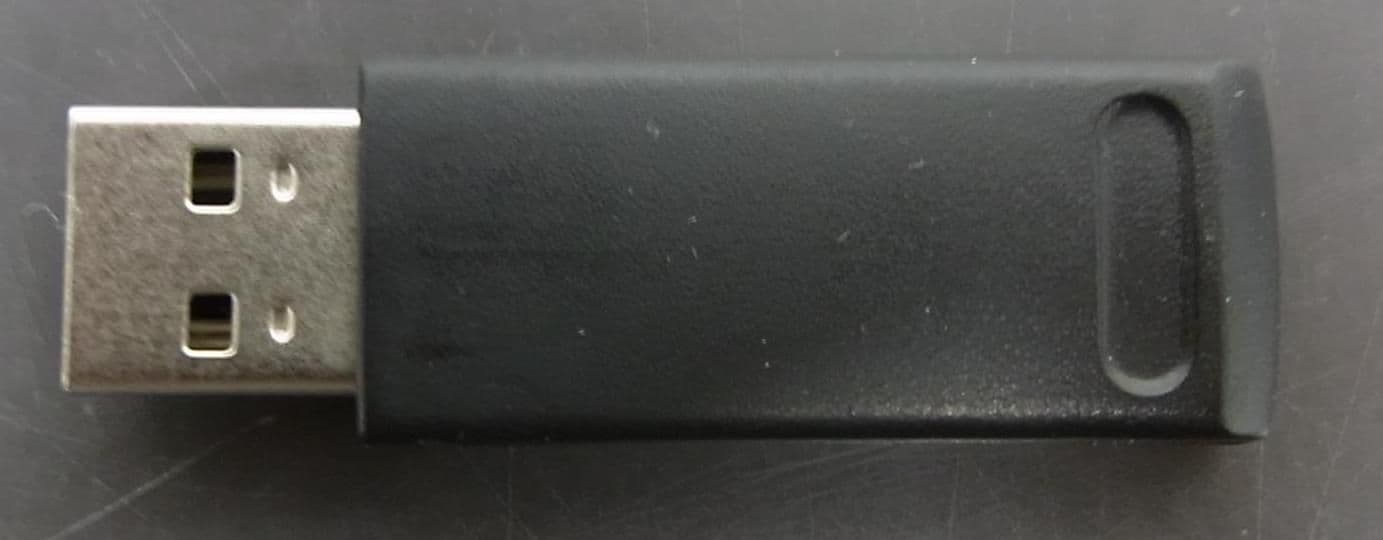
SH6MP01R
Dec 16, 2013WIRELESS PRESENTER
Equipment Class
DXX - Part 15 Low Power Communication Device Transmitter
SH6MP01
Dec 12, 2013WIRELESS PRESENTER
Equipment Class
DXX - Part 15 Low Power Communication Device Transmitter