SMJL120MULTI-USER NETWORK TERMINAL
NComputing Co., Ltd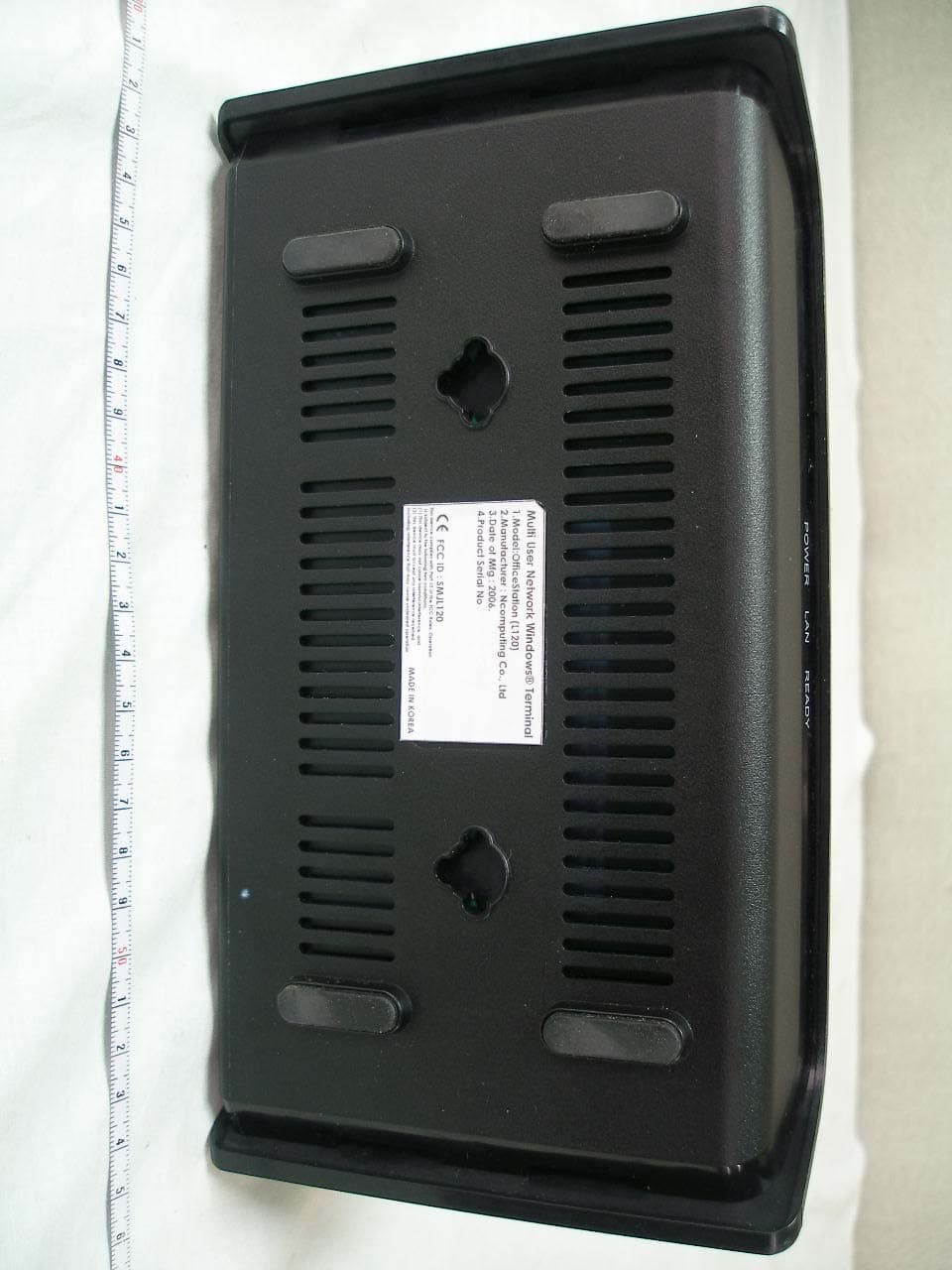
Click to zoom
Application Details
- Equipment Class
- JBP - Part 15 Class B Computing Device Peripheral
- Date of Grant
- Apr 17, 2006
- Application Purpose
- Original Equipment
- Date of Application
- Apr 17, 2006
- Equipment Note
- MULTI-USER NETWORK TERMINAL
- Company
- NComputing Co., Ltd
- Country
- South Korea
Documents & Files
Document Text
Text extracted from the exhibit documents filed with the FCC. Open a document above to read the original.
Users Manual
1 User’s guide for OfficeStation TM (L120 Series) © Copyright by Ncomputing Co. Ltd. 2004 . - Illegal copying of this software, hardware and this documentation is prohibited by law. All other brand- and product names are trademarks of registered trademarks of the respective owners. 2 Safety Instructions The following instructions pertain to the risk of fire, electric shock or bodily injury. Please read all of these instructions carefully. - Do not use this system on an unstable cart, stand or table. The product may fall, causing serious damage to the product. - Slots and openings in the cabinet and the back have been provided for ventilation. To ensure reliable operation of your computer, and to protect it from overheating, do not block or cover these openings. - Never push objects of any kind into the system through the cabinet openings. Objects may touch dangerous voltage points or short out parts that could result in a fire or electrical shock. Never spill liquid of any kind on the product. - This computer should only be connected to the adapter comes with your system. If you want to use other adapter, consult your dealer. - Do not allow anything to rest on the power cord. Do not locate this product where people will walk on the cord. - Unplug your system form the main electrical power outlet before cleaning. Do not use liquid cleaners or aerosol cleaners. Use a damp cloth for cleaning. - Do not use this system near water. - Your adapter plug will only fit into a grounding-type power outlet. This is a safety feature. If you are unable to insert or replace your obsolete outlet, contact your electrician to replace your obsolete outlet. Do not defeat the purpose of the grounding-type plug. - To avoid generating an electric shock, be sure to plug the power cord into the system before plugging it into the wall socket. - For protection of your system and other devices during a lightning storm, or when it is left unattended and unused for long periods of time, unplug the computer and other devices form the wall outlet and disconnect the cable form system. This will prevent damage to the system and other devices due to lighting and power line surges. Warning 3 FCC Information to Use Note : This equipment has been tested and found to comply with the limit for a Class B digital device, pursuant 15 of the FCC Rules. These limits are designed to provide reasonable protection against harmful interference in a residential installation. This equipment generates, uses, and can radiate radio frequency energy and, if not installed and used in accordance with the instructions. May cause harmful interference to radio communications. However, there is no guarantee that interference will not occur in a particular installation. IF this equipment does cause harmful interference to radio or television reception, which can be determined by turning the equipment off nad on, the user is encourage to try to correct the interference by one or the following measures: - Reorient or relocate the receiving antenna. - Increase the separation between the equipment and receiver - Connect the equipment into an outlet on a circuit different from that to which the receiver is connected - Consult the dealer or an experience radio TV technician for help Change or modification not expressly approved by the party responsible for Compliance could void the user’s authority to operate the equipment 4 Introductions What is OfficeStation TM ? OfficeStation TM is an unique networking device using WoIP TM (Windows over IP) based on networking standards. You can share the resources of the host PC system by connecting OfficeStation TM terminal(s) to it, thus giving you the benefit of having several networked PCs. You can connect one or more OfficeStation TM terminals to one Host PC directly using a LAN adapter and cable or via network using a hub/router. Featuresn of I/O Ports - One Power Inlet (DC-IN, 5VDC 2.0A) Jack - One speaker Jack - One PS/2 Keyboard connector - One PS/2 Mouse connector - One RJ-45(LAN) Jack - One VGA Monitor connector System Requirements of Host PC - To connect one OfficeStation TM terminal to a single host PC, the following system requirement si needed of the host PC : Intel Pentium 4 1.0GHz processor with at least 256MB RAM or higher - To connect two to three OfficeStation TM terminal to a single host PC, the following system requirement si needed of the host PC : Intel Pentium 4 2.4GHz processor with Hyper - Threading technology with at least 512MB RAM or higher - To connect four to seven OfficeStation TM terminal to a single host PC, the following system requirement si needed of the host PC : Intel Pentium 4 3.0GHz processor with Hyper - Threading technology with at least 1024MB RAM or higher - To connect eight to ten OfficeStation TM terminal to a single host PC, the following system requirement si needed of the host PC : Intel Pentium 4 3.2GHz processor with Hyper - Threading technology with at least 2048MB RAM or higher 5 OS (Operating System) - Windows XP Home Edition - Windows XP Professional Edition - Windows 2000 Professional Edition - Windows 2000 Server - Windows Server 2003 - Linux 6 Setting up the OfficeStation TM 1. Component Names and Functions 1-1 Front Panel Power Light When these blue lights is on, your OfficeStation is turned ON Communicate Light When this lights is flash, on your OfficeStation is communicating with your PC Ready Light This light indicates diagnostics running or possible problem with your OfficeStation 7 1-2 Rear Panel Power Button Used when you want to turn the OfficeStation on/off Power Port The power supply code goes here. Audio out Jack The Stereo headphone jack is used to connect the OfficeStation’s audio out signal to amplified speakers PS/2 Port (Keyboard) The PS/2 port is for connect PS/2 types keyboard External Monitor Let you connect your OfficeStation to External Monitor that RGB types monitors Ethernet Jack Lets you connect your OfficeStation to a your PC PS/2 Por…
Text truncated - open the document above for the full version.
Cover Letter(s)
Tel NO : +82-2-2028-7020 FAX NO: +82-2-2028-7011 NComputing Co., Ltd. Release Date : 2009. 03. 23 6 th Fl., JEI-Platz B/D, 459-11, Gasan-dong, Geumcheon-gu, Seoul, Korea Justification Letter R & D Division PRIVATE AND CONFIDENTIAL Federal Communications commission Authorization and Evaluation Division Confidentiality Request regarding application for certification of FCC ID: FCC ID Grant Date SMJL120 04/18/2006 Pursuant to Sections 0.457 and 0.459 of the Commission’s Rule, we hereby request confidential treatment of information accompanying this application as outlined below: - Block Diagram - Schematics The above materials contain trade secrets and proprietary information not customarily released to the public. The public disclosure of these materials may be harmful to the applicant and provide unjustified benefits to its competitors. We are aware that the above exhibits we are now requesting to be held confidential have been viewable since the date the grant was issued. Sincerely, Date : March 23, 2009 Thomas Lee / Senior Hardware Engineer
External Photos
Test Report No.: NK2GE263 FCC Certification NComputing Co., Ltd. FCC ID:SMJL120 Page 18 of 31 APPENDIX C – EUT PHOTOGRAPHS z Front View of EUT Test Report No.: NK2GE263 FCC Certification NComputing Co., Ltd. FCC ID:SMJL120 Page 19 of 31 z Rear View of EUT Test Report No.: NK2GE263 FCC Certification NComputing Co., Ltd. FCC ID:SMJL120 Page 20 of 31 z Bottom View of EUT
ID Label/Location Info
Test Report No.: NK2GE263 FCC Certification NComputing Co., Ltd. FCC ID:SMJL120 Page 15 of 31 APPENDIX A – SAMPLE LABEL The sample label shown shall be permanently affixed at a conspicuous location on the device and be readily visible to the user at the time of purchase. z FCC ID Location of EUT Labelling Requirements
ID Label/Location Info
This device complies with Part 15 of the FCC Rules. Operation is subject to the following two conditions; (1) This device may not cause harmful interference, and(2) This device must accept any interference received, including interference that may cause undesired operation MADE IN KOREA FCC ID : SMJL120 1.Model: Multi-User Network Termial (L120) 2.Manufacturer : Ncomputing Co., Ltd3.Date of Mfg : 2006. 4.Product Serial No Multi User Network Windows® Terminal Cet appareil numérique de la classe [B] est conforme à la norme NMB-003 du Canada This Class [B] digital apparatus complies with Canadian ICES-003.
Internal Photos
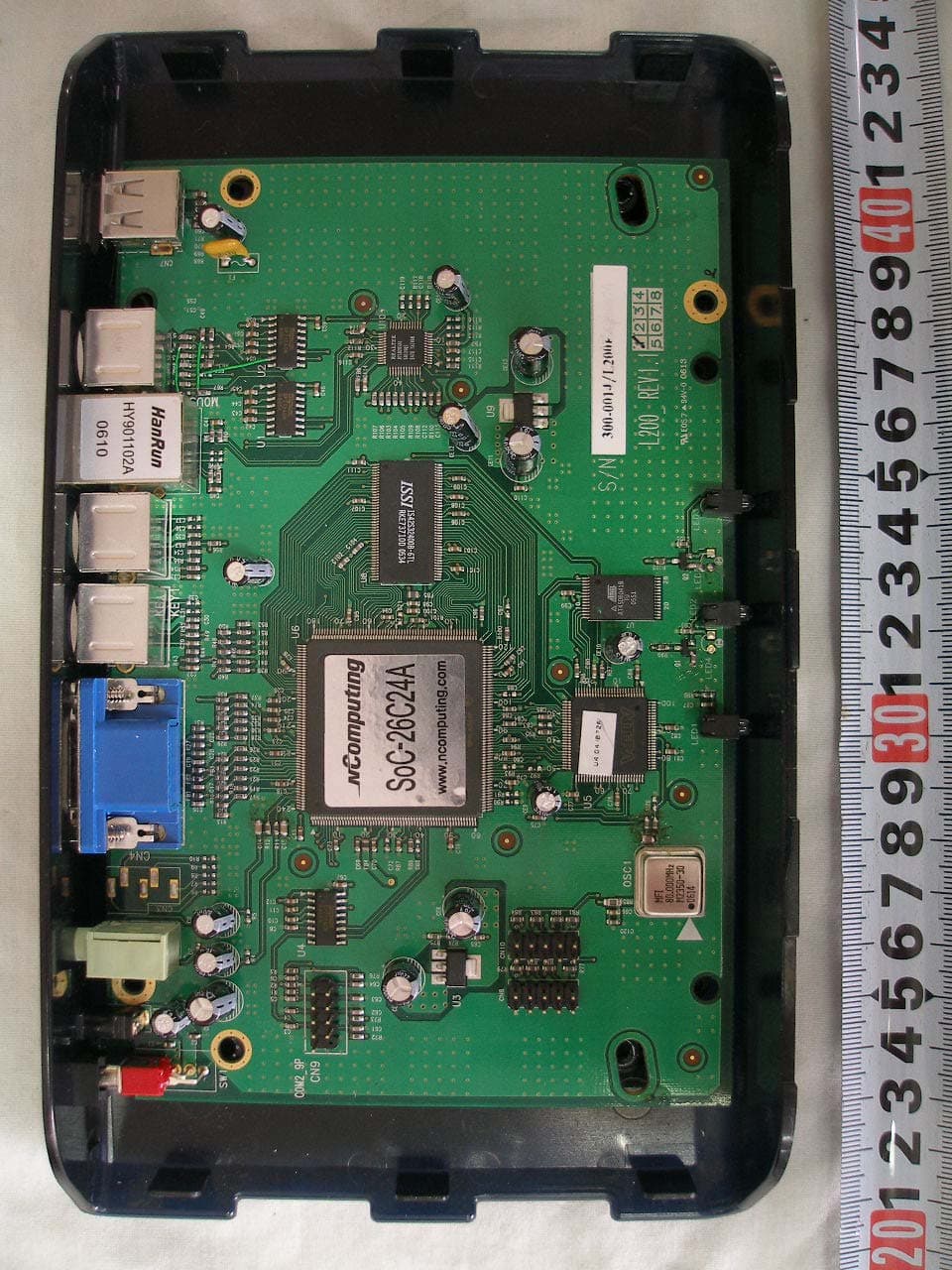
Test Report No.: NK2GE263 FCC Certification NComputing Co., Ltd. FCC ID:SMJL120 Page 21 of 31 z Inside View of EUT Test Report No.: NK2GE263 FCC Certification NComputing Co., Ltd. FCC ID:SMJL120 Page 22 of 31 z Front View of Main Board Test Report No.: NK2GE263 FCC Certification NComputing Co., Ltd. FCC ID:SMJL120 Page 23 of 31 z Rear View of Main Board Test Report No.: NK2GE263 FCC Certification NComputing Co., Ltd. FCC ID:SMJL120 Page 24 of 31 z Enclosure View of Adaptor Test Report No.: NK2GE263 FCC Certification NComputing Co., Ltd. FCC ID:SMJL120 Page 25 of 31 z Label View of Adaptor Test Report No.: NK2GE263 FCC Certification NComputing Co., Ltd. FCC ID:SMJL120 Page 26 of 31 z Inside View of Adaptor Test Report No.: NK2GE263 FCC Certification NComputing Co., Ltd. FCC ID:SMJL120 Page 27 of 31 z Front View of Adaptor Board Test Report No.: NK2GE263 FCC Certification NComputing Co., Ltd. FCC ID:SMJL120 Page 28 of 31 z Rear View of Adaptor Board
Test Report
Test Report No.: NK2GE263 FCC Certification NComputing Co., Ltd. FCC ID:SMJL120 Page 1 of 31 Nemko Korea Co., Ltd. 300-2, Osan-Ri, 7Mohyun-Myun, Yongin-City, Kyungki-Do, KOREA TEL:+82 31 322 2333 FAX:+82 31 322 2332 FCC EVALUATION REPORT FOR CERTIFICATION Applicant : NComputing Co., Ltd. Dates of Issue : April 18, 2006 2nd Fl, Daeyoung Bldg, 1423-6, Gwanyang1-Dong, Test Report No. : NK2GE263 Dongan-Gu, Anyang-City, Gyeonggi-Do, Korea Test Site : Nemko Korea Co., Ltd. Attn : Mr. J. C. Lee EMC site, Korea FCC ID Brand Name Contact Person Applied Standard: Part 15 & 2, ICES-003 Classification : FCC Class B Device EUT Type: Multi-User Network Terminal The device bearing the brand name and FCC ID specified above has been shown to comply with the applicable technical standards as indicated in the measurement report and was tested in accordance with the measurement procedures specified in ANSI C63.4-2003. The test results of this report are deemed satisfactory evidence of compliance with Industry Canada Interfence-Causing Equipment Standard ICES-003. I attest to the accuracy of data and all measurements reported herein were performed by me or were made under my supervision and are correct to the best of my knowledge and belief. I assume full responsibility for the completeness of these measurements and vouch for the qualifications of all persons taking them. Tested By : C. S. Choi Reviewed By : H.H. Kim Engineer Manager & Chief Engineer SMJL120 OfficeStation, PC Expanion NComputing Co., Ltd. 2nd Fl, Daeyoung Bldg, 1423-6, Gwanyang1-Dong, Dongan-Gu, Anyang-City, Gyeonggi-Do, Korea Mr. J. C. Lee Telephone No. : +82 31 422 5157 Test Report No.: NK2GE263 FCC Certification NComputing Co., Ltd. FCC ID:SMJL120 Page 2 of 31 TABLE OF CONTENTS SCOPE INTRODUCTION (Site Description) TEST CONDITIONS & EUT INFORMATION SUMMARY OF TEST RESULTS RECOMMANDATION / CONCLUSION SAMPLE CALCULATION DESCRIPTION OF TESTS (Conducted Emissions) DESCRIPTION OF TESTS (Radiated Emissions) TEST DATA (Conducted Emissions) TEST DATA (Radiated Emissions) PLOT OF EMISSIONS (Conducted Emissions Diagram) ACCURACY OF MEASUREMENT LIST OF TEST EQUIPMENT APPENDIX A - SAMPLE LABEL APPENDIX B - PHOTOGRAPHS OF TEST SET-UP APPENDIX C - EUT PHOTOGRAPHS APPENDIX D – BLOCK DIAGRAM APPENDIX E - USER’S MANUAL APPENDIX F - SCHEMATIC DIAGRAM 3 4 5 6 6 6 7 8 9 10 11 13 14 15 16 18 29 30 31 Test Report No.: NK2GE263 FCC Certification NComputing Co., Ltd. FCC ID:SMJL120 Page 3 of 31 SCOPE Measurement and determination of electromagnetic emissions (EME) of radio frequency devices including intentional and/or unintentional radiators for compliance with the technical rules and regulations of the Federal Communications Commission under FCC part 15. Responsible Party : Contact Person : Manufacturer : Factory : NComputing Co., Ltd. Mr. J. C. Lee Tel No.: +82 31 422 5157 NComputing Co., Ltd. 2nd Fl, Daeyoung Bldg, 1423-6, Gwanyang1-Dong, Dongan-Gu, Anyang-City, Gyeonggi-Do, Korea NComputing Co., Ltd. 2nd Fl, Daeyoung Bldg, 1423-6, Gwanyang1-Dong, Dongan-Gu, Anyang-City, Gyeonggi-Do, Korea z FCC ID: SMJL120 z Model: L120 z Brand Name: OfficeStation, PC Expanion z EUT Type: Multi-User Network Terminal z Electric Rating: Input : 100-250V~, 50-60Hz, 0.3A Output : +5VDC, 2.0A z Test Voltage: 120V~, 60Hz z Port/Connector: LAN, Keyboard, Mouse, Video, Speaker z Classification: z Applied Standard: z Test Procedure(s): z Dates of Test: z Place of Tests: z Test Report No.: FCC Class B FCC Part 15 & Part 2, ICES-003 ANSI C63.4 (2003) March 28, 2006 to April 17,2006 Nemko Korea Co., Ltd. EMC Site NK2GE263 Test Report No.: NK2GE263 FCC Certification NComputing Co., Ltd. FCC ID:SMJL120 Page 4 of 31 INTRODUCTION The measurement procedure described in American National Standard for Methods of Measurement of Radio-Noise Emissions from Low-Voltage Electrical and Electronic Equipment in the Range of 9kHz to 40GHz (ANSI C63.4-2003) was used in determining radiated and conducted emissions emanating from NComputing Co., Ltd. FCC ID : SMJL120, Multi-User Network Terminal. These measurement tests were conducted at Nemko Korea Co., Ltd. EMC Laboratory. The site address is 300-2, Osan-Ri, Mohyun-Myun, Yongin-City, Kyungki-Do, KOREA The area of Nemko Korea Corporation Ltd. EMC Test Site is located in a mountain area at 80 kilometers (48 miles) southeast and Incheon International Airport (Incheon Airport), 30 kilometers (18miles) south-southeast from central Seoul. It is located in the valley surrounded by mountains in all directions where ambient radio signal conditions are quiet and a favorable area to measure the radio frequency interference on open field test site for the computing and ISM devices manufactures. The detailed description of the measurement facility was found to be in compliance with the requirements of §2.948 according to ANSI C63.4 on 2003. Fig. 1. The map above shows the Seoul in Korea vicinity area. The map also shows Nemko Korea Corporation Ltd. EMC Lab and Incheon Airport. Nemko Korea Co., Ltd. OPEN AREA TEST SITE 300-2, Osan-Ri, Mohyun-Myun, Yongin- City Kyungki-Do,KOREA 449-852 Tel)+82-31-322-2333 Fax)+82-31-322-2332 Test Report No.: NK2GE263 FCC Certification NComputing Co., Ltd. FCC ID:SMJL120 Page 5 of 31 TEST CONDITIONS & EUT INFORMATION Operating During Test The System of the host PC was located at outside of the shield room and connected to EUT via 3 m unshielded RJ 45 cable then the test was performed during accessing the resources of host PC system continuously. Support Equipment Multi-User Network Terminal (EUT) NComputing, FCC ID: SMJL120 3.0m unshielded LAN cable Adaptor : Ault Korea Corp. Model: JPW146KA0500NXX 1.5m unshielded AC-DC power cable S/N: N/A S/N: N/A Host Computer LG Electronics Inc., Model: HE 1.5m unshielded AC power cable S/N: N/A PS/2 Mouse Samsung Electro-Mechanics, Model: SMP2000WX 1.5m unshielded Din cable S/N: N/A Keyboard Dell, Model: SK-8110 1.5m unshielded Din cable S/N: N/A 17” LCD Monitor D&T Inc., Model : B17AC 1.5m shiel…
Text truncated - open the document above for the full version.
Test Setup Photos
Test Report No.: NK2GE263 FCC Certification NComputing Co., Ltd. FCC ID:SMJL120 Page 16 of 31 APPENDIX B – PHOTOGRAPHS OF TEST SET-UP The Conducted Test Picture and Radiated Test Picture and show the worst-case configuration and cable placement. z Conducted Test Picture(Front) z Conducted Test Picture(Rear) Test Report No.: NK2GE263 FCC Certification NComputing Co., Ltd. FCC ID:SMJL120 Page 17 of 31 z Radiated Test Picture(Front) z Radiated Test Picture(Rear)
Contact Information
Applicant
Chang Yu(engineering director)
Test Firm
Nemko Korea Co., LtdHyun Kim
Technical Specifications
| # | Rule Parts | Frequency Range | Power Output |
|---|---|---|---|
| 1 | 15B | - | - |
Other Applications from NComputing Co., Ltd
SMJL200
Jun 15, 2006MULTI-USER NETWORK TERMINAL
Equipment Class
JBP - Part 15 Class B Computing Device Peripheral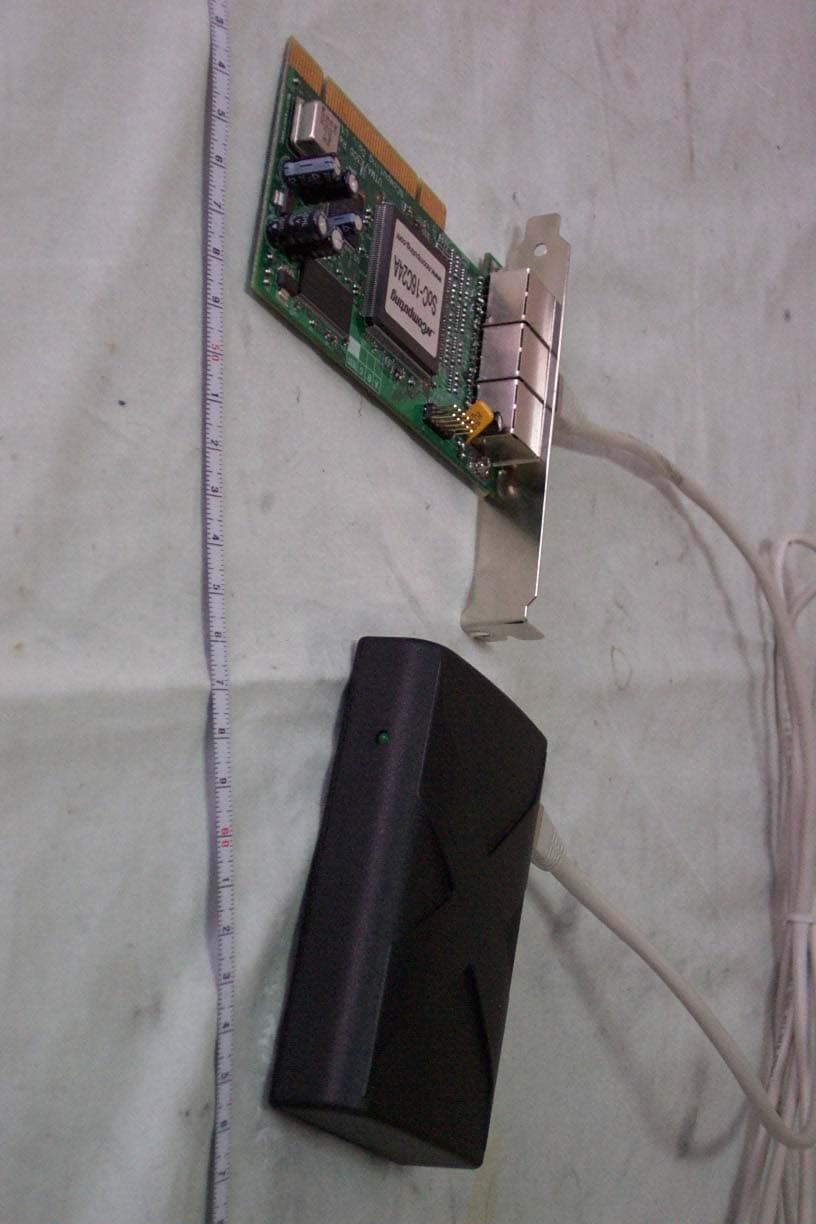
SMJX300
Jan 01, 2006Multi-user Networking Card
Equipment Class
JBP - Part 15 Class B Computing Device Peripheral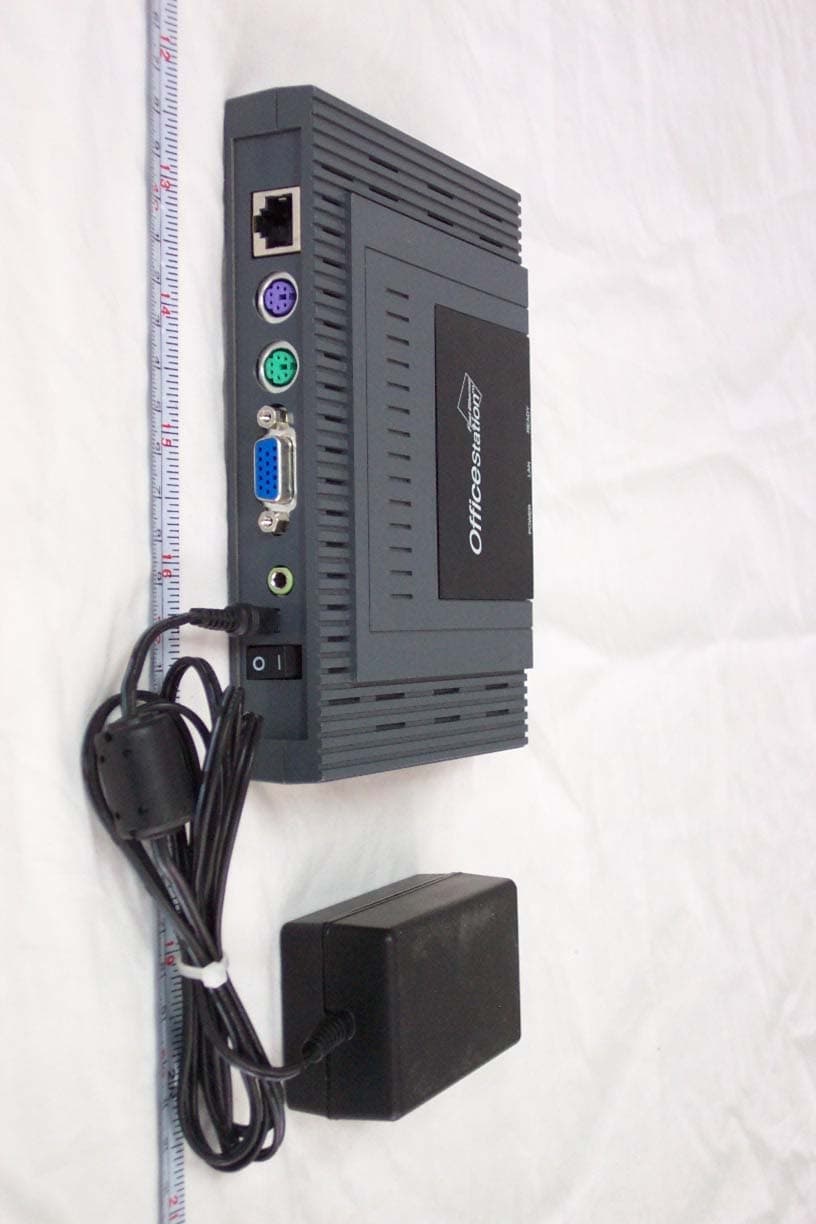
SMJL110
Apr 20, 2005OFFICESTATION
Equipment Class
JBP - Part 15 Class B Computing Device Peripheral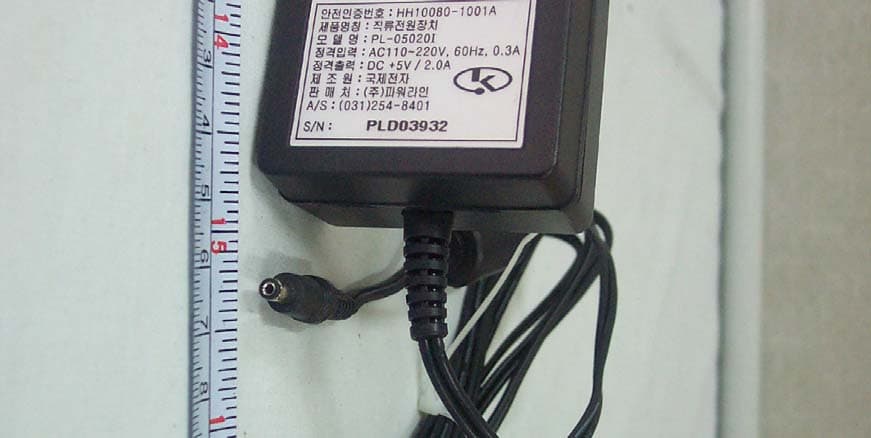
SMJL100
Nov 04, 2004OFFICESTATION
Equipment Class
JBP - Part 15 Class B Computing Device Peripheral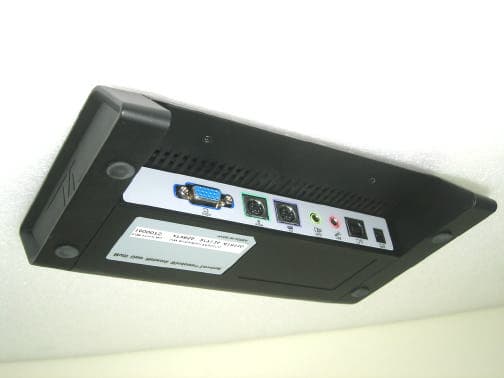
SMJU200
Oct 24, 2004Network Terminal (USB Type)
Equipment Class
JBP - Part 15 Class B Computing Device Peripheral