SSNUP-FMP3 Player
LG Electronics Inc.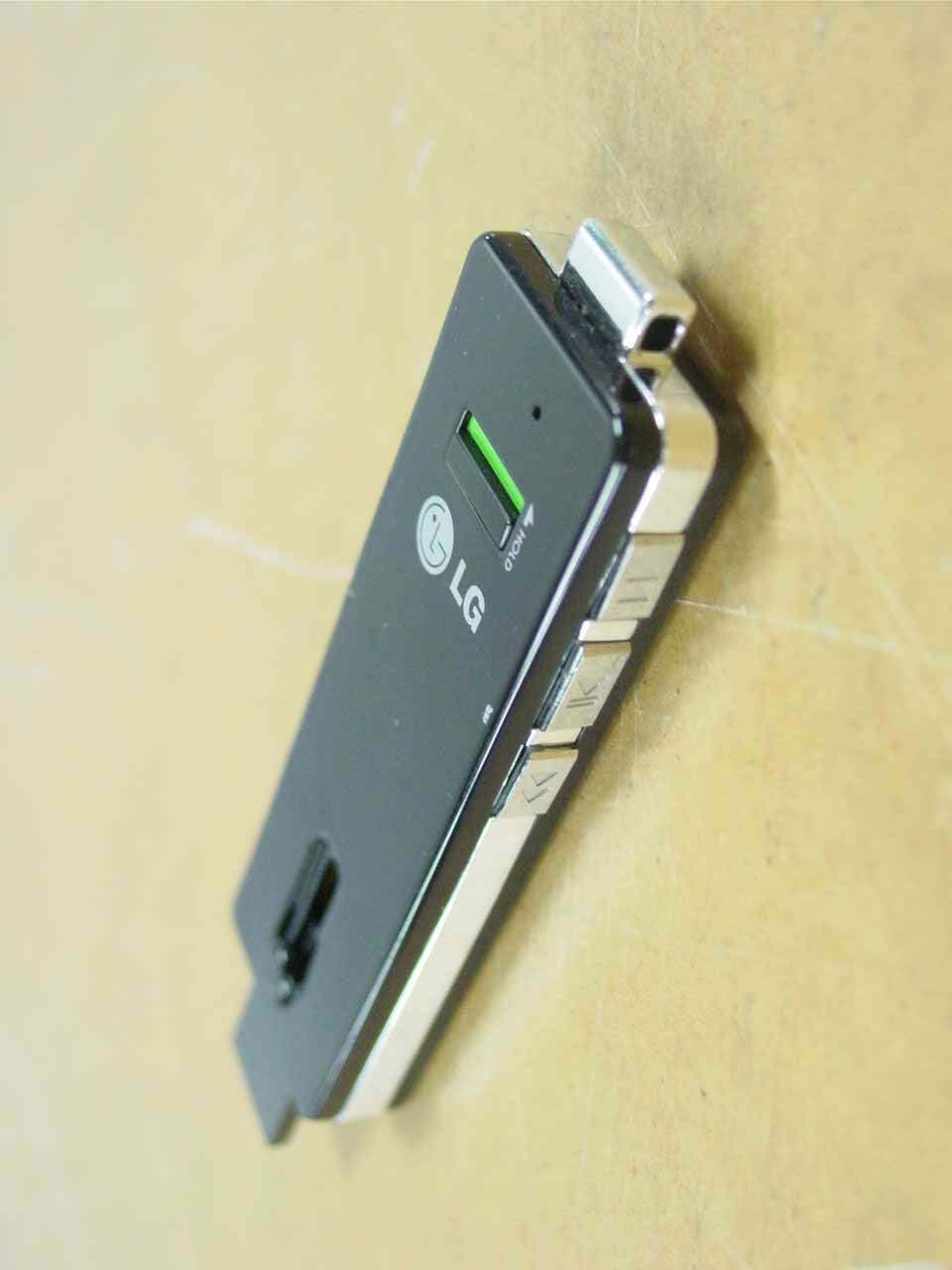
Click to zoom
Application Details
- Equipment Class
- JBP - Part 15 Class B Computing Device Peripheral
- Date of Grant
- Jul 20, 2006
- Application Purpose
- Original Equipment
- Date of Application
- Jul 20, 2006
- Equipment Note
- MP3 Player
- Company
- LG Electronics Inc.
- Country
- South Korea
Documents & Files
Document Text
Text extracted from the exhibit documents filed with the FCC. Open a document above to read the original.
Users Manual
User's Manual 1. Introduction 2. System requirement 3. Components 4. Buttons & functions 5. PC Connecting 6. Copying files 7. Recharging 8. Unpluging safely 9. Recording 10. Mode Change 11. Troubleshooting 12. Caution 13. Specification 14. Firmware update IntroductionIntroduction ͢ Congratulations on purchasing UP3 FLAT. IT focused on easy-to-handle & slim size. You can use it as a USB Drive, MP3 Player and Voice Recorder. System requirementSystem requirement ͣ To download software or manual, go to http://www.lge.com Also it provides UP3 FLAT related service on > Download (Software or Manual) > Select Continent / Select Country > Flash memory media > UP3 FLAT Below version of Operating System with a USB port on the PC. Windows 98, 98SE, ME, 2000, XP (Win98/SE needs to install driver before using) / Mac OS 9.0 or later / Linux 2.4.0 or later. User's Manual QProducts can be changed without prior notice! PlayerEarphoneNeck StrapInstall CDQuick Guide Battery LED Volume Up Volume Down Mode Indicator LED Strap slot Earphone hole Forward Rewind Hold less than 1sec Hold 1 sec Hold 3 sec Skip track Hold 2 sec 1 track 5 track 10 track 15 track Hold more than 2sec On,Off On Off Hold less than 1sec Play , Pause Play Pause *In Record mode, Seek voices in track * No files (For playback), LED colors will change Orange Sky blue Pink Power,Play * When hold is on,play button will not work, and a LED indicator will blink three times MIC Reset hole Hold switch USB plug switch Buttons & functionsButtons & functions ͥ Components Components ͤ Rec, Mode Replay, Equalizer LED Color LED Color ͑͑͑͑͑͑͑͑ Hold more than 2 sec Hold less than 1sec (in RECmode) Hold more than 1sec (in playback) Classic Jazz Basic Music Playback mode Voice recording & Playback mode Change the mode Recording LED Color Equalizer Blink per 5 sec Pause Blink per 2 sec Record Playback Blink per 10 sec Rock by Battery by Battery Hold less than 1sec (in playback) Start ( A ) Repeat Section ( A B ) End ( B ) Hold less than 1sec (in playback) Replay track Replay one track Random Replay whole tracks LED Color ΖΕΖΕ ΣΖΖΟΣΖΖΟ ͳΝΦΖͳΝΦΖ ΦΣΡΝΖΦΣΡΝΖ ΚΟΜΚΟΜ ́ΜΪ͑ͳΝΦΖ ́ΜΪ͑ͳΝΦΖ ͳΝΦΖͳΝΦΖ nn nn ΣΖΖΟΣΖΖΟ ΣΒΟΘΖΣΒΟΘΖ yy * If you escape from repeat mode, press any key but volume button LED Color User's Manual PC ConnectingPC Connecting ͦ Use UP3 FLAT as a USB Drive according to your Operating Systems MAC OS Windows OS Connect UP3 FLAT to the USB port . You can see another harddisk on the Desktop screen with the name of "Untitled" . Simply drag and drop on the "Trash" to disconnect UP3 FLAT from your computer. Connect UP3 FLAT to the USB port. Double click "My Computer" and check if Movable Disk is appeared. Use "Remove Hardware Safely" in the right lower corner of the task bar to disconnect. 1. Login to the "root" after boot up your computer. 2. Booting with X-window and open terminal windows (xterm, hanterm). 3. And then Connect UP3 FLAT to the USB port. 4. Create "lgusb" folder with typing of "mkdir /mnt/lgusb". 5. Mount "lgusb" with typing of "mount /dev/sda1 /mnt/lgusb" 6. Check if it mounted like this "/dev/sda1 127684 8 127676 1% /mnt/lgusb" by typing "df". 7. To remove UP3 FLAT , close all files in use and then unmount by type "umount /dev/sda1". 8. If "mnt/lgusb" directory is located, UP3 FLAT can not be unmounted. For the mount managing, use "Disk Management" located in "GNOME" under the Red Hat Linux. LINUX OS Windows ME/2000/XP MAC OS For Windows 98/SE, you should install USB Driver on your system in order for your PC recognize UP3 FLAT . Please set up USB driver with install CD supplied. User's Manual Charge Battery During Charge Charge completed Full Middle Condition (During Playback) Low LED Color ΖΕΖΕ ͳΝΦΖͳΝΦΖ ͳΝΦΖͳΝΦΖ ΖΕΖΕ ΣΖΖΟΣΖΖΟ Recharging Recharging ͨ Copying filesCopying files ͧ Charging : 80% ( approx. takes 1hour ~1hour 30min.) / 100% (approx. takes 1hour 30min.~2hours) Red color indicates less than 80%, Blue color indicates more than 80% charge. UP3 FLAT offers app.10 hours playing time at MP3 128Kbit/s test results. UP3 FLAT rechargable battery offers 6month warranty. If you need service after warranty period, it may be charged. If UP3 FLAT is connected to the USB port for data transferring or downloading During connect UP3 FLAT to PC, it will be charged automatically. MP3 files can be played in Jukebox / Record folder. UP3 FLAT supports the MS DRM. Please check first if MP3 files you are to purchase through internet is applied by Microsoft (MS DRM). This Product does not provide PC contents S/W. Connect UP3 FLAT to the USB port first. And you can see the Movable Disk on your desktop. You can copy all files on it. Insert the plug into a USB port USB ports PC Push the USB plug out of UP3 FLAT User's Manual Mode ChangeMode Change ͢͢͡͡ Hold less than 1secHold less than 1sec Playback, Pause Playback on record folder, Pause Hold more than 1secHold more than 1sec Skip tracks Seek voices in track Hold more than 1secHold more than 1sec Change the mode to voice recording Change the mode to playback Hold less than 1sec Hold less than 1sec Repeat section adjustment Voice recording, Pause Hold more the 2 secHold more the 2 sec to change the modeto change the mode Music Playback mode Voice recording & Playback mode TroubleshootingTroubleshooting ͢͢͢͢ Reset your UP3. Retry with a different USB port. Restart your computer. * Sometimes simply restarting your computer can resolve issues. 1. My Windows PC doesn't recognize UP3 FLAT. Several things could keep UP3 FLAT from appearing in Windows or Mac. Laptop or portable connecting via USB? UP3 FLAT needs a high-power USB port. If you connect more than one device to a USB port, please disconnect all and try again. Your computer doesn't meet UP3 system requirements. If you use Window 98/SE, please install software before connecting it to an USB port. 2. Still can't see your UP3 FLAT ? 3. How to charge the battery ? To charge UP3 FLAT battery, connect the device to a high-p…
Text truncated - open the document above for the full version.
Block Diagram
X-TAL PLL RISC USB 2.0/1.1 D+ CPU TRANSEIVER D- PROGRAM INTERRUPT ROM CONTROLLER RAM POWER 5V REG 3.3V REG 3.0VREG 1.8V AUDIO CODEC FLASH MEMORY USB PORT BLOCK DIAGRAM MIC EARPHONE 12 MHz, 32.768KHz LED DISPLAY CLK DIVIDER POWER MG BUS USB 2.0 SIE FLASH INTERFACE
Cover Letter(s)
LG Electronics Inc. 50, Hyangjeong-dong, Heungdeok-gu, Cheongju-si, Chungcheongbuk-do, 361-480, Korea Tel: +82-43-279-3272, Fax: +82-43-279-3118 Power of Attorney Date: June 12, 2006 Compliance Certification Services Certification Division 561F Monterey Road Morgan Hill, CA 95037 To whom it may concern: We, the undersigned, hereby authorize ONETECH Corp., to act on our behalf in all manners relating to application for equipment authorization, including signing of all documents relating to these matters. Any and all acts carried out by ONETECH Corp on our behalf shall have the same effect as acts of our own. We, the undersigned, hereby certify that we are not subject to a denial of federal benefits, that includes FCC benefits, pursuant to Section 5301 of the Anti-Drug Abuse Act of 1988, 21 U.S.C. 853(a). In authorizing ONETECH Corp., as our agent, we still recognize that we are responsible to: a) comply with the relevant provisions of the certification program; b) make all necessary arrangements for the conduct of the evaluation, including provision for examining documentation and access to all areas, records (including internal audit reports) and personnel for the purposes of evaluation (e.g. testing, inspection, assessment, surveillance, reassessment) and resolution of complaints; c) make claims regarding certification only in respect of the scope for which certification has been granted; d) do not use our product certification in such a manner as to bring the Certification Division into disrepute and not make any statement regarding our product certification which the Certification Division may consider misleading or unauthorized; e) upon suspension or cancellation of certification, discontinue use of all advertising matter that contains any reference thereto and return any certification documents as required by the Certification Division; f) use certification only to indicate the products are certified as being in conformity with specified standards; g) endeavor to ensure that no certificate or report nor any part thereof is used in a misleading manner; h) ensure that any reference to our product certification in communication media such as documents, brochures or advertising, complies with the requirements of the Certification Division; i) keep a record of all complaints made known to the us relating to the product’s compliance with requirements of the relevant standard and to make these records available to the Certification Division when requested; j) take appropriate action with respect to such complaints and any deficiencies found in products or services that affect compliance with the requirements for certification; k) document the actions taken. This authorization is valid until further written notice from the applicant. Sincerely Yours, _________________________ Mr. O-Byoung, Kang / Senior Research Engineer LG Electronics Inc. Tel: +82-43-279-3272 Fax: +82-43-279-3118 E-Mail: [email protected]
External Photos
FCC ID. : SSNUO-F Report No. : E066R-018 It should not be reproduced except in full, without the written approval of ONETECH. EMC-002 (Rev.0) HEAD OFFICE : #505 SK APT. Factory 223-28, Sangdaewon 1 Dong, Jungwon-Gu, Seongnam-City, Kyunggi-Do, 462-705, Korea (TEL: +82-31-746-8500, FAX: +82-31-746-8700) EMC Testing Dept : 307-51 Daessangryung-Ri, Chowol-Eup, Kwangju-City, Kyunggi-Do, 464-860, Korea. (TEL: +82-31-765-8289, FAX: +82-31-766-2904) FCC ID. : SSNUO-F Report No. : E066R-018 It should not be reproduced except in full, without the written approval of ONETECH. EMC-002 (Rev.0) HEAD OFFICE : #505 SK APT. Factory 223-28, Sangdaewon 1 Dong, Jungwon-Gu, Seongnam-City, Kyunggi-Do, 462-705, Korea (TEL: +82-31-746-8500, FAX: +82-31-746-8700) EMC Testing Dept : 307-51 Daessangryung-Ri, Chowol-Eup, Kwangju-City, Kyunggi-Do, 464-860, Korea. (TEL: +82-31-765-8289, FAX: +82-31-766-2904)
ID Label/Location Info
FCC ID. : SSNUP-F Report No. : E066R-018 It should not be reproduced except in full, without the written approval of ONETECH. EMC-002 (Rev.0) HEAD OFFICE : #505 SK APT. Factory 223-28, Sangdaewon 1 Dong, Jungwon-Gu, Seongnam-City, Kyunggi-Do, 462-705, Korea (TEL: +82-31-746-8500, FAX: +82-31-746-8700) EMC Testing Dept : 307-51 Daessangryung-Ri, Chowol-Eup, Kwangju-City, Kyunggi-Do, 464-860, Korea. (TEL: +82-31-765-8289, FAX: +82-31-766-2904) IDENTIFICATION LABEL: PROPOSED FCC ID LABEL Due to the product size, only the FCC ID shall be permanently affixed to the rear side of the equipment and other information shall be placed in the instruction manual. FCC ID : SSNUP-F FCC ID
Internal Photos
FCC ID. : SSNUP-F Report No. : E066R-018 It should not be reproduced except in full, without the written approval of ONETECH. EMC-002 (Rev.0) HEAD OFFICE : #505 SK APT. Factory 223-28, Sangdaewon 1 Dong, Jungwon-Gu, Seongnam-City, Kyunggi-Do, 462-705, Korea (TEL: +82-31-746-8500, FAX: +82-31-746-8700) EMC Testing Dept : 307-51 Daessangryung-Ri, Chowol-Eup, Kwangju-City, Kyunggi-Do, 464-860, Korea. (TEL: +82-31-765-8289, FAX: +82-31-766-2904) FCC ID. : SSNUP-F Report No. : E066R-018 It should not be reproduced except in full, without the written approval of ONETECH. EMC-002 (Rev.0) HEAD OFFICE : #505 SK APT. Factory 223-28, Sangdaewon 1 Dong, Jungwon-Gu, Seongnam-City, Kyunggi-Do, 462-705, Korea (TEL: +82-31-746-8500, FAX: +82-31-746-8700) EMC Testing Dept : 307-51 Daessangryung-Ri, Chowol-Eup, Kwangju-City, Kyunggi-Do, 464-860, Korea. (TEL: +82-31-765-8289, FAX: +82-31-766-2904) FCC ID. : SSNUP-F Report No. : E066R-018 It should not be reproduced except in full, without the written approval of ONETECH. EMC-002 (Rev.0) HEAD OFFICE : #505 SK APT. Factory 223-28, Sangdaewon 1 Dong, Jungwon-Gu, Seongnam-City, Kyunggi-Do, 462-705, Korea (TEL: +82-31-746-8500, FAX: +82-31-746-8700) EMC Testing Dept : 307-51 Daessangryung-Ri, Chowol-Eup, Kwangju-City, Kyunggi-Do, 464-860, Korea. (TEL: +82-31-765-8289, FAX: +82-31-766-2904) FCC ID. : SSNUP-F Report No. : E066R-018 It should not be reproduced except in full, without the written approval of ONETECH. EMC-002 (Rev.0) HEAD OFFICE : #505 SK APT. Factory 223-28, Sangdaewon 1 Dong, Jungwon-Gu, Seongnam-City, Kyunggi-Do, 462-705, Korea (TEL: +82-31-746-8500, FAX: +82-31-746-8700) EMC Testing Dept : 307-51 Daessangryung-Ri, Chowol-Eup, Kwangju-City, Kyunggi-Do, 464-860, Korea. (TEL: +82-31-765-8289, FAX: +82-31-766-2904) FCC ID. : SSNUP-F Report No. : E066R-018 It should not be reproduced except in full, without the written approval of ONETECH. EMC-002 (Rev.0) HEAD OFFICE : #505 SK APT. Factory 223-28, Sangdaewon 1 Dong, Jungwon-Gu, Seongnam-City, Kyunggi-Do, 462-705, Korea (TEL: +82-31-746-8500, FAX: +82-31-746-8700) EMC Testing Dept : 307-51 Daessangryung-Ri, Chowol-Eup, Kwangju-City, Kyunggi-Do, 464-860, Korea. (TEL: +82-31-765-8289, FAX: +82-31-766-2904)
Test Report
FCC ID. : SSNUP-F Page 1 of 11 Report No. : E066R-018 It should not be reproduced except in full, without the written approval of ONETECH. EMC-002 (Rev.0) HEAD OFFICE : #505 SK APT. Factory 223-28, Sangdaewon 1 Dong, Jungwon-Gu, Seongnam-City, Kyunggi-Do, 462-705, Korea (TEL: +82-31-746-8500, FAX: +82-31-746-8700) EMC Testing Dept : 3 0 7 -51 Daessangryung-Ri, Chowol-Eup, Kwangju-City, Kyunggi-Do, 464-860, Korea. (TEL: +82-31-765-8289, FAX: +82-31-766-2904) ELECTROMAGNETIC EMISSION C OMPLIANCE REPORT FOR FCC CLASS B CERTIFICATION Test Report No. : E066R-018 AGR No. : A064A-096 Applicant : LG Electronics Inc. Address : 50, Hyangjeong-dong, Heungdeok-gu, Cheongju-si, Chungcheongbuk-do, 361-480, Korea Manufacturer : LG Electronics Inc. Address : 50, Hyangjeong-dong, Heungdeok-gu, Cheongju-si, Chungcheongbuk-do, 361-480, Korea Type of Equipment : MP3 Player (Peripheral Device for Class B Computing Device) FCC ID : SSNUP-F Model Name : UP-F Serial number : N/A Total page of Report : 11 pages (including this page) Date of Incoming : May 22, 2006 Date of Issuing : June 12, 2006 SUMMARY The equipment complies with the requirements of FCC CFR 47 PART 15 SUBPART B, Class B. This test report contains only the results of a single test of the sample supplied for the examination. It is not a general valid assessment of the features of the respective products of the mass-production. Prepared by: Reviewed by: Seung-Hyun, Nam / Project Engineer Gea-Won, Lee / Chief Engineer EMC Div. EMC Div. ONETECH Corp. ONETECH Corp. FCC ID. : SSNUP-F Page 2 of 11 Report No. : E066R-018 It should not be reproduced except in full, without the written approval of ONETECH. EMC-002 (Rev.0) HEAD OFFICE : #505 SK APT. Factory 223-28, Sangdaewon 1 Dong, Jungwon-Gu, Seongnam-City, Kyunggi-Do, 462-705, Korea (TEL: +82-31-746-8500, FAX: +82-31-746-8700) EMC Testing Dept : 3 0 7 -51 Daessangryung-Ri, Chowol-Eup, Kwangju-City, Kyunggi-Do, 464-860, Korea. (TEL: +82-31-765-8289, FAX: +82-31-766-2904) CONTENTS Page 1. VERIFICATION OF COMPLIANCE .............................................................................................................................3 2. GENERAL INFORMATION............................................................................................................................................4 2.1 PRODUCT DESCRIPTION.................................................................................................................................................4 2.2 MODEL DIFFERENCES....................................................................................................................................................4 2.3 RELATED SUBMITTAL(S) / GRANT(S)............................................................................................................................4 2.4 TEST SYSTEM DETAILS..................................................................................................................................................4 2.5 TEST METHODOLOGY....................................................................................................................................................4 2.6 TEST FACILITY...............................................................................................................................................................4 3. SYSTEM TEST CONFIGURATION...............................................................................................................................5 3.1 JUSTIFICATION...............................................................................................................................................................5 3.2 EUT EXERCISE SOFTWARE............................................................................................................................................5 3.3 CABLE DESCRIPTION.....................................................................................................................................................5 3.5 EQUIPMENT MODIFICATIONS........................................................................................................................................5 3.6 CONFIGURATION OF TEST SYSTEM...............................................................................................................................5 4. PRELIMINARY TEST ......................................................................................................................................................6 4.1 AC POWER LINE CONDUCTED EMISSION TEST............................................................................................................6 4.2 RADIATED EMISSION TEST............................................................................................................................................6 5. FINAL RESULT OF MEASURMENT ............................................................................................................................7 5.1 CONDUCTED EMISSION TEST.........................................................................................................................................7 5.2 RADIATED EMISSION TEST............................................................................................................................................9 6. FIELD STRENGTH CALCULATION ..........................................................................................................................10 7. LIST OF TEST EQUIPMENT........................................................................................................................................11 FCC ID. : SSNUP-F Page 3 of 11 Report No. : E066R-018 It should not be reproduced except in full, without the written approval of ONETECH. EMC-002 (Rev.0) HEAD OFFICE : #505 SK APT. Factory 223-28, Sangdaewon 1 Dong, Jungwon-Gu, Seongnam-City, Kyunggi-Do, 462-705, Korea (TEL: +82-31-746-8500, FAX: +82-31-746-8700) EMC Testing Dept : 3 0 7 -51 Daessangr…
Text truncated - open the document above for the full version.
Test Setup Photos
FCC ID. : SSNUP-F Report No. : E066R-018 It should not be reproduced except in full, without the written approval of ONETECH. EMC-002 (Rev.0) HEAD OFFICE : #505 SK APT. Factory 223-28, Sangdaewon 1 Dong, Jungwon-Gu, Seongnam-City, Kyunggi-Do, 462-705, Korea (TEL: +82-31-746-8500, FAX: +82-31-746-8700) EMC Testing Dept : 307-51 Daessangryung-Ri, Chowol-Eup, Kwangju-City, Kyunggi-Do, 464-860, Korea. (TEL: +82-31-765-8289, FAX: +82-31-766-2904) Conducted Emission Test FCC ID. : SSNUP-F Report No. : E066R-018 It should not be reproduced except in full, without the written approval of ONETECH. EMC-002 (Rev.0) HEAD OFFICE : #505 SK APT. Factory 223-28, Sangdaewon 1 Dong, Jungwon-Gu, Seongnam-City, Kyunggi-Do, 462-705, Korea (TEL: +82-31-746-8500, FAX: +82-31-746-8700) EMC Testing Dept : 307-51 Daessangryung-Ri, Chowol-Eup, Kwangju-City, Kyunggi-Do, 464-860, Korea. (TEL: +82-31-765-8289, FAX: +82-31-766-2904) Radiated Emission Test
Contact Information
Applicant
Hyun Su Park(Research Engineer)
Test Firm
ONETECH Corp.Gea-Won Lee
Technical Specifications
| # | Rule Parts | Frequency Range | Power Output |
|---|---|---|---|
| 1 | 15B | - | - |
Other Applications from LG Electronics Inc.
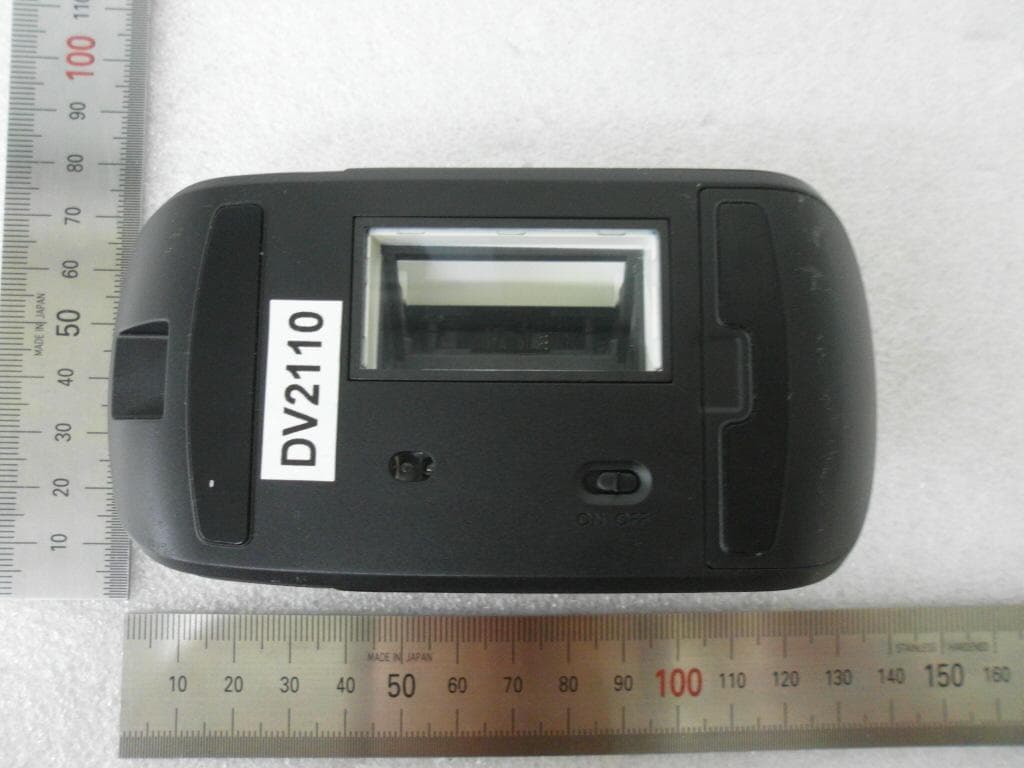
SSNLSM3001306
Aug 11, 2013Wireless Scanner Mouse
Equipment Class
DXX - Part 15 Low Power Communication Device Transmitter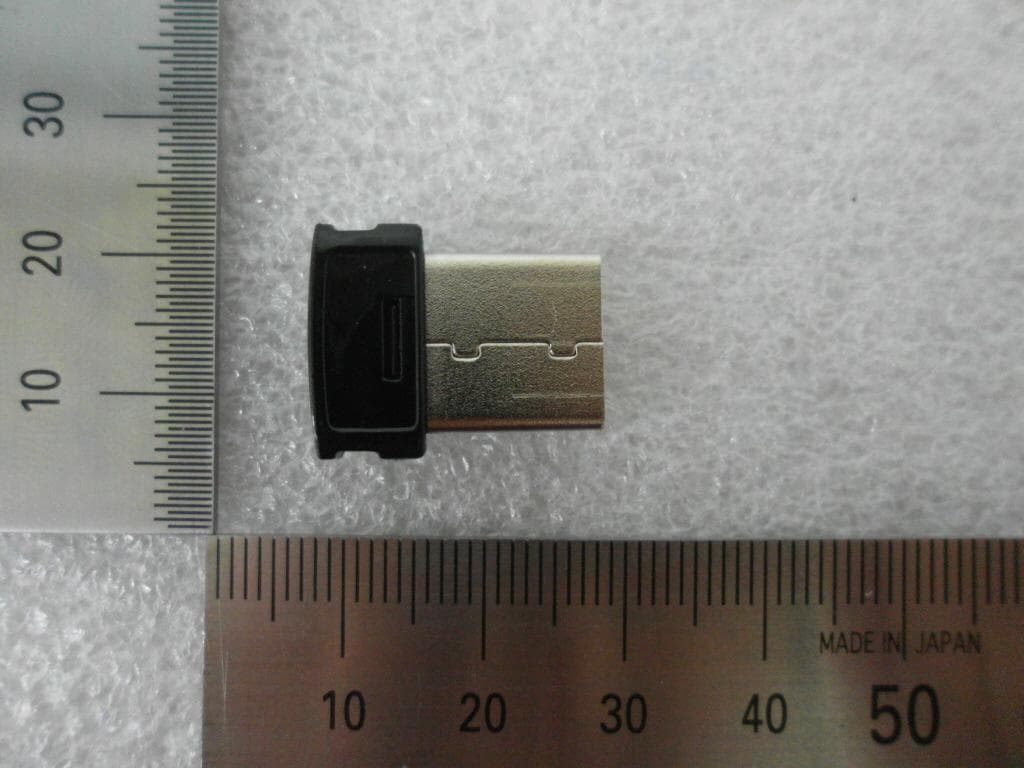
SSNLSM300R
Aug 11, 2013Wireless USB Receiver
Equipment Class
DXX - Part 15 Low Power Communication Device Transmitter
SSNBTS1
Jul 09, 2013Bluetooth Stereo Headset
Equipment Class
JBP - Part 15 Class B Computing Device PeripheralSSNCMR1400
Apr 22, 2013Mouse Dongle
Equipment Class
JBP - Part 15 Class B Computing Device PeripheralSSNCM1400
Apr 22, 2013Wireless MOUSE
Equipment Class
DSS - Part 15 Spread Spectrum Transmitter