T58WF2416R150Mbps Wireless N Portable Router
NETIS SYSTEMS CO., LTD.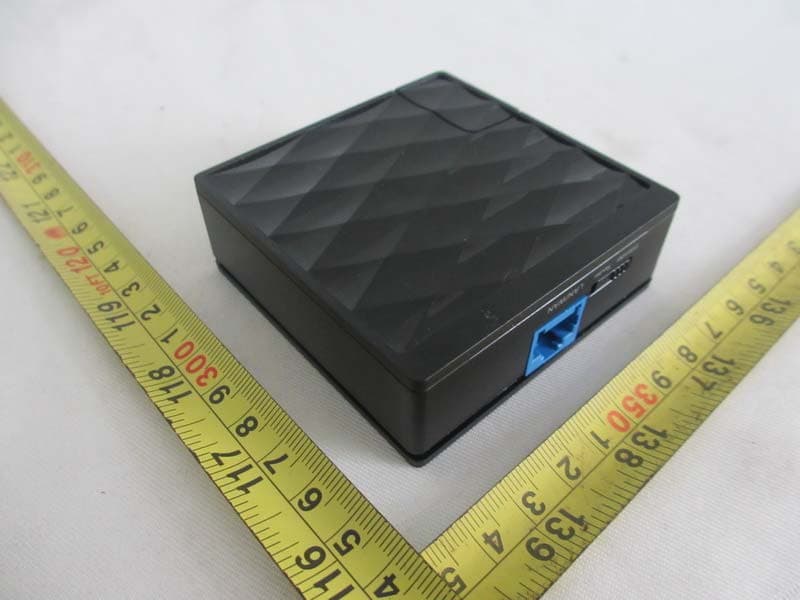
Click to zoom
Application Details
- Equipment Class
- DTS - Digital Transmission System
- Date of Grant
- Nov 27, 2013
- Application Purpose
- Original Equipment
- Date of Application
- Nov 27, 2013
- Equipment Note
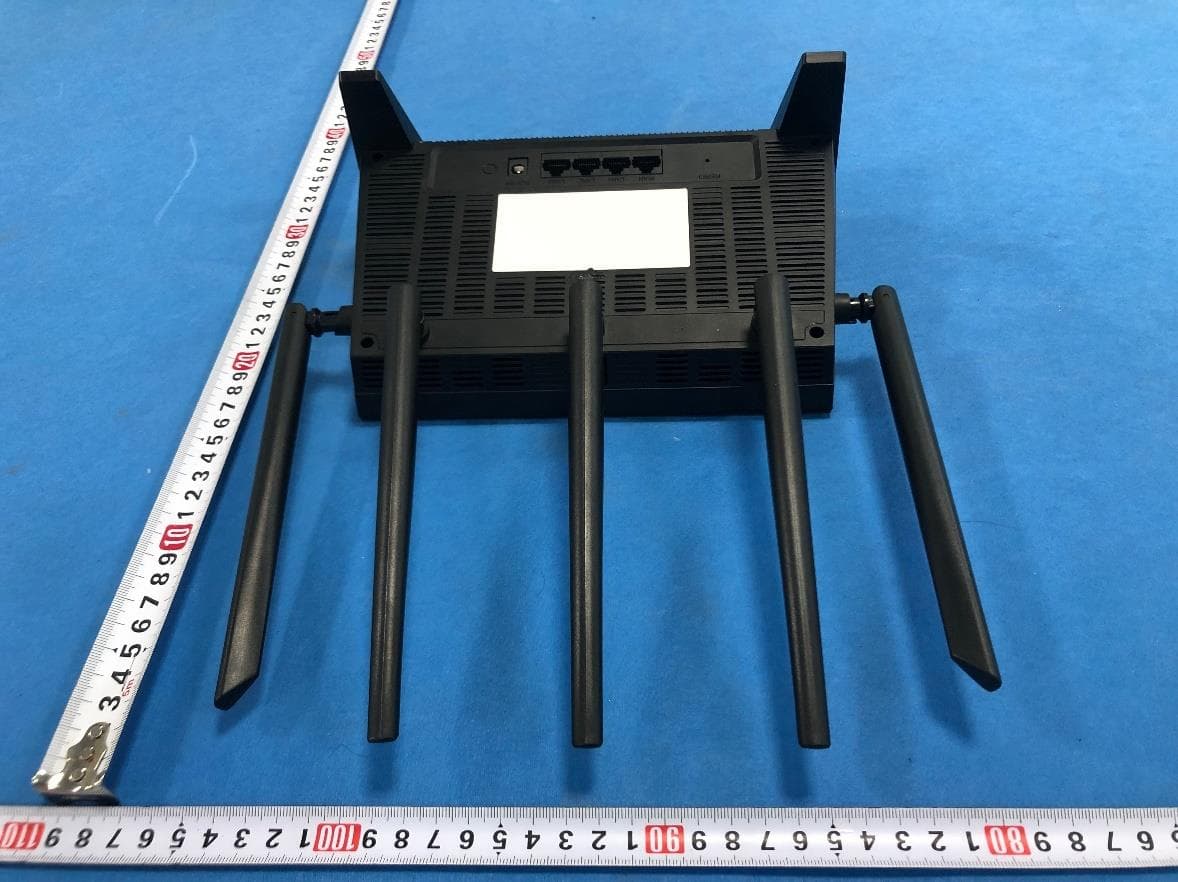
- 150Mbps Wireless N Portable Router
- Frequency Range
- 2422.00000000 - 2452.00000000
- Company
- NETIS SYSTEMS CO., LTD.
- Country
- China
Documents & Files
Document Text
Text extracted from the exhibit documents filed with the FCC. Open a document above to read the original.
Users Manual
WISP Mode : Select target network and Connection Type. 1. Click “AP Scan” button to select your target network and click “Connect” button. 2. Type in the wireless security info of the target network. 3. Select connection type. (Please refer to “Internet Settings” à ”AP Router Mode”) precedenza, viene creata una rete Powerline utilizzabile. 2. Assicurarsi che la rete sia collegata correttamente a Internet. Deutsch Nach Durchführung der obigen Schritte können Sie im Internet surfen. HINWEIS: 1. Sobald die Powerline-Adapter wie oben angeschlossen sind, ist ein nutzbares Powerline-Netzwerk hergestellt. 2. Bitte stellen Sie sicher, dass Ihr Netzwerk richtig mit dem Internet verbunden ist. Nederlands Na de bovenstaande stappen te hebben gezet, kunt u over internet surfen. OPMERKING: 1. Zodra de lichtnet-adapters zijn aangesloten zoals hierboven is beschreven, is een bruikbaar netwerk via het lichtnet ontstaan. 2. Controleer of het netwerk met internet is verbonden. Polski Po wykonaniu powyższych czynności możesz surfować po Internecie. UWAGA: 1.Package Contents WF2416 Ethernet Cable 2.Hardware Information 3.LED and Button Descriptions Five minutes after the LAN port is disconnected or the connected device is turned off, the powerline adapter will automatically switch to power-saving mode. 150Mbps Wireless N Portable Router Quick Installation Guide Tip: It's strongly recommended that you plug the adapter directly into the wall socket, for some power strips have surge protector which can filter the data. Tip: Different power plug is provided for different region. Here we take the US version for example. After taking the steps above, you can surf the Internet. NOTE: 1).As soon as the powerline adapters are connected as above, a usable powerline network is built up. To secure the network, please refer to the Appendix: Useing Group Button 2).Please make sure that your network is properly connected to the internet. Appendix: Using the Group Button (Setting up a 4.Network Installation Internet 4 5 6 Internet Adapter AAdapter B Adapter C Adapter AAdapter B 4 5 6 Internet Adapter AAdapter B To set up a private group: 1).Press the Group button on Adapter A for 1 second and the Powerline LED will begin flashing. 2).Within 2 minutes, press the Group button on Adapter B for 1-3 seconds and the PLC LED will begin flashing as well. In about 60 seconds you’ll see the PLC LED on both adapters light up, indicating that the two adapters have intercommunicated with each other successfully. Tip 1: It is highly recommended to first set up the two adapters as close as possible and then place them in a suitable location. To join an existing private group: If you want to add adapter C to the existing private group, please follow the steps. 1).Press the Group button on the Adapter A or B for 1 second (do not press both), and the Powerline LED will begin flashing. 2).Within 2 minutes press the Group button on Adapter C for 1 second, the Powerline LED on the adapter C will light up in about 60 seconds. Tip 2: You can follow the steps above to add more adapters to the private group one by one. Tip 3: If you want to reset or rename the device please install the Powerline Utility from the resource CD. (Only for Windows) Troubleshooting Q1. I have followed the above instructions, but my adapters are still not working. What can I do? 1).Make sure that all the adapters are under the same electric meter. 2).If the Power LED does not light up at all, there may be a hardware problem. 3).The powerline devices might not communicate with each other if they are in different phrases of a four-wire three-phase circuit 4).As some power strips have surge protector, please make sure the adapters are not separated by the them. Q2. The adapters were working fine but no longer work now since they've been moved. How do I make them work again? Plug the adapters into the same power strip and follow Appendix Using the Group Button to group them. If they still don't work, please check for possible interference causes: 1).Air-conditioners, washing machines, and other similar household appliances are working too close to the adapters. 2).Air switch may lead to failed communication among powerline devices. check whether there are air switches hindering communication. Q3. How can I restore the factory defaults? With the adapter is powered on. Press the default button at least 15 seconds. AV200 Powerline Adapter Quick Installation Guide Español Después de realizar los pasos anteriores, pueden navegar por Internet. NOTA: 1. Tan pronto como los adaptadores para cable eléctrico estén conectados como se indica anteriormente, dispondrá de una red a través de cables eléctricos lista para usarse. 2. Asegúrese de que la red está correctamente conectada a Internet. Português Depois de executar os passos indicados acima, poderá navegar na Internet. NOTA: 1. Após a ligação dos adaptadores powerline, tal como indicado acima, a rede powerline será criada. 2. Assegure-se de que a sua rede está devidamente ligada à Internet. Français Une fois l'installation faite comme ci-dessus, vous êtes prêt pour surfer sur Internet. Note 1.Dès la connexion de l'adaptateur CPL [Adaptateur Courant Porteur en Ligne], une ligne réseau est disponible. 2.Vérifiez que votre réseau est bien connecté à Internet. Italiano Una volta effettuate le procedure precedenti, è possibile navigare su Internet. NOTA: 1. Quando gli adattatori Powerline sono collegati come indicato in 繁體中文 採取上述步驟後,便可以瀏覽互聯網。 注意: 1. 一旦電力線橋接器以上述方式連接後,便會建立可用的電力線網路。 2. 請確認您的網路已妥善連線到互聯網。 Button Description Group Group button is used to secure a powerline network, To secure your network, please refer to Appendix: Using the Group Button. Default Default button is used to set factory defaults. LED Status Indication Power On Off The adapter is powered on. The adapter is powered off. PLC On Flashing Off The adapter is connected to the powerline network The adapter is transferring data. The adapter isn’t connected to the powerlin…
Text truncated - open the document above for the full version.
Cover Letter(s)
NETIS SYSTEMS CO., LTD. Federal Communications Commission 7435 Oakland Mills Road Columbia, MD 21046 Gentlemen: This letter is to comply with Sections 0.457 and 0.459 pertaining to confidential material. NETIS SYSTEMS CO., LTD. would like the following documents regarding this submission for FCC ID: T58WF2416R to be kept confidential. 1. Schematics. 2. Block diagram, 3. Operation description The above material contains trade secrets or technical data, which would customarily be guarded from competitors. We do not want these documents to be accessible to the general public. Sincerely, Contact person: Selena Bai ,PD Assistant Date: 2013-11-19
Cover Letter(s)
Declaration of Authorization We Name: NETIS SYSTEMS CO., LTD. Address: 4F&5F R&D Building,Oriental Cyberport, High-Tech Industrial Park, Nanshan City: Shenzhen Country: China Declare that: Name Representative of agent: Cathy Wang Agent Company name: Neutron Engineering, Inc. Address: No.3 Jinshagang 1 st Road, Shixia, Dalang Town City: Dong Guan Country: China is authorized to apply for Certification of the following product(s): Product description: 150Mbps Wireless N Portable Router Type designation: WF2416 Trademark: netis on our behalf. Date: 2013-10-30 City: Shenzhen Name: Selena Bai Function: PD Assistant Signature: .
Cover Letter(s)
NETIS SYSTEMS CO., LTD. Ad Hoc Mode Declaration We, the undersigning company Name: NETIS SYSTEMS CO., LTD. Address: 4F&5F R&D Building, Oriental Cyberport, High-Tech Industrial Park, Nanshan City: Shenzhen Country: China Hereby confirm that the following products: Product description: 150Mbps Wireless N Portable Router Type designation: WF2416 Brand: netis Doesn’t have Ad Hoc Mode function on “non-US frequencies”. In addition, the frequency selection feature is disabled by firmware for devices marketed to the US. For this product, only channels 1~11 will be used in USA. Country code selection is disabled. Signature: Name: Selena Bai / PD Assistant
External Photos
Neutron Engineering Inc. Project No.: 1310C094 Page 2 of 7 Neutron Engineering Inc. Project No.: 1310C094 Page 3 of 7
ID Label/Location Info
Label Location
Internal Photos
Neutron Engineering Inc. Project No.: 1310C094 Page 4 of 7 Neutron Engineering Inc. Project No.: 1310C094 Page 5 of 7 Neutron Engineering Inc. Project No.: 1310C094 Page 6 of 7 Neutron Engineering Inc. Project No.: 1310C094 Page 7 of 7
RF Exposure Info
Neutron Engineering Inc. FCC RF EXPOSURE REPORT FCC ID: T58WF2416R Project No. : 1310C094 Equipment : 150Mbps Wireless N Portable Router Model : WF2416 Applicant : NETIS SYSTEMS CO., LTD Address : 9F,B Block, Tsin ghua Information Park, High-tech Industrial Park, Nanshan, Shenzhen, China According: : FCC Guidelines for Human Exposure IEEE C95.1 Neutron Engineering Inc. No.3, Jinshagang 1st Road, ShiXia, Dalang Town, Dong Guan, China. TEL : (0769) 8318-3000 FAX : (0769) 8319-6000 Neutron Engineering Inc. MPE CALCULATION METHOD: Calculation Method of RF Safety Distance: where: S = power density P = power input to the antenna G = power gain of the antenna in the direction of interest relative to an isotropic radiator R = distance to the center of radiation of the antenna Ant. Brand Model Name Antenna Type Connector Gain (dBi) 1 RF11C00011A FPC AntennaN/A 1.64 TEST RESULTS EUT: 150Mbps Wireless N Portable Router Model Name : WF2416 Temperature: 24 °C Relative Humidity: 60 % Pressure: 1016 hPa Test Voltage : AC 120V/60Hz Test Mode : TX B MODE /CH01, CH06, CH11 Antenn a Gain (dBi) Antenna Gain (numeric) Peak Output Power (dBm) Peak Output Power (mW) Power Density (S) (mW/cm 2 ) Limit of Power Density (S) (mW/cm 2 ) Te s t Result 1.64 1.4588 15.5800 36.1410 0.010494221 Complies 1.64 1.4588 15.3600 34.3558 0.009975861 Complies 1.64 1.4588 15.2600 33.5738 0.009748781 Complies Neutron Engineering Inc. EUT: 150Mbps Wireless N Portable Router Model Name : WF2416 Temperature: 24 °C Relative Humidity: 60 % Pressure: 1016 hPa Test Voltage : AC 120V/60Hz Test Mode : TX G MODE /CH01, CH06, CH11 Antenn a Gain (dBi) Antenna Gain (numeric) Peak Output Power (dBm) Peak Output Power (mW) Power Density (S) (mW/cm 2 ) Limit of Power Density (S) (mW/cm 2 ) Te s t Result 1.64 1.4588 22.1200 162.9296 0.047309721 Complies 1.64 1.4588 22.1100 162.5549 0.047200911 Complies 1.64 1.4588 22.1900 165.5770 0.048078441 Complies EUT: 150Mbps Wireless N Portable Router Model Name : WF2416 Temperature: 24 °C Relative Humidity: 60 % Pressure: 1016 hPa Test Voltage : AC 120V/60Hz Test Mode : TX N-20M MODE /CH01, CH06, CH11 Antenn a Gain (dBi) Antenna Gain (numeric) Peak Output Power (dBm) Peak Output Power (mW) Power Density (S) (mW/cm 2 ) Limit of Power Density (S) (mW/cm 2 ) Te s t Result 1.64 1.4588 22.7800 189.6706 0.055074481 Complies 1.64 1.4588 22.4700 176.6038 0.051280281 Complies 1.64 1.4588 22.5500 179.8871 0.052233651 Complies EUT: 150Mbps Wireless N Portable Router Model Name : WF2416 Temperature: 24 °C Relative Humidity: 60 % Pressure: 1016 hPa Test Voltage : AC 120V/60Hz Test Mode : TX N-40M MODE /CH03, CH06, CH09 Antenn a Gain (dBi) Antenna Gain (numeric) Peak Output Power (dBm) Peak Output Power (mW) Power Density (S) (mW/cm 2 ) Limit of Power Density (S) (mW/cm 2 ) Te s t Result 1.64 1.4588 20.4200 110.1539 0.031985301 Complies 1.64 1.4588 20.2500 105.9254 0.030757451 Complies 1.64 1.4588 20.2200 105.1962 0.030545721 Complies
Test Report
Neutron Engineering Inc. Report No.: NEI-FCCP-1-1307C140A Page 1 of 125 FCC Radio Test Report FCC ID: T58WF2416R This report concerns (check one): Original Grant Class II Change Issued Date : Nov. 19, 2013 Project No. : 1310C094 Equipment : 150Mbps Wireless N Portable Router Model Name : WF2416 Applicant : NETIS SYSTEMS CO., LTD Address : 4F&5F R&D Building, Oriental Cyberport, High-Tech Industrial Park, Nanshan, Shenzhen, China. Tested by: Neutron Engineering Inc. EMC Laboratory Date of Receipt: Oct. 22, 2013 Date of Test: Oct. 22, 2013~ Nov. 18, 2013 Testing Engineer : ( David Mao) Technical Manager : (Leo Hung) Authorized Signatory: (Steven Lu) Neutron Engineering Inc. No.3,Jinshagang 1st Road, ShiXia, Dalang Town, Dong Guan, China. TEL: 0769-8318-3000 FAX: 0769-8319-6000 Neutron Engineering Inc. Report No.: NEI-FCCP-1-1307C140A Page 2 of 125 Declaration Neutron represents to the client that testing is done in accordance with standard procedures as applicable and that test instruments used has been calibrated with the standards traceable to National Measurement Laboratory (NML) of R.O.C, or National Institute of Standards and Technology (NIST) of U.S.A. Neutron's reports apply only to the specific samples tested under conditions. It is manufacture’s responsibility to ensure that additional production units of this model are manufactured with the identical electrical and mechanical components. Neutronshall have no liability for any declarations, inferences o r generalizations drawn by the client or others from Neutron issued reports. Neutron’s reports must not be used by the client to claim product endorsement by the authorities or any agency of the Government. This report is the confidential property of the client. As a mutual protection to the clients, the public and Neutron-self, extracts from the test report shall not be reproduced except in full with Neutron’s authorized written approval. Neutron’s laboratory quality assurance procedures are in compliance with the ISO Guide 17025 requirements, and accredited by the conformity assessment authorities listed in this test report. Limitation For the use of the authority's logo is limited unless the Test Standard(s)/Scope(s)/Item(s) mentioned in this test report is (are) included in the conformity assessment authorities acceptance respective. Neutron Engineering Inc. Report No.: NEI-FCCP-1-1307C140A Page 3 of 125 Table of Contents Page 1 . CERTIFICATION 6 2 . SUMMARY OF TEST RESULTS 7 2.1 TEST FACILITY 8 2.2 MEASUREMENT UNCERTAINTY 8 3 . GENERAL INFORMATION 9 3.1 GENERAL DESCRIPTION OF EUT 9 3.2 DESCRIPTION OF TEST MODES 11 3.3 TABLE OF PARAMETERS OF TEXT SOFTWARE SETTING 12 3.4 BLOCK DIAGRAM SHOWING THE CONFIGURATION OF SYSTEM TESTED 13 3.5 DESCRIPTION OF SUPPORT UNITS 14 4 . EMC EMISSION TEST 15 4.1 CONDUCTED EMISSION MEASUREMENT 15 4.1.1 POWER LINE CONDUCTED EMISSION LIMITS 15 4.1.2 MEASUREMENT INSTRUMENTS LIST AND SETTING 15 4.1.3 TEST PROCEDURE 16 4.1.4 DEVIATION FROM TEST STANDARD 16 4.1.5 TEST SETUP 16 4.1.6 EUT OPERATING CONDITIONS 16 4.1.7 TEST RESULTS 17 4.2 RADIATED EMISSION MEASUREMENT 20 4.2.1 RADIATED EMISSION LIMITS 20 4.2.2 MEASUREMENT INSTRUMENTS LIST ANS SETTING 21 4.2.3 TEST PROCEDURE 21 4.2.4 DEVIATION FROM TEST STANDARD 21 4.2.5 TEST SETUP 22 4.2.6 EUT OPERATING CONDITIONS 23 4.2.7 TEST RESULTS (BETWEEN 30 – 1000 MHZ) 25 4.2.8 TEST RESULTS (ABOVE 1000 MHZ) 32 5 . BANDWIDTH TEST 80 5.1 APPLIED PROCEDURES / LIMIT 80 5.1.1 MEASUREMENT INSTRUMENTS LIST 80 5.1.2 TEST PROCEDURE 80 5.1.3 DEVIATION FROM STANDARD 80 5.1.4 TEST SETUP 80 5.1.5 EUT OPERATION CONDITIONS 80 5.1.6 TEST RESULTS 81 6 . MAXIMUM OUTPUT POWER TEST 89 Neutron Engineering Inc. Report No.: NEI-FCCP-1-1307C140A Page 4 of 125 Table of Contents Page 6.1 APPLIED PROCEDURES / LIMIT 89 6.1.1 MEASUREMENT INSTRUMENTS LIST 89 6.1.2 TEST PROCEDURE 89 6.1.3 DEVIATION FROM STANDARD 89 6.1.4 TEST SETUP 89 6.1.5 EUT OPERATION CONDITIONS 89 6.1.6 TEST RESULTS 90 7 . ANTENNA CONDUCTED SPURIOUS EMISSION 92 7.1 APPLIED PROCEDURES / LIMIT 92 7.1.1 MEASUREMENT INSTRUMENTS LIST 92 7.1.2 TEST PROCEDURE 92 7.1.3 DEVIATION FROM STANDARD 92 7.1.4 TEST SETUP 92 7.1.5 EUT OPERATION CONDITIONS 92 7.1.6 TEST RESULTS 93 8 . POWER SPECTRAL DENSITY TEST 113 8.1 APPLIED PROCEDURES / LIMIT 113 8.1.1 MEASUREMENT INSTRUMENTS LIST 113 8.1.2 TEST PROCEDURE 113 8.1.3 DEVIATION FROM STANDARD 113 8.1.4 TEST SETUP 113 8.1.5 EUT OPERATION CONDITIONS 113 8.1.6 TEST RESULTS 114 9 . EUT TEST PHOTO 122 Neutron Engineering Inc. Report No.: NEI-FCCP-1-1307C140A Page 5 of 125 REPORT ISSUED HISTORY Issued No. Description Issued Date NEI-FCCP-1-1310C094 Original Issue. Nov. 19, 2013 - - - Neutron Engineering Inc. Report No.: NEI-FCCP-1-1307C140A Page 6 of 125 1. CERTIFICATION Equipment : 150Mbps Wireless N Portable Router Brand Name : netis Model Name : WF2416 Applicant : NETIS SYSTEMS CO., LTD Manufacture : Shenzhen Netcore Industrial Ltd. Address : 4F&5F R&D Building, Oriental Cyberport, High-Tech Industrial Park, Nanshan, Shenzhen, China. Factory : Dongguan City Netcore Network Technology Co., Ltd. Address No.10-1,Sankeng Road,Qinghutou,Tangxia Town, Dongguan City Date of Test : Oct. 22, 2013~ Nov. 18, 2013 Test Item : ENGINEERING SAMPLE Standard(s) : FCC Part15(2012), Subpart C(15.247) / ANSI C63.4-2009 The above equipment has been tested and found compliance with the requirement of the relative standards by Neutron Engineering Inc. EMC Laboratory. The test data, data evaluation, and equipment configuration contained in our test report (Ref No. NEI-FCCP-1-1310C094) were obtained utilizing the test procedures, test instruments, test sites that has been accredited by the Authority of TAF according to the ISO-17025 quality assessment standard and technical standard(s). Neutron Engineering Inc. Report No.: NEI-FCCP-1-1307C140A Page 7 of 125 2. SUMMARY OF TEST RESULTS Test procedures according to the technical standard(s): FCC Part15 (15.247) , Subpart C Standard(s) Section Test Item Judgment Remark 15.207 …
Text truncated - open the document above for the full version.
Test Setup Photos
Neutron Engineering Inc. Report No.: NEI-FCCP-1-1307C140A Page 122 of 125 9. EUT TEST PHOTO Conducted Measurement Photos Neutron Engineering Inc. Report No.: NEI-FCCP-1-1307C140A Page 123 of 125 Radiated Measurement Photos 9KHz~30MHz Neutron Engineering Inc. Report No.: NEI-FCCP-1-1307C140A Page 124 of 125 Radiated Measurement Photos 300MHz~1000MHz Neutron Engineering Inc. Report No.: NEI-FCCP-1-1307C140A Page 125 of 125 Radiated Measurement Photos Above 1000MHz
Contact Information
Applicant
Kinki Wang(Auditor)
Test Firm
BTL Inc.Daisy Dai
Technical Specifications
| # | Rule Parts | Frequency Range | Power Output |
|---|---|---|---|
| 2 | 15C | 2.42 GHz - 2.45 GHz | 110.20 mW |
Other Applications from NETIS SYSTEMS CO., LTD.
T58NX30R
Apr 20, 2023AX3000 Wireless Dual-Band WiFi6 Router
Equipment Class
DTS - Digital Transmission System
T58M6R
Jul 03, 2022AX1800 Whole Home Mesh WiFi 6 System
Equipment Class
NII - Unlicensed National Information Infrastructure TX
T58N6TR
Jun 05, 2022AX1800 Dual-Band Wireless Router
Equipment Class
DTS - Digital Transmission System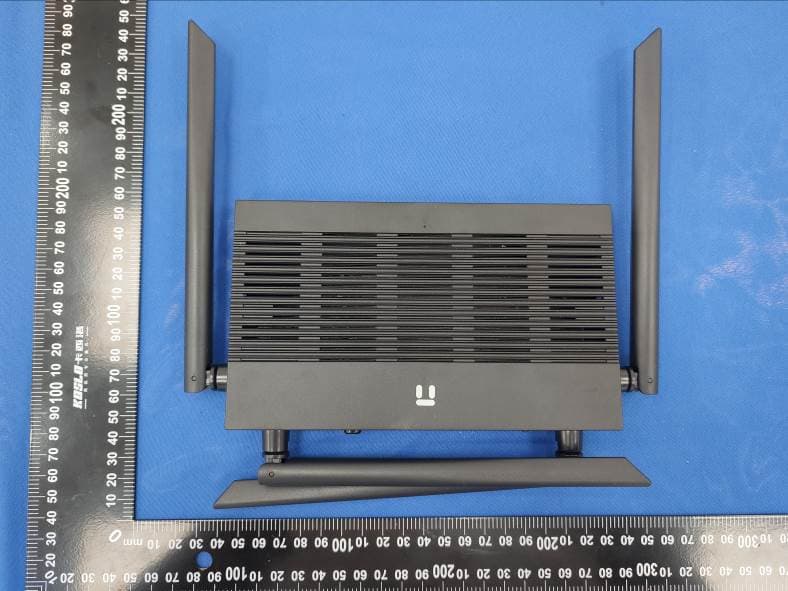
T58N3R
Sep 26, 2021AC1200 Wireless Dual Band Gigabit Router
Equipment Class
NII - Unlicensed National Information Infrastructure TX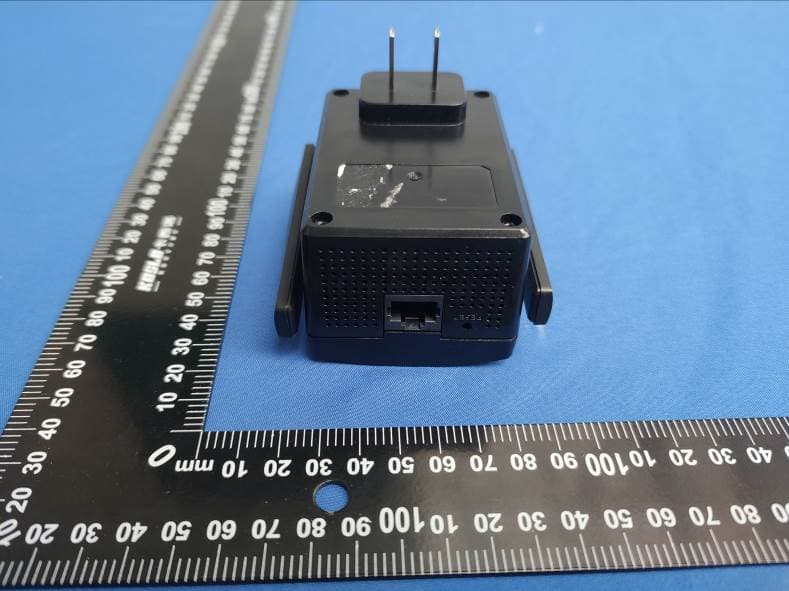
T58E3R
Jul 17, 2021AC1200 Dual Band WiFi Repeater
Equipment Class
DTS - Digital Transmission System