TA7-T301-A1WiFi Location Tag
AiRISTA Flow, Inc.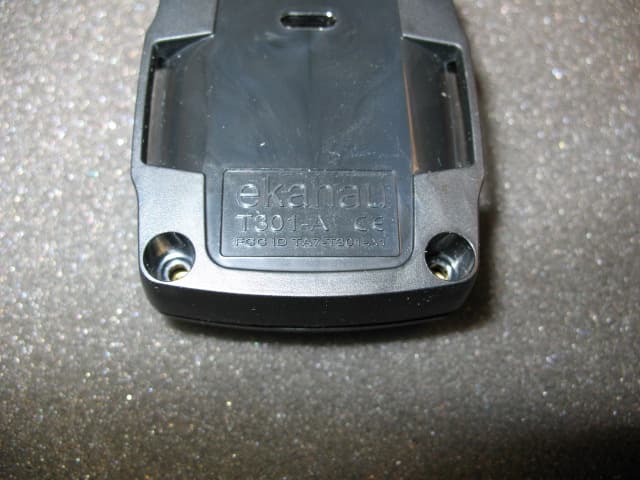
Click to zoom
Application Details
- Equipment Class
- DTS - Digital Transmission System
- Date of Grant
- Feb 06, 2007
- Application Purpose
- Original Equipment
- Date of Application
- Feb 06, 2007
- Equipment Note
- WiFi Location Tag
- Frequency Range
- 2412.00000000 - 2462.00000000
- Company
- AiRISTA Flow, Inc.
- Country
- United States
Documents & Files
Document Text
Text extracted from the exhibit documents filed with the FCC. Open a document above to read the original.
Users Manual
Ekahau T301 Wi-Fi tag For real-time asset and people trackingUSER GUIDE 2 EKAHAU T301-A USER GUIDE 1 INTRODUCTION 1.1 Introduction to T301-A The Ekahau T301-A Wi-Fi tag is part of Ekahau RTLS (Real-Time Location System) that consists of the T301-A tag, Ekahau Positioning Engine 4 (EPE) software platform and Finder and Tracker end-user applications. The T301-A tags can be attached to any mobile object or asset, and can be carried by people as well. The Ekahau Positioning Engine software continuously reports the tag coordinates and logical areas within the Wi-Fi coverage area both indoors and outdoors. 1.2 Firmware release level This user guide documents the tag firmware release level 1.0. Minor updates are documented in release notes delivered with the firmware release. 1.3 Features of T301-A The T301-A Prototype provides the following functionality: y Is compatible with standard 802.11b and 802.11g Wi-Fi networks y Support for 40 or 104-bit WEP key authentication y Static and dynamic IP addressing y Two configurable buttons for managing the tag and use as call buttons. y Location reporting triggered by buttons and periodic timer y Two status indication LEDs for determining the tag status y Configuration using Ekahau Activator T301, standalone tag configuration software y Wireless configuration using Ekahau Positioning Engine. 3 EKAHAU T301-A USER GUIDE 2 CHAPTER 1: TAG OPERATION 2.1 User Interface 2.2 Activating the tag When delivered the tag uses factory defaults and is ready to be used. Before using the tag needs to have environment specific parameters installed to the tag. The configuration or activation is done using Ekahau Activator T301 software that configures Ekahau T301-A tags wirelessly. See more information on the Activator software from its specific User Guide. When the tag has been activated it connects to the network when the first scanning is activated by its internal timer. After successful WHITE Button BLUE Button Upper and lower status indication LEDs (red/green/orange) Identification sticker (not in prototypes). 4 EKAHAU T301-A USER GUIDE Activation you see the MAC address of the tag appears on the Ekahau Positioning Engine list of tags. The tag will now automatically wake up scan and send results to Ekahau Positioning Engine using the configured wakeup interval. On scan, association to the network and sending results the lower LED lights red and the upper LED blinks green twice. 2.3 Button scan The tag can also be commanded to scan by pressing the blue or white button. After button press the tag will scan immediately and send the results to Ekahau Positioning Engine. The LEDs will indicate the scan success or failure similarly as in the scan activated by the wakeup interval. 2.4 Resetting to factory settings The tag can be reset to factory setting by pressing using a button sequence or by opening the back cover and removing the batteries. To reset the tag using buttons using button sequence do the following: 1. Press the White button for 2 seconds 2. When the lower LED flashed orange press down the blue button immediately. 3. After 2 seconds the lower LED flashes orange. 4. The tag has now been reset to factory settings. The tag is in reset mode when it does not execute button scan as defined in section 2.3. 3 TECHNICAL SPECIFICATIONS 3.1 General y Outside Dimensions (mm): 45 x 55 x 19 y Weight: 1.7 oz / 48 g with batteries 5 EKAHAU T301-A USER GUIDE y Power: 2xCR2 3.0V Lithium (LiMnO 2 ) batteries y Two buttons with call button functionality y Two red/green/orange status indication LEDs y Operating Temperature: 32 to 140ºF / 0 to 60 ºC, battery lifetime is lower on the low and high end of the temperature range. y Storage Temperature: 32 to 110ºF / 0 to 45 ºC, battery lifetime is lower on the low and high end of the range. Storage in room temperature is recommended. y Humidity: From 20% to 95 % non-condensing, relative humidity y Environmental Protection: protected against dust and spraying water 3.2 Wi-Fi y Supported IEEE Standards: 802.11b/g y Modulation Scheme: Complementary Code Keying (CCK) y Media Access: CSMA/CA y Transmit Power: +12dBm y Receiver Sensitivity: -82dBm@11Mbps y Frequency Range: 2.412 - 2.484 GHz y Supported Networking Protocols: UDP/IP, DHCP or static addressing y Security: WEP Encryption 40/104 Bit y Antenna Type: 2 x Internal omni-directional ceramic multilayer, antenna diversity y Average Antenna Gain: +1.5 dBi 3.3 Operating Ranges from an Access Point y Open Space: 60m (180ft) y Typical Office: 30m (90ft) 6 EKAHAU T301-A USER GUIDE 3.4 Battery replacement Batteries are replaced by opening the four screws on the backside of the tag. Old batteries maybe removed from the device by pulling them gently upwards. New batteries should be placed between the battery springs. Check that the orientation of the batteries is correct. There are battery orientation indicators on the top cover and on the circuit board. The correct orientation is also showed in the image on the following page. Recommendations for choosing and replacing batteries: y Use always new batteries. y Replace both batteries at the same time. y Use only 3.0V, CR2 size batteries. y Ekahau recommends batteries from Maxell, Sanyo or VARTA. After batteries have been replaced close the back cover, replace and tighten the screws. + 7 EKAHAU T301-A USER GUIDE 3.5 Care and Maintenance The tag is a product of superior design and craftsmanship and should be treated with care. The suggestions below will help you to fulfill any warranty obligations and to use this product for many years. y Keep the tag dry. Precipitation, humidity and all types of liquids or moisture can contain minerals that will corrode electronic circuits. y Do not use or store the tag in dusty, dirty areas. Its moving parts can be damaged. y Do not store the tag in hot areas. High temperatures can shorten the life of electronic devices, damage batteries, and warp or melt certain plastics. y Do not store the tag in cold areas. W…
Text truncated - open the document above for the full version.
ID Label/Location Info
Marking plate is located on the backside of the product. The size of the plate is 11 x 22mm. Marking Plate
Test Report
Intertek Semko AB Torshamnsgatan 43, Box 1103, SE-164 22 Kista, Sweden Telephone +46 8 750 00 00, Fax +46 8 750 60 30, www.sweden.intertek-etlsemko.com Registered in Sweden: No SE556024059901, Registered office: As address r d f n c Test report no. 605178R-2 Page 2 (37) CONTENTS Page 1 Client information ............................................................................................................... 3 2 Equipment under test (EUT) .............................................................................................. 3 2.1 Identification of the EUT according to the manufacturer/client declaration .... 3 2.2 Additional information about the EUT............................................................. 3 2.3 Test specifications .......................................................................................... 4 2.4 Standards ....................................................................................................... 4 2.5 Additions, deviations and exclusions from standards..................................... 4 2.6 Test set-up...................................................................................................... 4 2.7 Operating environment ................................................................................... 4 3 Test summary..................................................................................................................... 5 4 Peak output power .............................................................................................................6 4.1 Test protocol ................................................................................................... 6 5 6 dB Bandwidth ................................................................................................................ 10 5.1 Test protocol ................................................................................................. 10 6 Band edge compliance, conducted .................................................................................. 14 6.1 Test protocol ................................................................................................. 14 7 Power spectral density ..................................................................................................... 16 7.1 Test protocol ................................................................................................. 16 8 Radiated spurious emissions ........................................................................................... 20 8.1 Measurement uncertainty ............................................................................. 20 8.2 Test equipment ............................................................................................. 20 8.3 Measurement set-up..................................................................................... 21 8.4 Test protocol ................................................................................................. 23 9 Duty Cycle ........................................................................................................................ 36 10 Appendix I – Photos of the EUT....................................................................................... 37 Intertek Semko AB Torshamnsgatan 43, Box 1103, SE-164 22 Kista, Sweden Telephone +46 8 750 00 00, Fax +46 8 750 60 30, www.sweden.intertek-etlsemko.com Registered in Sweden: No SE556024059901, Registered office: As address r d f n c Test report no. 605178R-2 Page 3 (37) 1 CLIENT INFORMATION The EUT has been tested by request of Company: Ekaha Inc. Tallberginkatu 2 00180 Helsinki FINLAND Name of contact: Arttu Huhtiniemi 2 EQUIPMENT UNDER TEST (EUT) 2.1 Identification of the EUT according to the manufacturer/client declaration Equipment: Tag Type / Model: T301-A Brand name: -- Serial number: -- Manufacturer: Ekahau Inc. Rating/Supplying voltage: Battery operated 3,0 V Lithium CR2 Rating RF output power: 2dBm Antenna gain: 1,5 dBi External antenna connector: None Operating temperature range: -20 to +55 °C Frequency range: 2400 - 2483,5 MHz Number of channels: 11 Modulation characteristics: DSSS (QPSK) Stand by mode supported: Yes Low channel = 1 2412 MHz Mid channel = 6 2437 MHz High channel = 11 2462 MHz 2.2 Additional information about the EUT The EUT were temporally equipped with an antenna connector (standard SMA) for the conducted measurements. Intertek Semko AB Torshamnsgatan 43, Box 1103, SE-164 22 Kista, Sweden Telephone +46 8 750 00 00, Fax +46 8 750 60 30, www.sweden.intertek-etlsemko.com Registered in Sweden: No SE556024059901, Registered office: As address r d f n c Test report no. 605178R-2 Page 4 (37) 2.3 Test specifications 2.4 Standards FCC 47 CFR part 15 (2005) Subpart B – Unintentional radiators FCC 47 CFR part 15 (2005) Subpart C – Intentional Radiators; §15.247 Operation within the bands 902-928 MHz, 2400 – 2483.5 MHz and 5725 – 5850 MHz. Measurements methods according to ANSI C63.4-2003 RSS-210, Issue 6 (September 2005): Low Power Licence-Exempt Radiocommunication Devices (All Frequency Bands): Category I Equipment. RSS-Gen, Issue 1 (September 2005): General Requirements and Information for the Certification of Radiocommunication Equipment. 2.5 Additions, deviations and exclusions from standards No additions, deviations or exclusions have been made from standards. 2.6 Test set-up Measurement set-up radiated spurious emissions test is described in corresponding section. During other tests the EUT was connected to the spectrum analyser by cable. 2.7 Operating environment If not additionally specified, the tests were performed under the following environmental conditions: Air temperature: 23 °C Relative humidity: 33 % Intertek Semko AB Torshamnsgatan 43, Box 1103, SE-164 22 Kista, Sweden Telephone +46 8 750 00 00, Fax +46 8 750 60 30, www.sweden.intertek-etlsemko.com Registered in Sweden: No SE556024059901, Registered office: As address r d f n c Test report no. 605178R…
Text truncated - open the document above for the full version.
Test Setup Photos
1(1) TEST SET-UP PHOTOS MODEL: T301-A Radiated spurious emission 30-1000 MHz Radiated spurious emission 1-26 GHz
Contact Information
Applicant
Patrick Jenkins(Vice President, Global Operations)
Technical Contact
Ekahau, Inc.Arttu Huhtiniemi
[email protected]+358 20 743 5910
Tallberginkatu 2 A · Helsinki · Finland
Non-Technical Contact
Ekahau, Inc.Salla Heino
[email protected]+358 20 743 5910
Test Firm
Intertek SEMKO ABNiklas Bostrom
Technical Specifications
| # | Rule Parts | Frequency Range | Power Output |
|---|---|---|---|
| 1 | 15C | 2.41 GHz - 2.46 GHz | 1.00 mW |
Other Applications from AiRISTA Flow, Inc.
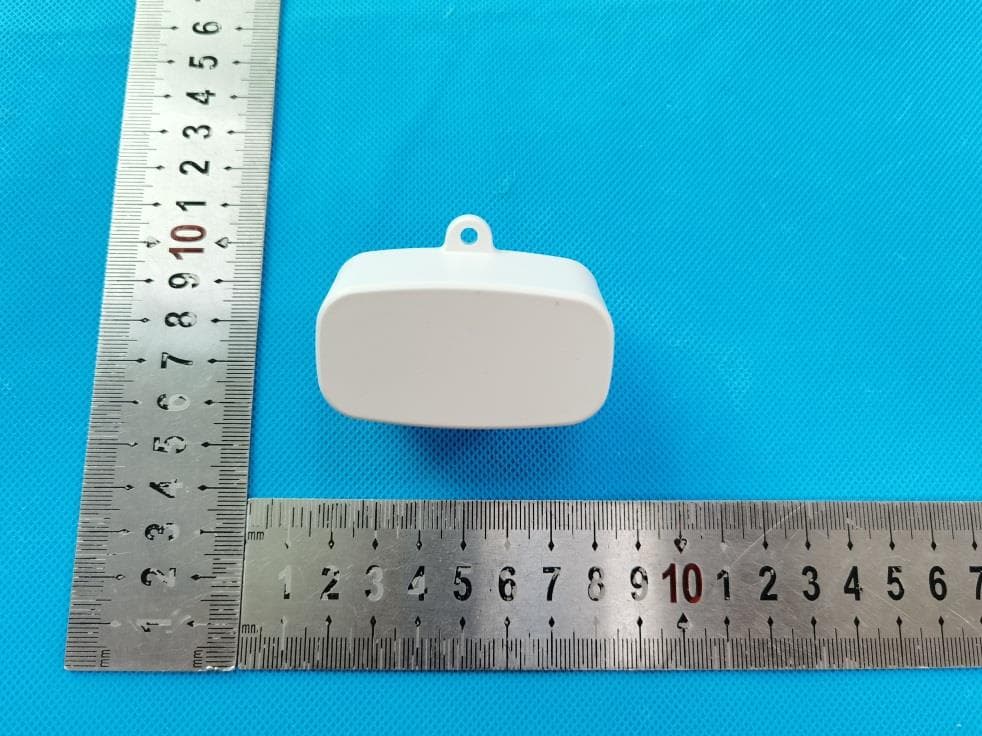
TA7-G3
Feb 24, 2021Wi-Fi/BLE Gateway
Equipment Class
DTS - Digital Transmission System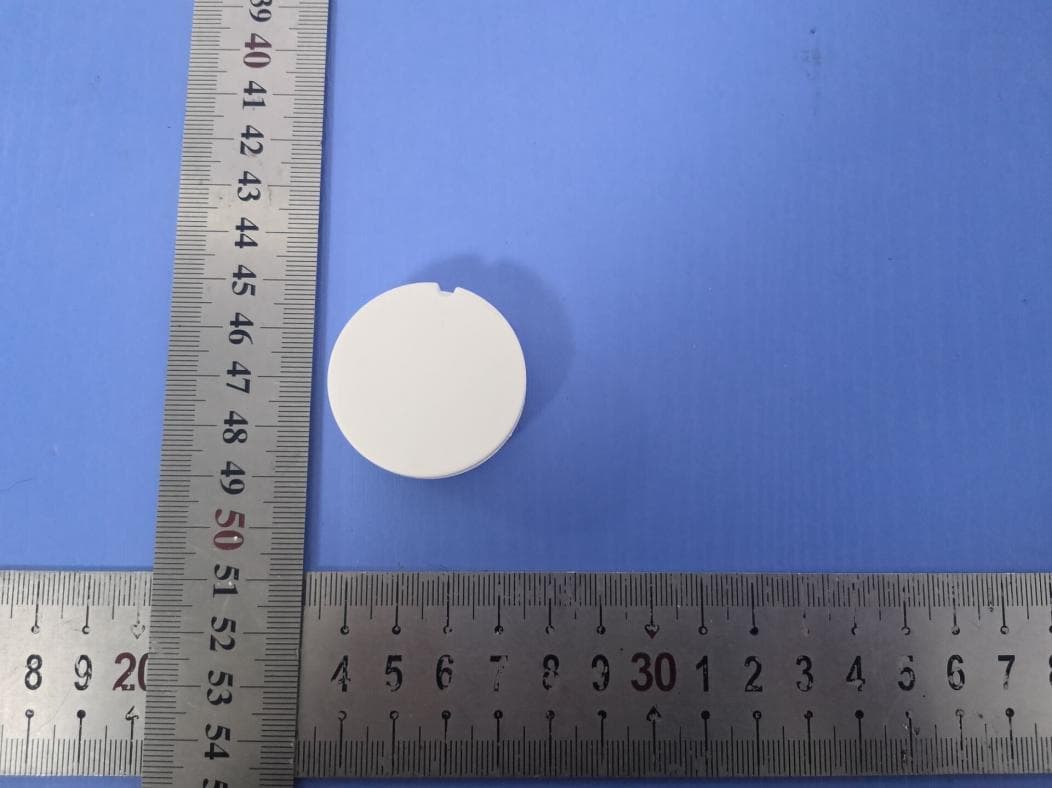
TA7-A100
Jul 14, 2020Airista Flow A1 Tag
Equipment Class
DTS - Digital Transmission System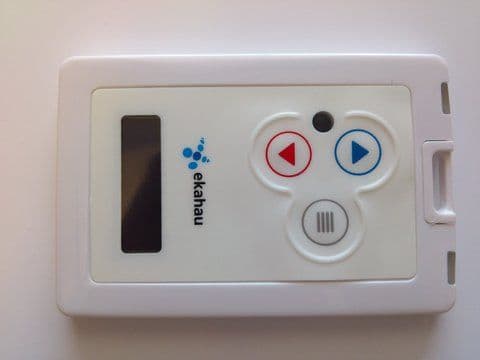
TA7-B400
Jul 24, 2012Wi-Fi Location Tag
Equipment Class
DTS - Digital Transmission System
TA7-A400
Sep 11, 2011Wi-Fi Tag
Equipment Class
DTS - Digital Transmission System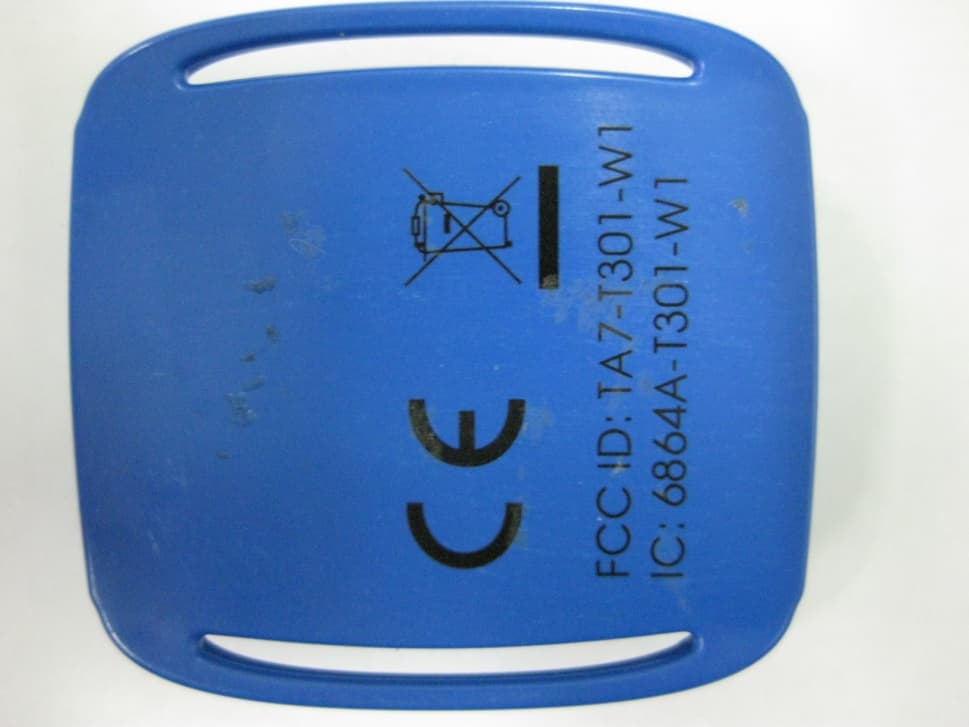
TA7-T301-W1
Jul 13, 2011WiFi Location Tag Transmitter
Equipment Class
DTS - Digital Transmission System