TDU-HS250BLACKBERRY UNIVERSAL HEADSET
MOVON Corporation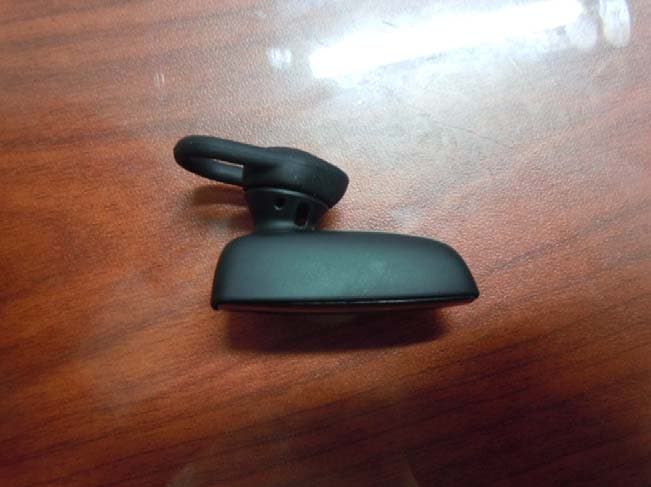
Click to zoom
Application Details
- Equipment Class
- DSS - Part 15 Spread Spectrum Transmitter
- Date of Grant
- Oct 04, 2012
- Application Purpose
- Original Equipment
- Date of Application
- Oct 04, 2012
- Equipment Note
- BLACKBERRY UNIVERSAL HEADSET
- Frequency Range
- 2402.00000000 - 2480.00000000
- Company
- MOVON Corporation
- Country
- South Korea
Documents & Files
Document Text
Text extracted from the exhibit documents filed with the FCC. Open a document above to read the original.
Users Manual
Getting started Components Safety information Before you get started, please read the safety and operation instructions in this guide before using the BlackBerry Universal Headset or any accessories provided with the headset. Keep this guide in a safe place so that you can refer to it whenever you need it. The headset uses 128-bit encryption software. In some countries there may be restrictions on using Bluetooth enabled and wireless devices with encryption software. Check with your local authorities for the restrictions in your area. > Important: In some countries, regions, states, or provinces there might be restrictions on the use of any mobile devices while driving. You are responsible for knowing and complying with the local laws and regulations in the area that you use the headset. To find the latest safety and product information, visit www.blackberry.com/go/docs . Pairing the headset Pair and connect the headset with your BlackBerry device Before you can use your headset, you need to pair it with your BlackBerry device. When you turn on the headset for the first time, it's already in pairing mode. 1. Slide the power switch on your headset to the On position. 2. On the Home screen of your BlackBerry device, go to the Bluetooth settings. • For devices running BlackBerry Device Software 7.0 or later, click Manage Connections icon > Networks and connections > Bluetooth Connections > Turn Bluetooth On > Add New Device > Search. 3. Click BlackBerry HS-250. 4. If you receive a prompt to enter a passkey, type 0000 on your BlackBerry device. 5. Press the key on the keyboard. If you are disconnected, you can press and hold the Call control button for 5 seconds to turn on pairing mode at any time. To turn off the prompt that appears on your BlackBerry device when connecting and pairing, press the Menu key > Device Properties and set the Trusted field to Yes. For more information, click the Help icon on the Home screen of your BlackBerry device. For information about how to pair a third-party Bluetooth enabled device with your headset, see the help that came with that device. To pair your headset with an additional device, press and hold the Call control button for 5 seconds and complete the pairing procedure above. Using the headset Call tasks You can complete the following call tasks when your headset is paired and connected with your device. Action Call control button Make a callPress and hold until you hear 1 beep. Say a voice command. Answer a callTap 1 time Answer a second callTap 1 time ActionCall control button Return to the first call or switch between calls Press and hold until you hear 1 beep. Join two callsPress and hold until you hear 2 beeps. End a callTap 2 times Turn on muteTap 1 time When mute is turned on, your headset beeps periodically. Turn off muteTap 1 time Ignore a callTap 2 times Redial the last phone numberTap 2 times Common tasks Action Call control button Turn on pairing modePress and hold for 5 seconds. Cancel pairing modeTap 1 time Clear pairing listPress and hold for 8 seconds while sliding the power switch to the On position. Voice confirmations Your headset helps confirm the actions you've completed with short statements (in English) that you hear through your headset. Action Voice confirmation Turned on mute"Muted" Turned off mute"Unmuted" Switched between 2 calls"Call swapped" Redialed a phone number"Redialing last number" Ended a call"Call ended" Bluetooth® connection is no longer active "Disconnected" Battery power level is below 10%Battery low" Charge the headset Your headset comes partially charged and ready for use. When the battery power level is low you hear a voice prompt (in English) that says "Battery low". 1. Connect the small end of the micro-USB cable or a car charger to the charging port on the headset. 2. Do one of the following: • Connect the large end of the micro-USB cable to a USB power plug or the USB port on your computer. • Plug the car charger into your car's power outlet. Change the earpiece Try different combinations of the ear gels and the ear hook to find your best fit. 1. If necessary, gently pull the ear hook to remove it. 2. Gently pull off the ear gel at its edges. 3. Replace the ear gel with a new ear gel. LED notifications Red LED Slow flashes: microphone is muted Quick flashes: not connected to the device Quick flashes, followed by a pause: battery power level is low BlackBerry Universal Headset HS-250 [English US] User Guide and Safety Information %"$!)'!#'%+!"%*)!-%*"&!*"*%)%)&!*"%*")&")&"*%%&&*&!')!1 MAT-53173-001 | PRINTSPEC-124 | SWD -2019636-0914042648-001 | Blue LED Flashing: connected to a call 1 slow flash: turned on and connected to your device 2 quick flashes: incoming call 5 quick flashes: reconnecting with the last device you paired with Blue and red LED Ready for pairing Green LED Flashing: turning on or charging Solid: fully charged Troubleshooting I can't connect the headset with my device You might have accidentally deleted the pairing options that you set for your headset. Complete the steps for connecting and pairing your headset with your BlackBerry device. I can't hear anything when I use my headset Try the following actions: • Turn up the volume on your BlackBerry device. • Make sure that your headset is turned on and is connected to your device. I hear static noise when I use my headset The headset is designed to be used within 10 meters (33 feet) of your device, without any large objects in between. Try the following actions: • Move away from any large objects that might cause interference. • Keep your headset on the same side of your body as your device. Safety and product information Important safety information Tip Description Before you use your BlackBerry Universal Headset, it is important that you read the compliance information and the guidelines for the safe use of your headset that are found in this guide. Use only Research In Motion approved chargers. Use of chargers that have not been appr…
Text truncated - open the document above for the full version.
Cover Letter(s)
MOVON CORPORATION 6Fl., Hyunjuk Bldg., 140-28, Samseong-Dong, Gangnam-Gu, Seoul, Korea Federal Communications Commission 7435 Oakland Mills Road Columbia MD 21046 Subject: Request for Confidentiality FCC ID: TDU-HS250 To Whom It May Concern: Pursuant to the provisions of Sections 0.457 and 0.459 of the Commission’s rules (47 CFR §§ 0.457, 0.459), we are requesting the Commission to withhold the following attachments as confidential document from public disclosure indefinitely. Schematics Block Diagram Operation Description Parts List Above mentioned document contains detailed system and equipment description are considered as proprietary information in operation of the equipment. The public disclosure of above documents might be harmful to our company and would give competitor an unfair advantage in the market. It is our understanding that all measurement test reports, FCC ID label format and correspondent during certification review process cannot be granted as confidential documents and those information will be available for public review once the grant of equipment authorization is issued. Sincerely Yours, Dominic So / Manager MOVON CORPORATION
Cover Letter(s)
MOVON CORPORATION 6Fl., Hyunjuk Bldg., 140-28, Samseong-Dong, Gangnam-Gu, Seoul, Korea Date: September 21, 2012 Federal Communications Commission 7435 Oakland Mills Road Columbia MD 21046 c.c. Timco Engineering, Inc. Certification Division 849 N.W. State Road 45 P.O. Box 370 Newberry, Florida 32669 USA To whom it may concern: I, the undersigned, hereby authorize Technical Manager Issac Jin of MOVON CORPORATION and hereafter referred to as MOVON CORPORATION , to act on our behalf in all manners relating to application for equipment authorization, including signing of all documents relating to these m atters. Any and all acts carried out by Technical Manager Issac Jin of MOVON CORPORATION on our behalf shall have the same effect as acts of our own. I, the undersigned, hereby certify that we are not subject to a denial of federal benefits, that includes FCC benefits, pursuant to Section 5301 of the Anti-Drug Abuse Act of 1988, 21 U.S.C. 853(a). In authorizing MOVON CORPORATION as our agent, we still recognize that we are responsible to: a) comply with the relevant provisions of the certification program; b) make all necessary arrangements for the conduct of the evaluation, including provision for examining documentation and access to all areas, records (including internal audit reports) and personnel for the purposes of evaluation (e.g. testing, inspection, assessment, surveillance, reassessment) and resolution of complaints; c) make claims regarding certification only in respect of the scope for which certification has been granted; d) do not use our product certification in such a manner as to bring the Certification Division into disrepute and not make any statement regarding our product certification which the Certification Division may consider misleading or unauthorized; MOVON CORPORATION 6Fl., Hyunjuk Bldg., 140-28, Samseong-Dong, Gangnam-Gu, Seoul, Korea e) upon suspension or cancellation of certification, discontinue use of all advertising matter that contains any reference thereto and return any certification documents as required by the Certification Division; f) use certification only to indicate the products are certified as being in conformity with specified standards; g) endeavor to ensure that no certificate or report nor any part thereof is used in a misleading manner; h) ensure that any reference to our product certification in communication media such as documents, brochures or advertising, complies with the requirements of the Certification Division; i) keep a record of all complaints made known to the us relating to the product’s compliance with requirements of the relevant standard and to make these records available to the Certification Division when requested; j) take appropriate action with respect to such complaints and any deficiencies found in products or services that affect compliance with the requirements for certification; k) document the actions taken. This authorization is valid until further written notice from the applicant. Sincerely Yours, Dominic So / Manager MOVON CORPORATION REMARK: 1. This authorization letter will be sent along with your application when filing with the Certification Division. 2. Please follow the format and type it on company letterhead and send original to us. 3. Authorized signature must be in agreement with grantee code contact in FCC database.
External Photos
External photos of EUT (HS-250) Front view of EUT Rear view of EUT Top view of EUT Bottom view of EUT Side view of EUT Accessory Cigar Jack
Internal Photos
Internal photos of EUT Bluetooth module board PCB Antenna Top view of Main PCB Bottom view of Main PCB
Operational Description
Antenna Pattern & Gain Report Model Name Company Name AirlinkFilename Manufacturer Tester Name Airlink2012-08-10 오후 8:10:59 100 Hz0.00 dBm 15 ` Meas Step Tester Name Test Date IF BW Port Power Photo Ver Hor Total Ver Hor Total -7.8 dBi -7.2 dBi -4.5 dBi 0.2 dBi -0.6 dBi 2.7 dBi 6 9 dBi 6 5 dBi 3 7 dBi 1 4 dBi 0 0 dBi 3 4 dBi 15 708dB 425%35.5 % Max Gain Th t 150/Pi 30 Meas Step 2421 000000 MH2400.000000 MHz Theta150/Pie30 7.24 dB Frequency Efficiency Directivity Max Position Average Gain -6.9 dBi -6.5 dBi -3.7 dBi 1.4 dBi 0.0 dBi 3.4 dBi -6.5 dBi -6.1 dBi -3.3 dBi 2.3 dBi -0.1 dBi 3.4 dBi -6.6 dBi -6.2 dBi -3.4 dBi 2.2 dBi -0.5 dBi 2.9 dBi -7.8 dBi -7.4 dBi -4.5 dBi 1.3 dBi -1.7 dBi 1.6 dBi -20.0 dBi -20.0 dBi -20.0 dBi -20.0 dBi -20.0 dBi -20.0 dBi 7.08 dB6.73 dB6.25 dB6.13 dB Theta150/Pie30Theta165/Pie30 42.5 %46.8 % Theta150/Pie30Theta150/Pie30 46.0 %35.1 % 2421.000000 MHz2442.000000 MHz2463.000000 MHz2484.000000 MHz -20.0 dBi -20.0 dBi -20.0 dBi -20.0 dBi -20.0 dBi -20.0 dBi-20.0 dBi -20.0 dBi -20.0 dBi -20.0 dBi -20.0 dBi -20.0 dBi-20.0 dBi -20.0 dBi -20.0 dBi -20.0 dBi -20.0 dBi -20.0 dBi-20.0 dBi -20.0 dBi -20.0 dBi -20.0 dBi -20.0 dBi -20.0 dBi-20.0 dBi -20.0 dBi -20.0 dBi -20.0 dBi -20.0 dBi -20.0 dBi 20 . 0 dBi 20 . 0 dBi 20 . 0 dBi 20 . 0 dBi 20 . 0 dBi 20 . 0 dBi -20.0 dBi -20.0 dBi -20.0 dBi -20.0 dBi -20.0 dBi -20.0 dBi-20.0 dBi -20.0 dBi -20.0 dBi -20.0 dBi -20.0 dBi -20.0 dBi-20.0 dBi -20.0 dBi -20.0 dBi -20.0 dBi -20.0 dBi -20.0 dBi-20.0 dBi -20.0 dBi -20.0 dBi -20.0 dBi -20.0 dBi -20.0 dBi 20 0 dBi 20 0 dBi 20 0 dBi 20 0 dBi 20 0 dBi 20 0 dBi - 20 . 0 dBi - 20 . 0 dBi - 20 . 0 dBi - 20 . 0 dBi - 20 . 0 dBi - 20 . 0 dBi -20.0 dBi -20.0 dBi -20.0 dBi -20.0 dBi -20.0 dBi -20.0 dBi-20.0 dBi -20.0 dBi -20.0 dBi -20.0 dBi -20.0 dBi -20.0 dBi-20.0 dBi -20.0 dBi -20.0 dBi -20.0 dBi -20.0 dBi -20.0 dBi-20.0 dBi -20.0 dBi -20.0 dBi -20.0 dBi -20.0 dBi -20.0 dBi-20.0 dBi -20.0 dBi -20.0 dBi -20.0 dBi -20.0 dBi -20.0 dBi-20.0 dBi -20.0 dBi -20.0 dBi -20.0 dBi -20.0 dBi -20.0 dBi-20.0 dBi -20.0 dBi -20.0 dBi -20.0 dBi -20.0 dBi -20.0 dBi-20.0 dBi -20.0 dBi -20.0 dBi -20.0 dBi -20.0 dBi -20.0 dBi 10.0 dBi 5.0 dBi0.0 dBi -5.0 dBi -10.0 dBi-15.0 dBi-20.0 dBi 1 2 3 4 5 6 7 8 9 101112131415161718192021222324 Ver - 78 - 69 - 65 - 66 - 78 - 20 - 20 - 20 - 20 - 20 - 20 - 20 - 20 - 20 - 20 - 20 - 20 - 20 - 20 - 20 - 20 - 20 - 20 - 20 00d 1 2 3 4 5 6 7 8 9 10 11 12 13 14 15 16 17 18 19 20 21 22 23 24 Ver. -7.8 -6.9 -6.5 -6.6 -7.8 -20. -20. -20. -20. -20. -20. -20. -20. -20. -20. -20. -20. -20. -20. -20. -20. -20. -20. -20. Hor. -7.2 -6.5 -6.1 -6.2 -7.4 -20. -20. -20. -20. -20. -20. -20. -20. -20. -20. -20. -20. -20. -20. -20. -20. -20. -20. -20. Total -4.5 -3.7 -3.3 -3.4 -4.5 -20. -20. -20. -20. -20. -20. -20. -20. -20. -20. -20. -20. -20. -20. -20. -20. -20. -20. -20.
Test Report
MOVON CORPORATION Report Number: MOV-12-RF-I016(1) Page : (1) of (43) The results shown in this test report refer only to the sample(s) tested unless otherwise stated. This test report cannot be reproduced, except in full, without the written approval of MOVON CORPORATION. FCC Part 15 Subpart B&C §15.247 RSS-210 ISSUE No. :8 Test Report Equipment Under Test Blackberry Universal Headset Model Name HS-250 Applicant MOVON CORPORATION FCC ID TDU-HS250 IC 6432A-HS250 Manufacturer QINGDAO MOVON ELECTRONIC CORPORATION Date of Test(s) 2012.09.10~ 2012.09.24 Date of Issue 2012.10.05 In the configuration tested, the EUT complied with the standards specified above. Issue to Issue by MOVON CORPORATION 140-28 SAMSUNG DONG, GANGNAM GU, SEOUL, KOREA Tel.: +82-2-2050-4632 Fax: +82-2-2050-4666 MOVON CORPORATION 194-1, Geumeo-ri, Pogok-eup, Cheoin-gu, Yongin-si, Gyeonggi-do, Korea, 449-812 Tel.: +82-31-338-8837 Fax: +82-31-338-8847 MOVON CORPORATION Report Number: MOV-12-RF-I016(1) Page : (2) of (43) The results shown in this test report refer only to the sample(s) tested unless otherwise stated. This test report cannot be reproduced, except in full, without the written approval of MOVON CORPORATION. Revision history Revision Date of issue Description Revised by -- Oct 04, 2012 Initial -- 1 Oct 05, 2012 Page 1 FCC ID Change Page 4 Add TEST SITE REGISTRATION NUMBER Raymond.Kim MOVON CORPORATION Report Number: MOV-12-RF-I016(1) Page : (3) of (43) The results shown in this test report refer only to the sample(s) tested unless otherwise stated. This test report cannot be reproduced, except in full, without the written approval of MOVON CORPORATION. Table of contents 1. ATTESTATION OF TEST RESULTS ............................................................................. 4 2. EUT DESCRIPTION ........................................................................................................ 5 3. INFORMATION ABOUT THE FHSS CHARACTERISTICS ............................................ 5 4. MEASUREMENT EQUIPMENT ...................................................................................... 6 5. TRANSMITTER RADIATED SPURIOUS EMISSIONS AND CONDUCTED SPURIOUS EMISSIONS .................................................................................................................. 7 6. RECEIVER RADIATED SPURIOUS EMISSIONS ........................................................ 19 7. 20 ㏈ BANDWIDTH MEASUREMENT & 99 % BANDWIDTH MEASUREMENT ........ 21 8. MAXIMUM PEAK OUTPUT POWER MEASUREMENT ............................................... 26 9. HOPPING CHANNEL SEPARATION ........................................................................... 30 10. NUMBER OF HOPPING FREQUENCY ...................................................................... 32 11. TIME OF OCCUPANCY(DWELL TIME) ..................................................................... 34 12. ANTENNA REQUIREMENT ....................................................................................... 39 13. RF EXPOSURE EVALUATION .................................................................................. 40 14. TEST SETUP PHOTO OF EUT .................................................................................. 42 MOVON CORPORATION Report Number: MOV-12-RF-I016(1) Page : (5) of (43) The results shown in this test report refer only to the sample(s) tested unless otherwise stated. This test report cannot be reproduced, except in full, without the written approval of MOVON CORPORATION. 2. EUT Description Kind of product Blackberry Universal Headset Model Name HS-250 Serial Number N/A Power supply DC 3.70 V Frequency range 2 402 ㎒ ~ 2 480 ㎒ Modulation technique Basic Mode(GFSK) Number of channels 79 Antenna gain 2.3㏈i (Max.) TEST SITE REGISTRATION NUMBER FCC(67068) , IC(6432B-1) 2.1. Declarations by the manufacturer The EUT is does not do anything at charging mode (Power is turned off when it is charging) 2.2. Details of modification None 3. Information about the FHSS characteristics 3.1. Pseudorandom frequency hopping sequence The channel is represented by a pseudo-random hopping sequence hopping through the 79 RF channels. The hopping sequence is unique for the piconet and is determined by the Bluetooth device address of the master; the phase in the hopping sequence is determined by the Bluetooth clock of the master. The channel is divided into time slots where each slot corresponds to an RF hop frequency. Consecutive hops correspond to different RF hop frequencies. The nominal hop rate is 1 600 hops/s. 3.2. Medium access protocol The manufacturer declares that the device uses Bluetooth protocol. It confirmed that Medium access protocol is implemented. 3.3. Occupied hops while the equipment is operating While the equipment is operating (transmitting and/or receiving) each channel of the hopping sequence is occupied at least once during four times the product of the dwell time per hop and the number of channels. MOVON CORPORATION Report Number: MOV-12-RF-I016(1) Page : (6) of (43) The results shown in this test report refer only to the sample(s) tested unless otherwise stated. This test report cannot be reproduced, except in full, without the written approval of MOVON CORPORATION. 4. Measurement equipment Equipment Manufacturer Model Calibration due. EMI Test Receiver R&S ESIB26 2012-12-21 Signal Generator R&S SMR27 2012-12-20 Spectrum Analyzer R&S FSV-40 2012-10-06 Power Meter Agilent E4416A 2012-10-06 Power Sensor Agilent 9327A 2012-10-07 Double Redge Horn Antenna R&S HF906 2012-12-17 Horn Antenna A.H.SYSTEMS SAS-572 2013-09-07 Ultra Broadband Antenna R&S HL562 2013-12-13 Power Amplifier MITEQ AM-1431 2012-10-07 Power Amplifier MITEQ AFS43-01002600 2012-10-07 High Pass Filter Wainwright WHK3.0/18G-10SS 2012-10-06 DC Power Supply HP 6674A 2012-10-07 Controller INNCO CO2000 N/A Antenna Master INNCO MA4000 N/A Loop Antenna ETS LINDGREN 6502 2013-10-10 ※ Remark; Support equipment Description Manufacturer Model Serial number Hand…
Text truncated - open the document above for the full version.
Test Setup Photos
Test setup photo of EUT A. Setup photo of EUT Photo of radiated spurious emission at below 30 ㎒ Photo of radiated spurious emission at 30 ㎒ ~ 1 000 ㎒ Photo of radiated spurious emission at above 1 000 ㎒
Contact Information
Applicant
Dominic So(Manager)
Test Firm
MOVON CorporationDanny Kim
Technical Specifications
| # | Rule Parts | Frequency Range | Power Output |
|---|---|---|---|
| 1 | 15C | 2.40 GHz - 2.48 GHz | 1.70 mW |
Other Applications from MOVON Corporation
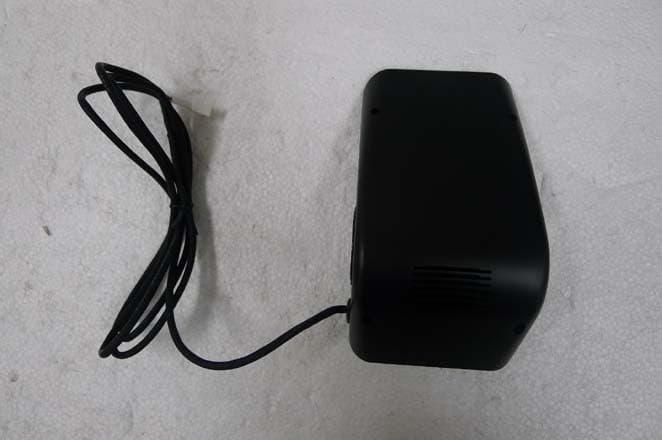
TDU-MDAS10
May 15, 2014Driving Assistant System
Equipment Class
DTS - Digital Transmission System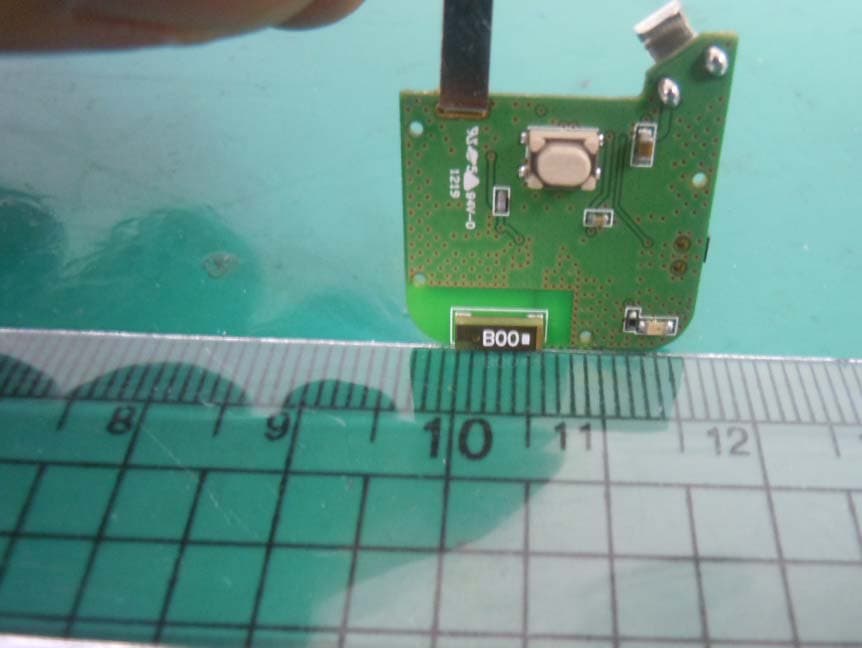
TDU-SB01
Jul 29, 2013BLUETOOTH ACCESSORY
Equipment Class
DTS - Digital Transmission System
TDU-ONYX
Apr 03, 2013BLUETOOTH STEREO SPEAKER
Equipment Class
DSS - Part 15 Spread Spectrum Transmitter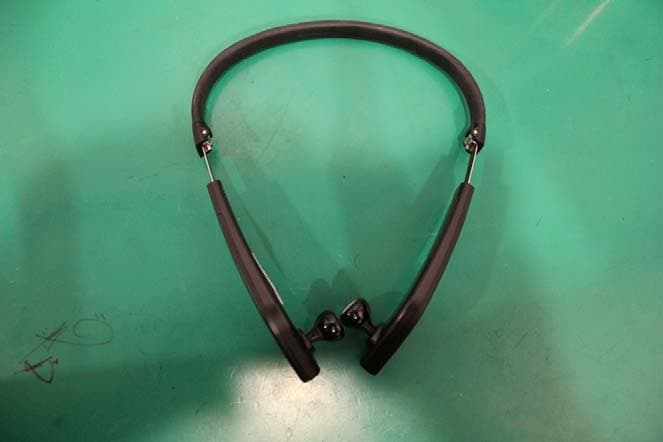
TDU-S845
Dec 20, 2012BLUETOOTH HEADSET
Equipment Class
DSS - Part 15 Spread Spectrum TransmitterTDU-PS3
Dec 18, 2012BLACKBERRY MINI STEREO SPEAKER
Equipment Class
DSS - Part 15 Spread Spectrum Transmitter