TE7A8AC1900 MU-MIMO Wi-Fi Router, AC1350 MU-MIMO Wi-Fi Router
TP-Link Technologies Co., Ltd.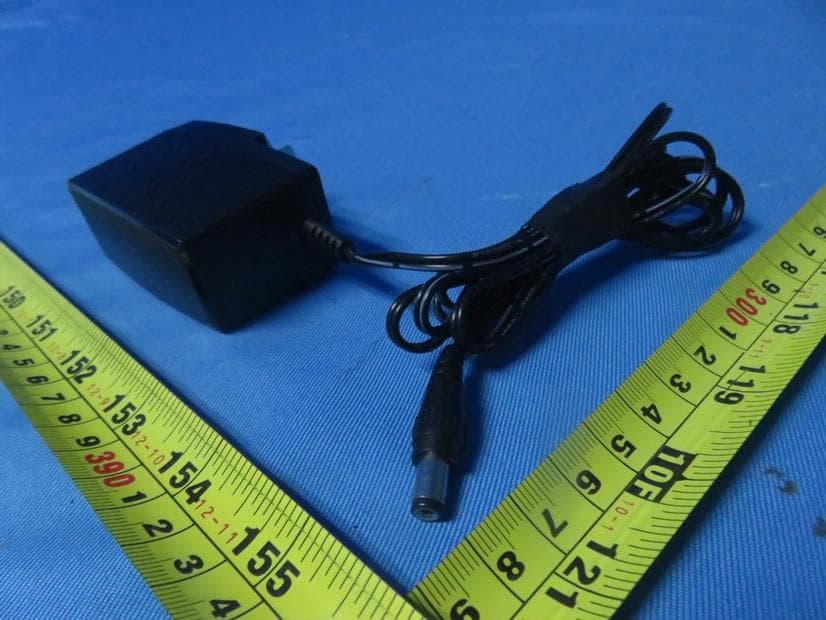
Click to zoom
Application Details
- Equipment Class
- NII - Unlicensed National Information Infrastructure TX
- Date of Grant
- Apr 08, 2020
- Application Purpose
- Original Equipment
- Date of Application
- Apr 08, 2020
- Equipment Note
- AC1900 MU-MIMO Wi-Fi Router, AC1350 MU-MIMO Wi-Fi Router
- Frequency Range
- 5745.00000000 - 5825.00000000
- Country
- China
Documents & Files
Document Text
Text extracted from the exhibit documents filed with the FCC. Open a document above to read the original.
Users Manual
REV1.0.0 1910012778 User Guide AC1900 MU-MIMO Wi-Fi Router Archer A8 Contents About This Guide . . . . . . . . . . . . . . . . . . . . . . . . . . . . . . . . . . . . . . . . . . . . . . . . . . . . . 1 Chapter 1. Get to Know About Your Router . . . . . . . . . . . . . . . . . . . . . . . . . . . 3 1. 1. Product Overview. . . . . . . . . . . . . . . . . . . . . . . . . . . . . . . . . . . . . . . . . . . . . . . . . . . . . . . . . . . . 4 1. 2. Appearance . . . . . . . . . . . . . . . . . . . . . . . . . . . . . . . . . . . . . . . . . . . . . . . . . . . . . . . . . . . . . . . . . 4 1. 2. 1. Top Panel . . . . . . . . . . . . . . . . . . . . . . . . . . . . . . . . . . . . . . . . . . . . . . . . . . . . . . . . . . . . . 4 1. 2. 2. The Back Panel . . . . . . . . . . . . . . . . . . . . . . . . . . . . . . . . . . . . . . . . . . . . . . . . . . . . . . . . 6 Chapter 2. Connect the Hardware . . . . . . . . . . . . . . . . . . . . . . . . . . . . . . . . . . . . 7 2. 1. Position Your Router . . . . . . . . . . . . . . . . . . . . . . . . . . . . . . . . . . . . . . . . . . . . . . . . . . . . . . . . . 8 2. 2. Connect Your Router. . . . . . . . . . . . . . . . . . . . . . . . . . . . . . . . . . . . . . . . . . . . . . . . . . . . . . . . . 8 Chapter 3. Log In to Your Router . . . . . . . . . . . . . . . . . . . . . . . . . . . . . . . . . . . . 11 Chapter 4. Set Up Internet Connection . . . . . . . . . . . . . . . . . . . . . . . . . . . . . 13 4. 1. Use Quick Setup Wizard . . . . . . . . . . . . . . . . . . . . . . . . . . . . . . . . . . . . . . . . . . . . . . . . . . . . 14 4. 2. Quick Setup Via TP-Link Tether App. . . . . . . . . . . . . . . . . . . . . . . . . . . . . . . . . . . . . . . . . 15 4. 3. Manually Set Up Your Internet Connection . . . . . . . . . . . . . . . . . . . . . . . . . . . . . . . . . . 15 4. 4. Set Up the Router as an Access Point . . . . . . . . . . . . . . . . . . . . . . . . . . . . . . . . . . . . . . . 18 4. 5. Set Up an IPv6 Internet Connection . . . . . . . . . . . . . . . . . . . . . . . . . . . . . . . . . . . . . . . . . 18 Chapter 5. TP-Link Cloud Service . . . . . . . . . . . . . . . . . . . . . . . . . . . . . . . . . . 21 5. 1. Register a TP-Link ID. . . . . . . . . . . . . . . . . . . . . . . . . . . . . . . . . . . . . . . . . . . . . . . . . . . . . . . . 22 5. 2. Change Your TP-Link ID Information. . . . . . . . . . . . . . . . . . . . . . . . . . . . . . . . . . . . . . . . . 22 5. 3. Manage the User TP-Link IDs . . . . . . . . . . . . . . . . . . . . . . . . . . . . . . . . . . . . . . . . . . . . . . .23 5. 3. 1. Add TP-Link ID to Manage the Router . . . . . . . . . . . . . . . . . . . . . . . . . . . . . . . . . 24 5. 3. 2. Remove TP-Link ID(s) from Managing the Router . . . . . . . . . . . . . . . . . . . . . . 24 5. 4. Manage the Router via the TP-Link Tether App . . . . . . . . . . . . . . . . . . . . . . . . . . . . . . 25 Chapter 6. Guest Network . . . . . . . . . . . . . . . . . . . . . . . . . . . . . . . . . . . . . . . . . . 26 6. 1. Create a Network for Guests . . . . . . . . . . . . . . . . . . . . . . . . . . . . . . . . . . . . . . . . . . . . . . .27 6. 2. Customize Guest Network Options. . . . . . . . . . . . . . . . . . . . . . . . . . . . . . . . . . . . . . . . . . 28 Chapter 7. Parental Controls . . . . . . . . . . . . . . . . . . . . . . . . . . . . . . . . . . . . . . . 29 7. 1. Setting Up Access Restrictions . . . . . . . . . . . . . . . . . . . . . . . . . . . . . . . . . . . . . . . . . . . . .30 Chapter 8. QoS. . . . . . . . . . . . . . . . . . . . . . . . . . . . . . . . . . . . . . . . . . . . . . . . . . . . . 33 Chapter 9. Network Security . . . . . . . . . . . . . . . . . . . . . . . . . . . . . . . . . . . . . . . 35 9. 1. Protect the Network from Cyber Attacks . . . . . . . . . . . . . . . . . . . . . . . . . . . . . . . . . . . . 36 9. 2. Access Control . . . . . . . . . . . . . . . . . . . . . . . . . . . . . . . . . . . . . . . . . . . . . . . . . . . . . . . . . . . . . 36 9. 3. IP & MAC Binding . . . . . . . . . . . . . . . . . . . . . . . . . . . . . . . . . . . . . . . . . . . . . . . . . . . . . . . . . . . 38 9. 4. ALG (Application Layer Gateway) . . . . . . . . . . . . . . . . . . . . . . . . . . . . . . . . . . . . . . . . . . . . 40 Chapter 10. NAT Forwarding. . . . . . . . . . . . . . . . . . . . . . . . . . . . . . . . . . . . . . . . . 41 10. 1. Share Local Resources on the Internet by Port Forwarding . . . . . . . . . . . . . . . . . . 42 10. 2. Open Ports Dynamically by Port Triggering . . . . . . . . . . . . . . . . . . . . . . . . . . . . . . . . . . 44 10. 3. Make Xbox Online Games Run Smoothly by UPnP . . . . . . . . . . . . . . . . . . . . . . . . . . . 45 10. 4. Make Applications Free from Port Restriction by DMZ . . . . . . . . . . . . . . . . . . . . . . . 46 Chapter 11. Customize Your Network Settings . . . . . . . . . . . . . . . . . . . . . . . 48 11. 1. Change the LAN Settings . . . . . . . . . . . . . . . . . . . . . . . . . . . . . . . . . . . . . . . . . . . . . . . . . . . 49 11. 2. Configure to Support IPTV Service. . . . . . . . . . . . . . . . . . . . . . . . . . . . . . . . . . . . . . . . . . 49 11. 3. Specify DHCP Server Settings . . . . . . . . . . . . . . . . . . . . . . . . . . . . . . . . . . . . . . . . . . . . . . 51 11. 4. Set Up a Dynamic DNS Service Account . . . . . . . . . . . . . . . . . . . . . . . . . . . . . . . . . . . . 52 11. 5. Create Static Routes . . . . . . . . . . . . . . . . . . . . . . . . . . . . . . . . . . . . . . . . . . . . . . . . . . . . . . . . 53 11. 6. Specify Wireless Settings. . . . . . . . . . . . . . . . . . . . . . . . . . . . . . . . . . . . . . . . . . . . . . . . . . . 55 11. 7. Schedule Your Wireless Function . . . . . . . . . . . . . . . . . . . . . . . . . . . . . . . . . . . . . . . . . . . 57 11. 8. Use WPS for Wireless Connection . . . . . . . . . . . . . . . . . . . . . . . . . . . . . . . . . . . . . . . . . . 58 11.…
Text truncated - open the document above for the full version.
Users Manual
REV4.0.0 1910012779 User Guide AC1350 MU-MIMO Wi-Fi Router Archer C59 Contents About This Guide . . . . . . . . . . . . . . . . . . . . . . . . . . . . . . . . . . . . . . . . . . . . . . . . . . . . . 1 Chapter 1. Get to Know About Your Router . . . . . . . . . . . . . . . . . . . . . . . . . . . 3 1. 1. Product Overview. . . . . . . . . . . . . . . . . . . . . . . . . . . . . . . . . . . . . . . . . . . . . . . . . . . . . . . . . . . . 4 1. 2. Appearance . . . . . . . . . . . . . . . . . . . . . . . . . . . . . . . . . . . . . . . . . . . . . . . . . . . . . . . . . . . . . . . . . 4 1. 2. 1. Top Panel . . . . . . . . . . . . . . . . . . . . . . . . . . . . . . . . . . . . . . . . . . . . . . . . . . . . . . . . . . . . . 4 1. 2. 2. The Back Panel . . . . . . . . . . . . . . . . . . . . . . . . . . . . . . . . . . . . . . . . . . . . . . . . . . . . . . . . 6 Chapter 2. Connect the Hardware . . . . . . . . . . . . . . . . . . . . . . . . . . . . . . . . . . . . 7 2. 1. Position Your Router . . . . . . . . . . . . . . . . . . . . . . . . . . . . . . . . . . . . . . . . . . . . . . . . . . . . . . . . . 8 2. 2. Connect Your Router. . . . . . . . . . . . . . . . . . . . . . . . . . . . . . . . . . . . . . . . . . . . . . . . . . . . . . . . . 8 Chapter 3. Log In to Your Router . . . . . . . . . . . . . . . . . . . . . . . . . . . . . . . . . . . . 11 Chapter 4. Set Up Internet Connection . . . . . . . . . . . . . . . . . . . . . . . . . . . . . 13 4. 1. Use Quick Setup Wizard . . . . . . . . . . . . . . . . . . . . . . . . . . . . . . . . . . . . . . . . . . . . . . . . . . . . 14 4. 2. Quick Setup Via TP-Link Tether App. . . . . . . . . . . . . . . . . . . . . . . . . . . . . . . . . . . . . . . . . 15 4. 3. Manually Set Up Your Internet Connection . . . . . . . . . . . . . . . . . . . . . . . . . . . . . . . . . . 15 4. 4. Set Up the Router as an Access Point . . . . . . . . . . . . . . . . . . . . . . . . . . . . . . . . . . . . . . . 18 4. 5. Set Up an IPv6 Internet Connection . . . . . . . . . . . . . . . . . . . . . . . . . . . . . . . . . . . . . . . . . 18 Chapter 5. TP-Link Cloud Service . . . . . . . . . . . . . . . . . . . . . . . . . . . . . . . . . . 21 5. 1. Register a TP-Link ID. . . . . . . . . . . . . . . . . . . . . . . . . . . . . . . . . . . . . . . . . . . . . . . . . . . . . . . . 22 5. 2. Change Your TP-Link ID Information. . . . . . . . . . . . . . . . . . . . . . . . . . . . . . . . . . . . . . . . . 22 5. 3. Manage the User TP-Link IDs . . . . . . . . . . . . . . . . . . . . . . . . . . . . . . . . . . . . . . . . . . . . . . .23 5. 3. 1. Add TP-Link ID to Manage the Router . . . . . . . . . . . . . . . . . . . . . . . . . . . . . . . . . 24 5. 3. 2. Remove TP-Link ID(s) from Managing the Router . . . . . . . . . . . . . . . . . . . . . . 24 5. 4. Manage the Router via the TP-Link Tether App . . . . . . . . . . . . . . . . . . . . . . . . . . . . . . 25 Chapter 6. Guest Network . . . . . . . . . . . . . . . . . . . . . . . . . . . . . . . . . . . . . . . . . . 26 6. 1. Create a Network for Guests . . . . . . . . . . . . . . . . . . . . . . . . . . . . . . . . . . . . . . . . . . . . . . .27 6. 2. Customize Guest Network Options. . . . . . . . . . . . . . . . . . . . . . . . . . . . . . . . . . . . . . . . . . 28 Chapter 7. Parental Controls . . . . . . . . . . . . . . . . . . . . . . . . . . . . . . . . . . . . . . . 29 7. 1. Setting Up Access Restrictions . . . . . . . . . . . . . . . . . . . . . . . . . . . . . . . . . . . . . . . . . . . . .30 Chapter 8. QoS. . . . . . . . . . . . . . . . . . . . . . . . . . . . . . . . . . . . . . . . . . . . . . . . . . . . . 33 Chapter 9. Network Security . . . . . . . . . . . . . . . . . . . . . . . . . . . . . . . . . . . . . . . 35 9. 1. Protect the Network from Cyber Attacks . . . . . . . . . . . . . . . . . . . . . . . . . . . . . . . . . . . . 36 9. 2. Access Control . . . . . . . . . . . . . . . . . . . . . . . . . . . . . . . . . . . . . . . . . . . . . . . . . . . . . . . . . . . . . 36 9. 3. IP & MAC Binding . . . . . . . . . . . . . . . . . . . . . . . . . . . . . . . . . . . . . . . . . . . . . . . . . . . . . . . . . . . 38 9. 4. ALG (Application Layer Gateway) . . . . . . . . . . . . . . . . . . . . . . . . . . . . . . . . . . . . . . . . . . . . 40 Chapter 10. NAT Forwarding. . . . . . . . . . . . . . . . . . . . . . . . . . . . . . . . . . . . . . . . . 41 10. 1. Share Local Resources on the Internet by Port Forwarding . . . . . . . . . . . . . . . . . . 42 10. 2. Open Ports Dynamically by Port Triggering . . . . . . . . . . . . . . . . . . . . . . . . . . . . . . . . . . 44 10. 3. Make Xbox Online Games Run Smoothly by UPnP . . . . . . . . . . . . . . . . . . . . . . . . . . . 45 10. 4. Make Applications Free from Port Restriction by DMZ . . . . . . . . . . . . . . . . . . . . . . . 46 Chapter 11. Customize Your Network Settings . . . . . . . . . . . . . . . . . . . . . . . 48 11. 1. Change the LAN Settings . . . . . . . . . . . . . . . . . . . . . . . . . . . . . . . . . . . . . . . . . . . . . . . . . . . 49 11. 2. Configure to Support IPTV Service. . . . . . . . . . . . . . . . . . . . . . . . . . . . . . . . . . . . . . . . . . 49 11. 3. Specify DHCP Server Settings . . . . . . . . . . . . . . . . . . . . . . . . . . . . . . . . . . . . . . . . . . . . . . 51 11. 4. Set Up a Dynamic DNS Service Account . . . . . . . . . . . . . . . . . . . . . . . . . . . . . . . . . . . . 52 11. 5. Create Static Routes . . . . . . . . . . . . . . . . . . . . . . . . . . . . . . . . . . . . . . . . . . . . . . . . . . . . . . . . 53 11. 6. Specify Wireless Settings. . . . . . . . . . . . . . . . . . . . . . . . . . . . . . . . . . . . . . . . . . . . . . . . . . . 55 11. 7. Schedule Your Wireless Function . . . . . . . . . . . . . . . . . . . . . . . . . . . . . . . . . . . . . . . . . . . 57 11. 8. Use WPS for Wireless Connection . . . . . . . . . . . . . . . . . . . . . . . . . . . . . . . . . . . . . . . . . . 58 11…
Text truncated - open the document above for the full version.
Cover Letter(s)
TP-Link Technologies Co., Ltd. Authority to Act as Agent Date: 2020-03-20 American Certification Body, Inc. 6731 Whittier Avenue Suite C110 McLean, VA 22101 To Whom It May Concern: BTL Inc./Mandy Wang is authorized to act on our behalf, until otherwise notified, for applications to American Certification Body, Inc. (ACB). We certify that we are not subject to denial of federal benefits, that includes FCC benefits, pursuant to Section 5301 of the Anti-Drug Abuse Act of 1988, 21 U.S.C. 862. Further, no party, as defined in 47 CFR 1.2002 (b), to the application is subject to denial of federal benefits, that includes FCC benefits. Thank you, Agency Agreement Expiration Date: 2021-03-20 By: __________________________ ________Jing Huang________ (Signature 1 ) (Print name) Title: Regulatory Compliance Manager On behalf of: TP-Link Technologies Co., Ltd. (Company Name) Telephone: 75521534921 1 - Must be signed by applicant contact given for applicant on the FCC site, or by the authorized agent if an appropriate authorized agent letter has been provided. Letters should be placed on appropriate letterhead.
Cover Letter(s)
TP-Link Technologies Co., Ltd. Request for Confidentiality Date: 2020-03-20 Subject: Confidentiality Request for: TE7A8 Pursuant to FCC 47 CRF 0.457(d) and 0.459 and IC RSP-100, Section12.4, the applicant requests that a part of the subject FCC application be held confidential. Type of Confidentiality Requested Exhibit Short Term Permanent Block Diagrams Short Term External Photos Short Term Permanent* 1 Internal Photos Short Term Permanent Operation Description/Theory of Operation Short Term Permanent Parts List & Placement/BOM Short Term Permanent Tune-Up Procedure Short Term Permanent Schematics Short Term Test Setup Photos Short Term Permanent* 3 User’s Manual TP-Link Technologies Co., Ltd.____ has spent substantial effort in developing this product and it is one of the first of its kind in industry. Having the subject information easily available to "competition" would negate the advantage they have achieved by developing this product. Not protecting the details of the design will result in financial hardship. Permanent Confidentiality: The applicant requests the exhibits listed above as permanently confidential be permanently withheld from public review due to materials that contain trade secrets and proprietary information not customarily released to the public. Short-Term Confidentiality: The applicant requests the exhibits selected above as short term confidential be withheld from public view for a period of ___(specify number of days not to exceed 180) 2 ___ days from the date of the Grant of Equipment Authorization and prior to marketing. This is to avoid premature release of sensitive information prior to marketing or release of the product to the public. Applicant is also aware that they are responsible to notify ACB in the event information regarding the product or the product is made available to the public. ACB will then release the documents listed above for public disclosure pursuant to FCC Public Notice DA 04-1705. NOTE for Industry Canada Applications: IC currently only distinguishes Permanent Confidentiality exhibits as shown above. Short Term confidentiality is not considered applicable to IC applications. Sincerely, By: Regulatory Compliance Manager __________ Jing Huang__________ (Signature/Title 3 ) (Print name) 1 - The asterisked items (*) require further information to be provided to ACB before permanent confidentiality will be extended to these exhibits. Please refer to FCC KDB 726920 and the specific Document link for D01 found at: https://apps.fcc.gov/oetcf/kdb/forms/FTSSearchResultPage.cfm?switch=P&id=41731 and review section II, 3) regarding specific information that must accompany these requests. 2 - Please refer to http://acbcert.com/documents/misc-docs/Memo-Short-Term-Vs-Standard-Confidentiality.pdf for complete details. 3 - Must be signed by applicant contact given for applicant on the FCC site, or by the authorized agent if an appropriate authorized agent letter has been provided. Letters should be placed on appropriate letterhead.
Cover Letter(s)
Non-SDR (Software Defined Radio) Cover Letter Date: 2020-03-20 Refer to KDB 442812 D01 SDR apps Guide v02r03. The following six questions can be used for determining if a radio can elect to be, or must be an SDR. 1. Can the RF parameters of the device be altered through software? □Yes - go to 2. No, not an SDR 2. Can third parties not permitted by the Commission through specific filings modify, configure, or load different software, or make configuration settings to operate the device or host hardware radio frequency parameters (frequency range, modulation type, maximum output power or other radio parameters) in any other way than granted (or expected to be granted)? □Yes, must be an SDR. □No - go to 3. 3. Is the device capable of operating in any other way than granted, or will be, granted? □Yes, - go to 4. □No - go to 5. 4. Is this a Part 15 client Device as defined in Section 15.202 (as opposed to a master device)? □Yes, qualifies as a part 15 client devices - go to 5. □No, must be an SDR. 5. Does the manufacturer elect SDR? □Yes, elects to be an SDR. □No, Not an SDR Final conclusion: According to the above questions reply, we can confirm this AC1900 MU-MIMO Wi-Fi Router AC1350 MU-MIMO Wi-Fi Router (FCC ID: TE7A8) must be a Non-SDR. Name: Huang Jing Position: Regulatory Compliance Manager TP-Link Technologies Co., Ltd.
Cover Letter(s)
Model Declaration Letter We, the undersigning company Company Name: TP-Link Technologies Co., Ltd. Address: Building 24(floors1,3,4,5) and 28(floors1-4) Central Science and Technology Park, Shennan Rd, Nanshan, Shenzhen, China Hereby confirm that the following products: Product description: 1) AC1900 MU-MIMO Wi-Fi Router 2) AC1350 MU-MIMO Wi-Fi Router Type designation: 1) Archer A8 2) Archer C59 Trademark: tp-link That All versions of the Model Archer A8 and Archer C59 are electrically equal except the following difference: 1. The Archer A8 and Archer C59 are only differing in product name and model name. Date: 2020-04-03 Name: Jing Huang Telephone: 75521534921 E-mail: [email protected] Signature:
External Photos
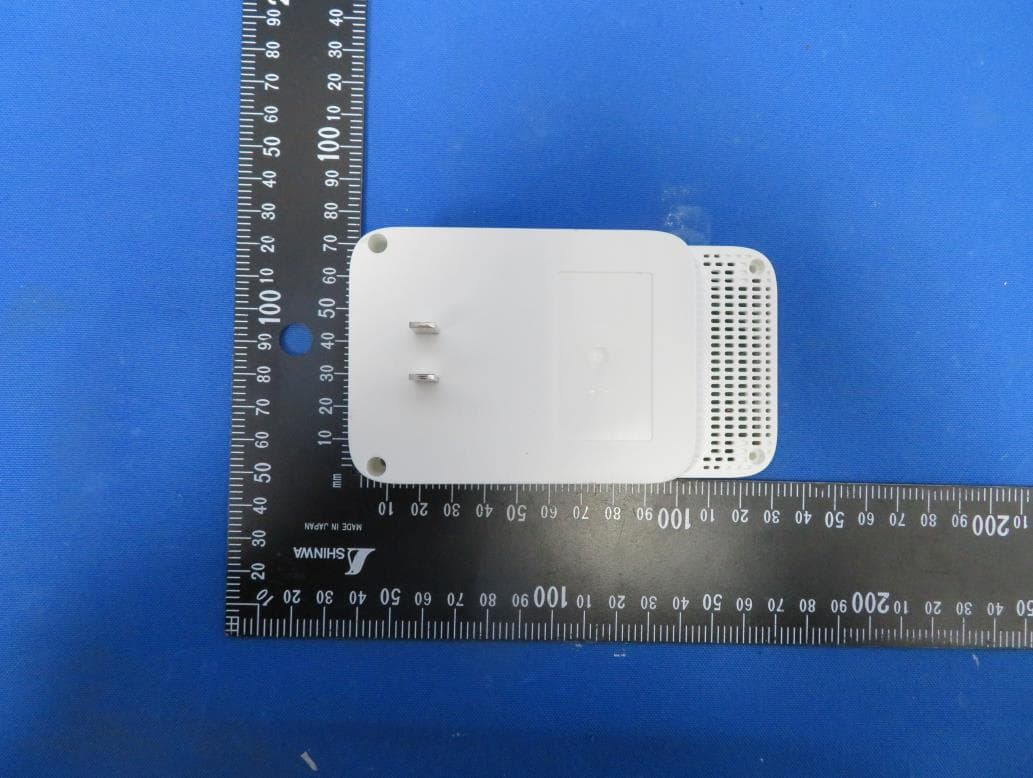
Report No.: 2002C057 Page 2 of 10 Report No.: 2002C057 Page 3 of 10 Report No.: 2002C057 Page 4 of 10 Report No.: 2002C057 Page 5 of 10
ID Label/Location Info
尺寸:78.7*38.7mm±0.2mm,R1.5 备注:PIN、SSID及MAC地址由工厂直接打印在产品规格标贴上; 序列号由工厂用35*7mm(7210500061) 的空白标贴打印并贴于产品规格标贴上; MAC条码由“XXXXXXXXXXXX”生成,文本打印为“XX-XX-XX-XX-XX-XX”。 Archer C59(US) 4.0产品规格标贴 A1 Archer C59(US) 4.0 董卓越 80g艾利铜版纸+雾膜 美F-243 2020-02-13 黑色 PANTONE 877C *尺寸按标贴框-1.3mm标准制作 二维码制:QR CODE; 二维码尺寸:10*10 mm;误差要求正负1MM; 二维码内容:“WIFI:T:WPA;S:SSID;P:Wireless Password/PIN;;” ,其中“SSID”及“Wireless Password/PIN”内容与产品规格标 贴SSID及Wireless Password/PIN一维码内容对应 双频/三频产品打印2.4G Wi-Fi 二维码即可 Model: Archer C59 AC1350 MU-MIMO Wi-Fi Router Power: 12V 1.5A Default Access: http://tplinkwifi.net This device complies with part 15 of the FCC Rules. Operation is subject to the following two conditions:(1) This device may not cause harmful interference, and (2) this device must accept any interference received, including interference that may cause undesired operation. FCC ID: TE7A8 MADE IN CHINA Model: Archer C59 (US) Ver: 4.0 SN: XXXXXXXXXXXXX MAC:XX-XX-XX-XX-XX-XX SSID:TP-Link_XXXX SSID:TP-Link_XXXX_5G Wireless Password/PIN: XXXXXXXX JOIN PRESET WI-FI 40 mm 9.366 mm PANTONE 877C PANTONE 877C 尺寸:78.7*38.7 mm±0.2 mm, R1.5 *尺寸按标贴框尺寸-1.3mm的标准制作 备注:PIN、SSID及MAC地址由工厂直接打印在产品规格标贴上; 序列号由工厂用35*7的空白标贴(7210500061)打印并贴于产品规格标贴上; MAC条码由“XXXXXXXXXXXX”生成,文本打印为“XX-XX-XX-XX-XX-XX”。 Archer A8(US)1.0产品规格标贴 A1 Archer A8(US)1.0 Pantone 877C 黑色 Pantone 877C 陈萍萍 80g艾利铜版纸+雾膜 2020-0219 美F-243 二维码制:QR CODE; 二维码尺寸:10*10 mm;误差要求正负1MM; 二维码内容:“WIFI:T:WPA;S:SSID;P:Wireless Password/PIN;;”,其中“SSID”及“Wireless Pass- word/PIN”内容与产品规格标贴SSID及Wireless Password/PIN一维码内容对应;对于双频及三频产 品,打印2.4G Wi-Fi的二维码 AC1900 MU-MIMO Wi-Fi Router Model: Archer A8 Power: 12V 1.5A Default Access: http://tplinkwifi.net S/N:XXXXXXXXXXXXX Model:Archer A8(US) Ver:1.0 M AC : X X-X X-X X-X X-X X-X X Wireless Password/PIN:XXXXXXXX SSID: TP-Link_XXXX SSID: TP-Link_XXXX_5G JOIN PRESET WI-FI This device complies with part 15 of the FCC Rules. Operation is subject to the following two conditions: (1) This device may not cause harmful interference, and (2) this device must accept any interference received, including interference that may cause undesired operation. MADE IN CHINA FCC ID: TE7A8 9.366 mm 40 mm
Internal Photos
Report No.: 2002C057 Page 6 of 10 Report No.: 2002C057 Page 7 of 10 2.4G Ant.3 & 5G Ant.1 2.4G Ant.2 & 5G Ant.2 2.4G Ant.1 & 5G Ant.3 Report No.: 2002C057 Page 8 of 10 Report No.: 2002C057 Page 9 of 10 Report No.: 2002C057 Page 10 of 10
RF Exposure Info
Report No.: BTL-FCCP-3-2002C057 Page 1 of 4 FCC RF EXPOSURE REPORT FCC ID: TE7A8 Project No. : 2002C057 Equipment : 1) AC1900 MU-MIMO Wi-Fi Router 2) AC1350 MU-MIMO Wi-Fi Router Brand Name : tp-link Test Model : Archer A8 Series Model : Archer C59 Applicant : TP-Link Technologies Co., Ltd. Address : Building 24(floors1,3,4,5) and 28(floors1-4) Central Science and Technology Park, Shennan Rd, Nanshan, Shenzhen, China Manufacturer : TP-Link Technologies Co., Ltd. Address : Building 24(floors1,3,4,5) and 28(floors1-4) Central Science and Technology Park, Shennan Rd, Nanshan, Shenzhen, China Date of Receipt : Feb. 21, 2020 Date of Test : Feb. 24, 2020 ~ Mar. 10, 2020 Issued Date : Mar. 19, 2020 Report Version : R00 Test Sample : Engineering Sample No.: DG20200224105 Standard(s) : FCC Guidelines for Human Exposure IEEE C95.1 FCC Title 47 Part 2.1091, OET Bulletin 65 Supplement C The above equipment has been tested and found compliance with the requirement of the relative standards by BTL Inc. Prepared by : Chay Cai Approved by : Ethan Ma Add: No.3, Jinshagang 1st Road, Shixia, Dalang Town,Dongguan, Guangdong, China. Tel: +86-769-8318-3000 Web: www.newbtl.com Report No.: BTL-FCCP-3-2002C057 Page 2 of 4 REPORT ISSUED HISTORY Report Version Description Issued Date R00 Original Issue Mar. 19, 2020 Report No.: BTL-FCCP-3-2002C057 Page 3 of 4 1. MPE CALCULATION METHOD Calculation Method of RF Safety Distance: where: S = power density P = power input to the antenna G = power gain of the antenna in the direction of interest relative to an isotropic radiator R = distance to the center of radiation of the antenna Antenna Specification: For 2.4GHz: Ant. Brand P/N Antenna Type Connector Gain (dBi) 1 3101503110 Dipole N/A 3 2 3101503111 Dipole N/A 3 3 3101503109 Dipole N/A 3 Note: This EUT supports CDD, and all antennas have the same gain 1. For Non-Beamforming function, Directional gain = G ANT +Array Gain, where Array Gain is as follows: For power spectral density measurements, N ANT = 3, N SS = 1. So Directional gain = G ANT + Array Gain = G ANT + 10 log (N ANT / N SS ) dB =3+10log(3/1)dBi=7.77. For power measurements, Array Gain = 0 dB (N ANT ≤ 4), so the Directional gain=3. 2. For Beamforming function, Beamforming Gain: 4.77 dB. So Directional gain = 4.77+3=7.77. Then, the average output power limit is 30-(7.77-6)=28.23. For 5GHz: Ant. rand P/N Antenna Type Connector Gain (dBi) 1 3101503109 Dipole N/A 3 2 3101503111 Dipole N/A 3 3 3101503110 Dipole N/A 3 Note: This EUT supports CDD, and all antennas have the same gain, Directional gain = G ANT +Array Gain, where Array Gain is as follows: 1. For Non-Beamforming function , UNII-1 and UNII-3 power spectral density measurements, N ANT = 3, N SS = 1. So Directional gain = G ANT + Array Gain = G ANT + 10 log (N ANT / N SS ) dB =3+10log(3/1)dBi=7.77. Then, UNII-1 and UNII-3 power measurements, Array Gain = 0 dB (N ANT ≤ 4), so the Directional gain=3. 2. For Beamforming function, Beamforming Gain: 4.77 dB. So Directional gain = 4.77+3.00=7.77. Then, UNII-1 and UNII-3 output power limit is 30-(7.77-6)= 28.23. . Report No.: BTL-FCCP-3-2002C057 Page 4 of 4 2. TEST RESULTS For 2.4GHz Non Beamforming: Directional Gain (dBi) Directional Gain (numeric) Max. Average Output Power (dBm) Max. Average Output Power (mW) Power Density (S) (mW/cm 2 ) Limit of Power Density (S) (mW/cm 2 ) Test Result 3 1.9953 26.29 425.5984 0.10818 1 Complies For 2.4GHz Beamforming: Directional Gain (dBi) Directional Gain (numeric) Max. Average Output Power (dBm) Max. Average Output Power (mW) Power Density (S) (mW/cm 2 ) Limit of Power Density (S) (mW/cm 2 ) Test Result 7.77 5.9841 26.14 411.1497 0.31342 1 Complies For 5GHz UNII-1 Non Beamforming: Directional Gain (dBi) Directional Gain (numeric) Max. Output Power (dBm) Max. Output Power (mW) Power Density (S) (mW/cm 2 ) Limit of Power Density (S) (mW/cm 2 ) Test Result 3 1.9953 27.05 506.9907 0.12886 1 Complies For 5GHz UNII-3 Non Beamforming: Directional Gain (dBi) Directional Gain (numeric) Max. Output Power (dBm) Max. Output Power (mW) Power Density (S) (mW/cm 2 ) Limit of Power Density (S) (mW/cm 2 ) Test Result 3 1.9953 28.05 638.2635 0.16223 1 Complies For 5GHz UNII-1 Beamforming: Directional Gain (dBi) Directional Gain (numeric) Max. Output Power (dBm) Max. Output Power (mW) Power Density (S) (mW/cm 2 ) Limit of Power Density (S) (mW/cm 2 ) Test Result 7.77 5.9841 27.02 503.5006 0.38382 1 Complies For 5GHz UNII-3 Beamforming: Directional Gain (dBi) Directional Gain (numeric) Max. Output Power (dBm) Max. Output Power (mW) Power Density (S) (mW/cm 2 ) Limit of Power Density (S) (mW/cm 2 ) Test Result 7.77 5.9841 28.04 636.7955 0.48543 1 Complies For the max simultaneous transmission MPE: Power Density (S) (mW/cm 2 ) Power Density (S) (mW/cm 2 ) Total Limit of Power Density (S) (mW/cm 2 ) Test Result 2.4GHz 5GHz 0.31342 0.48543 0.79885 1 Complies Note: The calculated distance is 25 cm. Output power including tune up tolerance. End of Test Report
Test Report
Report No.: BTL-FCCP-2-2002C057 Page 1 of 221 FCC Radio Test Report FCC ID: TE7A8 This report concerns: Original Grant Project No. : 2002C057 Equipment : 1) AC1900 MU-MIMO Wi-Fi Router 2) AC1350 MU-MIMO Wi-Fi Router Brand Name : tp-link Test Model : Archer A8 Series Model : Archer C59 Applicant : TP-Link Technologies Co., Ltd. Address : Building 24(floors1,3,4,5) and 28(floors1-4) Central Science and Technology Park, Shennan Rd, Nanshan, Shenzhen, China Manufacturer : TP-Link Technologies Co., Ltd. Address : Building 24(floors1,3,4,5) and 28(floors1-4) Central Science and Technology Park, Shennan Rd, Nanshan, Shenzhen, China Date of Receipt : Feb. 21, 2020 Date of Test : Feb. 24, 2020 ~ Mar. 10, 2020 Issued Date : Mar. 19, 2020 Report Version : R00 Test Sample : Engineering Sample No.: DG20200224105 for conducted, DG20200224103 for radiated. Standard(s) : FCC Part15, Subpart E(15.407) ANSI C63.10-2013 FCC KDB 789033 D02 General UNII Test Procedures New Rules v02r01 FCC KDB 662911 D01 Multiple Transmitter Output v02r01 The above equipment has been tested and found compliance with the requirement of the relative standards by BTL Inc. Prepared by : Chay Cai Approved by : Ethan Ma Add: No.3, Jinshagang 1st Road, Shixia, Dalang Town,Dongguan, Guangdong, China. Tel: +86-769-8318-3000 Web: www.newbtl.com Report No.: BTL-FCCP-2-2002C057 Page 2 of 221 Declaration BTL represents to the client that testing is done in accordance with standard procedures as applicable and that test instruments used has been calibrated with standards traceable to international standard(s) and/or national standard(s). BTL's reports apply only to the specific samples tested under conditions. It is manufacture‟s responsibility to ensure that additional production units of this model are manufactured with the identical electrical and mechanical components. BTL shall have no liability for any declarations, inferences or generalizations drawn by the client or others from BTL issued reports. The report must not be used by the client to claim product certification, approval, or endorsement by NVLAP, NIST, A2LA, or any agency of the U.S. Government. This report is the confidential property of the client. As a mutual protection to the clients, the public and ourselves, the test report shall not be reproduced, except in full, without our written approval. BTL‟s laboratory quality assurance procedures are in compliance with the ISO/IEC 17025 requirements, and accredited by the conformity assessment authorities listed in this test report. BTL is not responsible for the sampling stage, so the results only apply to the sample as received. The information, data and test plan are provided by manufacturer which may affect the validity of results, so it is manufacturer‟s responsibility to ensure that the apparatus meets the essential requirements of applied standards and in all the possible configurations as representative of its intended use. Limitation For the use of the authority's logo is limited unless the Test Standard(s)/Scope(s)/Item(s) mentioned in this test report is (are) included in the conformity assessment authorities acceptance respective. Please note that the measurement uncertainty is provided for informational purpose only and are not use in determining the Pass/Fail results. Report No.: BTL-FCCP-2-2002C057 Page 3 of 221 Table of Contents Page REPORT ISSUED HISTORY 6 1 . SUMMARY OF TEST RESULTS 7 1.1 TEST FACILITY 8 1.2 MEASUREMENT UNCERTAINTY 8 1.3 TEST ENVIRONMENT CONDITIONS 8 2 . GENERAL INFORMATION 9 2.1 GENERAL DESCRIPTION OF EUT 9 2.2 TEST MODES 12 2.3 PARAMETERS OF TEST SOFTWARE 14 2.4 DUTY CYCLE 16 2.5 BLOCK DIAGRAM SHOWING THE CONFIGURATION OF SYSTEM TESTED 17 2.6 SUPPORT UNITS 17 3 . AC POWER LINE CONDUCTED EMISSIONS TEST 18 3.1 LIMIT 18 3.2 TEST PROCEDURE 18 3.3 DEVIATION FROM TEST STANDARD 18 3.4 TEST SETUP 19 3.5 EUT OPERATION CONDITIONS 19 3.6 TEST RESULTS 19 4 . RADIATED EMISSIONS TEST 20 4.1 LIMIT 20 4.2 TEST PROCEDURE 21 4.3 DEVIATION FROM TEST STANDARD 21 4.4 TEST SETUP 22 4.5 EUT OPERATION CONDITIONS 23 4.6 TEST RESULTS - 9 KHZ TO 30 MHZ 23 4.7 TEST RESULTS - 30 MHz TO 1000 MHz 23 4.8 TEST RESULTS - ABOVE 1000 MHz 23 5 . BANDWIDTH TEST 24 5.1 LIMIT 24 5.2 TEST PROCEDURE 24 Report No.: BTL-FCCP-2-2002C057 Page 4 of 221 Table of Contents Page 5.3 DEV…
Text truncated - open the document above for the full version.
Contact Information
Applicant
Jing Huang(Regulatory Compliance Manager)
Technical Contact
BTL Inc.Steven Lu
[email protected]86-769-83183000
No.3 Jinshagang 1st Rd, Shixia, Dalang · Dongguan City · China
Test Firm
BTL Inc.Sophia Huang
[email protected]+86-769-83183000
Technical Specifications
| # | Rule Parts | Frequency Range | Power Output |
|---|---|---|---|
| 2 | 15E | 5.75 GHz - 5.83 GHz | 568.90 mW |
Other Applications from TP-Link Technologies Co., Ltd.
TE7RE230V2
Jan 13, 2021AC750 Wi-Fi Range Extender, AC1200 Wi-Fi Range Extender
Equipment Class
DTS - Digital Transmission System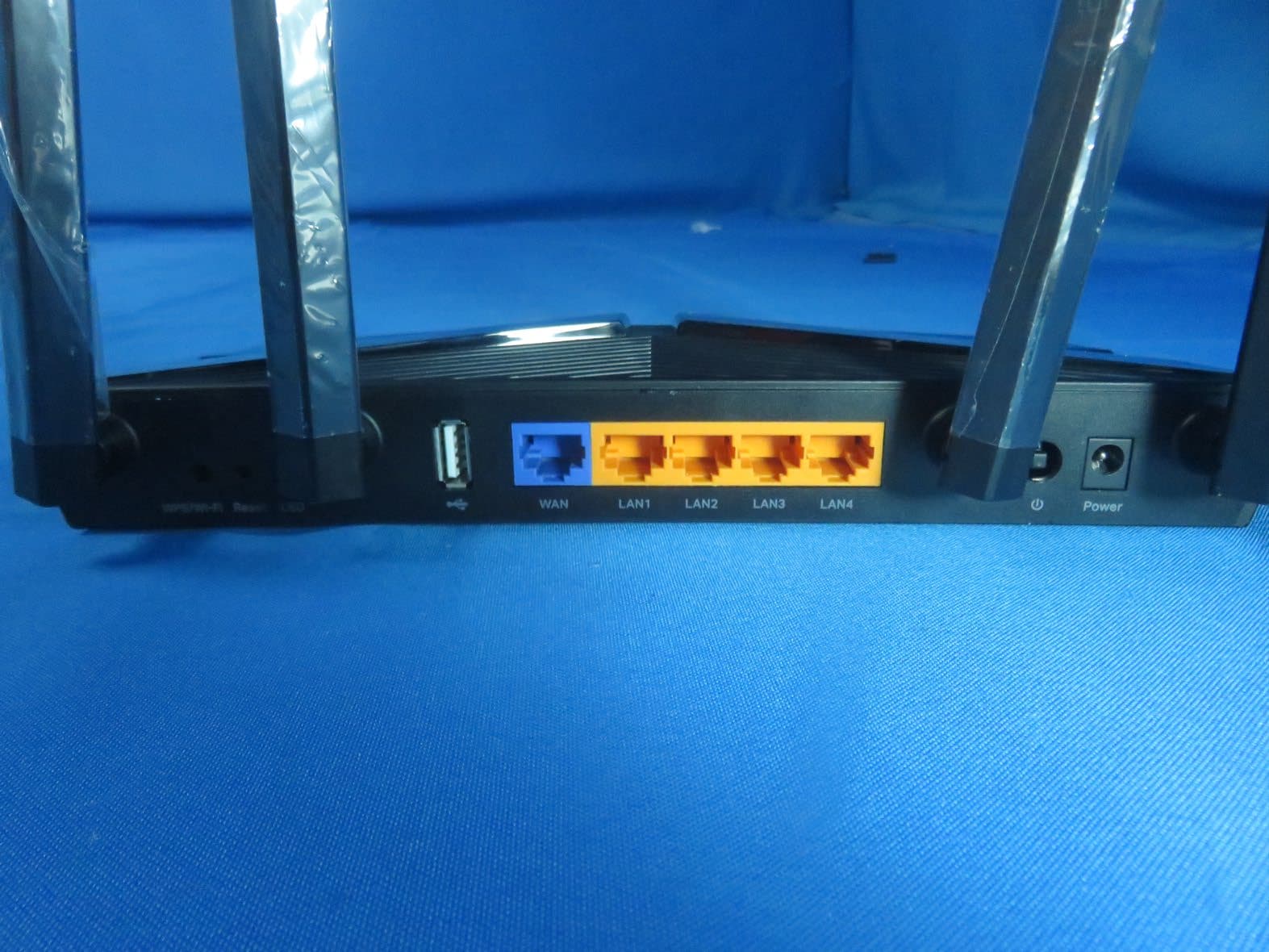
TE7AX20V2
Dec 22, 2020AX1800 Dual-Band Wi-Fi 6 Router
Equipment Class
DTS - Digital Transmission System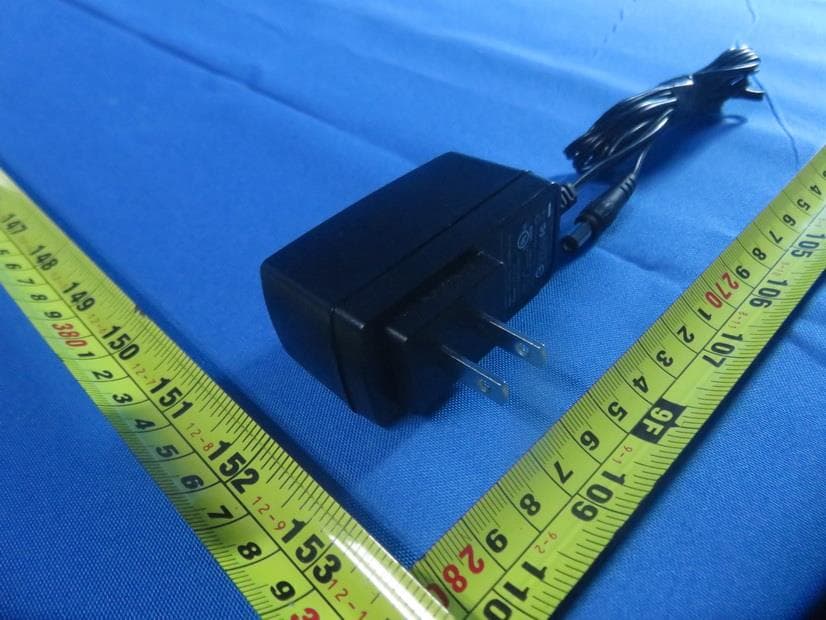
TE7EAP620HD
Dec 17, 2020AX1800 Wireless Dual-Band Gigabit Ceiling Mount Access Point
Equipment Class
NII - Unlicensed National Information Infrastructure TX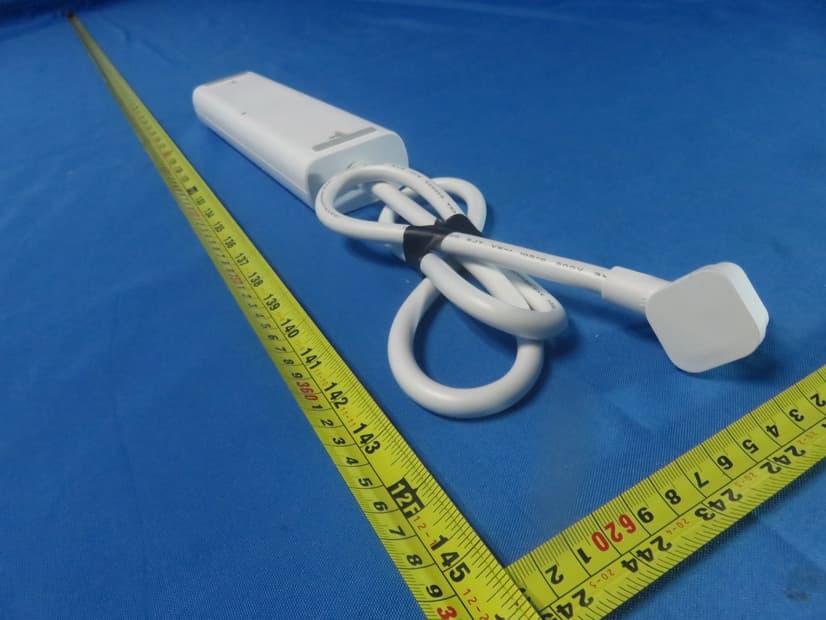
TE7KP303V2
Dec 15, 2020Kasa Smart Wi-Fi Power Strip, 3-Outlet
Equipment Class
DTS - Digital Transmission System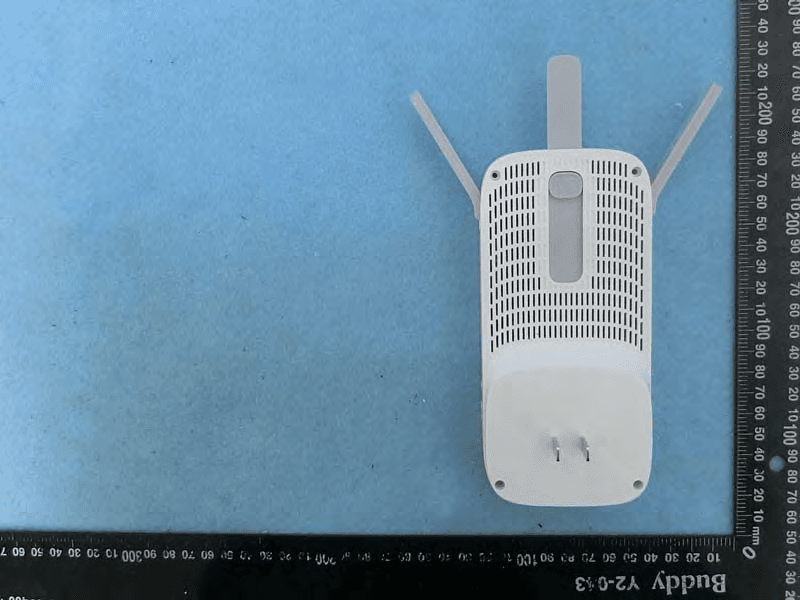
TE7RE550
Dec 03, 2020AC1750 Wi-Fi Range Extender, AC1900 MU-MIMO Wi-Fi Range Extender
Equipment Class
DTS - Digital Transmission System