TE7HS100Wi-Fi Smart Plug
TP-Link Technologies Co., Ltd.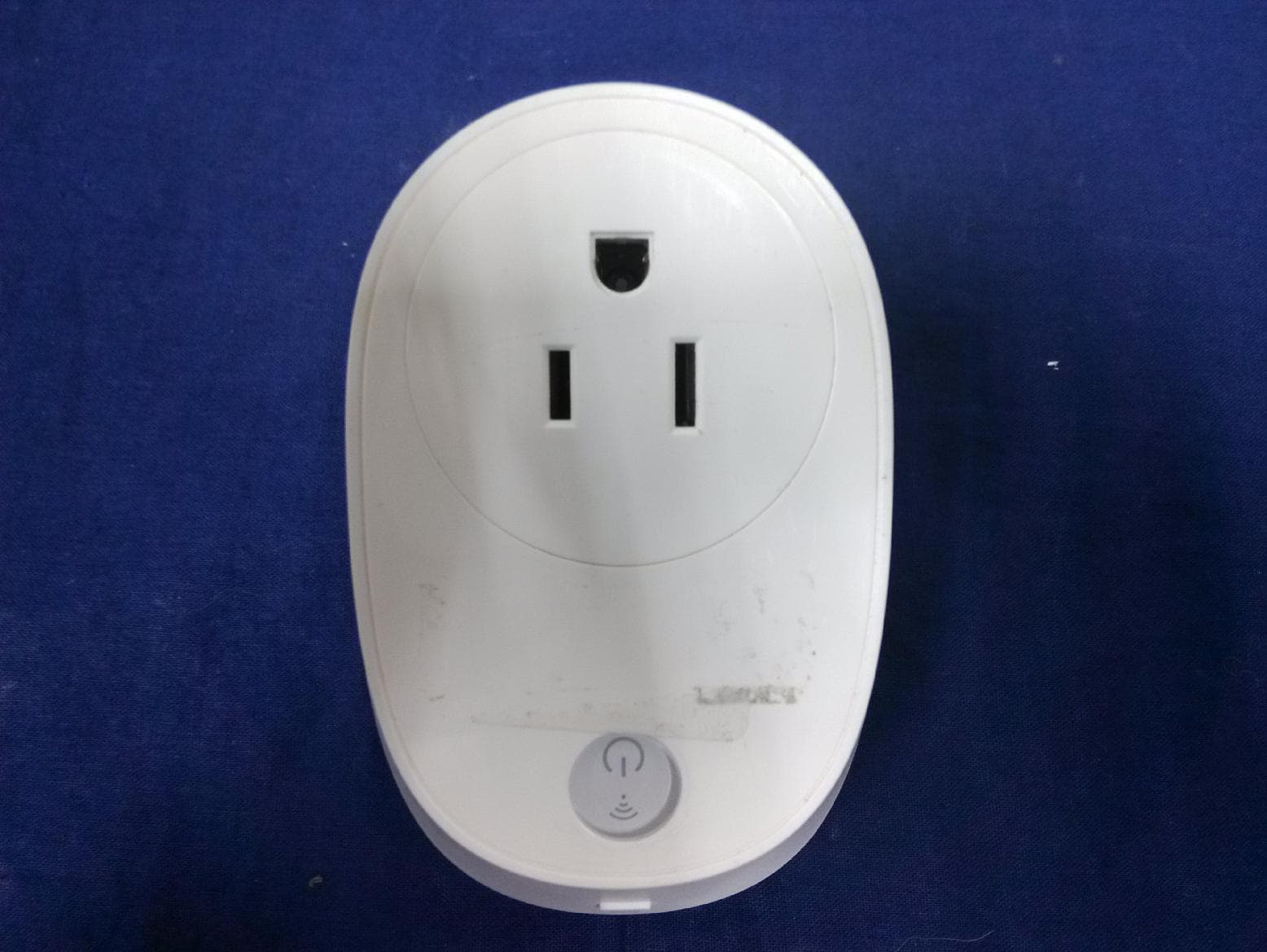
Click to zoom
Application Details
- Equipment Class
- DTS - Digital Transmission System
- Date of Grant
- Nov 25, 2015
- Application Purpose
- Original Equipment
- Date of Application
- Nov 24, 2015
- Equipment Note
- Wi-Fi Smart Plug
- Frequency Range
- 2412.00000000 - 2462.00000000
- Country
- China
Documents & Files
Document Text
Text extracted from the exhibit documents filed with the FCC. Open a document above to read the original.
Users Manual
User Guide Wi-Fi Smart Plug HS100 Wi-Fi Smart Plug with Energy Monitoring HS110 REV1.0.0 1910011524 Contents Chapter 1. Introduction..........................................................................................................................................................2 1.1 Product Overview.................................................................................................................................................................................2 1.2 Main Features..........................................................................................................................................................................................2 1.3 Panel Layout.............................................................................................................................................................................................1 Chapter 2. Quick Start.............................................................................................................................................................4 Appendix A. FAQs.......................................................................................................................................................................5 Appendix B. Specifications....................................................................................................................................................6 Chapter 1. Introduction 2 Chapter 1. Introduction 1.1 Product Overview What This Product Does The Smart Plugs make it easy to manage your household electronic devices anywhere in the world with a tap of your smartphone. Schedule and Timer Deter bad guys by setting your lights to turn on and off on a schedule so it seems like you’re home when you are actually away. And the countdown timer gives you a peace of mind, which automatically switches off the running household appliances as your settings. Compatible with Amazon Echo You can pair the Smart Plugs with Amazon Echo for voice control. Compatible with Android, iOS The free Kasa app lets you run them from any Android (4.1 and higher) or iOS (iOS 8 and higher) smartphone. Energy Conservation (for HS110 only) You can efficiently conserve energy and save money while using the Smart Plugs to control your space heaters and fans. The Smart Plug tracks your device’s power consumption in real-time, and has weekly and monthly summaries. 1.2 Main Features Control devices connected to the Smart Plug wherever you have Internet using the free Kasa app on your smartphone. Schedule the Smart Plug to automatically power electronics on and off as needed, like setting lights to come on at dusk or turn off at sunrise. Analyze a device’s real-time and historical power consumption. (for HS110 only) Turns your devices on and off at different times to give the appearance that someone is home. Amazon Echo (sold separately) lets you control devices connected to the Smart Plugs just using your voice. Chapter 1. Introduction 3 1.3 Panel Layout Wi-Fi LED Power LED Settings Button * Image may differ from actual product due to different regional power specifications. Here we take the US version as an exam ple. Button Description (Settings button) Press this button until the Wi-Fi LED blinks amber and green alternately (about 5 seconds) to initiate the smart-config process. Press and hold until the Wi-Fi LED blinks amber quickly (about 10 seconds) to reset the Smart Plug to factory defaults. LED Status Indication Blink Amber and Green: Smart-config mode initiated. Green: Connecting to the network. Amber: Factory reset. (Wi-Fi LED) On Green: Connected to the network. Amber: Rebooting. Red: No network connection. On The Smart Plug is powered on. (Power LED) Off No power. Chapter 2. Quick Start 4 Chapter 2. Quick Start 1. Download TP-LINK Kasa app. 2. Connect mobile device to your Wi-Fi network. Note: The Smart Plug can only connect to 2.4GHz network. 3. Launch Kasa and follow the app instructions. Appendix A. FAQs 5 Appendix A. FAQs 1. What devices can I control with the Smart Plug? You can control lights, fans, humidifiers, portable heaters, and any small appliances in accordance with the Smart Plug’s specifications. 2. What should I do when I can’t turn devices on or off? Make sure that the devices connected to the Smart Plug are turned on, and that the Smart Plug is connected to the network. 3. What should I do when the Wi-Fi LED is lit solid red? A solid red indicates no network connection, or that the smart-config process has failed. You can: Check for interference or relocate the Smart Plug to another location within the signal range. Make sure that you connect the Smart Plug to the 2.4GHz network. Repeat the smart-config process. Factory reset the Smart Plug and try to add it again. Technical Support For technical support, advanced features, and usage tips for the Smart Plug, visit the support page at www.tp-link.com. Appendix B. Specifications 6 Appendix B. Specifications Working Status Input voltage: 100 - 120VAC, 15A Output voltage: 100 - 120VAC, 15A Maximum Load: 15A Maximum Power: 1.8KW Network Protocol: IEEE 802.11b/g/n Wireless Type: 2.4GHz, 1T1R System Requirements: Android 4.1 or higher, iOS 8 or higher General Certifications: RoHS, EAC, CE Buttons: Power button, Settings button Environment Operating Temperature: 0°C~40°C (32°F~104°F) Storage Temperature: -20°C~70°C (-4°F ~158°F) Operating Humidity: 10%~90% non-condensing Storage Humidity: 5%~90% non-condensing COPYRIGHT & TRADEMARKS Specifications are subject to change without notice. is a registered trademark of TP-LINK TECHNOLOGIES CO., LTD. Other brands and product names are trademarks or registered trademarks of their respective holders. No part of the specifications may be reproduced in any form or by any means or used to make any derivative such as translation, transformation, or adaptation without permission from TP-LINK TECHNOLOGIES CO., LTD. Copyright © 2015 TP-L…
Text truncated - open the document above for the full version.
Cover Letter(s)
TP-LINK TECHNOLOGIES CO., LTD. We Name: TP-LINK TECHNOLOGIES CO., LTD. Address: Building 24(floors1,3,4,5) and 28(floors1-4) Central Science and Technology Park, Shennan Rd, Nanshan City: Shenzhen . Country: China . Declare that: Agent Company name: QuieTek Technology (Suzhou) Co., Ltd. Address: No.99 Hongye Rd., Suzhou Industrial Park , City: Suzhou Country China is authorized to apply for Certification of the following product(s): Product description: Wi-Fi Smart Plug ............ Type designation: HS100 Trademark: TP-LINK on our behalf. Date: 2015-11-02.. Name: Yongquan Wang .. Function: ...... Product Dept. Manager ............ ................ Signature: ...... ...... ...... ...... ...... ...... ...... ...... ...... ...... Notes: (1): Required for FCC application (2): For FCC&IC it must be the Grantee Code “owner” or the authorized agent.
Cover Letter(s)
TP-LINK TECHNOLOGIES CO., LTD. Date:2015-11-02 Federal Communications Commission Authorization and Evaluation Division FCC ID: TE7HS100 Confidentiality Request Pursuant to Sections 0.457 and 0.459 of the Commission’s Rules, the Applicant hereby requests confidential treatment of information accompanying this Application as outlined below: Schematics Block Diagram Operational Description The above materials contain trade secrets and proprietary information not customarily released to the public. The public disclosure of these matters might be harmful to the Applicant and provide unjustified benefits to its competitors. The Applicant understands that pursuant to Rule 0.457, disclosure of this Application and all accompanying documentation will not be made before the date of the Grant for this application. Sincerely, Yongquan Wang / Product Dept. Manager TP-LINK TECHNOLOGIES CO., LTD.
Cover Letter(s)
TP-LINK TECHNOLOGIES CO., LTD Date: 2015-11-02 Federal Communications Commission Authorization and Evaluation Division FCC ID: TE7HS100 ATTESTATION FCC ID: TE7HS100 Product: Wi-Fi Smart Plug Model: HS100 We don't provide any controls or software to allow operation outside the USA frequency band when we sell this product in USA. Sincerely, Yongquan Wang / Product Dept. Manager TP-LINK TECHNOLOGIES CO., LTD.
External Photos
EUT Photograph (1) EUT Photo (2) EUT Photo (3) EUT Photo (4) EUT Photo (5) EUT Photo (6) EUT Photo
Internal Photos
(1) EUT Photo (2) EUT Photo (3) EUT Photo
RF Exposure Info
RF Exposure Evaluation Declaration Product Name : Wi-Fi Smart Plug Model No. : HS100 FCC ID : TE7HS100 Applicant : TP-LINK TECHNOLOGIES CO., LTD. Address : Building 24(floors1,3,4,5) and 28(floors1-4) Central Science and Technology Park, Shennan Rd, Nanshan, Shenzhen, China Date of Receipt : Aug. 26, 2015 Issued Date : Nov. 19, 2015 Report No. : 1590014R-RF-US-P20V01 Report Version : V1.0 The test results relate only to the samples tested. The test results shown in the test report are traceable to the national/international standard through the calibration of the equipment and evaluated measurement uncertainty herein. This report must not be used to claim product endorsement by any agency of the government. The test report shall not be reproduced without the written approval of QuieTek Corporation. Report No: 1590014R-RF-US-P20V01 Page: 2 of 6 Test Report Certification Issued Date : Nov. 19, 2015 Report No. : 1590014R-RF-US-P20V01 Product Name : Wi-Fi Smart Plug Applicant : TP-LINK TECHNOLOGIES CO., LTD. Address : Building 24(floors1,3,4,5) and 28(floors1-4) Central Science and Technology Park, Shennan Rd, Nanshan,Shenzhen, China Manufacturer : TP-LINK TECHNOLOGIES CO., LTD. Address : Building 24(floors1,3,4,5) and 28(floors1-4) Central Science and Technology Park, Shennan Rd, Nanshan,Shenzhen, China Model No. : HS100 FCC ID : TE7HS100 EUT Voltage : 100-120V~50/60Hz Brand Name : TP-LINK Applicable Standard : KDB 447498D01V05V02 FCC Part1.1310(b) RSS-102: Issue 5, March, 2015 Test Result : Complied Performed Location : Suzhou EMC Laboratory No.99 Hongye Rd., Suzhou Industrial Park, Suzhou, 215006, Jiangsu, China TEL: +86-512-6251-5088 / FAX: +86-512-6251-5098 FCC Registration Number: 800392; IC Lab Code: 4075B Documented By : Reviewed By : Approved By : Report No: 1590014R-RF-US-P20V01 Page: 3 of 6 Laboratory Information We, QuieTek Corporation, are an independent EMC and safety consultancy that was established the whole facility in our laboratories. The test facility has been accredited/accepted(audited or listed) by the following related bodies in compliance with ISO 17025, EN 45001 and specified testing scope: The related certificate for our laboratories about the test site and management system can be downloaded from QuieTek Corporation’s Web Site :http://www.quietek.com/tw/ctg/cts/accreditations.htm The address and introduction of QuieTek Corporation’s laboratories can be founded in our Web site : http://www.quietek.com/ If you have any comments, Please don’t hesitate to contact us. Our contact information is as below: HsinChu Testing Laboratory : No.75-2, 3rd Lin, Wangye Keng, Yonghxing Tsuen, Qionglin Shiang, Hsinchu County 307, Taiwan, R.O.C. TEL:+886-3-592-8858 / FAX:+886-3-592-8859 E-Mail : [email protected] LinKou Testing Laboratory : No.5-22, Ruishukeng, Linkou Dist., New Taipei City 24451, Taiwan, R.O.C. TEL : 886-2-8601-3788 / FAX : 886-2-8601-3789 E-Mail : [email protected] Suzhou Testing Laboratory : No.99 Hongye Rd., Suzhou Industrial Park, Suzhou,215006, Jiangsu, China TEL : +86-512-6251-5088 / FAX : 86-512-6251-5098 E-Mail : [email protected] Taiwan R.O.C. :BSMI, NCC, TAF USA :FCC Japan :VCCI China :CNAS Report No: 1590014R-RF-US-P20V01 Page: 4 of 6 History of This Test Report REPORT NO. VERSION DESCRIPTION ISSUED DATE 1590014R-RF-US-P20V01 V1.0 Initial Issued Report Nov. 19, 2015 Report No: 1590014R-RF-US-P20V01 Page: 5 of 6 1. RF Exposure Evaluation 1.1. Limits According to FCC 1.1310: The criteria listed in the following table shall be used to evaluate the environment impact of human exposure to radio frequency (RF) radiation as specified in 1.1307(b) LIMITS FOR MAXIMUM PERMISSIBLE EXPOSURE (MPE) Frequency Range (MHz) Electric Field Strength (V/m) Magnetic Field Strength (A/m) Power Density (mW/cm2) Average Time (Minutes) (A) Limits for Occupational/ Control Exposures 300-1500 -- -- F/300 6 1500-100,000 -- -- 5 6 (B) Limits for General Population/ Uncontrolled Exposures 300-1500 -- -- F/1500 6 1500-100,000 -- -- 1 30 F= Frequency in MHz Friis Formula Friis transmission formula: Pd = (Pout*G)/(4*pi*r2) Where Pd = power density in mW/cm2 Pout = output power to antenna in mW G = gain of antenna in linear scale Pi = 3.1416 R = distance between observation point and center of the radiator in cm Pd id the limit of MPE, 1 mW/cm2 . If we know the maximum gain of the antenna and the total power input to the antenna, through the calculation, we will know the distance r where the MPE limit is reached. Report No: 1590014R-RF-US-P20V01 Page: 6 of 6 1.2. Test Procedure Software provided by client enabled the EUT to transmit and receive data at lowest, middle and highest channel individually. The temperature and related humidity: 18°Cand 78% RH. 1.3. Test Result of RF Exposure Evaluation Product : Wi-Fi Smart Plug Test Item : RF Exposure Evaluation Test Site : AC-6 z Antenna Gain: Antenna Gain: The maximum Gain measured in fully anechoic chamber is 2.69dBi for 2.4GHz in logarithm scale. z Output Power into Antenna & RF Exposure Evaluation Distance: Frequency Band (MHz) Maximum Output Power to Antenna (mW) Power Density at R = 20 cm (mW/cm2) 2412 - 2462 82.2242 0.0304 Note: The power density Pd (4th column) at a distance of 20 cm calculated from the Friis transmission formula is far below the limit of 1 mW/cm2. The End
Test Report
Test Report FCC Part15 Subpart C Product Name : Wi-Fi Smart Plug Model No. : HS100 FCC ID : TE7HS100 Applicant : TP-LINK TECHNOLOGIES CO., LTD. Address : Building 24(floors1,3,4,5) and 28(floors1-4) Central Science and Technology Park, Shennan Rd, Nanshan, Shenzhen, China Date of Receipt : Aug. 26, 2015 Test Date : Oct. 19, 2015~ Nov. 17, 2015 Issued Date : Nov. 19, 2015 Report No. : 1590014R-RF-US-P06V01 Report Version : V1.0 The test results relate only to the samples tested. The test results shown in the test report are traceable to the national/international standard through the calibration of the equipment and evaluated measurement uncertainty herein. This report must not be used to claim product endorsement by TAF or any agency of the government. The test report shall not be reproduced without the written approval of QuieTek Corporation. Report No: 1590014R-RF-US-P06V01 Page: 2 of 194 Test Report Certification Issued Date : Nov. 19, 2015 Report No. : 1590014R-RF-US-P06V01 Product Name : Wi-Fi Smart Plug Applicant : TP-LINK TECHNOLOGIES CO., LTD. Address : Building 24(floors1,3,4,5) and 28(floors1-4) Central Science and Technology Park, Shennan Rd, Nanshan,Shenzhen, China Manufacturer : TP-LINK TECHNOLOGIES CO., LTD. Address : Building 24(floors1,3,4,5) and 28(floors1-4) Central Science and Technology Park, Shennan Rd, Nanshan,Shenzhen, China Model No. : HS100 FCC ID : TE7HS100 EUT Voltage : 100-120V~50/60Hz Brand Name : TP-LINK Applicable Standard : FCC CFR Title 47 Part 15 Subpart C: 2015 ANSI C63.4:2014; ANSI C63.10:2013; KDB 558074 D01v03r03 Test Result : Complied Performed Location : Suzhou EMC Laboratory No.99 Hongye Rd., Suzhou Industrial Park, Suzhou,215006, Jiangsu, China TEL: +86-512-6251-5088 / FAX: +86-512-6251-5098 FCC Registration Number: 800392; Documented By : Reviewed By : Approved By : Report No: 1590014R-RF-US-P06V01 Page: 3 of 194 Laboratory Information We, QuieTek Corporation, are an independent EMC and safety consultancy that was established the whole facility in our laboratories. The test facility has been accredited/accepted(audited or listed) by the following related bodies in compliance with ISO 17025, EN 45001 and specified testing scope: The related certificate for our laboratories about the test site and management system can be downloaded from QuieTek Corporation’s Web Site :http://www.quietek.com/tw/ctg/cts/accreditations.htm The address and introduction of QuieTek Corporation’s laboratories can be founded in our Web site : http://www.quietek.com/ If you have any comments, Please don’t hesitate to contact us. Our contact information is as below: HsinChu Testing Laboratory : No.75-2, 3rd Lin, Wangye Keng, Yonghxing Tsuen, Qionglin Shiang, Hsinchu County 307, Taiwan, R.O.C. TEL:+886-3-592-8858 / FAX:+886-3-592-8859 E-Mail : [email protected] LinKou Testing Laboratory : No.5-22, Ruishukeng, Linkou Dist., New Taipei City 24451, Taiwan, R.O.C. TEL : 886-2-8601-3788 / FAX : 886-2-8601-3789 E-Mail : [email protected] Suzhou Testing Laboratory : No.99 Hongye Rd., Suzhou Industrial Park, Suzhou,215006, Jiangsu, China TEL : +86-512-6251-5088 / FAX : 86-512-6251-5098 E-Mail : [email protected] Taiwan R.O.C. : BSMI, NCC, TAF USA : FCC Japan : VCCI China : CNAS Report No: 1590014R-RF-US-P06V01 Page: 4 of 194 TABLE OF CONTENTS Description Page 1. General Information ................................................................................................. 7 1.1. EUT Description ...................................................................................................... 7 1.2. Mode of Operation ................................................................................................. 11 1.3. Tested System Details ........................................................................................... 12 1.4. Configuration of Tested System ............................................................................. 13 1.5. EUT Exercise Software .......................................................................................... 14 2. Technical Test ........................................................................................................ 15 2.1. Summary of Test Result ......................................................................................... 15 2.2. Test Environment ................................................................................................... 16 3. Conducted Emission .............................................................................................. 17 3.1. Test Equipment ...................................................................................................... 17 3.2. Test Setup.............................................................................................................. 17 3.3. Limit ....................................................................................................................... 18 3.4. Test Procedure ...................................................................................................... 18 3.5. Uncertainty ............................................................................................................ 19 3.6. Test Result ............................................................................................................. 20 4. Radiated Emission ................................................................................................. 22 4.1. Test Equipment ...................................................................................................... 22 4.2. Test Setup.............................................................................................................. 23 4.3. Limit ....................................................................................................................... 24 4.4. Test Procedure ...................................................................................................... 24 4.5. Uncertainty ...............…
Text truncated - open the document above for the full version.
Test Setup Photos
Test Setup Photograph for Part 15.247 Description: Radiated Emission Test Setup for Below 1GHz Description: Radiated Emission Test Setup for 1~18GHz Description : Front View of Conducted Test Description : Back View of Conducted Test
Contact Information
Applicant
Jing Huang(Regulatory Compliance Manager)
Technical Contact
QuieTek Technology (Suzhou) Co.,Ltd.Harry Zhao
[email protected]86-0512-6251-5088
No.99 Hongye RD.Suzhou Industrial Park, Loufeng · SuZhou · China
Non-Technical Contact
QuieTek Technology (Suzhou) Co.,Ltd.Yuki Li
[email protected]86-0512-6251-5088
Test Firm
DEKRA Testing and Certification (Suzhou) Co., Ltd.Jerry Pan
Technical Specifications
| # | Rule Parts | Frequency Range | Power Output |
|---|---|---|---|
| 1 | 15C | 2.41 GHz - 2.46 GHz | 82.22 mW |
Other Applications from TP-Link Technologies Co., Ltd.
TE7RE230V2
Jan 13, 2021AC750 Wi-Fi Range Extender, AC1200 Wi-Fi Range Extender
Equipment Class
DTS - Digital Transmission System
TE7AX20V2
Dec 22, 2020AX1800 Dual-Band Wi-Fi 6 Router
Equipment Class
DTS - Digital Transmission System
TE7EAP620HD
Dec 17, 2020AX1800 Wireless Dual-Band Gigabit Ceiling Mount Access Point
Equipment Class
NII - Unlicensed National Information Infrastructure TX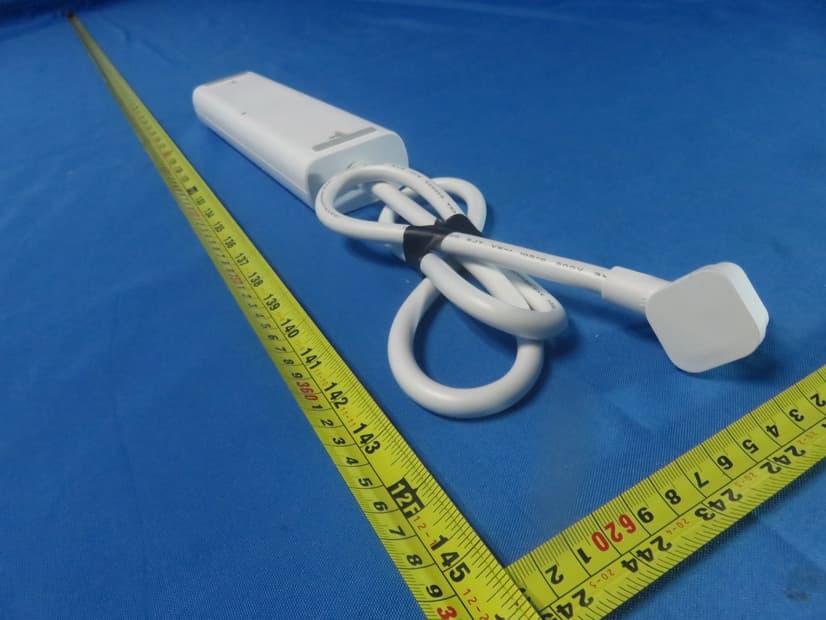
TE7KP303V2
Dec 15, 2020Kasa Smart Wi-Fi Power Strip, 3-Outlet
Equipment Class
DTS - Digital Transmission System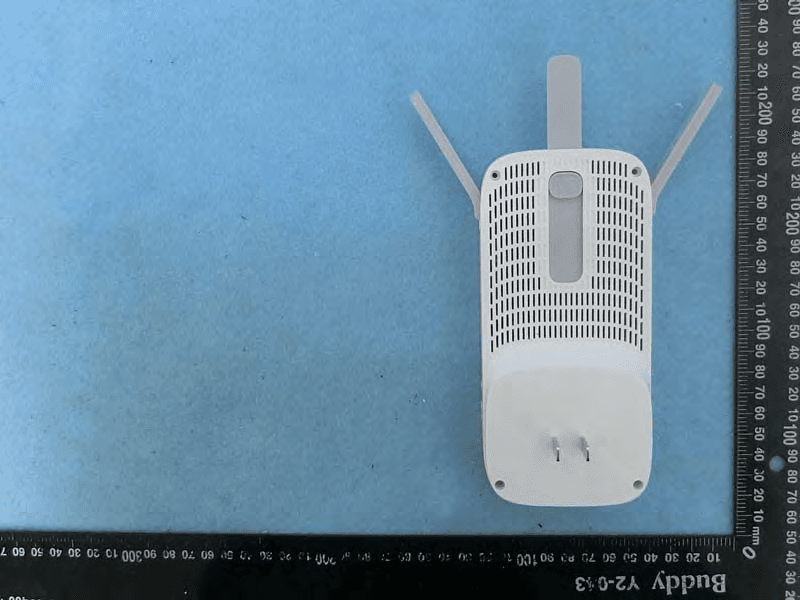
TE7RE550
Dec 03, 2020AC1750 Wi-Fi Range Extender, AC1900 MU-MIMO Wi-Fi Range Extender
Equipment Class
DTS - Digital Transmission System