TT2BHF700WIRELESS HANDSFREE CARKIT
ENUSTECH
Click to zoom
Application Details
- Equipment Class
- DSS - Part 15 Spread Spectrum Transmitter
- Date of Grant
- Jan 29, 2008
- Application Purpose
- Original Equipment
- Date of Application
- Jan 28, 2008
- Equipment Note
- WIRELESS HANDSFREE CARKIT
- Frequency Range
- 2402.00000000 - 2480.00000000
- Company
- ENUSTECH
- Country
- South Korea
Documents & Files
Document Text
Text extracted from the exhibit documents filed with the FCC. Open a document above to read the original.
Users Manual
1. Product Overview 1) Connection, Battery, FM Status 2) Microphone 3) Multi-function button 4) FM/TTS button 5) Volume Up button 6) Volume Down Button 7) Charging Port 8) Speaker 1 2 7 6 8 5 4 3 2. Charging hands-free car kit Be sure to use the vehicle charger and USB charger cable provided. The product uses an advanced lithium polymer rechargeable battery. When used for the first time, it is important to charge the product for 2 hours, to ensure the battery is fully charged, ready for use in the best conditions. a) How to charge Use the USB charger cable to connect the car kit to the vehicle charger. Connect the product car kit through using the USB charger cable to the vehicle charger. Then plug the vehicle charger into your car’s power outlet. The light on the USB charger cable will light up red while it is charging. When the light on the USB charger cable turns green, the product is fully charged. Note: When the car kit battery is low, the Battery Icon on the product blinks, indicating that it needs to be recharged. 3. Pairing Before you use the product you must first pair it with your mobile phone. Note: You can only pair devices that are Bluetooth enabled. To see if you mobile phone is Bluetooth enabled, check your mobile phone’s user guide. 1) If the car kit is powered on, turn it off. 2) Press the Multi-function button for 7 seconds.Release the button when Bluetooth Status Icon begins to flash quickly with beep sound (or TTS Message: Pairing Mode. 3) Use the mobile phone’s device search function and then select the device BHF-700. 4) Enter the password “0000” on your mobile phone. 5) The devices have been successfully paired when you see the Bluetooth Status Icon changes or hear the message “Connected”. Note: If the pairing is not successful within 2 minutes, the car kit status changes to Standby Mode. Repeat steps 1 to 4 to initiate pairing mode again. 4. Usage 1) Turn On/Off Power On: Push the multi-function button of the product for 2 seconds to turn it on. Power Off: Push the multi-function button of the product for 4 seconds to turn it off. 2) Connection a. Once paired, press shortly on the Multi-function button to connect the car kit to the mobile phone. b. If not paired, see 3) pairing. Note: if it was connected following the a. procedure, press and hold down the volume up or volume down to enter the Stereo Mode (A2DP). 3) Call Functions *Answer a call: Press shortly on the Multi-function button. . *End a call:. Press shortly on the Multi-function button. . *Voice Dialing: To place a call using voice dialing, press and hold down the multi-function button for 1 second. You will hear a beep. Then say the name of the person you wish to call using the voice tag that you previously recorded for that number. Note: The voice dialing function is handset dependant. Consult your mobile phone’s user guide to see if it supports voice dialing. *Transferring calls between the product and mobile phone: To transfer a call from the car kit to the mobile phone during a call, quickly press twice on the Multi-Function button. To transfer a call from your mobile phone back to the car kit repeat the same step. 6) Reject a call: To reject an incoming call when the product is ringing, press for 1 second on the Multi-function button. A busy tone will be sent to the caller. Note: The reject a call function is handset dependant. Consult your mobile phone’s user guide to see if it supports reject a call function. 7) Last numbers redial To redial the last number you called, press twice the Multi-function button. 8) Volume Up / Down Use the Volume Up / Down button to adjust the volume. 9) Mute / Un-mute Press and hold down the Volume Down button for 1 second during the call. In this case, you are able to hear the other person but she/he won’t be able to hear you. To un-mute the call, quickly press once the Volume Up or Volume Down button. 10) Remove a registered mobile phone entry from the lists. The car kit registers a list of recently connected mobile phones. To remove the list, press and hold down the Multi-function button, Volume Up button and FM/TTS button at the same time for 7 seconds. A beep indicates the list was removed from the car kit memory. Note: After removing the list the car kit remains in pairing mode. 11) Blind Mode To turn off the status icon while using the product, hold down the Volume Up button and FM/TTS button for 1 second at the same time. The light on the status icon will be switched off but the product will continue to function. Note: To switch off the Blind Mode, follow the above mentioned steps. 12) FM Transmission a. Check the pairing status. This function can be activated after pairing. b. To use the car audio system, press once shortly on the FM/TTS button then the FM Status icon will be on. c. Through the FM status icon and voice announcement, check the fixed frequency. d. Tune the car kit and the car audio system into the same frequency channel. [See the 13)] Note: 1. To switch off the FM transmitter function, press once shortly on the FM/TTS button. 2. The FM transmitter function will automatically switch off after 1 minute if you don’t try to make a call or transfer music via car audio system. 13) FM Frequency Selection Mode The product has 7 pre-programmed frequencies. You can select one of them following these steps: a. Check if the car kit is in the Pairing Mode. b. When FM transmission mode is not active, press and hold down the FM/TTS button for 2 seconds. Release the FM/TTS button when you hear a beep. c. FM status icon blinks every 1 second indicating that FM Frequency Selection Mode is on, and the current frequency is announced. Select the desired frequency by pressing the Volume Up and Volume Down button. d. To exit Selection mode, press and hold down the FM/TTS button for 2 seconds. e. You can check the frequency fixed by voice announcing. f. If you cannot find the desired frequency, see 14) Scanning an FM Frequency Note: To end the FM Frequency Selection…
Text truncated - open the document above for the full version.
Cover Letter(s)
ENUSTECH.,INC. JnJ Bldg., 5 Yeoksam 2(i)-dong,785-12,Gangnam-gu,Seoul 135-515,Korea Tel. +82-2-565-0785 Fax +82-2-3452-3603 January 25, 2008 Federal Communications Commission Equipment Authorization Branch 7435 Oakland Mills Road Columbia, MD 21046 LETTER OF AUTHORIZATION To whom it may concern: We, the undersigned, hereby authorize LTA Co., Ltd., to act on our behalf in all manners relating to application for equipment authorization for FCC ID: TT2BHF700. including signing of all documents relating to these matters. Any and all acts carried out by LTA Co., Ltd., on our behalf shall have the same affect as acts of our own. This authorization is valid until further written notice from ENUSTECH.,INC. LTA Co.,LTD. (Contact Person) Contact name: LEE, Kyung-Taek Position: Manager Phone:(82)31-323-6008 E-mail: [email protected] Sincerely, Sang-Yong, Shin / Product Manager Company name: ENUSTECH.,INC. Phone:(82)2-565-0785
Cover Letter(s)
ENUSTECH.,INC. JnJ Bldg., 5 Yeoksam 2(i)-dong,785-12,Gangnam-gu,Seoul 135-515,Korea Tel. +82-2-565-0785 Fax +82-2-3452-3603 January 25, 2008 Federal Communications Commission Equipment Authorization Branch 7435 Oakland Mills Road Columbia, MD 21046 In re : ENUSTECH.,INC. FCC ID : TT2BHF700 Request for Confidentiality Gentlemen: Pursuant to Sections 0.457 and 0.459 of the Commission’s Rules, we hereby request confidential treatment of information accompanying this application as outlined below: Exhibit Type File Name Schematics [TT2BHF700] SCH.pdf Parts list [TT2BHF700] PL.pdf Block diagram [TT2BHF700] BLK.pdf Operational description [TT2BHF700] OpDes.pdf The above materials contain trade secrets and proprietary information not customarily released to the public. The public disclosure of these materials may be harmful to the applicant and provide unjustified benefits to its competitors. The applicant understands that pursuant to Section 0.457 of the Rules, disclosure of this application and all accompanying documentation will not be made before the date of the Grant for this application. Sincerely, __________________________ Sang-Yong, Shin /Manager Company name: ENUSTECH.,INC. Phone:(82)2-565-0785
External Photos
Model No.: BHF-700 FCC ID: TT2BHF700 Copyright ○ c 2008, LTA Co., Ltd. Page 1 of 3 Model No.: BHF-700 FCC ID: TT2BHF700 Copyright ○ c 2008, LTA Co., Ltd. Page 2 of 3 Model No.: BHF-700 FCC ID: TT2BHF700 Copyright ○ c 2008, LTA Co., Ltd. Page 3 of 3
ID Label/Location Info
FCC ID: TT2BHF700 Copyright Ⓒ 2008, LTA Co., Ltd. SAMPLE LABEL & LOCATION ENUSTECH FCC ID:TT2BHF700 M/N: BHF-700 This device complies with Part 15 of the FCC Rules. Operation is subject to the following two conditions: (1) this device may not cause harmful interference, and (2) this device must accept any interference received, including interference that may cause undesired operation. Made in Korea
Internal Photos
Model No.: BHF-700 FCC ID: TT2BHF700 Copyright ○ c 2008, LTA Co., Ltd. Page 1 of 3 Model No.: BHF-700 FCC ID: TT2BHF700 Copyright ○ c 2008, LTA Co., Ltd. Page 2 of 3 Model No.: BHF-700 FCC ID: TT2BHF700 Copyright ○ c 2008, LTA Co., Ltd. Page 3 of 3 FMT ANTENNA Bluetooth ANTENNA
Test Report
Ref. No.: LR500190801B Copyright ○ c 2008, LTA Co., Ltd. Page 1 of 28 243 Jubug-Ri,Yangji-Myeon, Yongin-Si, Gyeonggi-Do, Korea 449-822 Tel: +82-31-323-6008 Fax: +82-31-323-6010 http://www.ltalab.com Dates of Tests: Jan. 15 ~ 24, 2008 Test Report S/N: LR500190801B Test Site : LTA CO., LTD. CERTIFICATION OF COMPLIANCE FCC ID. APPLICANT FCC Classification : FHSS Sequence Spread Spectrum (FHSS) Manufacturing Description : Wireless Handsfree Carkit Manufacturer : ENUSTECH.,INC. Model name : BHF-700 Test Device Serial No.: : Identical prototype Rule Part(s) : FCC Part 15.247 Subpart C; ANSI C-63.4-2003 Frequency Range : 2402 ~ 2480MHz RF power : 5.62dBm - Conducted Data of issue : January 24 2008 This test report is issued under the authority of: The test was supervised by: Dong –Min JUNG, Technical Manager Kyung-Taek LEE, Test Engineer This test result only responds to the tested sample. It is not allowed to copy this report even partly without the allowance of the test laboratory. This report must not be used by the applicant to claim product endorsement by any agency. NVLAP LAB Code.: 200723-0 TT2BHF700 ENUSTECH.,INC. Ref. No.: LR500190801B Copyright ○ c 2008, LTA Co., Ltd. Page 2 of 28 TABLE OF CONTENTS 1. GENERAL INFORMATION’S -------------------------------------------------------------------------- 2. INFORMATION’S ABOUT TEST ITEM ------------------------------------------------------------- 3. TEST REPORT --------------------------------------------------------------------------------------------- 3.1 SUMMARY OF TESTS ------------------------------------------------------------------------------ 3.2 TECHNICAL CHARACTERISTICS TEST ------------------------------------------------------- 3.2.1 CARRIER FREQUENCY SEPARATION ---------------------------------------------------- 3.2.2 NUMBER OF HOPPING FREQUENCIES -------------------------------------------------- 3.2.3 20 dB BANDWIDTH ---------------------------------------------------------------------------- 3.2.4 TIME OF OCCUPANCY (Dwell Time) ------------------------------------------------------- 3.2.5 TTANSMITTER OUTPUT POWER ---------------------------------------------------------- 3.2.6 BAND – EDGE ----------------------------------------------------------------------------------- 3.2.7 FIELD STRENGTH OF HARMONICS ------------------------------------------------------ 3.2.8 AC CONDUCTED EMISSIONS -------------------------------------------------------------- APPENDIX APPENDIX TEST EQUIPMENT USED FOR TESTS -------------------------------------------- 3 4 5 5 6 6 8 11 13 15 17 22 24 27 Ref. No.: LR500190801B Copyright ○ c 2008, LTA Co., Ltd. Page 3 of 28 1. General information’s 1-1 Test Performed Company name : LTA Co., Ltd. Address : 243, Jubug-ri,Yangji-Myeon,Youngin-Si, Kyunggi-Do, Korea. 449-822 Web site : http://www.ltalab.com E-mail : [email protected] Telephone : +82-31-323-6008 Facsimile +82-31-323-6010 Quality control in the testing laboratory is implemented as per ISO/IEC 17025 which is the “General requirements for the competents of calibration and testing laboratory”. 1-2 Accredited agencies LTA Co., Ltd. is approved to perform EMC testing by the following agencies: Agency Country Accreditation No. Validity Reference NVLAP U.S.A 200723-0 2008-09-30 ECT accredited Lab. RRL KOREA KR0049 2009-06-20 EMC accredited Lab. FCC U.S.A 610755 2008-03-28 FCC filing VCCI JAPAN R2133, C2307 2008-06-22 VCCI registration IC CANADA IC5799 2008-04-23 IC filing Ref. No.: LR500190801B Copyright ○ c 2008, LTA Co., Ltd. Page 4 of 28 2. Information’s about test item 2-1 Applicant & Manufacturer Company name : ENUSTECH.,INC. Address : JnJ Bldg., 5 Yeoksam 2(i)-dong,785-12,Gangnam-gu, Seoul 135-515,Korea Tel / Fax : +82-2-565-0785 / +82-2-565-0785 2-2 Equipment Under Test (EUT) Trade name : Wireless Handsfree Carkit FCC ID : TT2BHF700 Model name : BHF-700 Serial number : Identical prototype Date of receipt : January 15, 2008 EUT condition : Pre-production, not damaged Antenna type : Pattern Antenna Max Gain -1.6dBi Frequency Range : 2402 ~ 2480MHz RF output power : 5.62 dBm - Conducted Number of channels : 79 Duty cycle : 78.7 % Channel spacing : 1MHz Channel Access Protocol : Frequency Hopping Type of Modulation : GFSK Power Source : 1100mAh rechargeable Lithium Polymer 2-3 Tested frequency LOW MID HIGH Frequency (MHz) 2402 2441 2480 2-4 Ancillary Equipment Equipment Model No. Serial No. Manufacturer DC Power Supply E3615A KR72705061 HP DC/DC Charger - - - Ref. No.: LR500190801B Copyright ○ c 2008, LTA Co., Ltd. Page 5 of 28 3. Test Report 3.1 Summary of tests FCC Part Section(s) Parameter Limit Test Condition Status (note 1) 15.247(a) Carrier Frequency Separation > 25 kHz C 15.247(a) Number of Hopping Frequencies > 75 hops C 15.247(a) 20 dB Bandwidth - C 15.247 Dwell Time < 0.4 seconds C 15.247(b) Transmitter Output Power < 1Watt C 15.247(d) Conducted Spurious emission > 20 dBc C 15.247(d) Band Edge > 20 dBc Conducted C 15.249 / 15.209 Field Strength of Harmonics < 54 dBuV (at 3m) C 15.109 Field Strength - Radiated C 15.207 /15.107 AC Conducted Emissions EN 55022 Line Conducted C 15.203 Antenna requirement - - C Note 1: C=Complies NC=Not Complies NT=Not Tested NA=Not Applicable Note 2: The data in this test report are traceable to the national or international standards. The sample was tested according to the following specification: FCC Parts 15.247; ANSI C-63.4-2003 Æ Antenna Requirement The ENUSTECH.,INC. BHF700 unit complies with the requirement of §15.203. The antenna is PCB Pattern antenna. Ref. No.: LR500190801B Copyright ○ c 2008, LTA Co., Ltd. Page 6 of 28 3.2 Transmitter requirements 3.2.1 Carrier Frequency Separation Procedure: The carrier frequency separation was measured with a spectrum analyzer connected to the antenna terminal, while EUT had its hopping function enabled. After the trace being stable, the reading value between the peaks of the adjacent channels using the marker-delta function was recorded as the measurement results.…
Text truncated - open the document above for the full version.
Test Setup Photos
FCC ID: TT2BHF700 Copyright Ⓒ 2008, LTA Co., Ltd. Page 1 of 2 Radiated Emission FCC ID: TT2BHF700 Copyright Ⓒ 2008, LTA Co., Ltd. Page 2 of 2 Conducted Emission
Contact Information
Applicant
Seung Min An(General Manager)
Test Firm
LTA Co.,LtdAhn Chulho
Technical Specifications
| # | Rule Parts | Frequency Range | Power Output |
|---|---|---|---|
| 1 | 15C | 2.40 GHz - 2.48 GHz | 3.65 mW |
Other Applications from ENUSTECH
TT2CODAWHEEL
Jun 24, 2014Smartphone remote Controller
Equipment Class
DTS - Digital Transmission System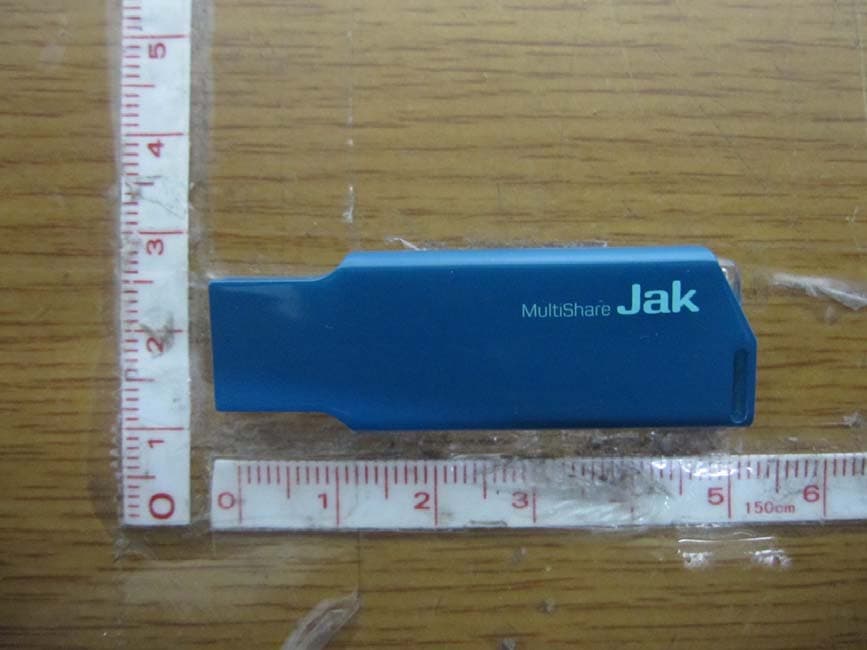
TT2JAK
Oct 31, 2012WLAN USB DONGLE
Equipment Class
DTS - Digital Transmission System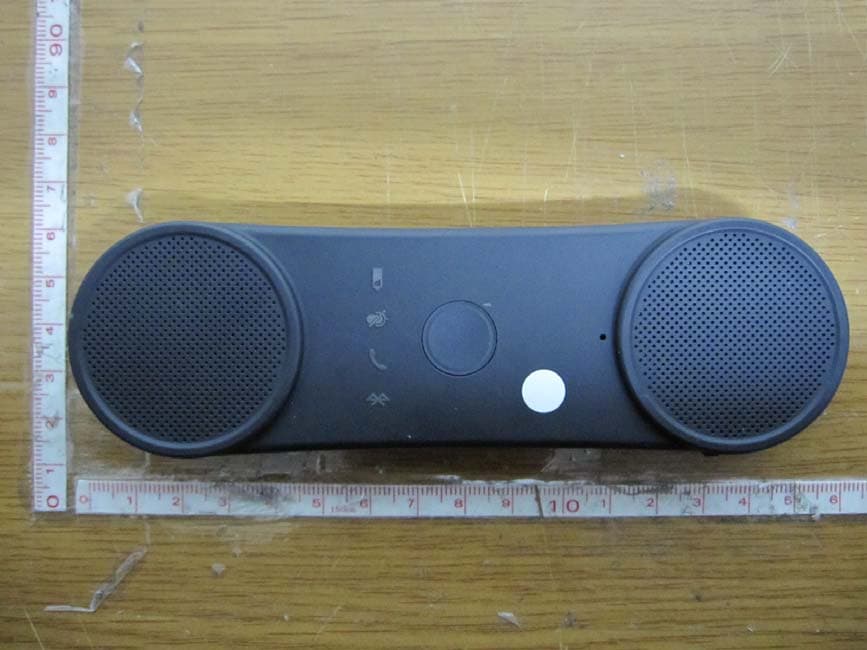
TT2BHF5000
Oct 29, 2012BLUETOOTH SPEAKERPHONE
Equipment Class
DSS - Part 15 Spread Spectrum Transmitter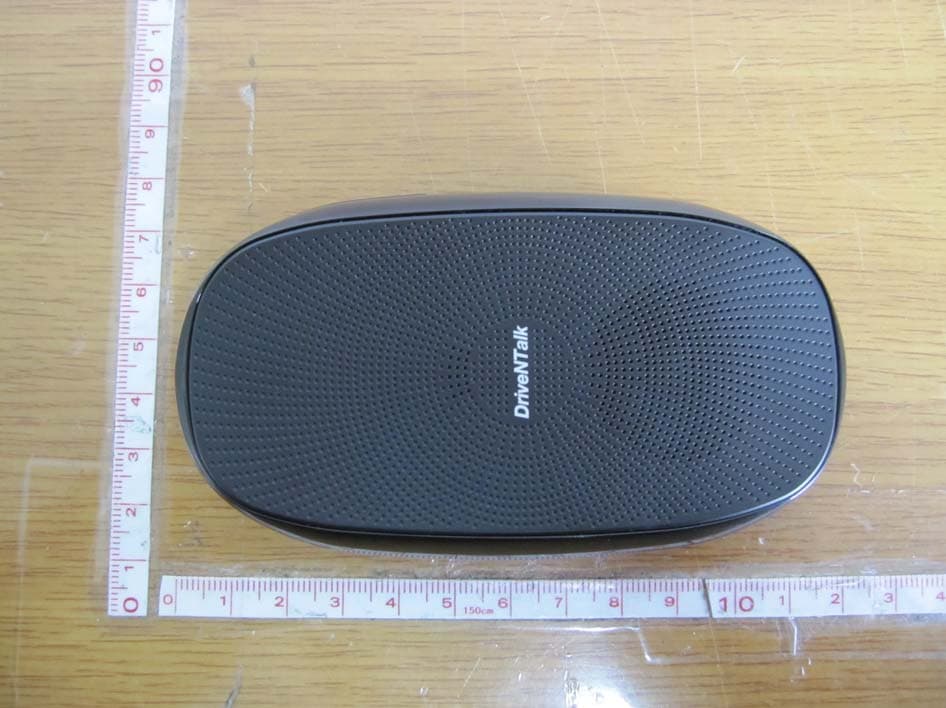
TT2BHF1800
Apr 26, 2011BLUETOOTH HANDS-FREE KIT
Equipment Class
DSS - Part 15 Spread Spectrum Transmitter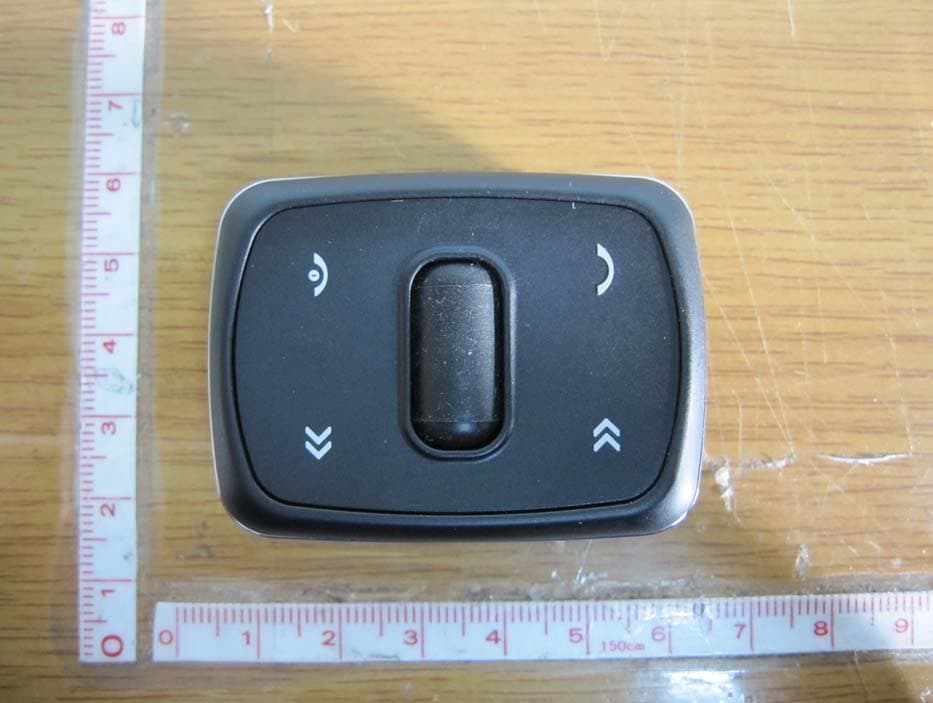
TT2KLAT8-RC
Apr 26, 2011WIRELESS REMOTE CONTROLLER
Equipment Class
DSR - Part 15 Remote Control/Security Device Transceiver