TT2EBHF100N0005BLUETOOTH HANDSFREE CAR KIT
ENUSTECH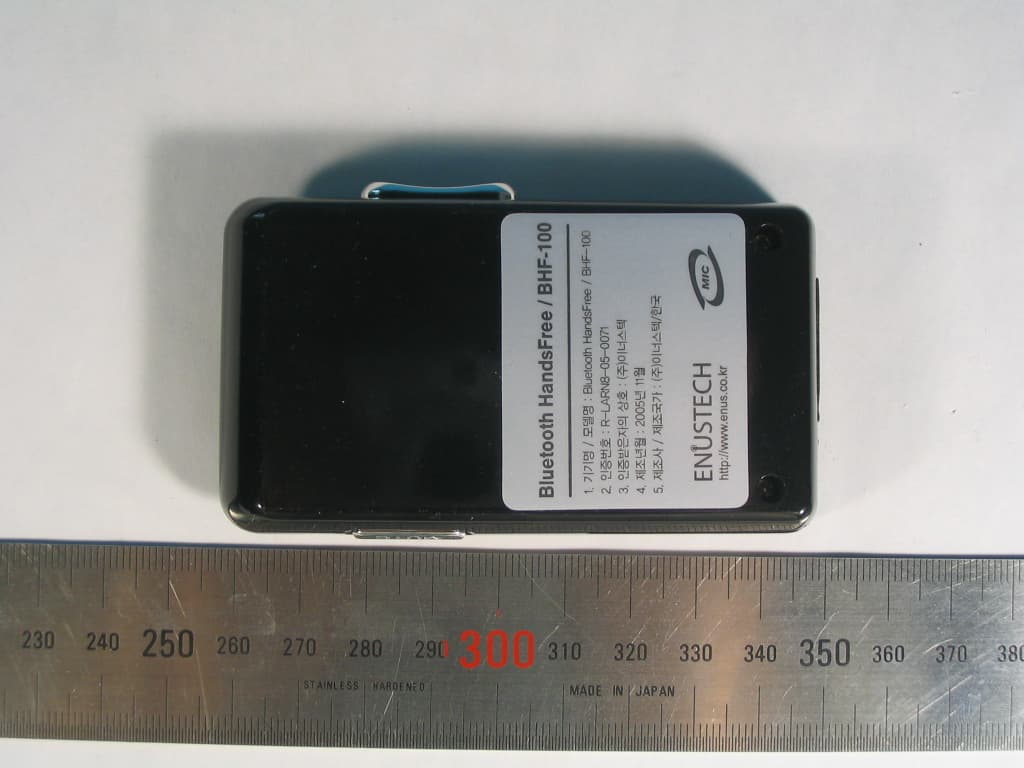
Click to zoom
Application Details
- Equipment Class
- DSS - Part 15 Spread Spectrum Transmitter
- Date of Grant
- Dec 19, 2005
- Application Purpose
- Original Equipment
- Date of Application
- Dec 19, 2005
- Equipment Note
- BLUETOOTH HANDSFREE CAR KIT
- Frequency Range
- 2402.00000000 - 2480.00000000
- Company
- ENUSTECH
- Country
- South Korea
Documents & Files
Document Text
Text extracted from the exhibit documents filed with the FCC. Open a document above to read the original.
Users Manual
Contents BEFORE USING YOUR HANDS-FREE “BHF-100” 3 Check the Package 3 Check for phone compatibility 3 Overview 3 Charging your Hands-free 4 Status Indicators 5 BLUETOOTH PAIRING 5 USING YOUR HANDS-FREE “BHF-100” 6 Answer / End / Place a call 6 Call transfer back to phone 6 Call Reject 6 Last Number redials 6 FAQ 6 TROUBLESHOOTING 7 SPECIFICATION 8 GLOSSARY 8 Safety and General Information 9 ONLINE PRODUCT REGISTRATION 10 3 Hands-free BHF-100 Bracket Vehicle power charger User’s guide AC adaptor (fig.1) Check the package Package of the product is composed of a product main body, a sun visor mount bracket, a vehicle power charger, a user guide, and an optional AC adapter (see the above illustration). Please check before using. Be sure to use the provided vehicle power charger or AC adapter exclusively for BHF-100. In case any problem occurs by use of other adapters, we assume no responsibility or liability. Check for phone compatibility Please check your phone compatibility before using BHF-100. You can check whether your phone has Bluetooth capability by visiting your cell phone manufacturer’s web site that has complete information on compatibility. Overview (fig.2). 1. Main Power Switch 2. Two LED Indicators for pairing, active/stand-by, low battery (2-1: LED1 / 2-2: LED2) 3. Multi-function button (pairing, active, stand-by) 4. Volume Control 4 5. Mute button 6. Charging Socket 7. Speaker 8. Microphone Charging your Hands-free BHF-100 Use only the vehicle power charger provided. BHF-100 uses a rechargeable battery that must be fully charged before you use it for the first time. Connect the supplied wall charger or vehicle power charger to power socket and then to your Hands-free. The charger indicator is illuminated red while charging and change to green when the Hands-free is fully charged. It takes approximately 2 hours to fully charge the Hands-free. (fig.3,4) (fig.3) (fig.4) . NOTICE: Low Battery Alert If Battery is Low, Blue light of the LED2 will blink in every second and also you can hear a short beep sound every 30 seconds. WARNING: Use only the vehicle power charger or AC adapter provided. Using other AC adapter may damage or destroy the Hands-free. Status Indicators The HF-100 is equipped with 2 LEDs to indicate its status. 1. LED1 and LED2 blinking on shift : Pairing mode 2. LED1 blinking : Active or Stand-by mode 3. LED2 blinking : low battery 4. Both LED1 and LED 2 off : power off 5 BLUETOOTH PAIRING Before using your hands-free for the first time, you must pair it with another Bluetooth device, such a mobile phone. Follow the steps for most devices. You can also refer your phone user guide. 1. Turn on both devices. For Hands-free, use the power switch as shown in fig. 2. 2. Place the Hands-free in pairing mode by pressing and holding the multi-function button. Release the button when the status indicators begin to flash on shifts. (Fig.5) (fig.5) 3. Use your phone’s menu to search for Bluetooth audio devices and select “ BHF-100” when it appears on the display Note: In some circumstances the pairing process can take up to 2 minutes to complete. 4. When then phone display asks for a passkey, enter: 0000. The Bluetooth icon appears on the display, once the hands-free successfully paired. If pairing fails, try again following the steps beginning of “Bluetooth Pairing”. If the hands-free stops responding to button presses, you must reset the hands-free. To reset the hands-free, turn off both hands-free and the mobile phone, and then retry from the first step. If the two blue lights of the Hands-free still blink on shifts, it means the pairing has failed. You should turn off both Hands-free and your mobile phone, and then retry from the first step. If the pairing is successfully made, the hands-free will be Bluetooth-connected to the phone and usually this is indicated on the phone display. Please refer to your phone manual. When disconnected, the hands- free can be re-connected to the phone by simply short pressing of the Multi-function button. 6 USING YOUR HANDS-FREE “BHF-100” Answer/End/Place a call – To answer a call, short press the Multi-function button. To end a call, long press the Multi-function button. (More than 1 sec.) To place a call using voice dialing, short press the Multi-function button. If you are on a calling using your phone handset, you can transfer the call to your hands-free by a short press of the Multi-function button. Call transfer back to phone – To transfer a call from your hands-free back to your phone, short press the Multi-function button. Call reject – To reject a call without answering when the hands-free is ringing, long press the Volume Up and Multi-function buttons simultaneously. Last number redial – To redial the last number, long press the Multi-function button.(More than 1 sec.) During a call, press the Volume Control Buttons to adjust the volume. During a call, short press the Mute Button to mute the microphone. To take the microphone off mute, press the button again. FAQ Q1. What is the operation distance between the Hands-free and a Bluetooth mobile phone? A: The Hands-free has tested and approved by BQB. It is fully compliant to Bluetooth V1.2, class II, Handset and Hands-free profile. The maximum operation distance can be up to 10 meters. However, it might be interfered and eliminated by different environments and variable brands of mobile phones. Some mobile phones may enable shorter effective distance. Q2. Why can’t my mobile phone find the Hands-free? A: If the Hands-free is not in pairing mode, your mobile phone won’t be able to find the Hands-free. Please set the Hands-free into pairing mode before starting searching on the mobile. Please refer the User’s Guide. Q3. Why does the Hands-free not work with my mobile phone after the Hands-free has been switched on? 7 A: You have to activate the Bluetooth function of your mobile phone and pair it with the Hands-free. Q4. Does the Hands-free work with all types of mobile phone? A: NO.…
Text truncated - open the document above for the full version.
Cover Letter(s)
JnJ Bldg.,5 th Yeoksam 2-dong,785-12, Gangnam-gu,Seoul 135-514,R.O.K 1 - 1 Enustech Inc. Chief, Equipment Approval Services Federal Communications Commission PO Box 358315 Pittsburg, PA 15251-5315 Seoul, NOV 28, 2005 Authorization Letter Dear Sir or Madam: We, Enustech.,Inc., hereby authorize O.N.R Tech Inc. 463-49, Sillim-dong, Gwanak-gu, Seoul,151-010, Republic of Korea. To act as our agent and to process and sign on our behalf for equipment authorization under FCC Part 15, Subpart C. This authorization is applicable for the product: Bluetooth HandsFree (BHF100) with FCC ID: TT2EBHF100N0005 Sincerely, Signature : Printed Name: Hyo-tae,Kim Title : Bluetooth Manager Company Stamp:
Cover Letter(s)
JnJ Bldg.,5 th Yeoksam 2-dong,785-12, Gangnam-gu,Seoul 135-514,R.O.K 1 - 1 Enustech Inc. Federal Communications Commission Authorization and Evaluation Division 7435 Oakland Mills Road Columbia, MD 21046 Seoul, NOV 28, 2005 REQUEST FOR CONFIDENTIALITY, FCC ID: TT2EBHF100N0005 Pursuant to Sections 0.457(d)(1)(ii) and 0.459 of the Commission's Rules, the Applicant hereby requests confidential treatment of information accompanying as outlined below: • Schematic drawing • Bill of Materials • Block Diagram The above materials contain trade secrets and proprietary information not customarily released to the public. Public disclosure of these matters might be harmful to the Applicant and provide unjustified benefits to its competitors. The Applicant understands that pursuant to Rule 0.457(d)(1)(ii), disclosure of this Application and accompanying documentation will not be made before the date of the Grant for this application. Sincerely, Signature : Printed Name: Hyo-tae,Kim Title : Bluetooth Manager Company Stamp:
External Photos
External Photos Enustech Inc. Revision No : 1.0 Page: 1 of 1 1. TOP View 2. Right side view External Photos Enustech Inc. Revision No : 1.0 Page: 2 of 2 3. Bottom View 4. Left side view
ID Label/Location Info
FCC Label and Locatation *Label Label Location 35mm 20mm Bluetooth Hands-Free Made in Korea ENUSTECH http://www.enus.co.kr ENUSTECH BHF-100 FCC ID TT2EBHF100N0005 R-LARN8-05-0071
Internal Photos
Internal Photos Enustech Inc. Revision No : 1.0 Page: 1 of 1 1. Internal Internal Photos Enustech Inc. Revision No : 1.0 Page: 2 of 2 2. Top PCB View with Bluetooth module shield case 3. Top PCB View without Bluetooth module shield case Bluetooth Module Bluetooth Antenna Bluetooth Module Bluetooth Antenna Internal Photos Enustech Inc. Revision No : 1.0 Page: 3 of 3 4. Bottom PCB View 5. TOP View for Battery PCB Internal Photos Enustech Inc. Revision No : 1.0 Page: 4 of 4 6. Bottom View for Battery PCB
Operational Description
1. Description BHF-100 is designed for safety and comfort. It is a solution whereby the Bluetooth Hands-free Car kit recognizes the mobile phone and connects it without a cable or phone holder, enabling the user to control calls without touching the phone and keeping hands free for driving. Noise and acoustic echo are suppressed by the dedicated digital signal processor (DSP). BHF-100 isn't need to wearing and so very comfortable and easier than other wearing headset. There are two microphone, two LED and loud speaker and then it can use without difficult to wear,dangerous to wear while driving,pain on ear area because of being worn for a long time. Noise and acoustic echo are canceling with two microphone from loud speaker, loud speaker and two LED indicate several state in BHF-100, i.e. Making a call, Incoming a call, Ending a call, Low Battery, etc., BHF-100 use rechargeable Li-ion Battery,gives you up to 10hours of continuous talk time and 300hours of stand-by time with full charge. 2. Feature 1. Bluetooth spec: class2, Max +4dBm Tx output Power 2. Full Duplex DSP 3. Noise Suppression & Echo cancellation 4. Charging Current : 500 mA 5. Li-ion 1150mAh 6. Voltage: DC 3.3V regulated 7. Charging Time : 2 ~ 2.5 Hour 8. StandBy: 300 hours 9. Talking Time: 10 hours 10. Sensitivity (RF/MIC): -80 dBm / -42dB 11. Output Power: Max 2mW 12. Operating Range: Max.10M (30 feet) 13. Weight: 100g 14. Volume Control: 10 Steps 15. Power saving in Stand-by Mode 16. Bluetooth v1.2 or higher compliant Bluetooth HandsFree(BHF-100) EUT Operation Description Enustech HardWare Team 3. Functional Description Basic Functions 1. Making a call 2. Last number redial 3. Answering a call 4. Ending a call 5. Transferring the call to the Bluetooth Handsfree 6. Adjusting the volume with mute feature Additional Functions 1. Making a voice dial call 2. Call rejection 3. Call transfer (Bluetooth handsfree to Bluetooth phone) 4. General EUT Information Bluetooth HandsFree BHF-100 Information CharacteristicSpecification Bluetooth Spec Bluetooth v1.2 or higher compliant Class Class2 FCC Classification FHSS Sequence Spread Spectrum Modulation GFSK Frequency Range 2402 ~2480MHz Channels 79 Channel Separation 1Mz Output Power 0 ~ 2.5mW Sensitivity -80dBm Antenna PCB Pattern Antenna Microphone -42dB omni-Directional Speaker Max 2W Operating Range Max 10meters(30feets) Talk Time continuos 10hours Stand-by Time 300hours Charging Time 2 ~ 2.5hours Battery Li-ion 1150mAh, 3.7V nominal Charger DC-DC Adaptor, Input: 12 ~ 24VDC / Output: 4.2VDC Enustech HardWare Team
Test Report
REPORT NO : NF-TA-R050024 NEX1 Future Co., Ltd. Revision No : 1.1 Page: 1 of 1 FCC TEST REPORT December 14, 2005 NEX 1 Future Co., Ltd. REPORT NO : NF-TA-R050024 NEX1 Future Co., Ltd. Revision No : 1.1 Page: 2 of 2 TEST REPORT CERTIFICATION Applicant : Enustech Inc. Adderss : JnJ Bldg,5 th Yeoksam 2-dong,785-12, Gangnam_gu, Seoul, Republic of Korea EUT Name : Bluetooth HandsFree Model No. : BHF-100 Serial No. : Engineering Sample FCCID : TT2EBHF100N0005 Testing location : LG-Nortel Co. Ltd. 299, Gongdan-Dong, Gumi-City , Gyeongsangbuk-Do, 730-030, R.O.K Applied specification : FCC Part 15 Test result : The above mentioned test item passed. Test Date December 14, 2005 Review Date December 14, 2005 Tested by Hyo-Jeung, Cho Reviewed by Jeong-Hi, Jin Title Engineer Title EMC Manager Signature Signature I HEREBY CERTIFY THAT the data shown in this report were made in accordance with the procedures given in the applied specification and I assume full responsibility for accuracy and completeness of these data. Note : This test report relates to the a. m. test item. Without permission of the test center this test report is not permitted to be duplicated in extracts. This test report does not entitle to carry any test mark on this or similar products. REPORT NO : NF-TA-R050024 NEX1 Future Co., Ltd. Revision No : 1.1 Page: 3 of 3 Contents 1. GENERAL INFORMATION................................................................................................. 5 1.1 PRODUCT DESCRIPTION............................................................................................... 5 1.2 PROJECT DATA............................................................................................................ 5 1.3 APPLICANT................................................................................................................. 5 1.4 MANUFACTURER......................................................................................................... 5 2. EUT INFORMATION........................................................................................................ 6 2.1 GENERAL EUT INFORMATION....................................................................................... 6 2.2 CENTER FREQUENCY OF TESTED CHANNEL................................................................... 6 2.3 TEST ENVIRONMENT.................................................................................................... 6 2.4 ACCESSORIES AND ANCILLARY EQUIPMENT.................................................................. 6 3. TESTING FACILITIES....................................................................................................... 7 4. EUT DESCRIPTION AND OPERATIONAL DESCRIPTION....................................................... 7 5. TEST SET-UP................................................................................................................. 8 5.1 PRINCIPLE OF CONFIGURATION..................................................................................... 8 5.2 OPERATIONAL MODES................................................................................................. 8 5.3 APPLIED SPECIFICATION.............................................................................................. 8 6. TEST REPORT SUMMARY............................................................................................... 9 7. TEST RESULTS............................................................................................................ 10 7.1 ANTENNA CONNECTOR REQUIREMENTS...................................................................... 10 7.2 AC CONNECTED EMISSION........................................................................................ 11 7.3 CARRIER FREQUENCY SEPARATION............................................................................ 12 7.4 TIME OF OCCUPANCY(DWELL TIME) ............................................................................ 14 7.5 20DB BANDWIDTH..................................................................................................... 16 7.6 NUMBER OF HOPPING FREQUENCIES REQUIREMENTS.................................................. 20 7.7 PSEUDORANDOM FHS AND EQUAL HOPPING FREQUENCY USE REQUIREMENTS............. 22 7.8 RECEIVER INPUT BANDWIDTH REQUIREMENTS............................................................. 23 REPORT NO : NF-TA-R050024 NEX1 Future Co., Ltd. Revision No : 1.1 Page: 4 of 4 7.9 PEAK OUTPUT POWER............................................................................................... 24 7.10 BAND-EDGE COMPLIANCE........................................................................................ 28 7.11 SPURIOUS CONDUCTED EMISSIONS........................................................................... 32 7.12 SPURIOUS RADIATED EMISSIONS.............................................................................. 43 8. LIST OF TEST AND MEASUREMENT INSTRUMENTS.......................................................... 46 REPORT NO : NF-TA-R050024 NEX1 Future Co., Ltd. Revision No : 1.1 Page: 5 of 5 1. General Information 1.1 Product Description Product Name : Bluetooth HandsFree Product ID : BHF-100 Serial No. : Prototype FCC ID : TT2EBHF100N0005 1.2 Project data Receipt of EUT : December 9, 2005 Date of Test : December 14, 2005 Data of report : December 14, 2005 1.3 Applicant Company Name : Enustech,.Inc Address : JnJ Bldg,5 th Yeoksam 2-dong,785-12,Gangnam_gu,Seoul, Republic of Korea Contact Person : Mr. Hyo-Tae, Kim 1.4 Manufacturer Company Name : Enustech,.Inc Address : JnJ Bldg,5 th Yeoksam 2-dong,785-12,Gangnam_gu,Seoul, Republic of Korea Contact Person : Mr. Hyo-Tae, Kim REPORT NO : NF-TA-R050024 NEX1 Future Co., Ltd. Revision No : 1.1 Page: 6 of 6 2. EUT Information 2.1 General EUT Information Type Transmitter Receiver FCC Classification FHSS Sequence Spread Spectrum ( FHSS) FHSS Sequence Spread Spectrum ( FHSS) Operating frequency range 2402 – 2480 MHz 2402 – 2…
Text truncated - open the document above for the full version.
Test Setup Photos
Test setup photos NEX1 Future Revision No : 1.0 Page: 1 of 1 * Test set-up 1. Radiated Set up Test setup photos NEX1 Future Revision No : 1.0 Page: 2 of 2 2 Spurious Radiated Emissions 2.1 Radiated test ( 30 MHz ~ 1GHz ) Test setup photos NEX1 Future Revision No : 1.0 Page: 3 of 3 2.2 Radiated test ( 1 GHz ~ 13GHz ) Test setup photos NEX1 Future Revision No : 1.0 Page: 4 of 4 2.3 Radiated test ( 13 GHz ~ 18GHz ) Test setup photos NEX1 Future Revision No : 1.0 Page: 5 of 5 2.4 Radiated test ( 18 GHz ~ 25GHz )
Contact Information
Applicant
Seung Min An(General Manager)
Test Firm
LG-Ericsson Co., Ltd.Chan Moon
Technical Specifications
| # | Rule Parts | Frequency Range | Power Output |
|---|---|---|---|
| 1 | 15C | 2.40 GHz - 2.48 GHz | 800.00 µW |
Other Applications from ENUSTECH
TT2CODAWHEEL
Jun 24, 2014Smartphone remote Controller
Equipment Class
DTS - Digital Transmission System
TT2JAK
Oct 31, 2012WLAN USB DONGLE
Equipment Class
DTS - Digital Transmission System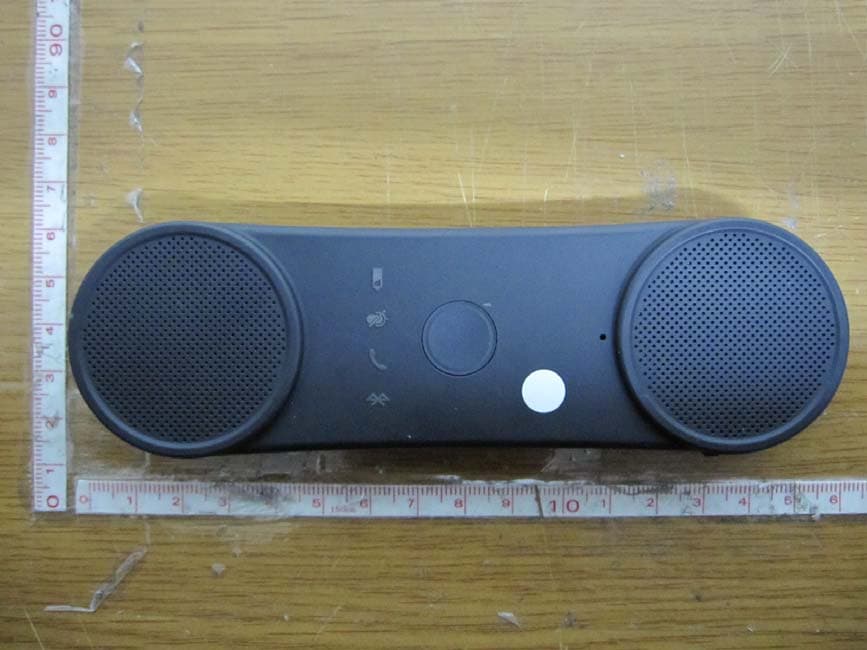
TT2BHF5000
Oct 29, 2012BLUETOOTH SPEAKERPHONE
Equipment Class
DSS - Part 15 Spread Spectrum Transmitter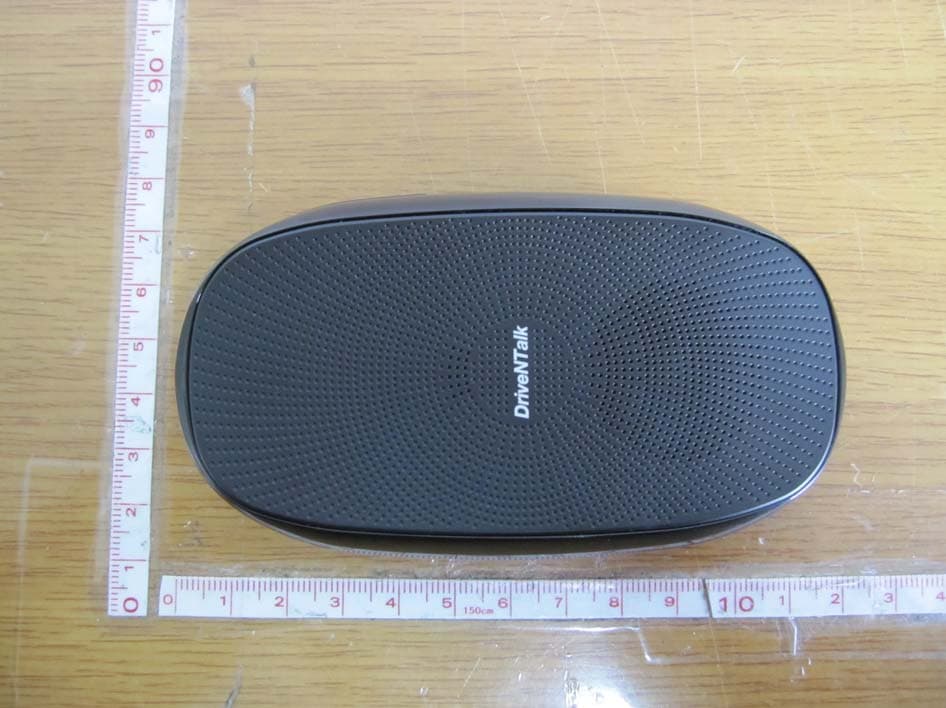
TT2BHF1800
Apr 26, 2011BLUETOOTH HANDS-FREE KIT
Equipment Class
DSS - Part 15 Spread Spectrum Transmitter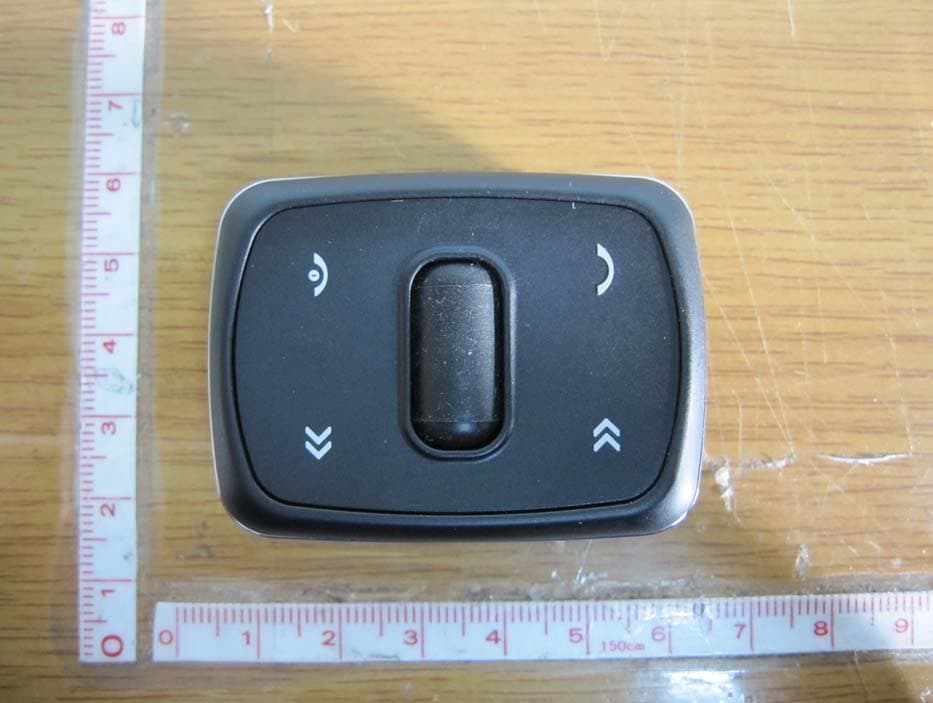
TT2KLAT8-RC
Apr 26, 2011WIRELESS REMOTE CONTROLLER
Equipment Class
DSR - Part 15 Remote Control/Security Device Transceiver