VWZS1Android POS
SPECTRA Technologies Holdings Co. Ltd.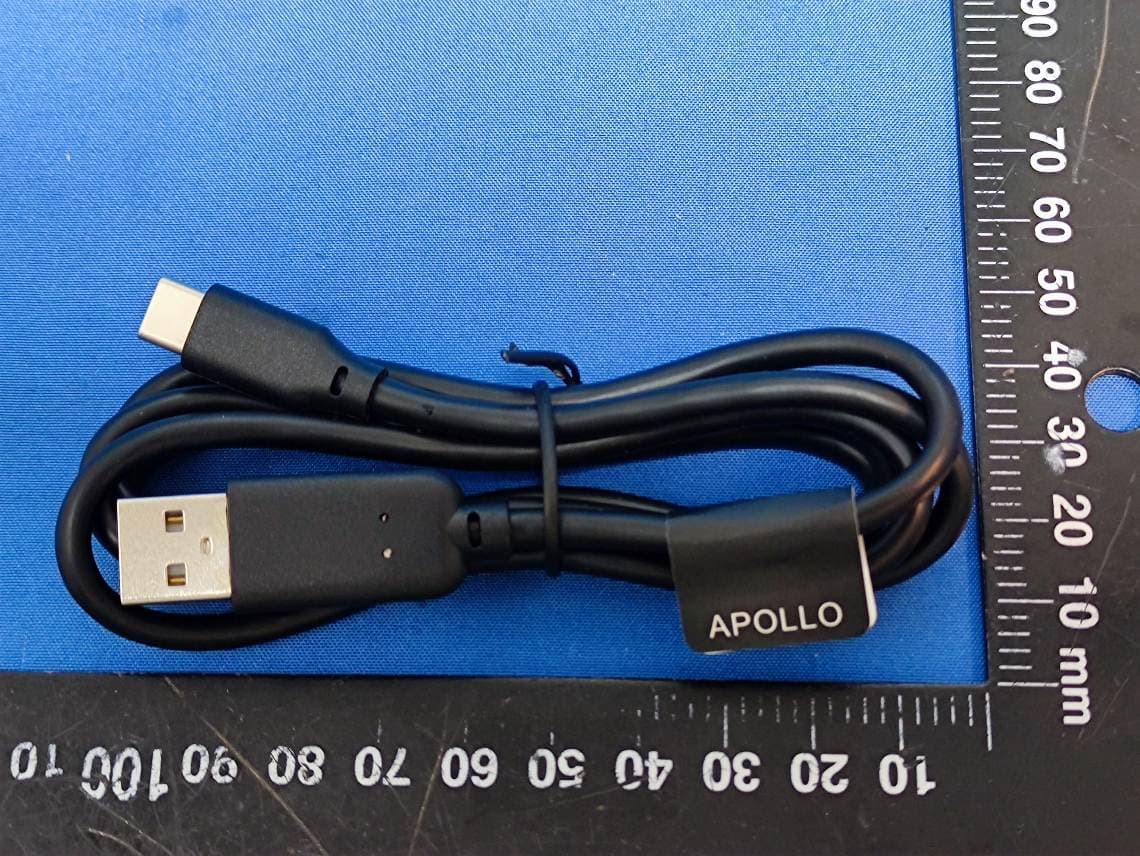
Click to zoom
Application Details
- Equipment Class
- PCB - PCS Licensed Transmitter
- Date of Grant
- Sep 04, 2024
- Application Purpose
- Original Equipment
- Date of Application
- Sep 02, 2024
- Equipment Note
- Android POS
- Frequency Range
- 673.00000000 - 688.00000000
- Country
- Hong Kong
Documents & Files
Document Text
Text extracted from the exhibit documents filed with the FCC. Open a document above to read the original.
Users Manual
S1 S1 User Manual V1.0 1. Function description Power Button Power off mode: Long press several seconds to turn on the terminal. Power on mode: Long press several seconds to turn off the terminal. Volume Up & Down For volume adjustment. Function button 1 & 2 Configurable for specific function. NFC reader Perform transaction via NFC. Magnetic card reader Perform transaction via magnetic stripe. IC-card reader Perform transaction via smart card. USB port For battery recharging. Support OTG mode. S1 2. Turn On / Off Procedure If the terminal is equipped with charging battery during first time use, please connect the power adaptor and charge the battery for 3 hours. On – Power is on whenever plugged. If the terminal is unplugged, press the Power Button for several seconds to turn on the terminal. When the terminal displays the application idle screen, it is ready for operation. Off – Disconnect the power adaptor. Keep on pressing the Power Button for several seconds to turn off the terminal. 3. Rechargeable Battery Safety Guideline 3.1 Prohibition: Improper handling of the Li-Polymer or Li-ion battery is hazardous, the following forbidden activities must be avoided: . DO NOT use NON-SPECTRA provided battery in SPECTRA POS Terminal . DO NOT use a charger that is not specifically designed to charge Battery . DO NOT operate the terminal, charge up or store the battery under high temperature (under direct sunlight or inside a roasting vehicle) or close to heat source (fire, heater) . DO NOT store the battery in the external charger. After charging up, the battery should be removed, even though power is disconnected . DO NOT use damaged battery, e.g. Swelled case broken, strange odor and chemical leakage . DO NOT knock, crash or press the battery . DO NOT submerge the battery into water . DO NOT heat the battery or dispose in fire . DO NOT solder the battery . DO NOT disassemble the battery . DO NOT short or puncture the battery 3.2 Battery Operation & Charging Guideline . The best temperature for battery operation is 0°C ~ 45°C. DO NOT place the terminal in hot space or poor ventilated space. Ensure good ventilation for cooling . DO NOT leave battery un-attended when charging. You should closely monitor the charging process & react to potential problem should they occur . Do always check that batteries are physically and electrically undamaged before charge or discharge S1 . Battery charging must be kept away from inflammable material and on a non conductive and nonflammable stable surface by: > Terminal built-in charger: install battery to the terminal, then apply power. > SPECTRA supplied external charger . When new terminal is received, please charge the battery fully up . If the battery gauge indicates battery low, charge up the battery at once . Battery always self-discharges. Long period of discharging will deteriorate the capacity and life of the battery. Please re-charge the battery weekly for normal operation 3.3 Terminal and Battery Storage Guideline . If the battery will not be used for a long period, please charge it to only 50% of the battery capacity (battery indicator displays half full, 2 units); remove it from the terminal and store in a cool place. This can minimize the life deterioration caused by self-discharge . DO NOT store bare battery together with metal, avoid humid and hot storage . During storage period, please recharge the battery once every 3 months 3.4 Accident Handling . During charging, if the battery or the charger exhibits any abnormity such as overheat, fuming, swelling & chemical leakage, disconnect power immediately, remove the battery from the charger, put it in a safe place and advise the supplier . Li-Polymer or Li-ion Battery does not contain liquid electrolyte. Just in case human body touches the electrolyte, rinse with water and seek medical advice immediately . Batteries having electrolyte leakage or chemical odor must be distant from fire source to prevent explosion . If accidentally short the battery, put it in a non-conductive container and keep it away from flammable objects 3.5 Battery Disposal Protect your lovely Planet, please dispose the old batteries according to Government regulations S1 4. Safety and Maintenance 4.1 Basic Safety Practice . While using terminal and its accessories, please follow the safety instruction to avoid fire, electric shock and personal injury. . Read this instruction in detail . Disconnect the power and accessories before cleaning, use dry flannelette and soft brush for cleaning . Do not put the terminal near water . Do not spray any liquid onto the terminal . For desktop purpose, put the terminal on stable platform to avoid damage by drop . Keep the terminal away from high temperature and poor ventilation area . Ensure electricity supply is safe and stable . To avoid electric shock, do not disassemble the terminal by yourself. Send it to agency for repairing if necessary . Do not use terminal and its accessories during explosive gas leakage . For the following cases, disconnect power, other accessories and send for repairing, ~ Damage on power cable or plug ~ Liquid get into terminal ~ Terminal gets wet in raining ~ Still abnormal function after following all the instruction mentioned ~ Terminal broken ~ Terminal obvious abnormal 4.2 Safety Warning . Using the provided terminal power adaptor to power the terminal . During using wireless communication, keep human body at least 1.5 cm apart from the terminal. Keep the terminal away from other antenna or wireless device. . Do not touch the thermal printer head and paper cutter 4.3 Location for Installation . Should be safe and convenient for operators and users . Should be placed on stable working platform during desktop operation for ease of power and accessories connection . Good ventilation and should have 22cm space around the terminal . DO NOT expose the terminal in following environment ~ Near electrical appliance with high frequency EM wave such as air condi…
Text truncated - open the document above for the full version.
Users Manual
S1 Plus S1 Plus User Manual V1.0 1. Function description Power Button Power off mode: Long press several seconds to turn on the terminal. Power on mode: Long press several seconds to turn off the terminal. Volume Up & Down For volume adjustment. Function button 1 & 2 Configurable for specific function. NFC reader Perform transaction via NFC. Magnetic card reader Perform transaction via magnetic stripe. IC-card reader Perform transaction via smart card. USB port For battery recharging. Support OTG mode. S1 Plus 2. Turn On / Off Procedure If the terminal is equipped with charging battery during first time use, please connect the power adaptor and charge the battery for 3 hours. On – Power is on whenever plugged. If the terminal is unplugged, press the Power Button for several seconds to turn on the terminal. When the terminal displays the application idle screen, it is ready for operation. Off – Disconnect the power adaptor. Keep on pressing the Power Button for several seconds to turn off the terminal. 3. Rechargeable Battery Safety Guideline 3.1 Prohibition: Improper handling of the Li-Polymer or Li-ion battery is hazardous, the following forbidden activities must be avoided: . DO NOT use NON-SPECTRA provided battery in SPECTRA POS Terminal . DO NOT use a charger that is not specifically designed to charge Battery . DO NOT operate the terminal, charge up or store the battery under high temperature (under direct sunlight or inside a roasting vehicle) or close to heat source (fire, heater) . DO NOT store the battery in the external charger. After charging up, the battery should be removed, even though power is disconnected . DO NOT use damaged battery, e.g. Swelled case broken, strange odor and chemical leakage . DO NOT knock, crash or press the battery . DO NOT submerge the battery into water . DO NOT heat the battery or dispose in fire . DO NOT solder the battery . DO NOT disassemble the battery . DO NOT short or puncture the battery 3.2 Battery Operation & Charging Guideline . The best temperature for battery operation is 0°C ~ 45°C. DO NOT place the terminal in hot space or poor ventilated space. Ensure good ventilation for cooling . DO NOT leave battery un-attended when charging. You should closely monitor the charging process & react to potential problem should they occur . Do always check that batteries are physically and electrically undamaged before charge or discharge S1 Plus . Battery charging must be kept away from inflammable material and on a non conductive and nonflammable stable surface by: > Terminal built-in charger: install battery to the terminal, then apply power. > SPECTRA supplied external charger . When new terminal is received, please charge the battery fully up . If the battery gauge indicates battery low, charge up the battery at once . Battery always self-discharges. Long period of discharging will deteriorate the capacity and life of the battery. Please re-charge the battery weekly for normal operation 3.3 Terminal and Battery Storage Guideline . If the battery will not be used for a long period, please charge it to only 50% of the battery capacity (battery indicator displays half full, 2 units); remove it from the terminal and store in a cool place. This can minimize the life deterioration caused by self-discharge . DO NOT store bare battery together with metal, avoid humid and hot storage . During storage period, please recharge the battery once every 3 months 3.4 Accident Handling . During charging, if the battery or the charger exhibits any abnormity such as overheat, fuming, swelling & chemical leakage, disconnect power immediately, remove the battery from the charger, put it in a safe place and advise the supplier . Li-Polymer or Li-ion Battery does not contain liquid electrolyte. Just in case human body touches the electrolyte, rinse with water and seek medical advice immediately . Batteries having electrolyte leakage or chemical odor must be distant from fire source to prevent explosion . If accidentally short the battery, put it in a non-conductive container and keep it away from flammable objects 3.5 Battery Disposal Protect your lovely Planet, please dispose the old batteries according to Government regulations S1 Plus 4. Safety and Maintenance 4.1 Basic Safety Practice . While using terminal and its accessories, please follow the safety instruction to avoid fire, electric shock and personal injury. . Read this instruction in detail . Disconnect the power and accessories before cleaning, use dry flannelette and soft brush for cleaning . Do not put the terminal near water . Do not spray any liquid onto the terminal . For desktop purpose, put the terminal on stable platform to avoid damage by drop . Keep the terminal away from high temperature and poor ventilation area . Ensure electricity supply is safe and stable . To avoid electric shock, do not disassemble the terminal by yourself. Send it to agency for repairing if necessary . Do not use terminal and its accessories during explosive gas leakage . For the following cases, disconnect power, other accessories and send for repairing, ~ Damage on power cable or plug ~ Liquid get into terminal ~ Terminal gets wet in raining ~ Still abnormal function after following all the instruction mentioned ~ Terminal broken ~ Terminal obvious abnormal 4.2 Safety Warning . Using the provided terminal power adaptor to power the terminal . During using wireless communication, keep human body at least 1.5 cm apart from the terminal. Keep the terminal away from other antenna or wireless device. . Do not touch the thermal printer head and paper cutter 4.3 Location for Installation . Should be safe and convenient for operators and users . Should be placed on stable working platform during desktop operation for ease of power and accessories connection . Good ventilation and should have 22cm space around the terminal . DO NOT expose the terminal in following environment ~ Near electrical appliance with high frequency …
Text truncated - open the document above for the full version.
Attestation Statements
Covered Equipment Attestation Letter For Certification Service in the USA Federal Communication Commission Equipment Authorization Division, Application Processing Branch 7435 Oakland Mills Road Columbia, MD 21048 To whom it may concern Pursuant to Section 2.911(d)(5)(i)-(ii) of the Commission’s Rules (47 C.F.R.) we attest as follows for the product listed below: FCC ID Model name VWZS1 S1,S1 PLUS We, applicant Company Name: SPECTRA Technologies Holdings Co. Ltd. Address: Unit 1301-09, 19-20, Tower II, Grand Century Place, Kowloon, Hong Kong Phone: 852-27842311 certify that the equipment for which authorization is sought is not “covered” equipment prohibited from receiving an equipment authorization pursuant to section 2.903 of the FCC rules. We certify that, as of the date of the filing of the application, the applicant is not identified on the Covered List as an entity producing “covered” equipment. If you have any questions, please feel free to contact us at the address shown below. Sincerely, Signature Date Printed Name of Signee: Terry TAM Company: SPECTRA Technologies Holdings Co. Ltd. Address: Unit 1301-09, 19-20, Tower II, Grand Century Place, Kowloon, Hong Kong Phone: 852-27842311 Fax: 852-23192631 Email: [email protected] 2024/8/19
Attestation Statements
U.S. AGENT LETTER OF ATTESTATION Date: 2024-6-24 FEDERAL COMMUNICATIONS COMMISSION Authorization and Evaluation Division 7435 Oakland Mills Road Columbia, MD 21046 Ref: Attestation Statements CFR 47 §2.91 l(d)(7) Filing FCC ID: VWZS 1 SPECTRA Technologies Holdings Co. Ltd., certifies that, as of the date of the filing of the application, Iconsigh Inc. is our designated U.S. agent for service of process for the above referenced FCC ID. SPECTRA Technologies Holdings Co. Ltd., accepts to maintain an agent for no less than one year after the grantee has terminated all marketing and importation or the conclusion of any Commission-related proceeding involving the equipment. Iconsigh Inc. accepts, as of the date of the filing of the application, the obligation of the designated U.S. agent for service of process for the above referenced FCC ID. Designated U.S. Agent Information: Company Name: Iconsigh Inc. Address: 2310 Homestead Road, Suite Cl, Los Altos, CA, 94024, USA FRN: 0033398652 Tel.: + 1 (408) 320-9867 Email: [email protected] Signed by (printed name): Benjamin Kaur Signa ture: / 尸 MNJ l4vvvv Applicant: SPECTRA Technologies Holdings Co. Ltd., Address: Unit 1301-09, 19-20, Tower II, Grand Century Place, Kowloon, Hong Kong FRN: 0017250887 Tel: 852-27842311 Email: terry. [email protected] Signed by (printed name): Terry Tam
Cover Letter(s)
Company: SPECTRA Technologies Holdings Co. Ltd. Add: Unit 1301-09, 19-20, Tower II, Grand Century Place, Kowloon, Hong Kong Tel: 852-27842311 Fax: 852-23192631 E-mail: [email protected] DECLARATION OF SIMILARITY Date: 2024/02/21 FEDERAL COMMUNICATIONS COMMISSION Authorization and Evaluation Division 7435 Oakland Mills Road Columbia, MD 21046 Dear Sir or Madam: We, Spectra Technologies Holdings Co. Ltd. hereby declare that product name: Android POS (models: S1, S1 PLUS FCC ID: VWZS1) are electrically identical with the same electromagnetic emissions and electromagnetic compatibility characteristics. And S1 and S1 PLUS have been tested by Bay Area Compliance Laboratories Corp. (Dongguan), The differences of them are as follows: Please contact me should there be need for any additional clarification or information. Best Regards, Signature: Print Name: Terry TAM Title: Manager, Product Development
Cover Letter(s)
Confidentiality Request Letter For Certification Service in the USA Federal Communication Commission Equipment Authorization Division, Application Processing Branch 7435 Oakland Mills Road Columbia, MD 21048 To whom it may concern Pursuant to Paragraphs §0.457 and 0.459 of the Commission’s Rules (47 C.F.R.) and Section §552(b)(4) of the Freedom of Information Act, we request confidentiality for the documentation of the following products: FCC ID Model name VWZS1 S1,S1 PLUS For the products listed above, we request permanent confidentiality for all applicable exhibits as there are: the Operational Description the Block Diagram the Schematics the Parts Lists the Tune Up Information The above listed exhibits contain trade secrets and proprietary information that could be of benefit to our competitors. If you have any questions, please feel free to contact us at the address shown below. Sincerely, Signature Date Printed Name of Signee: Terry TAM Company: SPECTRA Technologies Holdings Co. Ltd. Address: Unit 1301-09, 19-20, Tower II, Grand Century Place, Kowloon, Hong Kong Phone: 852-27842311 Fax: 852-23192631 Email: [email protected] 2024/8/19
External Photos
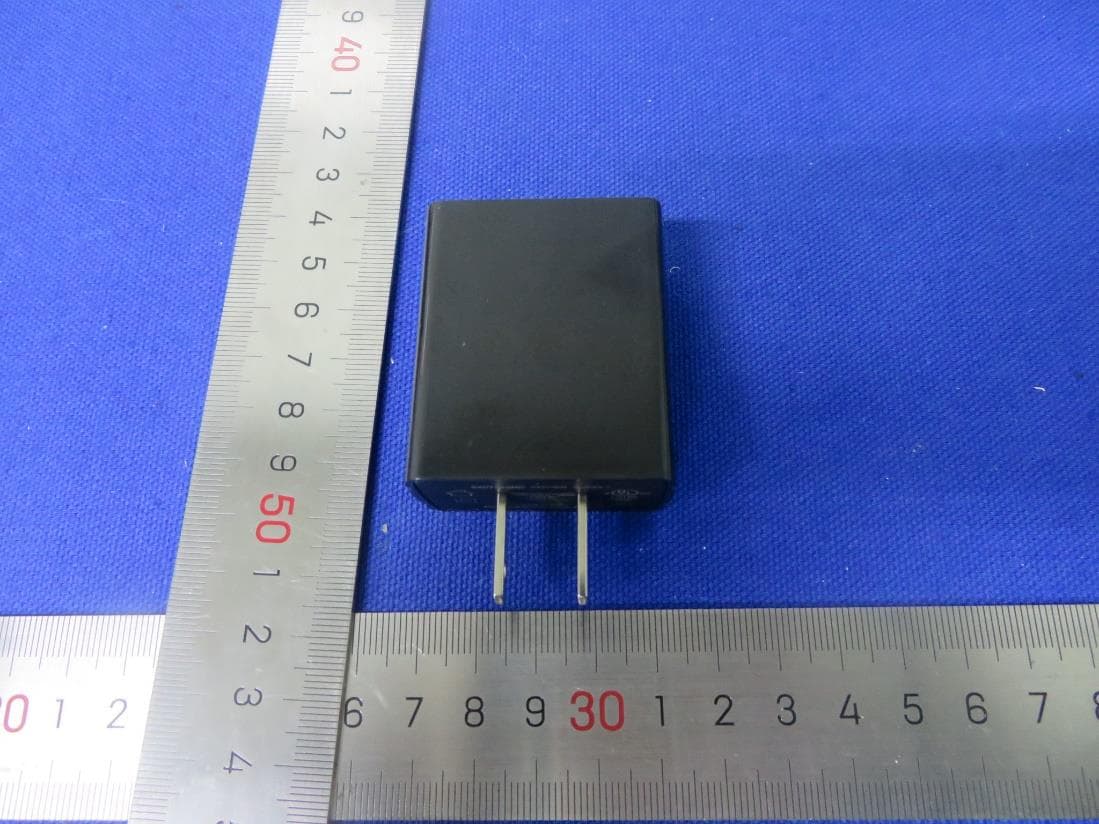
Bay Area Compliance Laboratories Corp. (Dongguan) Report No.: KS1240221-08647E-RF-EXP Page 1 / 10 EUT EXTERNAL PHOTOS S1 Bay Area Compliance Laboratories Corp. (Dongguan) Report No.: KS1240221-08647E-RF-EXP Page 2 / 10 Bay Area Compliance Laboratories Corp. (Dongguan) Report No.: KS1240221-08647E-RF-EXP Page 3 / 10 Bay Area Compliance Laboratories Corp. (Dongguan) Report No.: KS1240221-08647E-RF-EXP Page 4 / 10 Bay Area Compliance Laboratories Corp. (Dongguan) Report No.: KS1240221-08647E-RF-EXP Page 5 / 10 S1 Plus Bay Area Compliance Laboratories Corp. (Dongguan) Report No.: KS1240221-08647E-RF-EXP Page 6 / 10 Bay Area Compliance Laboratories Corp. (Dongguan) Report No.: KS1240221-08647E-RF-EXP Page 7 / 10 Bay Area Compliance Laboratories Corp. (Dongguan) Report No.: KS1240221-08647E-RF-EXP Page 8 / 10 Bay Area Compliance Laboratories Corp. (Dongguan) Report No.: KS1240221-08647E-RF-EXP Page 9 / 10 Bay Area Compliance Laboratories Corp. (Dongguan) Report No.: KS1240221-08647E-RF-EXP Page 10 / 10
ID Label/Location Info
Model: S1 Plus Title: Position of Model Label XXX-XXXX-XXX-XX XXX-XXXX-XXX-XX
Internal Photos
Bay Area Compliance Laboratories Corp. (Dongguan) Report No.: KS1240221-08647E-RF-INP Page 1 / 25 EUT INTERNAL PHOTOS S1 Bay Area Compliance Laboratories Corp. (Dongguan) Report No.: KS1240221-08647E-RF-INP Page 2 / 25 Bay Area Compliance Laboratories Corp. (Dongguan) Report No.: KS1240221-08647E-RF-INP Page 3 / 25 WWAN DIV Antenna(only for receiver) Bay Area Compliance Laboratories Corp. (Dongguan) Report No.: KS1240221-08647E-RF-INP Page 4 / 25 Bluetooth&Wifi&GPS Antenna Bay Area Compliance Laboratories Corp. (Dongguan) Report No.: KS1240221-08647E-RF-INP Page 5 / 25 NFC Antenna NFC Antenna Pin Bay Area Compliance Laboratories Corp. (Dongguan) Report No.: KS1240221-08647E-RF-INP Page 6 / 25 WWAN Main Antenna Bay Area Compliance Laboratories Corp. (Dongguan) Report No.: KS1240221-08647E-RF-INP Page 7 / 25 Bay Area Compliance Laboratories Corp. (Dongguan) Report No.: KS1240221-08647E-RF-INP Page 8 / 25 Bay Area Compliance Laboratories Corp. (Dongguan) Report No.: KS1240221-08647E-RF-INP Page 9 / 25 Bluetooth& Wifi&GPS Antenna Pin WWAN Main Antenna Pin WWAN DIV Antenna Pin Bay Area Compliance Laboratories Corp. (Dongguan) Report No.: KS1240221-08647E-RF-INP Page 10 / 25 S1 Plus Bay Area Compliance Laboratories Corp. (Dongguan) Report No.: KS1240221-08647E-RF-INP Page 11 / 25 Bay Area Compliance Laboratories Corp. (Dongguan) Report No.: KS1240221-08647E-RF-INP Page 12 / 25 Bay Area Compliance Laboratories Corp. (Dongguan) Report No.: KS1240221-08647E-RF-INP Page 13 / 25 WWAN DIV Antenna(only for receiver) Bay Area Compliance Laboratories Corp. (Dongguan) Report No.: KS1240221-08647E-RF-INP Page 14 / 25 NFC Antenna-1 Bay Area Compliance Laboratories Corp. (Dongguan) Report No.: KS1240221-08647E-RF-INP Page 15 / 25 NFC Antenna-1 Bay Area Compliance Laboratories Corp. (Dongguan) Report No.: KS1240221-08647E-RF-INP Page 16 / 25 NFC Antenna-2 Bay Area Compliance Laboratories Corp. (Dongguan) Report No.: KS1240221-08647E-RF-INP Page 17 / 25 WWAN Antenna(Main) WWAN Main Antenna Pin Bluetooth& Wifi&GPS Antenna Pin WWAN DIV Antenna Pin
Internal Photos
Bay Area Compliance Laboratories Corp. (Dongguan) Report No.: KS1240221-08647E-RF-INP Page 18 / 25 Bay Area Compliance Laboratories Corp. (Dongguan) Report No.: KS1240221-08647E-RF-INP Page 19 / 25 Bay Area Compliance Laboratories Corp. (Dongguan) Report No.: KS1240221-08647E-RF-INP Page 20 / 25 Bay Area Compliance Laboratories Corp. (Dongguan) Report No.: KS1240221-08647E-RF-INP Page 21 / 25 Bluetooth&Wifi&GPS Antenna Bay Area Compliance Laboratories Corp. (Dongguan) Report No.: KS1240221-08647E-RF-INP Page 22 / 25 Bay Area Compliance Laboratories Corp. (Dongguan) Report No.: KS1240221-08647E-RF-INP Page 23 / 25 For S1 and S1 Plus models Bay Area Compliance Laboratories Corp. (Dongguan) Report No.: KS1240221-08647E-RF-INP Page 24 / 25 For S1 Plus model Bay Area Compliance Laboratories Corp. (Dongguan) Report No.: KS1240221-08647E-RF-INP Page 25 / 25
RF Exposure Info
Report No.: KS1240221-08647E-20A Page1 / 32 Test Plot 1#: GSM 850_Mid_Body Back DUT: Android POS; Type: S1; Serial: 2HV8-1 Communication System: Generic GPRS-2 slots (0); Frequency: 836.6 MHz;Duty Cycle: 1:4 Medium parameters used (interpolated): f = 836.6 MHz; σ = 0.933 S/m; ε r = 41.796; ρ = 1000 kg/m 3 Phantom section: Flat Section DASY5 Configuration: Probe: EX3DV4 - SN7839; ConvF(9.55, 8.6, 8.54) @ 836.6 MHz; Calibrated: 2023/9/21 Sensor-Surface: 1.4mm (Mechanical Surface Detection) Electronics: DAE4 Sn772; Calibrated: 2024/1/23 Phantom: SAM (30deg probe tilt) with CRP v5.0_20150321; Type: QD000P40CD; Serial: TP:1874 Measurement SW: DASY52, Version 52.10 (2); SEMCAD X Version 14.6.12 (7470) Area Scan (9x9x1): Measurement grid: dx=15mm, dy=15mm Maximum value of SAR (measured) = 0.755 W/kg Zoom Scan (5x5x7)/Cube 0: Measurement grid: dx=8mm, dy=8mm, dz=5mm Reference Value = 9.765 V/m; Power Drift = 0.03 dB Peak SAR (extrapolated) = 1.39 W/kg SAR(1 g) = 0.642 W/kg; SAR(10 g) = 0.318 W/kg Maximum value of SAR (measured) = 0.788 W/kg 0 dB = 0.788 W/kg = -1.03 dBW/kg Report No.: KS1240221-08647E-20A Page2 / 32 Test Plot 2#: GSM 850_Mid_Handheld Back DUT: Android POS; Type: S1; Serial: 2HV8-1 Communication System: Generic GPRS-2 slots (0); Frequency: 836.6 MHz;Duty Cycle: 1:4 Medium parameters used (interpolated): f = 836.6 MHz; σ = 0.933 S/m; ε r = 41.796; ρ = 1000 kg/m 3 Phantom section: Flat Section DASY5 Configuration: Probe: EX3DV4 - SN7839; ConvF(9.55, 8.6, 8.54) @ 836.6 MHz; Calibrated: 2023/9/21 Sensor-Surface: 1.4mm (Mechanical Surface Detection) Electronics: DAE4 Sn772; Calibrated: 2024/1/23 Phantom: SAM (30deg probe tilt) with CRP v5.0_20150321; Type: QD000P40CD; Serial: TP:1874 Measurement SW: DASY52, Version 52.10 (2); SEMCAD X Version 14.6.12 (7470) Area Scan (9x9x1): Measurement grid: dx=15mm, dy=15mm Maximum value of SAR (measured) = 1.44 W/kg Zoom Scan (5x5x7)/Cube 0: Measurement grid: dx=8mm, dy=8mm, dz=5mm Reference Value = 7.026 V/m; Power Drift = 0.13 dB Peak SAR (extrapolated) = 3.34 W/kg SAR(1 g) = 1.27 W/kg; SAR(10 g) = 0.574 W/kg Maximum value of SAR (measured) = 1.78 W/kg 0 dB = 1.78 W/kg = 2.50 dBW/kg Report No.: KS1240221-08647E-20A Page3 / 32 Test Plot 3#:PCS 1900_Mid_Body Back DUT: Android POS; Type: S1; Serial: 2HV8-1 Communication System: Generic GPRS-2 slots (0); Frequency: 1880 MHz;Duty Cycle: 1:4 Medium parameters used: f = 1880 MHz; σ = 1.415 S/m; ε r = 38.839; ρ = 1000 kg/m 3 Phantom section: Flat Section DASY5 Configuration: Probe: EX3DV4 - SN7839; ConvF(8, 7.27, 7.03) @ 1880 MHz; Calibrated: 2023/9/21 Sensor-Surface: 1.4mm (Mechanical Surface Detection) Electronics: DAE4 Sn772; Calibrated: 2024/1/23 Phantom: SAM (30deg probe tilt) with CRP v5.0_20150321; Type: QD000P40CD; Serial: TP:1874 Measurement SW: DASY52, Version 52.10 (2); SEMCAD X Version 14.6.12 (7470) Area Scan (9x9x1): Measurement grid: dx=15mm, dy=15mm Maximum value of SAR (measured) = 0.319 W/kg Zoom Scan (5x5x7)/Cube 0: Measurement grid: dx=8mm, dy=8mm, dz=5mm Reference Value = 8.478 V/m; Power Drift = 0.18 dB Peak SAR (extrapolated) = 0.485 W/kg SAR(1 g) = 0.277 W/kg; SAR(10 g) = 0.161 W/kg Maximum value of SAR (measured) = 0.332 W/kg 0 dB = 0.332 W/kg = -4.79 dBW/kg Report No.: KS1240221-08647E-20A Page4 / 32 Test Plot 4#:PCS 1900_Mid_Handheld Back DUT: Android POS; Type: S1; Serial: 2HV8-1 Communication System: Generic GPRS-2 slots (0); Frequency: 1880 MHz;Duty Cycle: 1:4 Medium parameters used: f = 1880 MHz; σ = 1.415 S/m; ε r = 38.839; ρ = 1000 kg/m 3 Phantom section: Flat Section DASY5 Configuration: Probe: EX3DV4 - SN7839; ConvF(8, 7.27, 7.03) @ 1880 MHz; Calibrated: 2023/9/21 Sensor-Surface: 1.4mm (Mechanical Surface Detection) Electronics: DAE4 Sn772; Calibrated: 2024/1/23 Phantom: SAM (30deg probe tilt) with CRP v5.0_20150321; Type: QD000P40CD; Serial: TP:1874 Measurement SW: DASY52, Version 52.10 (2); SEMCAD X Version 14.6.12 (7470) Area Scan (9x9x1): Measurement grid: dx=15mm, dy=15mm Maximum value of SAR (measured) = 0.758 W/kg Zoom Scan (5x5x7)/Cube 0: Measurement grid: dx=8mm, dy=8mm, dz=5mm Reference Value = 7.685 V/m; Power Drift = 0.11 dB Peak SAR (extrapolated) = 1.46 W/kg SAR(1 g) = 0.774 W/kg; SAR(10 g) = 0.397 W/kg Maximum value of SAR (measured) = 0.941 W/kg 0 dB = 0.941 W/kg = -0.26 dBW/kg Report No.: KS1240221-08647E-20A Page5 / 32 Test Plot 5#:WCDMA Band 2_Mid_Body Back DUT: Android POS; Type: S1; Serial: 2HV8-1 Communication System: WCDMA (0); Frequency: 1880 MHz;Duty Cycle: 1:1 Medium parameters used: f = 1880 MHz; σ = 1.415 S/m; ε r = 38.839; ρ = 1000 kg/m 3 Phantom section: Flat Section DASY5 Configuration: Probe: EX3DV4 - SN7839; ConvF(8, 7.27, 7.03) @ 1880 MHz; Calibrated: 2023/9/21 Sensor-Surface: 1.4mm (Mechanical Surface Detection) Electronics: DAE4 Sn772; Calibrated: 2024/1/23 Phantom: SAM (30deg probe tilt) with CRP v5.0_20150321; Type: QD000P40CD; Serial: TP:1874 Measurement SW: DASY52, Version 52.10 (2); SEMCAD X Version 14.6.12 (7470) Area Scan (9x9x1): Measurement grid: dx=15mm, dy=15mm Maximum value of SAR (measured) = 0.832 W/kg Zoom Scan (5x5x7)/Cube 0: Measurement grid: dx=8mm, dy=8mm, dz=5mm Reference Value = 12.17 V/m; Power Drift = -0.01 dB Peak SAR (extrapolated) = 1.33 W/kg SAR(1 g) = 0.707 W/kg; SAR(10 g) = 0.389 W/kg Maximum value of SAR (measured) = 0.852 W/kg 0 dB = 0.852 W/kg = -0.70 dBW/kg Report No.: KS1240221-08647E-20A Page6 / 32 Test Plot 6#:WCDMA Band 2_Mid_Handheld Back DUT: Android POS; Type: S1; Serial: 2HV8-1 Communication System: WCDMA (0); Frequency: 1880 MHz;Duty Cycle: 1:1 Medium parameters used: f = 1880 MHz; σ = 1.415 S/m; ε r = 38.839; ρ = 1000 kg/m 3 Phantom section: Flat Section DASY5 Configuration: Probe: EX3DV4 - SN7839; ConvF(8, 7.27, 7.03) @ 1880 MHz; Calibrated: 2023/9/21 Sensor-Surface: 1.4mm (Mechanical Surface Detection) Electronics: DAE4 Sn772; Calibrated: 2024/1/23 Phantom: SAM (30deg probe tilt) with CRP v5.0_20150321; Type: QD000P40CD; Serial: TP:…
Text truncated - open the document above for the full version.
RF Exposure Info
Report No.: KS1240221-08647E-20B Page 1 of 32 Test Plot 1#: GSM 850_Mid_Body Back DUT: Android POS; Type: S1 PLUS; Serial: 2HV8-2 Communication System: Generic GPRS-2 slots; Frequency: 836.6 MHz;Duty Cycle: 1:4 Medium parameters used (interpolated): f = 836.6 MHz; σ = 0.944 S/m; ε r = 41.029; ρ = 1000 kg/m 3 Phantom section: Flat Section DASY5 Configuration: Probe: EX3DV4 - SN7839; ConvF(9.55, 8.6, 8.54) @ 836.6 MHz; Calibrated: 2023/9/21 Sensor-Surface: 1.4mm (Mechanical Surface Detection) Electronics: DAE4 Sn772; Calibrated: 2024/1/23 Phantom: SAM (30deg probe tilt) with CRP v5.0_20150321; Type: QD000P40CD; Serial: TP:1874 Measurement SW: DASY52, Version 52.10 (2); SEMCAD X Version 14.6.12 (7470) Area Scan (8x11x1): Measurement grid: dx=15mm, dy=15mm Maximum value of SAR (measured) = 0.126 W/kg Zoom Scan (5x5x7)/Cube 0: Measurement grid: dx=8mm, dy=8mm, dz=5mm Reference Value = 8.487 V/m; Power Drift = -0.02 dB Peak SAR (extrapolated) = 0.163 W/kg SAR(1 g) = 0.110 W/kg; SAR(10 g) = 0.074 W/kg Maximum value of SAR (measured) = 0.128 W/kg 0 dB = 0.128 W/kg = -8.93 dBW/kg Report No.: KS1240221-08647E-20B Page 2 of 32 Test Plot 2#: GSM 850_Mid_Handheld Back DUT: Android POS; Type: S1 PLUS; Serial: 2HV8-2 Communication System: Generic GPRS-2 slots; Frequency: 836.6 MHz;Duty Cycle: 1:4 Medium parameters used (interpolated): f = 836.6 MHz; σ = 0.944 S/m; ε r = 41.029; ρ = 1000 kg/m 3 Phantom section: Left Section DASY5 Configuration: Probe: EX3DV4 - SN7839; ConvF(9.55, 8.6, 8.54) @ 836.6 MHz; Calibrated: 2023/9/21 Sensor-Surface: 1.4mm (Mechanical Surface Detection) Electronics: DAE4 Sn772; Calibrated: 2024/1/23 Phantom: SAM (30deg probe tilt) with CRP v5.0_20150321; Type: QD000P40CD; Serial: TP:1874 Measurement SW: DASY52, Version 52.10 (2); SEMCAD X Version 14.6.12 (7470) Area Scan (7x7x1): Measurement grid: dx=15mm, dy=15mm Maximum value of SAR (measured) = 0.683 W/kg Zoom Scan (5x5x7)/Cube 0: Measurement grid: dx=8mm, dy=8mm, dz=5mm Reference Value = 3.642 V/m; Power Drift = 0.05 dB Peak SAR (extrapolated) = 1.27 W/kg SAR(1 g) = 0.609 W/kg; SAR(10 g) = 0.357 W/kg Maximum value of SAR (measured) = 0.887 W/kg 0 dB = 0.887 W/kg = -0.52 dBW/kg Report No.: KS1240221-08647E-20B Page 3 of 32 Test Plot 3#: PCS 1900_Mid_Body Back DUT: Android POS; Type: S1 PLUS; Serial: 2HV8-2 Communication System: Generic GPRS-2 slots; Frequency: 1880 MHz;Duty Cycle: 1:4 Medium parameters used: f = 1880 MHz; σ = 1.448 S/m; ε r = 40.106; ρ = 1000 kg/m 3 Phantom section: Flat Section DASY5 Configuration: Probe: EX3DV4 - SN7839; ConvF(8, 7.27, 7.03) @ 1880 MHz; Calibrated: 2023/9/21 Sensor-Surface: 1.4mm (Mechanical Surface Detection) Electronics: DAE4 Sn772; Calibrated: 2024/1/23 Phantom: SAM (30deg probe tilt) with CRP v5.0_20150321; Type: QD000P40CD; Serial: TP:1874 Measurement SW: DASY52, Version 52.10 (2); SEMCAD X Version 14.6.12 (7470) Area Scan (8x11x1): Measurement grid: dx=15mm, dy=15mm Maximum value of SAR (measured) = 0.603 W/kg Zoom Scan (5x5x7)/Cube 0: Measurement grid: dx=8mm, dy=8mm, dz=5mm Reference Value = 0.9910 V/m; Power Drift = 0.16 dB Peak SAR (extrapolated) = 0.962 W/kg SAR(1 g) = 0.603 W/kg; SAR(10 g) = 0.358 W/kg Maximum value of SAR (measured) = 0.726 W/kg 0 dB = 0.726 W/kg = -1.39 dBW/kg Report N…
Text truncated - open the document above for the full version.
Contact Information
Applicant
Terry TAM(Manager, Product Development)
Test Firm
Bay Area Compliance Laboratories Corp. (Dongguan)David Zhang
[email protected]0086-769-8685-8891
Technical Specifications
| # | Rule Parts | Frequency Range | Power Output | Emission | Tolerance |
|---|---|---|---|---|---|
| 53 | 27 | 673 MHz - 688 MHz | 51.00 mW | 18M0D7W | 0.1 ppm |
Other Applications from SPECTRA Technologies Holdings Co. Ltd.
VWZTA10Q
Jan 14, 2021Android POS
Equipment Class
DSS - Part 15 Spread Spectrum Transmitter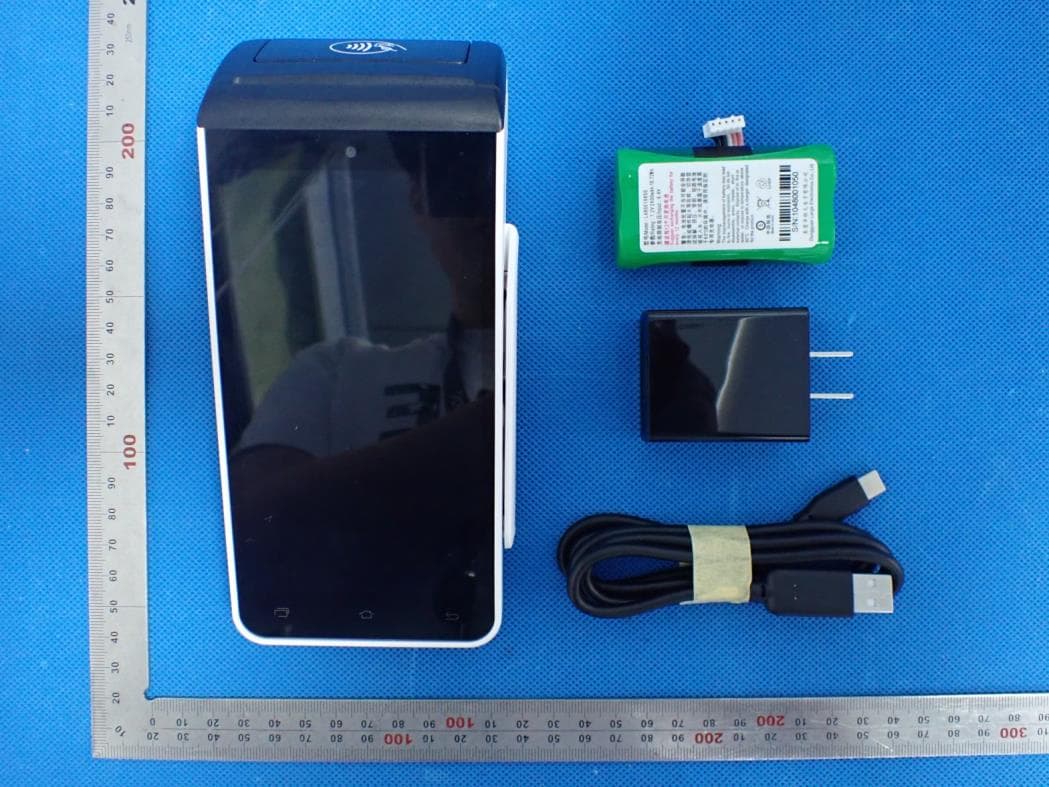
VWZTA10V
Nov 03, 2020Android POS
Equipment Class
NII - Unlicensed National Information Infrastructure TX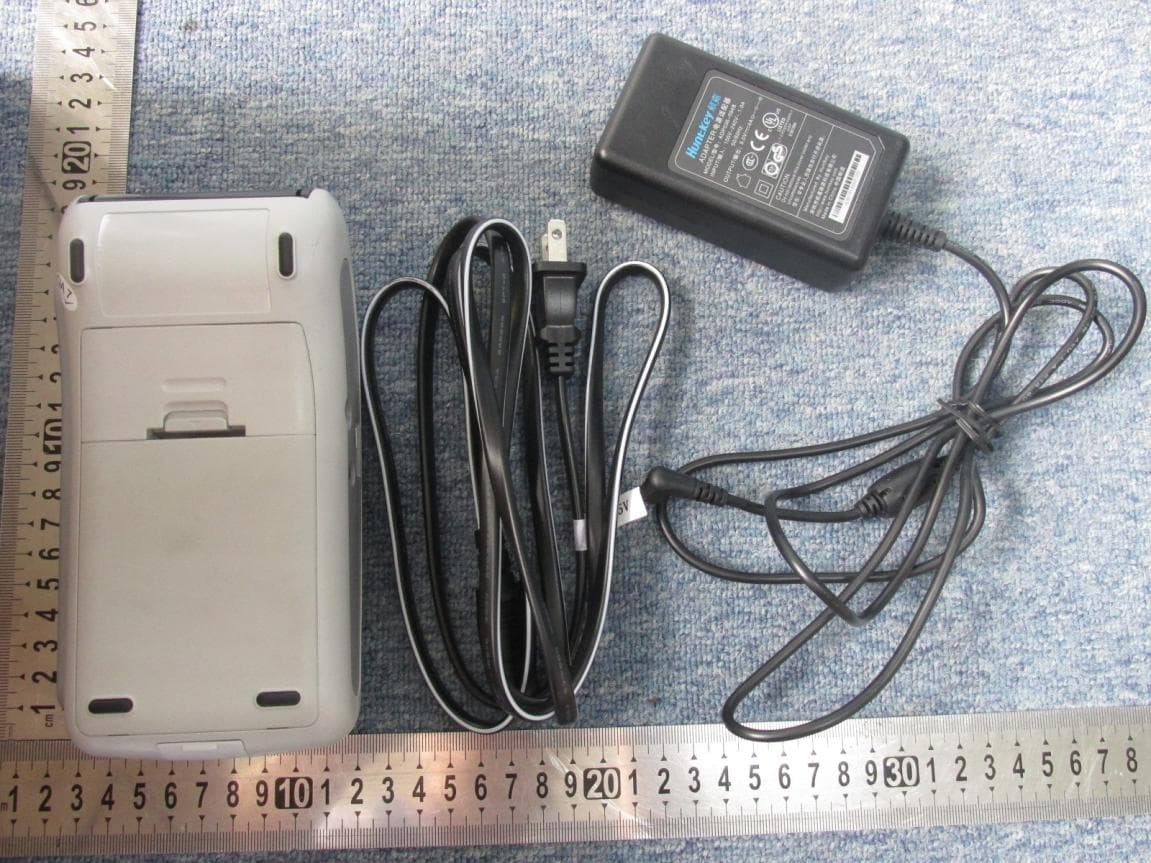
VWZT1000I
May 13, 2015EFTPOS
Equipment Class
DXX - Part 15 Low Power Communication Device Transmitter
VWZSR300
Jul 09, 2013Contactless Reader
Equipment Class
DXX - Part 15 Low Power Communication Device Transmitter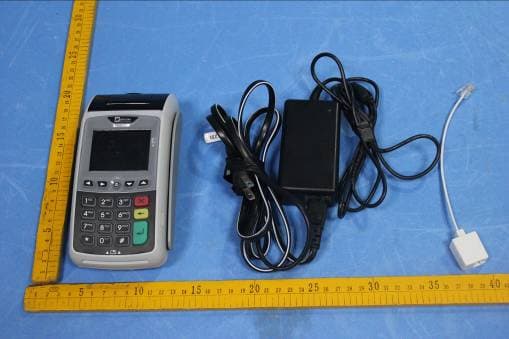
VWZT1000
Jul 17, 2012EFTPOS
Equipment Class
PCT - PCS Licensed Transmitter worn on body