VZ9WHG301L001WLAN Controller
4IPNET, INC.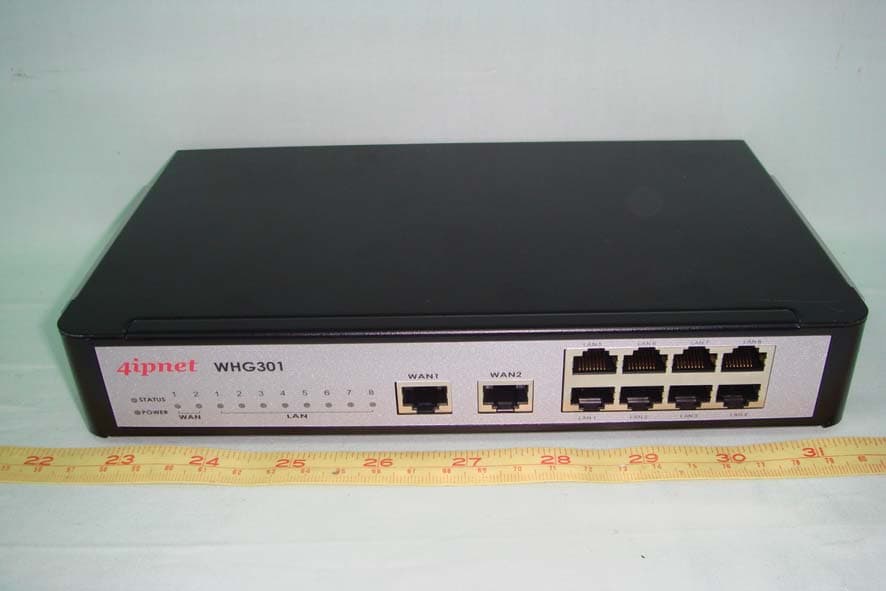
Click to zoom
Application Details
- Equipment Class
- JBP - Part 15 Class B Computing Device Peripheral
- Date of Grant
- Mar 05, 2008
- Application Purpose
- Original Equipment
- Date of Application
- Mar 05, 2008
- Equipment Note
- WLAN Controller
- Company
- 4IPNET, INC.
- Country
- Taiwan
Documents & Files
Document Text
Text extracted from the exhibit documents filed with the FCC. Open a document above to read the original.
Users Manual
V1.00 4ipnet WHG301 User’s Manual Copyright The contents of this publication may not be reproduced in any part or as a whole, stored, transcribed in an information retrieval system, translated into any language, or transmitted in any form or by any means, mechanical, magnetic, electronic, optical, photocopying, manual, or otherwise, without the prior written permission of 4IPNET, INC. Disclaimer 4IPNET, INC. does not assume any liability arising out the application or use of any products, or software described herein. Neither does it convey any license under its parent rights not the parent rights of others. 4IPNET further reserves the right to make changes in any products described herein without notice. The publication is subject to change without notice. Trademarks 4IPNET (4ipnet) is a registered trademark of 4IPNET, INC. Other trademarks mentioned in this publication are used for identification purposes only and may be properties of their respective owners. © 2008 4IPNET, INC. 3 4ipnet WHG301 User’s Manual FCC CAUTION This equipment has been tested and proven to comply with the limits for a class B digital device, pursuant to part 15 of the FCC Rules. These limits are designed to provide reasonable protection against harmful interference in a residential installation. This equipment generates uses and can radiate radio frequency energy and, if not installed and used in accordance with the instructions, may cause harmful interference to radio communications. However, there is no guarantee that interference will not occur in a particular installation. If this equipment does cause harmful interference to radio or television reception, which can be determined by turning the equipment off and on, the user is encouraged to try to correct the interference by one or more of the following measures: ---Reorient or relocate the receiving antenna. ---Increase the separation between the equipment and receiver. ---Connect the equipment into an outlet on a circuit different from that to which the receiver is connected. ---Consult the dealer or an experienced radio/TV technician for help. © 2008 4IPNET, INC. i 4ipnet WHG301 User’s Manual Table of Contents 1. Before You Start.................................................................................................................................................1 1.1 Preface...................................................................................................................................................1 1.2 Document Conventions..........................................................................................................................1 2. System Overview...............................................................................................................................................2 2.1 Introduction of 4ipnet WHG301..............................................................................................................2 2.2 System Concept.....................................................................................................................................2 2.3 Specification...........................................................................................................................................3 2.3.1 Hardware Specification..................................................................................................................3 2.3.2 Technical Specification...................................................................................................................3 3. Installation..........................................................................................................................................................6 3.1 Hardware Installation..............................................................................................................................6 3.1.1 System Requirements....................................................................................................................6 3.1.2 Package Contents..........................................................................................................................6 3.1.3 Panel Function Descriptions..........................................................................................................7 3.1.4 Installation Steps............................................................................................................................8 3.2 Quick Software Configuration.................................................................................................................9 4. Web Interface Configuration...........................................................................................................................19 4.1 System Configuration...........................................................................................................................21 4.1.1 Configuration Wizard...................................................................................................................22 4.1.2 System Information......................................................................................................................23 4.1.3 WAN1 Configuration....................................................................................................................25 4.1.4 WAN2 Configuration....................................................................................................................27 4.1.5 WAN Traffic Settings....................................................................................................................29 4.1.6 LAN Port Mapping........................................................................................................................31 4.1.7 Service Zones..............................................................................................................................34 4.2 User Authentication..........................................…
Text truncated - open the document above for the full version.
Users Manual
© 2008 4IPNET, INC. 93 4ipnet WHG301 User’s Manual 4.4.1 Network Address Translation Set the configuration for DMZ, Public Accessible Server and Port and Redirect . ü DMZ The system supports up to 40 sets of Internal IP address (LAN) to External IP address (WAN) mapping in the Static Assignments. The External IP Address of the Automatic WAN IP Assignment is the IP address of External Interface (WAN1) that will change dynamically if WAN1 Interface is Dynamic. When Automatic WAN IP Assignments is enabled, the entered Internal IP Address of Automatic WAN IP Assignment will be bound with WAN1 interface. Each Static Assignment could be bound with the chosen External Interface, WAN1 or WAN2. There are 40 sets of static Internal IP Address and External IP Address available. Enter Internal and External IP Addresses as a set. After the setup, accessing the WAN will be mapped to access the Internal IP Address. These settings will become effective immediately after clicking the Apply button. © 2008 4IPNET, INC. 94 4ipnet WHG301 User’s Manual ü Public Accessible Server This function allows the administrator to set 40 virtual servers at most, so that client devices outside the managed network can access these servers within the managed network. Different virtual servers can be configured for different sets of physical services, such as TCP and UDP services in general. Enter the “External Service Port” , “Local Server IP Address” and “Local Server Port” . Select “TCP” or “UDP” for the service’s type. In the Enable column, check the desired server to enable. These settings will become effective immediately after clicking the Apply button. ü Port and IP Redirect This function allows the administrator to set 40 sets of the IP addresses at most for redirection purpose. When the user attempts to connect to a destination IP address listed here, the connection packet will be converted and redirected to the corresponding destination. Please enter the “IP Address” and “Port” of Destination , and the “IP Address” and “Port” of Translated to Destination . Select “TCP” or “UDP” for the service’s type. These settings will become effective immediately after clicking Apply . © 2008 4IPNET, INC. 95 4ipnet WHG301 User’s Manual © 2008 4IPNET, INC. 96 4ipnet WHG301 User’s Manual 4.4.2 Privilege List Set the configuration for Privilege IP Address List and Privilege MAC Address List. ü Privilege IP Address List If there are workstations inside the managed network that need to access the network without authentication, enter the IP addresses of these workstations in the “Privilege IP Address List”. The “Remark” field is not necessary but is useful to keep track. WHG301 allows 100 privilege IP addresses at most. These settings will become effective immediately after clicking Apply. Permitting specific IP addresses to have network access rights without going through standard authentication process at the controlled port may cause security problems. ü Privilege MAC Address List In addition to the IP address, the MAC address of the workstations that need to access the network without authentication can also be set in the “Privilege MAC Address List” . WHG301 allows 100 privilege MAC addresses at most. When manually creating the list, enter the MAC address (the format is xx:xx:xx:xx:xx:xx) as well as the remark (not necessary). These settings will become effective immediately after clicking Apply . © 2008 4IPNET, INC. 97 4ipnet WHG301 User’s Manual Permitting specific MAC addresses to have network access rights without going through standard authentication process at the controlled port may cause security problems © 2008 4IPNET, INC. 98 4ipnet WHG301 User’s Manual 4.4.3 Monitor IP List WHG301 will send out a packet periodically to monitor the connection status of the IP addresses on the list. If the monitored IP address does not respond, the system will send an e-mail to notify the administrator that such destination is not reachable. After entering the necessary information, click Apply to save the settings. Click Monitor to check the current status of all the monitored IP. The system supports monitoring on 40 IP addresses listed in the “Monitor IP List”. On each monitored item with a WEB server running, administrators may add a link for the easy access by selecting a protocol, http or https, and click the Add button. After clicking Add button, the IP address will become a hyperlink, and administrators can easily access the host by clicking the hyperlink remotely. Click the Del button to remove the setting. © 2008 4IPNET, INC. 99 4ipnet WHG301 User’s Manual 4.4.4 Walled Garden List This function provides certain free services for users to access the websites listed here before login and authentication. Up to 20 addresses or domain names of the websites can be defined in this list. Users without the network access right can still have a chance to experience the actual network service free of charge. Enter the website IP Address or Domain Name in the list and click Apply to save the settings. © 2008 4IPNET, INC. 100 4ipnet WHG301 User’s Manual 4.4.5 Proxy Server Properties WHG301 supports Internal Proxy Server and External Proxy Server functions. ü External Proxy Server: Under the security management of WHG301, the system will match the External Proxy Server list to the clients’ proxy settings. If there is not a match, the clients will not be able to reach the login page and thus unable to access the network. If there is a match, the clients will be directed to the system for authentication. After a successful authentication, the clients will be redirected back to the desired proxy servers depending on different situations. ü Internal Proxy Server: WHG301 has a built-in proxy server. If this function is enabled, the clients will be forced to treat WHG301 as the proxy server regardless of their original proxy settings. For more details about how to set up the proxy servers, please refer to Appendix D. Proxy Setting. © 2008 4IPNET…
Text truncated - open the document above for the full version.
External Photos
Compliance Certification Services Inc. Report No.: 80212002 Date of Issue: February 13, 2008 Page 1 Total Page: 3 Rev. 00 EXTERNAL PHOTOGRAPHS OF EUT Compliance Certification Services Inc. Report No.: 80212002 Date of Issue: February 13, 2008 Page 2 Rev. 00 Compliance Certification Services Inc. Report No.: 80212002 Date of Issue: February 13, 2008 Page 3 Rev. 00 Console Cable
Internal Photos
Compliance Certification Services Inc. Report No.: 80212002 Date of Issue: February 13, 2008 Page 1 Total Page: 5 Rev. 00 INTERNAL PHOTOGRAPHS OF EUT Compliance Certification Services Inc. Report No.: 80212002 Date of Issue: February 13, 2008 Page 2 Rev. 00 Compliance Certification Services Inc. Report No.: 80212002 Date of Issue: February 13, 2008 Page 3 Rev. 00 Compliance Certification Services Inc. Report No.: 80212002 Date of Issue: February 13, 2008 Page 4 Rev. 00 Compliance Certification Services Inc. Report No.: 80212002 Date of Issue: February 13, 2008 Page 5 Rev. 00
Test Report
Compliance Certification Services Inc. Refer No.: 60330009-D Report No.: 80212002-D-1 FCC ID: VZ9WHG301L001 Date of Issue: February 13, 2008 Note: This report shall not be reproduced except in full, without the written approval of Compliance Certification Services Inc. Ltd. This document may be altered or revised by Compliance Certification Services Inc. personnel only, and shall be noted in the revision section of the document. Page 1 Total Page: 22 Rev. 00 FCC 47 CFR PART 15 SUBPART B TEST REPORT For WLAN Controller Model: WHG301 Trade Name: 4IPNET Issued for 4IPNET, INC. 38129 Cambridge Court, Fremont, California 94536, USA Issued by Compliance Certification Services Inc. No. 81-1, Lane 210, Pa-De 2nd Rd., Luchu Hsiang, Taoyuan Shien, (338) Taiwan, R.O.C. TEL: 886-3-324-0332 FAX: 886-3-324-5235 Compliance Certification Services Inc. Refer No.: 60330009-D Report No.: 80212002-D-1 FCC ID: VZ9WHG301L001 Date of Issue: February 13, 2008 Page 2 Rev. 00 TABLE OF CONTENTS 1 TEST RESULT CERTIFICATION .............................................................................................. 3 2 EUT DESCRIPTION .................................................................................................................... 4 3 TEST METHODOLOGY..............................................................................................................5 3.1 EUT SYSTEM OPERATION ............................................................................................... 5 3.2 DECISION OF FINAL TEST MODE................................................................................... 5 4 SETUP OF EQUIPMENT UNDER TEST ................................................................................... 6 5 FACILITIES AND ACCREDITATIONS .................................................................................... 6 5.1 FACILITIES .......................................................................................................................... 6 5.2 LABORATORY ACCREDITATIONS AND LISTINGS...................................................... 7 6 INSTRUMENT AND CALIBRATION........................................................................................ 8 6.1 MEASURING INSTRUMENT CALIBRATION ................................................................. 8 6.2 TEST AND MEASUREMENT EQUIPMENT..................................................................... 8 7 LINE CONDUCTED & RADIATED EMISSION TEST .......................................................... 10 7.1 LIMIT .................................................................................................................................. 10 7.2 TEST PROCEDURE OF LINE CONDUCTED EMISSION ..............................................11 7.3 TEST PROCEDURE OF RADIATED EMISSION ............................................................ 13 7.4 TEST RESULTS.................................................................................................................. 15 APPENDIX 1 - PHOTOGRAPHS OF TEST SETUP ...................................................................... 21 Compliance Certification Services Inc. Refer No.: 60330009-D Report No.: 80212002-D-1 FCC ID: VZ9WHG301L001 Date of Issue: February 13, 2008 Page 3 Rev. 00 1 TEST RESULT CERTIFICATION Applicant: 4IPNET, INC. 38129 Cambridge Court, Fremont, California 94536, USA Manufacturer: 4IPNET, INC. 38129 Cambridge Court, Fremont, California 94536, USA Equipment Under Test: WLAN Controller Trade Name: 4IPNET Model: WHG301 Detailed EUT Description: See Item 2 of this report Date of Test: December 25 ~ 26, 2006 Applicable Standard Class / Limit Te s t R e s u l t FCC Part 15 Subpart B, IC ICES-003 Class B No non-compliance noted Deviation from Applicable Standard None The above equipment was tested by Compliance Certification Services Inc. for compliance with the requirements set forth in the FCC Rules and Regulations Part 15, Subpart B and the measurement procedures were according to ANSI C63.4. This said equipment in the configuration described in this report shows the maximum emission levels emanating from equipment are within the compliance requirements. Approved by: Reviewed by: Miller Lee Julia Wei Deputy Manager of Linkou Laboratory Senior Specialist of Linkou Laboratory Compliance Certification Services Inc. Compliance Certification Services Inc. Compliance Certification Services Inc. Refer No.: 60330009-D Report No.: 80212002-D-1 FCC ID: VZ9WHG301L001 Date of Issue: February 13, 2008 Page 4 Rev. 00 2 EUT DESCRIPTION Product WLAN Controller Trade Name 4IPNET Model WHG301 Housing Type Metal Case EUT Power Rating VDC from Power Adapter Power Adapter Manufacturer SPEC LIN Model SW1201500-W01 Power Adapter Power Rating I/P: 100-240VAC, 50-60Hz, 0.5A O/P: 12VDC, 1.5A DC Power Cable Type Unshielded, 1.8m (Non-detachable) with a core CPU Manufacturer Intel Model IXP425 Memory Capacity Flash 32MB, SDRAM 128MB Main Board Manufacturer LanReady Model APM3000/APM1000 Console Cable Type Unshielded, 1.8m (Detachable) with a core I/O PORT OF EUT I/O PORT TYPE Q’TY TESTED WITH 1). LAN Port 8 8 2). WAN Port 2 2 3). Console Port 1 1 Compliance Certification Services Inc. Refer No.: 60330009-D Report No.: 80212002-D-1 FCC ID: VZ9WHG301L001 Date of Issue: February 13, 2008 Page 5 Rev. 00 3 TEST METHODOLOGY 3.1 EUT SYSTEM OPERATION 1. EUT was connected between PC systems at local side and Notebook PC on remote side. 2. The LAN communication software was loaded and executed on PC systems and Notebook PC. 3. Data transmit between PC systems and Notebook PC via UTP cable. 4. Repeat item 3. Note: Test program is self-repeating throughout the test. 3.2 DECISION OF FINAL TEST MODE 1. The following test mode was scanned during the preliminary test: Mode 1 Data transmit 2. After the preliminary scan, the following test mode was found to produce the highest emission level. Mode 1 Then, the EUT configuration and cable configuration of the above highest emission mode was…
Text truncated - open the document above for the full version.
Test Setup Photos
Compliance Certification Services Inc. Refer No.: 60330009-D Report No.: 80212002-D-1 FCC ID: VZ9WHG301L001 Date of Issue: February 13, 2008 Page 21 Rev. 00 APPENDIX 1 - PHOTOGRAPHS OF TEST SETUP LINE CONDUCTED EMISSION TEST Compliance Certification Services Inc. Refer No.: 60330009-D Report No.: 80212002-D-1 FCC ID: VZ9WHG301L001 Date of Issue: February 13, 2008 Page 22 Rev. 00 RADIATED EMISSION TEST
Contact Information
Applicant
Teng Tai Hsu(President)
Test Firm
Compliance Certification Services Inc.Kurt Chen
Technical Specifications
| # | Rule Parts | Frequency Range | Power Output |
|---|---|---|---|
| 1 | 15B | - | - |
Other Applications from 4IPNET, INC.
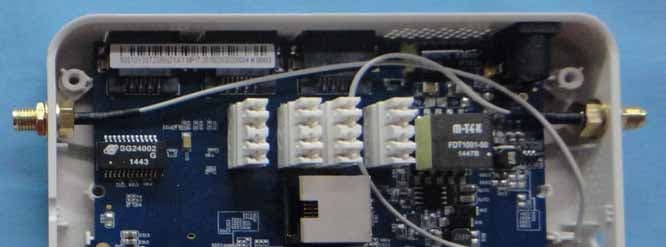
VZ9150001
Jun 03, 2015Enterprise Access Point/ Wireless Hotspot Gateway/ Cluster Access Point
Equipment Class
NII - Unlicensed National Information Infrastructure TX
VZ9130004
Jan 06, 2015Enterprise Access Point
Equipment Class
DTS - Digital Transmission System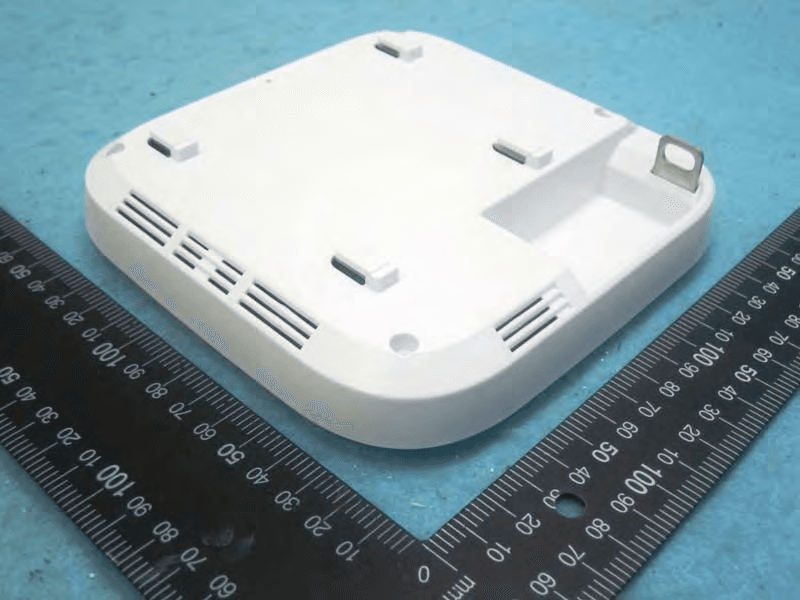
VZ9140003
Oct 15, 2014Enterprise Access Point
Equipment Class
NII - Unlicensed National Information Infrastructure TX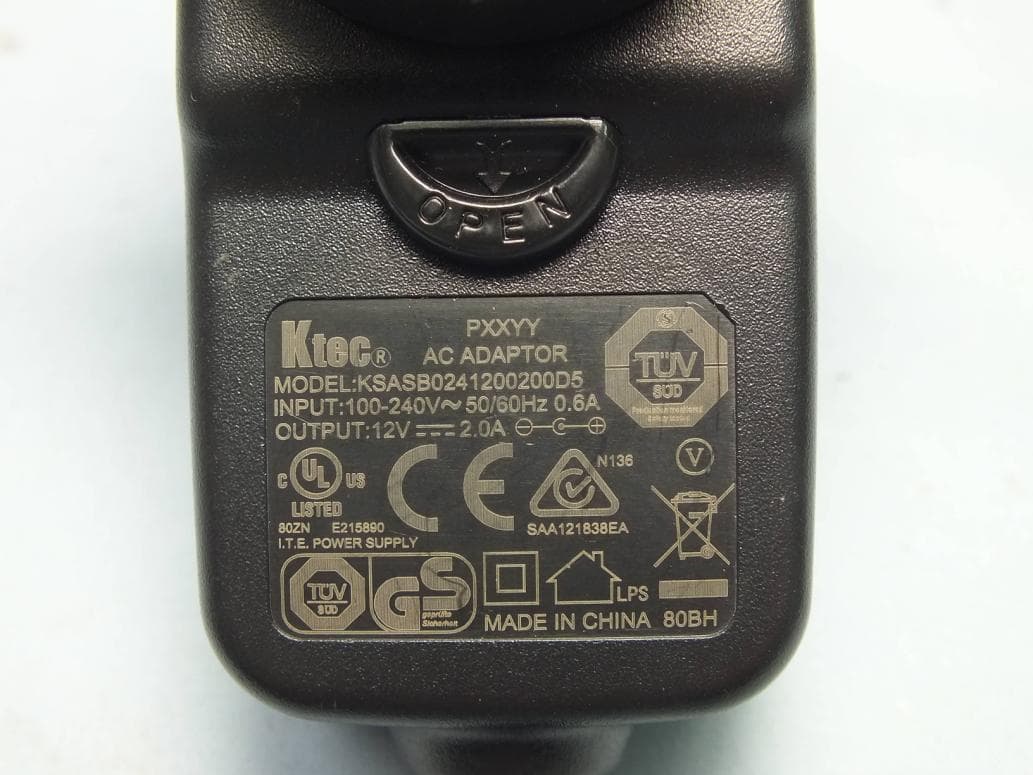
VZ9130002
Aug 20, 2014Enterprise Access Point
Equipment Class
DTS - Digital Transmission System
VZ9140001
May 26, 2014ENTERPRISE ACCESS POINT
Equipment Class
DTS - Digital Transmission System