X9P20100331BLUETOOTH KEYBOARD SILICONE
Shenzhen Paoluy Silicone Technology Co., Ltd.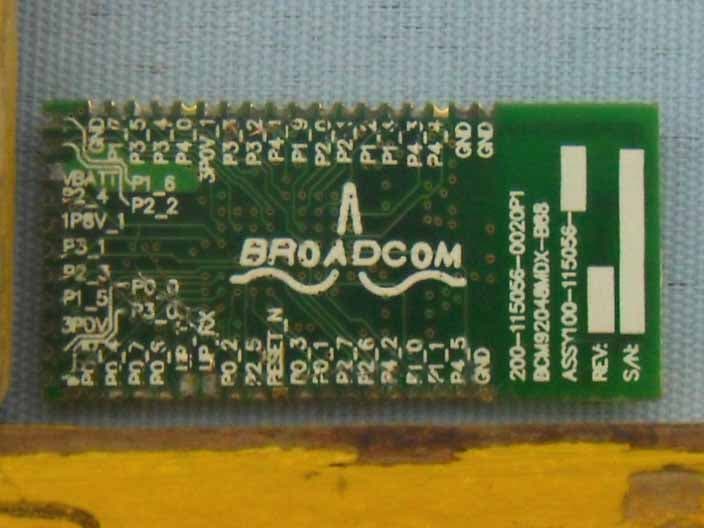
Click to zoom
Application Details
- Equipment Class
- DXX - Part 15 Low Power Communication Device Transmitter
- Date of Grant
- Apr 06, 2010
- Application Purpose
- Original Equipment
- Date of Application
- Apr 06, 2010
- Equipment Note
- BLUETOOTH KEYBOARD SILICONE
- Frequency Range
- 2402.00000000 - 2480.00000000
- Country
- China
Documents & Files
Document Text
Text extracted from the exhibit documents filed with the FCC. Open a document above to read the original.
Users Manual
Wireless Bluetooth Flexible keyboard User’s Guide Package Contents ●A wireless Bluetooth keyboard. ●A copy of manual. ●A USB cable( Just for charging) ●A CD . Main Features Use Broadcom 2042 Chipset with wireless Bluetooth 2.0 interface Come with particular power managing software, indicates the power capacity in Microsoft Windows System automatically The ultrathin design offers an easy typing without stress of your fingers and wrists. The silent design avoid disturbance for other’s rest . (Especially suitable for dormitory) acid & alkali resistant, dustproof Use the Bluetooth industry leading software solutions, WIDCOMM BTW (Microsoft officially designated software) Bluetooth software. commercial mobile phone, bring you great convenience in working. Workable environment: -20°C to 55°C Humidity:20%-50% Use the built - in Li - ion battery design, saving due to frequent changing battery consumption. Specification Parameter Executive Standard: Bluetooth V2.0 Operation distance: 10m modulation system: 2.4G FHSS Transmission power: Class 2 Working volt: 1.9-3.3V working current: <10mA standby current:<2mA dormancy Current longwide high System Requirements Operation of Computer system requirements: Work with Windows 98, ME, 2000,XP,Vista and Apple operating system. Operation of mobile system requirements: Work with the second edition mobile of Sybian6.0,such as Nokia 3230, 6260, 6630, 6670, 6680, 6681, N70, N72, N90 ; And Work with windows mobile 6.0 and the edition above windows mobile 6.0.Such as Dopod and Samsung mobile. Can also work with Android system, such as Google Mobile. Installation Guide Install to Computer: Step1. Keyboard and computer matching steps : Open power switches As the diagram shows, Turn on the power switch, The red light flashes once, that’s indicate your keyboard is boot, Power off/on push button Presses the code button one time , the red LED flashes , Tip your keyboard have entered the right code state Step2. Connecting the Keyboard to the Dongle. If your keyboard is not equipped with a Bluetooth adapter or your Bluetooth adapter has been lost, please have your local mall to buy electronic products Bluetooth Adapter to the computer USB Connector (The computer have built in Bluetooth function do not need Bluetooth Dongle), then the computer will install Dongle drivers automatically ( If the Dongle is with CD that the installation should be required by hand). Match Procedure A: Match on Widcomm (recommended) 1. Double click the Icon again , “My Bluetooth Place” pops up; select “Bluetooth ---Add Bluetooth facility”. Click “Next” button In the Setup Guild window. 2. When the system finds the Keyboard, select it and click “Next”. 3. Input the stochastic Match Code, and Confirm. 4. Now you can use your keyboard at ease. Tips: If you are using the Widcomm Bluetooth Software, select the keyboard icon and click the right button of the keyboard and select “Status”, then you can check the power status of the batteries and setup alarm for shortage of battery. B. Match on Microsoft built-in software 1. Make sure that the Bluetooth Function has been activated. Double click the Bluetooth Icon on the Task Bar or in the Control Panel, open the “Bluetooth Management” window, click “Add”, tick off “facility is ready for searching”, click “Next”. 2. Wait till the keyboard is found, select keyboard and click “Next” . 3. Select” Choose a pass key for me”, click “Next”. 4. Input the pass key and press “Enter”, click “Next”, the system will finish the installation of the new facility automatically. C. Match on IVT Software 1. Make sure that the Bluetooth function is active. Double click the Bluetooth Icon, open the Management window, select “Search for Bluetooth facilities” or click the Round Ball in the middle of the window. 2. Click the Bluetooth Keyboard founded, click the right button for “Refresh Service”. 3. Select the Bluetooth Keyboard again, click the right button for “Connect-Bluetooth Input Service”, input the stochastic pass key, the system will auto install the HID facility. After that you can use your Bluetooth Keyboard at ease. 2. Install To Mobile : (1) Put CD into computer, copy the Bluetooth background software to your mobile then you can install the Bluetooth software to your mobile. (2).Put batteries on the bottom of keyboard and Close the Battery Cabinet, press the match button.. (3).Open Bluetooth from mobile and search ,after Bluetooth keyboard is found, please follow the steps in user’s guide of mobile, connect mobile and keyboard,(there is no point out when you enter the password, so please make sure the right operation and then press “enter” key.) Charge When you using the keyboard , if the red light flashes on the keyboard, that's indicate your keyboard is lack of power, you should give your keyboard to recharge. Charging steps are as follows Put one end of the USB cable into the Adapter , the other end into the keyboard charge interface, As follow shown: Charging interface Charging Indicator ’ Storage Attentions: 1. Keep away from sharp objects. 2. Do not put heavy object on keyboard too long. 3. Do not heating it in microwave oven. 4. Do not strength or twist . Do not strength or twist . 5. Keep away from oil or any other organic liquid. 6. Do not press the keyboard when it is in folding state. You can wash the silicone parts by water, alcohol or disinfector, but only can scrub the parts of plastics. FA Q : 1. If unable to connect the Bluetooth Keyboard to the computer, or the Keyboard work unconventionally, please try the steps below: (1) Before you install your Bluetooth Keyboard, please make sure you have done the Bluetooth Dongle installation procedure, and the Bluetooth facility is turned on. (2) Press and release the connect button on the bottom of Bluetooth Keyboard. The red led light will change into a flashing mode. (3) Make sure that the keyboard is within the effective range---10M. (4) Make sure that there’s no change of the Bluetooth facility. If any…
Text truncated - open the document above for the full version.
Block Diagram
MCU Crystal Frequency: 24MHz RF Crystal Frequency: 24MHz ANTENNA EEPROM MCU&RF (BCM2042) POWER
External Photos
Page 20 of 23 FCC ID: X9P20100331 Anbotek Compliance Laboratory Limited Report No.201003727F Figure 1 The EUT-Front View Figure 2 The EUT-Back View
ID Label/Location Info
FCC ID Label Sample for FCC ID: X9P20100331 This device complies with Part 15 of the FCC Rules. Operation is subject to the following two conditions: 1. This device may not cause harmful interference, and 2. This device must accept any interference received, including interference that may cause undesired operation.
ID Label/Location Info
The proposed Label Location on EUT Proposed FCC ID Label Location Proposed Label Location on EUT The EUT-Back View/Proposed FCC ID Label Location
Internal Photos
Page 21 of 23 FCC ID: X9P20100331 Anbotek Compliance Laboratory Limited Report No.201003727F Figure 3 The EUT-Inside View Figure 4 The EUT-Inside View Page 22 of 23 FCC ID: X9P20100331 Anbotek Compliance Laboratory Limited Report No.201003727F Figure 5 PCB of the EUT-Front View Figure 6 PCB of the EUT-Back View Page 23 of 23 FCC ID: X9P20100331 Anbotek Compliance Laboratory Limited Report No.201003727F Figure 7 PCB of the EUT-Front View(RF Module) Figure 8 PCB of the EUT-Back View(RF Module)
Operational Description
APPLICANT: Shenzhen Paoluy Silicone Technology Co., Ltd. FCC ID: X9P20100331 The theory of Bluetooth Keyboard Silicone BL-84M: 1. MCU & RF module: responsible for communication with receiver to PC. 2. MCU crystal frequency is 24MHz. 3. RF module crystal frequency is 24MHz. 4. Power circuit: to provide steady power to around circuit. 5. LED display: display current state of BL-84M. 6. The antenna of equipment is on the PCB. 7. The antenna gain is 0dBi.
Schematics
1234 A B C D 4 321 D C B A Product Name Schematic Name Revision Page Date Drawing by Authorize by ITON TECHNOLOGY Auditing by GND 1 GND 2 P44 3 P43 4 P14 5 P12 6 P21 7 P20 8 P13 9 P41 10 P32 11 P33 12 3P0_1 13 P40 14 P34 15 P35 16 P17 17 GND 18 P16 19 P22 20 VBATT 21 P24 22 1P8V_1 23 P31 24 P23 25 P15 26 3P0V 27 P00 28 P30 29 WP 30 P05 31 P04 32 P07 33 P06 34 UP_TX 35 UP_RX 36 P02 37 P25 38 RESET_IN 39 P03 40 P01 41 P27 42 P26 43 P42 44 P10 45 P11 46 P45 47 GND 48 U2 BCM2042_PA-V3-48 COLUMN0 COLUMN1 3P0V C11 4.7uF 1P8V_1 C12 10uF C9 0.1uF C10 10uF/6.3V VBATT Battery Detector ROW0 ROW1 ROW2 ROW3 ROW4 ROW5 ROW6 ROW7 COLUMN2 COLUMN3 COLUMN4 COLUMN5 COLUMN6 COLUMN7 COLUMN8 COLUMN9 COLUMN10 COLUMN11 COLUMN12 COLUMN13 COLUMN14 COLUMN15 P4_3 LED2 3P0V P4_3 R2 10K 3P0V UP_TX UP_RX 1 2 3 4 J2 CON4 UP_TX UP_RX VBATT + C13 47uF/6.3V R6 10k + C14 47uF/6.3V C1 104 + C27 47uF R5 RES1 R4 RES1 S1 SW-PB COLUMN0ROW2 C2 10uF R9 330 LED3 LED LED2 P44 P45 Battery Detector Indicator of led 123 SW2 SW-POWER R1 10K Power Remark:C4 and C10 will be near to pin 21 of U2 C3 0.1uF Battery Detector Connect key ISP Port Remark: R4 is 0R,R5 cancel when system power is 3V C12 will be near to pin 23 of U2 COLUMN16 COLUMN17 BT1 BATTERY R3 330 LED0 Num Lock LED0 R7 330 LED1 Scroll Lock LED1 R8 330 LED3 Cpas Lock LED3 LED0 LED1 LED3 1 2 3 4 5 6 7 8 9 10 11 12 13 14 15 16 17 18 19 20 21 22 23 24 25 26 J1 26PIN ROW0 ROW1 ROW2 ROW3 ROW4 ROW5 ROW6 ROW7 COLUMN0 COLUMN1 COLUMN2 COLUMN3 COLUMN4 COLUMN5 COLUMN6 COLUMN7 COLUMN8 COLUMN9 COLUMN10 COLUMN11 COLUMN12 COLUMN13 COLUMN14 COLUMN15 COLUMN16 COLUMN17 C0&R2 Can be modify by different key Rentao Bluetooth keyboard PA_V3_48 model keyboard V32009/07/201 of 1 Vout 5 NC 4 Vin 1 GND 2 CE 3 U3VBATT2VBATT C5 10uF C4 10uF VBATT2 VBATT2 R12 0R VCC 1 D- 2 D+ 3 GND 4 AGND 5 MINIUSB C6 4.7UF R10 10K R11 470R Blue LED VBATT_IN CHRG 1 GND 2 BATT 3 Vcc 4 PROG 5 U1 4054 Vcc Vcc VBATT_IN PDF 文件使用 "pdfFactory Pro" 试用版本创建 www.fineprint.cn
Test Report
Page 1 of 23 FCC ID: X9P20100331 Anbotek Compliance Laboratory Limited Report No.201003727F FCC TEST REPORT for Shenzhen Paoluy Silicone Technology Co., Ltd. Bluetooth Keyboard Silicone Model No.: BL-84M, BL-BKB90TP, BL-BKB-121, BL-BKB-104TP Report Number : 201003727F Date of Test : Mar. 25~31, 2010 Date of Report : Apr. 06, 2010 Prepared for : Shenzhen Paoluy Silicone Technology Co., Ltd. Address : No.31, furong road, gushu village, xixiang town, bao’an district, shenzhen Tel: (86) 755-33819221 Fax: (86) 755-33676866 Prepared By : Anbotek Compliance Laboratory Limited Address : 2/F, Langfeng Building, Kefa Road North, Hi-tech Industrial Park, Nanshan District, Shenzhen 518057, China Tel: (86) 755-26014771 Fax: (86) 755-26014772 Page 2 of 23 FCC ID: X9P20100331 Anbotek Compliance Laboratory Limited Report No.201003727F TABLE OF CONTENT Description Page Test Report 1. GENERAL INFORMATION .........................................................................................................4 1.1. Description of Device (EUT)....................................................................................................................4 1.2. Description of Test Facility ......................................................................................................................5 1.3. Measurement Uncertainty.........................................................................................................................5 2. MEASURING DEVICE AND TEST EQUIPMENT.................................................................... 6 3. TEST PROCEDURE ....................................................................................................................... 7 4. CONDUCTED LIMITS .................................................................................................................. 8 4.1. Block Diagram of Test Setup ...................................................................................................................8 4.2. Power Line Conducted Emission Measurement Limits (15.207) .............................................................8 4.3. Configuration of EUT on Measurement ...................................................................................................8 4.4. Operating Condition of EUT ....................................................................................................................8 4.5. Test Procedure ..........................................................................................................................................9 4.6. Power Line Conducted Emission Measurement Results ..........................................................................9 5. RADIATION INTERFERENCE.................................................................................................. 12 5.1. Requirements (15.249, 15.209): .............................................................................................................12 5.2 Test Procedure .........................................................................................................................................12 5.3 Test Results..............................................................................................................................................12 6. OCCUPIED BANDWIDTH..........................................................................................................16 6.1. Requirements (15.249): ..........................................................................................................................16 6.2 Test Results..............................................................................................................................................16 7. PHOTOGRAPH............................................................................................................................. 18 7.1. Photo of Power Line Conducted Emission Measurement ......................................................................18 7.2. Photo of Radiation Emission Test ..........................................................................................................18 APPENDIX I (Photos of EUT) (4 Pages) Page 3 of 23 FCC ID: X9P20100331 Anbotek Compliance Laboratory Limited Report No.201003727F TEST REPORT Applicant : Shenzhen Paoluy Silicone Technology Co., Ltd. Manufacturer : Shenzhen Paoluy Silicone Technology Co., Ltd. EUT : Bluetooth Keyboard Silicone Model No. : BL-84M, BL-BKB90TP, BL-BKB-121, BL-BKB-104TP Serial No. : N/A Rating : DC 5V via AC/DC Adapter; DC 3V via Lithium Battery Trade Mark : N/A Measurement Procedure Used: FCC Part15 Subpart C, Paragraph 15.207, 15.249 & 15.209 The device described above is tested by Anbotek Compliance Laboratory Limited to determine the maximum emission levels emanating from the device and the severe levels of the device can endure and its performance criterion. The measurement results are contained in this test report and Anbotek Compliance Laboratory Limited is assumed full of responsibility for the accuracy and completeness of these measurements. Also, this report shows that the EUT (Equipment Under Test) is technically compliant with the FCC Part 15 Subpart C requirements. This report applies to above tested sample only and shall not be reproduced in part without written approval of Anbotek Compliance Laboratory Limited Date of Test : Mar. 25~31, 2010 Prepared by : (Engineer) Reviewer : (Project Manager) Approved & Authorized Signer : (Manager) Page 4 of 23 FCC ID: X9P20100331 Anbotek Compliance Laboratory Limited Report No.201003727F 1. GENERAL INFORMATION 1.1. Description of Device (EUT) EUT : Bluetooth Keyboard Silicone Model Number : BL-84M, BL-BKB90TP, BL-BKB-121, BL-BKB-104TP (Note: The above samples are same except the model number & Shape of appliances, so we prepare “BL-84M” for Radio test only.) Test Power Supply : AC 120V, 60Hz; DC 3V via Lithium Battery Adapter : Astec Power Co., Ltd. M/N: AC-6C CE, FCC Freque…
Text truncated - open the document above for the full version.
Test Setup Photos
Page 18 of 23 FCC ID: X9P20100331 Anbotek Compliance Laboratory Limited Report No.201003727F 7. PHOTOGRAPH 7.1. Photo of Power Line Conducted Emission Measurement 7.2. Photo of Radiation Emission Test
Contact Information
Applicant
Xiaogang Yang(Quality Director)
Test Firm
Anbotek Compliance Laboratory limitedDaniel Zhu
Technical Specifications
| # | Rule Parts | Frequency Range | Power Output |
|---|---|---|---|
| 1 | 15C | 2.40 GHz - 2.48 GHz | - |
Other Applications from Shenzhen Paoluy Silicone Technology Co., Ltd.

X9PKB6031
Sep 16, 2015Bluetooth Keyboard
Equipment Class
DSS - Part 15 Spread Spectrum Transmitter
X9PKB6026
Oct 26, 2014Solar Bluetooth Keyboard
Equipment Class
DSS - Part 15 Spread Spectrum Transmitter
X9PKB6013I
May 27, 2014Bluetooth Keyboard
Equipment Class
DSS - Part 15 Spread Spectrum Transmitter
X9PKB6012I
Aug 04, 2013BLUETOOTH KEYBOARD
Equipment Class
DSS - Part 15 Spread Spectrum Transmitter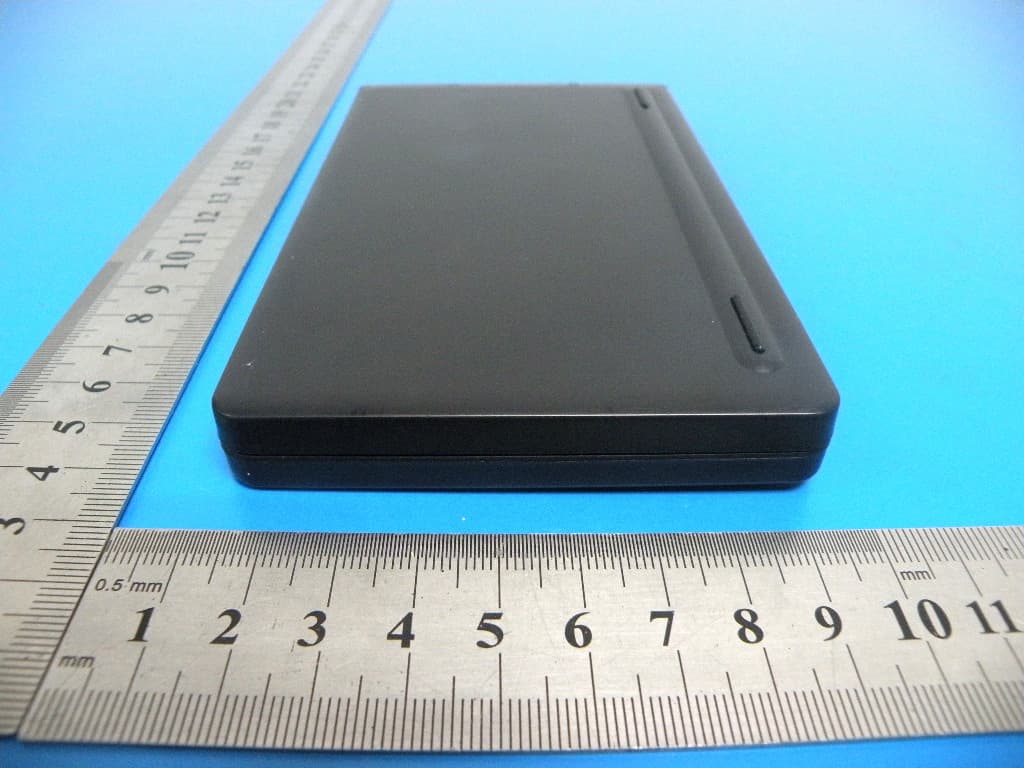
X9PKB6007I
Aug 04, 2013BLUETOOTH KEYBOARD
Equipment Class
DSS - Part 15 Spread Spectrum Transmitter