X9P76BBluetooth Keyboard
Shenzhen Paoluy Silicone Technology Co., Ltd.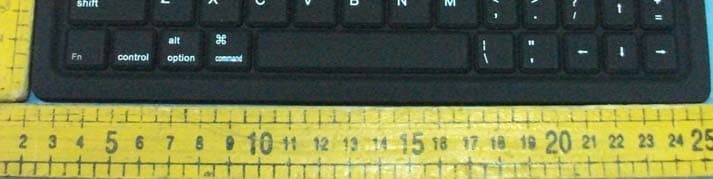
Click to zoom
Application Details
- Equipment Class
- DXX - Part 15 Low Power Communication Device Transmitter
- Date of Grant
- Oct 19, 2011
- Application Purpose
- Original Equipment
- Date of Application
- Oct 19, 2011
- Equipment Note
- Bluetooth Keyboard
- Frequency Range
- 2402.00000000 - 2480.00000000
- Country
- China
Documents & Files
Document Text
Text extracted from the exhibit documents filed with the FCC. Open a document above to read the original.
Users Manual
BL-BKB76 Bluetooth Keyboard Manual Packing Include: 1,A Bluetooth keyboard 2, A IPAD bag ( optional part ) 3,A list of manual 4、USB charging cable (If “apple” 30PIN, charging interface don’t need) Product Features: 1, With Broadcom2042 as main control chip , with Bluetooth 2.0 interface . 2, Use industry-leading Bluetooth solution, WIDCOMM BTW Bluetooth software which is specified software by Microsoft official. 3, Specially design for IPAD, It will be more convenient to carry with IPAD bag . 4, Buit-in power management software, It can automatically show the available capacity in the Microsoft Windows 5, Silence design, It will not affect other people’s rest 6,It is waterproof ,dustproof, anti-pollution, anti-acid, waterproof for silicone part 7, work with PC and commerical mobile, It will be convenient to work . 8, working temperaturer :-20°C-55°C humidity:20%-50% 9.built-in lithium battery, you do not need to frequently change battery Specifications 1, executive standard: Bluetooth V2.0 2 Working distance: 10 meters 3, modulation system: FHSS 2.4G 4, transmitting power: Class 2 5, operating voltage: 3.0-5.0 6, work current: <5.0MA 7, standby current: 2.5MA 8, sleeping current: <200UA 9, charging current:> 100MA 10, standby time: 100days 11, Theory of working Time: 25 days 12, uninterrupted working time: 90 hours 13, charging time: 4-4.5 hours 14, Li-ion battery Capacity: Minimum 430MAH 15, lithium battery life: 3 years 16, lithium battery Specifications: 4.5 * 24 * 47MM 17, key strength: 80 ± 10g 18, key life: 500 million 19, operating temperature: -20 - +55 °C 20, Storage temperature: -40 - +70 °C Note: When you switch on the keyboard, the power light and Bluetooth light will be on in three seconds , at this time the keyboard do not connnect with any device.,But the LED light will automatically be off if the keyboard still do not connected to any device after the Led keep lighting for 5 seconds. The keyboard can connect when you switch on after your first successfully use ,the power light will keep lighting ,but the bluetooth light will be off after it successfully connect to device . Install Bluetooth Keyboard 1, How to install bluetooth keyboard into IPAD Step 1: Find (1), as shown, Turn on the toggle switch ,power light and Bluetooth light will be on in 3 seconds , But after keep lighting for 5 seconds , it will be off .At this time the keyboard is in working situation . (2),Press the connect button ,the Bluetooth light will be flashing , Power light will be lighting ,so the keyboard is in connecting situation . Toggle Switch connect button (3) Click setting of the screen of the Ipad .Ipad will in setting area , then choose Bluetooth , open the bluetooth ., Ipad is in searching bluetooth keyboard working situation . Click setting in Ipad Click to open the Bluetooth Step 2: Enter the password and connect Ipad is in searching situation .It can search bluetooth keyboard . search for bluetooth keyboard and remind to enter password in the bluetooth keyboard Note There will not have any prompt , just click enter after your enter passwork in the Ipad screen ..It will be connected successfully. Step 3: Connect successfully , The keyboard is in working situation Connect successfully the keyboard is in working situation Power light will keep lighting after it connect successfully , so the keyboard can work with IPAD successfully .The lighting power light to remind that you should turn off the keyboard when you do not use it . Charge The power light keep flashing in your working ,the keyboard is short of power . It is time to charge the keyboard . Charging procedure as follows: (1)、Use the IPAD charger/USB charger cable plug into outlet, put one end of the plug into keyboard charging interface,as follows, Charging interface charging indictor light (2)Now red indictor, after charging finish, red indictor off.(charging time: 4.5 hours.) Storage (1)、When you are finished using your keyboard or you will be required after the keyboard to carry , so don't forget to set aside the keyboard to switch the source OFF, turn off the keyboard's power to extend battery life (2)When you need a long time storage your keyboard, please don't forget to pack the battery power, about half of the filling , then store your keyboard, so can make your keyboard lithium life longer. Note: When you normally using the keyboard, or if you are not using the keyboard and didn't turn off the power switch, please don't fold or curly , so you will have been working at the keyboard, it will greatly decrease you using the keyboard. Attentions: 1. Keep away from sharp objects. 2. Do not put heavy object on keyboard too long. 3. Do not heating it in microwave oven. 4. Don’t force tensile or distortion 5. Keep away from oil or any other organic liquid. 6. Do not press the keyboard when it is in folding state. 7. Can wash silicone parts by water , alcohol, or alcohol disinfectant. FAQ: 1. If unable to connect the Bluetooth Keyboard to the computer, or the Keyboard work unconventionally, please try the steps below: (1) Before you install your Bluetooth Keyboard, please make sure you have done the Bluetooth Dongle installation procedure, and the Bluetooth facility is turned on. (2) Press and release the connect button on the bottom of Bluetooth Keyboard. The red led light will change into a flashing mode. (3) Make sure that the keyboard is within the effective range---10M. (4) Make sure that there’s no change of the Bluetooth facility. If anything changed, please kindly rematch. (5) If your Bluetooth facility is connected to other Bluetooth products, please kindly confirm that the speed of the Bluetooth facility is enough. (6) Please kindly check the batteries. If they are short of power, replace them for new ones. (7) Please make sure that your Bluetooth Dongle is damaged or not . 2. Every time you turn off the keyboard power and after turn on it or reboot the computer shuts down , if it is no response (1) After the keyboard and the …
Text truncated - open the document above for the full version.
Cover Letter(s)
Shenzhen Paoluy Silicone Technology Co., Ltd. No.31, Furong Road, Gushu Village, Xixiang Town, Bao’an District Shenzhen China Authorization Letter Number: CF101 Version: V01 Date: 01-02-2010 We, (the approval holder) Company name Shenzhen Paoluy Silicone Technology Co., Ltd. Addresss No.31, Furong Road, Gushu Village, Xixiang Town, Bao’an District City Shenzhen Country China declare that the following representative (agent): Name (person) Daniel Zhu Company name Anbotek Compliance Laboratory Limited Addresss 1/F, 1 /Build, SEC Industrial Park, No. 4 Qianhai Road, Nanshan District City Shenzhen Country United States is hereby authorized to apply the following equipment for certification on our behalf: Product Description Bluetooth Keyboard Type or Model(s) BL-BKB76B, BL-BKB76A Tradename or Brand(s) N.A. We also authorize Teleconformity, Mr. M. Koop, (address: Rietven 31, 7534NH Enschede, Netherlands) to process (sign and apply for) this application. Attestation: City and Country: Date: Name: (this must be a person) Function: Signature: (or official company stamp) Shenzhen, China 2011-10-20 Xiaogang Yang Quality Director
Cover Letter(s)
Shenzhen Paoluy Silicone Technology Co., Ltd. No.31, Furong Road, Gushu Village, Xixiang Town, Bao’an District Shenzhen China FCC Confidentiality Request Number: CF303 Version: V01 Date: 01-02-2010 To the FCC and FCC TCB handling this application for certification Pursuant to 47 CFR Section 0.459(a) & (b), we, (the applicant / grantee) Company name Shenzhen Paoluy Silicone Technology Co., Ltd. Addresss No.31, Furong Road, Gushu Village, Xixiang Town, Bao’an District City Shenzhen Country China request non-disclosure and confidential treatment for our certification under: Grantee Code Product Number FCC ID: X9P 76B of the following materials submitted within this certification application: (please cross what is applicable, or add other documents) √ Schematics Diagrams (file: X9P83B_SchematicDiagram.pdf, showing the components, their values and interconnections) √ Block Diagrams (file: X9P83B_BlockDiagram.pdf, showing the systematic building blocks of the EUT) √ Circuit Description (file: X9P83B_CircuitDescription.pdf, explaining the functioning of the block diagram / EUT) User Manual Above materials contain secrets, proprietary and technical information, which would customarily be guarded from competitors under 47 CFR, section 0.457(d)(2). Disclosure or publication or any portion of this company confidential material to other parties could cause substantial competitive harm and provide unjustified benefits for competitors. We understand that pursuant to 47 CFR section 0.457(d)(1)(ii) disclosure of the applicant and all accompanying documentation will not be made before the date of the grant. Attestation: City and Country: Date: Name: (this must be a person) Function: Signature: (or official company stamp) Shenzhen, China 2011-10-20 Xiaogang Yang Quality Director
External Photos
Page 21 of 23 FCC ID: X9P76B Anbotek Compliance Laboratory Limited Report No.201109775F Figure 1 The EUT-Front View Figure 2 The EUT-Back View
ID Label/Location Info
FCC ID Label Sample for FCC ID: X9P76B FCC ID: X9P76B
ID Label/Location Info
The proposed Label Location on EUT Proposed FCC ID Label Location Proposed Label Location on EUT add FCC ID here The EUT-Back View/Proposed FCC ID Label Location
Internal Photos
Page 22 of 23 FCC ID: X9P76B Anbotek Compliance Laboratory Limited Report No.201109775F Figure 3 The EUT-Inside View Figure 4 PCB of the EUT-Front View Page 23 of 23 FCC ID: X9P76B Anbotek Compliance Laboratory Limited Report No.201109775F Figure 5 PCB of the EUT-Back View Figure 6 PCB of the EUT-Front View(BT Module)
Test Report
Page 1 of 23 FCC ID: X9P76B Anbotek Compliance Laboratory Limited Report No.201109775F FCC TEST REPORT for Shenzhen Paoluy Silicone Technology Co., Ltd. Bluetooth Keyboard Model No.: BL-BKB76B, BL-BKB76A Report Number : 201109775F Date of Test : Oct. 09~17, 2011 Date of Report : Oct. 19, 2011 Prepared for : Shenzhen Paoluy Silicone Technology Co., Ltd. Address : No.31, Furong Road, Gushu Village, Xixiang Town, Bao’an District, Shenzhen Prepared By : Anbotek Compliance Laboratory Limited Address : 1/F, 1 /Building, SEC Industrial Park, No. 4 Qianhai Road, Nanshan District, Shenzhen, 518054, China Tel: (86) 755-26014771 Fax: (86) 755-26014772 Page 2 of 23 FCC ID: X9P76B Anbotek Compliance Laboratory Limited Report No.201109775F TABLE OF CONTENTS Description Page Test Report 1. GENERAL INFORMATION .........................................................................................................4 1.1. Description of Device (EUT)....................................................................................................................4 1.2. Auxiliary Equipment Used during Test ....................................................................................................5 1.3. Description of Test Facility ......................................................................................................................6 1.4. Measurement Uncertainty.........................................................................................................................6 2. MEASURING DEVICE AND TEST EQUIPMENT.................................................................... 7 3. TEST PROCEDURE ....................................................................................................................... 8 4. CONDUCTED LIMITS .................................................................................................................. 9 4.1. Block Diagram of Test Setup ...................................................................................................................9 4.2. Power Line Conducted Emission Measurement Limits (15.207) .............................................................9 4.3. Configuration of EUT on Measurement ...................................................................................................9 4.4. Operating Condition of EUT ....................................................................................................................9 4.5. Test Procedure ........................................................................................................................................10 4.6. Power Line Conducted Emission Measurement Results ........................................................................10 5. RADIATION INTERFERENCE.................................................................................................. 13 5.1. Requirements (15.249, 15.209): .............................................................................................................13 5.2 Test Procedure .........................................................................................................................................13 5.3 Test Results..............................................................................................................................................13 6. OCCUPIED BANDWIDTH..........................................................................................................17 6.1. Requirements (15.249): ..........................................................................................................................17 6.2. Test Procedure ........................................................................................................................................17 6.3. Test Configuration:.................................................................................................................................17 6.4. Test Results.............................................................................................................................................17 7. PHOTOGRAPH............................................................................................................................. 19 7.1. Photo of Power Line Conducted Emission Measurement ......................................................................19 7.2. Photo of Radiation Emission Test ..........................................................................................................19 APPENDIX I (Photos of EUT) (3 Pages) Page 3 of 23 FCC ID: X9P76B Anbotek Compliance Laboratory Limited Report No.201109775F TEST REPORT Applicant : Shenzhen Paoluy Silicone Technology Co., Ltd. Manufacturer : Shenzhen Paoluy Silicone Technology Co., Ltd. EUT : Bluetooth Keyboard Model No. : BL-BKB76B, BL-BKB76A Serial No. : N/A Rating : DC 3.7-4.2V, 5-7mA Trade Mark : N/A Measurement Procedure Used: FCC Part15 Subpart C, Paragraph 15.207, 15.249 & 15.209 The device described above is tested by Anbotek Compliance Laboratory Limited to determine the maximum emission levels emanating from the device and the severe levels of the device can endure and its performance criterion. The measurement results are contained in this test report and Anbotek Compliance Laboratory Limited is assumed full of responsibility for the accuracy and completeness of these measurements. Also, this report shows that the EUT (Equipment Under Test) is technically compliant with the FCC Part 15 Subpart C requirements. This report applies to above tested sample only and shall not be reproduced in part without written approval of Anbotek Compliance Laboratory Limited Date of Test : Oct. 09~17, 2011 Prepared by : (Engineer / Rock Zeng) Reviewer : (Project Manager / Coco Xiang) Approved & Authorized Signer : (Manager / Henry Yang) Page 4 of 23 FCC ID: X9P76B Anbotek Compliance Laboratory Limited Report No.201109775F 1. GENERAL INFORMATION 1.1. Description of Device (EUT) EUT : Blueto…
Text truncated - open the document above for the full version.
Test Setup Photos
Page 19 of 23 FCC ID: X9P76B Anbotek Compliance Laboratory Limited Report No.201109775F 7. PHOTOGRAPH 7.1. Photo of Power Line Conducted Emission Measurement 7.2. Photo of Radiation Emission Test
Contact Information
Applicant
Xiaogang Yang(Quality Director)
Technical Contact
TeleconformityMark Koop
[email protected]+31 84 8395876
Rietven 31 · Enschede, Overyssel · Netherlands
Test Firm
Shenzhen Anbotek Compliance Laboratory LimitedDaniel zhu
[email protected]86-755-26014771
Technical Specifications
| # | Rule Parts | Frequency Range | Power Output |
|---|---|---|---|
| 1 | 15C | 2.40 GHz - 2.48 GHz | - |
Other Applications from Shenzhen Paoluy Silicone Technology Co., Ltd.

X9PKB6031
Sep 16, 2015Bluetooth Keyboard
Equipment Class
DSS - Part 15 Spread Spectrum Transmitter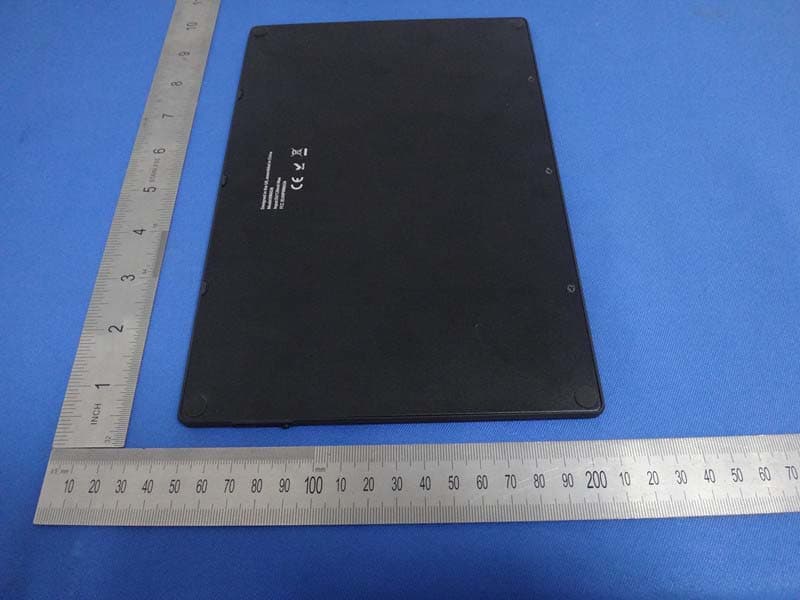
X9PKB6026
Oct 26, 2014Solar Bluetooth Keyboard
Equipment Class
DSS - Part 15 Spread Spectrum Transmitter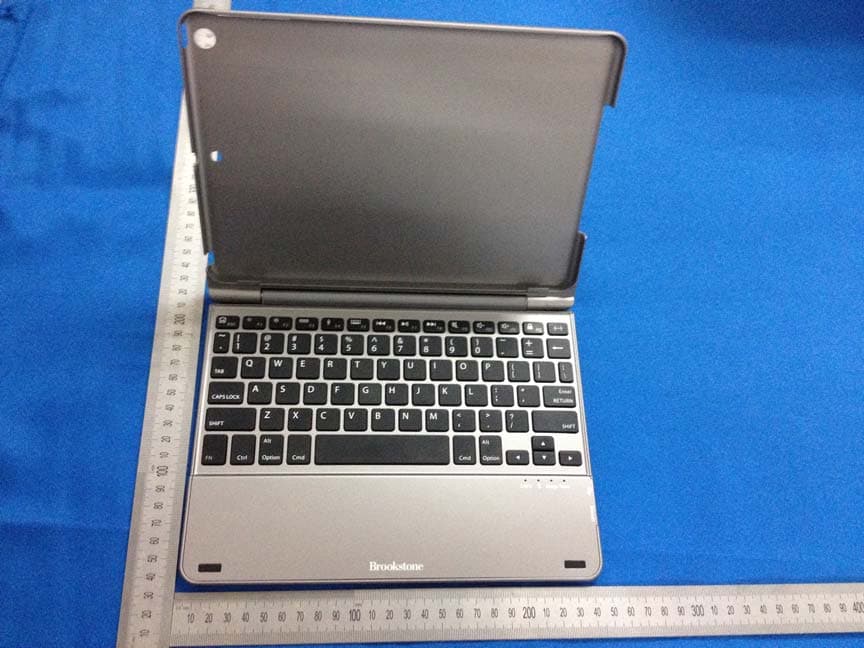
X9PKB6013I
May 27, 2014Bluetooth Keyboard
Equipment Class
DSS - Part 15 Spread Spectrum Transmitter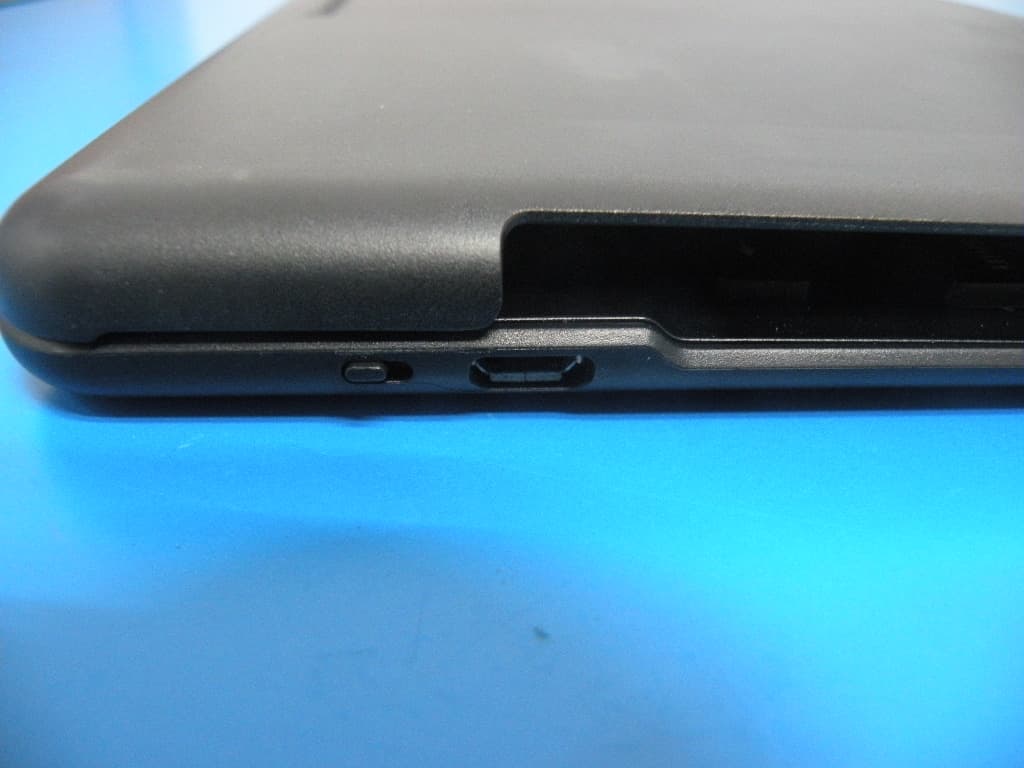
X9PKB6012I
Aug 04, 2013BLUETOOTH KEYBOARD
Equipment Class
DSS - Part 15 Spread Spectrum Transmitter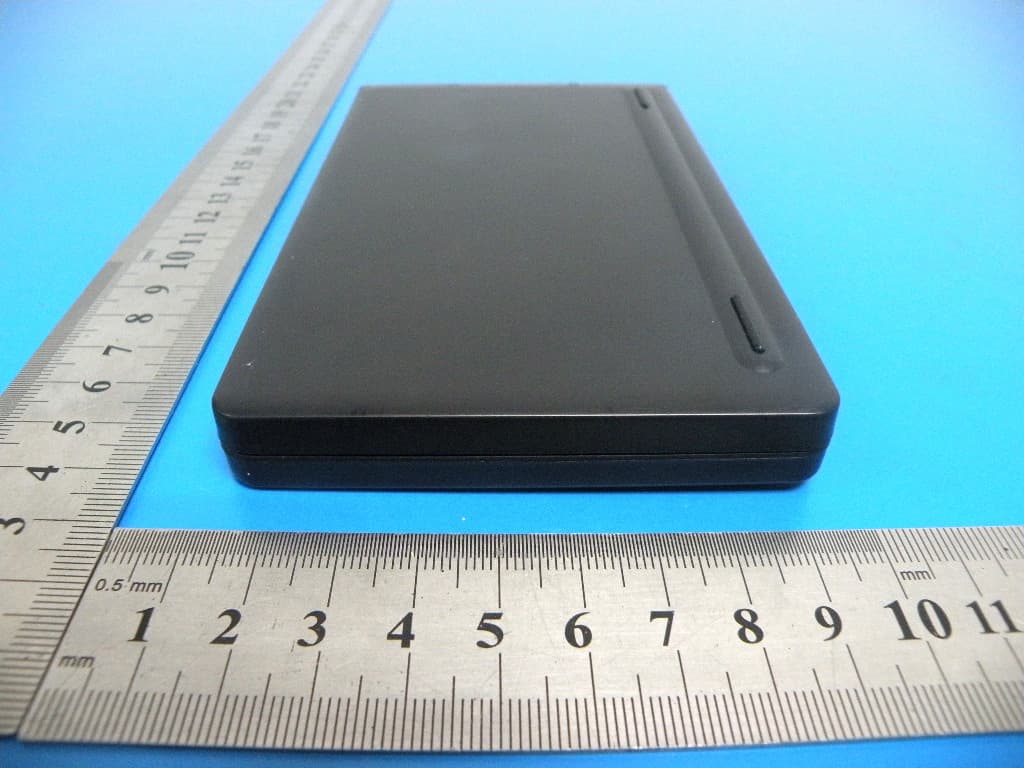
X9PKB6007I
Aug 04, 2013BLUETOOTH KEYBOARD
Equipment Class
DSS - Part 15 Spread Spectrum Transmitter