X9PBL-84MBluetooth Keyboard
Shenzhen Paoluy Silicone Technology Co., Ltd.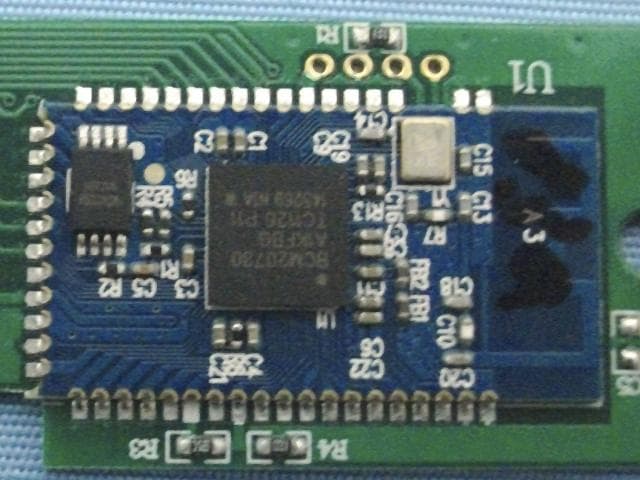
Click to zoom
Application Details
- Equipment Class
- DXX - Part 15 Low Power Communication Device Transmitter
- Date of Grant
- Apr 01, 2012
- Application Purpose
- Original Equipment
- Date of Application
- Apr 01, 2012
- Equipment Note
- Bluetooth Keyboard
- Frequency Range
- 2402.00000000 - 2480.00000000
- Country
- China
Documents & Files
Document Text
Text extracted from the exhibit documents filed with the FCC. Open a document above to read the original.
Users Manual
Bluetooth Keyboard Manual Contents 1、Mini Bluetooth Keyboard 2、Manual 3、Compact Disc 4、Charging Cable Product features 1, Broadcom 20730 main control chipset, Bluetooth3.0 interface. 2, Built-in unique power management software, can be in Microsoft's Windows system automatically displayed usable capacity. 3, Ultra-thin design: effectively improved the fingers and wrist weary condition 4, Mute design: can effectively avoid disturbing others (especially suitable for the same room inhabited people) 5,Anit- pollution , prevent acid-base, prevent dust, waterproof (only silicone gel part) 6, Leading bluetooth solutions, WIDCOMM BTW Microsoft officially designated (software) bluetooth software. 7, While supporting the computer and business mobile, makes more convenient for your job. 8, Working environment: temperature - 20 degrees to 55 degrees humidity 20% - 80% 9, Using built-in lithium battery design saves the because of frequent change the battery consumption Specifications Execution standard: 1, Bluetooth V3.0 2, Operation distance: 10 meters 3, Modulation mode: 2.4 G straight sequence fh (FHSS) 4, Transmission power: scale-up 2 levels 5, Working voltage: 1.9-3.3 V 6, Working current: 1.7mA 7 Standby current: 0.8mA 8, Dormancy current: 52uA 9, Product size: long 315mm * * 113mm high 11mm wide System requirements Computer operating system requirements: Windows 98 / ME / 2000 / XP/Vista/WIN7 and Apple operating system. Mobile operating system requirements: Symbian 6.0 second edition above phone, such as Nokia, 3230 6260, 6630, 6680 6670, N72 N70 6681,,,, N90 Suitable for Windows mobile 6.0 and above version system. If Dopod mobile phones, Samsung mobile phones Applicable to Android 2.2 system. (temporarily only support samsung mobile phone Android2.2 above system, if you are using an Android1.5 version system can installation CD self-contained Android driver software can connect with the keyboard and use, support all Android3.0 above version system mobile phone) Applicable to Iphone4 above mobile phones. Note: Bluetooth keyboard in Symbian system with mobile phone connection when using, must be installed corresponding mobile bluetooth driver software. Installation bluetooth keyboard 1, keyboard and computer matching steps: (1), as the chart shows, the keyboard Power switch clicked ON place, the LED lights solid for 5 seconds and goes off, hints you already boot. (2)、As the chart shows, according to a keyboard keys, Connect a few Low lights flashing, hints you keyboard has entered for yards state. Step 2: Connect the keyboard and adapter (dongle) The stochastic enclosed bluetooth adapter (if your keyboard not installed with bluetooth adapter, or your bluetooth adapter has been lost, please at your local electronics mall purchase bluetooth adapter) is inserted into the computer to the USB interface, now computer automatically install adaptor drive, if you buy themselves, may bring a adapter to drive, right now you need to put your computer with CD cd-rom, then install adaptor driver. (if your computer cabin bluetooth, simply send your computer bluetooth open) at this point in the lower right side of the computer taskbar icon will appear. Note: Bluetooth in clavier brings the Cd-Rom in the use of the keyboard with cell phone connection should be installed into cell phones driver. Widcomm bluetooth stack on the keyboard matching steps (recommended) (1) Double-click the desktop icon "my Bluetooth position" open applications, select menu Bluetooth - add equipment, in setting the wizard in click next. (2), Find the keyboard program after, selects the keyboard and click next. (3), Use bluetooth keyboard input randomly generated pairing code (input no hint, please ensure input the correct), and press enter confirmation. 4), let the system installation is complete keyboard after your keyboard can use. Tips: If you are using Widcomm bluetooth program, right-click on the keyboard icon enters the Status bar in Power, they can be seen in the battery Power, and Settings electricity shortage warning. B. in Windows XP bluetooth stack on the keyboard matching steps (1), determination of computer bluetooth has been activated. Double-click the taskbar lower-right or the ICONS in the control panel, open bluetooth management interface, click "add", check equipment ready, click next. (2)、等待蓝牙设备找到键盘,然后选择键盘,点击下一步。 (3), Choice for I chose a key (you can also choose to from already set of keys, or not to use a key), and then click next. (4), Use bluetooth keyboard input randomly generated keys or input from the set of keys and press the return key confirmation (input key when no hint, please ensure input the correct), if is chosen not to use a key, then no input keys, click next, the system will automatically complete the installation of new equipment. (5) And finally click finish, wait for new equipment installation is completed, you can use the keyboard. C.I VT Bluetooth stack on the keyboard matching steps (1), Determination of computer bluetooth has been activated, double click desktop bluetooth icon, open IVT operates management interface, choose my bluetooth columns of search bluetooth device, or click the sphere began to search the keyboard interface. (2), Click search to keyboard equipment, click the right choice "refresh" services. (3), Then selected bluetooth keyboard, click the right choice "connected" of the "bluetooth man-machine input device service", use bluetooth keyboard input randomly generated pairing code, and return confirmation (input), please ensure that no hint input the correct), the system will to new bluetooth HID automatic equipment complete installation, wait for new equipment installation is completed, you can use the keyboard. 2, the keyboard and mobile matching steps: (1), will disc into computer, then the corresponding bluetooth driver software copy to your phone and then in your phone installed in the bluetooth driver software. (2), open bluetooth keyboard the power switch, then click…
Text truncated - open the document above for the full version.
Cover Letter(s)
Shenzhen Paoluy Silicone Technology Co., Ltd. Authorization Letter Number: CF101 Version: V01 Date: 01-02-2010 We, (the approval holder) Company name Shenzhen Paoluy Silicone Technology Co., Ltd. Address Ath Building, 5th Floor, Forzen Industrial Park, Fuyuan 2nd Road, Heping Village, Fuyong Town, Baoan District, City Shenzhen Country China declare that the following representative (agent): Name (person) Daniel Zhu Company name Anbotek Compliance Laboratory Limited Addresss 1/F, 1 /Build, SEC Industrial Park, No. 4 Qianhai Road, Nanshan District City Shenzhen Country China is hereby authorized to apply the following equipment for certification on our behalf: Product Description Bluetooth Keyboard Type or Model(s) BL-84M Tradename or Brand(s) N.A. We also authorize Teleconformity (Mr. M. Koop, Rietven 31, 7534NH Enschede, The Netherlands) to process this application. Attestation: City and Country: Date: Name: (this must be a person) Function: Signature: (or official company stamp) Shenzhen, China 2012-03-27 Xiaogang Yang Quality Director
Cover Letter(s)
Shenzhen Paoluy Silicone Technology Co., Ltd. FCC Confidentiality Request Number: CF303 Version: V01 Date: 01-02-2010 To the FCC and FCC TCB handling this application for certification Pursuant to 47 CFR Section 0.459(a) & (b), we, (the applicant / grantee) Company name Shenzhen Paoluy Silicone Technology Co., Ltd. Addresss Ath Building, 5th Floor, Forzen Industrial Park, Fuyuan 2nd Road, Heping Village, Fuyong Town, Baoan District, City Shenzhen Country China request non-disclosure and confidential treatment for our certification under: Grantee Code Product Number FCC ID: X9P BL-84M of the following materials submitted within this certification application: (please cross what is applicable, or add other documents) √ Schematics Diagrams √ Block Diagrams √ Circuit Description User Manual Above materials contain secrets, proprietary and technical information, which would customarily be guarded from competitors under 47 CFR, section 0.457(d)(2). Disclosure or publication or any portion of this company confidential material to other parties could cause substantial competitive harm and provide unjustified benefits for competitors. We understand that pursuant to 47 CFR section 0.457(d)(1)(ii) disclosure of the applicant and all accompanying documentation will not be made before the date of the grant. Attestation: City and Country: Date: Name: (this must be a person) Function: Signature: (or official company stamp) Shenzhen, China 2012-03-27 Xiaogang Yang Quality Director
External Photos
Page 21 of 23 FCC ID: X9PBL-84M Anbotek Compliance Laboratory Limited Report No.201203781F APPENDIX I (ExternalPhotos) Figure 1 The EUT-Front View Figure 2 The EUT-Back View
ID Label/Location Info
The proposed Label Location on EUT Proposed FCC ID Label Location Proposed Label Location on EUT The EUT-Front View/Proposed FCC ID Label Location
ID Label/Location Info
FCC ID Label Sample for FCC ID: X9PBL-84M FCC ID: X9PBL-84M This device complies with Part 15 of the FCC Rules. Operation is subject to the following two conditions: 1. This device may not cause harmful interference, and 2. This device must accept any interference received, including interference that may cause undesired operation.
Internal Photos
Page 21 of 23 FCC ID: X9PBL-84M Anbotek Compliance Laboratory Limited Report No.201203781F APPENDIX I (ExternalPhotos) Figure 1 The EUT-Front View Figure 2 The EUT-Back View Page 22 of 23 FCC ID: X9PBL-84M Anbotek Compliance Laboratory Limited Report No.201203781F APPENDIX II(InternalPhotos) Figure 3 The EUT-Inside View Figure 4 PCB of the EUT-Front View PCB of the EUT-Front View(BT Module)
Test Report
Page 1 of 23 FCC ID: X9PBL-84M Anbotek Compliance Laboratory Limited Report No.201203781F FCC TEST REPORT for Shenzhen Paoluy Silicone Technology Co., Ltd. Bluetooth Keyboard Model No.: BL-84M Report Number : 201203781F Date of Test : Mar. 20~26, 2012 Date of Report : Mar. 27, 2012 Prepared for : Shenzhen Paoluy Silicone Technology Co., Ltd. Address : Ath Building, 5th Floor, Forzen Industrial Park, Fuyuan 2nd Road, Heping Village, Fuyong Town, Baoan District, Shenzhen, China Prepared By : Anbotek Compliance Laboratory Limited Address : 1/F, 1 /Building, SEC Industrial Park, No. 4 Qianhai Road, Nanshan District, Shenzhen, 518054, China Tel: (86) 755-26066544 Fax: (86) 755-26014772 Page 2 of 23 FCC ID: X9PBL-84M Anbotek Compliance Laboratory Limited Report No.201203781F TABLE OF CONTENTS Description Page Test Report 1. GENERAL INFORMATION .........................................................................................................4 1.1.Description of Device (EUT).....................................................................................................................4 1.2.Auxiliary Equipment Used during Test .....................................................................................................5 1.3.Description of Test Facility .......................................................................................................................6 1.4.Measurement Uncertainty..........................................................................................................................6 2. MEASURING DEVICE AND TEST EQUIPMENT................................................................... 7 3. TEST PROCEDURE ....................................................................................................................... 8 4. CONDUCTED LIMITS .................................................................................................................. 9 4.1. Block Diagram of Test Setup ...................................................................................................................9 4.2. Power Line Conducted Emission Measurement Limits (15.207) .............................................................9 4.3. Configuration of EUT on Measurement ...................................................................................................9 4.4. Operating Condition of EUT ....................................................................................................................9 4.5. Test Procedure ........................................................................................................................................10 4.6. Power Line Conducted Emission Measurement Results ........................................................................10 5. RADIATION INTERFERENCE.................................................................................................. 13 5.1. Requirements (15.249, 15.209): .............................................................................................................13 5.2 Test Procedure .........................................................................................................................................13 5.3 Test Results..............................................................................................................................................13 6. OCCUPIED BANDWIDTH..........................................................................................................17 6.1. Requirements (15.249): ..........................................................................................................................17 6.2. Test Procedure ........................................................................................................................................17 6.3. Test Configuration:.................................................................................................................................17 6.4. Test Results.............................................................................................................................................17 7. PHOTOGRAPH............................................................................................................................. 20 7.1. Photo of Power Line Conducted Emission Measurement ......................................................................20 7.2. Photo of Radiation Emission Test ..........................................................................................................20 APPENDIX I (ExternalPhotos) (1 Page) APPENDIX II(InternalPhotos) (2 Pages) Page 3 of 23 FCC ID: X9PBL-84M Anbotek Compliance Laboratory Limited Report No.201203781F TEST REPORT Applicant : Shenzhen Paoluy Silicone Technology Co., Ltd. Manufacturer : Shenzhen Paoluy Silicone Technology Co., Ltd. EUT : Bluetooth Keyboard Model No. : BL-84M Serial No. : N/A Rating : DC 3.7-4.2V, 5-7mA Trade Mark : N/A Measurement Procedure Used: FCC Part15 Subpart C, Paragraph 15.207, 15.249 & 15.209 The device described above is tested by Anbotek Compliance Laboratory Limited to determine the maximum emission levels emanating from the device and the severe levels of the device can endure and its performance criterion. The measurement results are contained in this test report and Anbotek Compliance Laboratory Limited is assumed full of responsibility for the accuracy and completeness of these measurements. Also, this report shows that the EUT (Equipment Under Test) is technically compliant with the FCC Part 15 Subpart C requirements. This report applies to above tested sample only and shall not be reproduced in part without written approval of Anbotek Compliance Laboratory Limited Date of Test : Feb. 20~26, 2012 Prepared by : (Tested Engineer / Andy Chen) Reviewer : (Project Manager / Jerry Du) Approved & Authorized Signer : (Manager / Henry Yang) Page 4 of 23 FCC ID: X9PBL-84M Anbotek Compliance Laboratory Limited Report No.2…
Text truncated - open the document above for the full version.
Test Setup Photos
Page 20 of 23 FCC ID: X9PBL-84M Anbotek Compliance Laboratory Limited Report No.201203781F 7. PHOTOGRAPH 7.1. Photo of Power Line Conducted Emission Measurement 7.2. Photo of Radiation Emission Test
Contact Information
Applicant
Xiaogang Yang(Quality Director)
Technical Contact
TeleconformityMark Koop
[email protected]+31 84 8395876
Rietven 31 · Enschede, Overyssel · Netherlands
Test Firm
Shenzhen Anbotek Compliance Laboratory LimitedDaniel zhu
[email protected]86-755-26014771
Technical Specifications
| # | Rule Parts | Frequency Range | Power Output |
|---|---|---|---|
| 1 | 15C | 2.40 GHz - 2.48 GHz | - |
Other Applications from Shenzhen Paoluy Silicone Technology Co., Ltd.

X9PKB6031
Sep 16, 2015Bluetooth Keyboard
Equipment Class
DSS - Part 15 Spread Spectrum Transmitter
X9PKB6026
Oct 26, 2014Solar Bluetooth Keyboard
Equipment Class
DSS - Part 15 Spread Spectrum Transmitter
X9PKB6013I
May 27, 2014Bluetooth Keyboard
Equipment Class
DSS - Part 15 Spread Spectrum Transmitter
X9PKB6012I
Aug 04, 2013BLUETOOTH KEYBOARD
Equipment Class
DSS - Part 15 Spread Spectrum Transmitter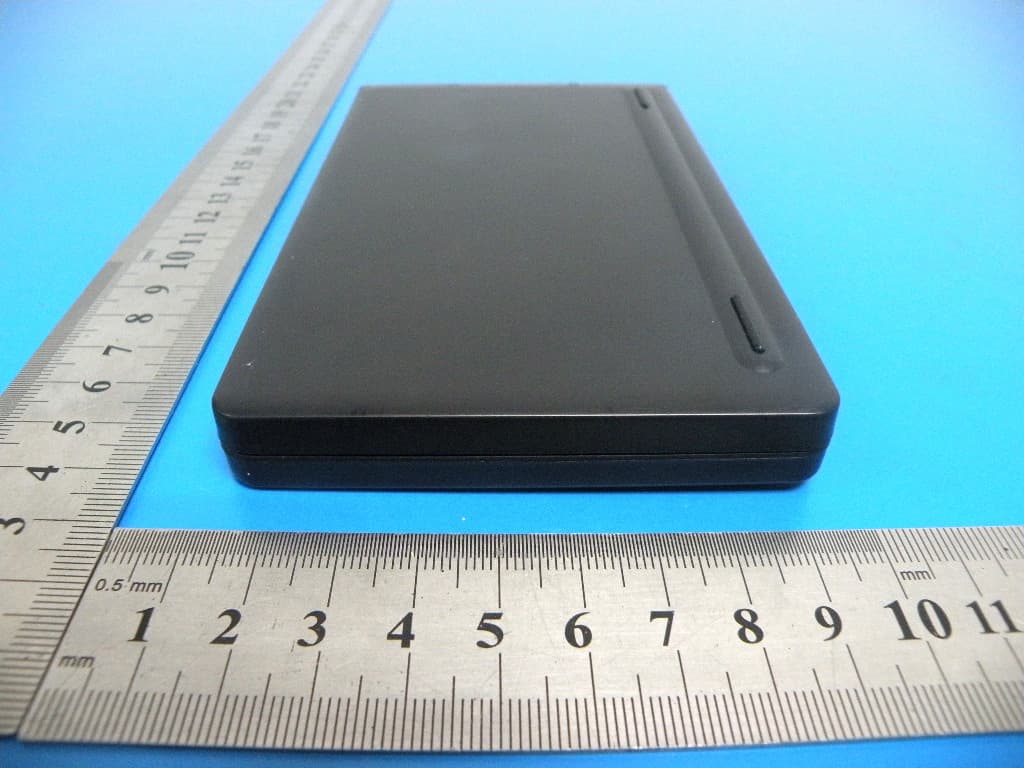
X9PKB6007I
Aug 04, 2013BLUETOOTH KEYBOARD
Equipment Class
DSS - Part 15 Spread Spectrum Transmitter