XS8-DIATECKeyboard
DIATEC CORPORATION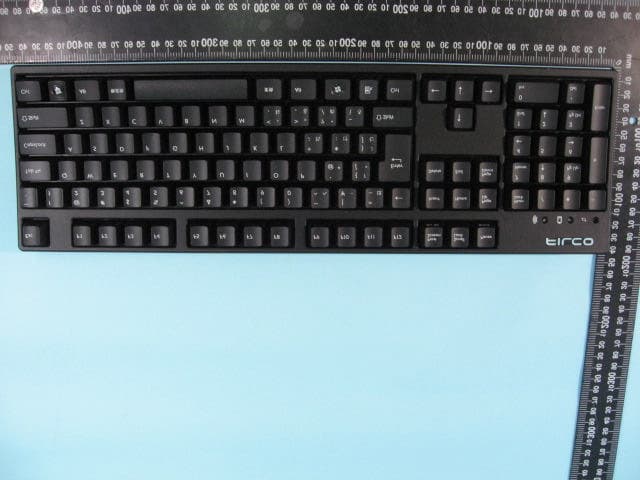
Click to zoom
Application Details
- Equipment Class
- DSS - Part 15 Spread Spectrum Transmitter
- Date of Grant
- Aug 07, 2011
- Application Purpose
- Original Equipment
- Date of Application
- Aug 07, 2011
- Equipment Note
- Keyboard
- Frequency Range
- 2402.00000000 - 2480.00000000
- Company
- DIATEC CORPORATION
- Country
- Japan
Documents & Files
Document Text
Text extracted from the exhibit documents filed with the FCC. Open a document above to read the original.
Users Manual
Bluetooth USB&PS/2 Support If you have any inquiry using our product, please contact from below. Instructions & Warranty Thank you very much for purchasing Diatec product. Please read and understand all instructions before using a keyboard. Cautions when in use When you do your setups, utilize an administratively authorized ID. This product is intended for general use at home, office etc only. Do not use under the circumstances that require high safeness and credibility such as medical device, financial system, computing machinery, facility related to an atomic energy as well as defense military affair where bear a possibility to affect on human life in any way. We assume no responsibility whatsoever for any damages resulting from the use of the product. We assume no responsibility whatsoever for damages resulting from breakdown, troubles, failure in connection, external factors such as blackout or interferences from a third party causing damages, when you are in use of a product. We assume no responsibility whatsoever for damages resulting from interception, breaking, leaking of information from a third party. Cautions connecting Set up a connection where no obstacles are around. Structures of the building or obstacles around may affect the length of Bluetooth connection range. You may not be able to setup the connection when reinforcing steels or metals are in between. If you move outside of a connection or are in any shadow of obstacles, Bluetooth cannot detect a connection and it may disconnect. Be away at least 2 meters from AV and OA equipment and at least 3 meters away from microwaves which can easily affect on a product when you make a connection. It may not work properly near those devices. Since wireless LAN equipment with IEEE802.11g/b and Bluetooth equipment use the same frequency (2.4GHz), it may cause to slow down your connection speed or to lose connection. In this case, turn off the power whichever is not in use. Electromagnetic ray from any Bluetooth devices may affect on causing noises on sounds and images of a television, or a radio. We recommend not using near those devices. For safety use Battery Keep the battery out of children’s reach. Do not expose to heat. Do not disassemble or immerse in water or liquid of any kind. Do not use with new and old battery mixed up together. Do not use different kind of a battery together. When you discard a battery, dispose it by following the laws and regulations governing battery disposal in your area. Handle a keyboard Dropping or any other activities may lead to an unexpected accident. Place a keyboard on a flat space when in use. Keyboard is an electric device that contains circuit and transformer device inside. Hence do not immerse a keyboard in water or any other liquid. Do not disassemble or peel off of the maintenance label on the back. Unauthorized repair, conversion or disassemble a product are not included in the warranty. Do not use a product under the circumstances stated in below to avoid a false operation that could lead to an unexpected accident. ** Near patients with heart pacer. ** Near medical facility or medical devices. ** On a plane ** When a product causes an electrical wave on other devices. General instructions Using a keyboard may be linked to serious injuries or disorders. When using a computer for long periods, you may experience occasional discomfort in your hands, arms, neck, shoulders or other parts of your body. If you experience symptoms such as persistent or recurring discomfort, pain, throbbing, aching, tingling, numbness or stiffness on muscles, please stop using a product immediately. These symptoms may occur when you are not working at your computer. We strongly recommend getting rest periodically when you are in use. Please refrain from using a keyboard whenever you feel sick. Product introduction 3 ways to use ICHIBAN keyboard by [Bluetooth, USB, PS/2] [Bluetooth wireless keyboard] We adopt 2.4 GHz ver2.1 class2 technology for a connection to a personal computer that provides you with a cable-less operating environment. Wireless communication range is up to about 10 meters. You need to do connection setups only for the first time. You don’t need any setups afterwards. When you are not in use for over 10 minutes, a keyboard automatically changes to sleep mode to save electrical power. [USB keyboard] You can use it as USB keyboard by using USB cable included in a package. (It doesn’t have a function to charge the battery) [PS/2 keyboard] You can use it as PS/2 keyboard by using USB cable and PS2 conversion adaptor included in a package. [High quality N-key rollover function] It has the functionality by which all the typed keys simultaneously are recognized on your personal computer. Limited 6 keys at a time when it is connected by USB. (That makes it possible to correspond multi tasks for typing in at a high speed and for certain short cut keys) [Adopting Cherry MX key switches] Cherry MX switches are mechanical switches developed by Cherry Germany. Key travel is 4mm, (deeper than comparative models) and actuation point is located at 2mm from the top when pressed down. This Keyboard uses individual Cherry MX switches that give you light touch typing. System requirement OS : Windows XP SP2/ Vista / 7 PC : DOS/V personal computer installed with USB port. For Bluetooth connection, you need a personal computer loaded with Bluetooth function and Bluetooth receiver adaptor. Due to compatibility issue, connection setups may not be completed in rare cases. It is NOT compatible for all the Bluetooth receiver adaptors. ** You need an available mouse for setups. ** For PS/2 connection, you need a personal computer loaded with PS/2 connector. Power switch Product USB cable on the backDIP switchBattery caseSurface mini USB connector for USB & PS/2 size AA battery x2 (trial) Required only while making a connection Power Switch Switched on Switched off mini USB connector for USB & PS…
Text truncated - open the document above for the full version.
External Photos
ETC Report No. :11-02-RBF-011-03 FCC ID.: XS8-DIATEC Sheet 1 of 6 Sheets Rev. No 2.1 CONSTRUCTION PHOTOS OF EUT 1. Top View of EUT 2. Side View of EUT ETC Report No. :11-02-RBF-011-03 FCC ID.: XS8-DIATEC Sheet 2 of 6 Sheets Rev. No 2.1 CONSTRUCTION PHOTOS OF EUT 3. Side View of EUT 4. Side View of EUT ETC Report No. :11-02-RBF-011-03 FCC ID.: XS8-DIATEC Sheet 3 of 6 Sheets Rev. No 2.1 CONSTRUCTION PHOTOS OF EUT 5. Side View of EUT 6. Bottom View of EUT
ID Label/Location Info
910805 1 LABEL 0 100mm 50mm FCC ID:XS8-DIATEC Model: FKBH104M/EB This device complies with Part 15 of the FCC Rules. Operation is subject to the following two conditions: (1) this device may not cause harmful interference, and (2) this device must accept any interference received, including interference that may cause undesired operation.
Internal Photos
ETC Report No. :11-02-RBF-011-03 FCC ID.: XS8-DIATEC Sheet 4 of 6 Sheets Rev. No 2.1 CONSTRUCTION PHOTOS OF EUT 7. Internal View of EUT 8. Internal View of EUT ETC Report No. :11-02-RBF-011-03 FCC ID.: XS8-DIATEC Sheet 5 of 6 Sheets Rev. No 2.1 CONSTRUCTION PHOTOS OF EUT 9. Component View of PCB 10. Solder View of PCB ETC Report No. :11-02-RBF-011-03 FCC ID.: XS8-DIATEC Sheet 6 of 6 Sheets Rev. No 2.1 CONSTRUCTION PHOTOS OF EUT 11. Component View of PCB 12. Solder View of PCB
Test Report
Rev. No 1.0 FCC Part 15 EMI TEST REPORT of E.U.T. : Wireless Keyboard Model : FILCKFBT15 FCC ID : XS8-DIATEC for APPLICANT : DIATEC CORPORATION ADDRESS : 4F KAIRAKU BLDG (SOTO-KANDA) 6-5-4, SOTO-KANDA, CHIYODA-KU, TOKYO 101- 0021 JAPAN Test Performed by ELECTRONICS TESTING CENTER, TAIWAN NO.34, LIN 5, DINGFU TSUEN, LINKOU SHIANG TAIPEI COUNTY, TAIWAN, 24442, R.O.C. Tel:(02)26023052 Fax:(02)26010910 http://www.etc.org.tw ; e-mail : [email protected] Report Number : 11-02-RBF-011-03 ETC Report No. : 11-02-RBF-011-03 FCC ID.: XS8-DIATEC Rev. No 1.0 TEST REPORT CERTIFICATION Applicant : DIATEC CORPORATION 4F KAIRAKU BLDG (SOTO-KANDA) 6-5-4, SOTO-KANDA, CHIYODA-KU, TOKYO 101-0021 JAPAN Manufacture : DIATEC CORPORATION 4F KAIRAKU BLDG (SOTO-KANDA) 6-5-4, SOTO-KANDA, CHIYODA-KU, TOKYO 101-0021 JAPAN Description of Device : a) Type of EUT : Wireless Keyboard b) Trade Name : FILCO c) Model No. : FILCKFBT15 d) Power Supply : DC 1.5V Battery*2 Regulation Applied : FCC Rules and Regulations Part 15 Subpart C (2009) I HEREBY CERTIFY THAT: The data shown in this report were made in accordance with the procedures given in ANSI C63.4, and the energy emitted by the device was founded to be within the limits applicable. I assume full responsibility for accuracy and completeness of these data. Note: 1. The result of the testing report relate only to the item tested. 2. The testing report shall not be reproduced expect in full, without the written approval of ETC. ETC Report No. : 11-02-RBF-011-03 FCC ID.: XS8-DIATEC Rev. No 1.0 Date Test Item Received : Feb. 10, 2011 Date Test Campaign Completed : Mar. 21, 2011 Date of Issue : Apr. 19, 2011 Test Engineer : ( Vincent Chang, Engineer ) Check By : ( Charles Wang, Supervisor ) Approve & Authorized Signer : Will Yauo, Manager EMC Dept. II of ELECTRONICS TESTING CENTER, TAIWAN ETC Report No. : 11-02-RBF-011-03 FCC ID.: XS8-DIATEC Rev. No 1.0 Table of Contents Page 1 GENERAL INFORMATION ....................................................................................................... 1 1.1 Product Description...................................................................................................................... 1 1.2 Test Methodology......................................................................................................................... 1 1.3 Test Facility.................................................................................................................................. 1 2 PROVISIONS APPLICABLE...................................................................................................... 2 2.1 Definition ..................................................................................................................................... 2 2.2 Requirement for Compliance ....................................................................................................... 3 2.3 Restricted Bands of Operation ..................................................................................................... 5 2.4 Labeling Requirement .................................................................................................................. 6 2.5 User Information .......................................................................................................................... 6 3 SYSTEM TEST CONFIGURATION .......................................................................................... 7 3.1 Justification .................................................................................................................................. 7 3.2 Devices for Tested System ........................................................................................................... 7 4 RADIATED EMISSION MEASUREMENT .............................................................................. 8 4.1 Applicable Standard ..................................................................................................................... 8 4.2 Measurement Procedure ............................................................................................................... 8 4.3 Measuring Instrument................................................................................................................. 10 4.4 Radiated Emission Data ............................................................................................................. 11 4.4.1 Tx Portion .......................................................................................................................................... 11 4.4.2 Radiated Emissions in Restricted Bands ........................................................................................... 14 4.4.3 Other Emissions ................................................................................................................................. 15 4.5 Field Strength Calculation.......................................................................................................... 16 4.6 Photos of Radiation Measuring Setup ........................................................................................ 17 5 CONDUCTED EMISSION MEASUREMENT........................................................................ 19 5.1 Standard Applicable ................................................................................................................... 19 5.2 Measurement Procedure ............................................................................................................. 19 5.3 Conducted Emission Data .......................................................................................................... 20 5.4 Result Data Calculation.............................................................................................................. 24 5.5 Conducted Measurement Equipment ......................................................................................... 24 5.6 Photos of Conduction Measuring Setup..................…
Text truncated - open the document above for the full version.
Test Setup Photos
ETC Report No. :11-02-RBF-011-03 FCC ID.: XS8-DIATEC Sheet 18 of 63 Sheets Rev. No 2.1 4.6 Photos of Radiation Measuring Setup Mode: USB Cable Link ETC Report No. :11-02-RBF-011-03 FCC ID.: XS8-DIATEC Sheet 19 of 63 Sheets Rev. No 2.1 Mode: Bluetooth Link ETC Report No. :11-02-RBF-011-03 FCC ID.: XS8-DIATEC Sheet 26 of 63 Sheets Rev. No 2.1 5.6 Photos of Conduction Measuring Setup Mode: USB Cable Link ETC Report No. :11-02-RBF-011-03 FCC ID.: XS8-DIATEC Sheet 27 of 63 Sheets Rev. No 2.1 Mode: Bluetooth Link
Contact Information
Applicant
Fujita Kaname(Manager)
Test Firm
Taiwan Testing and Certification CenterAnderson Ku
Technical Specifications
| # | Rule Parts | Frequency Range | Power Output |
|---|---|---|---|
| 1 | 15C | 2.40 GHz - 2.48 GHz | 1.40 mW |
Other Applications from DIATEC CORPORATION
XS8-CONV3XFULL
Jul 22, 20242way Keyboard USB wired connection and Bluetooth wireless connection
Equipment Class
DSS - Part 15 Spread Spectrum Transmitter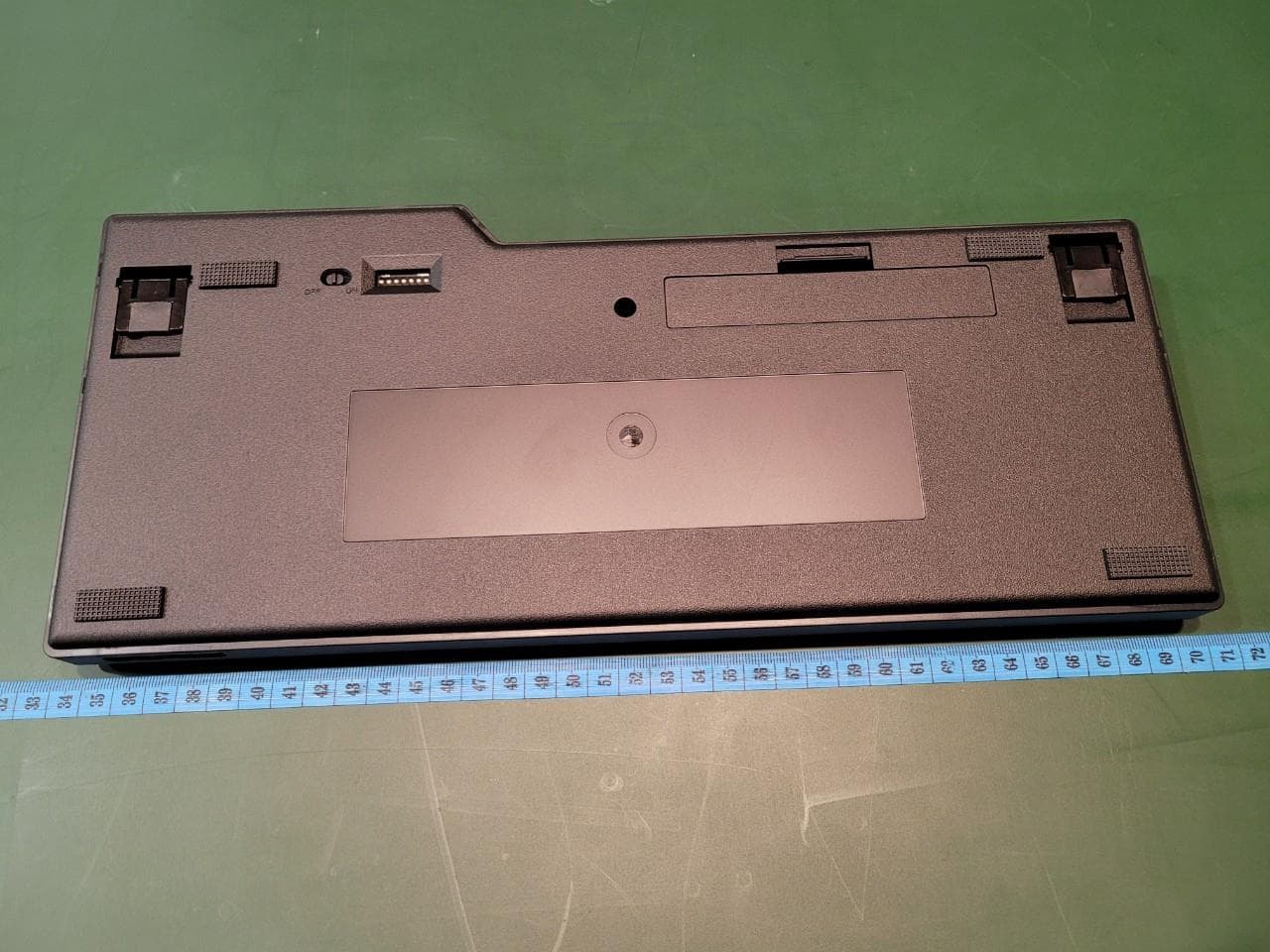
XS8-CONV3
Jul 18, 2022Majestouch Convertible 3
Equipment Class
DSS - Part 15 Spread Spectrum Transmitter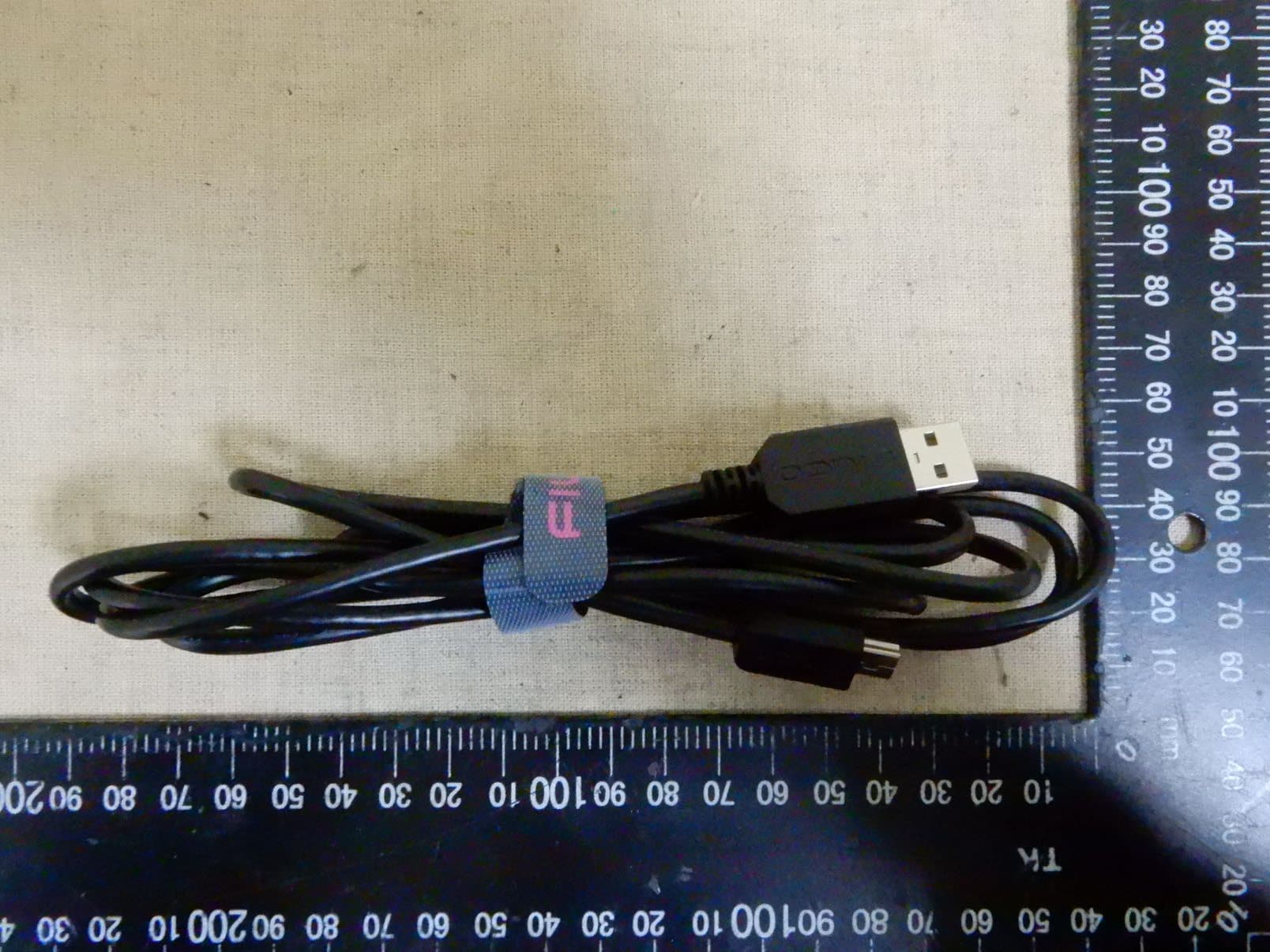
XS8-MINILA-R
Jun 02, 2020Bluetooth Keyboard
Equipment Class
DSS - Part 15 Spread Spectrum Transmitter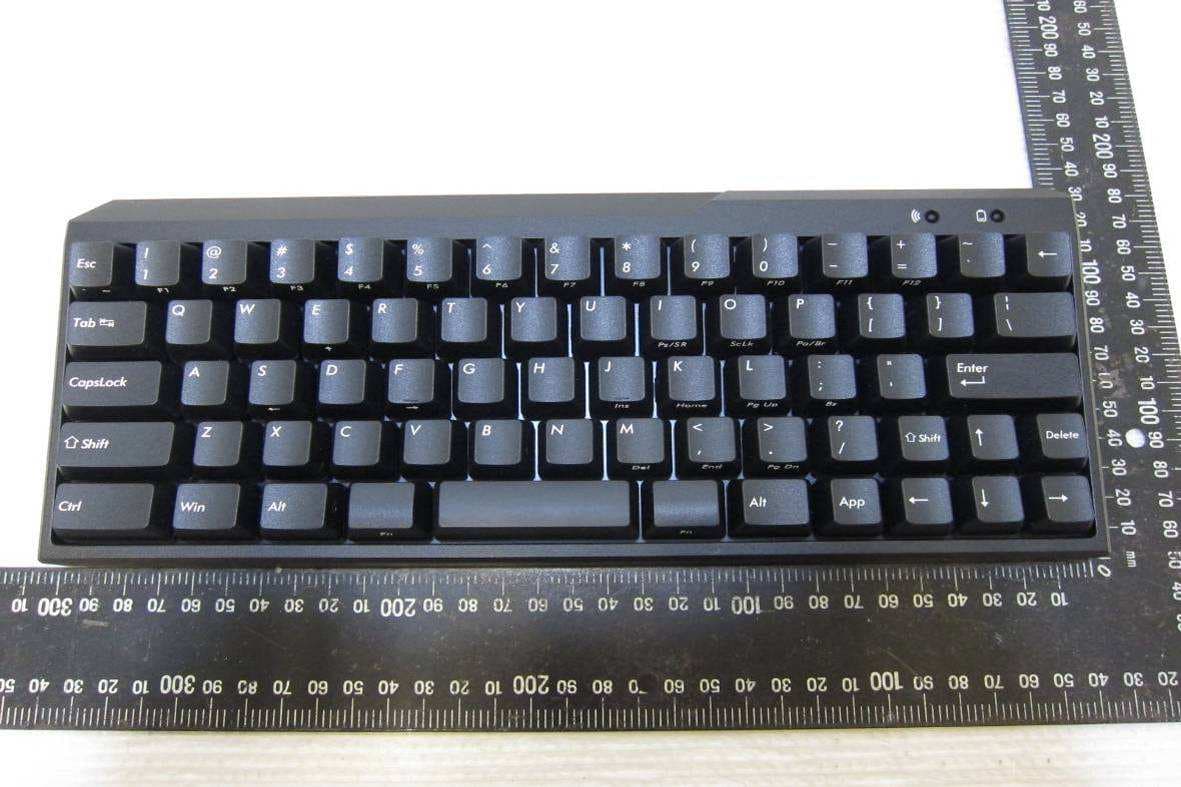
XS8-MINILAAIR
Jul 07, 2013Bluetooth Keyboard
Equipment Class
DSS - Part 15 Spread Spectrum Transmitter