XS8-MINILAAIRBluetooth Keyboard
DIATEC CORPORATION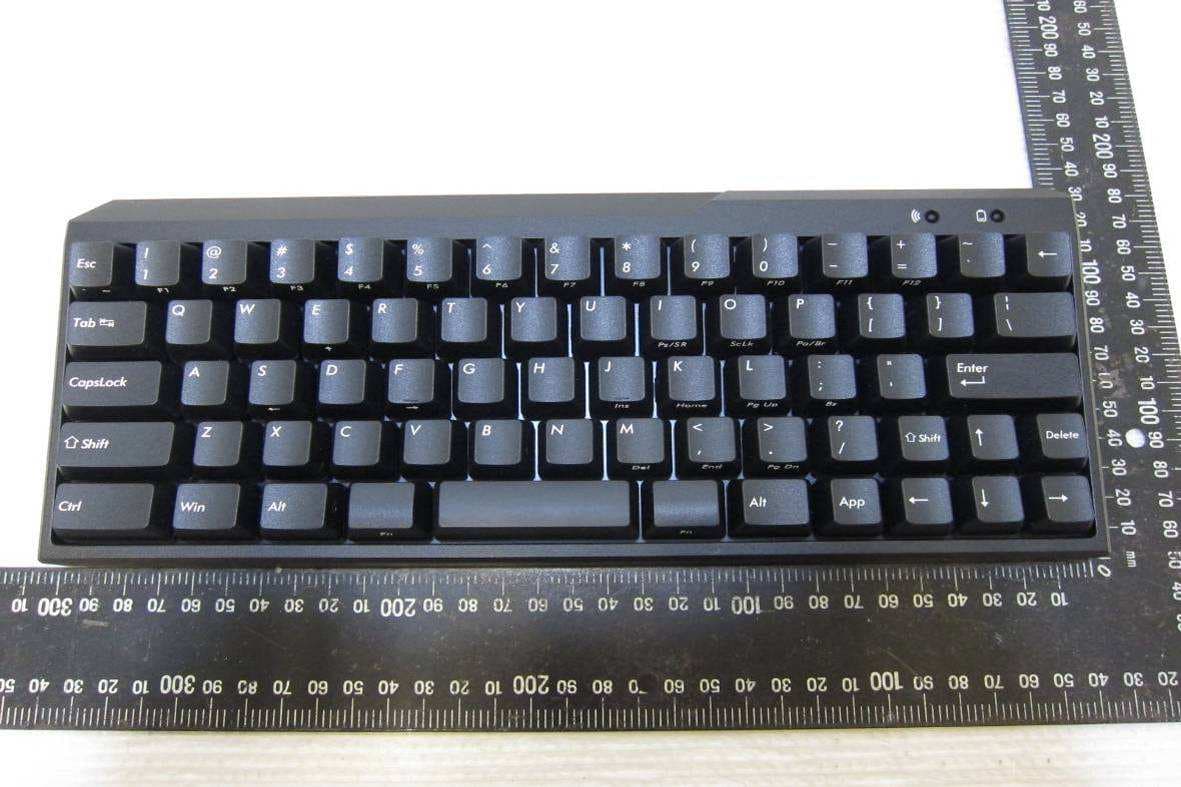
Click to zoom
Application Details
- Equipment Class
- DSS - Part 15 Spread Spectrum Transmitter
- Date of Grant
- Jul 07, 2013
- Application Purpose
- Original Equipment
- Date of Application
- Jul 07, 2013
- Equipment Note
- Bluetooth Keyboard
- Frequency Range
- 2402.00000000 - 2480.00000000
- Company
- DIATEC CORPORATION
- Country
- Japan
Documents & Files
Document Text
Text extracted from the exhibit documents filed with the FCC. Open a document above to read the original.
Users Manual
1 ON 2 3 4 5 6 11 3 4 5 6 2 3 4 5 6 2 11 1 ON 2 3 4 5 61 ON 2 3 4 5 6 Health attentions Prolonged use of mouse, keyboard and trackball may cause discomfort or pain in your hands, wrists, neck and shoulders. Continued use may lead to illness. Thus, in case of discomfort, please stop the use of the mouse, keyboard and trackball. If necessary, please seek medical advice from your physicians. Notes in communication • Perform communication in an open place, and adjust the communication distance according to the building structures or obstacles. Communication may fail due to separation by steel bars, metal and concrete. • If communication moves to the back of the obstacles, or the radio wave cannot reach the range, communication will be interrupted. • Keep AV or OA device at least 2m away. Please keep a microwave oven at least 3m away from the communication; otherwise, the communication may not work normally. • IEEE802.11g/b wireless LAN device has the same wave band (2.4GHz) as our Bluetooth products. If the device is used, wave interference will occur. Communication speed will be lower, and connection may fail. Please switch off the unnecessary device. • Audio or video may have noise caused by electromagnetic wave of this product or other Bluetooth devices. Thus, connect- ing near TV or radio is not recommended. • Only an administrator can log on for setting. • This product is used only for office or households. Never directly or indirectly use it for medical care facilities that are associ- ated with human life, financial systems, computer systems, or nuclear power facilities which require highly secure and reliable environment. Never directly use for military defense purpose. We are not liable for any resultant damages. • We are not liable for any damages caused by loss of communication opportunities because of fault, defect, worse communi- cation or power failure, or interference of any third parties. • We are not liable for any damages caused by interception, information disclosure, manipulation or damage by any third parties. Notes Thank you for purchasing the FILCO Majestouch MINIL A Air. Please carefully read this Manual before use. Safety attentions • Use of batteries • Keep it out of reach of children. • Do not heat or take apart batteries or throw them into water. • Do not mix old and new batteries, or mix different types or makes of batteries (manganese battery) • Replace old or exhausted batteries, and dispose them according to local regulations. • Use of keyboard • Any accidents may occur due to fall. Please place it on a flat and stable surface. Keyboard is a precision device accommo- dating batteries and transformer. During operation, prevent pouring drinks or water over the keyboard. • Do not take apart or alter keyboard. If the repair label is removed, broken, or altered, we will not provide warranty service. • Do not use this product in the following environments to prevent accidents caused by malfunction due to radio interfer- ence. • Close to a pacemaker. • In medical care institutions, or near medical care apparatus. • In an airplane cabin. • Radio wave interference may affect other devices when using this product. • The warranty provisions are applicable to the territory of purchase. If purchased in Japan or from DIATEC overseas agents, the agent warranty provisions are also applicable. The warranty certificate in this Manual is valid in Japan. User manual 16 17 17 17 17 18 18 19 19 21 Notes System requirements Product description Parts and accessories Switch, and LED functions Connection Connect computer via Bluetooth [1] Keyboard pairing state [2] Bluetooth device setting [3] Registering more than 1 device 21 22 23 23 23 23 23 24 Change or Delete Bluetooth Devices Sleep mode Use Function keys operation method Operate and change key codes with DIP switch ON Key caps used for English keyboard Use in connection of iPad / iPhone Troubleshooting EN Parts and accessories DIP switch Connect button Battery box Power switch FILCO Key Puller Two AA batteries for sample Operation manual, and warranty certificates Key caps for replacement * This product is not equipped with Bluetooth Dongle. PC : Bluetooth HID Profile DOS/V computers OS : Windows XP Service Pack 2, Windows Vista, Windows 7 or Windows 8 When connecting to Bluetooth, you need a computer with Bluetooth function or Bluetooth Dongle. In some cases, connec- tion may fail due to incompatibility. It is not compatible with all Bluetooth Dongles. System requirements Switch, and LED functions Connect button Power switch Located in the back of the main body. Switch to ON when using the keyboard.Switch to OFF when PC not in use for extended periods or when PC is turned off. Located in the back of the main body. Used to turn on Pairing Mode.To operate, use an object with a sharp tip. * Continuously pushing this button for more than 3 seconds will delete all pairing data and restore the keyboard to factory default. Cherry MX key switch Cherry MX switch is a mechanical switch made by ZF Electronics (formerly Cherry company). The key travel is approximately 4mm, which is deeper than that of the general keyboards. Key contact is located at 2mm after pressing, and thus it is easy to operate. Keyboard of this product is equipped with individual switch, and pressing key is easy. Bluetooth automatic logon In computer connection, energy-efficient Bluetooth ver 3.0 class2 technique is applied, and the action range is 10m. Setting is needed only in your first computer connection. From the second time on, setting is not required. Up to three com- puters can be operated, and you can freely switch among the computers. If the keyboard is not used for 30 minutes, it is automatically switched to the idle mode for power saving. Compact double thumb Fn (function) keyboard On Majestouch MINILA Air, Compact “Fn” key is located in the lower-left corner where a thumb can quickly press. Adjust back DIP switch, and customize it to your desired keyboar…
Text truncated - open the document above for the full version.
External Photos
FCC ID: XS8-MINILAAIR IC: 11166A-MINILAAIR EXTERNAL PHOTOGRPHS OF EUT FCC ID: XS8-MINILAAIR IC: 11166A-MINILAAIR EUT – 1 EUT – 2
ID Label/Location Info
FCC ID : XS8-MINILAAIR IC : 11166A-MINILAAIR CMIIT ID: XXXXXXXXXX This device complies with Part 15 of the FCC Rules and with RSS-210 of Industry Canada. Operation is subject to the following two condi- tions: (1) This device may not cause harmful interference, and (2) This device must accept any interference received, including interference that may cause undesired operation. Microsoft Windows Windows is a registered trademar k of Microsoft Corporation in the United States and other countries. Bluetooth is a registered trademark of Blue- tooth SIG, Inc. FI LCO FI LCO is a registered trademark of DIATEC CORPORATION. 1 ON 2 3 4 5 6 KC No. KCC-REM-FKB-FILCFF02 Made in Taiwan OFF DIP DIP DIP The factory default is OFF. Bef ore operating the DIP switch, please turn off the Power switch of this product first. Please be awar e that if operating the DIP switch when the Power switch is on, machine failure may occur. When operating the DIP switch, and please use a stick with a sharp end. Model No. FILCFF02 Majestouch MINILA Air Serial No. Part No. XXXXXXXXXXXR KCC-REM-FKB-FIL CFF02XXXXXXXX XXXXXXXXXXXX T35888 Esc [` ¦ ] Change Esc and [` ¦ ] Esc E/J Change Esc and [E/J] Shift Del Change the right Shift and Del Win App CapsLock Ctrl Fn Fn Invalidate the Win key and the App key Change CapsLock key and Ctrl key Change the left Fn key into the Spacebar Change the right Fn key into the Spacebar Esc [` ~] Change Esc and [` ~] [` ~] [ (Backspace)] [¦ \] Change [ ] and [¦ \] [ ] [¦ \]
Internal Photos
FCC ID: XS8-MINILAAIR IC: 11166A-MINILAAIR INTERNAL PHOTOGRPHS OF EUT FCC ID: XS8-MINILAAIR IC: 11166A-MINILAAIR EUT – 1 EUT – 2 FCC ID: XS8-MINILAAIR IC: 11166A-MINILAAIR EUT – 3 EUT – 4 BT Antenna FCC ID: XS8-MINILAAIR IC: 11166A-MINILAAIR EUT – 5 EUT – 6
RF Exposure Info
-1 of 1- FCC ID: XS8-MINILAAIR IC: 11166A-MINILAAIR International Standards Laboratory Report Number: ISL-13LR090FC 1. RF EXPOSURE 1.1. Standard Applicable According to§2.1093 this is a portable device. For the radiation source included into the device, the output power is taken from a corre- sponding RF test report. If need be, the output power is converted to source-based time–average out power. Finally the output power is compared to FCC and IC low power SAR evaluation exemption level. FCC SAR test exclusion: According to KDB 447498 D01 V5, Appendix A: SAR Test Exclusion Thresholds for 100 MHz – 6 GHz and ≤ 50 mm, the thresholds power level is 10mW (10dBm) at 5 mm. The 1-g and 10-g SAR test exclusion thresholds for 100MHz to 6GHz at test separation dis- tance <= 50mm are determined by IC Exemption from Routine Evaluation Limits – SAR Evaluation: RSS 102 Issue 4 SAR evaluation is required if the separation distance between the user and the radiating ele- ment of the device is less than or equal to 20 cm, except when the device operates as follows: above 2.2 GHz and up to 3 GHz inclusively, and with output power (i.e. the higher of the conducted or radiated (e.i.r.p.) source-based, time-averaged output power) that is less than or equal to 20 mW for general public use and 100 mW for controlled use; 1.2. Measurement Result: The Measured Max. peak output power is -0.67dBm (0.857 mW), which is lower than the threshold power level 10 mW at 5mm (KDB 447498 D01 V5, Appendix A) in general popu- lation category;and 20mW in RSS 102 issue 4. The SAR measurement is not necessary.
Test Report
-1 of 49- FCC ID: XS8-MINILAAIR IC: 11166A-MINILAAIR International Standards Laboratory Report Number: ISL-13LR090FC TEST REPORT of FCC Part 15 Subpart C AND CANADA RSS-210 New Application; Class I PC; Class II PC Product : Bluetooth Keyboard Brand: FILCO Model: FILCFF02 (for IC/FCC); FFBTXXXXX/XXXX (X=0~9, A~Z, Ø) (for FCC) Model Difference: Exterior color & printing language different FCC ID: IC: XS8-MINILAAIR 11166A-MINILAAIR FCC Rule Part: IC Rule Part: §15.247, Cat: DSS RSS-210 issue 8:2010, Annex 8 Applicant: Diatec Corporation Address: 4F Kairaku BLDG(SOTO-KANDA) 6-5-4, Soto-Kanda, Chiyoda-Ku, Tokyo, 101-0021, Japan Test Performed by: International Standards Laboratory <Lung-Tan LAB> *Site Registration No. BSMI: SL2-IN-E-0013; MRA TW1036; TAF: 0997; IC: IC4067B-3; *Address: No. 120, Lane 180, San Ho Tsuen, Hsin Ho Rd. Lung-Tan Hsiang, Tao Yuan County 325, Taiwan *Tel : 886-3-407-1718; Fax: 886-3-407-1738 Report No.: ISL-13LR090FC Issue Date : 2013/07/04 Test results given in this report apply only to the specific sample(s) tested and are traceable to na- tional or international standard through calibra- tion of the equipment and evaluating measure- ment uncertainty herein. This report MUST not be used to claim product endorsement by TAF, NVLAP or any agency of the Government. This test report shall not be reproduced except in full, without the written approval of International Standards Laboratory. -2 of 49- FCC ID: XS8-MINILAAIR IC: 11166A-MINILAAIR International Standards Laboratory Report Number: ISL-13LR090FC VERIFICATION OF COMPLIANCE Applicant: Diatec Corporation Product Description: Bluetooth Keyboard Brand Name: FILCO Model No.: FILCFF02 (for IC/FCC) FFBTXXXXX/XXXX (X=0~9, A~Z, Ø) (for FCC) Model Difference: Exterior color & printing language different FCC ID: XS8-MINILAAIR IC: 11166A-MINILAAIR FCC Rule Part: §15.247 IC Rule Part: RSS-210 issue 8:2010, Annex 8 Date of test: 2013/05/20 ~ 2013/07/03 Date of EUT Received: 2013/05/20 We hereby certify that: All the tests in this report have been performed and recorded in accordance with the standards de- scribed above and performed by an independent electromagnetic compatibility consultant, Interna- tional Standards Laboratory. The test results contained in this report accurately represent the measurements of the characteristics and the energy generated by sample equipment under test at the time of the test. The sample equip- ment tested as described in this report is in compliance with the limits of above standards. Test By: Date: 2013/07/04 Dion Chang / Engineer Prepared By: Date: 2013/07/04 George Lo / Assistant Manager Approved By: Date: 2013/07/04 Vincent Su / Technical Manager -3 of 49- FCC ID: XS8-MINILAAIR IC: 11166A-MINILAAIR International Standards Laboratory Report Number: ISL-13LR090FC Version Version No. Date Description 00 2013/07/04 Initial creation of document -4 of 49- FCC ID: XS8-MINILAAIR IC: 11166A-MINILAAIR International Standards Laboratory Report Number: ISL-13LR090FC Table of Contents 1. GENERAL INFORMATION ......................................................................................................... 6 1.1. Product Description ............................................................................................................................ 6 1.2. Related Submittal(s) / Grant (s) .......................................................................................................... 7 1.3. Test Methodology ............................................................................................................................... 7 1.4. Test Facility ......................................................................................................................................... 7 1.5. Special Accessories ............................................................................................................................. 7 1.6. Equipment Modifications .................................................................................................................... 7 2. SYSTEM TEST CONFIGURATION ............................................................................................ 8 2.1. EUT Configuration ............................................................................................................................. 8 2.2. EUT Exercise ...................................................................................................................................... 8 2.3. Test Procedure ..................................................................................................................................... 8 2.4. Configuration of Tested System .......................................................................................................... 9 3. SUMMARY OF TEST RESULTS ............................................................................................... 10 4. DESCRIPTION OF TEST MODES ............................................................................................ 10 5. AC POWER LINE CONDUCTED EMISSION TEST .............................................................. 11 5.1. Standard Applicable: ......................................................................................................................... 11 5.2. Measurement Equipment Used: ........................................................................................................ 11 5.3. EUT Setup: ........................................................................................................................................ 11 5.4. Measurement Procedure:................................................................................................................... 12 5.5. Measurement Result: ........................................................................................................................ 12 6. PEAK OUTPUT POWER MEASUREMENT .....................................................................…
Text truncated - open the document above for the full version.
Test Setup Photos
FCC ID: XS8-MINILAAIR IC: 11166A-MINILAAIR PHOTOGRAPHS OF SETUP FCC ID: XS8-MINILAAIR IC: 11166A-MINILAAIR Radiated Emission Setup Photos
Contact Information
Applicant
Fujita Kaname(Manager)
Test Firm
International Standards Laboratory Corp.Benson Chen
Technical Specifications
| # | Rule Parts | Frequency Range | Power Output |
|---|---|---|---|
| 1 | 15C | 2.40 GHz - 2.48 GHz | 857.00 µW |
Other Applications from DIATEC CORPORATION
XS8-CONV3XFULL
Jul 22, 20242way Keyboard USB wired connection and Bluetooth wireless connection
Equipment Class
DSS - Part 15 Spread Spectrum Transmitter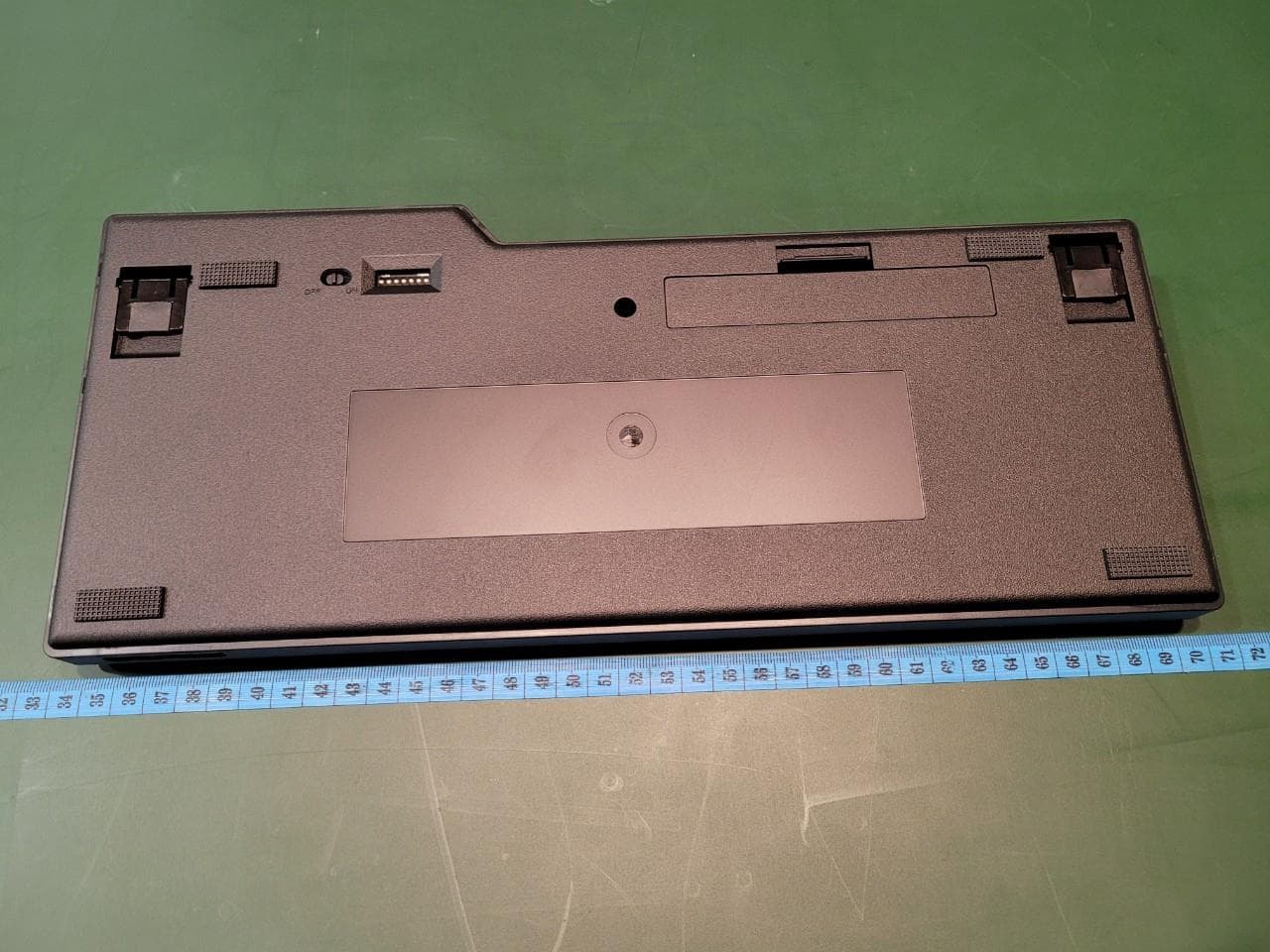
XS8-CONV3
Jul 18, 2022Majestouch Convertible 3
Equipment Class
DSS - Part 15 Spread Spectrum Transmitter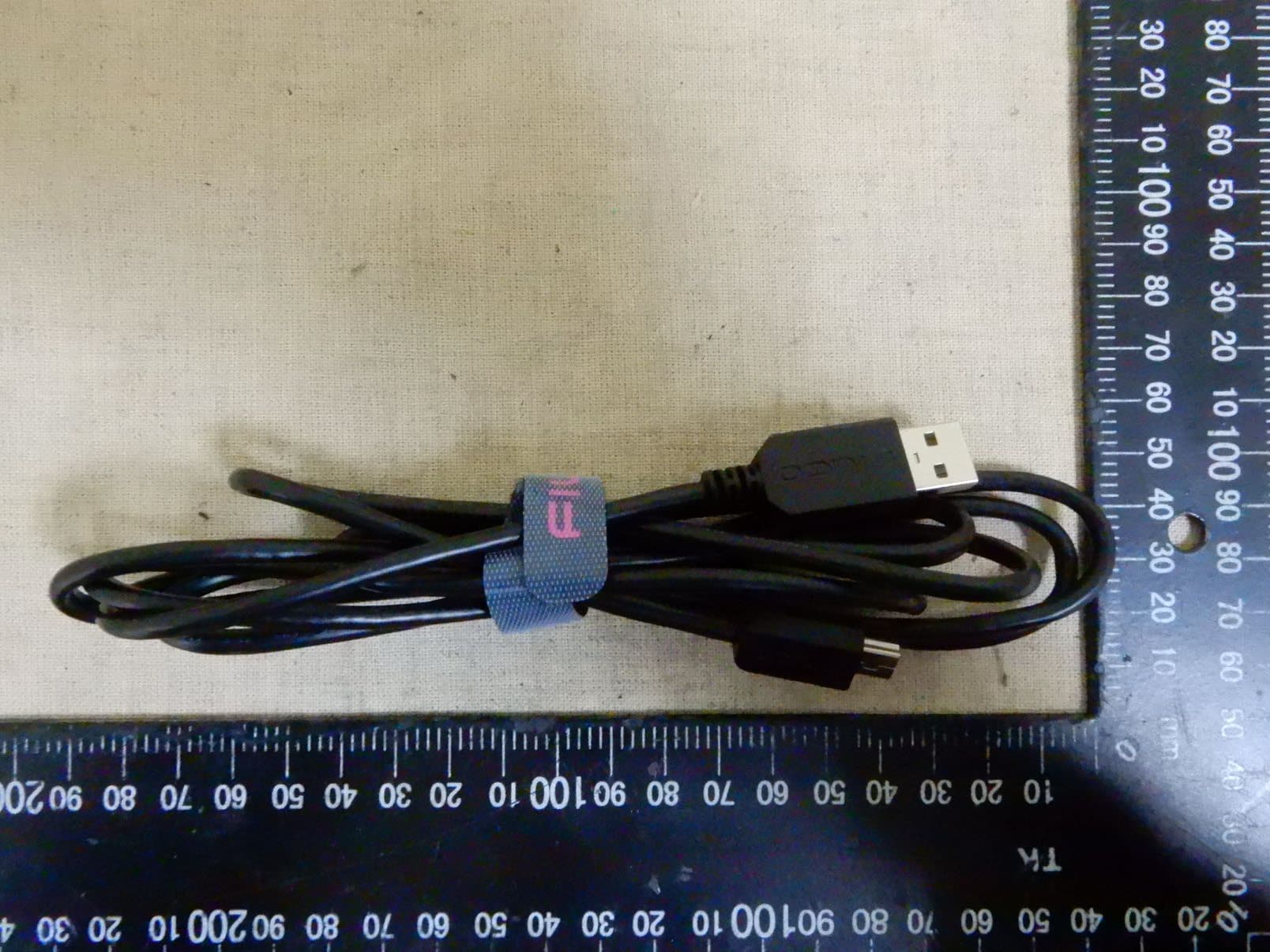
XS8-MINILA-R
Jun 02, 2020Bluetooth Keyboard
Equipment Class
DSS - Part 15 Spread Spectrum Transmitter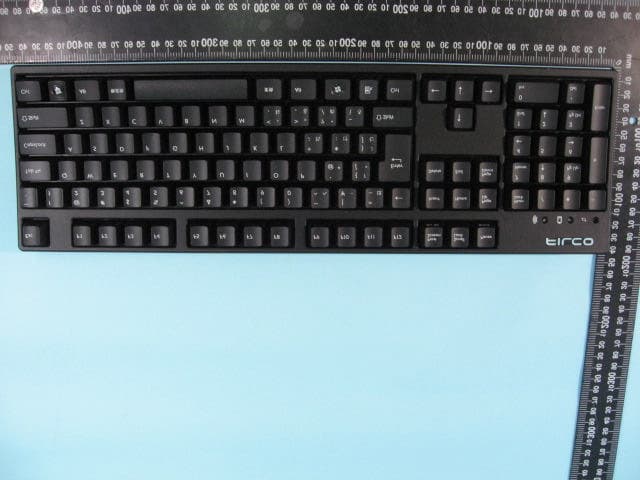
XS8-DIATEC
Aug 07, 2011Keyboard
Equipment Class
DSS - Part 15 Spread Spectrum Transmitter