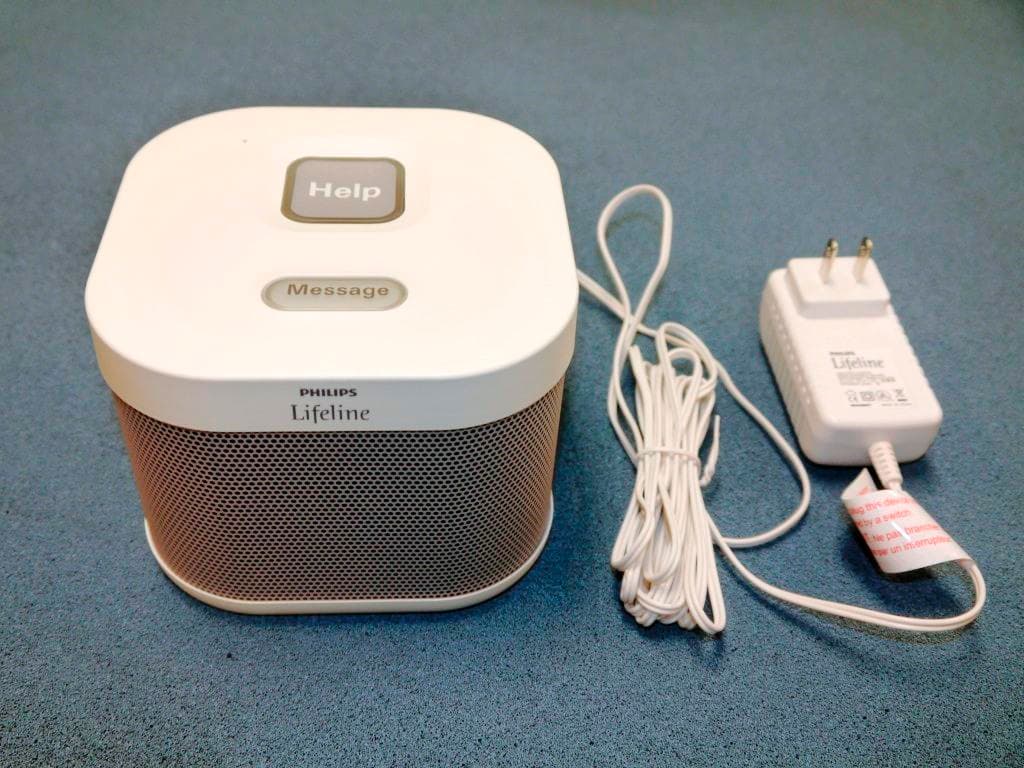
BDZ7000CCalgary communicator unit with ISM, GSM, WCDMA
Lifeline Systems Inc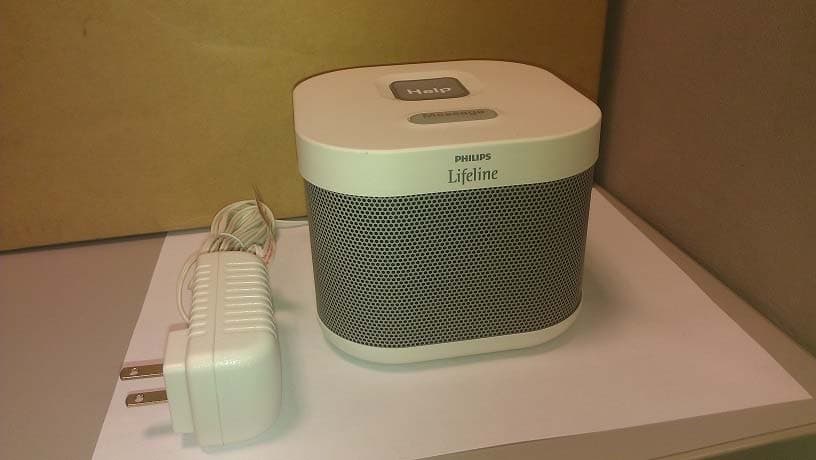
Click to zoom
Application Details
- Equipment Class
- DXX - Part 15 Low Power Communication Device Transmitter
- Date of Grant
- Sep 12, 2013
- Application Purpose
- Original Equipment
- Date of Application
- Sep 12, 2013
- Equipment Note
- Calgary communicator unit with ISM, GSM, WCDMA
- Frequency Range
- 921.00000000 - 921.00000000
- Company
- Lifeline Systems Inc
- Country
- United States
Documents & Files
Document Text
Text extracted from the exhibit documents filed with the FCC. Open a document above to read the original.
Users Manual
Quick Setup Guide Philips Lifeline Medical Alert Service HomeSafe Wireless System Learn about your new Lifeline System AutoAlert Help Button Personal Help Button (pendant) Personal Help Button (wristband) 9Please unpack these items from the box. 9Please follow along in this Quick Setup Guide as your Home Communicator prompts you through the installation. OROR Home Communicator All Personal Help Buttons... • Are waterproof. They should be worn in the shower and bath. • Work 24 hours a day, 7 days a week. • Should be worn at all times. Only the AutoAlert Help Button... • The AutoAlert Help Button provides an added layer of protection by placing a Help Call if a fall is detected and you can’t push the button. STEP 1Setup your Home Communicator 9Turn ON the Home Communicator using the switch on the back. Home Communicator (back) Home Communicator (front) 9Press the flashing, orange Message button when you are ready to continue. Find a good location • Place the Home Communicator in an area of the home where you spend most of your time, such as your bedroom or living room. • Avoid placing the Home Communicator next to loud objects, such as the TV, radio or air conditioner. • After plugging in your Communicator, check the signal strength bars. Signal 9Plug your Home Communicator into a power outlet. 9Choose a power outlet that can not be turned off by a wall switch. 9Press the flashing, orange Message button when you are ready to continue. STEP 2Practice using your Lifeline System 9Put on your Personal Help Button. 9Press your Personal Help Button. 9Press the help button as you go from room to room 9When you see the light flashing on your help button you will know you have coverage in that room 9Return to the Home Communicator and press the flashing, orange Message button when you are ready to continue. STEP 3Connect to Lifeline Help call in progress. Please wait. Hello, Mrs. Smith. Do you need help? 9Press your Personal Help Button. 9Wait while your first call to Lifeline is connected. Help call in progress. Please wait. Hello, Mrs. Smith. Do you need help? 9Talk to Lifeline. A specially trained Philips Lifeline Personal Response Associate will answer the call and welcome you. If you have any questions, they can answer them for you. Wear your Personal Help Button at all times Sleep with your Personal Help Button Bathe with your Personal Help Button (shower or bath) If you have the AutoAlert Help Button it will automatically call for help if it detects a fall. Always push your Help Button whenever you need help Note: Your HomeSafe Wireless System will not work if the wireless network is unavailable. Welcome to Philips Lifeline! We would like to remind you that our Response Center is staffed 24-hours-a-day, 365 days a year by dedicated Lifeline Personal Response Associates whose sole responsibility is your wellbeing and safety. We are confident our services will provide you with peace of mind, security and increased independence. As a Lifeline subscriber, you should have designated people who have agreed to be “Responders.” These are people whom Lifeline should call in an emergency, when appropriate. Examples include: neighbors, friends, relatives, your current nursing aide, etc. It’s very important that you keep your Responders and their contact information up to date. Remember to contact Lifeline if one of your Responders is no longer able to assist you or if they get a new telephone number. Enclosed, you will find a copy of Lifeline’s Terms and Conditions. Please take the time to carefully review this document. The first signal we receive from your Lifeline Communicator serves as the customer’s acknowledgement and acceptance of Lifeline’s Terms and Conditions. Finally, the Communicator and Personal Help Button are the property of Philips Lifeline and must be returned when the service is no longer needed. We encourage you to save the box in which the Lifeline Communicator was shipped to make it easy for you to return. Thank you for choosing Philips Lifeline! For further information, please refer to the Instructions for Use. If you have questions about your HomeSafe Wireless System, please contact Lifeline or your representative at 1.866.757.5772 Philips Lifeline 111 Lawrence Street Framingham, MA 01702-8156 Tel: 1-800-451-0525 www.lifelinesystems.com Philips Lifeline Canada 95 Barber Greene Road, Suite 105 Toronto, Ontario, Canada M3C 3E9 Tel: 1-800-387-8120 www.lifeline.ca © 2013. All rights reserved. Button signal range may vary due to environmental factors. P/N 0940835, Rev. 01
Users Manual
Philips Lifeline Medical Alert Service HomeSafe Wireless System Instructions for use 2 Contents Philips Lifeline Service . . . . . . . . . . . . . . . . . . . . . . . . . . . . . . .4 Welcome to Philips Lifeline Setting up your Lifeline Service Responders and People to Notify Calling for help Signal range Battery information Equipment service Contact Lifeline or their representative HomeSafe Wireless Communicator (7000C) . . . . . . . . . . .12 Description Safety information Cleaning Backup battery HomeSafe Help Buttons – General Information . . . . . . . . . . . . . . . . . . . . . . . . . . . . . .17 Warnings and Cautions Compatible Home Communicator Setting up a replacement Help Button Cleaning Recommended usage HomeSafe Personal Help Button (7000PHB) . . . . . . . . . . .22 Features Using the wristband Adjusting the neck cord 3 HomeSafe AutoAlert Button (7000AHB) . . . . . . . . . . . . . .25 Cautions Features What to expect if you fall Battery Safety and Regulatory Compliance . . . . . . . . . . . . . . . . . . . .31 Safety standards Recommended environmental conditions IEC regulations System classification Radio specifications FCC Notice to Users Industry Canada Notice to Users Class B digital device notice UL1635 and UL1637 Compliance 4 HomeSafe Wireless Communicator (7000C) The communicator connects to Lifeline using a wireless network, no phone line is required. Wireless service is provided as part of your Lifeline Service, no additional wireless equipment is needed. Help call in progress. Please wait. Hello, Mrs. Smith. Do you need help? Philips Lifeline Service Welcome to Philips Lifeline Thank you for choosing the Philips Lifeline Medical Alert Service. Please refer to the Quick Setup Guide provided with this equipment for instructions on setting up the HomeSafe Wireless System. These Instructions for Use will provide you with information about your equipment and the Lifeline Medical Alert Service. Please read the manual carefully, and if you have questions, call Lifeline at any time. Please save this manual to refer to later. This document covers the following: 5 Help call in progress. Please wait. Hello, Mrs. Smith. Do you need help? Help call in progress. Please wait. Hello, Mrs. Smith. Do you need help? HomeSafe Personal Help Button HomeSafe AutoAlert Button Works inside your home Can be worn as a pendant Can be worn on a wristband Detects falls * in your home * The AutoAlert Help Button provides an added layer of protection by placing a Help Call if a fall is detected and you can’t push the button. Not all falls can be detected. If you fall and need help, press your Help Button. Setting up your Lifeline Service Before you can use your system, your communicator must be properly set up, and the coverage range of your Help Button must be determined for your Lifeline Service. Please see the Quick Setup Guide for instructions on how to set up your system and test the coverage range of your Help Button. If you have any questions, please contact Philips Lifeline or your representative. HomeSafe Help Buttons 6 Responders and People to Notify What is a “Responder”? As a Lifeline subscriber, you should have designated people who have agreed to be “Responders.” These are people whom Lifeline should call in an emergency, when appropriate. Examples include: neighbors, friends, relatives, your current nursing aide, etc. Choosing a Responder It is best to choose a Responder who: • Has a key to your home or knows where one is located (perhaps in a key lockbox) • Could come to help you at different times of the day or night • Lives or works within 10 minutes of where you live • Has a phone, preferably a cell phone • Ideally has a driver’s license and access to a vehicle Information Lifeline needs about Responders Please ensure that Lifeline has the following information about each person acting as a Responder: • Name • Phone numbers – home, work and cell phone. • Whether or not the Responder has a key to your home. It’s very important that you keep your Responders and their contact information up to date. Remember to contact Lifeline if one of your Responders is no longer able to assist you or if they get a new telephone number. Please contact Lifeline for any questions about selecting or being a Responder. 7 Who are “People to Notify”? If you call for help, Lifeline will contact the “People to Notify” to let them know that you received assistance once we receive confirmation. “People to Notify” will not be contacted to help you, unless they are also on your list of “Responders.” Calling for help 1. Press the Help Button that you wear or the gray Help Button on the top of your Home Communicator. You can press either button, but you do not need to press both. The Home Communicator will beep and dial the Lifeline Response Center. Note: The Response Center is available 24 hours a day, 365 days a year. A trained Personal Response Associate is always available to assist you. Help call in progress. Please wait. Hello, Mrs. Smith. Do you need help? 8 2. The Home Communicator calls the Response Center. When it dials the Response Center, the Home Communicator will repeatedly say: “Your Help Call is in progress; please wait.” Once it connects with the Response Center, it will say: “Your call has been connected; Lifeline will be right with you.” 3. The Response Center will answer the call. A Response Associate will speak to you through the Home Communicator’s built-in speaker and hear you through the Home Communicator’s highly sensitive microphone. He/she will ask if you need help. If you do not need help, just tell the Response Associate that help is not needed. Note: If you cannot speak or be heard, the Response Associate will try calling you back. If you cannot answer or if the Response Associate cannot hear you, Lifeline will contact your Responder or emergency services. 4. The Response Center will assess the situation. If help is needed, our response associate will contact your list …
Text truncated - open the document above for the full version.
Attestation Statements
TÜV SÜD AMERICA INC 10040 Mesa Rim Road San Diego, CA 92121‐2912 Phone: 858 678 1400 FAX: 858 546 0364 TÜV SÜD America Inc. (San Diego) September 11, 2013 TUV SUD BABT Octagon House, Concorde Way Segensworth Rd N, Fareham PO15 5RL FCC ID: BDZ7000C IC: 655C‐7000C Lifeline Systems Inc 111 Lawrence street Framingham MA 01702 RE: relevance of the test results for FCC Test results from original test reports GSM(No.‐6‐0082‐11‐1‐2a) and WCDMA(No.‐6‐0082‐ 11‐1‐2b) according to FCC Regulations part 22 & Part 24 of the original grant remains valid and applicable to Calgary Communicator Model 7000C and they are representative of the compliance for this EUT. The product remains compliant with all the applicable rules and requirements for FCC as of September 9, 2013, and the RF Data Module LISA‐U200 (FCC ID: XPYLISAU200) is being installed/operated according to the original approval. Sincerely, Juan Manuel Gonzalez EMC Engineer
Cover Letter(s)
Philips Lifeline 111 Lawrence Street Framingham, MA 01702 www.lifelinesys.com September 11, 2013 To: TUV SUD BABT Octogon House, Concord Way Segensworth Rd N, Fareham P015 5RL Subject: Authorization to sign as the Grantee for Philips Lifeline. To Whom It May Concern This letter is to authorize the following to also represent Philips Lifeline as Grantee in all matters relating to the United States Federal Communications Commission: • Kim Cook (Sr. Manager, Engineering) • Carlos Acosta (Sr. Manager, Quality and Regulatory) • Doug Woodruff (Director, Quality and Regulatory) • Escipion Baez (QA Project Lead) If there are any questions please feel free to contact me. Yours truly, Clyde Dottin Manager, Configuration and Data Management Philips Healthcare, Home Healthcare Solutions, Home Monitoring 111 Lawrence Street Framingham, MA 01702-8156 Phone: 508.988.1313 Fax: 240.536.3263 [email protected] Philips Healthcare
Cover Letter(s)
PHILIPS Philips Healthcare Thursday, August 29, 2013 TUV SUD BABT Octogon House, Concord Way Segensworth Rd N, Fareham P015 5RL Confidentiality Request FCC ID: BDZ7000C Pursuant to Sections 0.457(d)(1)(ii) and 0.459 of the Commission’s Rules, Philips Healthcare, Home Monitoring, Lifeline Systems Inc. hereby requests permanent confidential treatment of information accompanying this application as outlined below: Design Drawings Schematics Bill of Materials/Parts List Block Diagrams Theory of Operation Philips Healthcare, Home Monitoring, Lifeline Systems Inc. also hereby requests short-term confidential treatment of information accompanying this application as outlined below for a period of (up to 180 days): Internal Photos External Photos User Manual Test Set-up Photographs The above materials contain trade secrets and proprietary information not customarily released to the public. The public disclosure of these matters might be harmful to the Applicant and provide unjustified benefits to its competitors. The Applicant understands that pursuant to Rule 0.457(d)(1)(ii), disclosure of this Application and all accompanying materials will not be made before the date of the Grant for this Application. Yours sincerely, (i27 6 z/I? 2 ..4-Lf - 0 Carlos Acosta Senior Manager Quality and Regulatory Philips Healthcare Home Monitoring [email protected] Philips Lifetne PHILIPS 111 Lawrence Street Framingham, MA 01702 www.lifelinesys.com 1.41 fel 111 C
External Photos
External Pictures FCC ID: BDZ7000C IC: 655C-7000C
ID Label/Location Info
This device complies with part 15 of the FCC rules. Operation is subject to the following two conditions: (1) this device may not cause harmful interference, and (2) this device must accept any interference received, including interference that may cause undesired operation. FCC ID: BDZ7000C IC: 655C-7000C 12VDC; 1.5A IP21 3172518 0750723B LBL AGENCY 7000C.indd 18/26/2013 3:02:22 PM
ID Label/Location Info
0810095 REV B Philips Lifeline 111 Lawrence Street Framingham, MA 01702-8156 CAGE CODE NO. 0S0W2 ENGINEERING SPECIFICATION NO. 0750723 PHILIPS LIFELINE PROPRIETARY THIS DOCUMENT AND THE INFORMATION CONTAINED HEREIN ARE THE PROPERTY OF PHILIPS LIFELINE AND, EXCEPT FOR THE RIGHTS EXPRESSLY GRANTED BY THE CONTRACT, THIS DOCUMENT SHALL BE HELD IN THE STRICTEST CONFIDENCE AND SHALL NOT BE REPRODUCED, USED OR DISCLOSED, IN WHOLE OR IN PART, WITHOUT EXPRESS WRITTEN PERMISSION OF PHILIPS LIFELINE. PROGRAM NAME: CALGARY SPECIFICATION TITLE: LBL, AGENCY, 7000C DATE PREPARED BY: B. GALLAGHER 04/25/13 PART CLASSIFICATION A B C REVISIONS REV DESCRIPTION DATE APPROVAL REV DESCRIPTION DATE APPROVAL A Release to Engineering Control per ECO 10023 05/01/2013 PL B Revised per ECO 10287C1 8/26/2013 RC 0750723 CAGE Code: 0S0W2 REV. B 0810095 REV B 2 of 3 SPECIFICATIONS: 1. FINISHED SIZE: 48 x 73 mm +/- 0.5 mm with 1 mm corner radii 2. MATERIAL MPI #4023109 (2 mil. Gloss Radiant White Polyester) a. Adhesive: Perm b. Liner: 55lb. Densified Kraft c. UL Recognition and CSA Accepted 3. OVERLAMINATE MPI #4023119 (1 mil. Matte Clear Polyester Overlaminate) a. Adhesive: Perm b. Liner: 40 lb. SC 2.4 mil. Semi-Bleached Super Calendered Kraft Sheet c. UL Recognized 4. FINISHED PAGE COUNT 1 5. INKS/PRINTING Black 6. ARTWORK: see 0750723_AW.indd 7. ILLUSTRATIONS see 0750723_AW.indd 8. FONTS REQUIRED see 0750723_AW.indd 9. FINISHING: trim to size with corner radii 10. PACKAGING: Purchasing to determine packaging requirements 11. SPECIAL INSTRUCTIONS: Marketing communications shall approve a printers proof for a new revision run. 0750723 CAGE Code: 0S0W2 REV. B 0810095 REV B 3 of 3 APPROVED SOURCE OF MANUFACTURE MANUFACTURER CAGE CODE MANUFACTURER PART NUMBER MPI LABEL SYSTEMS 450 COURTNEY RD SEBRING, OH 44672 PH: (330) 938-2134 FAX: (330) 938-9878 N/A 0750723
ID Label/Location Info
Philips Lifeline 111 Lawrence Street Framingham, MA 01702-8156 CAGE CODE NO. 0S0W2 ENGINEERING DOCUMENT NO. 1870471-D PHILIPS LIFELINE PROPRIETARY THIS DOCUMENT AND THE INFORMATION CONTAINED HEREIN ARE THE PROPERTY OF PHILIPS LIFELINE AND, EXCEPT FOR THE RIGHTS EXPRESSLY GRANTED BY THE CONTRACT, THIS DOCUMENT SHALL BE HELD IN THE STRICTEST CONFIDENCE AND SHALL NOT BE REPRODUCED, USED OR DISCLOSED, IN WHOLE OR IN PART, WITHOUT EXPRESS WRITTEN PERMISSION OF PHILIPS LIFELINE. PROGRAM NAME: CALGARY DOCUMENT TITLE: LABEL, SN, 7000C DATE PREPARED BY: P.LABOSSIERE 01/31/2013 REVISIONS REV DESCRIPTION DATE APPROVAL REVDESCRIPTION DATE APPROVAL A Release to Engineering Control per ECO 10023 05/01/2013 PL DHF PHF DMR Label format for L1840541 Software Label Templates used: Calgary SN_v1.lwl – Printed on Zebra 2844 Printer Label stock – 1103593 Template Data Source – Microsoft Access Database “Lifeline.mdb” Table – Calgary SN Label
Internal Photos
Internal Pictures FCC ID: BDZ7000C IC: 655C-7000C
Test Report
Report No. SC1307653_A August 2013 America Report On Radio Testing of the PHILIPS Calgary Cellular FCC Part 15 Subpart C §15.249 IC RSS‐210 Issue 8 December 2010 FCC ID BDZ7000C IC: 655C‐7000C Report No. SC1307653_A REPORT ON TEST REPORT NUMBER PREPARED FOR Radio Testing of the Calgary Communicator SC1307653_A PHILIPS 111 Lawrence street Framingham MA 01702 CONTACT PERSON Baez, Escipion QA Hardware and Firmware V&V Lead 508‐988‐3032 [email protected] PREPARED BY Juan Manuel Gonzalez Name Authorized Signatory Title: EMC/Wireless Test Engineer APPROVED BY Chip R. Fleury Name Authorized Signatory DATED August29, 2013 FCC ID BDZ7000C IC: 655C‐7000C Report No. SC1307653_A Page 3 of 46 CONTENTS Section Page No 1 REPORT SUMMARY ................................................................................................................. 4 1.1 Introduction ................................................................................................................................ 5 1.2 Brief Summary of Results ........................................................................................................... 6 1.3 Product Information .................................................................................................................... 7 1.4 EUT Test configuration ............................................................................................................... 9 1.5 Deviations from the Standard ................................................................................................... 10 1.6 Modification Record ................................................................................................................. 10 1.7 Test methodology ..................................................................................................................... 10 1.8 Test facility ............................................................................................................................... 10 2 TEST DETAILS ........................................................................................................................ 11 2.1 Conducted emissions ............................................................................................................... 12 2.2 20 dB bandwidth ...................................................................................................................... 16 2.3 99% EMISSION bandwidth ...................................................................................................... 19 2.4 Field Strength Limits for Fundamental and Harmonics ............................................................. 22 2.5 Spurious radiated emissions .................................................................................................... 30 2.6 Receiver spurious emissions .................................................................................................... 33 3 TEST EQUIPMENT USED ....................................................................................................... 37 3.1 Test Equipment Used ............................................................................................................... 38 3.2 Measurement Uncertainty ........................................................................................................ 39 4 Diagram of test setup ............................................................................................................. 41 4.1 Test setup diagram .................................................................................................................. 42 5 ACCREDITATION, DISCLAIMERS AND COPYRIGHT .......................................................... 45 5.1 Accreditation, Disclaimers and Copyright ................................................................................. 46 FCC ID BDZ7000C IC: 655C‐7000C Report No. SC1307653_A Page 4 of 46 SECTION 1 REPORT SUMMARY Radio Testing of the PHILIPS Calgary Communicator FCC ID BDZ7000C IC: 655C‐7000C Report No. SC1307653_A Page 5 of 46 1.1 INTRODUCTION The information contained in this report is intended to show verification of the Calgary Communicator to the requirements of FCC Part 15 Subpart C §15.249 and IC RSS‐210 Issue 8 December 2010. Objective To perform Radio Testing to determine the Equipment Under Test's (EUT’s) compliance with the Test Specification, for the series of tests carried out. Manufacturer PHILIPS Model Number(s) 7000C FCC ID Number BDZ7000C IC Number 655C‐7000C Serial Number(s) 9040000217 Number of Samples Tested 1 Test Specification/Issue/Date FCC Part 15 Subpart C §15.249 (October 1, 2011). RSS‐210 ‐ Licence‐exempt Radio Apparatus (All Frequency Bands): Category I Equipment (Issue 8, December 2010). RSS‐Gen ‐ General Requirements and Information for the Certification of Radio Apparatus (Issue 3, December 2010). Start of Test July 29, 2013 Finish of Test August 12, 2013 Name of Engineer(s) Juan Manuel Gonzalez Kathy Mackenzie Related Document(s) None. Supporting documents for EUT certification are separate exhibits. FCC ID BDZ7000C IC: 655C‐7000C Report No. SC1307653_A 1.2 BRIEF SUMMARY OF RESULTS A brief summary of the tests carried out in accordance with FCC Part 15 Subpart C §15.249 with cross‐reference to the corresponding IC RSS standard is shown below. Section Spec Clause RSS Test Description Result Comments/Base Standard 2.1 §15.207(a) RSS‐Gen 7.2.4 Conducted Emissions Compliant 2.2 §15.215(c) RSS‐Gen 4.6.3 20 dB Bandwidth Compliant 2.3 RSS‐Gen 4.6.1 99% Emission Bandwidth Compliant 2.4 §15.249(a) RSS‐210 A2.9(a) Field Strength Limits for Fundamental and Harmonics Compliant 2.5 §15.249(d) RSS‐210 A2.9(b) Spurious Radiated Emissions Compliant 2.6 RSS‐Gen 4.10 Receiver Spurious Emissions Compliant FCC ID BDZ7000C IC: 655C‐7000C Report No. SC1307653_A Page 7 of 46 TÜV SÜD AMERICA INC 10040 Mesa Rim Road San Diego, CA 92121-2912 Phone: 858 678 1400 FAX: 858 546 0364 1.3 PRODUCT INFORMATION 1.3.1 Tech…
Text truncated - open the document above for the full version.
Test Setup Photos
7000C Calgary Cellular FCC ID: BDZ7000C IC: 655C‐7000C EUT EUT with AC/DC Adaptor /Battery Conducted Emissions Test Setup Radiated Emissions Test Setup (30‐1GHZ) /Band Edges/OBW Radiated Emissions Test Setup RX Mode”Back Side” (30‐1GHZ) Radiated Emissions Test Setup (1‐18GHZ) Radiated Emissions Test Setup RX Mode”Back Side” (1‐18GHZ)
Contact Information
Applicant
Roberto Ballester(Principal Design Quality Engineer)
Test Firm
TUV SUD America Inc.Barry Quinlan
Technical Specifications
| # | Rule Parts | Frequency Range | Power Output |
|---|---|---|---|
| 3 | 15C | 921 MHz - 921 MHz | - |
Other Applications from Lifeline Systems Inc
BDZ7200C
Jan 26, 2020Wireless Communicator
Equipment Class
PCB - PCS Licensed Transmitter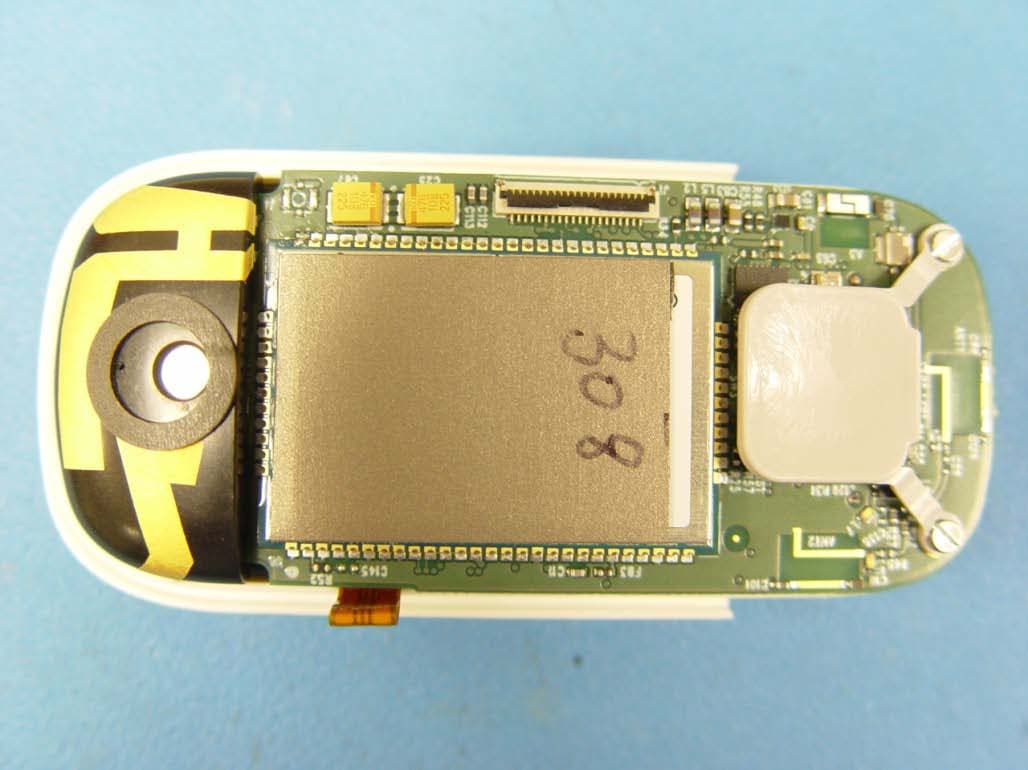
BDZ7000MHB
Sep 19, 2013Mobile Help Button (MHB) for a Personal Emergency System (PERS)
Equipment Class
PCT - PCS Licensed Transmitter worn on body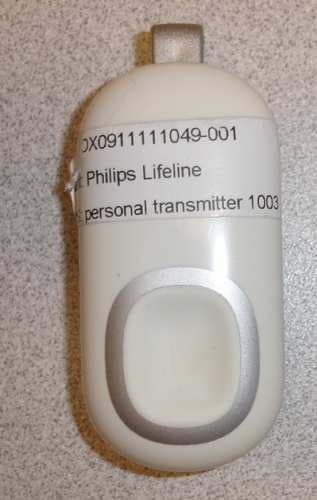
BDZFD100SL
Nov 01, 2012Personal Help Button/Auto-Alert Help Button
Equipment Class
DSR - Part 15 Remote Control/Security Device Transceiver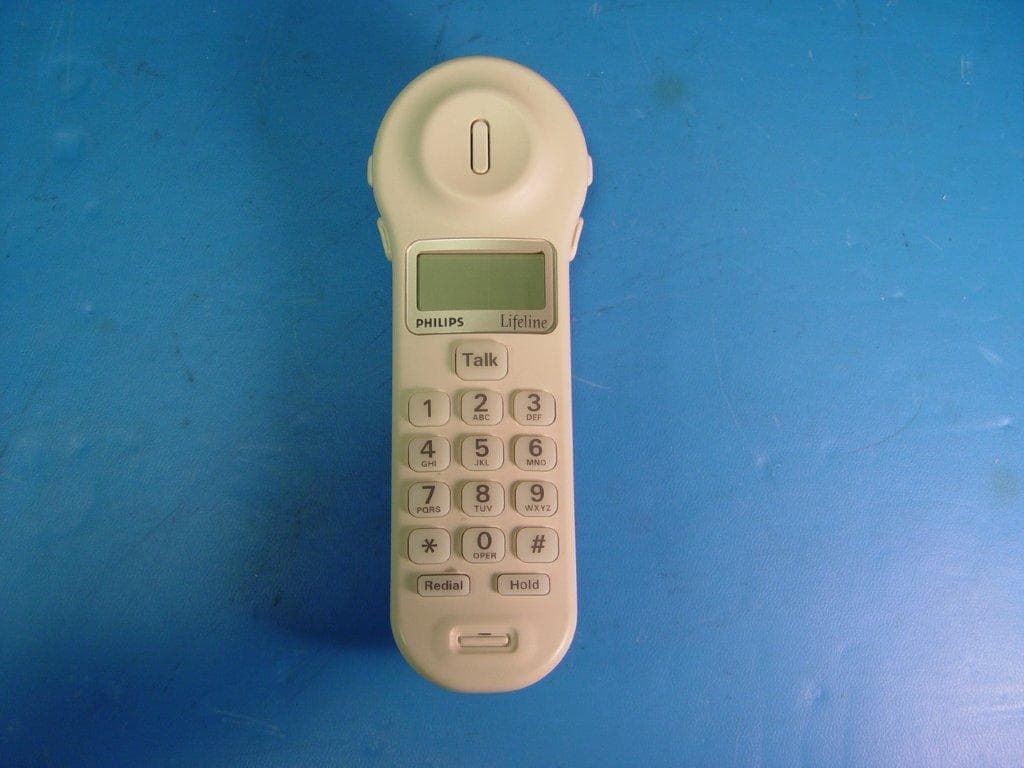
BDZ1000
Sep 27, 2012Philips Lifeline Cordless Phone Communicator
Equipment Class
PUE - Part 15 Unlicensed PCS portable Tx held to ear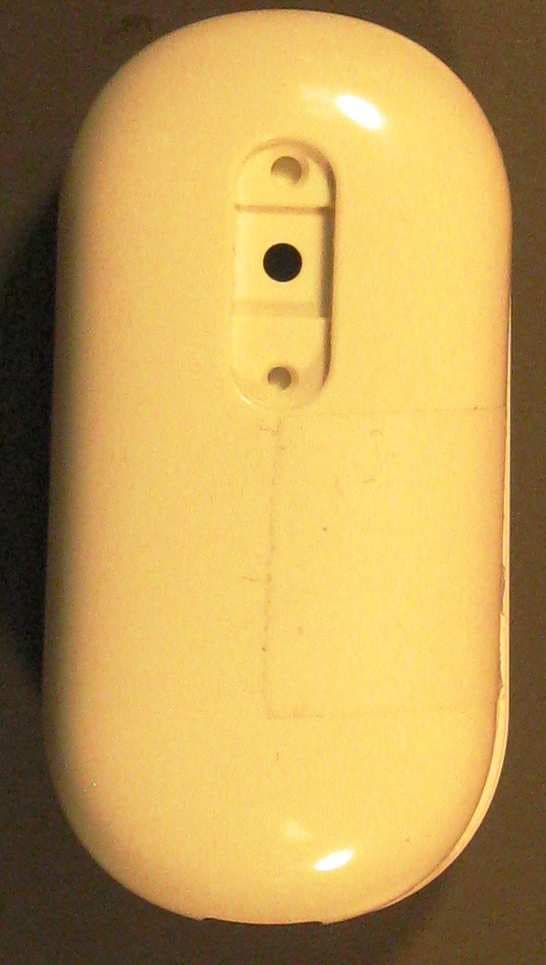
BDZFD100
May 11, 2010AutoAlert Help Button
Equipment Class
DSC - Part 15 Security/Remote Control Transmitter