DZL201382Trackball
Logitech Inc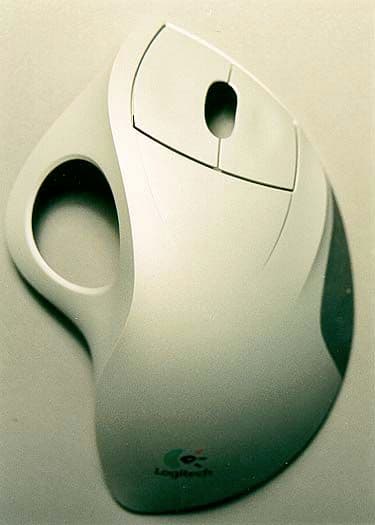
Click to zoom
Application Details
- Equipment Class
- DXX - Part 15 Low Power Communication Device Transmitter
- Date of Grant
- Oct 12, 2000
- Application Purpose
- Original Equipment
- Date of Application
- Apr 11, 2000
- Equipment Note
- Trackball
- Frequency Range
- 27.04500000 - 27.04500000
- Company
- Logitech Inc
- Country
- United States
Documents & Files
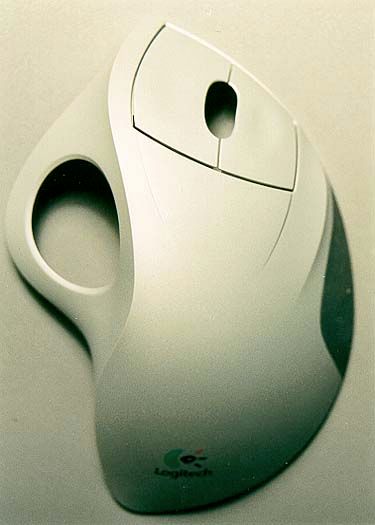
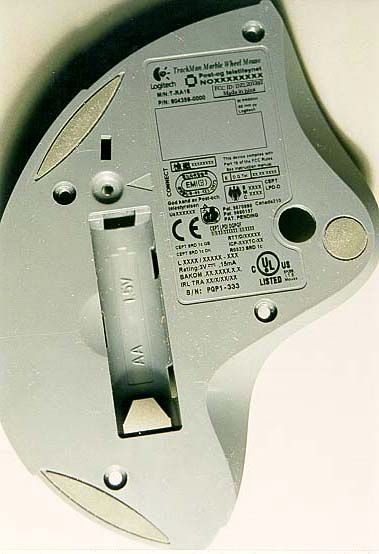
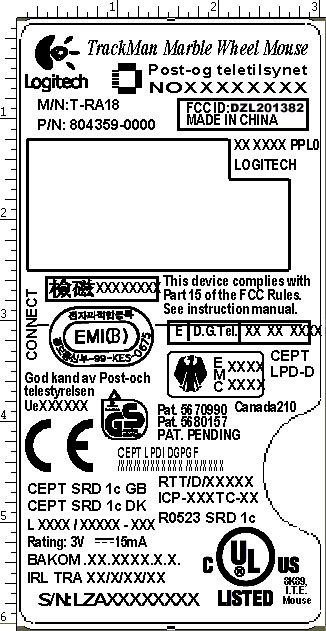
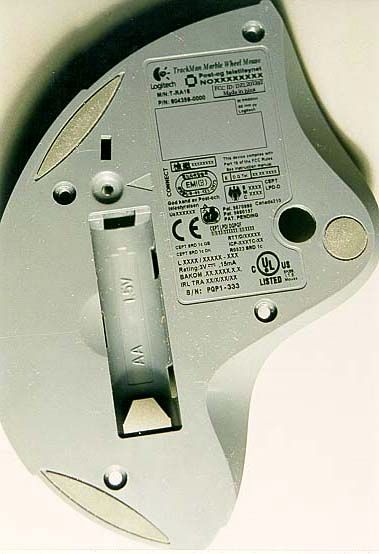
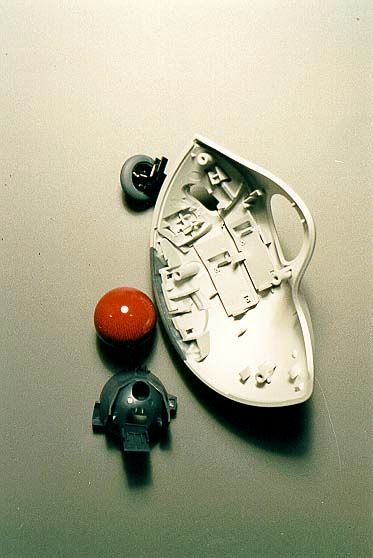
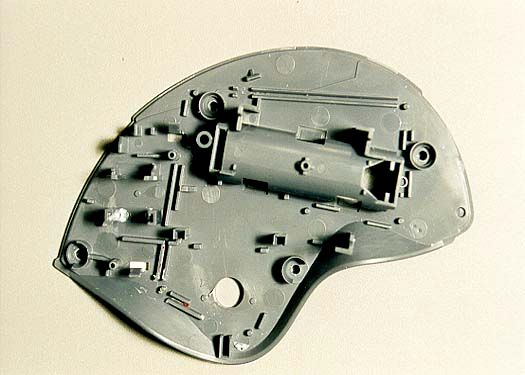
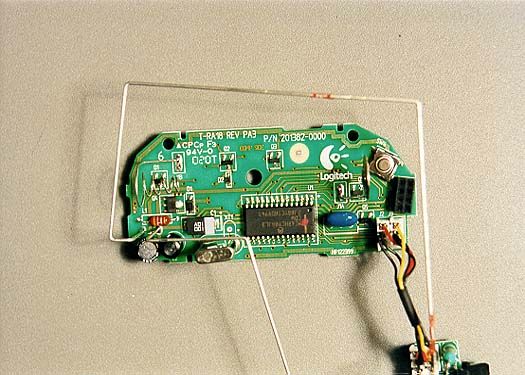
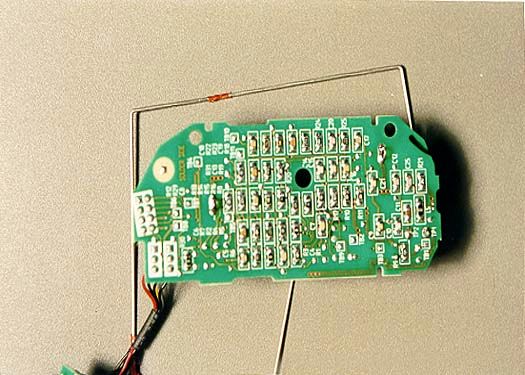
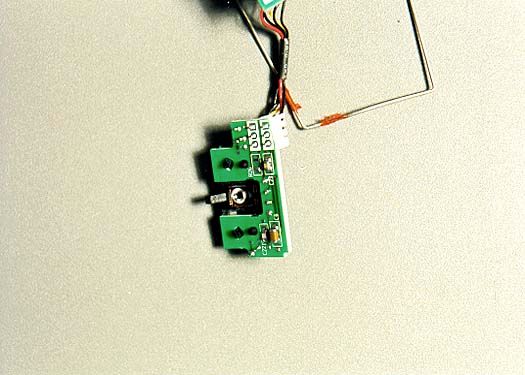
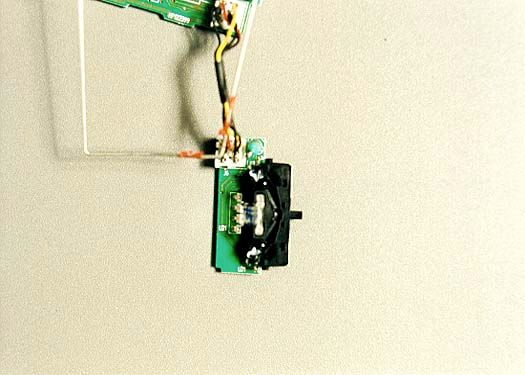
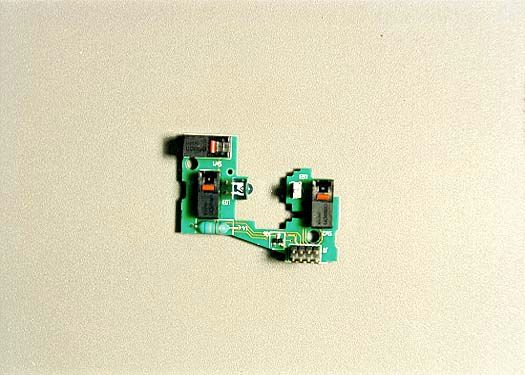
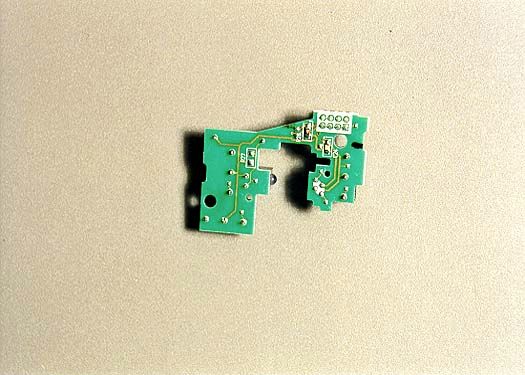
Document Text
Text extracted from the exhibit documents filed with the FCC. Open a document above to read the original.
Users Manual
1 Logitech ® Mouse , Trackball, and Keyboard User’s Guide for for MouseWare ® and iTouch ™ ® ™ 2 Welcome! Welcome! Congratulations on your purchase of your Logitech ® product. Your mouse, trackball, or keyboard is part of the Logitech family of interactive desktop products, which make your time at the computer, or on the Internet, more productive, comfortable, and enjoyable. Logitech has been designing, manufacturing, and marketing computer peripherals for over 18 years. These products form the bridge between people and computers, a link so intuitive that the digital world feels like a natural extension of your senses. To help you get the most from your Logitech product, this manual was written to be used either online or as a printed document. It is a down- loadable file, which is copied to your hard drive automatically during software installation. You can quickly view the contents of this manual by clicking one of the topics you see listed on the left. Or you can print this manual by clicking “File” then “Print” in the menu bar above. To use this manual effectively, you must first install your Logitech product by connecting the hardware and installing the software. To install your Logitech product, please refer to the printed Getting Started Guide that comes with your product. This document tells you everything you need to know in order to get started right away. 3 For Windows® Users After you have finished installation, refer to this document to learn more about the following topics: • Ergonomics • Scrolling and Zooming (Zooming in Windows ® Only) in Documents with Your Mouse or Trackball • WebWheel ™ , Logitech’s Easy-to-Use and Intuitive Web Interface • MouseWare ® , Logitech’s Premier Pointing Device Software for Windows and Macintosh ® • Button Assignments for Your Mouse or Trackball • Product Maintenance • Troubleshooting • iTouch ™ Software, Logitech’s Innovative Keyboard and Internet Software For Windows ® Users This section of the Online User’s Guide is for Windows users. If you are running Windows ® 3.1x, Windows ® 95, Windows ® 98, Windows NT ® 4.0, or Windows ® 2000, refer to this section to learn how to use your mouse, trackball, or keyboard. Important Ergonomic Information Some research suggests that long periods of repetitive motion using an improperly setup workspace, incorrect body position, and poor work habits may be associated with physical discomfort and injury to nerves, tendons, and muscles. If you feel pain, numbness, tingling, weakness, swelling, burning, cramping, or stiffness in your hands, wrists, arms, shoulders, neck, or back while using a keyboard, mouse, or trackball, see a qualified health professional. 4 For Windows® Users TO REDUCE THE RISK OF INJURY, FOLLOW THESE PRECAUTIONS: • Take frequent short breaks. Get up and walk around several times every hour. • Vary your tasks throughout the day. Do something different with your hands and arms from time to time. • Use a light touch on the keyboard and for better control of the mouse or trackball. • Keep your shoulders relaxed with your elbows at your side. Position your keyboard and mouse so you do not have to reach to use them. • Adjust your chair and keyboard so your upper arms and wrists are straight. • Avoid resting your wrists on sharp edges. If you use a wrist or palm rest, do not use it while typing. • Use the software features of your keyboard, mouse, or trackball to help reduce stress to your arms, wrists, or hands by minimizing repetitive or awkward motions. For additional information that may reduce your risk of injury, read the Comfort Guidelines that comes with your product, or read these same guidelines on Logitech’s Internet site: www.logitech.com 5 For Windows® Users Using the MouseWare ® Software for the Mouse or Trackball Your mouse or trackball comes with the MouseWare ® software, which includes features for making button assignments, controlling cursor movement, and setting up the mouse or trackball in Windows ® 95, Windows ® 98, Windows ® 2000, and Windows NT ® 4.0. (For Windows ® 3.1x support, refer to “Using the Mouse or Trackball in Windows ® 3.1x.”) To access the MouseWare software, double-click the mouse icon on the Windows Taskbar, or start MouseWare from the Control Panel. The Mouse Properties displays, as shown below. Choose from the available options to set up the mouse or trackball. Sets up a mouse Modifies cursor movementSets mouse orientation Adds another mouse Makes button assignments Click this button to run the Mouse Wizard which helps you set up a mouse Selects a pointer shape Shows battery level Click here to launch the Logitech website Mouse picture varies depending on device connected to system 6 For Windows® Users Choosing Options for the Mouse or Trackball Need help choosing options? Let the Mouse Wizard show you how. To begin, go to the Mouse Properties. To do this, double- click the mouse icon in the Windows ® Taskbar. Now choose the Quick Setup tab. Click Device Setup, then follow the on- screen instructions. Finding Out What Is Assigned to the Mouse/Trackball Buttons By default, the mouse or trackball buttons are assigned various useful functions, such as Click/Select, AutoScroll, Context Menu/Alternate Select, Double-Click, etc. Using the Buttons tab of the Mouse Properties, you can change the button settings of your mouse or trackball and configure the wheel, if your device has one. (Refer to the figure to the right.) NoteThe setting Context Menu/Alternate Select provides easy-to-use short- cuts to speed up common tasks, such as cut and paste. To change button assignments, click the down arrow to select a function for a button. (Note that at least one button must be assigned to Click/ Select.) 7 For Windows® Users Click the down arrow under “Scrolling Size:” to choose the amount of scrolling. This sets the amount of scrolling in relation to how much you move the wheel. Click the Options button to specify settings for AutoScroll, CyberJump ® , HyperJump and d…
Text truncated - open the document above for the full version.
Cover Letter(s)
June 14, 1999 Federal Communications Commission Authorization and Evaluation Division 7435 Oakland Mills Road Columbia, MD 21046 Gentlemen: Logitech, Inc. hereby authorizes CKC Laboratory to act on our behalf in all matters relating to applications for equipment authorization, including the signing of all documents relating to these matters. Any and all acts carried out by CKC Laboratory on our behalf shall have the same effect as our own. This authorization expires on April 30, 2000 unless renewed. We, the applicant certify that, in the case of individual applicant, he or she is not subject to a denial of federal benefits pursuant to section 5301 of the Anti-Drug Abuse Act of 1988, 21 USC 853a or in the case of non-individual applicant (e.g. corporation, partnership or other unincorporated association), no party to the applicant is subject to a denial of federal benefit pursant to that action. Thank you. Sincerely, Bharat Shah EMC/Safety Engineering
Cover Letter(s)
Federal Communications Commission 7435 Oakland Mills Road Columbia, MD 21046 Gentlemen: This letter is to comply with Section 0.457(d)(2)(i) pertaining to confidential material. Logitech Inc. would like the following documents regarding this submission for FCC ID: DZL201382 to be kept confidential. 1. Pages 1 of 1 of document “T-RA18 Rev A”, Circuit Diagram 2. Page 1 of 1 of document “T-RA18 Block Diagram”. The above material contains trade secrets or technical data, which would customarily be guarded from competitors. We do not want these documents to be accessible to the general public. Sincerely, Joyce Walker Technical Report Writer CKC Laboratories, Inc. Authorized Agent for Logitech Inc.
Operational Description
Information For T-RA18 . The Trackball communicates with receiver using RF energy. Operating carrier frequency is for Mouse device is 27.045 MHz Band width of channel: 15kHz The data is FSK modulated. Radiated effective power of the device is: 2dBuA/met at 2 meter distance Type of Antenna: Inductive loop, integrated on printed circuit board. Thanks in advance and with the best regards. Bharat Shah EMC/Agency Engineer Voice: 510-713-4777 Fax: 510-713-5090
Test Report
Page 1 of 30 Report No: FC00-020 CERTIFICATION TEST REPORT FOR THE TRACKBALL, RF, COMPUTER PERIPHERALS, T-RA18 FCC PART 15.227 COMPLIANCE DATE OF ISSUE: MARCH 8, 2000 PREPARED FOR: Logitech Inc. 6505 Kaiser Drive Fremont, CA 94555 W.O. No: 73596 PREPARED BY: Joyce Walker CKC Laboratories, Inc. 5473A Clouds Rest Mariposa, CA 95338 Date of test: February 8 & 25, 2000 Report No: FC00-020 DOCUMENTATION CONTROL: _____________________________ Tracy Phillips Documentation Control Supervisor CKC Laboratories, Inc. APPROVED BY: _____________________________ Dennis Ward Director of Laboratories CKC Laboratories, Inc. This report contains a total of 30 pages and may be reproduced in full only. Partial reproduction may only be done with the written consent of CKC Laboratories, Inc. Page 2 of 30 Report No: FC00-020 TABLE OF CONTENTS Administrative Information ............................................................................................. 3 Summary Of Results........................................................................................................ 4 Equipment Under Test (EUT) Description...................................................................... 4 Measurement Uncertainty................................................................................................ 4 Peripheral Devices ........................................................................................................... 5 Report Of Measurements................................................................................................. 6 Table 1: Fundamental Radiated Emission Levels ............................................... 6 Table 2: Highest Radiated Emission Levels - 9kHz-30MHz .............................. 7 Table 3: Six Highest Radiated Emission Levels - 30MHz-1000MHz ................ 8 Table A : List Of Test Equipment ................................................................................... 9 EUT Setup .......................................................................................................................10 Test Instrumentation And Analyzer Settings................................................................... 10 Table B : Analyzer Bandwidth Settings Per Frequency Range........................... 10 Spectrum Analyzer Detector Functions............................................................... 11 Peak ......................................................................................................... 11 Quasi-Peak............................................................................................... 11 Average.................................................................................................... 11 Test Methods ................................................................................................................... 12 Radiated Emissions Testing................................................................................. 12 Occupied Bandwidth ........................................................................................... 12 Sample Calculations ........................................................................................................ 13 Appendix A : Information About The Equipment Under Test........................................ 14 I/O Ports............................................................................................................... 15 Crystal Oscillators ............................................................................................... 15 Printed Circuit Boards ......................................................................................... 15 Required EUT Changes To Comply.................................................................... 15 Equipment Configuration Block Diagram........................................................... 16 Photograph Showing Radiated Emissions ........................................................... 17 Photograph Showing Radiated Emissions ........................................................... 18 Photograph Showing Radiated Emissions ........................................................... 19 Photograph Showing Radiated Emissions ........................................................... 20 Appendix B : Measurement Data Sheets ......................................................................... 21 Occupied Bandwidth Plot Part 2.1049 ................................................................ 22 Detector Funtions and Bandwidth Part 15.35 (c) ................................................ 23 Detector Funtions and Bandwidth Part 15.35 (c) ................................................ 24 Modulation Charateristics Part 2.1047 ................................................................ 25 Page 3 of 30 Report No: FC00-020 CKC Laboratories, Inc. has Certificates of Accreditation from the following agencies: DATech (Germany); A2LA (USA); FCC (USA); VCCI (Japan); BSMI (Taiwan); HOKLAS (Hong Kong). CKC Laboratories, Inc. has Letters of Acceptance through an MRA for the following agencies: ACA/NATA (Australia); SABS (South Africa); SWEDAC (Sweden); TUV Rheinland-Germany; TUV Rheinland- Korea; TUV Rheinland-Russia; Radio Communications Agency (RA); NEMKO (Norway). ADMINISTRATIVE INFORMATION DATE OF TEST: February 8 & 25, 2000 PURPOSE OF TEST: To demonstrate the compliance of the Trackball, RF, Computer Peripherals, T- RA18, with the requirements for FCC Part 15.227 devices. MANUFACTURER: Logitech Inc. 6505 Kaiser Drive Fremont, CA 94555 REPRESENTATIVE: Bharat Shah TEST LOCATION: CKC Laboratories, Inc. 1653 Los Viboras Road Hollister, CA 95023 TEST PERSONNEL: Art Rice & Stephen Goulet TEST METHOD: ANSI C63.4 1992 FREQUENCY RANGE TESTED: 9 kHz - 1000 MHz EQUIPMENT UNDER TEST:Trackball, RF, Computer Peripheral Manuf:Logitech Inc. Model:T-RA18 Serial:PQP1-319 FCC ID:DZL201382 (pending) Page 4 of 30 Report No: FC00-020 SUMMARY OF RESULTS The Logitech Inc. Trackball, RF, Computer Periphera…
Text truncated - open the document above for the full version.
Contact Information
Applicant
Paul Zahra(Regulatory Compliance Manager)
Technical Contact
CKC Laboratories, IncTracy Phillips
[email protected]1-800-500-4362
5473A Clouds Rest · Mariposa, California · United States
Non-Technical Contact
CKC Laboratories, IncJoyce Walker
[email protected]1-800-500-4362
Test Firm
CKC Laboratories, Inc.Steve Behm
Technical Specifications
| # | Rule Parts | Frequency Range | Power Output |
|---|---|---|---|
| 1 | 15C | 27.045 MHz - 27.045 MHz | - |
Other Applications from Logitech Inc
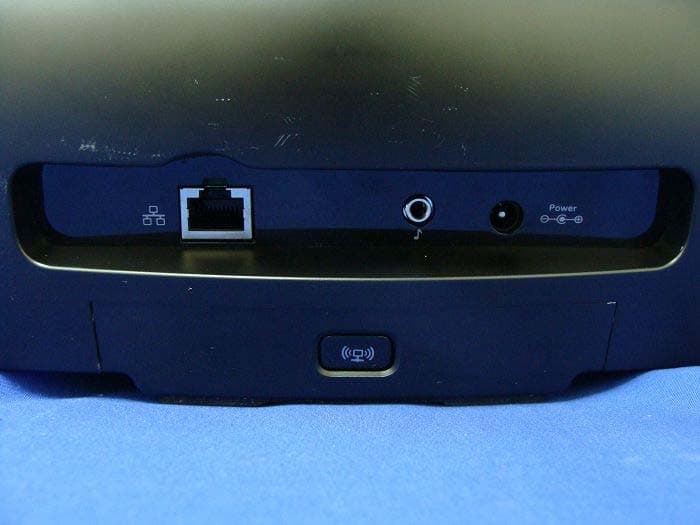
DZLS00118
Oct 06, 2011AIR SPEAKER
Equipment Class
DTS - Digital Transmission System
DZLA00032
Aug 07, 2011Nano Receiver
Equipment Class
DSS - Part 15 Spread Spectrum Transmitter
DZLA00031
Jul 24, 2011Wireless Headset H600
Equipment Class
DSS - Part 15 Spread Spectrum Transmitter
DZLS00114
Jul 20, 2011Wireless module
Equipment Class
DSS - Part 15 Spread Spectrum Transmitter
DZLA00033
Jul 18, 2011Wireless Headset H800
Equipment Class
DSS - Part 15 Spread Spectrum Transmitter