DZLA00031Wireless Headset H600
Logitech Inc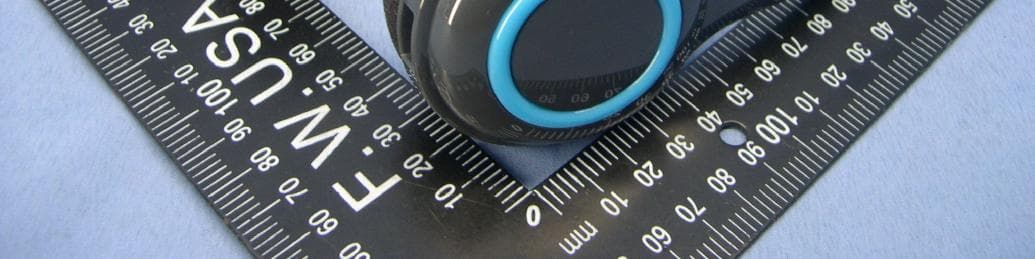
Click to zoom
Application Details
- Equipment Class
- DSS - Part 15 Spread Spectrum Transmitter
- Date of Grant
- Jul 24, 2011
- Application Purpose
- Original Equipment
- Date of Application
- Jul 24, 2011
- Equipment Note
- Wireless Headset H600
- Frequency Range
- 2402.00000000 - 2480.00000000
- Company
- Logitech Inc
- Country
- United States
Documents & Files
Document Text
Text extracted from the exhibit documents filed with the FCC. Open a document above to read the original.
Users Manual
English Safety information WARNING! ELECTRIC SHOCK HAZARD: TO REDUCE THE RISK OF FIRE OR ELECTRIC SHOCK, DO NOT EXPOSE THIS PRODUCT TO WATER. Read and follow these instructions, heed all warnings, and keep this document for future reference. • Your product is suitable for use in semi-tropical and moderate climates only. Set up your product in accordance with Logitech’s product documentation, and place your product in a stable location so it will not fall and cause product damage or bodily harm. Operate your product only from the low-level, audio line output jack of your computer or audio component. • Do not use your product near water, including dripping or splashing sources (e.g., indoor fountains), or near objects filled with liquids, such as flower vases or fish tanks. • Do not use your product near heat sources (e.g., radiators, heat registers, stoves, open flames, such as lighted candles, or other heat-producing devices, such as audio amplifiers or TVs). • Do not block ventilation openings or push objects into product vents, ports, or slots. Doing so may create an electric shock or fire hazard. Maintain a minimum distance of at least 15 cm (6 inches) around your product for sufficient ventilation. Covering ventilation openings with such items as newspapers, tablecloths, or curtains may impede ventilation and cause a fire. • Do not, under any circumstance, modify your product’s power cord and plug, including the power cord and plug to your product’s power supply, if one has been included. If the plug does not fit into your AC outlet, have a certified electrician replace your obsolete AC outlet. Protect the power cord from being stepped on or pinched, especially where the cord exits the product or plugs into an AC outlet or power strip. • Unplug your product during lightning storms or when it’s not being used for long periods of time. Disconnect your product from the AC outlet by first turning off the product or by placing it in standby mode (see product documentation for more information) before unplugging the product’s power cord from the AC outlet. Your product’s power cord and plug must remain operational at all times, and the AC outlet (receptacle) should be near the product and easily accessible. • Only use approved attachments and accessories specified by Logitech. Hearing damage can be gradual and cumulative. For your safety, operate the apparatus only from the low level audio line output jack of the audio device. For earphone or headphone use, avoid excessive or extended sound pressure levels, which may cause hearing damage or loss. Listen at a reasonable volume and take frequent listening breaks. • Refer all servicing and repair to qualified service personnel. Servicing is required when your product does not operate normally, the power cord/plug has been damaged, the product has been exposed to water, rain, liquid, or moisture, the product has been dropped, or an object has been inserted into a product port or vent. • For portable products or products weighing less than 7 kg (15 lbs), the product label may be found on the product stand, under a lid, or on the bottom of the product itself. • Clean your product using only a dry cloth and no water or liquid. Battery warning! Risk of explosion or personal injury if batteries are replaced by incorrect type, mutilated, or exposed to conducting materials, liquid, fire, or heat (above 54° C or 130° F). Do not use or recharge damaged rechargeable batteries. Do not mix battery types. Keep all batteries out of the reach of children. Power supply warning: Caution electric shock/fire hazard! For indoor use only. Do not expose to moisture, liquid, or heat. Do not use any other power supply with your Logitech product. Cordless (radio transmitter) products: Hereby, Logitech Europe S.A., CH-1110 Morges, Switzerland declares that this radio- frequency peripheral is in compliance with the essential requirements and other relevant provisions of Directive 1999/5/EC. The Declaration of Conformity can be retrieved by accessing the following website address http://www.logitech.com/compliance. Once accessed, go to the relevant product part number to retrieve the CE Declaration of Conformity. Environmental information (Applicable in the European Union and other European countries with separate collection systems) Disposal of waste batteries. This product may contain batteries. If so, this symbol on the batteries means that they shall not be disposed with other household waste. Instead they shall be handed over to the appropriate collection point for the recycling of batteries. The batteries do not contain either Mercury, Cadmium or Lead, above the levels defined by the battery directive 2006/66/EC. For your safety, please view the product manual how to remove the batteries from product safely. Disposal of Old Electrical & Electronic Equipment. This symbol indicates that this product shall not be treated as household waste. Instead it shall be handed over to the appropriate collection point for the recycling of electrical and electronic equipment. The recycling of materials will help to conserve natural resources. By ensuring this product and its batteries are disposed of correctly, you will help prevent potential negative consequences for the environment and human health, which could otherwise be caused by inappropriate waste handling of them. For more detailed information about recycling of these batteries or this product, please contact your local city office, your household waste disposal service or the shop where you purchased the product. For Product Safety, EMC and RF information, go to www.logitech.com/compliance Logitech hardware product limited warranty Logitech warrants to the original purchaser that your Logitech hardware product shall be free from defects in material and workmanship for 2 years from the date of purchase. Except where prohibited by applicable law, this warranty is nontransferable and is limited to the original purchaser. T…
Text truncated - open the document above for the full version.
Users Manual
23 4 1 English Try the headset Listen to music or make an Internet call to test the wireless connection between the headset and your audio source (laptop or smartphone). If the headset doesn’t work with your computer, you may need to make an adjustment in your computer’s operation system so it will recognize the headset, making the headset the default audio input/output device. Also refer to Help with setup for additional troubleshooting advice. Windows® XP 1. Go to Start/Control Panel/Sounds and Audio devices/Audio tab. 2. In the Sound Playback/Default Device window, choose the Logitech Wireless Headset H600. 3. Select the Voice tab. 4. In the Voice tab, choose the Logitech Wireless Headset H600. 5. Click OK. 6. Restart your media application. Windows® Vista and Windows® 7 1. Go to Start/Control Panel/Sounds/ Playback Devices tab. 2. Choose Playback Devices. 3. Choose the Logitech Wireless Headset H600. 4. Click Set Default, and then click OK. 5. Select the Recording Tab. 6. Choose the Logitech Wireless Headset H600. 7. Click Set Default, and then click OK. 8. Restart your media application. Mac® OS 1. Open System Preferences. 2. Choose the Sound/Output tab. 3. Choose the Logitech Wireless Headset H600. 4. Select the Input tab. 5. Choose the Logitech Wireless Headset H600. 6. Close window. 7. Restart your media application. Español Prueba el audífono Escucha música o realiza una llamada por Internet para probar la conexión inalámbrica entre el audífono y la fuente de audio (laptop o teléfono Smartphone). Si el audífono no funciona con la computadora , puede que necesites ajustar el sistema operativo de la computadora para que reconozca el audífono. Para ello, deberás configurar el audífono como el dispositivo de entrada/salida de audio predeterminado. Consulta Ayuda con la instalación para obtener asistencia adicional. Windows® XP 1. Ve a Inicio/Panel de control/Dispositivos de sonido y audio/ficha Audio. 2. En la ventana Reproducción de sonido/ Dispositivo predeterminado, elige Logitech Wireless Headset H600. 3. Selecciona la ficha Voz. 4. En la ficha Voz, elige Logitech Wireless Headset H600. 5. Haz click en Aceptar. 6. Reinicia la aplicación multimedia. Windows® Vista y Windows® 7 1. Ve a Inicio/Panel de control/Sonidos/ ficha Dispositivos de reproducción. 2. Elige Dispositivos de reproducción. 3. Selecciona Logitech Wireless Headset H600. 4. Haz click en Predeterminar y, a continuación, en Aceptar. 5. Selecciona la ficha Grabación. 6. Selecciona Logitech Wireless Headset H600. 7. Haz click en Predeterminar y, a continuación, en Aceptar. 8. Reinicia la aplicación multimedia. Mac® OS 1. Abre Preferencias del Sistema. 2. Selecciona Sonido/ficha Salida. 3. Selecciona Logitech Wireless Headset H600. 4. Selecciona la ficha Entrada. 5. Selecciona Logitech Wireless Headset H600. 6. Cierra la ventana. 7. Reinicia la aplicación multimedia. Français Essayez le casque Ecoutez de la musique ou passez un appel Internet pour tester la connexion sans fil entre le casque et votre dispositif audio (ordinateur portable ou smartphone). Si le casque ne fonctionne pas avec votre ordinateur, essayez de paramétrer le système d’exploitation de l’ordinateur pour qu’il reconnaisse le casque en configurant ce dernier en tant que dispositif d’entrée/sortie audio par défaut. Reportez-vous également à la section Aide pour l’installation pour obtenir des conseils de dépannage supplémentaires. Windows® XP 1. Sélectionnez Démarrer/Panneau de configuration/Sons et périphériques audio/ onglet Audio. 2. Dans la fenêtre Lecture audio/Unité par défaut, sélectionnez Logitech Wireless Headset H600. 3. Cliquez sur l’onglet Voix. 4. Dans l’onglet Voix, sélectionnez le casque Logitech Wireless Headset H600. 5. Cliquez sur OK. 6. Redémarrez l’application multimédia. Windows® Vista et Windows® 7 1. Sélectionnez Démarrer/Panneau de configuration/Sons/onglet Périphériques de lecture. 2. Sélectionnez Périphériques de lecture. 3. Sélectionnez le casque Logitech Wireless Headset H600. 4. Cliquez sur Par défaut, puis sur OK. 5. Cliquez sur l’onglet Enregistrement. 6. Sélectionnez le casque Logitech Wireless Headset H600. 7. Cliquez sur Par défaut, puis sur OK. 8. Redémarrez l’application multimédia. Mac® OS 1. Ouvrez Préférences Système. 2. Cliquez sur l’onglet Son/Sortie. 3. Sélectionnez le casque Logitech Wireless Headset H600. 4. Sélectionnez l’onglet Entrée. 5. Sélectionnez le casque Logitech Wireless Headset H600. 6. Fermez la fenêtre. 7. Redémarrez l’application multimédia. Getting started with Première utilisation Logitech® Wireless Headset H600 Getting started with Première utilisation Logitech® Wireless Headset H600 3 English Headset features 1. Noise-canceling microphone 2. Flexible, rotating microphone boom 3. Adjustable headband 4. Charging port 5. Status light 6. Nano receiver storage 7. Volume up 8. Volume down 9. Power switch 10. Microphone mute 11. USB wireless Nano receiver 12. USB charging cable Español Características del audífono 1. Micrófono con supresión de ruido 2. Varilla de micrófono flexible y giratoria 3. Diadema ajustable 4. Puerto de carga 5. Diodo de estado 6. Almacenamiento del nano receptor 7. Subir volumen 8. Bajar volumen 9. Conmutador de encendido 10. Silenciamiento del micrófono 11. Nano receptor inalámbrico USB 12. Cable de carga USB Français Fonctionnalités du casque 1. Micro anti-bruits 2. Tige de micro modulable 3. Bandeau réglable 4. Port de charge 5. Témoin d’état 6. Stockage du nano- récepteur 7. Volume + 8. Volume - 9. Commutateur d’alimentation 10. Mise en sourdine du microphone 11. Nano-récepteur USB sans fil 12. Câble de charge USB 2 1 12 11 3 4 5 9 10 6 7 8 www.logitech.com © 2011 Logitech. All rights reserved. Logitech, the Logitech logo, and other Logitech marks are owned by Logitech and may be registered. Microsoft, Windows, Windows Media Player, and the Windows logo are trademarks of the Microsoft group of companies. Mac, the Mac logo, and iTunes are trademarks of Apple Inc., regist…
Text truncated - open the document above for the full version.
Cover Letter(s)
Logitech Inc. 6505 Kaiser Drive, Fremont, CA 94555 USA Tel: (360) 817-1200, Fax: (360) 817-1331 Federal Communications Commission 7435 Oakland Mills Road Columbia MD 21046 Request for Confidentiality FCC ID:DZLA00031 To Whom It May Concern: Pursuant to the provisions of Sections 0.457 and 0.459 of the Commission’s rules (47 CFR §§ 0.457, 0.459), we are requesting the Commission to withhold the following attachments as confidential document from public disclosure indefinitely. Schematic Diagram Block Diagram Theory of Operation Above mentioned document contains detailed system and equipment description are considered as proprietary information in operation of the equipment.The public disclosure of above documents might be harmful to our company and would give competitor an unfair advantage in the market. Pursuant to DA 04-1705 of the Commission’s Rules, we requestshort-term confidential treatmentfor the following information untilOctober.7.2011of Equipment Authorization in order to ensure sensitive business information remains confidential until the actual marketing of the device: External Photos Internal Photos Test Setup Photos User Manual It is our understanding that all measurement test reports, FCC ID label format and correspondent during certification review process cannot be granted as confidential documents and those information will be available for public review once the grant of equipment authorization is issued. Best Regards, Mark Ohnstad / Sr. Manager, Product Regulatory Compliance Logitech Inc. E-mail: [email protected] Date: 2011/7/8
Cover Letter(s)
P O W E R O F A T T O R N E Y We, the undersigned LOGITECH INC.hereby authorize Bureau Veritas Consumer Product Service (Hong Kong) Limited, Taoyuan Branch Taiwan to act on our behalf in all matters relating to all processes required in the FCC Part 15C approval and any communication needed with the national authority.Any and all acts carried out by Bureau Veritas Consumer Product Service (Hong Kong) Limited, Taoyuan Branch on our behalf shall have the same effects as acts of our own. This authorization is limited to the following product(s): Model / Type: A-00031 Name of Equipment: Wireless Headset H600 Brand of Product: Logitech FCC ID: DZL A00031 Model / Type: A-00032 Name of Equipment: Nano receiver Brand of Product: Logitech FCC ID: DZL A00032 Model / Type: A-00033 Name of Equipment: Wireless Headset H800 Brand of Product: Logitech FCC ID: DZL A00033 If you have any questions regarding the authorization, please don’t hesitate to contact us. Thank you! Sincerely yours, Mark Ohnstad / Sr. Manager, Product Regulatory Compliance Logitech Inc. Tel: +1-360-817-1200 Fax: +1-360-817-1331 E-mail: [email protected] Date: 2011/7/8
External Photos
Page 1 CONSTRUCTION PHOTOS OF EUT Light Blue Sample Page 2 Black Sample
ID Label/Location Info
(Fig.1) FCC ID: DZLA00031 FCC LABEL LOCATION The label will be permanently affixed at a conspicuous location on the device. FCC ID
ID Label/Location Info
size: 1:1
Internal Photos
Page 1 CONSTRUCTION PHOTOS OF EUT Page 2 Page 3 Page 4
RF Exposure Info
Report No.: SA110517E03 Report Format Version 4.0.0 1 RF EXPOSURE REPORT REPORT NO.: SA110517E03 MODEL NO.: A-00031 FCC ID: DZLA00031 APPLICANT: Logitech Inc. ADDRESS: 6505 Kaiser Drive, Fremont, CA 94555 USA ISSUED BY: Bureau Veritas Consumer Products Services (H.K.) Ltd., Taoyuan Branch Hsin Chu Laboratory LAB ADDRESS: No. 81-1, Lu Liao Keng, 9th Ling,Wu Lung Tsuen, Chiung Lin Hsiang, Hsin Chu Hsien 307, Taiwan This test report consists of 5 pages in total. It may be duplicated completely for legal use with the approval of the applicant. It should not be reproduced, except in full, without the written approval of our laboratory. The client should not use it to claim product certification, approval or endorsement by any government agency. The test results in the report only apply to the tested sample. Report No.: SA110517E03 Report Format Version 4.0.0 2 TABLE OF CONTENTS RELEASE CONTROL RECORD....................................................................................3 1. CERTIFICATION..............................................................................................4 2. EVALUATION RESULT...................................................................................5 Report No.: SA110517E03 Report Format Version 4.0.0 3 RELEASE CONTROL RECORD ISSUE NO. REASON FOR CHANGE DATE ISSUED SA110517E03 Original release July 20, 2011 Report No.: SA110517E03 Report Format Version 4.0.0 4 1. CERTIFICATION PRODUCT : Wireless Headset H600 BRAND NAME : Logitech MODEL NO. : A-00031 TEST SAMPLE : ENGINEERING SAMPLE APPLICANT : Logitech Inc. STANDARDS : IEEE C95.1 The above equipment (Model: A-00031) has been tested by Bureau Veritas Consumer Products Services (H.K.) Ltd., Taoyuan Branch, and was in compliance with the requirement of the above standards. The test record, data evaluation & Equipment Under Test (EUT) configurations represented herein are true and accurate accounts of the measurements of the sample’s EMC characteristics under the conditions specified in this report. PREPARED BY : , DATE: July 20, 2011 ( Phoenix Huang, Specialist ) APPROVED BY : , DATE: July 20, 2011 (May Chen, Deputy Manager ) Report No.: SA110517E03 Report Format Version 4.0.0 5 2. EVALUATION RESULT No SAR Evaluation Required if power is below the following threshold: Tunable Range F(GHz) Low F(GHz) High 60/f SAR Limitation (mW) 2.402 2.480 24.19 Maximum measured transmitter power: Pout Conducted (dBm) Pout Conducted (mW) Maximum Antenna Gain (dBi) Pout EIRP (mW) 3.6 2.3 -1.36 3.631 Threshold for no SAR evaluation is 24.19 mW Maximum TX Power is 2.3mW Conducted and 3.631 mW EIRP Conclusion: No SAR evaluation required since maximum Transmitter Pout (both conducted and EIRP) is below FCC threshold --- END ---
Test Report
Report No.: RF110517E03 1 Report Format Version 4.0.0 FCC TEST REPORT REPORT NO.: RF110517E03 MODEL NO.: A-00031 FCC ID: DZLA00031 RECEIVED: May 17, 2011 TESTED: May 19 to June 30, 2011 ISSUED: July 19, 2011 APPLICANT: Logitech Inc. ADDRESS: 6505 Kaiser Drive, Fremont, CA 94555 USA ISSUED BY: Bureau Veritas Consumer Products Services (H.K.) Ltd., Taoyuan Branch Hsin Chu Laboratory LAB ADDRESS: No. 81-1, Lu Liao Keng, 9th Ling,Wu Lung Tsuen, Chiung Lin Hsiang, Hsin Chu Hsien 307, Taiwan TEST LOCATION (1): No. 81-1, Lu Liao Keng, 9th Ling,Wu Lung Tsuen, Chiung Lin Hsiang, Hsin Chu Hsien 307, Taiwan TEST LOCATION (2): No.49, Ln. 206, Wende Rd., Shangshan Tsuen, Chiung Lin Hsiang, Hsin Chu Hsien 307, Taiwan This test report consists of 78 pages in total. It may be duplicated completely for legal use with the approval of the applicant. It should not be reproduced except in full, without the written approval of our laboratory. The client should not use it to claim product certification, approval, or endorsement by TAF or any government agencies. The test results in the report only apply to the tested sample. Report No.: RF110517E03 2 Report Format Version 4.0.0 TABLE OF CONTENTS RELEASE CONTROL RECORD........................................................................................................4 1 CERTIFICATION................................................................................................................5 2 SUMMARY OF TEST RESULTS.........................................................................................6 2.1 ME ASUREMENT UNCERTAINTY.....................................................................................7 3 GENERAL INFORMATION.................................................................................................8 3.1 GENERAL DESCRIPTION OF EUT....................................................................................8 3.2 DESCRIPTION OF TEST MODES.....................................................................................10 3.3 TEST MODE APPLICABLITY AND TESTED CHANNEL DETAIL:......................................11 3.4 GENERAL DESCRIPTION OF APPLIED STANDARDS.....................................................13 3.5 DESCRIPTION OF SUPPORT UNITS...............................................................................14 3.6 CONFIGURATION OF SYSTEM UNDER TEST.................................................................16 4 TEST PROCEDURES AND RESULTS..............................................................................18 4.1 CONDUCTED EMISSION MEASUREMENT.....................................................................18 4.1.1 LIMITS OF CONDUCTED EMISSION MEASUREMENT....................................................18 4.1.2 TEST INSTRUMENTS.......................................................................................................18 4.1.3 TEST PROCEDURES.......................................................................................................19 4.1.4 TEST SETUP....................................................................................................................19 4.1.5 EUT OPERATING CONDITIONS.......................................................................................20 4.1.6 TEST RESULTS................................................................................................................21 4.2 NUMBER OF HOPPING FREQUENCY USED..................................................................23 4.2.1 LIMIT OF HOPPING FREQUENCY USED.........................................................................23 4.2.2 TEST INSTRUMENTS.......................................................................................................23 4.2.3 TEST PROCEDURES.......................................................................................................23 4.2.4 DEVIATION FROM TEST STANDARD..............................................................................23 4.2.5 TEST SETUP....................................................................................................................24 4.2.6 TEST RESULTS................................................................................................................24 4.3 DWELL TIME ON EACH CHANNEL..................................................................................28 4.3.1 LIMIT OF DWELL TIME USED..........................................................................................28 4.3.2 TEST INSTRUMENTS.......................................................................................................28 4.3.3 TEST PROCEDURES.......................................................................................................28 4.3.4 DEVIATION FROM TEST STANDARD..............................................................................29 4.3.5 TEST SETUP....................................................................................................................29 4.3.6 TEST RESULTS................................................................................................................30 4.4 CHANNEL BANDWIDTH...................................................................................................42 4.4.1 LIMITS OF CHANNEL BANDWIDTH.................................................................................42 4.4.2 TEST INSTRUMENTS.......................................................................................................42 4.4.3 TEST PROCEDURE..........................................................................................................42 4.4.4 DEVIATION FROM TEST STANDARD..............................................................................42 4.4.5 TEST SETUP....................................................................................................................43 4.4.6 EUT OPERATING CONDITION.....................................................................................…
Text truncated - open the document above for the full version.
Test Setup Photos
1 PHOTOGRAPHS OF THE TEST CONFIGURATION CONDUCTED EMISSION TEST 2 RADIATED EMISSION TEST (Below 1GHz test) 3 RADIATED EMISSION TEST (Above1GHz test)
Contact Information
Applicant
Paul Zahra(Regulatory Compliance Manager)
Technical Contact
Bureau Veritas CPS (H.K.) Ltd. Taoyuan BranchHank Chung
[email protected]886-3-593-5343
81-1, Lu Laio Keng, 9th Ling, Wu Lung Tsuen, Chiun · Hsinchu Hsien · Taiwan
Non-Technical Contact
Bureau Veritas CPS (H.K.) Ltd. Taoyuan BranchNatacha Chen
[email protected]886-3-3183232
Test Firm
Bureau Veritas CPS (H.K.) Ltd. Taoyuan BranchRichard Chen
Technical Specifications
| # | Rule Parts | Frequency Range | Power Output |
|---|---|---|---|
| 1 | 15C | 2.40 GHz - 2.48 GHz | 2.30 mW |
Other Applications from Logitech Inc
DZLS00118
Oct 06, 2011AIR SPEAKER
Equipment Class
DTS - Digital Transmission System
DZLA00032
Aug 07, 2011Nano Receiver
Equipment Class
DSS - Part 15 Spread Spectrum Transmitter
DZLS00114
Jul 20, 2011Wireless module
Equipment Class
DSS - Part 15 Spread Spectrum Transmitter
DZLA00033
Jul 18, 2011Wireless Headset H800
Equipment Class
DSS - Part 15 Spread Spectrum Transmitter
DZLS00112
Jul 12, 2011S-00112
Equipment Class
DTS - Digital Transmission System