DZL201992Cordless Mouse
Logitech Inc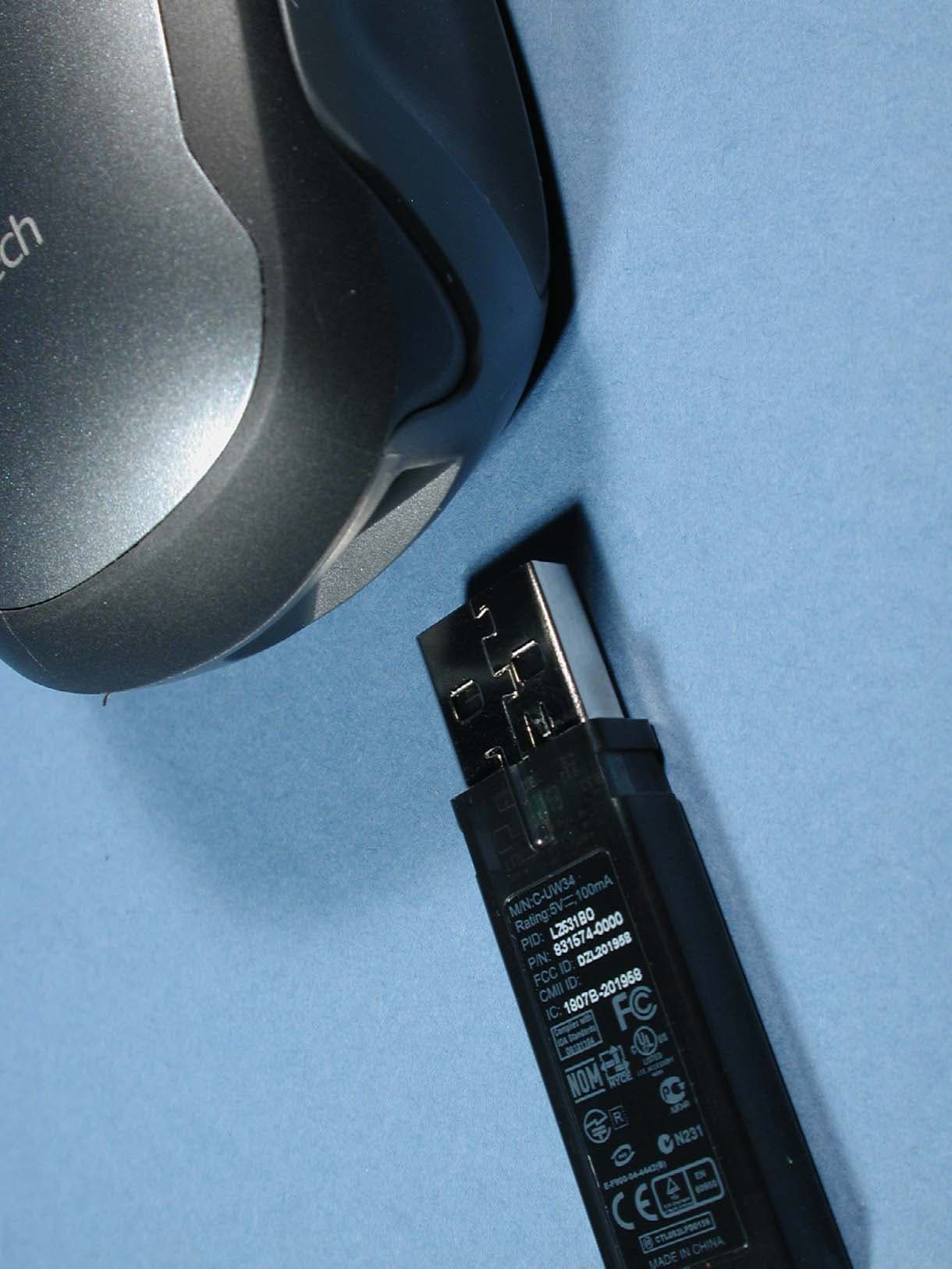
Click to zoom
Application Details
- Equipment Class
- DXX - Part 15 Low Power Communication Device Transmitter
- Date of Grant
- Sep 04, 2005
- Application Purpose
- Original Equipment
- Date of Application
- Sep 04, 2005
- Equipment Note
- Cordless Mouse
- Frequency Range
- 2402.00000000 - 2479.00000000
- Company
- Logitech Inc
- Country
- United States
Documents & Files
Document Text
Text extracted from the exhibit documents filed with the FCC. Open a document above to read the original.
Users Manual
3 1 4 ii ONON English Turn ON computer. Español ACTIVE el ordenador. Français Mettez l’ordinateur sous tension. Português Ligue o computador. 2 English Plug receiver into computer's USB port. Español Conecte el receptor al puerto USB del ordenador. Français Branchez le récepteur sur le port USB de l’ordinateur. Português Ligue o receptor à porta USB do computador. i Installation V400 Laser Cordless Mouse For Notebooks Souris laser sans fil V400 pour portable Logitech ® USBUSB English Slide the battery door off. Install the AA battery. Español Deslice la tapa del compartimento de las pilas. Coloque la pila AA. Français Faites glisser le clapet du compartiment des piles pour l'ouvrir. Installez les piles AA. Português Remova a porta do compartimento de pilha. Introduza a pilha AA. L o g it e ch English To enjoy all the features of your pr oduct, install the software. For Ma c i nt osh ® users, download software at www.lo gitech co m/V400mac. Español P ar a di sponer de t odas l as func i ones del pr oduc t o, debe i nst al ar el softwar e. Los usuar ios de Macintosh ® deben desc ar gar el soft war e desde www.lo gitech .co m/V400mac. Français Pour pouvoir utiliser pleine- ment toutes les fonctions du pr oduit, installez le logiciel. Utilisateurs Macintosh ® : téléchargez les logiciels à partir du site www.lo gitech .co m/V400mac. Português Para utilizar todas as funções do pr oduto, i nstal e o softwar e. Par a os utilizadores de Macintosh ® , transfira o software em www.lo gitech .co m/V400mac. Macintosh ® Mouse Software (Pilote logiciel Macintosh ® pour la souris) www.logitech.com/V400mac English 1) Tilt wheel plus zoom. Push wheel to either side to scroll side-to-side. Click and roll the wheel to zoom in and out. (Works only if software is installed.) 2) Universal forward and back buttons. 3) Left and right mouse buttons. Launch Logitech ® SetPoint ™ to customize button and tilt wheel assignments. Español 1) Botón rueda inclinable y zoom. Incline el botón rueda para desplazamientos horizontales. Haga clic en el botón rueda y gírelo para aplicar zoom. (Sólo si se ha instalado el software.) 2) Botones de avance y retroceso universales. 3) Botones izquierdo y derecho. Utilice Logitech ® SetPoint ™ para personalizar asignaciones de tareas de los distintos botones. Français 1) Roulette multidirectionnelle avec zoom. Poussez la roulette à droite ou à gauche pour un défilement correspondant vers la droite ou la gauche. Cliquez sur la roulette pour effectuer un zoom avant ou arrière. (Fonctionne uniquement si le logiciel est installé.) Boutons Précédente/Suivante universels. 3) Boutons droit et gauche de la souris. Lancez Logitech ® SetPoint ™ pour personnaliser les affectations du bouton et de la roulette multidirectionnelle. Português 1) Roda de inclinação e zoom. Empurre a roda para os lados para scroll horizontal. Clique e mova a roda para ampliar e reduzir. (Funciona somente se o software estiver instalado.) 2) Botões universais para avançar e retroceder. 3) Botões esquerdo e direito do rato. Inicie Logitech ® SetPoint ™ para personalizar o botão e atribuições da roda de inclinação. 2 3 1 3 English 1) Insert receiver into mouse for convenient storage when traveling. Mouse turns off. 2) Press end of receiver to remove it. Mouse turns on. 3) Battery LED glows green when mouse is turned on and batteries are good. It flashes red when batteries are low. 4) Power LED glows green when on. 5) Reset button. Press Reset button only if experiencing a poor wireless connection. (See troubleshooting section.) Español 1) Introduzca el receptor en el ratón cuando vaya a viajar. El ratón se apaga. 2) Presione sobre el extremo del receptor para sacarlo. El ratón se enciende. 3) Si la carga de las pilas es satisfactoria, el diodo de estado emite destellos verdes al encenderse el ratón. Si los destellos son rojos, significa que la carga es baja. 4) El diodo de encendido emite destellos verdes cuando el ratón está encendido. 5) Botón Reset. Pulse el botón Reset sólo en caso de conexión inalámbrica deficiente. Consulte la sección Resolución de problemas. Français 1) Insérez le récepteur dans la souris pour un rangement pratique en voyage. La souris se désactive. 2) Appuyez sur l'extrémité du récepteur pour le déloger. La souris est sous tension. 3) Le témoin LED des piles s'illumine en vert à l'activation de la souris si les piles sont pleines. Et en rouge lorsque le niveau des piles est faible. 4) Le témoin LED de charge s'illumine en vert à l'activation. 5) Bouton de réinitialisation. Appuyez sur le bouton Reset uniquement quand la connexion sans fil est mauvaise. Voir la section Dépannage. Português 1) Introduza o receptor no rato para um armazenamento conveniente ao viajar. O rato desliga-se. 2) Prima a extremidade do receptor para removê-lo. O rato liga-se. 3) O LED de pilha fica verde quando o rato liga-se e a pilha está boa. Pisca a vermelho quando a pilha está fraca. 4) O LED de energia fica verde quando ligado. 5) Botão Reset. Prima o botão Reset somente no caso de uma ligação sem fios fraca. (Consulte a secção Resolução de problemas.) 1 2 3 5 4
Users Manual
© 2005 Logitech. All rights reserved. Logitech, the Logitech logo, and other Logitech marks are owned by Logitech and may be registered. All other trademarks are the property of their respective owners. Logitech assumes no responsibility for any errors that may appear in this manual. Information contained herein is subject to change without notice. © 2005 Logitech. Tous droits réservés. Logitech, le logo Logitech et les autres marques Logitech sont la propriété exclusive de Logitech et sont susceptibles d’être des marques déposées. Toutes les autres marques sont la propriété exclusive de leurs détenteurs respectifs. Logitech décline toute responsabilité en cas d'erreurs dans ce manuel. Les informations énoncées dans le présent document peuvent faire l’objet de modifications sans avis préalable. 623820-0403.B www.logitech.com ? English Mouse Not Working. 1) Make sure the receiver is plugged into a USB port and the computer is on. 2) Check battery installation. Replace battery if Battery LED flashes red. 3) If mouse performance is slow or intermittent around a wireless network, press the Reset button on bottom of mouse. 4) If none of the above has worked, use the Logitech Reconnection Utility. Windows: Go to the Start Menu and follow Start/Programs/Logitech/Mouse and Keyboard/Reconnection Utility. (If you don’t have a touchpad, press the Start Menu key to open the Start menu and use the arrow keys to navigate.) Macintosh: Download the utility at www.logitech.com/V400mac. Run the utility, follow the on-screen instructions, and click OK after the mouse is active. Español El ratón no funciona. 1) Asegúrese de que el receptor está conectado a un puerto USB del ordenador y el ordenador está encendido. 2) Compruebe la colocación de las pilas. Cambie las pilas del ratón si el diodo emite destellos rojos. 3) Si la respuesta del ratón es lenta o irregular en una red inalámbrica, pulse el botón Reset situado en la base del ratón. 4) Si no mejora el rendimiento, use la utilidad de reconexión Logitech. Windows: seleccione Inicio/Programas/Logitech/Ratón y teclado/Utilidad de reconexión. Si no tiene un touchpad, abra el menú Inicio con la tecla Inicio de Windows y utilice las teclas de flecha para navegar. Macintosh: descargue la utilidad desde www.logitech.com/V400mac. Ejecute la utilidad, siga las instrucciones en pantalla y haga clic en el botón Aceptar cuando se active el ratón. Français Informations importantes relatives au confort: Veuillez consulter le guide Logitech et votre confort sur le site Web de Logitech ® à l’adresse suivante: http://www.logitech.com/comfort. Normes internationales et sécurité. RAYONNEMENT LASER INVISIBLE: NE PAS L'EXAMINER DIRECTEMENT AVEC DES INSTRUMENTS OPTIQUES; PRODUIT LASER DE CATEGORIE 1M. Ce dispositif optique est conforme à la norme internationale IEC 60825-1: 2001-08 pour les produits laser de classe 1 et à la réglementation 21 CFR 1040.10 et 1040.1, sauf exceptions découlant de l'avis sur les dispositifs laser n°50 (Laser Notice Nr 50), en date du 26 juillet 2001: 1) Emission d'un faisceau parallèle de lumière infrarouge invisible pour l'utilisateur; 2) Puissance maximale de 716 microwatts avec onde entretenue, gamme de longueur d'ondes comprise entre 832 et 865 nanomètres; 3) Plage de température de fonctionnement: 0 à 40° C. ATTENTION: ce dispositif optique ne nécessite aucun entretien. L'utilisation de commandes et réglages ou l'emploi de procédures autres que celles spécifiées dans le cadre du présent document risquent de provoquer une exposition à des radiations dangereuses. Sécurité et conseils d'utilisation. Un produit laser de catégorie 1M est considéré comme sûr dans des conditions d'utilisation raisonnablement prévisibles, mais peut se révéler dangereux si l'utilisateur se sert d'instruments optiques au niveau du faisceau. Il est recommandé de respecter les consignes de sécurité suivantes: 1. Observer le rayonnement laser à l'aide de certains instruments optiques (par exemple, des loupes d'œil, des loupes ou des microscopes) à une distance de 100 mm ou moins est dangereux pour les yeux. 2. N'orientez pas le faisceau infrarouge vers les yeux de quelqu'un. 3. En cas de dysfonctionnement et de dépannage infructueux, éteignez le dispositif et contactez l'assistance technique Logitech. 4. Ne tentez pas de démonter le produit, sauf à des fins de recyclage. 5. Ne pas démonter le produit ni l'exposer à l'humidité, aux liquides, à des températures hors de la plage recommandée de fonctionnement de 0 à 40° C. 6. Si le produit est exposé à des températures extrêmes, le désactiver et laisser la température revenir à la normale de fonctionnement. Clause de non responsabilité sur la longévité des piles. La longévité des piles dépend de leur usage. Pour garantir la longévité des piles quand la souris n'est pas en usage, ranger le récepteur dans la souris pour la désactiver. Garantie et conformité. Votre produit, certifié UL, est livré avec une garantie limitée de 3 ans, doit être utilisé uniquement avec des appareils certifiés UL et est conforme aux normes FCC et CE. Pour en savoir plus, consultez l'Aide du logiciel. Pour les informations relatives à la conformité, rendez-vous sur http://www.logitech.com/compliance. Español Información sanitaria importante: Para más información, consulte las Recomendaciones para evitar el cansancio en la página Web de Logitech ® : http://www.logitech.com/comfort. Normativa internacional y seguridad. RADIACIÓN LÁSER INVISIBLE: EVITE FIJAR LA VISTA CUANDO MIRE A TRAVÉS DE INSTRUMENTOS ÓPTICOS; PRODUCTO LÁSER DE CLASE 1M. Este dispositivo óptico cumple con la normativa internacional IEC 60825-1: 2001-08, Producto láser de clase 1, y con 21 CFR 1040.10 y 1040.1, excepto en lo relacionado con el aviso de láser número 50, del 26 de julio de 2001: 1) Emisión de un haz paralelo de luz infrarroja invisible para el usuario; 2) Potencia máxima de 716 microvatios en funcionamiento continuo; intervalo de longitud de onda entre 832 y 865 nanómetr…
Text truncated - open the document above for the full version.
Cover Letter(s)
Logitech Europe S.A. Z.I Moulin du Choc D 1122 Romanel sur Morges Switzerland To: Telefication B.V. Attn: Dept. FCC TCB Edisonstraat 12A 6902 PK ZEVENAAR The Netherlands Subject: Temporary FCC confidentiality request regarding the application for certification of FCC ID: DZL201992 Reference number: M-RBL117 Date: 15 August 2005 Dear FCC TCB, Pursuant to 47 CFR Section 0.459(a) & (b), Logitech Europe S.A. hereby requests a temporary confidential treatment for the following materials submitted in support of FCC certification application for FCC ID: DZL201992 until 45 days after the grant date of Equipment Authorization : a. Label and Label placement b. Photographs of overall appearance c. Test report d. Test set-up photographs e. User’s manual f. Internal photographs g. RF exposure/Environmental Evaluation h. Cover letters Above materials contain secrets, proprietary and technical information, which would customarily be guarded from competitors under 47 CFR, section 0.457(d)(2). Disclosure or publication or any portion of this company confidential material to other parties could cause substantial competitive harm and provide unjustified benefits for competitors. Logitech Europe S.A. understands that pursuant to 47 CFR section 0.457(d)(1)(ii) disclosure of the applicant and all accompanying documentation will not be made before the date of the grant. Pascal Bornel Compliance engineer
Cover Letter(s)
Logitech Europe S.A. Z.I Moulin du Choc D 1122 Romanel sur Morges Switzerland To: Telefication B.V. Attn: Dept. FCC TCB Edisonstraat 12A 6902 PK ZEVENAAR The Netherlands Subject: Request for permanent FCC confidentiality (FCC ID: DZL201992) Reference number: M-RBL117 Date: 15 August 2005 Dear FCC TCB, Persuant to 47 CFR Section 0.459(a) & (b), Logitech Europe S.A. hereby requests permanent FCC confidentiality of the following materials submitted in support of FCC certification application for FCC ID: DZL201992 a. Block diagram b. Schematic diagrams c. Operational description d. Bill of Material Above materials contain secrets, proprietary and technical information, which would customarily be quarded from competitors under 47 CFR, section 0.457(d)(2). Disclosure or publication or any portion of this company confidential material to other parties could cause substantial competitive harm and provide unjustified benefits for competitors. Logitech Europe S.A. understands that pursuant to 47 CFR section 0.457(d)(1)(ii) disclosure of the applicant and all accompanying documentation will not be made before the date of the grant. Pascal Bornel Compliance engineer
External Photos
Page: 2 of 12 Report number: 99666431 Photograph 1: M-RBL117 top view Page: 3 of 12 Report number: 99666431 Photograph 2: M-RBL117 bottom view Page: 4 of 12 Report number: 99666431 Photograph 3: M-RBL117 battery LED and receiver storage Page: 5 of 12 Report number: 99666431 Photograph 4: M-RBL117 with receiver
Internal Photos
Page: 6 of 12 Report number: 99666431 Photograph 5: M-RBL117 interior view Page: 7 of 12 Report number: 99666431 Photograph 6: M-RBL117 interior view Page: 8 of 12 Report number: 99666431 Photograph 7: M-RBL117 top view PCB Page: 9 of 12 Report number: 99666431 Photograph 8: M-RBL117 bottom view PCB
Test Report
Radio test report 99666431 based on: - FCC Part 15 Subpart C, sections 15.209 and 15.249 (10-1-04 Edition) - RSS-210, Issue 5 (Nov. 2001 edition) Cordless Mouse Logitech Cordless Mouse M-RBL117 Logitech AGY 736211-0000.A0 Report number: 99666431 Logitech AGY 736211-0000.A0 Contents MAIN MODULE............................................................................................................................................3 1 I NTRODUCTION ....................................................................................................................................3 2 P RODUCT .............................................................................................................................................4 3 T EST SCHEDULE ...................................................................................................................................4 4 P RODUCT DOCUMENTATION .................................................................................................................5 5 O BSERVATIONS AND COMMENTS .........................................................................................................5 6 M ODIFICATIONS TO THE SAMPLE ..........................................................................................................6 7 S UMMARY ............................................................................................................................................6 8 C ONCLUSIONS ......................................................................................................................................7 TEST RESULTS MODULE .........................................................................................................................8 1 G ENERAL INFORMATION ......................................................................................................................8 1.1 Equipment information ...................................................................................................................8 2 E MISSION TESTS ...................................................................................................................................9 2.1 Field strength of intentional signal .................................................................................................9 2.2 Calculation of average power .......................................................................................................10 2.3 Field strength of unwanted emissions 30 - 1000 MHz .................................................................11 2.4 Field strength of unwanted emissions > 1000 MHz .....................................................................12 USED TEST EQUIPMENT MODULE .....................................................................................................15 CROSS REFERENCE TABLE ..................................................................................................................16 This report comprises of four modules. The total number of pages is: 16 Main module Page: 3 of 16 Report number: 99666431 Logitech AGY 736211-0000.A0 Main module 1 Introduction This report contains the result of tests performed by: Telefication bv Edisonstraat 12a 6902 PK Zevenaar The Netherlands Telefication complies with the accreditation criteria for test laboratories as laid down in ISO/IEC 17025:1999. The accreditation covers the quality system of the laboratory as well as the specific activities as described in the authorized annex bearing the accreditation number L021 and is granted on 30 November 1990 by the Dutch Council For Accreditation (RvA: Raad voor Accreditatie). The contents of this test report, if reproduced, shall be copied in full, unless special consent in writing for reproduction in part is granted by Telefication. Copyright of this test report is reserved to Telefication. Ordering party: Company name : Logitech Europe S.A. Address : Z.I. Moulin du Choc D Zipcode : 1122 City/town : Romanel sur Morges Country : Switzerland Date of order : 22 July 2005 Main module Page: 4 of 16 Report number: 99666431 Logitech AGY 736211-0000.A0 2 Product A sample of the following product was submitted for testing: Product description : Cordless Mouse Manufacturer : Logitech Europe S.A. Trade mark : Logitech Cordless Mouse Type designation : M-RBL117 FCC ID : DZL201992 Hardware version : -- Serial number : B1173-F270 TDE007 Software release : -- 3 Test schedule Tests were carried out in accordance with the specification detailed in chapter 7 “Summary” of this report. Tests were carried out at the following location: • Telefication, Zevenaar The samples of the product were received on: • 15 August 2005 Tests were carried out from: • 16 August 2005 to 23 August 2005 Main module Page: 5 of 16 Report number: 99666431 Logitech AGY 736211-0000.A0 4 Product documentation For production of this report the following product documentation was used: Description: Date: Identification: Product description 15 Augustus 2005 M-RBL117_Description_GB.doc Circuit diagrams 14 July 2005 Schematic_M-RBL117_a0.pdf Block diagram 15 Augustus 2005 M-RBL117 block diagram.pdf Parts list 15 Augustus 2005 M-RBL117 BOM rev_A0.XLS PCB layout drawings Main PCB 12 July 2005 Layouts_M-RBL117.pdf Testing indications 12 Augustus 2005 Testing indications for the Cordless Optical Mouse M-RBL117.doc The above-mentioned documentation will be filed at Telefication for a period of 10 years following the issue of this test report. 5 Observations and comments A reservation was made to perform radiated emission measurement on the following Open Area Test Site: TNO Electronic Products & Services (EPS) B.V Smidshornerweg 18 9822 TL Niekerk The Netherlands FCC listed : 90828 Industry Canada : IC3501 Since the exploratory measurements revealed no emissions in the frequency range 30 - 1000 MHz, the final measurements on the Open Area Test Site, as listed above, were judged unnecessary. Refer to chapter 2.3 “ …
Text truncated - open the document above for the full version.
Test Setup Photos
Page: 10 of 12 Report number: 99666431 Photograph 9: M-RBL117 test setup 30 - 1000 MHz Page: 11 of 12 Report number: 99666431 Photograph 10: M-RBL117 test setup 1000 - 18000 MHz Page: 12 of 12 Report number: 99666431 Photograph 11: M-RBL117 test setup 18000 - 26500 MHz
Contact Information
Applicant
Paul Zahra(Regulatory Compliance Manager)
Technical Contact
Logitech Europe S.APascal Bornel
[email protected]+41 21 863 5067
Z.I. Moulin du Choc D · Romanel sur Morges · Switzerland
Test Firm
Kiwa Nederland B.V.Willem Jong
[email protected]+31 889983621
Technical Specifications
| # | Rule Parts | Frequency Range | Power Output |
|---|---|---|---|
| 1 | 15C | 2.40 GHz - 2.48 GHz | - |
Other Applications from Logitech Inc
DZLS00118
Oct 06, 2011AIR SPEAKER
Equipment Class
DTS - Digital Transmission System
DZLA00032
Aug 07, 2011Nano Receiver
Equipment Class
DSS - Part 15 Spread Spectrum Transmitter
DZLA00031
Jul 24, 2011Wireless Headset H600
Equipment Class
DSS - Part 15 Spread Spectrum Transmitter
DZLS00114
Jul 20, 2011Wireless module
Equipment Class
DSS - Part 15 Spread Spectrum Transmitter
DZLA00033
Jul 18, 2011Wireless Headset H800
Equipment Class
DSS - Part 15 Spread Spectrum Transmitter