DZL202251Cordless Mouse
Logitech Inc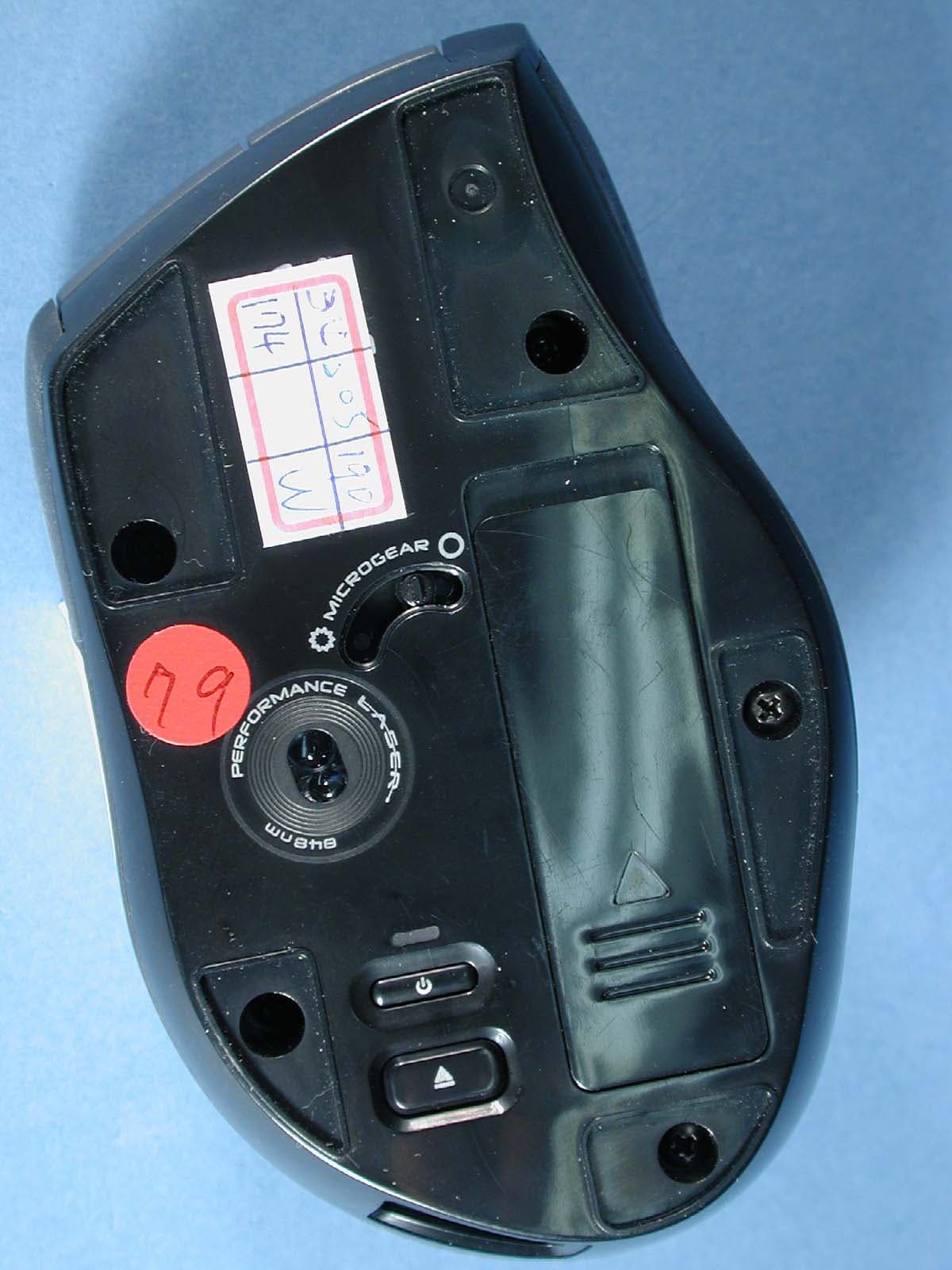
Click to zoom
Application Details
- Equipment Class
- DXX - Part 15 Low Power Communication Device Transmitter
- Date of Grant
- Jul 20, 2006
- Application Purpose
- Original Equipment
- Date of Application
- Jul 20, 2006
- Equipment Note
- Cordless Mouse
- Frequency Range
- 2402.00000000 - 2479.00000000
- Company
- Logitech Inc
- Country
- United States
Documents & Files
Document Text
Text extracted from the exhibit documents filed with the FCC. Open a document above to read the original.
Users Manual
VX Revolution™ 6 VX Revolution™ 5 www.logitech.com/support WWW Czech Republic+420 239 000 335 English: +41-(0)21 863 54 01 +36-177-74 853 Poland+48-22-854 11 51 Russia +7(095)-641 3460 South Africa Dutch: n.a.; English: n.a. Japan +81-(3)3543 21 22 Asia Pacific Headquarters Hsinchu, Taiwan +886-(2)746-6601; x2206 Australia +61-(02)9804-69 68; BBS +61(02)9972 35 61 Corp. Hq. Fremont, USA and Canada +1-510-795 81 00 Euopean., Mid. East., & African Hq. Romanels/ Morges, Switzerland English: +41-(0)21-863 5401 Fax: +41-(0)21-863 5402 Customize/Help English Español Français Português Customizing Your VX Revolution™ with SetPoint™ Use the SetPoint™ Software to customize your VX Revolution™, assign custom actions to mouse buttons, or tune mouse behavior to match the way you work. After SetPoint™ is installed, use the SetPoint™ control panel to select options and assign features. Open the control panel by clicking the Logitech® logo that appears in your taskbar. Troubleshooting Mouse Not Working. 1. Manually turn on the mouse by pressing and holding the Power button briefly. 2. Check Micro Receiver connection; try inserting Micro Receiver in another USB port on your computer. 3. Check battery installation, or replace battery if required. The battery LED will turn red when the battery needs to be replaced. 4. You may need to change the wireless channel by pressing the power button for 5 seconds. The LED will blink to indicate the channel has been changed. Personalización del VX Revolution™ con SetPoint™ Use el software SetPoint™ para personalizar su VX Revolution™: asigne acciones personalizadas a los botones y ajuste el comportamiento del ratón de la forma más adecuada para su estilo de trabajo. Después de instalar SetPoint™, use el panel de control de dicho programa para seleccionar opciones y asignar funciones. Para abrir el panel de control, haga clic en el logotipo de Logitech® visible en la barra de tareas. Resolución de problemas El ratón no funciona. 1. Mantenga pulsado el botón de encendido brevemente para activar el ratón manualmente. 2. Pruebe el funcionamiento del microrreceptor inalámbrico en otro puerto USB del ordenador. 3. Compruebe la colocación de la pila o cámbiela, si es preciso. El diodo de pila emite luz roja cuando es preciso cambiar la pila. 4. Si es preciso cambiar el canal inalámbrico, mantenga pulsado el botón de encendido durante 5 segundos. El indicador parpadea para indicar el cambio de canal. Personnalisation de votre VX Revolution™ avec SetPoint™ Utilisez le logiciel SetPoint™ pour personnaliser votre VX Revolution™, affecter des actions personnalisées aux boutons de la souris ou adapter le comportement de celle-ci à votre façon de travailler. Une fois l'installation de SetPoint™ terminée, sélectionnez les options et les affectations de fonctions à partir du panneau de contrôle SetPoint™. Ouvrez le panneau de contrôle en cliquant sur le logo Logitech® qui apparaît dans la barre des tâches. Dépannage La souris ne fonctionne plus. 1. Mettez la souris sous tension en appuyant sur le bouton d'alimentation et en le maintenant enfoncé un court instant. 2. Vérifiez que le micro-récepteur est bien connecté; branchez-le sur un autre port USB de votre ordinateur. 3. Vérifiez que les piles sont correctement en place; au besoin, remplacez-les. Le témoin de charge des piles devient rouge lorsqu'il est nécessaire de remplacer les piles. 4. Vous devrez peut-être modifier le canal du récepteur sans fil en maintenant le bouton d'alimentation enfoncé pendant cinq secondes. Le témoin LED clignote pour signaler que le canal a été changé. Personalizar o VX Revolution™ com SetPoint™ Utilize o software SetPoint™ para personalizar o VX™ Revolution, atribuir acções personalizadas aos botões do rato ou sintonizar o comportamento do rato com o seu modo de trabalhar. Depois que instalar SetPoint™, utilize o painel de controlo do SetPoint™ para seleccionar opções e atribuir funções. Abra o painel de controlo clicando no logótipo da Logitech® que aparece na barra de tarefas. Resolução de problemas O rato não funciona. 1. Ligue manualmente o rato premindo sem soltar brevemente o botão de energia. 2. Verifique a ligação do micro-receptor. Tente introduzir o micro- receptor em outra porta USB no seu computador. 3. Verifique a instalação das pilhas ou substitua as pilhas, se necessário. O LED das pilhas ficará vermelho quando chegar o momento de as substituir. 4. Talvez seja necessário trocar o canal sem fios pressionando o botão de energia por 5 segundos. O LED piscará para indicar que o canal foi trocado. 1. Searching Perform instant searches on any word or phrase. Highlight text in a document or web page and press the Search button to instantly display results from your favorite search engine. You must install SetPoint™ to customize the search function. Note: When SetPoint™ is installed, the first time you press the Search button a window will appear where you can specify a search engine and choose other options. 2. High-resolution Zoom 3. Universal Forward/Back 1. Pesquisar Realize pesquisas instantâneas de palavras ou frases. Realce texto num documento ou numa página da Web e prima o botão Pesquisa para visualizar instantaneamente resultados do seu motor de procura preferido. É necessário instalar SetPoint™ para personalizar a função de pesquisa. Nota: Quando SetPoint™ é instalado, a primeira vez que premir o botão Pesquisa aparecerá uma janela em que pode especificar o motor de procura e escolher outras opções. 2. Zoom de alta resolução 3. Avançar/Retrocesso Universal 1. Recherche Recherchez rapidement un mot ou une phrase. Sélectionnez un document ou une page Web et appuyez sur le bouton Recherche pour afficher instantanément les résultats dans le moteur de recherche de votre choix. Vous devez installer SetPoint™ pour pouvoir personnaliser la fonction de recherche. Remarque: une fois SetPoint™ installé, une fenêtre de paramétrage s'ouvre la première fois que vous appuyez sur le bouton Recher…
Text truncated - open the document above for the full version.
Users Manual
User’s Guide Guide d’utilisateur Cordless Laser Mouse for Notebooks VX Revolution ™ © 2006 Logitech. All rights reserved. Logitech, the Logitech logo, and other Logitech marks are owned by Logitech and may be registered. All other trademarks are the property of their respective owners. Logitech assumes no responsibility for any errors that may appear in this manual. Information contained herein is subject to change without notice. © 2006 Logitech. Tous droits réservés. Logitech, le logo Logitech et les autres marques Logitech sont la propriété exclusive de Logitech et sont susceptibles d’être des marques déposées. Toutes les autres marques sont la propriété exclusive de leurs détenteurs respectifs. Logitech décline toute responsabilité en cas d'erreurs dans ce manuel. Les informations énoncées dans le présent document peuvent faire l’objet de modifications sans avis préalable. 624223-0403.A Souris laser sans fil pour portables VX Revolution™ 2 VX Revolution™ 4 VX Revolution™ 1 VX Revolution™ 3 Scrolling Side-to-Side You can scroll side to side by tilting the wheel left or right. This feature is especially useful in spreadsheets or when viewing large-size images. You must install SetPoint™ to enable side-to-side scrolling. Quick-flipping Through Documents Click the scroll wheel to display a window listing all currently active applications. Rotate the wheel to select an application and click it to activate the selected document. You must install SetPoint™ to enable quick-flipping. Desplazamiento horizontal Incline el botón rueda hacia la derecha o la izquierda para desplazarse en la dirección deseada. Esta función es especialmente útil con hojas de cálculo e imágenes de gran tamaño. Tenga en cuenta que SetPoint™ debe estar instalado para activar el desplazamiento horizontal. Activación rápida de documentos Haga clic con en el botón rueda para abrir una ventana con una lista de todas las aplicaciones activas. Gire la rueda para seleccionar una de ellas y haga clic sobre ella para activar el documento seleccionado. Tenga en cuenta que SetPoint™ debe estar instalado para activar esta función. Défilement latéral Vous pouvez effectuer un défilement latéral en faisant tourner la roulette vers la gauche ou la droite. Cette fonction est particulièrement utile avec les feuilles de calcul ou les images de grandes dimensions. Vous devez installer SetPoint™ pour pouvoir activer le défilement latéral. Navigation rapide à travers les documents Cliquez sur la roulette de défilement pour faire apparaître une fenêtre où sont listées toutes les applications actives. Tournez la roulette pour sélectionner une application et cliquez dessus pour activer le document sélectionné. Vous devez installer SetPoint™ pour pouvoir activer la navigation rapide. Deslocação horizontal Pode deslocar horizontal- mente inclinando a roda para a direita ou para a esquerda. Esta funcionalidade é útil principalmente em folhas de cálculo ou quando estiver a visualizar imagens grandes. É necessário instalar SetPoint™ para activar a deslocação horizontal. Rodar rapidamente por documentos Clique na roda de deslocação para exibir uma janela que lista todas as aplicações activas actualmente. Gire a roda para seleccionar uma aplicação e clique para activar o documentos seleccionado. É necessário instalar SetPoint™ para activar a funcionalidade de rodar rapidamente. Your VX Revolution™ features powerful new controls to help you navigate with speed and precision. A quick look at this guide will help you get the most out of your new mouse. Package Contents: • Micro-Receiver • AA Battery • Logitech® SetPoint™ Software CD-ROM Installation Setting up your mouse only takes a couple of minutes. 1. Slide the battery door off and install the AA alkaline battery. 2. Plug the Micro Receiver into a USB port on your computer. 3. Install the software to take advantage of all the features of your VX Revolution™. For Windows®, insert the SetPoint™ software CD into your computer’s CD-ROM drive and follow the on-screen instructions. Macintosh® users should download the Logitech® Control Center software from www.logitech.com/ vxrevolution/software and follow the online instructions. El VX Revolution™ está dotado de eficaces controles para agilizar la navegación con toda precisión. Lea la información de este documento para sacar el máximo provecho de este ratón. Contenido de la caja: • Microrreceptor • Pila AA • CD-ROM con software Logitech® SetPoint™ Instalación La configuración del ratón es sólo cuestión de unos minutos. 1. Deslice la tapa del compartimento de las pilas y coloque la pila AA alcalina. 2. Conecte el microrreceptor a un puerto USB del ordenador. 3. Instale el software para poder usar todas las funciones del VX Revolution™. Windows®: introduzca el CD del software SetPoint™ en la unidad de CD-ROM del ordenador y siga las instrucciones en pantalla. Macintosh®: descargue el software Logitech® Control Center desde w.logitech.com/ vxrevolution/software y siga las instrucciones en pantalla. Votre VX Revolution™ intègre des commandes innovantes et très sophistiquées pour faciliter la navigation et la rendre plus précise et plus rapide. Une brève lecture de ce guide vous aidera à tirer le meilleur parti de votre nouvelle souris. Contenu: • Micro-récepteur • Piles AA • CD-Rom d'installation de Logitech® SetPoint™ Installation La configuration de votre souris ne prend que quelques minutes. 1. Retirez le couvercle du compartiment des piles et insérez les piles alcalines AA. 2. Branchez le micro-récepteur dans un port USB de votre ordinateur. 3. Installez le logiciel pour pouvoir bénéficier de toutes les fonctions de votre VX Revolution™. Sous Windows®, insérez le CD-ROM d'installation du logiciel SetPoint™ dans le lecteur et suivez les instructions à l'écran. Sous Macintosh : téléchargez le logiciel Logitech® Control Center depuis la page ww.logitech.com/ vxrevolution/software et suivez les instructions en ligne. VX™ Revolution inclui novos e poderosos c…
Text truncated - open the document above for the full version.
Users Manual
© 2006 Logitech. All Rights Reserved. Logitech, the Logitech logo, and other Logitech marks are owned by Logitech and may be registered. All other trademarks are the property of their respective owners. Logitech assumes no responsibility for any errors that may appear in this manual. Information contained herein is subject to change without notice. Document Part Number: The following "FCC Compliance and Advisory Statement" apply in general to all Logitech devices, and specifically to the devices listed there: Logitech 2.4 GHz devices ( power 3 mW max) : Model names FCC ID Model names FCC ID M-RAB81 DZL201662 M-RAP81 DZL201828A M-RAN100 DZL201866 M-RBB93 JNZ201943 M-RBA97 DZL201945 M-RAY105 DZL201940 M-RBK93b JNZ201998 M-RBH113 DZL201966 M-RBL117 DZL201992 M-RBT105A JNZ212125 M-RBP123 DZL202163 M-RBQ124 DZL202311 M-RBR125 JNZ222167 M-RBU126 DZL202251 Y-RM42 DZL201658 Y-RZ42 DZL201658A Y-RN43 DZL201678 Y-RAA43 DZL201678A Y-RP20 DZL201661 Y-RAH72 DZL201974 Y-RAN77 JNZ222130 Y-RAY81 DZL202343 C-BM16A DZL201657 C-UJ16A DZL201657 C-BQ16A DZL201657A C-UW34 DZL201958 C-UX34 DZL201963 C-UV35 DZL201986 Logitech 27 MHz devices ( power 1 mW max): Model names FCC ID Model names FCC ID M-RY81 JNZ211596 M-RAJ89A JNZ201779 M-RAA88 DZL211647 M-RAK89B DZL201780 M-RAA89 DZL211646 M-RAJ88A JNZ201798 M-RAA93 DZL201705 M-RAJ89C JNZ201779 M-RAF95 JNZ201740 M-RAU95 JNZ201893 M-RR95 JNZ201721 M-RAG97 DZL201758 M-RAM99 DZL201843 M-RAA93a JNZ201759 M-RAT95A JNZ201892 M-RAS88A JNZ201895 M-RAK89D DZL201780 M-RAZ105 DZL201959 M-RBG112 JNZ211953 M-RBG114 JNZ202023 M-RBF111 JNZ201962 M-RBN114 JNZ212106 M-RBW112 JNZ202484 Y-RK56 JNZRK56587 Y-RQ53 DZL131139 Y-RK56A JNZRK56587 Y-RR53 DZL131836 Y-RQ57 JNZ201774 Y-RQ52 DZL131836 Y-RX43 DZL201824 Y-RR57 DZL131836 Y-RW42 DZL201801 Y-RR54 DZL131836M Y-RK49 JNZ201587 Y-RAJ56A JNZ201997 Y-RR71 JNZYRR71 Y-RR63 JNZ201968 Y-RAK73 DZL202065 Y-RAM74 DZL134041 Y-RAU7 JNZ202198 Y-RAR76 JNZ212336 Y-RAP78 JNZ212175 Y-RAS79 JNZ212336 Y-RAV80 DZL135446 R-RD8 JNZ201987 FCC Compliance and Advisory Statement. This hardware device complies with Part 15 of the FCC Rules. Operation is subject to the following two conditions: 1) this device may not cause harmful interference, and 2) this device must accept any interference received, including interference that may cause undesired operation. This equipment has been tested and found to comply with the limits for a Class B digital device, pursuant to Part 15 of the FCC Rules. These limits are designed to provide reasonable protection against harmful interference in a residential installation. This equipment generates, uses, and can radiate radio frequency energy and, if not installed or used in accordance with the instructions, may cause harmful interference to radio communications. However, there is no guarantee that interference will not occur in a particular installation. If this equipment does cause harmful interference to radio or television reception, which can be determined by turning the equipment off and on, the user is encouraged to try to correct the interference by one or more of the following measures: 1) reorient or relocate the receiving antenna; 2) increase the separation between the equipment and the receiver; 3) connect the equipment to an outlet on a circuit different from that to which the receiver is connected; 4) consult the dealer or an experienced radio/TV technician for help. Any changes or modifications not expressly approved by the party responsible for compliance could void the user's authority to operate the equipment. Where shielded interface cables have been provided with the product or specified additional components or accessories elsewhere defined to be used with the installation of the product, they must be used in order to ensure compliance with FCC regulations. © 2006 Logitech. Tous droits réservés. Logitech, le logo Logitech et les autres marques Logitech sont la propriété exclusive de Logitech et sont susceptibles d’être des marques déposées. Toutes les autres marques sont la propriété exclusive de leurs détenteurs respectifs. Logitech décline toute responsabilité en cas d'erreurs dans ce manuel. Les informations énoncées dans le présent document peuvent faire l’objet de modifications sans avis préalable. La "Déclaration FCC" suivante, s'applique à tous les produits Logitech en général et spécifiquement aux produits listés ci-dessous: Produits Logitech 2.4 GHz: ( puissance émise 3 mW max): Model names FCC ID Model names FCC ID M-RAB81 DZL201662 M-RAP81 DZL201828A M-RAN100 DZL201866 M-RBB93 JNZ201943 M-RBA97 DZL201945 M-RAY105 DZL201940 M-RBK93b JNZ201998 M-RBH113 DZL201966 M-RBL117 DZL201992 M-RBT105A JNZ212125 M-RBP123 DZL202163 M-RBQ124 DZL202311 M-RBR125 JNZ222167 M-RBU126 DZL202251 Y-RM42 DZL201658 Y-RZ42 DZL201658A Y-RN43 DZL201678 Y-RAA43 DZL201678A Y-RP20 DZL201661 Y-RAH72 DZL201974 Y-RAN77 JNZ222130 Y-RAY81 DZL202343 C-BM16A DZL201657 C-UJ16A DZL201657 C-BQ16A DZL201657A C-UW34 DZL201958 C-UX34 DZL201963 C-UV35 DZL201986 Produits Logitech 27 MHz ( puissance émise 1 mW max): Model names FCC ID Model names FCC ID M-RY81 JNZ211596 M-RAJ89A JNZ201779 M-RAA88 DZL211647 M-RAK89B DZL201780 M-RAA89 DZL211646 M-RAJ88A JNZ201798 M-RAA93 DZL201705 M-RAJ89C JNZ201779 M-RAF95 JNZ201740 M-RAU95 JNZ201893 M-RR95 JNZ201721 M-RAG97 DZL201758 M-RAM99 DZL201843 M-RAA93a JNZ201759 M-RAT95A JNZ201892 M-RAS88A JNZ201895 M-RAK89D DZL201780 M-RAZ105 DZL201959 M-RBG112 JNZ211953 M-RBG114 JNZ202023 M-RBF111 JNZ201962 M-RBN114 JNZ212106 M-RBW112 JNZ202484 Y-RK56 JNZRK56587 Y-RQ53 DZL131139 Y-RK56A JNZRK56587 Y-RR53 DZL131836 Y-RQ57 JNZ201774 Y-RQ52 DZL131836 Y-RX43 DZL201824 Y-RR57 DZL131836 Y-RW42 DZL201801 Y-RR54 DZL131836M Y-RK49 JNZ201587 Y-RAJ56A JNZ201997 Y-RR71 JNZYRR71 Y-RR63 JNZ201968 Y-RAK73 DZL202065 Y-RAM74 DZL134041 Y-RAU7 JNZ202198 Y-RAR76 JNZ212336 Y-RAP78 JNZ212175 Y-RAS79 JNZ212336 Y-RAV80 DZL135446 R-RD8 JNZ201987 Déclaration FCC. Cet équipement a été testé et déclaré conforme à la section 15 du règlement de la …
Text truncated - open the document above for the full version.
Cover Letter(s)
Logitech Europe S.A. Z.I Moulin du Choc D 1122 Romanel sur Morges Switzerland To: Telefication B.V. Attn: Dept. FCC TCB Edisonstraat 12A 6902 PK ZEVENAAR The Netherlands Subject: Request for permanent FCC confidentiality (FCC ID: DZL202251) Reference number: M-RBU126 Date: 07 June 2006 Dear FCC TCB, Persuant to 47 CFR Section 0.459(a) & (b), Logitech Europe S.A. hereby requests permanent FCC confidentiality of the following materials submitted in support of FCC certification application for FCC ID: DZL202251 a. Block diagram b. Schematic diagrams c. Operational description d. Bill of Material Above materials contain secrets, proprietary and technical information, which would customarily be quarded from competitors under 47 CFR, section 0.457(d)(2). Disclosure or publication or any portion of this company confidential material to other parties could cause substantial competitive harm and provide unjustified benefits for competitors. Logitech Europe S.A. understands that pursuant to 47 CFR section 0.457(d)(1)(ii) disclosure of the applicant and all accompanying documentation will not be made before the date of the grant. Pascal Bornel Sr. Compliance engineer
Cover Letter(s)
Logitech Europe S.A. Z.I Moulin du Choc D 1122 Romanel sur Morges Switzerland To: Telefication B.V. Attn: Dept. FCC TCB Edisonstraat 12A 6902 PK ZEVENAAR The Netherlands Subject: Temporary FCC confidentiality request regarding the application for certification of FCC ID: DZL202251 Reference number: M-RBU126 Date: 07 June 2006 Dear FCC TCB, Pursuant to 47 CFR Section 0.459(a) & (b), Logitech Europe S.A. hereby requests a temporary confidential treatment for the following materials submitted in support of FCC certification application for FCC ID: DZL202251 for 45 days after the grant date of Equipment Authorization: a. Photographs of overall appearance b. Test set-up photographs c. User’s manual d. Internal photographs Above materials contain secrets, proprietary and technical information, which would customarily be guarded from competitors under 47 CFR, section 0.457(d)(2). Disclosure or publication or any portion of this company confidential material to other parties could cause substantial competitive harm and provide unjustified benefits for competitors. Logitech Europe S.A. understands that pursuant to 47 CFR section 0.457(d)(1)(ii) disclosure of the applicant and all accompanying documentation will not be made before the date of the grant. Pascal Bornel Sr. Compliance engineer
External Photos
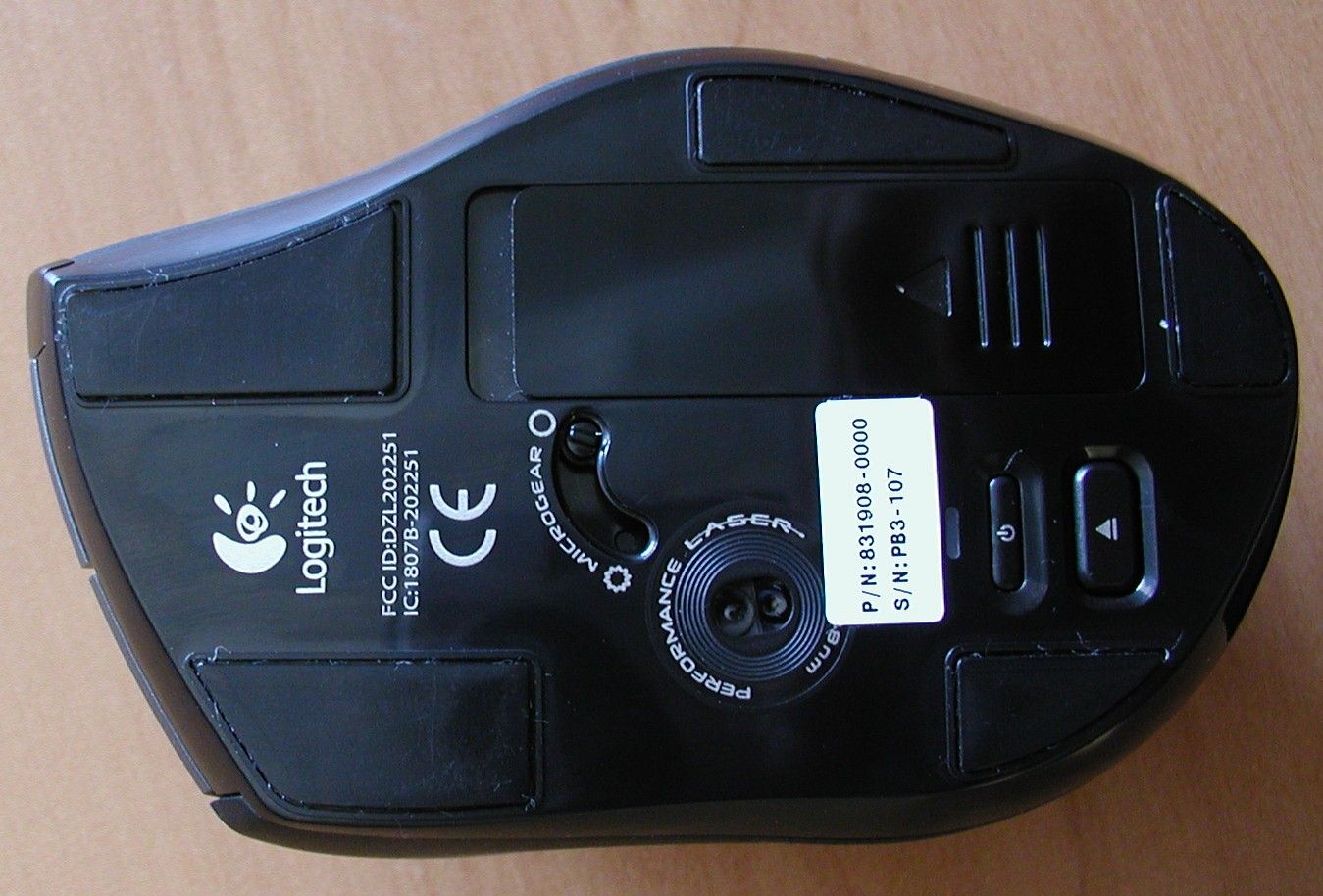
Photographs module 99761931 External PHOTOGRAPH 1: M-RBU126 TOP VIEW.......................................................................................................... 2 PHOTOGRAPH 2: M-RBU126 BOTTOM VIEW................................................................................................... 3 Page: 2 of 3 Report number: 99761931 Photograph 1: M-RBU126 top view Page: 3 of 3 Report number: 99761931 Photograph 2: M-RBU126 bottom view
Internal Photos
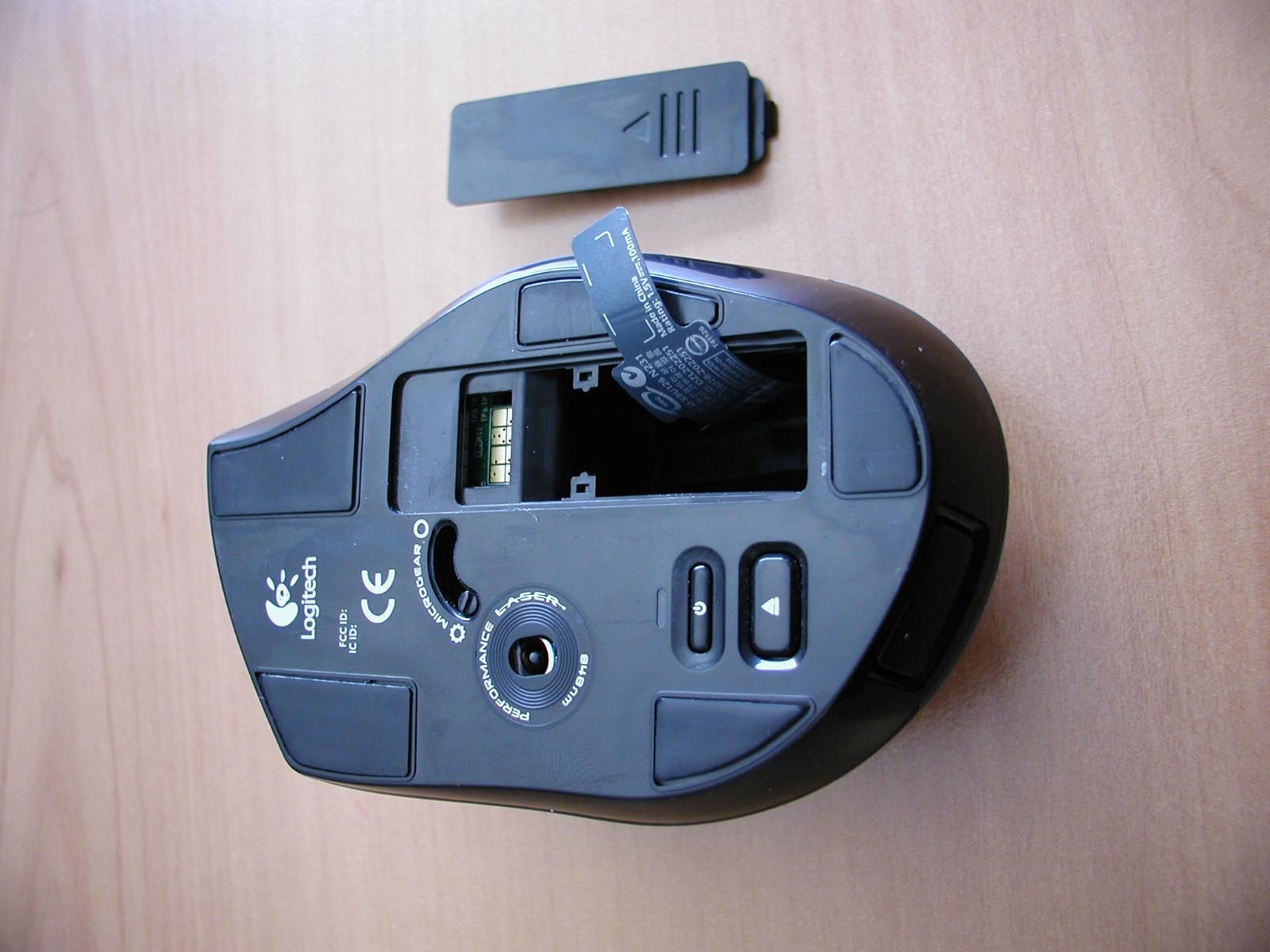
Photographs module 99761931 Internal PHOTOGRAPH 1: M-RBU126, EXPLODED VIEW.............................................................................................. 2 PHOTOGRAPH 2: M-RBU126, PCB TOP SIDE.................................................................................................. 3 PHOTOGRAPH 3: M-RBU126, PCB BOTTOM SIDE........................................................................................... 4 PHOTOGRAPH 4: M-RBU126, PCB ANTENNA................................................................................................. 5 PHOTOGRAPH 5: M-RBU126, LABEL FRONT (IN BATTERY COMPARTMENT).................................................... 6 PHOTOGRAPH 6: M-RBU126, LABEL REAR (IN BATTERY COMPARTMENT)...................................................... 7 Page: 2 of 7 Report number: 99761931 Photograph 1: M-RBU126, exploded view Page: 3 of 7 Report number: 99761931 Photograph 2: M-RBU126, PCB top side Page: 4 of 7 Report number: 99761931 Photograph 3: M-RBU126, PCB bottom side Page: 5 of 7 Report number: 99761931 Photograph 4: M-RBU126, PCB antenna Page: 6 of 7 Report number: 99761931 Photograph 5: M-RBU126, label front (in battery compartment) Page: 7 of 7 Report number: 99761931 Photograph 6: M-RBU126, label rear (in battery compartment)
Test Report
Radio test report 99761931 based on: - FCC Part 15 Subpart C, sections 15.209 and 15.249 (10-1-05 Edition) - RSS-210, Issue 6 (Sept. 2005 edition) Cordless Mouse Logitech M-RBU126 Logitech AGY 737577-0000.A0 Report number: 99761931 Logitech AGY 737577-0000.A0 Contents MAIN MODULE............................................................................................................................................3 1 I NTRODUCTION ....................................................................................................................................3 2 P RODUCT .............................................................................................................................................4 3 T EST SCHEDULE ...................................................................................................................................4 4 P RODUCT DOCUMENTATION .................................................................................................................5 5 O BSERVATIONS AND COMMENTS .........................................................................................................5 6 M ODIFICATIONS TO THE SAMPLE ..........................................................................................................6 7 S UMMARY ............................................................................................................................................6 8 C ONCLUSIONS ......................................................................................................................................7 TEST RESULTS MODULE .........................................................................................................................8 1 G ENERAL INFORMATION ......................................................................................................................8 1.1 Equipment information ...................................................................................................................8 2 E MISSION TESTS ...................................................................................................................................9 2.1 Field strength of intentional signal .................................................................................................9 2.2 Field strength of unwanted emissions 30 - 1000 MHz .................................................................10 2.3 Field strength of unwanted emissions > 1000 MHz .....................................................................11 3 B ANDWIDTH MEASUREMENTS ............................................................................................................15 3.1 Occupied Bandwidth ....................................................................................................................15 3.2 6dB Bandwidth .............................................................................................................................16 4 F REQUENCY STABILITY ......................................................................................................................17 USED TEST EQUIPMENT MODULE .....................................................................................................18 CROSS REFERENCE TABLE ..................................................................................................................19 This report comprises of four modules. The total number of pages is: 19 Main module Page: 3 of 19 Report number: 99761931 Logitech AGY 737577-0000.A0 Main module 1 Introduction This report contains the result of tests performed by: Telefication B.V. Edisonstraat 12a 6902 PK Zevenaar The Netherlands Telefication complies with the accreditation criteria for test laboratories as laid down in ISO/IEC 17025:1999. The accreditation covers the quality system of the laboratory as well as the specific activities as described in the authorized annex bearing the accreditation number L021 and is granted on 30 November 1990 by the Dutch Council For Accreditation (RvA: Raad voor Accreditatie). The contents of this test report, if reproduced, shall be copied in full, unless special consent in writing for reproduction in part is granted by Telefication. Copyright of this test report is reserved to Telefication. Ordering party: Company name : Logitech Europe S.A. Address : Z.I. Moulin du Choc D Zipcode : 1122 City/town : Romanel sur Morges Country : Switzerland Date of order : 2 June 2006 Main module Page: 4 of 19 Report number: 99761931 Logitech AGY 737577-0000.A0 2 Product A sample of the following product was submitted for testing: Product description : Cordless Mouse Manufacturer : LOGITECH Technolory Co., LTD Trade mark : Logitech Type designation : M-RBU126 FCC ID : DZL202251 Hardware version : -- Serial number : -- Software release : -- 3 Test schedule Tests were carried out in accordance with the specification detailed in chapter 7 “Summary” of this report. Tests were carried out at the following location: • Telefication, Zevenaar The samples of the product were received on: • 6 June 2006 Tests were carried out from: • 19 June 2006 to 29 June 2006 Main module Page: 5 of 19 Report number: 99761931 Logitech AGY 737577-0000.A0 4 Product documentation For production of this report the following product documentation was used: Description: Date: Identification: Product description June 2006 M-RBU126_Description_GB.doc Circuit diagrams 5 May 2006 SCH-222251-0000 Parts list 8 June 2006 M-RBU126 BOM_revA0.xls PCB layout drawings Main PCB 31 May 2006 Madeira M-RBU126 Rev A0 Testing indications 2 June 2006 Testing indications for the Cordless Optical Mouse M-RBU126.doc The above-mentioned documentation will be filed at Telefication for a period of 10 years following the issue of this test report. 5 Observations and comments The M-RBU126 is a wireless mouse. A sample with special firmware was supplied to be able to test the radio parameters. It is also possible to set the …
Text truncated - open the document above for the full version.
Test Setup Photos
Photographs module 99761931 Test setup PHOTOGRAPH 1: TEST SETUP RADIATED EMISSIONS UP TO 1000 MHZ (EXPLORATORY) ................................. 2 PHOTOGRAPH 2: TEST SETUP RADIATED EMISSIONS > 1000 MHZ................................................................... 3 Page: 2 of 3 Report number: 99761931 Photograph 1: Test setup radiated emissions up to 1000 MHz (exploratory) Page: 3 of 3 Report number: 99761931 Photograph 2: Test setup radiated emissions > 1000 MHz
Contact Information
Applicant
Paul Zahra(Regulatory Compliance Manager)
Technical Contact
Logitech Europe S.A.Pascal Bornel
[email protected]+41218635067
Z.I. Moulin de choc D · Romanel sur Morges · Switzerland
Test Firm
Kiwa Nederland B.V.Willem Jong
[email protected]+31 889983621
Technical Specifications
| # | Rule Parts | Frequency Range | Power Output |
|---|---|---|---|
| 1 | 15C | 2.40 GHz - 2.48 GHz | - |
Other Applications from Logitech Inc
DZLS00118
Oct 06, 2011AIR SPEAKER
Equipment Class
DTS - Digital Transmission System
DZLA00032
Aug 07, 2011Nano Receiver
Equipment Class
DSS - Part 15 Spread Spectrum Transmitter
DZLA00031
Jul 24, 2011Wireless Headset H600
Equipment Class
DSS - Part 15 Spread Spectrum Transmitter
DZLS00114
Jul 20, 2011Wireless module
Equipment Class
DSS - Part 15 Spread Spectrum Transmitter
DZLA00033
Jul 18, 2011Wireless Headset H800
Equipment Class
DSS - Part 15 Spread Spectrum Transmitter