DZLA00023A-00023
Logitech Inc
Click to zoom
Application Details
- Equipment Class
- DTS - Digital Transmission System
- Date of Grant
- Jul 14, 2010
- Application Purpose
- Original Equipment
- Date of Application
- Jul 14, 2010
- Equipment Note
- A-00023
- Frequency Range
- 2405.00000000 - 2477.00000000
- Company
- Logitech Inc
- Country
- United States
Documents & Files
Document Text
Text extracted from the exhibit documents filed with the FCC. Open a document above to read the original.
Users Manual
Getting started with Première utilisation Logitech ® Wireless Gaming Headset G930 2 Logitech ® Wireless Gaming Headset G930 3 Logitech ® Wireless Gaming Headset G930 Contents English 4 Français 11 Español 18 Important information Safety, compliance, and warranty Getting started with Première utilisation Logitech ® Wireless Gaming Headset G930 4 English Getting started with English 5 Logitech ® Wireless Gaming Headset G930 1 Memory foam headband pad 2 Precision headband adjustment 3 Wireless adapter dock 4 Charging cable 5 Charging base 6 Full-speed USB connection 7 Plush ear pads 8 Programmable G-keys 9 Closed-back, noise-isolating ear cups 10 Wireless status light 11 Wireless adapter 12 Microphone mute light 13 Noise-canceling microphone 14 Flexible, rotating microphone boom 15 Microphone mute button 16 Volume roller 17 Battery status light 18 Charging port 19 Surround sound switch 20 Power button 12 14 15 13 16 1817 2 9 8 20 19 1 7 4 3 1110 5 6 1 2 USB Wireless status light Steady greenConnection made; headset ready to use Flashing greenHeadset out of range No lightHeadset powered off No lightNo connection to headset Note: The headset connects only to the included USB wireless adapter Install the Headset G930 software to enable 7 1 surround sound, G-key configuration, and voice morphing Connect wireless adapter to the charging base Connect the charging base to a USB port on your computer Place the charging base in an open, unobstructed area on your desk Note: Your headset can work up to 40 feet away from the wireless adapter Walls, metal objects and other wireless devices may reduce wireless performance 3 Press the power button to turn on the headset and establish a wireless connection Note: The headset comes with a limited charge out of the box Fully charge the headset before extensive use 6 English Getting started with English 7 Logitech ® Wireless Gaming Headset G930 4 5 Adjust the headband for a comfortable fit Place the microphone about an inch away from the corner of your mouth for optimal voice clarity Slide the surround sound switch down to turn on this feature You must install the included software to activate surround sound Adjust headset volume using the volume roller Mute the microphone by rotating the microphone boom to its up position or pressing the microphone mute button The microphone mute light illuminates when the microphone is muted Use the G930 software to program the G-keys Here are examples of popular actions assigned to G-keys Media controls Push to talk Controls Voice morphing 8 English Getting started with English 9 Logitech ® Wireless Gaming Headset G930 Battery status light GreenMore than 1 hour of play time left RedLess than 1 hour of play time left Flashing orangeHeadset charging Steady orangeCharging complete No lightHeadset off or no charge remaining Note: Battery status is also shown in the G930 software Note: The headset will play an audible warning when the battery is low This can be turned off in the software Rechargeable battery is removable for disposal and recycling Replacement battery available online See Important Information and www logitech com/support/G930 for more information Note: To learn more about your software’s features, check out the digital user’s manual in the software 1 5 6 3 4 2 7 Audio levels1. Advanced equalizer2. G-keys customization3. Battery status4. Voice morphing5. Surround sound mixer6. Settings and user manual7. ChargingG930 software The internal rechargeable battery gives you up to 10 hours of play time on a full charge A full charge can take up to two and a half hours Headset can charge while in use 10 English Getting started with Français 11 Logitech ® Wireless Gaming Headset G930 Audio tips For the best listening experience, configure your game or media player audio setting to 7 1 or 5 1 surround • sound output, if available Avoid using settings labeled “headphones” because they do not output surround sound For surround sound playback with movies, ensure your media player has the proper Dolby® or DTS® codecs • to output surround sound Use the sidetone setting in the G930 software for a more natural speaking experience by controlling • the loudness of your voice back into the headset This feature does not affect how others hear you Use the advanced equalizer in the software to fine-tune audio playback response • When using voice morphing, use the voice preview feature to verify that your voice is intelligible If your voice • sounds garbled, select a different pitch from the pitch calibration menu General-use tips For optimal wireless performance, plug the wireless receiver into the charging base and place in an open, • unobstructed area on your desk Avoid connecting the wireless receiver to keyboards or monitors, in back of desktop towers, or near other wireless receivers or Wi-Fi routers To charge the headset when your PC is sleeping or off, your PC must power the USB ports in those states • If it does not, adjust your PC power management options to keep your PC on and awake when you want to charge the headset If an application is not recognizing the headset, try quitting the application and relaunching it • To get the most from your G930 headset, read the digital user manual found in the software You can also visit • www logitech com/support/G930 for more product support 1 Protection de bandeau en mousse à mémoire de forme 2 Réglage de précision du bandeau 3 Dock sans fil 4 Câble de charge 5 Base de charge 6 Connexion USB pleine vitesse 7 Oreillettes rembourrées 8 Touches G programmables 9 Oreillettes à isolation phonique fermées 10 Témoin d'état de la connexion sans fil 11 Adaptateur sans fil 12 Témoin lumineux de sourdine du microphone 13 Micro anti-bruits 14 Tige de micro modulable 15 Bouton de mise en sourdine du microphone 16 Molette de volume 17 Témoin de charge des piles 18 Port de charge 19 Commutateur de son surround 20 Bouton de marche/arrêt 12 14 15 13 16 1817 2 9 8 20 19 1 7 4 3 1110 5 6 12 Français Premi…
Text truncated - open the document above for the full version.
Users Manual
DIE LINES SPO T C OL ORS PR OCESS COL ORS COL OR SPECIFIC ATIONS BR AND / L AUNCH: Logitech 2009 PR OJECT TITLE: OboeDET AILS: AMR / GSW Guide K525507595 SPECIFICATIONS / NOTES: F inal f iles Job is grey scale MODIFICATION DATE: December 9, 2009 THIS PRINT SIZE / SCALE: 100% of original Designer: Emma Ghiselli Location: Fremont, CA, USA DIE LINE COL OR (NO PRINT) DIELINE NAME: n/a DIELINE RECEIVED: n/a www.logitech.com © 2010 Logitech. All rights reserved. Logitech, the Logitech logo, and other Logitech marks are owned by Logitech and may be registered. Logitech assumes no responsibility for any errors that may appear in this manual. Information contained herein is subject to change without notice. © 2010 Logitech. Tous droits réservés. Logitech, le logo Logitech et les autres marques Logitech sont la propriété de Logitech et sont susceptibles d'être déposés. Logitech décline toute responsabilité en cas d'erreurs dans ce manuel. Les informations énoncées dans ce document peuvent faire l'objet de modifications sans avis préalable. 620-002602.004 Logitech Important Information Safety, Compliance, and Warranty English Safety information WARNING! ELECTRIC SHOCK HAZARD: TO REDUCE THE RISK OF FIRE OR ELECTRIC SHOCK, DO NOT EXPOSE THIS PRODUCT TO WATER. Read and follow these instructions, heed all warnings, and keep this document for future reference. • Your product is suitable for use in semi-tropical and moderate climates only. Set up your product in accordance with Logitech’s product documentation, and place your product in a stable location so it will not fall and cause product damage or bodily harm. Operate your product only from the low-level, audio line output jack of your computer or audio component. • Do not use your product near water, including dripping or splashing sources (e.g., indoor fountains), or near objects filled with liquids, such as flower vases or fish tanks. • Do not use your product near heat sources (e.g., radiators, heat registers, stoves, open flames, such as lighted candles, or other heat-producing devices, such as audio amplifiers or TVs). • Do not block ventilation openings or push objects into product vents, ports, or slots. Doing so may create an electric shock or fire hazard. Maintain a minimum distance of at least 15 cm (6 inches) around your product for sufficient ventilation. Covering ventilation openings with such items as newspapers, tablecloths, or curtains may impede ventilation and cause a fire. • Do not, under any circumstance, modify your product’s power cord and plug, including the power cord and plug to your product’s power supply, if one has been included. If the plug does not fit into your AC outlet, have a certified electrician replace your obsolete AC outlet. Protect the power cord from being stepped on or pinched, especially where the cord exits the product or plugs into an AC outlet or power strip. • Unplug your product during lightning storms or when it’s not being used for long periods of time. Disconnect your product from the AC outlet by first turning off the product or by placing it in standby mode (see product documentation for more information) before unplugging the product’s power cord from the AC outlet. Your product’s power cord and plug must remain operational at all times, and the AC outlet (receptacle) should be near the product and easily accessible. • Only use approved attachments and accessories specified by Logitech. • Refer all servicing and repair to qualified service personnel. Servicing is required when your product does not operate normally, the power cord/plug has been damaged, the product has been exposed to water, rain, liquid, or moisture, the product has been dropped, or an object has been inserted into a product port or vent. • For portable products or products weighing less than 7 kg (15 lbs), the product label may be found on the product stand, under a lid, or on the bottom of the product itself. • Clean your product using only a dry cloth and no water or liquid. Warning Symbols Explained This symbol is placed on the product to tell you to proceed with CAUTION. Refer to your product documentation before continuing. Find the section in the manual that pertains to the product feature or function referenced by this symbol. This symbol is placed on the product as a WARNING. Access to this area of the product is restricted. Failure to comply could result in an electrical shock hazard. Protect your hearing Listening advice to avoid hearing damage Listening via headphones, earbuds, or headsets at a high volume may cause permanent hearing loss to occur. The louder the volume, the less time is required before your hearing could be affected. To establish a safe volume level: • Start your equipment with the volume control at its lowest setting. • Slowly increase the sound until you can hear it comfortably and clearly, and without distortion. • Avoid setting the volume at a level that prevents you from hearing conversations and other similar noises around you. Once you have established a comfortable sound level, leave it there. If you experience a ringing in your ears, discomfort or muffled speech, reduce the volume or stop listening and have your hearing checked. See the product support page on the Logitech website www.logitech.com for additional information.Disposal guidelines at product end of life Some Logitech products use non-serviceable, nickel-metal h ydride (NiMH) batteries, which should last the duration of a product’s warranty period under normal use. Please do NOT attempt to change the battery yourself. If the battery has died and you do not want Logitech t o r eplace the battery, y ou should follo w t he disposal instructions in the documentation that accompanies your product. Also consult local laws and regulations for the proper disposal of batteries and electronic devices in your r egion. If ther e a re no local regulations concerning electronic waste disposal, place your product (and its battery) in a w ast e…
Text truncated - open the document above for the full version.
Attestation Statements
June 15, 2010 Federal Communications Commission Authorization and Evaluation Division 7435Oakland Mills Road Columbia, Maryland 21046 Subject: FCC Declaration of Conformity Attestation To Whom It May Concern, We, the undersigned, hereby attest thata Declaration of Conformity, based on the testing from a FCC recognized accredited testing laboratory, will be made prior to marketing the device “Wireless Gaming HeadsetG930” (FCC ID:DZLA00023). Please feel free to contact me at (360)817-1216orvia e-mail [email protected]. Sincerely, Aaron Cohen Compliance Engineer Logitech, Inc.
Cover Letter(s)
June 15, 2010 Federal Communications Commission Authorization and Evaluation Division 7435Oakland Mills Road Columbia, Maryland 21046 Subject: Cover Letter To Whom It May Concern, Logitech is requesting an original certification for our unlicensedwirelessheadsetproductcalled “Wireless Gaming HeadsetG930”, Model #A-00023,FCC ID:DZLA00023. The Logitech wirelessheadsetproductwill operate under FCCrules 47 CFR15.247as aDTS transmitter.The product uses a proprietary 2.4GHz protocol and, therefore, there is noapplicable IEEE standard. Thewirelessheadset contains atransceiverthatis a low powerdevice(approximately4mW EIRP)which is designed to beworn on the headto enable a cordless two-way transmission with a source transceiver(certified separately,Model #A-00024,FCC ID: DZLA00024). Thewirelessheadsetdevicewill be utilizing the frequency range of 2405MHz–2477MHz and employing aπ/4DQPSK modulation schemewith 2MHz channel spacing.There is a single data rate (2Mbit/sec) available for link control, stereo audio, and Over-the-Air Serial Interface control information. The radio has two quarter-wavelength monopole RFwireantennasmounted perpendicular to one another. This configuration satisfies the requirements of 47 CFR 15.203, as shown in later exhibits. If further clarification of Logitech’swirelessheadset is needed, please feel free to contact me at (360)817-1216orvia e-mail [email protected]. Sincerely, Aaron Cohen Compliance Engineer Logitech, Inc.
Cover Letter(s)
June 15, 2010 To Whom It M ay Concern, We, the undersigned, hereby authorizeAaron Cohen of Logitech, Inc.to act on our behalf, as our agent, in the following matters related to the FCCand/or Industry Canada app roval of our p roducts: rep ort submittal, related corr esp ondence, the signin g of all documents relatin g to these matters, and any other lawful activity necessary to obtain such certification. Any act carried out byAaron Cohen of Logitech, Inc.within the scop e of this authorization shall havethe same affect as our own. Sincerely , M ark Ohnstad Senior M anager, Product Regulatory Comp liance Logitech, Inc.
Cover Letter(s)
June 15, 2010 Federal Communications Commission Authorization and Evaluation Division 7435 Oakland M ills Road Columbia, M ary land 21046 To Whom It M ay Concern, We hereby resp ectfully request that under the p rovision of 47 CFR 0.459, the documents listed below and attached with this app lication for certification be p rovided with confidential status. •DZLA00023Schematics •DZLA00023Block Diagram •DZLA00023Op erational Description Any exhibit / information for which we h ave requ ested confidentiality , but which may not be accorded such treatment by the FCC, should be returned to us. The documents listed above contain trade secrets that are treated as confidential by us. Substantial comp etitive harm to us could result should they be made available to the p ublic. Sincerely , Aaron Cohen Comp liance En gineer Logitech, Inc.
Cover Letter(s)
Northwest EMC TCB Compliance Opinion Rev. 12/08/09 LABT0369 Information about the Applicant Grantee (Company Name) Logitech, Inc. FCC Contact Person Mark Ohnstad Address 1499 SE Tech Center Place Suite 350 City, State, Zip Vancouver, WA 98683 Job Number LABT0369 Model A-00023 FCC ID DZLA00023 Agent Aaron Cohen Approval Type Original Equipment Class DTS Digital Transmission System Rule Part 15.247 (15C) Overview This application is for an original approval of Logitech's Model A-00023 wireless headset, FCC ID: DZLA00023. The device will operate under FCC 47 Cfr 15.247 as a DTS transceiver. The intended function of the product is a Wireless Gaming Headset, designed to be worn on the head. The output power of the transmitter is less than 4 mW. Confidentiality requested for allowed files. Request is properly addressed and referenced. Recommendation All items have been resolved and completed to my satisfaction; therefore I recommend this application for approval. Signature 6/23/2010 Dave Tolman, TCB Committee
ID Label/Location Info
June 15, 2010 Federal Communications Commission Authorization and Evaluation Division 7435Oakland M ills Road Columbia, M ary land 21046 To Whom It M ay Concern, We formally request the following statement, as required by FCC 15.19(a)(3), be allowed tobe p laced in the user manualfor FCC ID DZLA00023: This device complies with part 15 of th e FCC Ru les. Operation is subject to the fo llowing two conditions: (1) This device may not cause harmful interference, and (2) this device must accept any interference received, in cluding interference that may cause und esired operation. It is not p ractical to p lace this statement on the unit, as defined in FCC 15.19(a)(5).Please r eview the user manual in cluded as Exhibit 15 to evaluate this substitute method. Sincerely , Aaron Cohen Comp liance En gineer Logitech, Inc. Pictures shown below are for location only . The label on the p recedin g p age contains the correct regu latory content.
Operational Description
(8) Antenna Infofor DZLA00023 (a) Per FCC 15.203, the antenna is internal and permanently attached. It is not intended to be serviced by the customer and is, therefore only serviceable by Logitech, Inc. authorized personnel. (b)The antennasarequarter-wavelength monopole wires. See next pages for drawings and pictures of the antennas. Vertical Antenna Manufacturer:Logitech, Inc. Part Number:340-000556 Gain (dBi):3.90dBi Description:Monopole (quarter-wavelength) Horizontal Antenna Manufacturer:Logitech, Inc. Part Number:340-000557 Gain (dBi):3.20dBi Description:Monopole (quarter-wavelength)
RF Exposure Info
(11) RF Exp osureDZLA00023 Compliance with 47 CFR 15.247(i) “Systems operating under the provisions of this section shall b e operated in a manner that ensures that the public is not exposed to radio frequency en ergy levels in excess of the Commission'sguidelines. See § 1.1307(b)(1) of th is chapter.” The EUT is awirelessheadsetthat allows cordless commun ication of sp eech and music between a source and the unit. It can be considered a p ortable transmitter p er 47 CFR 2.1093because it is intended to beworn on the head, within 2.5cm of the user. The antenna is internal to the unit and p ermanently attached. The antenna is amonop ole quarter wavelen gthantennawith3.90dBi gain. The maximum p eak conducted outp ut p ower is1.44mW. The maximum p eak p ower is3.53mW (EIRP) for FCC ID: DZLA00023.The transmit frequency is 2405 to 2477M Hz, therefore the EUT does not requir e routine SAR evalu ation because it falls below the low power threshold of 60/f(GHz)mW. Please see this excerpt from KDB 447498D01 Mobile Portable RF Exposure v04, item 2)(a)(i): "a device may be used in portable exposure conditions with no restrictions on host platforms when either the source-based time-averaged output power is <=60/f(GHz)mW or all measured 1-g SAR are <0.4 W.kg." The app licant’swirelessradio, FCC ID: DZLA00023, is comp liant withthe requirements of 15.247(i).
Test Report
Logitech, Inc. A-00023 Report No. LABT0369 Report Prepared By www.nwemc.com 1-888-EMI-CERT © 2010 Northwest EMC, Inc 22975 NW Evergreen Parkway Suite 400 Hillsboro, Oregon 97124 Certificate of Test Last Date of Test: May 12, 2010 Logitech, Inc. Model: A-00023 Emissions Test Description Specification Test Method Pass/Fail Spurious Radiated Emissions FCC 15.247:2010 ANSI C63.10:2009 Pass Occupied Bandwidth FCC 15.247:2010 ANSI C63.10:2009 Pass Output Power FCC 15.247:2010 ANSI C63.10:2009 Pass Band Edge Compliance FCC 15.247:2010 ANSI C63.10:2009 Pass Spurious Conducted Emissions FCC 15.247:2010 ANSI C63.10:2009 Pass Power Spectral Density FCC 15.247:2010 ANSI C63.10:2009 Pass AC Powerline Conducted Emissions FCC 15.209:2010 ANSI C63.10:2009 Pass Modifications made to the product See the Modifications section of this report Test Facility The measurement facility used to collect the data is located at: Northwest EMC, Inc. 22975 NW Evergreen Parkway, Suite 400 Hillsboro, OR 97124 Phone: (503) 844-4066 Fax: 844-3826 This site has been fully described in a report filed with and accepted by the FCC (Federal Communications Commission) and Industry Canada (Site filing #2834D-2). Approved By: Don Facteau, IS Manager NVLAP Lab Code: 200630-0 This report must not be used to claim product certification, approval, or endorsement by NVLAP, NIST, or any agency of the federal government of the United States of America. Product compliance is the responsibility of the client, therefore the tests and equipment modes of operation represented in this report were agreed upon by the client, prior to testing. This Report may only be duplicated in its entirety. The results of this test pertain only to the sample(s) tested. The specific description is noted in each of the individual sections of the test report supporting this certificate of test. Northwest EMC Revision History Revision 06/29/09 Barometric Pressure The recorded barometric pressure has been normalized to sea level. Revision Number Description Date Page Number 00 None Accreditations and Authorizations FCC Accredited by NVLAP for performance of FCC radio, digital, and ISM device testing. Our Open Area Test Sites, certification chambers, and conducted measurement facilities have been fully described in reports filed with the FCC and accepted by the FCC in letters maintained in our files. Northwest EMC has been accredited by ANSI to ISO / IEC Guide 65 as a product certifier. We have been designated by the FCC as a Telecommunications Certification Body (TCB). This allows Northwest EMC to certify transmitters to FCC specifications in accordance with 47 CFR 2.960 and 2.962. NVLAP Northwest EMC, Inc. is accredited under the United States Department of Commerce, National Institute of Standards and Technology, and National Voluntary Laboratory Accreditation Program for satisfactory compliance with the requirements of ISO/IEC 17025 for Testing Laboratories. The NVLAP accreditation encompasses Electromagnetic Compatibility Testing in accordance with the European Union EMC Directive 2004/108/EC, and ANSI C63.4. Additionally, Northwest EMC is accredited by NVLAP to perform radio testing in accordance with the European Union R&TTE Directive 1999/5/EEC, the requirements of FCC, and the RSS radio standards for Industry Canada. NVLAP LAB CODE 200629-0 NVLAP LAB CODE 200630-0 NVLAP LAB CODE 200676-0 NVLAP LAB CODE 200761-0 NVLAP LAB CODE 200881-0 Industry Canada Accredited by NVLAP for performance of Industry Canada RSS and ICES testing. Our Open Area Test Sites and certification chambers comply with RSS-Gen, Issue 2 and have been filed with Industry Canada and accepted. Northwest EMC has been accredited by ANSI to ISO / IEC Guide 65 as a product certifier. We have been designated by NIST and recognized by Industry Canada as a Certification Body (CB) per the APEC Mutual Recognition Arrangement (MRA). This allows Northwest EMC to certify transmitters to Industry Canada technical requirements. (Site Filing Numbers - Hillsboro: 2834D-1, 2834D-2, Sultan: 2834C-1, Irvine: 2834B-1, 2834B-2, Brooklyn Park: 2834E-1) CAB Designated by NIST and validated by the European Commission as a Conformity Assessment Body (CAB) to conduct tests and approve products to the EMC directive and transmitters to the R&TTE directive, as described in the U.S. - EU Mutual Recognition Agreement. NEMKO Assessed and accredited by NEMKO (Norwegian testing and certification body) for European emissions and immunity testing. As a result of NEMKO's laboratory assessment, they will accept test results from Northwest EMC, Inc. for product certification (Authorization No. ELA 119). Accreditations and Authorizations Australia/New Zealand The National Association of Testing Authorities (NATA), Australia has been appointed by the ACA as an accreditation body to accredit test laboratories and competent bodies for EMC standards. Accredited test reports or assessments by competent bodies must carry the NATA logo. Test reports made by an overseas laboratory that has been accredited for the relevant standards by an overseas accreditation body that has a Mutual Recognition Agreement (MRA) with NATA are also accepted as technical grounds for product conformity. The report should be endorsed with the respective logo of the accreditation body (NVLAP). VCCI Accepted as an Associate Member to the VCCI, Acceptance No. 564. Conducted and radiated measurement facilities have been registered in accordance with Regulations for Voluntary Control Measures, Article 8. (Registration Numbers. - Hillsboro: C-1071, R-1025, G-84, C-2687, T-1658, and R-2318, Irvine: R-1943, G-85, C- 2766, and T-1659, Sultan: R-871, G-83, C-1784, and T-1511, Brooklyn Park: R-3125, G-86, G-141, C-3464, and T-1634). BSMI Northwest EMC has been designated by NIST and validated by C-Taipei (BSMI) as a CAB to conduct tests as described in the APEC Mutual Recognition Agreement (US0017). License No.SL2-IN-E-1017. GOST Northwest EMC, Inc. has been assessed and…
Text truncated - open the document above for the full version.
Test Setup Photos
NORTHWEST EMC OCCUPIED BANDWIDTH XMit 2010.01.14 NORTHWEST EMC OUTPUT POWER XMit 2010.01.14 NORTHWEST EMC BAND EDGE COMPLIANCE XMit 2010.01.14 NORTHWEST EMC SPURIOUS CONDUCTED EMISSIONS XMit 2010.01.14 NORTHWEST EMC POWER SPECTRAL DENSITY XMit 2010.01.14 NORTHWEST EMC SPURIOUS RADIATED EMISSIONS PSA 2008.07.21 NORTHWEST EMC SPURIOUS RADIATED EMISSIONS PSA 2008.07.21 NORTHWEST EMC CE1.jpg CE2.jpg Conducted Emissions PSA-ESCI 2010.02.16 NORTHWEST EMC CE3.jpg Conducted Emissions PSA-ESCI 2010.02.16
Contact Information
Applicant
Paul Zahra(Regulatory Compliance Manager)
Test Firm
Northwest EMC, Inc.Greg Kiemel
Technical Specifications
| # | Rule Parts | Frequency Range | Power Output |
|---|---|---|---|
| 1 | 15C | 2.40 GHz - 2.48 GHz | 1.40 mW |
Other Applications from Logitech Inc
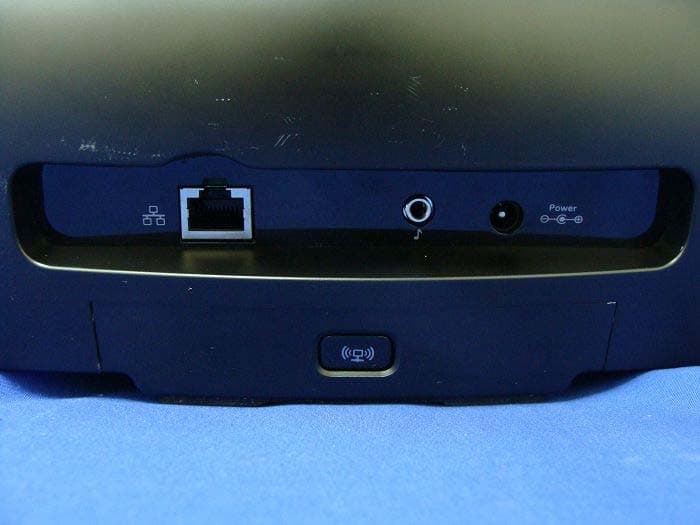
DZLS00118
Oct 06, 2011AIR SPEAKER
Equipment Class
DTS - Digital Transmission System
DZLA00032
Aug 07, 2011Nano Receiver
Equipment Class
DSS - Part 15 Spread Spectrum Transmitter
DZLA00031
Jul 24, 2011Wireless Headset H600
Equipment Class
DSS - Part 15 Spread Spectrum Transmitter
DZLS00114
Jul 20, 2011Wireless module
Equipment Class
DSS - Part 15 Spread Spectrum Transmitter
DZLA00033
Jul 18, 2011Wireless Headset H800
Equipment Class
DSS - Part 15 Spread Spectrum Transmitter