DZLF0414ARF-0414A
Logitech Inc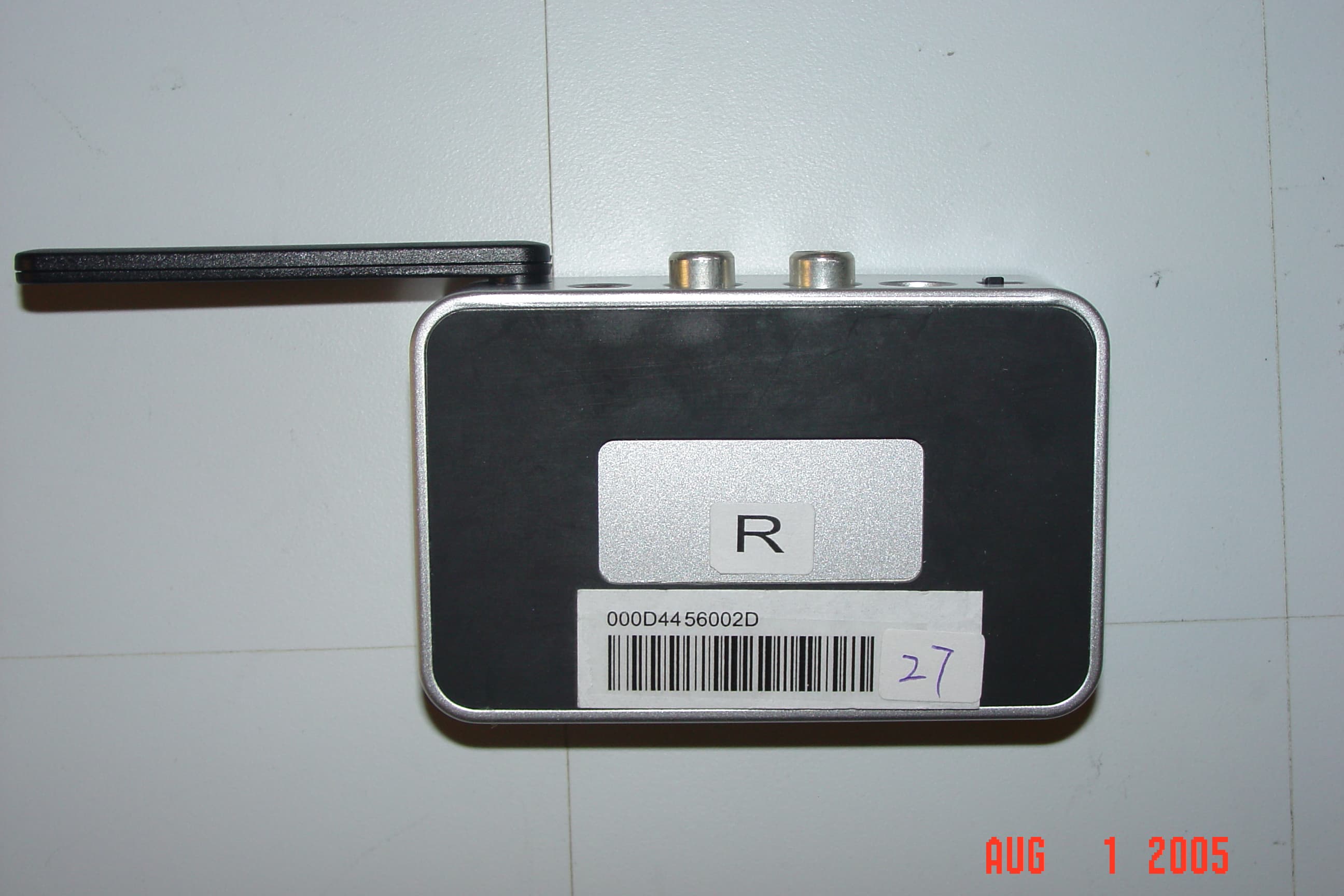
Click to zoom
Application Details
- Equipment Class
- DTS - Digital Transmission System
- Date of Grant
- Nov 03, 2005
- Application Purpose
- Original Equipment
- Date of Application
- Nov 03, 2005
- Equipment Note
- F-0414A
- Frequency Range
- 2402.00000000 - 2480.00000000
- Company
- Logitech Inc
- Country
- United States
Documents & Files
Document Text
Text extracted from the exhibit documents filed with the FCC. Open a document above to read the original.
Users Manual
If you are experiencing interference:The Logitech ® Wireless Music System for PC is designed to be interference-free in the vast majority of installations. However, there are various conditions that can affect wireless performance. If you are experiencing occasional dropouts, or your music occasionally breaks up, we recommend that you try the following:1. Make sure the antennas on the Transmitter and the Receiver are extended. Try adjusting the angle of each antenna. 2. Try plugging the Transmitter directly into a USB port on your PC. If you are using a desktop PC, try USB ports on both the front and back of your PC. 3. Plug the Transmitter into the desktop stand. Try plugging the desktop stand into either front or back USB ports. 4. Vary the position of the Transmitter and/or the Receiver. If possible, place them so that they are not hidden behind large obstructions, such as PCs, desks, or stereo equipment. 5. Plug the Transmitter (or desktop stand) directly into a USB port on your PC – do not use a USB hub.6. Make sure that the Transmitter and Receiver are each at least 6 feet away from other devices that emit radio waves (cordless phones, WiFi access points, microwave ovens, etc.). This radio has been FCC authorized as a mobile device. As such, users and nearby persons are cautioned to maintain at least a 20 cm (8 inches) separation distance from the radio and its antenna during operation. Si vous rencontrez des problèmes d’interférences:Le système de musique sans fil Logitech ® pour PC est conçu pour que la plupart des installations ne subissent aucune interférence. Cependant, différentes situations peuvent affecter les performances sans fil. Si vous rencontrez des baisses occasionnelles, ou si l’écoute musicale est hachée, nous vous recommandons d’essayer les solutions suivantes:1. Assurez-vous que les antennes de l’émetteur et du récepteur sont déployées. Essayez de régler l’angle de chaque antenne. 2. Connectez directement l’émetteur de musique USB à l’un des ports USB de votre ordinateur. Si vous utilisez un ordinateur de bureau, essayez les ports USB à l’avant et à l’arrière de votre ordinateur. 624142-0403 3. Branchez l’émetteur sur le support de bureau. Branchez le support de bureau sur les ports USB avant ou arrière de l’ordinateur. 4. Faites varier la position de l’émetteur ou du récepteur. Placez-les, si possible, de façon à ce qu’ils ne soient pas cachés par de gros objets, notamment des ordinateurs, des bureaux ou des équipements stéréo. 5. Connectez l’émetteur (ou le support de bureau) directement à un port USB sur votre ordinateur. N’utilisez pas de hub USB. 6. Assurez-vous que l’émetteur et le récepteur sont placés à 2 mètres au minimum d’autres dispositifs émettant des ondes radio (téléphones sans fil, points d’accès WiFi, fours à micro-ondes, etc.). Ce dispositif radio est conforme à la norme FCC pour les dispositifs mobiles. De ce fait, les utilisateurs et le voisinage sont informés qu’ils doivent se tenir à plus de 20 cm de la radio et des antennes durant l’utilisation de ces dispositifs.Si se producen interferencias:Logitech ® Wireless Music System for PC se ha diseñado para que funcione sin interferencias en la gran mayoría de instalaciones. Ahora bien, el rendimiento inalámbrico puede verse afectado por varias situaciones. Si se producen pérdidas de señal esporádicas, o la música sufre interrupciones, es recomendable probar estas soluciones:1. Extienda completamente las antenas del transmisor y del receptor. Ajuste el ángulo de las antenas.2. Conecte el transmisor directamente a un puerto USB del ordenador. Si utiliza un ordenador de sobremesa, pruebe tanto los puertos USB frontales como posteriores. 3. Conecte el transmisor a la base de sobremesa. Conecte la base de sobremesa a los puertos USB frontales o posteriores. 4. Varíe la posición del transmisor o del receptor. Si fuera posible, colóquelos de manera que no queden ocultos por objetos de gran tamaño, como ordenadores, escritorios o componentes de sistemas multimedia. 5. Conecte el transmisor (o la base de sobremesa) directamente a un puerto USB del PC. No utilice un concentrador USB. 6. El transmisor y el receptor deben estar a una distancia de al menos 2 metros de otros dispositivos que emitan ondas de radio (teléfonos inalámbricos, puntos de acceso WiFi, hornos microondas, etc.). Este dispositivo de radiofrecuencia tiene la certificación FCC de dispositivo móvil. Durante su funcionamiento, los usuarios y otras personas deben mantenerse a un mínimo de 20 cm del dispositivo de radiofrecuencia y la antena. DIE LINES SPOT COLORS PROCESS COLORS COLOR SPECIFICATIONS BRAND / LAUNCH: Logitech 2005 PROJECT TITLE: Wireless Music System for PC - QSG Insert DETAILS: AMR / QSG K 5 25 50 75 95 SPECIFICATIONS / NOTES: 5”x5” Flat, double-sided print Ink: Black onlyMODIFICATION DATE: October 20, 2005 THIS PRINT SIZE / SCALE: 100% of original Designer: Carolyn Cosgriff Location: Vancouver, WA DIE LINE COLOR (NO PRINT)
Users Manual
Controlling your Music You can adjust the volume level – or mute the sound – using buttons on the Music Receiver or on the remote control. If you are using a media player that supports multimedia keyboard commands (most media players do), then you can also control your music selection from your listening room. Use the buttons on the Music Receiver or on the remote control to change tracks, play, pause, and stop your music. Commandes pour la musique Vous pouvez régler le niveau de volume ou mettre la sourdine à l’aide des boutons placés sur le récepteur ou la télécommande à distance. Si vous utilisez un lecteur multimédia qui prend en charge les commandes des claviers multimédia (comme la plupart le propose aujourd’hui), vous pouvez également contrôler votre sélection musicale depuis la pièce où vous écoutez votre musique. Utilisez les boutons du récepteur de musique ou de la télécommande pour changer de piste, lire, faire une pause ou arrêter la musique. Controles de música Puede ajustar el volumen, o silenciar el sonido, mediante los botones del receptor de música o del mando a distancia. Si su reproductor de medios es uno de los muchos que admiten comandos de teclado, también podrá controlar la selección de música desde donde se encuentre. Los botones del receptor o los del mando a distancia permiten cambiar de pista, reproducir y detener la música. If you use your Wireless Music System without installing the software, all of your computer’s sound will be redirected to the speakers that are connected to the Music Receiver. (This includes both your media player music as well as standard Windows ® sound effects). If you want your PC’s sound to come out of your computer speakers again, simply unplug the Transmitter from your PC. If you want more precise control over where your PC’s sound is played back, install the included Logitech ® Music Anywhere ™ software CD. The software will allow you to set your default Windows ® sounds to play on your computer speakers while sending just the music from your media player out to your Music Receiver. (Note that only certain media players support this feature.) See the help topic titled “How to keep Windows ® sounds on your PC speakers” in the software’s help system for more details. Expand Your System! Your Wireless Music System isn’t limited to just one room. Because the USB music transmitter can pair with up to 16 music receivers, you can enjoy your PC’s music in every room where you have speakers. The Logitech ® Music Anywhere ™ software makes it easy to select which room your music should play in. Additional receivers are available for purchase online at www.logitech.com Etendez votre système! Votre système musical sans fil ne se limite pas à une seule pièce! L’émetteur de musique USB peut être couplé à 16 récepteurs musicaux: vous pouvez donc apprécier votre musique dans toutes les pièces où vous avez installé des haut-parleurs. Le logiciel Logitech ® Music Anywhere ™ facilite la sélection des pièces où la musique doit être jouée. Vous pouvez acheter des récepteurs supplémentaires en ligne à www.logitech.com Ampliación del sistema Este sistema de música inalámbrico traspasa los límites de la habitación donde se encuentra: el receptor de música USB puede emparejarse simultáneamente con 16 receptores de música, con lo que la música del PC puede llegar a cada una de las habitaciones en las que tenga altavoces. El software Logitech ® Music Anywhere ™ facilita la selección de lugar en que quiere escuchar la música. Si necesita más receptores, puede adquirirlos a través de www.logitech.com Connect the USB Music Transmitter to your PC 1. Plug the USB Music Transmitter into a USB port on your PC. 2. For extended range, use the included desktop stand. Connectez l’émetteur de musique USB à votre ordinateur 1. Connectez l’émetteur de musique USB à l’un des ports USB de votre ordinateur. 2. Pour une portée plus étendue, utilisez le support de bureau fourni. Conecte el transmisor de música USB al PC 1. Conecte el transmisor de música USB a un puerto USB del ordenador. 2. Para ampliar el radio de acción, utilice la base de sobremesa incluida. A USB Music Transmitter B Desktop stand for USB Music Transmitter C Music Receiver for stereo systems D Power adapter (for Music Receiver) E Remote control F RCA interconnect cables 1 Connect button 2 Indicator LED 3 Volume controls 4 Track controls 5 Mute Product Overview A Emetteur de musique USB B Support de bureau pour émetteur de musique USB C Récepteur de musique pour système stéréo D Adaptateur secteur (pour récepteur de musique) E Boîtier de télécommande F Câbles de connexion RCA 1 Bouton de connexion 2 Témoin lumineux 3 Commande de volume 4 Commande de sélection musicale 5 Sourdine Présentation du produit A Transmisor de música USB B Base de sobremesa para transmisor de música USB C Receptor de música para sistemas estéreo D Adaptador de alimentación (para receptor de música) E Mando a distancia F Cables de interconexión RCA 1 Botón Connect 2 Diodo 3 Controles de volumen 4 Controles de pista 5 Silencio Componentes Wireless Music System for PC Système de musique sans fil pour PC A B E C D Press Play and Listen! 1. On your PC, open a playlist in your favorite media player and press play. 2. Go find your speakers and enjoy the music. Lancez votre musique et écoutez! 1. Sur l’ordinateur, ouvrez une sélection musicale dans votre lecteur multimédia préféré et appuyez sur Lecture. 2. Détendez-vous en musique. ¡Pulse el botón y escuche! 1. Acceda a una lista de reproducción de su reproductor de medios favorito en el PC y pulse el botón de reproducción. 2. Disfrute de la música. Connect the Music Receiver to your speaker system Connectez le récepteur de musique à vos haut-parleurs Conecte el receptor de música al sistema de altavoces 1 2 For powered multimedia speakers 1. Plug the 3.5mm input jack from the speakers into the Music Receiver. 2. Plug the power adapter into the Music Receiver. Pour les haut-parleurs multimé…
Text truncated - open the document above for the full version.
Cover Letter(s)
October 19, 2004 Federal Communications Commission Authorization and Evaluation Division 7435 Oakland Mills Road Columbia, Maryland 21046 To whom it may concern, We, the undersigned, hereby authorize Northwest EMC, Inc., to act on our behalf, as our agent, in the following matters related to the FCC approval of our products: report submittal, related correspondence, the signing of all documents relating to these matters, and any other lawful activity necessary to obtain such certification. Any act carried out by Northwest EMC, Inc. within the scope of this authorization shall have the same affect as our own. This authorization shall expire 12 months from original date. Sincerely, Mitchell Phillipi Sr. Compliance Engineer
Cover Letter(s)
Northwest EMC TCB Compliance Opinion Rev. 9/15/03 LABT0146 Information about the Applicant Company Name Logitech, Inc. Grantee Mitchell Phillipi Address 1499 SE Tech Center Place Suite 350 City, State, Zip Vancouver, WA 98683 Job Number LABT0146 Model F-0141A FCC ID DZLF0414AR Agent Northwest EMC, Inc. Approval Type Original Equipment Class DTS Digital Transmission System Rule Part 15.247DSSS Overview Logitech is requesting an original certification for their unlicensed Bluetooth music system. The Logitech Bluetooth music system will operate under FCC Part 15.247 and consists of a pc dongle, and a stand-alone receiver with stereo output jacks for consumer use. The FCC IDs of the dongle and receiver are DZLF0414AD and DZL0414AR, respectively. Logitech’s Bluetooth music system will be utilizing the frequency range of 2402MHz – 2480MHz and employing a GFSK/FHSS modulation scheme. The Bluetooth system is a mobile device intended to operate greater than 20 cm from the head or torso. Recommendation All items have been resolved and completed to my satisfaction; therefore I recommend this application for approval. Signature 11/2/2005 Dean Ghizzone, TCB Committee Findings Specification Finding 47 Cfr 1.1307(b),2.1091,2.1093 RF Exposure Hazzard Finding The necessary information was not found. Resolution The manual has been updated with the correct information.
Cover Letter(s)
August 28, 2005 FCC Authorization and Evaluation Division 7434 Oakland Mills Road Columbia, MD 21046 Subject: Cover Letter To Whom It May Concern: Logitech is requesting an original certification for our unlicensed Bluetooth music system. The Logitech Bluetooth music system will operate under FCC Part 15.247 and consists of a pc dongle, and a stand-alone receiver with stereo output jacks for consumer use. The FCC IDs of the dongle and receiver are DZLF0414AD and DZL0414AR, respectively. Logitech’s Bluetooth music system will be utilizing the frequency range of 2402MHz – 2480MHz and employing a GFSK/FHSS modulation scheme. The Bluetooth system is a mobile device intended to operate greater than 20 cm from the head or torso. If further clarification is needed, please feel free to contact me at (360) 944-3708, via e-mail at [email protected] , or fax (360) 896-2020. Sincerely, Mitchell A. Phillipi Sr. Compliance Engineer Logitech, Inc.
Cover Letter(s)
July 28, 2005 Federal Communications Commission Authorization and Evaluation Division 7435 Oakland Mills Road Columbia, Maryland 21046 To whom it may concern, We hereby respectfully request that under the provision of 47 CFR 0.459, the documents listed below and attached with this application for certification be provided with confidential status. • Schematics • Theory of Operation • Frequency Block Diagrams Any exhibit / information for which we have requested confidentiality, but which may not be accorded such treatment by the FCC, should be returned to us. The documents listed above contain trade secrets that are treated as confidential by us. Substantial competitive harm to us could result should they be made available to the public. Sincerely, Mitchell Phillipi Sr. Compliance Engineer
Operational Description
Per 15.203, the antenna is permanently attached. It is not intended to be serviced by the customer and is, therefore only serviceable by Logitech, Inc. authorized personnel. The receiver antenna is a quarter wave dipole, with 4.39dBi max peak gain.
RF Exposure Info
Compliance with 47 CFR 15.247(i) “Systems operating under the provisions of this section shall be operated in a manner that ensures that the public is not exposed to radio frequency energy levels in excess of the Commission's guidelines. See § 1.1307(b)(1) of this chapter.” The EUT, model number F-0414A, is a Bluetooth audio system comprised of two transceivers. One transceiver is a USB dongle that transmits audio from a PC, and the second transceiver is a standalone receiver with stereo output jacks that receives the audio and feeds it to a stereo system. The EUT operates in the 2400-2483.5MHz band as a 15.247 Bluetooth device. The EUT will only be used with a separation distance of 20 centimeters or greater between the antenna and the body of the user or nearby persons and can therefore be considered a mobile transmitter per 47 CFR 2.1091(b). The antenna on the standalone receiver is a quarter wave dipole that is also permanently attached to the unit. This antenna has a gain of 4.39dBi. The maximum peak conducted output power is 57.01mW. The maximum peak power is 156.675 mW (EIRP) for FCC ID: DZL0414AR. Since the transmit frequency is greater than 1.5 GHz, and the output power is less than 3.0 W ERP, the EUT is categorically excluded from routine environmental evaluation per 47 CFR 2.1091(c). The MPE estimates are as follows: Table 1 in 47 CFR 1.1310 defines the maximum permissible exposure (MPE) for the general population as (f MHz /1500) mW/cm 2 . The exposure level at a 20 cm distance from the EUT’s transmitting antenna is calculated using the general equation: S = (PG)/4πR 2 Where: S = power density (mW/cm 2 ) P = power input to the antenna (mW) G = numeric power gain relative to an isotropic radiator R = distance to the center of the radiation of the antenna (20 cm = limit for MPE estimates) PG = EIRP Solving for S, the maximum power density 20 cm from the transmitting antenna is summarized in the following table: The power density does not exceed 0.031 mW/cm 2 at 20 cm; therefore, the exposure condition is compliant with FCC rules. The applicant’s radio, FCC ID: DZL0414AR, is compliant with the requirements of 15.247(i). MPE Estimate Antenna Type Transmit Frequency Band Max Peak Conducted Output Power Antenna Gain Minimum Antenna Cable Loss Power Density @ 20 cm General Population Exposure Limit from 1.1310 (MHz)(mW)(dBi)(dB) (mW/cm 2 )(mW/cm 2 ) Quarter Wave Dipole 240057.014.3900.0311 FCC ID: DZLF0414AR
Test Report
Logitech, Inc. F-0414A Transceiver September 23, 2005 Report No. LABT0146 Report Prepared By www.nwemc.com 1-888-EMI-CERT © 2005 Northwest EMC, Inc 22975 NW Evergreen Parkway Suite 400 Hillsboro, Oregon 97124 Certificate of Test Issue Date: September 23, 2005 Logitech, Inc. Model: F-0414A Transceiver Emissions Specification Test Method Pass Fail FCC 15.247(a) Occupied Bandwidth:2005-04 ANSI C63.4:2003 FCC 15.247(b) Output Power:2005-04 ANSI C63.4:2003 FCC 15.247(d) Band Edge Compliance:2005-04 ANSI C63.4:2003 FCC 15.247(d) Spurious Conducted Emissions:2005-04 ANSI C63.4:2003 FCC 15.247(d) Spurious Radiated Emissions:2005-04 ANSI C63.4:2003 FCC 15.247(e) Power Spectral Density:2005-04 ANSI C63.4:2003 FCC 15.207 AC Powerline Conducted Emissions:2005-04 ANSI C63.4:2003 FCC 15.109(a) Radiated Emissions:2005-04 ANSI C63.4:2003 FCC 15.107 AC Powerline Conducted Emissions:2005-04 ANSI C63.4:2003 Modifications made to the product See the Modifications section of this report Test Facility The measurement facility used to collect the radiated and AC powerline conducted data is located at: Northwest EMC, Inc 41 Tesla Ave. Irvine, CA 92618 Phone: (888) 364-2378 This site has been fully described in a report filed with and accepted by the FCC (Federal Communications Commission) and Industry Canada. Approved By: Greg Kiemel, Director of Engineering This report must not be used to claim product certification, approval, or endorsement by NVLAP, NIST, or any agency of the federal government of the United States of America. Product compliance is the responsibility of the client, therefore the tests and equipment modes of operation represented in this report were agreed upon by the client, prior to testing. This Report may only be duplicated in its entirety. The results of this test pertain only to the sample(s) tested, the specific description is noted in each of the individual sections of the test report supporting this certificate of test. Northwest EMC Revision History Revision 05/05/03 Revision Number Description Date Page Number 00 None Northwest EMC Accreditations and Authorizations Revision 03/18/05 FCC: Accredited by NVLAP for performance of FCC radio, digital, and ISM device testing. Our Open Area Test Sites, certification chambers, and conducted measurement facilities have been fully described in reports filed with the FCC and accepted by the FCC in letters maintained in our files. Northwest EMC has been accredited by ANSI to ISO / IEC Guide 65 as a product certifier. We have been designated by the FCC as a Telecommunications Certification Body (TCB). This allows Northwest EMC to certify transmitters to FCC specifications in accordance with 47 CFR 2.960 and 2.962. NVLAP: Northwest EMC, Inc. is recognized under the United States Department of Commerce, National Institute of Standards and Technology, and National Voluntary Laboratory Accreditation Program for satisfactory compliance with the requirements of ISO/IEC 17025 for Testing Laboratories. The NVLAP accreditation encompasses Electromagnetic Compatibility Testing in accordance with the European Union EMC Directive 89/336/EEC, ANSI C63.4, MIL- STD 461E, DO-160D and SAE J1113. Additionally, Northwest EMC is accredited by NVLAP to perform radio testing in accordance with the European Union R&TTE Directive 1999/5/EEC, the requirements of FCC, and the RSS radio standards for Industry Canada. 200629-0 200630-0 200676-0 Industry Canada: Accredited by NVLAP for performance of Industry Canada RSS and ICES testing. Our Open Area Test Sites and certification chambers comply with RSS 212, Issue 1 (Provisional) and have been filed with Industry Canada and accepted. Northwest EMC has been accredited by ANSI to ISO / IEC Guide 65 as a product certifier. We have been designated by NIST and recognized by Industry Canada as a Certification Body (CB) per the APEC Mutual Recognition Arrangement (MRA). This allows Northwest EMC to certify transmitters to Industry Canada technical requirements. CAB: Designated by NIST and validated by the European Commission as a Conformity Assessment Body (CAB) to conduct tests and approve products to the EMC directive and transmitters to the R&TTE directive, as described in the U.S. - EU Mutual Recognition Agreement. TÜV Product Service: Included in TUV Product Service Group's Listing of Recognized Laboratories. It qualifies in connection with the TUV Certification after Recognition of Agent's Testing Program for the product categories and/or standards shown in TUV's current Listing of CARAT Laboratories, available from TUV. A certificate was issued to represent that this laboratory continues to meet TUV's CARAT Program requirements. Certificate No. USA0401C. TÜV Rheinland: Authorized to carryout EMC tests by order and under supervision of TÜV Rheinland. This authorization is based on "Conditions for EMC-Subcontractors" of November 1992. Northwest EMC Accreditations and Authorizations Revision 03/18/05 NEMKO: Assessed and accredited by NEMKO (Norwegian testing and certification body) for European emissions and immunity testing. As a result of NEMKO's laboratory assessment, they will accept test results from Northwest EMC, Inc. for product certification (Authorization No. ELA 119). Technology International: Assessed in accordance with ISO Guide 25 defining the general international requirements for the competence of calibration and testing laboratories and with ITI assessment criteria LACO196. Based upon that assessment, Interference Technology International, Ltd., has granted approval for specifications implementing the EU Directive on EMC (89/336/EEC and amendments). The scope of the approval was provided on a Schedule of Assessment supplied with the certificate and is available upon request. Australia/New Zealand: The National Association of Testing Authorities (NATA), Australia has been appointed by the ACA as an accreditation body to accredit test laboratories and competent bodies for EMC standards. Accredited test reports …
Text truncated - open the document above for the full version.
Contact Information
Applicant
Paul Zahra(Regulatory Compliance Manager)
Test Firm
Northwest EMC, Inc.Greg Kiemel
Technical Specifications
| # | Rule Parts | Frequency Range | Power Output |
|---|---|---|---|
| 1 | 15C | 2.40 GHz - 2.48 GHz | 57.00 mW |
Other Applications from Logitech Inc
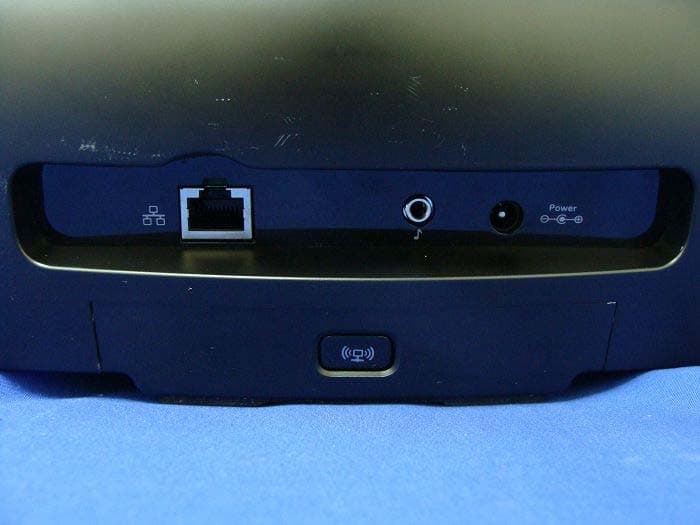
DZLS00118
Oct 06, 2011AIR SPEAKER
Equipment Class
DTS - Digital Transmission System
DZLA00032
Aug 07, 2011Nano Receiver
Equipment Class
DSS - Part 15 Spread Spectrum Transmitter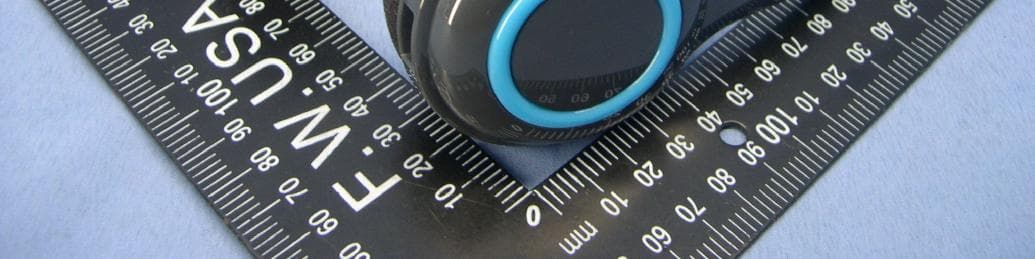
DZLA00031
Jul 24, 2011Wireless Headset H600
Equipment Class
DSS - Part 15 Spread Spectrum Transmitter
DZLS00114
Jul 20, 2011Wireless module
Equipment Class
DSS - Part 15 Spread Spectrum Transmitter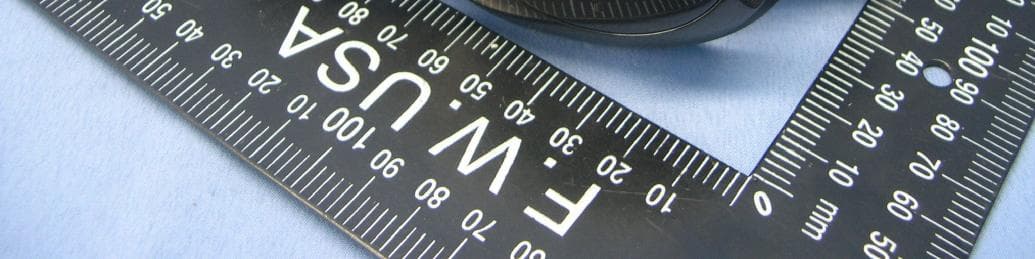
DZLA00033
Jul 18, 2011Wireless Headset H800
Equipment Class
DSS - Part 15 Spread Spectrum Transmitter