DZLGRCLogitech Cordless Rumblepad 2
Logitech Inc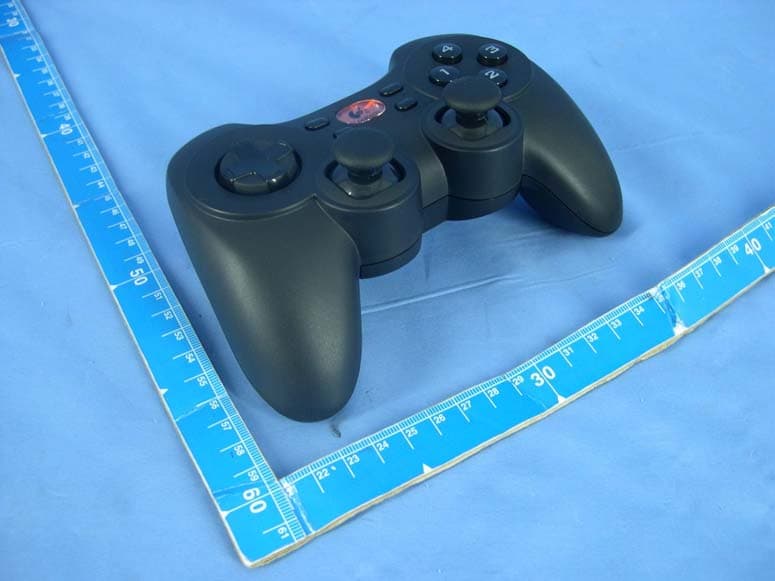
Click to zoom
Application Details
- Equipment Class
- DXX - Part 15 Low Power Communication Device Transmitter
- Date of Grant
- Aug 22, 2004
- Application Purpose
- Original Equipment
- Date of Application
- Aug 22, 2004
- Equipment Note
- Logitech Cordless Rumblepad 2
- Frequency Range
- 2402.00000000 - 2480.00000000
- Company
- Logitech Inc
- Country
- United States
Documents & Files
Document Text
Text extracted from the exhibit documents filed with the FCC. Open a document above to read the original.
Users Manual
5 INSTALLATIONINSTALLATION CORDLESS RUMBLEPAD ™ 2CORDLESS RUMBLEPAD ™ 2 Logitech ® Logitech Windows ® 98 Windows ® Me Windows ® 2000 Windows ® XP USB 1 2 1 2 3 4 USB 3 4 5 LE RUMBLEPAD ™ 2 SANS FILLE RUMBLEPAD ™ 2 SANS FIL 6 6 ENGLISH Install the Logitech ® Gaming Software first. The Software includes the Logitech ® Profiler, which can be used to make specific settings and adjustments to your device ESPAÑOL Instale el software Logitech ® para juegos. Este software incluye Logitech ® Profiler, para configurar dispositivos. FRANÇAIS Installez d’abord le logiciel Logitech ® Gaming. Ce logiciel comprend Logitech ® Profiler, qui permet de faire des réglages spécifiques et d’ajuster les paramètres de votre dispositif. PORTUGUÊS Instale primeiro o Logitech ® Gaming Software. O software inclui Logitech ® Profiler, que pode utilizar para efectuar definições e ajustes específicos no dispositivo. ENGLISH When prompted, insert the receiver’s USB cable connector into an available USB port on the computer or into an attached USB hub. Receiver Status light blinks slowly. ESPAÑOL Cuando se le indique, inserte el conector del cable USB del receptor en un puerto USB disponible en el ordenador, o en un concentrador USB conectado. El diodo de estado del receptor parpadea lentamente. FRANÇAIS A l’invite, insérez le connecteur du câble USB du gamepad dans un port USB disponible de l’ordinateur ou dans un hub USB connecté. Le témoin d’état du récepteur clignote lentement. PORTUGUÊS Quando o sistema pedir, introduza o conector do cabo USB do receptor na porta USB disponível no computador ou num concentrador USB ligado. A luz de estado do receptor pisca lentamente. ENGLISH Install batteries in gamepad. Remove battery compartment cover, insert batteries into gamepad, and then replace the cover. One set of batteries provides about 50 hours of operation with vibration motors on (more than 100 hours with motors off). ESPAÑOL Instale las pilas en el gamepad. Quite la tapa del compartimento de las pilas, introduzca las pilas en el gamepad y vuelva a colocar la tapa. Cada juego de pilas permite unas 50 horas de uso con los motores de efecto de vibración encendidos (más de 100 horas con los motores apagados). FRANÇAIS Placez les piles dans le gamepad. Enlevez le couvercle du logement des piles, insérez les piles dans le gamepad, puis replacez le couvercle du logement. Un jeu de piles permet une utilisation de 50 heures avec les moteurs de vibration activés (plus de 100 heures sans les moteurs). PORTUGUÊS Introduzir as pilhas no controlador de jogo. Remova a tampa do compartimento de pilhas, introduza as pilhas no controlador de jogo e recoloque a tampa. Um conjunto de pilhas fornece 50 horas de funcionamento com os motores de vibração ligados (mais de 100 horas com os motores desligados). ENGLISH To establish a connection with receiver, press any action button on gamepad. Receiver Status light turns solid green for 2 seconds (then off) when connection has been made. If gamepad does not connect, press Connect button on receiver (see number 6 in figure above), and then press any action button on gamepad. ESPAÑOL Para establecer una conexión con el receptor, pulse cualquiera de los botones de acción del gamepad. La luz verde del diodo de estado del receptor permanece iluminada durante dos segundos (luego se apaga) una vez establecida la conexión. Si el gamepad no se conecta, pulse el botón Connect del receptor (véase la figura 6 anterior) y, a continuación, pulse cualquier botón de acción en el gamepad. FRANÇAIS Pour établir la connexion avec le récepteur, appuyez sur un bouton d’action du gamepad. Le témoin d’état du récepteur passe au vert en continu pendant 2 secondes, puis s’éteint, quand la connexion est établie. Si le contrôleur n’établit pas la connexion, appuyez sur le bouton Connect du récepteur (voir n°6 à l’illustration précédente), puis appuyez sur un bouton d’action sur le gamepad. PORTUGUÊS Para estabelecer uma ligação com o receptor, prima qualquer botão de acção no controlador de jogo. A luz de estado do receptor fica verde durante 2 segundos (depois apaga-se) quando a ligação é estabelecida. Se o controlador de jogo não ligar, prima o botão Connect no receptor (ver o número 6 na figura acima) e, em seguida, prima qualquer botão de acção no controlador de jogo. ENGLISH The gamepad enters sleep mode after 1) batteries are inserted, 2) when gamepad has not connected with receiver, or 3) after 5 minutes of inactivity. Press any action button to activate the gamepad. ESPAÑOL El gamepad pasa al modo de suspensión 1) cuando se han introducido las pilas, 2) cuando no se ha conectado con el receptor, o 3) tras 5 minutos de inactividad. Pulse cualquiera de los botones de acción para activar el gamepad. FRANÇAIS Le gamepad se met en veille 1) à l’insertion des piles, 2) quand il n’a pas établi la connexion avec le récepteur ou 3) après 5 minutes d’inactivité. Appuyez sur un bouton d’action pour activer le gamepad. PORTUGUÊS O controlador de jogo entra no modo de suspensão 1) depois da introdução das pilhas, 2) quando o controlador de jogo não está ligado ao receptor ou 3) depois de 5 minutos de inactividade. Prima qualquer botão de acção para activar o controlador de jogo.
External Photos
Page 1 CONSTRUCTION PHOTOS OF EUT Page 2
ID Label/Location Info
(Fig. 1) FCC ID: DZLGRC LABEL LOCATION Label
Internal Photos
Page 3 Page 4 Page 5 Page 6 Page 7 Page 8 Page 9
Operational Description
FCC ID: DZLGRC Report No.: RF930604H01 Operational Description The device is a Logitech ® Cordless Rumblepad 2, and employing FHSS (Frequency Hopping Spread Spectrum) modulation with 79 hopping channels in 2.4 GHz Band. The antenna type is PCB strip antenna. and there is no antenna connector used. The other instruction, please have a look at the users manual.
Test Report
Report No. 930604H01 Duty Cycle – transmit in 100msec Report No. 930604H01 Report No. 930604H01
Test Report
FCC ID: DZLGRC Report No.: RF930604H011Issued: Jul. 22, 2004 FCC TEST REPORT REPORT NO.: RF930604H01 MODEL NO.: G-RC14 RECEIVED: Jun. 04, 2004 TESTED: Jun. 11 to 15, 2004 APPLICANT: LOGITECH INC. ADDRESS: 6505 Kaiser Drive Fremont, CA 94555-3615 ISSUED BY:Advance Data Technology Corporation LAB LOCATION:No. 81-1, Lu Liao Keng, 9 Ling, Wu Lung Tsuen, Chiung Lin Hsiang, Hsin Chu Hsien, Taiwan, R.O.C. This test report consists of 31 pages in total. It may be duplicated completely for legal use with the approval of the applicant. It should not be reproduced except in full, without the written approval of our laboratory. The client should not use it to claim product endorsement by CNLA, A2LA or any government agencies. The test results in the report only apply to the tested sample. The test results in this report are traceable to the national or international standards. 0536 ILAC MRA FCC ID: DZLGRC Report No.: RF930604H012Issued: Jul. 22, 2004 TABLE OF CONTENTS 1CERTIFICATION...............................................................................................3 2SUMMARY OF TEST RESULTS ......................................................................4 3GENERAL INFORMATION ...............................................................................5 3.1GENERAL DESCRIPTION OF EUT .................................................................5 3.2DESCRIPTION OF TEST MODES ...................................................................6 3.3GENERAL DESCRIPTION OF APPLIED STANDARDS...................................7 3.4DESCRIPTION OF SUPPORT UNITS .............................................................7 4TEST PROCEDURES AND RESULTS .............................................................8 4.1CONDUCTED EMISSION MEASUREMENT....................................................8 4.2RADIATED EMISSION MEASUREMENT.........................................................8 4.2.1 LIMITS OF RADIATED EMISSION MEASUREMENT ......................................8 4.2.2 TEST INSTRUMENTS......................................................................................9 4.2.3 TEST PROCEDURES ....................................................................................10 4.2.4 DEVIATION FROM TEST STANDARD...........................................................10 4.2.5 TEST SETUP.................................................................................................. 11 4.2.6 TEST RESULTS .............................................................................................12 4.2.7 TEST RESULTS (Mode 1) ..............................................................................13 4.2.8 TEST RESULTS (Mode 2) ..............................................................................16 4.2.9 TEST RESULTS (Mode 3) ..............................................................................19 4.3BAND EDGES MEASUREMENT ...................................................................22 4.3.1 LIMITS OF BAND EDGES MEASUREMENT .................................................22 4.3.2 TEST INSTRUMENTS....................................................................................22 4.3.3 TEST PROCEDURE.......................................................................................22 4.3.4 DEVIATION FROM TEST STANDARD...........................................................22 4.3.5 EUT OPERATING CONDITION......................................................................23 4.3.6 TEST RESULTS .............................................................................................23 5PHOTOGRAPHS OF THE TEST CONFIGURATION .....................................28 6INFORMATION ON THE TESTING LABORATORIES....................................31 FCC ID: DZLGRC Report No.: RF930604H013Issued: Jul. 22, 2004 1 CERTIFICATION PRODUCT : Logitech ® Cordless Rumblepad™ 2 BRAND NAME : Logitech MODEL NO : G-RC14 TESTED: Jun. 11 to 15, 2004 APPLICANT : LOGITECH INC. TEST ITEM: ENGINEERING SAMPLE STANDARDS : 47 CFR Part 15, Subpart C (Section 15.249), ANSI C63.4-2001 The above equipment (Model: G-RC14) has been tested by Advance Data Technology Corporation, and found compliance with the requirement of the above standards. The test record, data evaluation & Equipment Under Test (EUT) configurations represented herein are true and accurate accounts of the measurements of the sample’s EMC characteristics under the conditions specified in this report. PREPARED BY : , DATE:Jul. 22, 2004 ( Carol Liao ) TECHNICAL ACCEPTANCE :, DATE:Jul. 22, 2004 Responsible for RF ( Hank Chung ) APPROVED BY : , DATE: Jul. 22, 2004 ( Eric Lin, Manager ) FCC ID: DZLGRC Report No.: RF930604H014Issued: Jul. 22, 2004 2 SUMMARY OF TEST RESULTS The EUT has been tested according to the following specifications: APPLIED STANDARD: 47 CFR Part 15, Subpart C Standard Paragraph Test TypeResultRemark 15.207Conducted Emission TestN/A Power supply is 3VDC from batteries 15.249Radiated Emission TestPASS Minimum passing margin is –0.80dB at 4882.00MHz 15.249Band Edge MeasurementPASS Meet the requirement of limit NOTE: The information of measurement uncertainty is available upon the customer’s request. FCC ID: DZLGRC Report No.: RF930604H015Issued: Jul. 22, 2004 3 GENERAL INFORMATION 3.1 GENERAL DESCRIPTION OF EUT PRODUCT Logitech ® Cordless Rumblepad™ 2 MODEL NO.G-RC14 POWER SUPPLY3.0VDC from batteries MODULATION TYPEFSK MODULATION TECHNOLOGY FHSS CARRIER FREQUENCY OF EACH CHANNEL 2402MHz ~ 2480MHz BANDWIDTH OF EACH CHANNEL 1MHz NUMBER OF CHANNEL79 ANTENNA TYPEPCB strip antenna. DATA CABLENA I/O PORTSNA ASSOCIATED DEVICESNA NOTE: 1. The above EUT information was declared by the manufacturer and for more detailed features description, please refer to the manufacturer's specifications or User's Manual. FCC ID: DZLGRC Report No.: RF930604H016Issued: Jul. 22, 2004 3.2 DESCRIPTION OF TEST MODES Seventy-night channels are provided to this EUT. Channel Freq. (MHz) Channel Freq. (MHz) Channel Freq. (MHz)…
Text truncated - open the document above for the full version.
Test Setup Photos
FCC ID: DZLGRC Report No.: RF930604H01 28 Issued: Jul. 22, 2004 5 PHOTOGRAPHS OF THE TEST CONFIGURATION RADIATED EMISSION TEST (Mode 1) FCC ID: DZLGRC Report No.: RF930604H01 29 Issued: Jul. 22, 2004 RADIATED EMISSION TEST (Mode 2) FCC ID: DZLGRC Report No.: RF930604H01 30 Issued: Jul. 22, 2004 RADIATED EMISSION TEST (Mode 3)
Contact Information
Applicant
Paul Zahra(Regulatory Compliance Manager)
Technical Contact
Advance Data Technology CorporationEric Lin
[email protected]+886 3 593 5343
81-1 Luliaoken, 9th Lin, Wulung Tsuen Chinglin · Hsinchu · Taiwan
Test Firm
Bureau Veritas CPS (H.K.) Ltd. Taoyuan BranchRichard Chen
Technical Specifications
| # | Rule Parts | Frequency Range | Power Output |
|---|---|---|---|
| 1 | 15C | 2.40 GHz - 2.48 GHz | - |
Other Applications from Logitech Inc
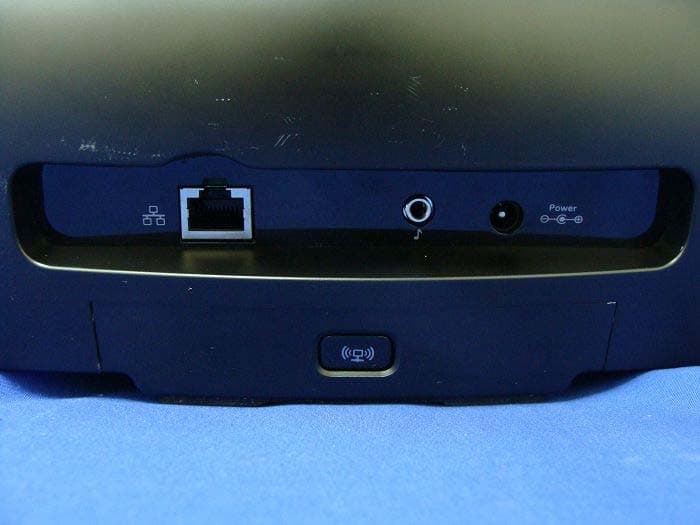
DZLS00118
Oct 06, 2011AIR SPEAKER
Equipment Class
DTS - Digital Transmission System
DZLA00032
Aug 07, 2011Nano Receiver
Equipment Class
DSS - Part 15 Spread Spectrum Transmitter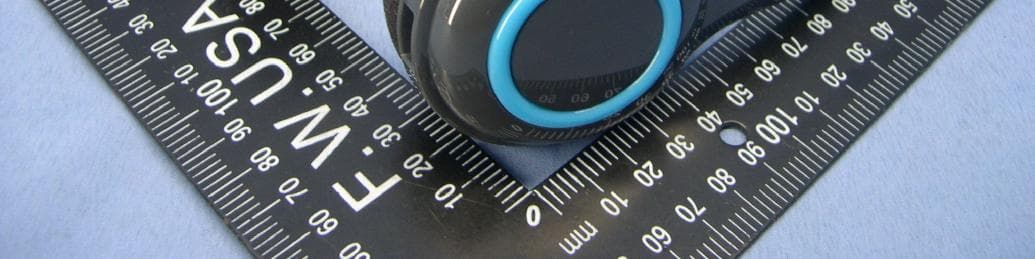
DZLA00031
Jul 24, 2011Wireless Headset H600
Equipment Class
DSS - Part 15 Spread Spectrum Transmitter
DZLS00114
Jul 20, 2011Wireless module
Equipment Class
DSS - Part 15 Spread Spectrum Transmitter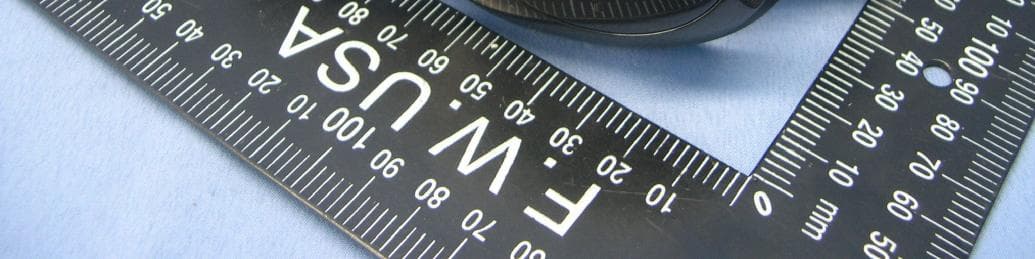
DZLA00033
Jul 18, 2011Wireless Headset H800
Equipment Class
DSS - Part 15 Spread Spectrum Transmitter