NKH9610Enterprise Access Point 802.11b/g Dual-Radio
Madge Ltd.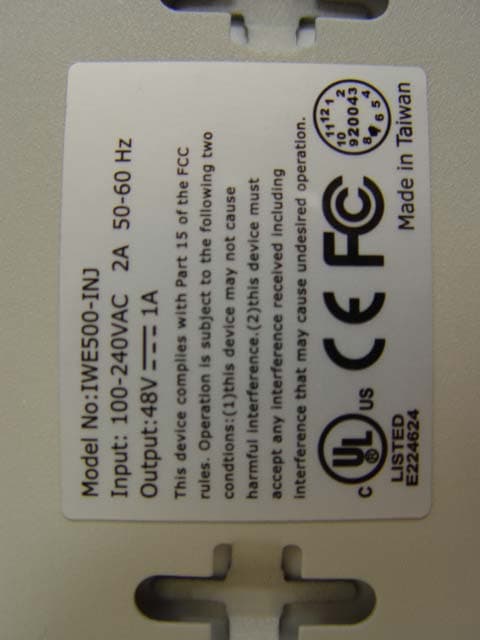
Click to zoom
Application Details
- Equipment Class
- DTS - Digital Transmission System
- Date of Grant
- Dec 13, 2004
- Application Purpose
- Original Equipment
- Date of Application
- Dec 13, 2004
- Equipment Note
- Enterprise Access Point 802.11b/g Dual-Radio
- Frequency Range
- 2412.00000000 - 2462.00000000
- Company
- Madge Ltd.
- Country
- United Kingdom
Documents & Files
Document Text
Text extracted from the exhibit documents filed with the FCC. Open a document above to read the original.
Users Manual
FederalCommulIicMonCommiuwnlnterfereneeStntement ThisequipJlrentbasbeentestedandfoundtocomply",iththelimitsfora ClassIidevice. pursuanttoPartJ5oftheFCCRules.111eselimit>aretoprovideprotection harmfuiinterferenceinu residcntiniusesaudcan if uotiujustroctious.may causeharmfultocUJ!1J!1Unications.However,thereis nothatinterfercn<;e willnotOCQITin a particularimtaUation.if thisequipJ!1Clltduescauseinterferenceto"door televisimlreception,whichcanbedeter.uinedhyturningtheequipmentoi!andon,theuseris cncourugedtotrytocorrecttireinterferencehyoneoftirefol1(""i[\1\measures: IEEE802.11g WirelessDual-RadioBridge-AP . Reorientorrelocatethereceivingantenna. . increasetheseparmioo~weentbeequipmentandreceiver. . ConnecttheequipmentintoanoutletonIt circuitdifferentfromthattowhichthereceiveris COIllIce!W. . Consuitthedealeroranexperien\:w11I4ioffVtedmidttnforhelp. User'sGuide ~'CCCaution:Toassurecontinuedcompliance,(example-useoniyshieidedinterfacecalJleswhen connectingtocomputerorperipheraldcvkes).Anychangt~'ormndificat10nsnutexpresslyapproved hythepartyresponsiblefuecompliancecouidvoidtheuser'sauthoritytooperatethisequiptnenL ThistF.msmiuermustnolbeco,locutoournperatingincnnjunctionwithanyotherantennaor transmitter. FCCRadiationExposureStatement Version:1.0 ThLyequipmentcomplieswithFCCradiat;""exposu'"limitsJelforthfoT<111ullcontrolle.rl environment.Thisequipl>t<':l#.<IIQuldbein.ftoiledolldoperatedwithminimumdistance20tmhenveen rheTodiatof«:YOUfbody. Canada(industryCanada): Topreventradiointerferencetothelicensedservice(i.e,co-channellUobile Satellite.1J'stems)thisdeviceisintendedtobeoperatedindoorsandawayfrom windowstoprovidemaximumshielding.Equipment(oritstransmitantenna)thatis .installedolltdoorsissub;ecttolicensing. LastUpdated:11/01/2004 3.6.1.PacketFilters37 3.6.1.1.EthernetTypeFilters37 3.6.1.2.IPProtocolFilters38 3.6.1.3.TCP/UDPPortFilters38 3.6.2.Management39 3.6.2.1.UPnP39 3.6.2.2.SystemLog39 3.6.2.3.SNMP40 AppendixA:DefaultSettings41 AppendixB: Troubleshooting42 AppendixC:AdditionalInformation44 C-1:FirmwareUpgradeUsingXmodemUpgrade44 1.Introduction 1.1.Overview ThewirelessDual-RadioBridge-AP(DRBAPforshort)isamultifunctiondevicethathastwo independentlyconfigurableIEEE802.llginterfaces.EachIEEE802.1lginterfacecanbeconfigured eitherasanAP(AccessPoint)interfaceora LAN-to-LANbridgeinterface.AnAPinterfaceenables wirelessclientstoassociatewiththisdeviceforIEEE802.11infrastructureapplicationsandthe wirelessclientscanbeauthenticatedbyIEEE802.lx/RADIUS.ALAN-to-LANbridgeinterface enablesthedevicetoconnecttoatmost6otherbridgeswirelesslybytheWirelessDistribution System(WDS)technology. WiththesleekandintuitiveWeb-baseduserinterfaceandWindows-baseduserinterface(Wireless NetworkManager),anadministratorcaneasilyandclearlymanagethedual-radiobridge-AP.Withits maximalversatilityandease-of-management,thisdevicecansatisfysystemintegrators'various requirements. InChapter2,wedescribethestepstoinstallandconfigurea newlyacquiredDRBAP.Followingthe steps,theDRBAPcanbequicklysetuptowork.InChapter3,detailedexplanationofeachWeb managementpageisgivenforyoutounderstandhowtofine-tunethesettingsofa DRBAPtomeet hisorherspecificneeds.InadditiontousingWeb-basedmanagementuserinterfacetoconfigurea DRBAP,theWindows-basedWirelessNetworkManagercanalsobeusedtoconfigureandmonitor deployedDRBAPs.Seetheon-linehelpofWirelessNetworkManagerformoreinformation. 1.2.Features . IEEE802.11g III Dualinterfaces.EachofthetwoIEEE802.1Iginterfacescanbeconfigured,according totheoperationmode,asanAP(AccessPoint)interfaceoraLAN-to-LANbridge interface. Operationalmodes III . BridgeRepeater.Inthismode,bothWLANinterfacesareconfiguredas LAN-to-LANbridgeinterfaces.Abridgerepeaterforwardspacketsbetweentwo wirelessLAN-to-LANbridges.It'spossibletousemultiplebridgerepeatersbetween twoLAN-to-LANbridgesif thedistanceis verylong. . APRepeater.Inthismode,oneWLANinterfaceisconliguredasanAPinterface, andtheotherisconfiguredasa LAN-to-LANbridgeinterface.TheAPrepeateris suitableforsituationsinwhichEthernetwiringbetweentheAPandthenetwork backboneis impossibleorcostshigWy. . DualAP.Inthismode,bothWLANinterfacesareconliguredasAPinterfaces.The dualAPcanhandletwicethenumberofwirelessclientsthana normalAP.Itcanbe treatedas"twoAPsina box." III APinterface .EnablinQ/disablinQssmbroadcasts.Theadministratorcanenableordisable thessmbroadcastsfunctionalityforsecurityreasons.Whenthessmbroadcasts iv beviewedusinga Webbrowser. + RemoteloabYSNMPtraD.SystemseventsaresentinthefonnofSNMPtrapsto a remoteSNMPmanagementserver. 2.First-TimeInstallationandConfiguration . PoweroverEthernet(oDtional).Supplyingpowertoa DRBAPoveranEthernetcable usingPowerDsine(http://www.powerdsine.com)technology(IEEE802.3afcompliantinthe future).Thisfeaturefacilitateslarge-scalewirelessLANdeployment. 2.1.Selectinga PowerSupplyMethod Optionally,theDRBAPcanbepoweredbythesuppliedpoweradapterorrOE(PoweroverEthernet). TheDRBAPautomaticallyselectsthesuitableonedependingonyourdecision. . HardwareWatchdogTimer.Ifthefinnwaregetsstuckinaninvalidstate,thehardware watchdogtimerwilldetectthissituationandrestarttheDRBAP.Thisway,theDRBAPcan providecontinuousservices. TopowertheDRBAPbythesuppliedpoweradapter: 1. PlugthepoweradaptertoanACsocket. 1.3.LEDDefinitions 2. PlugtheconnectorofthepoweradaptertothepowerjackoftheDRBAP. ThereareseveralLEDindicatorsonthehousingoftheDRBAP.Theyaredefinedasfollows: NOTE:Thisproductisintendedtobepower-suppliedbya ListedPowerUnit,marked"Class2"or "LPS"andoutputrated"5VDC,I Aminimum"orequivalentstatement. . . . . ALV:Alive.BlinkswhentheDRBAPis workingnonnally. RF:IEEE802.llginterfacesactivity LAN:EthernetLANinterfaceactivity PWR:Power TopowertheDRBAPbyPOE: 1. PlugoneconnectorofanEthernetcabletoanavailableportofanactiveEthernetswitchthatcan supplypoweroverEthernet. 2. PlugtheotherconnectoroftheEthernetcabletotheLAN/ConfigportoftheDRBAP. 2.2.MountingtheDRBAPona Wall TheDRBAPis wall-mountable. 1. Stickthesuppliedstickerforwall-mounting. 2. Usea <I>6.5mmdrillertodrilla 25mm-deepholeateachofthecrossmark…
Text truncated - open the document above for the full version.
Users Manual
Network i'},,~MyCompu", a,,'i"!.LocelNetwo,kI \IIJD-Lin!<DFE-530TXPCI! lBbrou",(00-00-00-00-00-00) &1IE_Brou",(UO-60-B3-6F-89-C6) nhchan<(UO-60-B3-6F-AB-D9) probridge(OO-06-F4-00-3C-2D) probrid..(OO-O6-F4-00-Be-4C) ~etwork \IIJEthernetLANIn"d",e """~JIII_~::!!i!!!~! I+ " J""-roo'"~(OO-O6-F4-00-9C-F4) t+ltroo'"~(OO-60-B3-6F-89-C8) Fig.12.Samplewirelessbridgenetworktopology. WARNING:Don'tletyournetworktopologyconsistingofwirelessDRBAPs,wirelessbridges, Ethernetswitches,Ethernetlinks,andWDSlinkscontainsloops.If anyloopsexist,packetswillcircle aroundtheloopsandnetworkperfonnancewillbeseriouslydegraded- Fig-14-Linkhealthmonitoring. RunWirelessNetworkManagerona computerandlocatetheDRBAPyouwanttomanage.Gotothe WDStab,andthenclickTest-Thetestresults(OKorBroken)willbeshownintheLinkStatus columnoftheWDSlinkstable- EthernetSw~ch/Hub 2.4.5.Step4:ReviewingandApplyingSettings -- Thesettingshavebeen Rest"rtto""'t.T':I:h" .'\Pforthesettingsto Click erldg,,"" Ethernetlink F'-~-"""" f~.. I~..~el__- IOperationMode I~""~m.""- f:\.!OS/.Fi.t:mw5'.t:e.Vel'$"ion 0 Bridge2 ---='7!!l=-WDSlink 7v1.4/t..5.3.393:J,,~ .WLAN1:00-90-4B-00-40-94 .WLAN2:00-90-4B-00-B9-BD 0:04:07 Fig.13.Networktopologycontaininga loop. TIP:YoucancheckwhethertheWDSlinksoftheDRBAParefunctioningbyusingWireless NetworkManager- LANInterface .IPaddress:192,,168.168.200 .Subnetmask:255.255.255.0 .Default0.0.0.0 LAN1 APSettings .Regulatorydomain:FCC(U.S.) .Channelnumber:11 .Datarate:Auto .Transmitpower:High(t4~15dBm) .Networkname(SSID):wirelessl .SSIDbroadcasts:Enabled TCP/IPSettings Fig-15-Settingschangesarehighlightedinred- Onthestartpage,youcanreviewallthesettingsyouhavemade-Changesarehighlightedinred-If theyareOK,clickRestarttorestarttheDRBAPforthenewsettingstotakeeffect. [NOTE:About7 secondsareneededfortheDRBAPtocompleteitsrestartprocess- 12 13 3.UsingWeb-BasedNetworkManager Inthischapter,we'llexplaineachWebmanagementpageoftheWeb-basedNetworkManager. 3.1.Overview Web-BasedNetworkManagement YoucanclickRestarttorestarttheDual-Radio 6ridge-AP 'ual~~;'dl~!~~~f~~:~f?p~:~~l!'i~~:::=::--~I 00-90-46-00-40-94 00-90-46-00-69-60 @.~...~- 0:00:52 tongs LANInterface .IPaddress: .Subnetmask: .Defaultgateway.. ..~-_.- WirelessLANI APSettings .Regulatorydomain:FCC(U..S..) .Channelnumber:II .Datarate:Auto .Transmitpower:High(14~15d6m) . Networkname(SSm)wlrelessl .ssmbroadcasts:Enabled .Securitymode:OpenSystem 192..168..168..214 255..255..255..0 0..0..0..0 Fig.18.TheStartpage. 3.1.1.MenuStructure . Password.ForgainingrightstochangethesettingsoftheDRBAP. FirmwareTools.ForupgradingthefirmwareoftheDRBAP,backingupandrestoring configuration,andconfigurationresetsettingsoftheDRBAP. . . TCP/IP.TCP/IP-relatedsettings. . Addressing.IPaddresssettingsfortheDRBAPtoworkwithTCP/IP. DHCPServer.SettingsfortheDHCP(DynamicHostConfigurationProtocol)serveron theDRBAP. . . IEEE802.11.IEEE802.llg-relatedsettings. . Communications.BasicsettingsfortheIEEE802.llginterfacesoftheDRBAP. . Security.Securitysettingsforauthenticatingwirelessusersandencryptingwirelessdata foranAPinterface.AndsecuritysettingsforencryptingdatatransmittedovertheWDS linksfora LAN-to-LANbridgeinterface. . IEEE802.1x1RADIUS.IEEE802.lxPort-BasedNetworkAccessControlandRADIUS (RemoteAuthenticationDial-InUserService)settingsforanAPinterface. . Advanced.AdvancedsettingsoftheDRBAP. PacketFilters.EthernetTypeFilters,IPProtocolFilters,andTCP/UDPPortFilters settings. . . Management.UPnP,SystemLog,andSNMPsettings. 3.1.2.Save,Save& Restart,andCancelCommands 1-lIIII!Iij@.'0I'2:w'.:lrI"Mmr.-~<'1'U;qq.1 Fig.19.Save,Save&Restart,andCancel. Atthebottomofeachpagethatcontainssettingsyoucanconfigure,thereareuptothree buttons-Save,Save&Restart,andCancel.ClickingSavestoresthesettingschangestothe memoryoftheDRBAPandbringsyoubacktothestartpage.ClickingSave&Restartstoresthe settingschangestothememoryoftheDRBAPandrestartstheDRBAPimmediatelyforthesettings changestotakeeffect.ClickingCanceldiscardsanysettingschangesandbringsyoubacktothestart page. Theleftsideofthestartpagecontainsa menuforyoutocarryoutcommands.Hereisa brief descriptionofthehyperiinksinthemenu: . Home.Forgoingbacktothestartpage. . Status.Statusinformation. . WirelessClients.Thestatusofthewirelessclientscurrentlyassociatedwiththe DRBAP. IfyouclickSave,thestartpagewillreflectthefactthattheconfigurationsettingshavebeenchanged byshowingtwobuttons-RestartandCancel.Inaddition,changesarehighlightedinred.Clicking Canceldiscardsallthechanges.ClickingRestartrestartstheDRBAPforthesettingschangestotake effect. . DHCPMappings.CurrentIP-MACaddressmappingsofthebuilt-inDHCPserver. . SystemLog.Systemeventslog. . General.Globaloperations. 16 17 3.3.GeneralOperations Notebook Computer "'" ~, ~ ~ 3.3.1.SpecifyingOperationalMode ('BridgeRepeater WDSLink <"APRepeater ~ .,~ ~~......... ~ APRepeater Wireless Bridge '........ . Fig.27.APRepeatermode. DualAP.Inthismode,bothWLANinterfacesareconfiguredasAPinterfaces.ThedualAPcan handle twicethenumberofwirelessclientsthana nonnalAP.It canbetreatedas"twoAPsina box." ('DualAP ~~"",--,'" ..... . BridgeRepeater.Inthismode,bothWLANinterfacesareconfiguredasLAN-to-LANbridge interfaces.AbridgerepeaterforwardspacketsbetweentwowirelessLAN-to-LANbridges.It's possibletousemultiplebridgerepeatersbetweentwoLAN-to-LANbridgesifthedistanceis verylong. Fig.25.Operationalmodes. Onthispage,youcanspecifytheoperationalmodefortheDRBAP.Thereare3 modes: 'fm-'-'~ ;~.""'.WDSLink ,,-,a IEEE802.1~"/ . b- Channe,/ DualAP \. IEEE802.11b Channel6 Wireless Bridge BridgeRepeater Wireless Bridge . Fig.26.BridgeRepeatermode. APRepeater.Inthismode,oneWLANinterfaceisconfiguredasanAPinterface,andtheother isconfiguredasa LAN-to-LANbridgeinterface.TheAPrepeaterissuitableforsituationsin whichEthernetwiringbetweentheAPandthenetworkbackboneis impossibleorcostshighly. Notebook Computer Fig.28.DualAPmode. TIP:AfteryouhaveselectedtheoperationalmodeoftheDRBAP,gototheIEEE802.Ilg, AddressingsectionofthemanagementUI(seeSection3.4.2)toconfiguretheIEEESO2.llgsettings oftheWLANinterfaces. 3.3.2.ChangingPa…
Text truncated - open the document above for the full version.
Users Manual
DRBAPasanAPcannotseeeachother,andwireless-to-wirelesstrafficbetweentheSTAsis blocked. Whenthesettingis settoAllAPsinThisSubnet,trafficamongwirelessusersofdifferentAPsinthe sameIPsubnetis blocked.Thebehaviorsareillustratedinthefollowingfigures. . StaticWEP.WEP(WiredEquivalentPrivacy)keysmustbemanuallyconfigured. . StaticTKIP(WPA-PSK).OnlyTKIP(TemporalKeyIntegrityProtocol)mechanismofWPA (Wi-FiProtectedAccess)isenabled.Inthismode,youhavetospecifythePre-sharedkey, whichwillbeusedbytheTKIPengineasamasterkeytogeneratekeysthatactuallyencrypt outgoingpacketsanddecryptincomingpackets. NOTE:ThenumberofcharactersofthePre-sharedkeysettingmustbeatleast8 andcanbeup to63. . IEEE802.1xEAPwithoutEncryption(EAP-MD5).TheIEEE802.lxfunctionalityis enabledandtheuser-name/password-basedEAP-MD5authenticationisused.Nodata encryption. . IEEE802.1xEAPwithStaticWEP(EAP-MD5).TheIEEE802.lxfunctionalityisenabled andtheuser-namelpassword-basedEAP-MD5authenticationisused.Dataencryptionis achievedbystaticWEP. . IEEE802.1xEAPwithDynamicWEP(EAP-TLS,EAP-TTLS,PEAP).TheIEEE802.Ix functionalityisenabledanddynamicWEPkeydistributionauthentication(EAP-TLS, EAP-TTLS,orPEAr)is used.DataencryptionisachievedbydynamicWEP. WirelessLink--------- EthernetLink . IEEE802.1xEAPwithDynamicTKIP(WPA).Thisisa fullWPAmode,inwhichboththe TKIPandIEEE802.1xdynamickeyexchangemechanismsareenabled.TheAPishighly securedinthismode. Fig.50.Behaviorofthe"ThisAPOnly"wirelessclientisolationoption. Intheabovesecuritymodes,a back-endRADIUS(RemoteAuthenticationDial-InUserService) serveris neededif IEEE802.Ixfunctionalityis enabled.SeeSection3.5.3formoreinformationabout IEEE802.lxandRADIUS. WhenWEPisenabledbya securitymode,theKeylengthcanbespecifiedtobe64Bitsor128Bits. TheSelectedkeysettingspecifiesthekeytobeusedasa.wld-keyforencryptingtrafficfromtheAP sidetothewirelessclientside.All4 WEPkeysareusedasreceive-keystodecrypttrafficfromthe wirelessclientsidetotheAPside. NOTE:Eachfieldofa WEPkeysettingisahex-decimalnumberfrom00toFF.Forexample,when thesecuritymodeisStaticWEPandthekeylengthis64Bits,youcouldsetKeyIto "00012E3ADF'. WirelessLink--------- EthernetLink Functionality: Accesscontroltype: IDisabledll (0'inclusiverexclusive Fig.51.Behaviorofthe"AllAPsonThisSubnet"wirelessclientisolationoption. AsillustratedinFig.50whenAPI andAP2 areusingthe"ThisAPOnly"option,wirelesstraffic betweenSTAI andSTA2 isblockedbyAPI,whilewirelesstrafficbetweenSTA2 andSTA3, whichareassociatedwithdifferentAPs,isstillallowed.Ifthe"AllAPsinThisSubnet"optionis usedasshowninFig.51,API andAP2 conununicateswitheachotherviaaninter-APprotocolto sharetheirSTAassociationinformationtoblockwirelesstrafficamongalltheSTAs. . OpenSystem.Noauthentication,nodataencryption. Fig.52.MAC-address-basedaccesscontrolsettingsforanAPinterface. WithMAC-Address-BasedAccessControl,youcanspecifythewirelessclientcomputersthatare permittedornotpermittedtoconnecttotheAPinterface.Whenthetabletypeissettoinclusive, entriesinthetablearepermittedtoconnecttotheAPinterface.Whenthetabletypeissettoexclusive, entriesinthetablearenotpermittedtoconnecttotheAPinterface. Thereareupto7 securitymodesdependingonAPmodelvariations: 32 33 storedinthecomputerharddiskora smartcardforauthentication.Andaftera successfulEAP-TLS authentication,a sessionkeyisautomaticallygeneratedforwirelesspacketsencryptionbetweenthe wirelessclientcomputeranditsassociatedwirelessaccesspoint.Tosumup,EAP-MD5supportsonly userauthentication,whileEAP-TLSsupportsuserauthenticationaswellasdynamicencryptionkey distribution. Ihiddenfromaccessing. , TIP:RefertotheIEEE802.1x-relatedwhitepapersontheaccompanying informationaboutdeployingsecureWLANswithIEEE802.lxsupport. CD-ROMformore IEEE802.1x-Compliant WirelessClient '" '""'" i' "."""""""'" 3.6.ConfiguringAdvancedSettings 3.6.1.PacketFilters WirelessAP at, ...:.:~f ,., ' ,, ".'. ",, /i. TheDRBAPprovideslayer2(EthernetTypeFilters),layer3(IPProtocolFilters),andlayer4 (TCP/UDPPortFilters)filteringcapabilities.Theconfigurationprocessesforthefiltersaresimilar. Functionality:whetherthisfilteringcapabilityisenabledordisabled. Policyformatchedpackets:howa matchedpacketisprocessed---discardorpass. Toenablea filteringrule:selectthecheckboxtotheleftoftherule. 3.6.1.1.EthernetTypeFilters Fig.56.IEEE802.lxandRADIUS. AwirelessaccesspointsupportingIEEE802.lxcanbeconfiguredtocommunicatewithtwo RADIUSservers.WhentheprimaryRADIUSserverfailstorespond,thewirelessaccesspointwill trytocommunicatewiththesecondaryRADIUSserver.Theadministratorcanspecifythelengthof timeoutandthenumberofretriesbeforecommunicatingwiththesecondaryRADIUSserverafter failingtocommunicatewiththeprimaryRADIUSserver. Functionality: Policyformatched packets: Name ... Number Oxl8035 Ox10806 OxlFOFO Oxl8i3s OxlOOFF AnIEEE802.lx-capablewirelessaccesspointanditsRADIUSserver(s)sharea secretkeysothat theycanauthenticateeachother.InadditiontoitsIPaddress,a wirelessaccesspointcanidentify itselfbyanNAS(NetworkAccessServer)identifier.EachIEEE802.1x-capablewirelessaccesspoint musthaveauniqueNASidentifier. PrimaryRADIUSserver:[192,168,168,220 SecondaryRADIUSserver: Authenticationport:[ Accountingport: Timeout(sec.): Maxnumberofretries: Shared key: IdentifierofthisNAS: Fig.58.Ethernettypefilterssettings. TheEthernettypefiledoftheMAC(MediaAccessControl)headerofa packetincomingfromthe WLANorEthernetinterfaceis inspectedforfiltering.Ina rule,specifythehex-decimalEthernettype numberandgivetherulea name. ~ rs- [ORBAP Fig.57.IEEE802.Ix/RADIUSsettings. NOTE:ThisfeatureisonlyavailableforAPinterfaces.IftheDRBAPissettobeinBridge Repeatermode,theIEEE802.11,IEEE802.1x/RADIUSsectionofthemanagementVIwillbe 36 37 3.6.2.3.SNMP AppendixA:DefaultSettings Functionality:IEnabled.z.J Read-onlycommunity:1m Read-writecommunity: f SNMPTrapTable IPAddress R'119216802 r100.00 r10000 r10.000 r10000 TIP:PresstheSF-Resetswitchonthehousingofapowered-onDRBAPtoresettheconfiguration settingstofactory-defaultvalues. Community E I I I [ Fig.63.SNMPsettings. TheSNMP(SimpleNetworkManagementProtocol)functionalitycanbedisabl…
Text truncated - open the document above for the full version.
Cover Letter(s)
Madge Limited Madge House, Priors Way, Maidenhead SL6 2HP, England Tef: + 44 (0)1628 408000 Faxi + 44 (0)1628 408010 www.madge.com madge Federal Communications Commission X'CC ID: NKI{9610 Dear Sir: This is to rrcquest confidentiality on information submitted for above application. We would like to nequest confidentiality on some exhibits we submit for the abovc original application for the reason of trade secrets.If flrose exhibits are available for public inspection, any person who once gets the information contained in those exhibib will be able to design and to make flre same products very easily. This is a serious prublem and a potential huge loss for us, we haye heavily invested in it. Please do not make the Exhibit Types listed below routinely available for public inspection: By: Mr, Bob Lindsey ( SignatuTe ) ( Printed ) Tide: \lP ns and R&I) Applicanf Madge Limited Addrcss: Madge House, Prions Way, Maidenhead, Berkshire SL6 2HP England Teh +44-1628-408-040 Fax..+44-162E*408-014 I)ate: Nov. 17.2004 Registered office: 23 Bedford Avenue, Little chalfont, Bucks, HP6 6PT, England Company registered in England Registered No 4682844 By: Block diagram, Part lists, Schematics
Cover Letter(s)
Madge Limited Madge House, Priors Way, Maidenhead SL6 2HP, England feli + 44 (0)1628 408000 Faxi + 44 (0)1628 408010 www.madge.com madge Federal Communications Commission I)ear Sir, We, the undersigned, hercby authorize ETS Dr:Genz Taiwan PS Co.ol,td. to act on our behalf in all matters rrlating to application for Prnduct Name: "Enterprise Access Point S02.11b/g Ilual-Radio", Model Number: 96-10' FCC ID: I\KII9610 authorization, including ffre signing of all documents relating to these matters. Any and all acts carried out by ETS DnGenz Taiwan PS Co.Itd. on our behalf shall have the same effect as acts of our own. The appticant certifies that in the case of an individual applicant ( e.g.' corporation )' no party to the applicant is subject to a denial of federal benefits, that includes FCC benefib, pursuant to section 5301 of the Anti-drug abuse act of 1988.21 U.S.C.862. For a definition of a " party " for these purposes see 47 C.RR.1.200(b). Mr: Bob Lindsey ( Printed ) Tide: \{P and R&I) Applicanfi Madge Limited Address: Madge flouse, Priors Way, Maidenhead' Berkshine SL6 2IIP England Tel: +44-1628-408-040Far +44-1628-408-A14 Ilate: Nov. 17.2004 Registered Office: 23 Bedford Avenue, Little Chalfont, Bucks, HP6 6PT, England company registered in England Registered No 4682844
External Photos
ELECTRONIC TECHNOLOGY SYSTEMS DR.GENZ GMBH Registration number: W6M20411-5506-C-2 FCC ID: NKH9610 ETS Dr. Genz GmbH, Germany External Photo ELECTRONIC TECHNOLOGY SYSTEMS DR.GENZ GMBH Registration number: W6M20411-5506-C-2 FCC ID: NKH9610 ETS Dr. Genz GmbH, Germany ELECTRONIC TECHNOLOGY SYSTEMS DR.GENZ GMBH Registration number: W6M20411-5506-C-2 FCC ID: NKH9610 ETS Dr. Genz GmbH, Germany ELECTRONIC TECHNOLOGY SYSTEMS DR.GENZ GMBH Registration number: W6M20411-5506-C-2 FCC ID: NKH9610 ETS Dr. Genz GmbH, Germany ELECTRONIC TECHNOLOGY SYSTEMS DR.GENZ GMBH Registration number: W6M20411-5506-C-2 FCC ID: NKH9610 ETS Dr. Genz GmbH, Germany ELECTRONIC TECHNOLOGY SYSTEMS DR.GENZ GMBH Registration number: W6M20411-5506-C-2 FCC ID: NKH9610 ETS Dr. Genz GmbH, Germany ELECTRONIC TECHNOLOGY SYSTEMS DR.GENZ GMBH Registration number: W6M20411-5506-C-2 FCC ID: NKH9610 ETS Dr. Genz GmbH, Germany ELECTRONIC TECHNOLOGY SYSTEMS DR.GENZ GMBH Registration number: W6M20411-5506-C-2 FCC ID: NKH9610 ETS Dr. Genz GmbH, Germany ELECTRONIC TECHNOLOGY SYSTEMS DR.GENZ GMBH Registration number: W6M20411-5506-C-2 FCC ID: NKH9610 ETS Dr. Genz GmbH, Germany ELECTRONIC TECHNOLOGY SYSTEMS DR.GENZ GMBH Registration number: W6M20411-5506-C-2 FCC ID: NKH9610 ETS Dr. Genz GmbH, Germany ELECTRONIC TECHNOLOGY SYSTEMS DR.GENZ GMBH Registration number: W6M20411-5506-C-2 FCC ID: NKH9610 ETS Dr. Genz GmbH, Germany ELECTRONIC TECHNOLOGY SYSTEMS DR.GENZ GMBH Registration number: W6M20411-5506-C-2 FCC ID: NKH9610 ETS Dr. Genz GmbH, Germany ELECTRONIC TECHNOLOGY SYSTEMS DR.GENZ GMBH Registration number: W6M20411-5506-C-2 FCC ID: NKH9610 ETS Dr. Genz GmbH, Germany ELECTRONIC TECHNOLOGY SYSTEMS DR.GENZ GMBH Registration number: W6M20411-5506-C-2 FCC ID: NKH9610 ETS Dr. Genz GmbH, Germany ELECTRONIC TECHNOLOGY SYSTEMS DR.GENZ GMBH Registration number: W6M20411-5506-C-2 FCC ID: NKH9610 ETS Dr. Genz GmbH, Germany ELECTRONIC TECHNOLOGY SYSTEMS DR.GENZ GMBH Registration number: W6M20411-5506-C-2 FCC ID: NKH9610 ETS Dr. Genz GmbH, Germany ELECTRONIC TECHNOLOGY SYSTEMS DR.GENZ GMBH Registration number: W6M20411-5506-C-2 FCC ID: NKH9610 ETS Dr. Genz GmbH, Germany ELECTRONIC TECHNOLOGY SYSTEMS DR.GENZ GMBH Registration number: W6M20411-5506-C-2 FCC ID: NKH9610 ETS Dr. Genz GmbH, Germany ELECTRONIC TECHNOLOGY SYSTEMS DR.GENZ GMBH Registration number: W6M20411-5506-C-2 FCC ID: NKH9610 ETS Dr. Genz GmbH, Germany ELECTRONIC TECHNOLOGY SYSTEMS DR.GENZ GMBH Registration number: W6M20411-5506-C-2 FCC ID: NKH9610 ETS Dr. Genz GmbH, Germany ELECTRONIC TECHNOLOGY SYSTEMS DR.GENZ GMBH Registration number: W6M20411-5506-C-2 FCC ID: NKH9610 ETS Dr. Genz GmbH, Germany ELECTRONIC TECHNOLOGY SYSTEMS DR.GENZ GMBH Registration number: W6M20411-5506-C-2 FCC ID: NKH9610 ETS Dr. Genz GmbH, Germany ELECTRONIC TECHNOLOGY SYSTEMS DR.GENZ GMBH Registration number: W6M20411-5506-C-2 FCC ID: NKH9610 ETS Dr. Genz GmbH, Germany ELECTRONIC TECHNOLOGY SYSTEMS DR.GENZ GMBH Registration number: W6M20411-5506-C-2 FCC ID: NKH9610 ETS Dr. Genz GmbH, Germany ELECTRONIC TECHNOLOGY SYSTEMS DR.GENZ GMBH Registration number: W6M20411-5506-C-2 FCC ID: NKH9610 ETS Dr. Genz GmbH, Germany ELECTRONIC TECHNOLOGY SYSTEMS DR.GENZ GMBH Registration number: W6M20411-5506-C-2 FCC ID: NKH9610 ETS Dr. Genz GmbH, Germany ELECTRONIC TECHNOLOGY SYSTEMS DR.GENZ GMBH Registration number: W6M20411-5506-C-2 FCC ID: NKH9610 ETS Dr. Genz GmbH, Germany ELECTRONIC TECHNOLOGY SYSTEMS DR.GENZ GMBH Registration number: W6M20411-5506-C-2 FCC ID: NKH9610 ETS Dr. Genz GmbH, Germany Type of antenna (A) ELECTRONIC TECHNOLOGY SYSTEMS DR.GENZ GMBH Registration number: W6M20411-5506-C-2 FCC ID: NKH9610 ETS Dr. Genz GmbH, Germany ELECTRONIC TECHNOLOGY SYSTEMS DR.GENZ GMBH Registration number: W6M20411-5506-C-2 FCC ID: NKH9610 ETS Dr. Genz GmbH, Germany Type of antenna (B) ELECTRONIC TECHNOLOGY SYSTEMS DR.GENZ GMBH Registration number: W6M20411-5506-C-2 FCC ID: NKH9610 ETS Dr. Genz GmbH, Germany ELECTRONIC TECHNOLOGY SYSTEMS DR.GENZ GMBH Registration number: W6M20411-5506-C-2 FCC ID: NKH9610 ETS Dr. Genz GmbH, Germany
ID Label/Location Info
ID Label Location for Model No. : 96-10 40 mm 50 mm
RF Exposure Info
MPE Prediction FCC Rule: 15.247(b)(5) Systems operating under the provisions of this section shall be operated in a manner that ensures that the public is not exposed to radio frequency energy levels in excess of the Commission’s guidelines. See §1.1307(b)(1) of this Chapter. LIMITS FOR MAXIMUM PERMISSIBLE EXPOSURE (MPE) Frequency Range (MHz) Electric Field Strength (V/m) Magnetic Field Strength (A/m) Power Density (mW/cm2) Average time (minutes) (A)Limits For Occupational / Control Exposures 30-300 61.4 0.613 1.0 6 300-1500 ... ... F/300 6 1500-100,000 ... ... 5 6 (B)Limits For General Population / Uncontrolled Exposure 30-300 27.5 0.073 0.2 30 300-1500 ... ... F/1500 30 1500-100,000 ... ... 1.0 30 F = Frequency in MHz Prediction of MPE limit at a given distance Equation from page 18 of OET Bulletin 65, Edition 97-01 PG S = -------------- 4 R² where: S = power density P = power input to the antenna G = power gain of the antenna in the direction of interest relative to an isotropic radiator R = distance to the center of radiation of the antenna Maximum peak output power at antenna input terminal: 14.63 (dBm) Maximum peak output power at antenna input terminal: 29.04023 (mW) Antenna gain(maximal): 1.5 (dBi) Prediction distance: 20 (cm) Prediction frequency: 2412 (MHz) MPE limit for uncontrolled exposure at prediction frequency: 1.0 (mW/cm²) Power density at prediction frequency: 0.008666 (mW/cm²) The manual instruct the user to install and operate the device in a minimum distance of 20 cm between antenna and the users body.
RF Exposure Info
MPE Prediction FCC Rule: 15.247(b)(5) Systems operating under the provisions of this section shall be operated in a manner that ensures that the public is not exposed to radio frequency energy levels in excess of the Commission’s guidelines. See §1.1307(b)(1) of this Chapter. LIMITS FOR MAXIMUM PERMISSIBLE EXPOSURE (MPE) Frequency Range (MHz) Electric Field Strength (V/m) Magnetic Field Strength (A/m) Power Density (mW/cm2) Average time (minutes) (A)Limits For Occupational / Control Exposures 30-300 61.4 0.613 1.0 6 300-1500 ... ... F/300 6 1500-100,000 ... ... 5 6 (B)Limits For General Population / Uncontrolled Exposure 30-300 27.5 0.073 0.2 30 300-1500 ... ... F/1500 30 1500-100,000 ... ... 1.0 30 F = Frequency in MHz Prediction of MPE limit at a given distance Equation from page 18 of OET Bulletin 65, Edition 97-01 PG S = -------------- 4 R² where: S = power density P = power input to the antenna G = power gain of the antenna in the direction of interest relative to an isotropic radiator R = distance to the center of radiation of the antenna Maximum peak output power at antenna input terminal: 15.26 (dBm) Maximum peak output power at antenna input terminal: 33 .57 (mW) Antenna gain(maximal): 1.5 (dBi) Prediction distance: 20 (cm) Prediction frequency: 2462 (MHz) MPE limit for uncontrolled exposure at prediction frequency: 1.0 (mW/cm²) Power density at prediction frequency: 0.01001 (mW/cm²) The manual instruct the user to install and operate the device in a minimum distance of 20 cm between antenna and the users body.
Test Report
ELECTRONIC TECHNOLOGY SYSTEMS DR. GENZ GMBH FCC TEST - REPORT FCC Part 15 C for IEEE 802.11 b device FCC ID:NKH9610 Test report no.: W6M20411-5506-C-1 ELECTRONIC TECHNOLOGY SYSTEMS STORKOWER STRASSE 38C, D-15526 REICHENWALDE B. BERLIN DR. GENZ GMBH PHONE +49-33631-888 00 FAX +49-33631-888 66 ELECTRONIC TECHNOLOGY SYSTEMS DR.GENZ GMBH Registration number: W6M20411-5506-C-1 FCC ID: NKH9610 ETS Dr. Genz GmbH, Germany 2 of 39 TABLE OF CONTENTS 1 GENERAL INFORMATION ................................................................................................... 3 1.1 N OTES ................................................................................................................................... 3 1.2 T ESTING LABORATORY ......................................................................................................... 4 1.2.1 Location .......................................................................................................................4 1.2.2 Details of accreditation status ..................................................................................... 4 1.3 D ETAILS OF APPROVAL HOLDER ............................................................................................ 4 1.4 A PPLICATION DETAILS .......................................................................................................... 5 1.5 G ENERAL INFORMATION OF T EST ITEM ................................................................................. 5 1.6 T EST STANDARDS .................................................................................................................. 6 2 TECHNICAL TEST ..................................................................................................................7 2.1 S UMMARY OF TEST RESULTS ................................................................................................. 7 2.2 T EST ENVIRONMENT.............................................................................................................. 7 2.3 T EST E QUIPMENT L IST .......................................................................................................... 8 2.4 G ENERAL T EST P ROCEDURE ............................................................................................... 15 3 TEST RESULTS (ENCLOSURE…
Text truncated - open the document above for the full version.
Contact Information
Applicant
Bob Lindsey(VP Operations, R&D)
Technical Contact
ETS Dr. Genz TAIWAN PS CO., LTD.Steven Chuang
[email protected]+886-2-6606-8877
6F., No. 58, Lane 188, Ruey Kuang Road, Neihu · Taipei · Taiwan
Non-Technical Contact
ETS Dr. Genz TAIWAN PS CO., LTD.Lulu Lin
[email protected]+886-2-6606-8877
Test Firm
Eurofins Product Service GmbHRobert Kschiwan-Kaspar
Technical Specifications
| # | Rule Parts | Frequency Range | Power Output |
|---|---|---|---|
| 1 | 15C | 2.41 GHz - 2.46 GHz | 33.57 mW |
Other Applications from Madge Ltd.
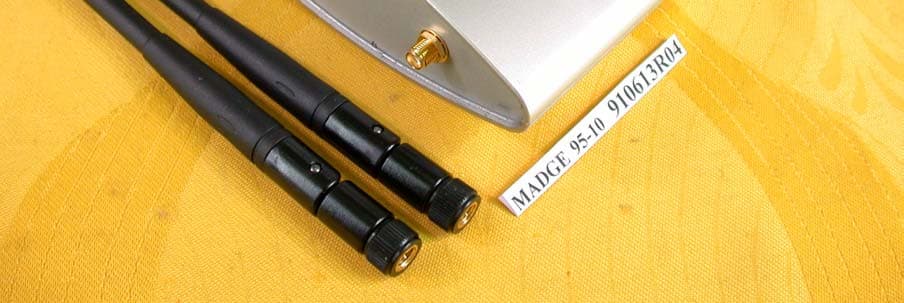
NKH9510
Jul 17, 2002Smart Wireless Access Point 802.11b
Equipment Class
DTS - Digital Transmission System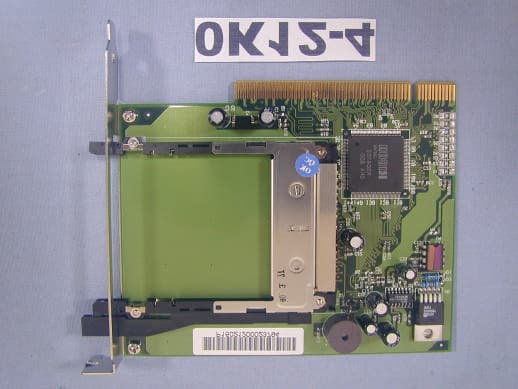
NKH9520
Jul 11, 2002Smart Wireless PCI Adapter 802
Equipment Class
JBP - Part 15 Class B Computing Device Peripheral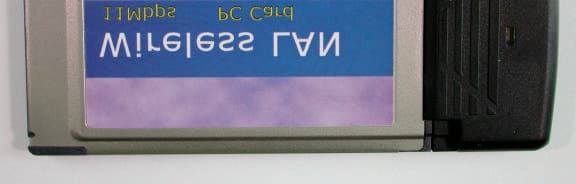
NKH9531
Jul 08, 2002Smart Wireless PCMCIA Adapter 802.11b
Equipment Class
DTS - Digital Transmission System
NKHPCI5
Sep 12, 2000Smart 100/16/4 PCI Ringnode
Equipment Class
JBP - Part 15 Class B Computing Device Peripheral
NKHPCI4
Oct 12, 1999Smart 100/16/4 PCI-HS Ringnode Mk2
Equipment Class
JBP - Part 15 Class B Computing Device Peripheral