OK6X42100Bluetooth Printer Adapter
I-Data International A/S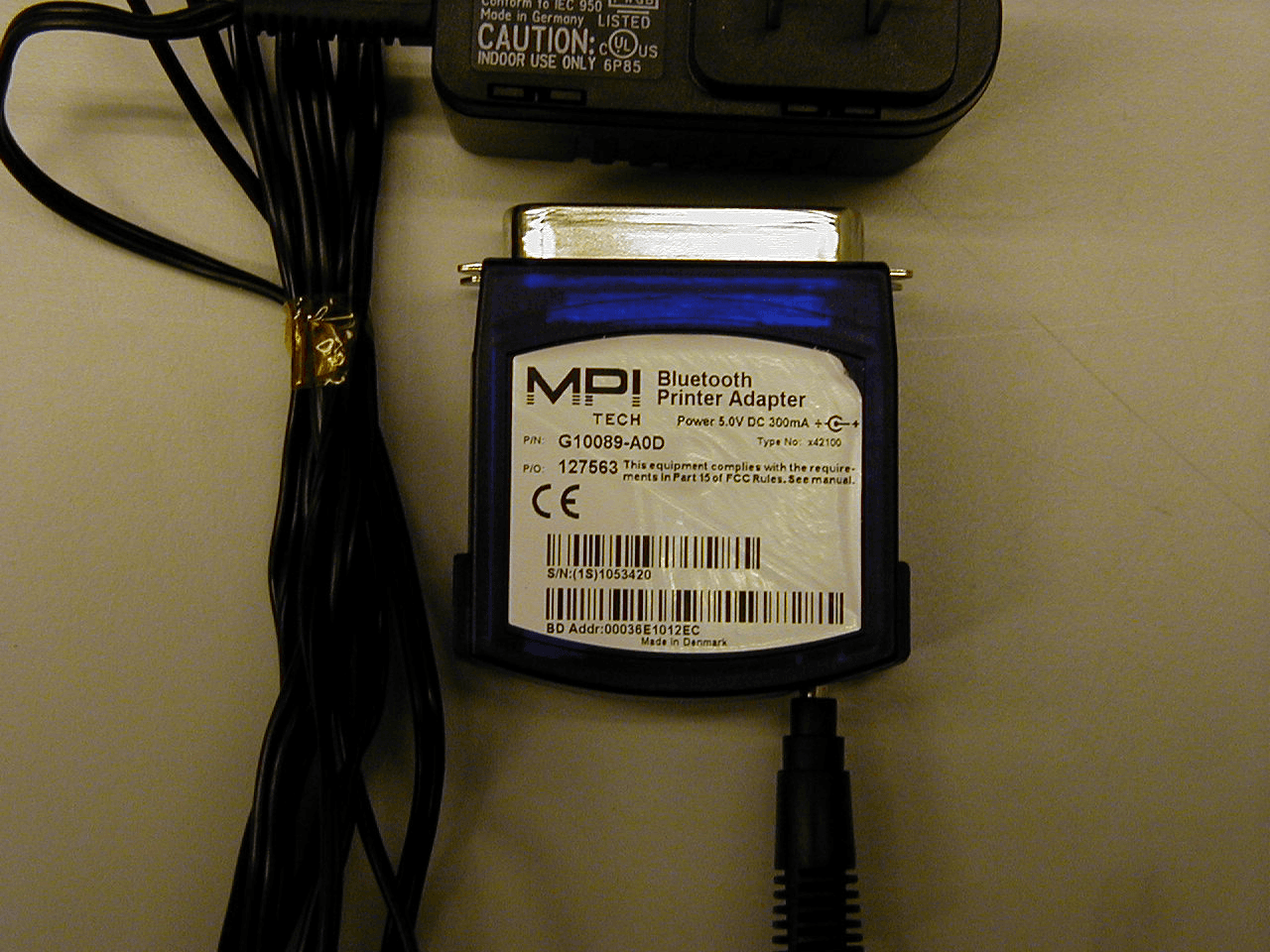
Click to zoom
Application Details
- Equipment Class
- DSS - Part 15 Spread Spectrum Transmitter
- Date of Grant
- Jun 25, 2001
- Application Purpose
- Original Equipment
- Date of Application
- Jun 25, 2001
- Equipment Note
- Bluetooth Printer Adapter
- Frequency Range
- 2402.00000000 - 2480.00000000
- Company
- I-Data International A/S
- Country
- Denmark
Documents & Files
Document Text
Text extracted from the exhibit documents filed with the FCC. Open a document above to read the original.
Users Manual
BLUETOOTHPRINTER ADAPTER Parallel port Test buttonPower outled Blue light MPI Tech Corporate Headquarters Vadstrupvej 35-43 DK-2880 Bagsværd Denmark Phone: +45 4436 6000 Fax: +45 4436 6111 E-mail: [email protected] Web: www.mpitech.com MPI Tech is a business unit of i-data international a-s Quick Guide English 2-3 Deutsch 4-5 Francais 5-6 Italiano 6-7 Espanol 8-9 Wireless Printing Solutions BLUETOOTHPRINTER ADAPTER Lorem ipsum Lorem ipsum Lorem ipsum Lorem ipsum Lorem ipsum Lorem ipsum Lorem ipsum Lorem ipsum Lorem ipsum Lorem ipsum Lorem ipsum Lorem ipsum Yellow light Lorem ipsum Lorem ipsum Lorem ipsum Lorem ipsum Lorem ipsum Lorem ipsum Lorem ipsum Lorem ipsum Congratulations with your Bluetooth Printer Adapter from MPI Tech, a business unit of i-data international a-s. This docu- ment will assist you in getting started with Bluetooth printing. INTRODUCTION The Bluetooth Printer Adapter replaces the parallel cable of the printer and enables printing from Bluetooth enabled devices such as laptops, PDAs and mobile phones. ITEMS SUPPLIED The Bluetooth Printer Adapter Kit contains: • Bluetooth Printer Adapter • Power adapter • Quick Guide (this document) PREREQUISITES At our web site www.mpitech.com/btpa you will find an updated list of supported Bluetooth devices and printers. In general the following is required: • A Bluetooth enabled device in the form of a laptop, PDA or mobile phone. The Bluetooth device must support at least one of the following Bluetooth profiles to print: SPP – Serial Port Profile. OPP – Object Push Profile (vCard and vCalendar). HCRP – Hardcopy Cable Replacement Profile. • A printer with parallel port (IEEE 1284-B). Please order converter cable (MPI Tech p/n 999034-030) if your printer is equipped with a small parallel port connector (IEEE 1284-C). BLUETOOTH PRINTING Please refer to the documentation that came with your Bluetooth device, e.g. laptop, PDA or mobile phone. At our web site you will find instructions for Bluetooth Printing. Please refer to www.mpitech.com/btpa A. CONNECT HARDWARE Follow the steps below to connect the hardware: 1.Power off the printer. 2.Connect the Bluetooth Printer Adapter to the parallel port of the printer and secure it using the two mounting clips. 3.Power on the printer. 4.Connect the included power adapter to the Bluetooth Printer Adapter and to the power outlet. Turn on the power. 5.The test page is printed after approx. 20 seconds. The Bluetooth Printer Adapter can now be used for Bluetooth printing. B. LIGHT INDICATORS At power on the blue light is on for approx. 20 seconds,where after it starts to flash (indicating it is ready). The blue light is on whenever a connection has been established to another Bluetooth device. The yellow light indicates that data is available. C. ADDITIONAL PRINT OF TEST PAGE Press the Bluetooth Printer Adapter’s TEST button to print the test page. The test page contains information about the Product Version (500.xxx) and the Bluetooth Device Address (00:03:6E:XX:XX:XX). REGULATORY INFORMATION This product complies with any mandatory product specification in any country where the product is sold. In addition, the product complies with the following directives: SAFETY REGULATIONS NOTE: Only use this product with a Class 2 Direct Plug-In Transformer rated 5.0-> 5.5 Vdc minimun 0.40 A United States of America and Canada The equipment is tested to comply with UL1950 3rd edi- tion and marked in accordance with UL and cUL marks. European Union The product is tested to comply with the Low voltage Directive 73/23/EEC according to EN60950 with amend- ments. RADIO EQUIPMENT REGULATIONS European Union This equipment complies with the R&TTE directive 1999/5/EC and has been pro-vided with the CE mark accordingly. Note that the radio frequency band used by this equipment has not been harmonized in all of the EU. United States of America and Canada Tested to comply with FCC Standards FOR HOME OR OFFICE USE. See FCC 47CFR part 15.19(b)(2). This device complies with part 15 of the FCC rules and with RSS-210 / RSS-139 of the Industry Canada. Operation is subject to the following two conditions: (1) This device may not cause harmful interference, and (2) this device must accept any interference received, including interference that may cause undesired opera- tion. CAUTION: Any changes or modifications to this equip- ment not expressly approved by the manufacturer may void the FCC authorization to operate this equipment. Canada (IC notice) To prevent radio interference to the licensed service, this device is intended to be operated indoors and away from windows to provide maximum shielding. Equipment that is installed outdoors is subject to licensing. ELECTRONIC EMISSION NOTICES Federal Communications Commission (FCC) Statement Note: This equipment has been tested and found to comply with the limits for a Class B digital device, pur- suant to Part 15 of the FCC Rules. These limits are designed to provide reasonable protection against harmful interference in a residential installation. This equipment generates, uses, and can radiate radio fre- quency, energy and, if not installed and used in accor- dance with the instructions, may cause harmful interfer- ence to radio communications. However, there is no guarantee that interference will not occur in a particular installation. If this equipment does cause harmful inter- ference to radio or television reception, which can be determined by turning the equipment off and on, the user is encouraged to try to correct the interference by one or more of the following measures: • Reorient or relocate the receiving antenna. • Increase the separation between the equipment and receiver. • Connect the equipment into an outlet on a circuit different from that to which the receiver is connected. • Consult an MPI Tech authorized dealer or service repre- sentative for help. Properly shielded and grounded cables and connectors must be used in order to meet FCC emission limits. Proper …
Text truncated - open the document above for the full version.
Block Diagram
Block diagram Bluetooth Printer Adapter – Type x42100 FLASH MEMORY SPI VCC ANT RF SectionBlueCore01 X-TAL POWER SUPPLY Micro- controller IEEE1284 controller SDRAM JTAG X-TAL IEEE1284 B LED's
Block Diagram
Block diagram Bluetooth Printer Adapter – Type x42100 The only external connectors are the IEEE1284B connector for the printer (IEEE1284 B) and the low voltage power supply connector (VCC). Internally, access for test purpose is possible through a JTAG and SPI connector. The antenna (ANT) is mounted internally in the Bluetooth Printer Adapter. X-TAL There are 2 clock crystals located on the PCB, one for the microcontroller (29,4912MHz) and one for the Bluecore01 (16,0000MHz). SDRAMSDRAM memory for microcontroller. LED’sLED indicators for the user. IEEE1284 controller A programmable proprietary IEEE1284 controller is used to control the printer. MicrocontrollerThe microcontroller is a ARM7TDMI based Samsung controller, with SDRAM, FLASH, UART, PLL and generel purpose I/O. FLASH MEMORYThe Flash memory is located as 2 separate chips, one 16x512kbytes for the microcontroller Firmware and one 16x256kbytes for the Radio Firmware. BlueCore01BlueCore01 is a single chip, featuring Bluetooth baseband controller, PLL and the complete radio. RF SectionThe RF parts outside the BlueCore01 contains PA, LNA, RF-switch, balun and impedance matching networks. POWER SUPPLYThe power supply is a linear regulator including common mode filtering and de- coupling for the chips. POWER SUPPLY FLASH MEMORY BlueCore01 RF Section X-TAL SPI ANT VCC Micro- controller IEEE1284 controller SDRAM JTAG X-TAL IEEE1284 B LED's FLASH MEMORY
Cover Letter(s)
FCC PART 15 AGENCY AGREEMENT LETTER I appoint Tele Danmark A/S (Telelaboratoriet)., to act as Agent in the preparation of applications for registration of our, Bluetooth Printer Adapter Type No. x42100 under Part 15 of the FCC Rules. I certify that the exhibits properly describe the device or system for which registration is sought, that Exhibit G represents the policies of the Applicant and will be followed for all items manufactured and distributed under the provisions of Part 15, that the label described in Exhibit H will be affixed to each item, and that the information described in Exhibit J will be provided with each item manufactured or distributed by the applicant. Dated this June 13, 2001 This agreement expires two years from the day executed. By: (Signature)(Printed) Title: Manager, Approvals Telephone: ( 45 ) 44 36 60 00 MPI Tech is a business unit of i-data international a-s Vadstrupvej 35-43 DK-2880 Bagsværd Denmark Telefon: 44 36 60 00
ID Label/Location Info
Label for Bluetooth Printer Adapter – Type No. x42100 Label for Bluetooth Printer Adapter Power Supply – Type No. FW7238/05
Internal Photos
Internal photo1.jpg Internal photo2.jpg
Operational Description
The BLUETOOTH Printer Adapter from MPI Tech is designed to add more freedom and flexibility to printing. It meets the requirement of today for sharing and printing information without being logged on to a network. This means that no cabling, additional connectors or other complicated networking hardware is needed in order to print. The BLUETOOTH Printer Adapter sets a new standard for wireless printing since it not only replaces the parallel cable of the printer but also enables wireless printing of even complex and large documents from mobile phones and PDAs. With the BLUETOOTH Printer Adapter you can print from any portable device equipped with BLUETOOTH technology wherever you are, whenever you need – e.g. in airport lounges, hotel receptions or branch offices abroad. The BLUETOOTH Printer Adapter enables interaction with other wireless devices and allows you to print within a range of 10 - 100 meters depending on the construction of the building. The BLUETOOTH Printer Adapter operates with all standard printers. In order to print without cables, it makes use of BLUETOOTH Wireless Technology, a low-cost low power consumption standard that allows multiple mobile devices to communicate wirelessly by use of radio frequencies. The wireless printing solution from MPI Tech implies elimination of cabling, flexible placement of equipment and increased user convenience and mobility. Further, it is a very economical alternative in environments where wired infrastructure is costly or impractical. The wireless way to connect your printer Wireless Printing • Wireless Printing • Support for laptop, PDA and mobile phone • Windows Plug and Play compatible • Supports the Hardcopy Cable Replacement Profile* • High power, +20 dBm, Class1 • Flash upgradeable through a wireless link BLUETOOTHPrinter Adapter www.mpitech.com MPI Tech Corporate Headquarters Vadstrupvej 35-43 DK-2880 Bagsværd Denmark Phone: +45 4436 6000 Fax: +45 4436 6111 MPI Tech is a business unit of i-data international a-s Part Number Product Name 942100-130BLUETOOTH Printer Adapter, EU 942100-230BLUETOOTH Printer Adapter, UK 942100-330BLUETOOTH Printer Adapter, US 999034-030Converter cable, parallel to 1284-C Supported Bluetooth Profiles Serial Port Profile (SPP) Object Push Profile (OPP) Hardcopy Cable Replacement Profile (HCRP)* SPP allows wireless printing from any Windows application to any printer. HCRP allows wireless printing from any Windows application to any printer. Furthermore it allows Windows to discover and install printers (Plug and Play) with the BLUETOOTH Printer Adapter attached. OPP allows wireless printing of ready-to- print files to any printer. In addition, OPP allows wireless printing of electronic business cards (vCard files) and calendar entries (vCalendar files) to any PCL 3 or higher enabled printer. Range Minimum 10 m (33 feet) radius from device in typical use (varies with building construction). Frequency Band 2.4 GHz ISM band Radio Output Power +20 dBm, Class 1 Compatibility BLUETOOTH v1.1 certified. Printer Interface One IEEE 1284-B compliant, high-speed, bi-directional port. Please order converter cable (MPI Tech p/n 999034-030) if your printer is equipped with a small parallel port connector (IEEE 1284-C). User Interface Diagnostic button for information printout. Two light indicators showing data receiving and connection status. Supported Hardware An updated list of supported BLUETOOTH devices and printers is available at www.mpitech.com/btpa Supported hardware includes (but is not limited to): BLUETOOTH PC Cards from: Motorola, Digianswer, IBM, Toshiba and 3Com. BLUETOOTH enabled Palm Pilot. Upgradeable Flash memory for upgrading of the BLUETOOTH Printer Adapter software through a wireless link. Environmental Temperature: 32 – 105° F Humidity: 10% to 95% non-condensing. Electrical Requirements Powered from printer with no external power supply if printer supports it. Otherwise, power supply provided (5.0 Vdc and 350mA). May 23, 2001The BLUETOOTH trademark is owned by its proprietor and used by MPI Tech under license. Com pany and product names mentioned in brochure are registered trademarks of their respective owners. MPI Tech cannot be held responsible for any technical or typographical errors and reserves the right to m ake changes to products and documentation wi thout prior notification. Data Sheet is subject to change wi thout notice. 12 34 5 Off On 20s 1. Power off the printer. Connecting the BLUETOOTHPrinter Adapter 2. Connect the BLUETOOTH Printer Adapter to the parallel port of the printer and secure it using the two mounting clips. 3. Power on the printer.4. Connect the included power adapter to the BLUETOOTH Printer Adapter and to the power outlet. Turn on the power. 5. The test page is printed after approx. 20 seconds. The BLUETOOTHPrinter Adapter can now be used for BLUETOOTH printing. * Hardcopy Cable Replacement Profile is expected to be released in September 2001
Operational Description
The BLUETOOTH Printer Adapter from MPI Tech is designed to add more freedom and flexibility to printing. It meets the requirement of today for sharing and printing information without being logged on to a network. This means that no cabling, additional connectors or other complicated networking hardware is needed in order to print. The BLUETOOTH Printer Adapter sets a new standard for wireless printing since it not only replaces the parallel cable of the printer but also enables wireless printing of even complex and large documents from mobile phones and PDAs. With the BLUETOOTH Printer Adapter you can print from any portable device equipped with BLUETOOTH technology wherever you are, whenever you need – e.g. in airport lounges, hotel receptions or branch offices abroad. The BLUETOOTH Printer Adapter enables interaction with other wireless devices and allows you to print within a range of 10 - 100 meters depending on the construction of the building. The BLUETOOTH Printer Adapter operates with all standard printers. In order to print without cables, it makes use of BLUETOOTH Wireless Technology, a low-cost low power consumption standard that allows multiple mobile devices to communicate wirelessly by use of radio frequencies. The wireless printing solution from MPI Tech implies elimination of cabling, flexible placement of equipment and increased user convenience and mobility. Further, it is a very economical alternative in environments where wired infrastructure is costly or impractical. The wireless way to connect your printer Wireless Printing • Wireless Printing • Support for laptop, PDA and mobile phone • Windows Plug and Play compatible • Supports the Hardcopy Cable Replacement Profile* • High power, +20 dBm, Class1 • Flash upgradeable through a wireless link BLUETOOTHPrinter Adapter www.mpitech.com MPI Tech Corporate Headquarters Vadstrupvej 35-43 DK-2880 Bagsværd Denmark Phone: +45 4436 6000 Fax: +45 4436 6111 MPI Tech is a business unit of i-data international a-s Part Number Product Name 942100-130BLUETOOTH Printer Adapter, EU 942100-230BLUETOOTH Printer Adapter, UK 942100-330BLUETOOTH Printer Adapter, US 999034-030Converter cable, parallel to 1284-C Supported Bluetooth Profiles Serial Port Profile (SPP) Object Push Profile (OPP) Hardcopy Cable Replacement Profile (HCRP)* SPP allows wireless printing from any Windows application to any printer. HCRP allows wireless printing from any Windows application to any printer. Furthermore it allows Windows to discover and install printers (Plug and Play) with the BLUETOOTH Printer Adapter attached. OPP allows wireless printing of ready-to- print files to any printer. In addition, OPP allows wireless printing of electronic business cards (vCard files) and calendar entries (vCalendar files) to any PCL 3 or higher enabled printer. Range Minimum 10 m (33 feet) radius from device in typical use (varies with building construction). Frequency Band 2.4 GHz ISM band Radio Output Power +20 dBm, Class 1 Compatibility BLUETOOTH v1.1 certified. Printer Interface One IEEE 1284-B compliant, high-speed, bi-directional port. Please order converter cable (MPI Tech p/n 999034-030) if your printer is equipped with a small parallel port connector (IEEE 1284-C). User Interface Diagnostic button for information printout. Two light indicators showing data receiving and connection status. Supported Hardware An updated list of supported BLUETOOTH devices and printers is available at www.mpitech.com/btpa Supported hardware includes (but is not limited to): BLUETOOTH PC Cards from: Motorola, Digianswer, IBM, Toshiba and 3Com. BLUETOOTH enabled Palm Pilot. Upgradeable Flash memory for upgrading of the BLUETOOTH Printer Adapter software through a wireless link. Environmental Temperature: 32 – 105° F Humidity: 10% to 95% non-condensing. Electrical Requirements Powered from printer with no external power supply if printer supports it. Otherwise, power supply provided (5.0 Vdc and 350mA). May 23, 2001The BLUETOOTH trademark is owned by its proprietor and used by MPI Tech under license. Com pany and product names mentioned in brochure are registered trademarks of their respective owners. MPI Tech cannot be held responsible for any technical or typographical errors and reserves the right to m ake changes to products and documentation wi thout prior notification. Data Sheet is subject to change wi thout notice. 12 34 5 Off On 20s 1. Power off the printer. Connecting the BLUETOOTHPrinter Adapter 2. Connect the BLUETOOTH Printer Adapter to the parallel port of the printer and secure it using the two mounting clips. 3. Power on the printer.4. Connect the included power adapter to the BLUETOOTH Printer Adapter and to the power outlet. Turn on the power. 5. The test page is printed after approx. 20 seconds. The BLUETOOTHPrinter Adapter can now be used for BLUETOOTH printing. * Hardcopy Cable Replacement Profile is expected to be released in September 2001
RF Exposure Info
Power density calculation according to CFR47 1.1310 OET Bulletin 65 including Supplement C (Edition 97-01) 01.05.22/PLH P S = Max.power density according to CFR47 1.1310 and OET Bulletin 65, Supplement C for General Population/Uncontrolled Exposure (in appropriate units, e.g. mW/cm 2 ) P = power input to the antenna (in appropriate units, e.g., mW) G = power gain of the antenna in the direction of interest relative to an isotropic radiator G dB = power gain of the antenna in dB. R = distance from point of power density to the center of radiation of the antenna (appropriate units, e.g., cm) G dB 3:=P100mW:= 100mW = 20dBm = Class1 P S 1 mW cm 2 := G10 G dB 10 := EIPRPG⋅:=P S EIPR 4π⋅R 2 ⋅ = Solving for R, gives: R 1 2P S π⋅⋅ () P S π⋅EIPR⋅ () 1 2 ⋅ 1− 2P S π⋅⋅ () P S π⋅EIPR⋅ () 1 2 ⋅ := R 3.985 3.985− cm= From the above calculation (disregard the negative value) it can be seen that the minimum distance to the antenna inorder to comply with the maksimum power density as described in CFR47 1.1310 and OET 65, supplement C, is 4cm. The calculation is based on the far-field formula, whereby the prediction is more conservative and will overpredict the power density in the near-field, making this a "worst-case" prediction. mW10 3− W⋅:= cm10 2− m:=
Test Report
Addition to Test report UPRR010047-02 1.1 §15.247 (a)(2) 1.2 §15.247 (d) 1.3 15.209 (at TX band edges) Telelaboratoriet Page 2 of 5 Title: Test on I-data Bluetooth printer adapter, to FCC Part 15 C clause 15.207, 15.209 and 15.247. Addition to UPRR010047-02. 1.1. §15.247 (a) (2) – 6 dB bandwidth in acquisition mode (inquiry / page) The used RF bandwidths were measured at the lowest, highest and centre frequency in both inquiry and page mode. Measurement uncertainty: Amplitude:+/-1 dB Frequency+/- 40 kHz Measurement results: Inquiry mode Channel / TX freq. Lowest / 2402MHz Centre 2441MHz Highest 2479MHz Bandwidth [kHz] 108011531025 Centre frequency of highest channel is 2479 as BW in inquiry mode is 2MHz Page mode Channel / TX freq. Lowest / 2402MHz Centre 2441MHz Highest 2480MHz Bandwidth [kHz] 885913973 Channels used in inquiry mode can be found in annex 1. Bandwidths in inquiry mode can be found in annex 2 – 4 Channels used in page mode can be found in annex 5. Bandwidths in page mode can be found in annex 6 - 8 Limit: For direct sequence systems the minimum 6dB bandwidth shall be at least 500kHz. Conclusion: The EUT complies with the given limit. Test performed by: FBOLLDate:23. June 2001 Telelaboratoriet Page 3 of 5 Title: Test on I-data Bluetooth printer adapter, to FCC Part 15 C clause 15.207, 15.209 and 15.247. Addition to UPRR010047-02. 1.2. §15.247 (d) – Spectral power density in acquisition mode (inquiry / page) The maximum spectral power density is performed as a conducted measurement. The power is measured at the point where the antenna normally is connected. Measurements are performed with a bandwidth of 3kHz. Measurement uncertainty: Amplitude:+/-1 dB Measurement results: To find the highest power density a scan over the full TX band was performed in both page and inquiry mode. For maximum peak power in inquiry mode is shown in annex 9. Maximum peak power in page mode is shown in annex 10. Measurement shall be corrected for cable losses by adding 0.5dB to the values shown. Corrected peak power density value in inquiry and page mode is found to be < -21dBm. Limit: For direct sequence systems, the peak power spectral power density conducted from the intentional radiator to the antenna shall not be greater than 8dBm in any 3kHz band during any time. Conclusion: The EUT complies with the given limit. Test performed by:FBOLLDate:23. June 2001 Telelaboratoriet Page 4 of 5 Title: Test on I-data Bluetooth printer adapter, to FCC Part 15 C clause 15.207, 15.209 and 15.247. Addition to UPRR010047-02. 1.3. §15.209 (a) – Radiated emission (at TX band edges) The maximum RF power that is produced by the EUT is measured in an anechoic room in 1-meter distance. Measurement uncertainty: Field strength: -4.2/+3.4 dB (k = 2) Measurement results: The radiated emission test is performed using 1MHz BW. The plots of the noise levels at the TX band edges 2400,0MHz and 2483,5MHz can be found in annex 11 and 12. Measurement shall be corrected for cable and antenna losses by adding 29dB to the values shown. Corrected peak value is found to be < 84dBm @ 1-meter. Limit: All Radiated emission that falls in the restricted bands as defined in 15.205 (a) must comply with the radiated emission limits specified in 15.209. Emission at the band edges complies with the peak limit of 84dBm (scaled to 1-meter distance) Conclusion: The EUT complies with the given limit. Test performed by: FBOLLDate: 23. June 2001 Telelaboratoriet Page 5 of 5 Title: Test on I-data Bluetooth printer adapter, to FCC Part 15 C clause 15.207, 15.209 and 15.247. Addition to UPRR010047-02. 2. List of instruments Radiated emission (Final > 1GHz) + RF conducted measurements: Test receiver R&S ESMI-RF 176439. May 00 / 2 Yr. Antenna 3EMCO 31151578112. Feb.01 / 1 Yr. Support Equipment: Laptop PC: Compaq Armada 1530D Bluetooth Link, PC end: MPI Tech Bluetooth dongle Printer: HP DeskJet 850C Telelaboratoriet Annex 1 of 12 Title: Test on I-data Bluetooth printer adapter, to FCC Part 15 C clause 15.207, 15.209 and 15.247. Addition to UPRR010047-02. Channels used in inquiry mode: Telelaboratoriet Annex 2 of 12 Title: Test on I-data Bluetooth printer adapter, to FCC Part 15 C clause 15.207, 15.209 and 15.247. Addition to UPRR010047-02. Bandwidth, Inquiry mode, Low channel: Telelaboratoriet Annex 3 of 12 Title: Test on I-data Bluetooth printer adapter, to FCC Part 15 C clause 15.207, 15.209 and 15.247. Addition to UPRR010047-02. Bandwidth, Inquiry mode, Center channel: Telelaboratoriet Annex 4 of 12 Title: Test on I-data Bluetooth printer adapter, to FCC Part 15 C clause 15.207, 15.209 and 15.247. Addition to UPRR010047-02. Bandwidth, Inquiry mode, High channel: Telelaboratoriet Annex 5 of 12 Title: Test on I-data Bluetooth printer adapter, to FCC Part 15 C clause 15.207, 15.209 and 15.247. Addition to UPRR010047-02. Channel use page mode: Telelaboratoriet Annex 6 of 12 Title: Test on I-data Bluetooth printer adapter, to FCC Part 15 C clause 15.207, 15.209 and 15.247. Addition to UPRR010047-02. Bandwidth, Page mode, Low channel: Telelaboratoriet Annex 7 of 12 Title: Test on I-data Bluetooth printer adapter, to FCC Part 15 C clause 15.207, 15.209 and 15.247. Addition to UPRR010047-02. Bandwidth, Page mode, Center channel: Telelaboratoriet Annex 8 of 12 Title: Test on I-data Bluetooth printer adapter, to FCC Part 15 C clause 15.207, 15.209 and 15.247. Addition to UPRR010047-02. Bandwidth, Page mode, High channel: Telelaboratoriet Annex 9 of 12 Title: Test on I-data Bluetooth printer adapter, to FCC Part 15 C clause 15.207, 15.209 and 15.247. Addition to UPRR010047-02. Spectral power density, inquiry mode (scan over TX band): Telelaboratoriet Annex 10 of 12 Title: Test on I-data Bluetooth printer adapter, to FCC Part 15 C clause 15.207, 15.209 and 15.247. Addition to UPRR010047-02. Spectral power density, page mode (scan over TX band): Telelaboratoriet Annex 11 of 12 Title: Test on I-data Bluetooth printer adapter, to FCC Part 15 C clause 15.207, 15.20…
Text truncated - open the document above for the full version.
Test Report
Telelaboratoriet Test Report UPRR010047-02Page 2 of 19 Title: Test on I-data Bluetooth printer adapter, to FCC Part 15 C clause 15.207, 15.209 and 15.247. CONTENTSPAGE 1.TEST SPECIFICATION AND METHODS....................................................................4 2.LOCATION OF TEST SITE.............................................................................................4 3.EUT DESCRIPTION........................................................................................................5 3.1.General.....................................................................................................................5 3.2.Technical specifications.....................................................................................5 4.DEVIATIONS OR EXCLUSIONS FROM THE TEST SPECIFICATIONS..............5 5.TESTS AND TEST CONDITIONS.................................................................................6 5.1.EUT ports to be examined..................................................................................6 5.2.Operation of the EUT............................................................................................6 5.3.Limits and frequency ranges used...................................................................7 6.MEASUREMENTS, EXAMINATIONS AND DERIVED RESULTS.........................8 6.1.Test results, Emission.........................................................................................8 6.2.§15.207 - Line conducted emission, 0.45-30MHz..........................................8 6.3.§15.247 (a) (1) – Separation of channels.........................................................9 6.4.§15.247 (a) (1) – Number of hopping channels............................................10 6.5.§15.247 (a) (1) – 20 dB bandwidth...................................................................11 6.6.§15.247 (a) (1) – Occupancy of individual frequencies..............................12 6.7.§15.247 (b) (1) – Maximum peak output power............................................13 6.8.§15.247 (b) (2) – Antenna gain..........................................................................14 6.9.§15.247 (c) – RF power emission....................................................................15 6.10.§15.209 (a) – Radiated emission......................................................................16 7.LIST OF INSTRUMENTS..............................................................................................17 Telelaboratoriet Test Report UPRR010047-02Page 3 of 19 Title: Test on I-data Bluetooth printer adapter, to FCC Part 15 C clause 15.207, 15.209 and 15.247. Annexes: 1 – 4:RF Conducted emission, 0.45-30MHz 5: Separation of channels 6: Number of hopping channels 7 - 9: 20 dB bandwidth 10 - 11: Occupancy of individual frequencies 12: Antenna gain (Radiation Pattern) 13 - 15: RF power emission / Radiated emission 16 - 17: RF field emission Telelaboratoriet Test Report UPRR010047-02Page 4 of 19 Title: Test on I-data Bluetooth printer adapter, to FCC Part 15 C clause 15.207, 15.209 and 15.247. 1. Test Specification and Methods Purpose of Test:The tests are performed in order to demonstrate compliance with the FCC requirements for frequency hopping intentional transmitters operating in the freq. range 2400MHz to 2483,5MHz. Test Specifications: Limits: [1]CFR 47 Part 15 : 2001, Code of Federal Regulation 47 (Telecommunication), Part 15 (Radio Frequency Devices), Subpart C (Intentional Radiators) Clause 15.207, 15.209 and 15.247 Methods and Procedures: The Test methods and procedures are defined in the following standard(s) (for undated references the latest edition applies): [2]ANSI C63.4 : 1992, American National Standard for Methods of Measurement of Radio-Noise Emissions form Low-Voltage Electrical and Electronic Equipment in the Range of 9 kHz to 40 GHz 2. Location of Test Site Test are performed at the test site of Tele Danmark A/S (Telelaboratoriet) at the address: Tele Danmark A/S (Telelaboratoriet) Teleg…
Text truncated - open the document above for the full version.
Contact Information
Applicant
Kim Boll Jensen(Manager, Approvals & Safety)
Technical Contact
I-data International A-SKim Bole
[email protected]+45 44 36 60 66
Vadstrupvej 35-45 · Bagsvaerd · Denmark
Test Firm
Telelaboratoriet-TDC Mobil A/SMartin Arndt
Technical Specifications
| # | Rule Parts | Frequency Range | Power Output |
|---|---|---|---|
| 1 | 15C | 2.40 GHz - 2.48 GHz | 100.00 mW |
Other Applications from I-Data International A/S
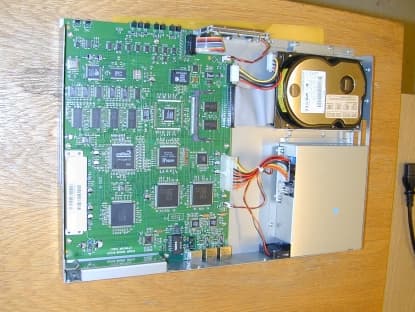
OK6X83106
Nov 21, 2000VPN router
Equipment Class
JBP - Part 15 Class B Computing Device Peripheral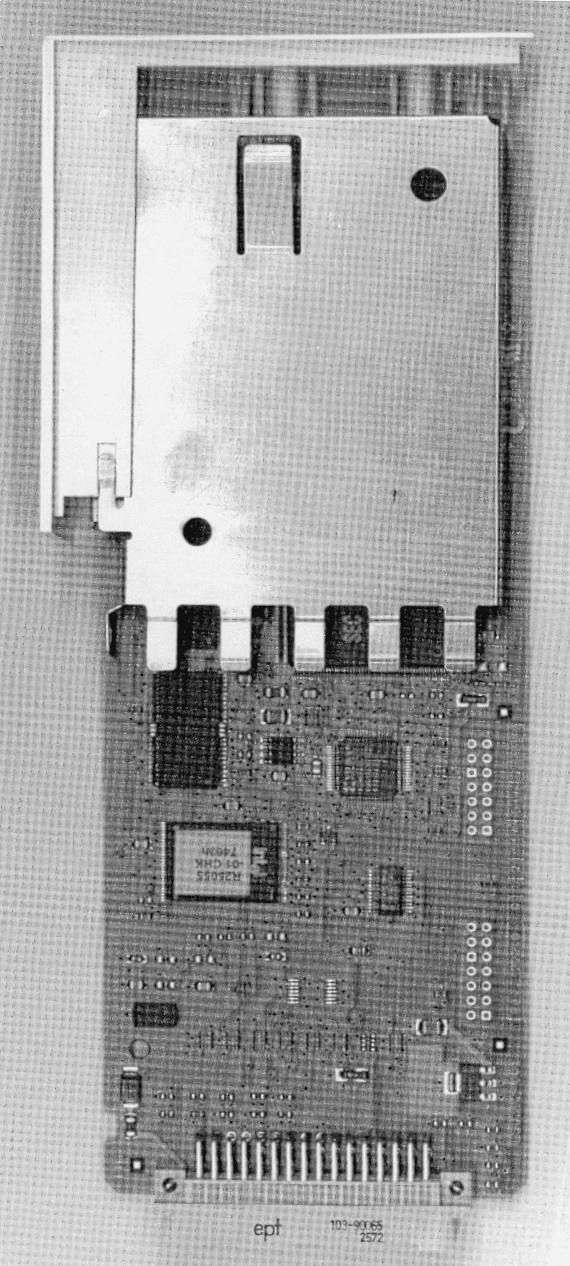
OK6X62512
Feb 14, 2000JBP - Part 15 Class B Computing Device Peripheral
Equipment Class
JBP - Part 15 Class B Computing Device Peripheral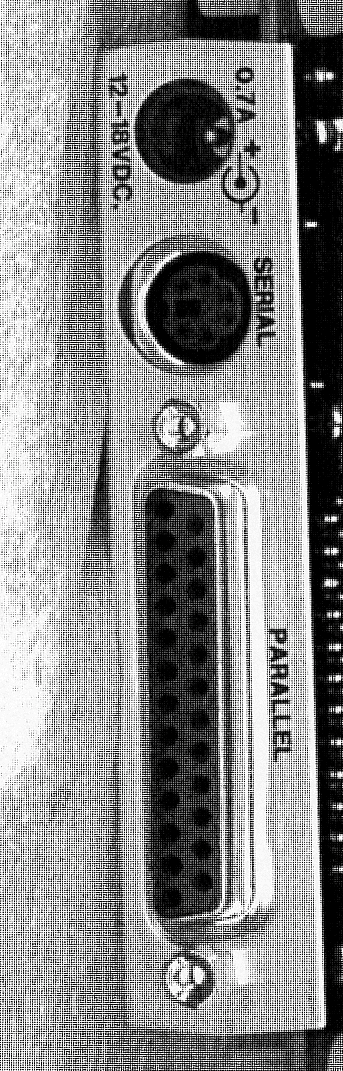
OK6X34150
Nov 03, 1999Printer Server Terminal (SafeCom)
Equipment Class
JBP - Part 15 Class B Computing Device Peripheral
OK6X62410
Oct 25, 1999Printer Server
Equipment Class
JBP - Part 15 Class B Computing Device Peripheral
OK6X62411
Oct 17, 1999Printer Server
Equipment Class
JBP - Part 15 Class B Computing Device Peripheral