P4YSHP-A30Digital Doorlock
Samsung SDS Co., Ltd.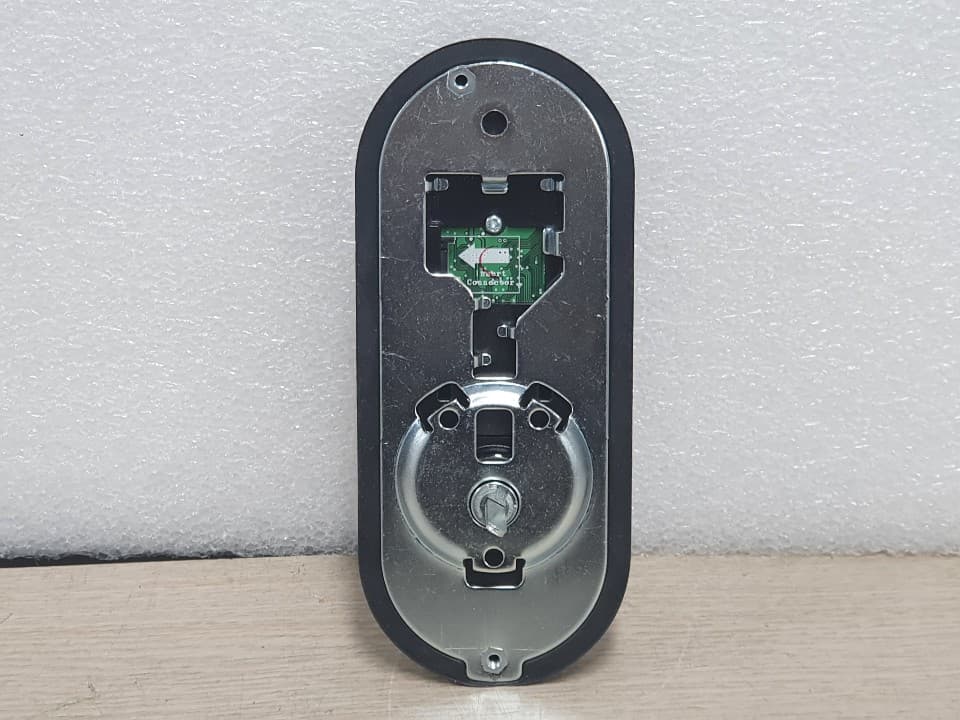
Click to zoom
Application Details
- Equipment Class
- DTS - Digital Transmission System
- Date of Grant
- Jan 16, 2020
- Application Purpose
- Original Equipment
- Date of Application
- Jan 16, 2020
- Equipment Note
- Digital Doorlock
- Frequency Range
- 2412.00000000 - 2462.00000000
- Company
- Samsung SDS Co., Ltd.
- Country
- South Korea
Documents & Files
Document Text
Text extracted from the exhibit documents filed with the FCC. Open a document above to read the original.
Users Manual
Please review all included documentation and use the product as intended. Before installing this product, fully read and understand this user guide. Safety precautions must be followed to avoid personal injury or property damage. Samsung SDS Digital Door Lock User Guide SHP-A30 Samsung SDS Digital Door Lock SHP-A30 2 Congratulations on the purchase of your Samsung SDS Digital Door Lock! Your lock has a touch sensitive number display pad. Up to 50 users can be registered to gain access with unique Codes. The touchscreen makes it convenient to enter the code and the Randomizer function helps prevent lockpicking using fingerprint traces on the touchscreen. Other convenient functions such as Automatic Locking / Sound Setting, etc. provide advanced security and peace of mind. | Introduction | Table of Contents Introduction � � � � � � � � � � � � � � � � � � � � � � � � � � � � � � � � � � � � � � � � � � � � � � � � � � � � � � � � � � � � � 2 Safety Cautions � � � � � � � � � � � � � � � � � � � � � � � � � � � � � � � � � � � � � � � � � � � � � � � � � � � � � � � � 3-4 Installation � � � � � � � � � � � � � � � � � � � � � � � � � � � � � � � � � � � � � � � � � � � � � � � � � � � � � � � � � � � 5-11 Components & Tools � � � � � � � � � � � � � � � � � � � � � � � � � � � � � � � � � � � � � � � � � � � � � � � � � � � � � � 5 Door Preparation � � � � � � � � � � � � � � � � � � � � � � � � � � � � � � � � � � � � � � � � � � � � � � � � � � � � � � � 6-7 Preparing the parts � � � � � � � � � � � � � � � � � � � � � � � � � � � � � � � � � � � � � � � � � � � � � � � � � � � � � � � � 8 Installing Lock � � � � � � � � � � � � � � � � � � � � � � � � � � � � � � � � � � � � � � � � � � � � � � � � � � � � � � � � 9-11 Programming � � � � � � � � � � � � � � � � � � � � � � � � � � � � � � � � � � � � � � � � � � � � � � � � � � � � � � � � � � � 12 Programming Features � � � � � � � � � � � � � � � � � � � � � � � � � � � � � � � � � � � � � � � � � � � � � � � � � 12-13 Definitions � � � � � � � � � � � � � � � � � � � � � � � � � � � � � � � � � � � � � � � � � � � � � � � � � � � � � � � � � � � 13-14 Basic Lock Operation Overview & Lock Activation � � � � � � � � � � � � � � � � � � � � � � � � � � � � � � � 15 Status Indicators & Changing the Master PIN Code � � � � � � � � � � � � � � � � � � � � � � � � � � � � � � � 16 Managing User PIN codes � � � � � � � � � � � � � � � � � � � � � � � � � � � � � � � � � � � � � � � � � � � � � � 17-19 Managing User Fingerprints � � � � � � � � � � � � � � � � � � � � � � � � � � � � � � � � � � � � � � � � � � � � � 20-22 Authentication Methods Management menu � � � � � � � � � � � � � � � � � � � � � � � � � � � � � � � � � � � � 23 Configuration Settings menu � � � � � � � � � � � � � � � � � � � � � � � � � � � � � � � � � � � � � � � � � � � � 24-29 Privacy Mode Functions & Master Lock Functions � � � � � � � � � � � � � � � � � � � � � � � � � � � � � � � 31 Miscellaneous � � � � � � � � � � � � � � � � � � � � � � � � � � � � � � � � � � � � � � � � � � � � � � � � � � � � � � � � � � 32 Miscellaneous Information � � � � � � � � � � � � � � � � � � � � � � � � � � � � � � � � � � � � � � � � � � � � � � 32-34 Troubleshooting � � � � � � � � � � � � � � � � � � � � � � � � � � � � � � � � � � � � � � � � � � � � � � � � � � � � � � 35-36 User Registration Table � � � � � � � � � � � � � � � � � � � � � � � � � � � � � � � � � � � � � � � � � � � � � � � � � � � 37 Product Specifications � � � � � � � � � � � � � � � � � � � � � � � � � � � � � � � � � � � � � � � � � � � � � � � � � � � � 38 Product Warranty � � � � � � � � � � � � � � � � � � � � � � � � � � � � � � � � � � � � � � � � � � � � � � � � � � � � � 40-41 Drilling Template � � � � � � � � � � � � � � � � � � � � � � � � � � � � � � � � � � � � � � � � � � � � � � � � � � � � � 43-46 3 Samsung SDS Digital Door Lock SHP-A30 Samsung SDS Digital Door Lock SHP-A30 2 | Safety Cautions Warning: This section contains important information to ensure the user’s safety and prevent potential damage to property. Please, read this section carefully and use the product accordingly. Do not use the excessive force or sharp objects to push the lock buttons. Do not operate this product with wet hands, and keep liquids such as water or beverages away from this product. It may malfunction or be damaged. Do not use water, benzene, or alcohol when cleaning the product. Use a soft dry cloth. Make sure that the door is completely closed when going outside. Make sure that no unauthorized person has access to the PIN Code. Change it regularly. Be careful not to hit the handle. You may be injured. Be sure to correctly match the poles (+/-) when installing the batteries. Installing the batteries incorrectly may result in the batteries leaking acid, or the batteries may burst. When the battery replacement alarm voice sounds, use all new batteries instead of the existing batteries. Batteries may consume more energy depending on the wireless communication environment. Radio interference may occur when this product is used, or from other devices. If this radio system has radio interference during operation, it may not function properly. Much dew condensation may affect the performance of this product. It is not recommended to install this product in a rainy, humid, or salty place (e.g. coastal area), or a place exposed to direct sunlight for a long period of time. Long-term exposure to direct sunlight may cause a crack on the touch pad. Avoid exposure to direct sunlight. Much dew condensation may affect the performance of this product. Do not install this product in a place where the gap between the door and the frame is 5 mm or more. Before installing an IoT door lock, check your wireless environment. Depending on the indoor wireless environment, an IoT door lock may not be installed or its service may not be supported. To check your wireless environment, you need a smartph…
Text truncated - open the document above for the full version.
Users Manual
20 Samsung SDS Digital Door Lock SHP-A30 | Managing User Fingerprints Adding a User Fingerprint Open the battery cover of the Interior Unit and press the [REG] button briefly. Press the [REG] button to quit. Press the [] button after pressing the [3] button for the User Fingerprint man - aging mode. Place your fingerprint on the fingerprint sensor. (When registering your fingerprint, change its position gradually until it is recognized.) When a “beep” sound is heard and the recognition count is displayed on the keypad, remove the finger from the fingerprint sensor and place it back again (total of three recog - nitions). When the touchscreen is il- luminated, enter the current Master PIN Code (default is ‘1234’) and press the [] button. Press the [] button after pressing the [1] button for the User Fingerprint adding mode. No 1~50 R Deleting User PIN Delete All User PIN Register Fingerprint Delete a Fingerprint Delete All Fingerprint 2 22 No 1~50 23 3 32 No 1~50 33 Fingerprint 1 Fingerprint R 2 22 No 1~50 23 3 32 No 1~50 33 Fingerprint 1 Fingerprint R R R R R R No 1~50 Changing Master PIN Adding User PIN Press the [] button after pressing the [1] button for the Registration mode. →→ 21 Samsung SDS Digital Door Lock SHP-A30 Samsung SDS Digital Door Lock SHP-A30 Deleting a User Fingerprint Open the battery cover of the Interior Unit and press the [REG] button briefly. Press the [] button after pressing the [3] button for the User Fingerprint man - aging mode. Place the fingerprint to be deleted on the fingerprint sensor. When the touchscreen is il- luminated, enter the current Master PIN Code (default is ‘1234’) and press the [] button. Please enter the user num- ber(1~ 50) to be deleted fol- lowed by the [] button. * If you press the [] button instead of entering the user number, you can place the fingerprint to be deleted directly on the fingerprint sensor. Press the [] button after pressing the [2] button for the User Fingerprint delet - ing mode. Press the [REG] button to quit. No 1~50 R Deleting User PIN Delete All User PIN Register Fingerprint Delete a Fingerprint Delete All Fingerprint 2 22 No 1~50 23 3 32 No 1~50 33 Fingerprint 1 Fingerprint R 2 22 No 1~50 23 3 32 No 1~50 33 Fingerprint 1 Fingerprint R R R R R R No 1~50 Changing Master PIN Adding User PIN Press the [] button after pressing the [1] button for the Registration mode. 22 Samsung SDS Digital Door Lock SHP-A30 Deleting All User Fingerprint Open the battery cover of the Interior Unit and press the [REG] button briefly. Press the [] button after pressing the [3] button for the User Fingerprint man - aging mode. When the touchscreen is il- luminated, enter the current Master PIN Code (default is ‘1234’) and press the [] button. Press the [] button after pressing the [3] button. Then All User Fingerprint will be deleted. No 1~50 R Deleting User PIN Delete All User PIN Register Fingerprint Delete a Fingerprint Delete All Fingerprint 2 22 No 1~50 23 3 32 No 1~50 33 Fingerprint 1 Fingerprint R 2 22 No 1~50 23 3 32 No 1~50 33 Fingerprint 1 Fingerprint R R R R R R No 1~50 Changing Master PIN Adding User PIN Press the [] button after pressing the [1] button for the Registration mode. 23 Samsung SDS Digital Door Lock SHP-A30 Samsung SDS Digital Door Lock SHP-A30 Authentication Methods Management menu Note: Maximum number of user registration is 100. (User PIN Codes 50, User Fingerprints 50) Registration menu No 1~50 R Deleting User PIN Delete All User PIN Register Fingerprint Delete a Fingerprint Delete All Fingerprint 2 22 No 1~50 23 3 32 No 1~50 33 Fingerprint 1 Fingerprint R 2 22 No 1~50 23 3 32 No 1~50 33 Fingerprint 1 Fingerprint R R R R R R No 1~50 Changing Master PIN Adding User PIN Samsung SDS Digital Door Lock SHP-A30 24 Configuration Settings menu Setup menu Volume Setting Auto Lock Time R 2 Silent 1 Low ※ Default 2 Mid 3 High 4 2 1 2 ※ Default Manual lock 1 2 Auto lock: 10s 2 2 Auto lock: 60s 4 2 Auto lock: 30s 3 2 Auto lock: 120s 5 2-Step Authentication 2 Activation 1 Deactivation 3 ※ Default 4 Randomizer Function 2 Activation 1 Deactivation 3 ※ Default 3 Wi-Fi Setting 2 Activation 1 Deactivation ※ Default 3 WPS Mode 5 9 R 2 Silent 1 Low ※ Default 2 Mid 3 High 4 R 2 1 2 ※ Default Manual lock 1 2 Auto lock: 10s 2 2 Auto lock: 60s 4 2 Auto lock: 30s 3 2 Auto lock: 120s 5 R 2 Activation 1 Deactivation 3 ※ Default 3 R 2 Activation 1 Deactivation 3 ※ Default 4 R 2 Activation 1 Deactivation ※ Default 3 WPS Mode 5 9 Handing the lock 2 Left-Handed 1 Right-Handed 3 5 R 2 Left-Handed 1 Right-Handed 3 5 * This mode is displayed when a Wi-Fi module is installed. 25 Samsung SDS Digital Door Lock SHP-A30 Samsung SDS Digital Door Lock SHP-A30 24 Volume Setting Open the battery cover of the Interior Unit and press the [REG] button briefly. When the touchscreen is il- luminated, enter the current Master PIN Code (default is ‘1234’) and press the [] button. Volume Setting Auto Lock Time R 2 Silent 1 Low ※ Default 2 Mid 3 High 4 2 1 2 ※ Default Manual lock 1 2 Auto lock: 10s 2 2 Auto lock: 60s 4 2 Auto lock: 30s 3 2 Auto lock: 120s 5 2-Step Authentication 2 Activation 1 Deactivation 3 ※ Default 4 Randomizer Function 2 Activation 1 Deactivation 3 ※ Default 3 Wi-Fi Setting 2 Activation 1 Deactivation ※ Default 3 WPS Mode 5 9 R 2 Silent 1 Low ※ Default 2 Mid 3 High 4 R 2 1 2 ※ Default Manual lock 1 2 Auto lock: 10s 2 2 Auto lock: 60s 4 2 Auto lock: 30s 3 2 Auto lock: 120s 5 R 2 Activation 1 Deactivation 3 ※ Default 3 R 2 Activation 1 Deactivation 3 ※ Default 4 R 2 Activation 1 Deactivation ※ Default 3 WPS Mode 5 9 Handing the lock 2 Left-Handed 1 Right-Handed 3 5 R 2 Left-Handed 1 Right-Handed 3 5 Press the [] button after pressing the [1] button for the Volume Setting mode. Press the volume level and the [] button. * Default: Mid (Level 3) Press the [] button after pressing the [2] button for the Addtional Function Mode. 26 Samsung SDS Digital Door Lock SHP-A30 Auto Lock Time Setting Open the battery cover of the Interior Unit and press the…
Text truncated - open the document above for the full version.
Cover Letter(s)
SAMSUNG SDS CO., LTD Samsung SDS Tower, 125 Olympic-ro 35-gil, Songpa-gu, Seoul, Korea 05510 Federal Communications Commission Authorization and Evaluation Division 1435 Oakland Mills Road Columbia, MD 21046 Date: 02, 01 2020 To whom it may it concern: I hereby appoint “SeokYeong Lee” at “Samsung SDS Co., Ltd.” on our behalf to sign letters and applications for any filings with regulatory agencies on our behalf, and to receive and exchange data between our company, the agents company and the agency in connection with certification for any products that our company owns or manufactures. Regards, Must be actual signature. MyoungKue Lee / Manager Samsung SDS Co., Ltd.
Cover Letter(s)
Rev 11/20/07 Federal Communications Commission Authorization and Evaluation Division Confidentiality Request regarding application for certification of FCC ID: P4YSHP-A30 Pursuant to Sections 0.457 and 0.459 of the Commission’s Rules, we hereby request confidential treatment of information accompanying this application as outlined below: Exhibit Type File Name Block Diagram Schematics Schematics_PCB Layout Parts List Operational Description Operational Description_Antenna Specification Block Diagram(P4YSHP-A30).pdf Schematics(P4YSHP-A30).pdf Schematics PCB Layout(P4YSHP-A30) Part List(P4YSHP-A30).pdf Operational Description(P4YSHP-A30).pdf Operational Description_Antenna Specification (P4YSHP-A30).pdf The above materials contain trade secrets and proprietary information not customarily released to the public. The public disclosure of these materials may be harmful to the applicant and provide unjustified benefits to its competitors. The applicant understands that pursuant to Section 0.457 of the Rules, disclosure of this application and all accompanying documentation will not be made before the date of the Grant for this application. Sincerely, Must be actual signature. Seok Yeong Lee/ Engineer Samsung SDS Co., Ltd. SAMSUNG SDS CO., LTD Samsung SDS Tower, 125 Olympic-ro 35-gil, Songpa-gu, Seoul, Korea 05510
Cover Letter(s)
SAMSUNG SDS CO., LTD Samsung SDS Tower, 125 Olympic-ro 35-gil, Songpa-gu, Seoul, Korea 05510 Federal Communications Commission Authorization and Evaluation Division 1435 Oakland Mills Road Columbia, MD 21046 Date: 7,9 2019 SUBJECT: FCC Application for (FCC ID :P4YSHP-A30) To Whom It May Concern: We, the undersigned, hereby authorize Young-taekLee at CTK on our behalf, to apply to the Federal Communications Commission on our equipment. Any and all acts carried out by CTK on our behalf shall have the same effect as acts of our own. This is to advise that we are in full compliance with the Anti- Drug Abuse Act. We, the applicant, are not subject to a denial of federal benefits pursuant to Section 5301 of the Anti-Drug Act of 1988, 21 USC853a, and no party to the application is subject to a denial of federal benefits pursuant to that section. Regards, Must be actual signature. SeokYeong Lee/ Engineer Samsung SDS Co., Ltd.
External Photos
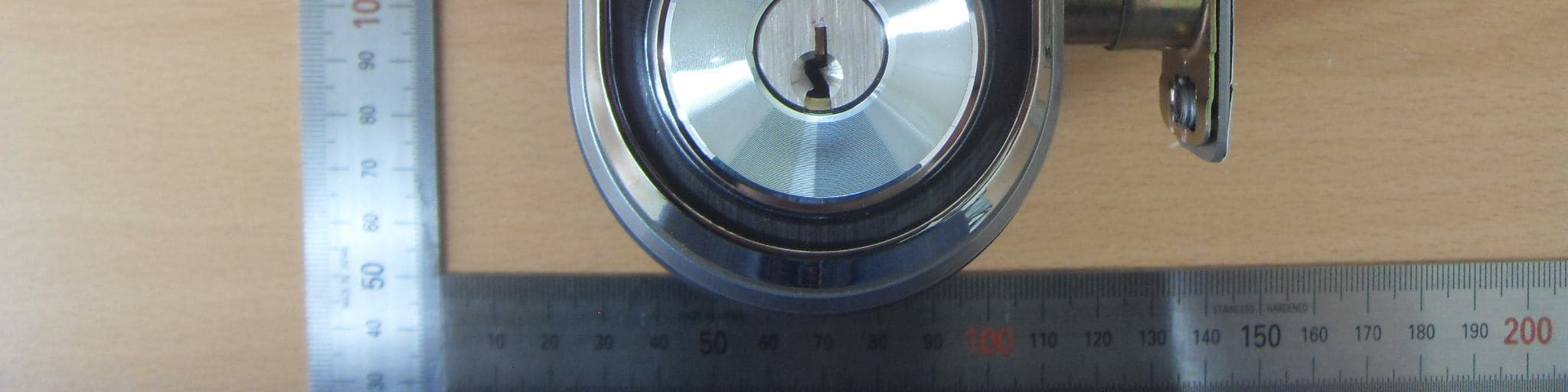
CTK Co., Ltd. (Ho-dong), 113, Yejik-ro, Cheoin-gu, Yongin-si, Gyeonggi-do, 449-100, Korea Tel: +82-31-339-9970 Fax: +82-31-624-9501 www.e-ctk.com EUT External Photographs CTK Co., Ltd. (Ho-dong), 113, Yejik-ro, Cheoin-gu, Yongin-si, Gyeonggi-do, 449-100, Korea Tel: +82-31-339-9970 Fax: +82-31-624-9501 www.e-ctk.com CTK Co., Ltd. (Ho-dong), 113, Yejik-ro, Cheoin-gu, Yongin-si, Gyeonggi-do, 449-100, Korea Tel: +82-31-339-9970 Fax: +82-31-624-9501 www.e-ctk.com CTK Co., Ltd. (Ho-dong), 113, Yejik-ro, Cheoin-gu, Yongin-si, Gyeonggi-do, 449-100, Korea Tel: +82-31-339-9970 Fax: +82-31-624-9501 www.e-ctk.com
ID Label/Location Info
CTK Co., Ltd. (Ho-dong), 113, Yejik-ro, Cheoin-gu, Yongin-si, Gyeonggi-do, 449-100, Korea Tel: +82-31-339-9970 Fax: +82-31-624-9501 www.e-ctk.com Label Photographs 50 mm 18 mm
Internal Photos
CTK Co., Ltd. (Ho-dong), 113, Yejik-ro, Cheoin-gu, Yongin-si, Gyeonggi-do, 449-100, Korea Tel: +82-31-339-9970 Fax: +82-31-624-9501 www.e-ctk.com EUT Internal Photographs CTK Co., Ltd. (Ho-dong), 113, Yejik-ro, Cheoin-gu, Yongin-si, Gyeonggi-do, 449-100, Korea Tel: +82-31-339-9970 Fax: +82-31-624-9501 www.e-ctk.com CTK Co., Ltd. (Ho-dong), 113, Yejik-ro, Cheoin-gu, Yongin-si, Gyeonggi-do, 449-100, Korea Tel: +82-31-339-9970 Fax: +82-31-624-9501 www.e-ctk.com CTK Co., Ltd. (Ho-dong), 113, Yejik-ro, Cheoin-gu, Yongin-si, Gyeonggi-do, 449-100, Korea Tel: +82-31-339-9970 Fax: +82-31-624-9501 www.e-ctk.com Antenna_WiFi 2.4 GHz CTK Co., Ltd. (Ho-dong), 113, Yejik-ro, Cheoin-gu, Yongin-si, Gyeonggi-do, 449-100, Korea Tel: +82-31-339-9970 Fax: +82-31-624-9501 www.e-ctk.com CTK Co., Ltd. (Ho-dong), 113, Yejik-ro, Cheoin-gu, Yongin-si, Gyeonggi-do, 449-100, Korea Tel: +82-31-339-9970 Fax: +82-31-624-9501 www.e-ctk.com
RF Exposure Info
CTK Co., Ltd. (Ho-dong), 113, Yejik-ro, Cheoin-gu, Yongin-si, Gyeonggi-do, Korea Tel: +82-31-339-9970 Fax: +82-31-624-9501 www.e-ctk.com Page 1 of 2 RF EXPOSURE EVALUATION FCC ID : P4YSHP-A30 Standard Requirement The following FCC Rule Parts and procedures are applicable : Part 1.1310 Radiofrequency radiation exposure limits Part 2.1091 Radiofrequency radiation exposure evaluation : Mobile device KDB447498 D01 v06 Mobile and Portable Devices RF Exposure Procedures and Equipment Authorization Policies Table 1 below sets forth limits for Maximum Permissible Exposure (MPE) to radiofrequency electromagnetic fields. Table 1—Limits for Maximum Permissible Exposure (MPE) Frequency range (MHz) Electric field strength (V/m) Magnetic field strength (A/m) Power density (mW/cm 2 ) Averaging time (minutes) (A) Limits for Occupational/Controlled Exposure 0.3-3.0 614 1.63 *100 6 3.0-30 1842/f 4.89/f *900/f 2 6 30-300 61.4 0.163 1.0 6 300-1,500 f/300 6 1,500-100,000 5 6 (B) Limits for General Population/Uncontrolled Exposure 0.3-1.34 614 1.63 *100 30 1.34-30 824/f 2.19/f *180/f 2 30 30-300 27.5 0.073 0.2 30 300-1,500 f/1500 30 1,500-100,000 1.0 30 f = frequency in MHz * = Plane-wave equivalent power density CTK Co., Ltd. (Ho-dong), 113, Yejik-ro, Cheoin-gu, Yongin-si, Gyeonggi-do, Korea Tel: +82-31-339-9970 Fax: +82-31-624-9501 www.e-ctk.com Page 2 of 2 RF Output Power -802.11b : 17.44 dBm (55.463 mW) -802.11g : 17.63 dBm (57.943 mW) -802.11n-HT20 : 15.99 dBm (39.719 mW) MPE calculation S = EIRP / (4πR 2 ) Where S : Power density EIRP : P x G P : Maximum transmitter power G : Antenna gain R : distance to the centre of radiation of the antenna Safety distance(R) P : 17.63 dBm (55.463 mW) G : 1.408 dBi (x 1.383) S : 1 mW/cm 2 R ≥ 0.016 cm Conclusion This confirms compliance to the required Radio frequency radiation exposure limit.
Test Report
TEST REPORT CTK Co., Ltd. (Ho-dong), 113, Yejik-ro, Cheoin-gu, Yongin-si, Gyeonggi-do, Korea Tel: +82-31-339-9970 Fax: +82-31-624-9501 Report No.: CTK-2020-00263 Page (1) / (43) Pages CTK-D151-06 R101 Rev.0 1. Client ◦ Name : Samsung SDS Co., Ltd. ◦ Address : 125, Olympic-ro 35-gil, Songpa-gu, Seoul, Korea ◦ Date of Receipt : 2019-12-20 2. Manufacturer ◦ Name : SEONG JI SAI GON COMPANY LIMITED ◦ Address : No.2, Road 3A, Bien Hoa 2 IP, Long Binh Tan Ward, Bien Hoa City, Dong Nai, VIETNAM 3. Use of Report : For FCC Certification 4. Test Sample / Model : Digital Doorlock / SHP-A30 5. Date of Test : 2019-12-31 to 2020-01-14 6. Test Standard(method) used : FCC 47 CFR part 15 subpart C 15.247 7. Testing Environment : Temp.: (23 ± 1) °C, Humidity: (48 ± 5) % R.H. 8. Test Results : Compliance The results shown in this test report refer only to the sample(s) tested unless otherwise stated. This Test Report cannot be reproduced, except in full. Affirmation Tested by Bong-seok Kim: (Signature) Technical Manager Young-taek Lee: (Signature) 2020-01-14 Republic of KOREA CTK Co., Ltd. CTK Co., Ltd. (Ho-dong), 113, Yejik-ro, Cheoin-gu, Yongin-si, Gyeonggi-do, Korea Tel: +82-31-339-9970 Fax: +82-31-624-9501 Report No.: CTK-2020-00263 Page (2) / (43)Pages CTK-D151-06 R101 Rev.0 REPORT REVISION HISTORY Date Revision Page No 2020-01-14 Issued (CTK-2020-00263) all This report shall not be reproduced except in full, without the written approval of CTK Co., Ltd. This document may be altered or revised by CTK Co., Ltd. personnel only, and shall be noted in the revision section of the document. Any alteration of this document not carried out by CTK Co., Ltd. will constitute fraud and shall nullify the document. CTK Co., Ltd. (Ho-dong), 113, Yejik-ro, Cheoin-gu, Yongin-si, Gyeonggi-do, Korea Tel: +82-31-339-9970 Fax: +82-31-624-9501 Report No.: CTK-2020-00263 Page (3) / (43)Pages CTK-D151-06 R101 Rev.0 CONTENTS 1. General Product Description ........................................................................................ 4 1.1 Client Information .............................................................................................. 4 1.2 Product Information ............................................................................................ 4 1.3 Peripheral Devices .............................................................................................. 4 2.0 Facility and Accreditations ......................................................................................... 5 2.1 Test Facility........................................................................................................ 5 2.2 Laboratory Accreditations and Listings .................................................................. 5 2.3 Calibration Details of Equipment Used for Measurement .......................................... 5 3.0 Test Specifications .................................................................................................... 6 3.1 Standards.......................................................................................................... 6 3.2 Mode of operation during the test ......................................................................... 7 3.3 Maximum Measurement Uncertainty ..................................................................... 7 4.0 Technical Characteristic Test ...................................................................................... 8 4.1 6dB Bandwidth ................................................................................................. 8 4.2 Maximum peak Conducted Output Power ............................................................. 12 4.3 Power Spectral Density ..................................................................................... 15 4.4 Band Edge & Conducted Spurious emission .......................................................... 18 4.5 Radiated Emissions ........................................................................................... 23 APPENDIX A – Test Equipment Used For Tests ................................................................. 43 CTK Co., Ltd. (Ho-dong), 113, Yejik-ro, Cheoin-gu, Yongin-si, Gyeonggi-do, Korea Tel: +82-31-339-9970 Fax: +82-31-624-9501 Report No.: CTK-2020-00263 Page (4) / (43)Pages CTK-D151-06 R101 Rev.0 1. General Product Description 1.1 Client Information Company Samsung SDS Co., Ltd. Contact Point 125, Olympic-ro 35-gil, Songpa-gu, Seoul, Korea Contact Person Name : Yu, Seungkwan E-mail : [email protected] Tel : +82-2-6155-6381 1.2 Product Information FCC ID P4YSHP-A30 Certification Number ISED Digital Doorlock Variant Model name - Operating Frequency 2 412 MHz – 2 462 MHz RF Output Power 802.11b : 17.44 dBm (55.463 mW) 802.11g : 17.63 dBm (57.943 mW) 802.11n-HT20 : 15.99 dBm (39.719 mW) Antenna type PCB Antenna Antenna gain 1.408 dBi Number of channels 11 Type of Modulation 802.11b : DSSS 802.11g/n : OFDM Power Source DC 6 V (AA Battery * 4) RF Power setting in Test SW Initial value 1.3 Peripheral Devices - For Conducted Measurement Device Manufacturer Model No. Serial No. Notebook Computer HP HP Probook 650 G1 5CG5114K13 AC Adapter HP PPP012D-S 677777-003 - For Radiated Measurement Device Manufacturer Model No. Serial No. WIRELESS CONNECTIVITY TESTER R&S CMW270 101366 Notebook Computer HP HP Probook 650 G1 5CG5114K13 AC Adapter HP PPP012D-S 677777-003 CTK Co., Ltd. (Ho-dong), 113, Yejik-ro, Cheoin-gu, Yongin-si, Gyeonggi-do, Korea Tel: +82-31-339-9970 Fax: +82-31-624-9501 Report No.: CTK-2020-00263 Page (5) / (43)Pages CTK-D151-06 R101 Rev.0 2.0 Facility and Accreditations 2.1 Test Facility The measurement facility is located at (Ho-dong), 113, Yejik-ro, Cheoin-gu, Yongin-si, Gyeonggi-do, Korea. 2.2 Laboratory Accreditations and Listings Country Agency Registration Number USA FCC 805871 CANADA ISED 8737A-2 KOREA NRRA KR0025 2.3 Calibration Details of Equipment Used for Measurement Test equipment and test accessories are calibrated on …
Text truncated - open the document above for the full version.
Test Setup Photos
CTK Co., Ltd. (Ho-dong), 113, Yejik-ro, Cheoin-gu, Yongin-si, Gyeonggi-do, 449-100, Korea Tel: +82-31-339-9970 Fax: +82-31-624-9501 www.e-ctk.com Test Setup Photos and Configuration Radiated Electric Field Emissions CTK Co., Ltd. (Ho-dong), 113, Yejik-ro, Cheoin-gu, Yongin-si, Gyeonggi-do, 449-100, Korea Tel: +82-31-339-9970 Fax: +82-31-624-9501 www.e-ctk.com CTK Co., Ltd. (Ho-dong), 113, Yejik-ro, Cheoin-gu, Yongin-si, Gyeonggi-do, 449-100, Korea Tel: +82-31-339-9970 Fax: +82-31-624-9501 www.e-ctk.com Conducted Emissions
Contact Information
Applicant
Myoung Kue Lee(Advisory Engineer)
Test Firm
CTK Co., Ltd.Young-Joon Park
Technical Specifications
| # | Rule Parts | Frequency Range | Power Output |
|---|---|---|---|
| 1 | 15C | 2.41 GHz - 2.46 GHz | 58.00 mW |
Other Applications from Samsung SDS Co., Ltd.
P4YSHP-DS510
Apr 16, 2015Digital door lock
Equipment Class
DXX - Part 15 Low Power Communication Device Transmitter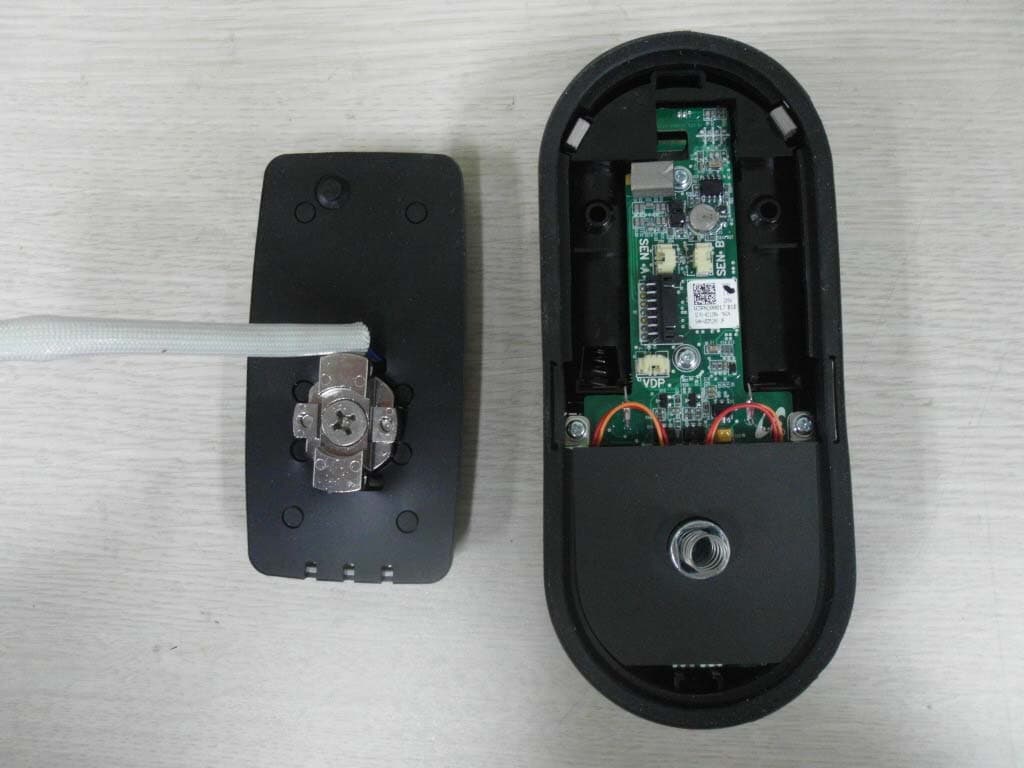
P4Y365PLUS
Mar 26, 2015Digital door lock
Equipment Class
DTS - Digital Transmission System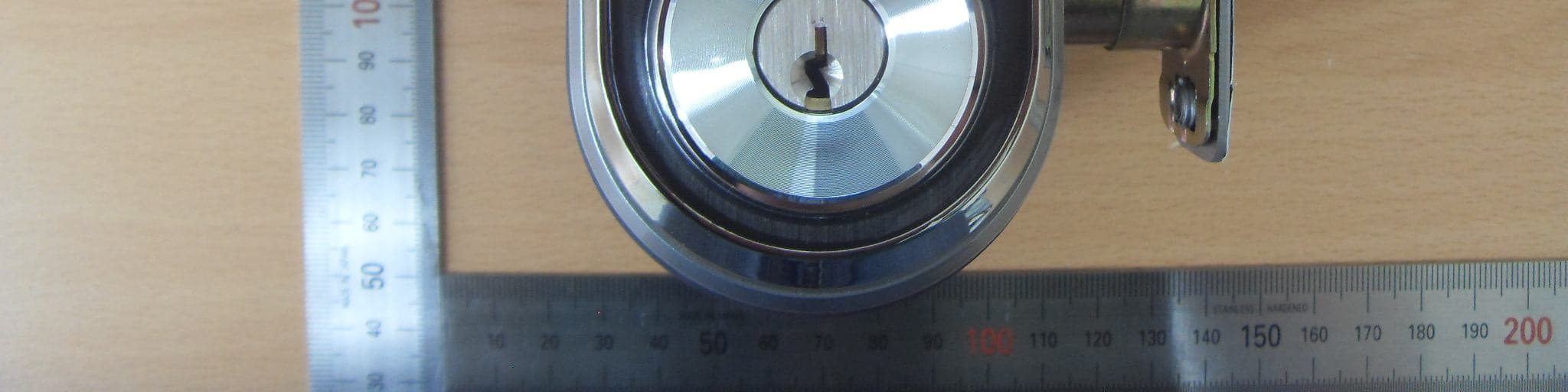
P4YSHN-WDD510
Oct 05, 2014Digital door lock
Equipment Class
DTS - Digital Transmission System
P4YSAM-CRM-14
Jan 19, 2014SMART VALIDATOR
Equipment Class
DSS - Part 15 Spread Spectrum Transmitter
P4YSAM-OCU-14
Dec 17, 2013OCU (On-board Control Unit)
Equipment Class
DSS - Part 15 Spread Spectrum Transmitter