PEQ964F110813BLE Alarm Clock
Electronics Tomorrow Ltd.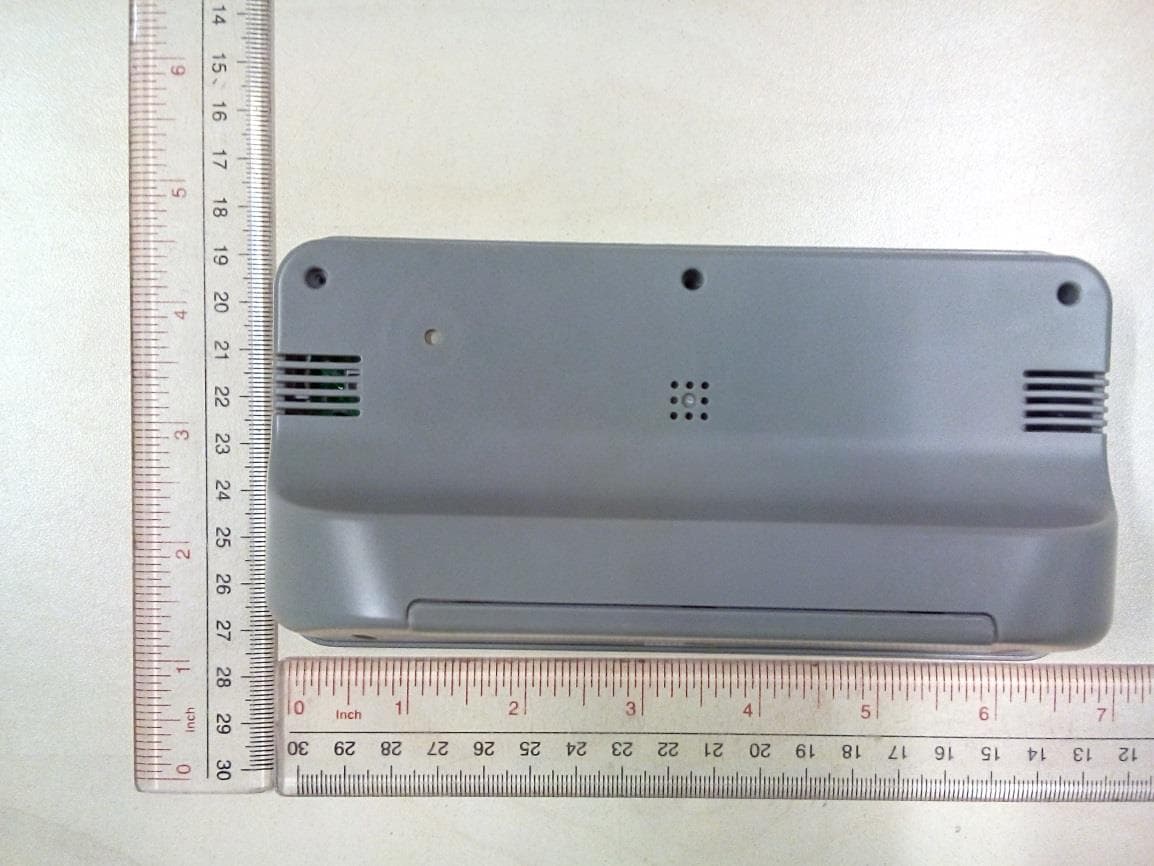
Click to zoom
Application Details
- Equipment Class
- DTS - Digital Transmission System
- Date of Grant
- Sep 16, 2014
- Application Purpose
- Original Equipment
- Date of Application
- Sep 16, 2014
- Equipment Note
- BLE Alarm Clock
- Frequency Range
- 2402.00000000 - 2480.00000000
- Company
- Electronics Tomorrow Ltd.
- Country
- Hong Kong
Documents & Files
Document Text
Text extracted from the exhibit documents filed with the FCC. Open a document above to read the original.
Users Manual
Instruction Manual [For iPod, iPhone and iPad User] BLE Alarm Clock Main Unit Location of Control 1. Snooze button 2. Alarm 3. Pair 4. Scroll 5. Reset 6. Battery Compartment 7. Battery door 1 2 34 7 6 5 FCC ID: PEQ964F110813 Electronics Tomorrow Ltd. Model No: 964F DC 3V 2 X 1.5V - - - MADE IN CHINA Features Thank you for purchasing the BLE Alarm Clock. This product is designed as a Ble Alarm Clock by working with your iPad, iPhone, iPod or other iOS devices. - Support iOS version 7 or above; - Support Bluetooth version 4.0. - Set wake up buzzer alarm with snooze function, up to 5 alarms. - Take full control of the BLE Alarm Clock with idevice app via Bluetooth Low Energy. - Selectable alarm tone pattern and volume to different alarms. - Temperature and Humidity reading and history chart - Set count down timer. - Monitor the battery status of the BLE Alarm Clock and have battery warning if it is at low level. Before you start using it • Please make sure to read the instruction manual carefully. • Following and respecting the instuctions in your manual will prevent damage to your instrument and loss of your statutory rights arising from defects due to incorrect use. • We shall not be liable for any damage occuring as a result of non-following of these instructions. Likewise, we take no responsibility for any incorrect readings and for any consequences which may result from them. • Please take particular note of the safety advice! • Please keep this instruction manual for future reference. Getting started 1. Install battery 1.1 Open the battery compartment. 1.2 Insert 2 x AA batteries in polarity (+) and (-) as indicated. 1.3 Close the battery compartment. 2. Install BleAlarm App on your idevice. 2.1 Access app store and search for BleAlarm . 2.2 Select and install BleAlarm App on your idevice. BLE ALARM Pairing the BLE Alarm Clock 3. Pair the BLE Alarm Clock with BleAlarm app. 3.1 Before running the BleAlarm app, make sure the Bluetooth is turned ON at your i-device. 3.2 After you tap the app icon , the ‘Nearby Devices’ screen appears. You need to pair the BLE Alarm Clock device before you enter the main app screen. BLE ALARM Pairing the BLE Alarm Clock 3.3 Tap “ Pair New Device” to search for nearby devices. 3.4 Press and hold the [PAIR] button on the BLE Alarm Clock device for 5 seconds. You can find that the icon start to blink. 3.5 The new BLE Alarm Clock will be displayed on App and is ready for pairing. Tap the "BLE Alarm Clock" will start the pairing and connection process. Once the BLE Alarm Clock is paired, it will start time and data synchronization. BLE Alarm Clock Pairing the BLE Alarm Clock 3.6 After the connection is made, the following information will be synchronized: i) Current time and date ii) Alarms & timer setting iii) Unit battery level iv) Temperature and Humidity history Pairing the BLE Alarm Clock 3.7 When the BLE Alarm Clock is paired with one i-device, other i-devices cannot pair with it again. 3.8 One idevice can pair with maximum 5 BLE Alarm clocks. 3.9 Bluetooth icon status description No Bluetooth connection Bluetooth under connection Bluetooth connected successfully Rename the BLE Alarm Clock 4. Rename the device. Tap the device name (default is “BLE Alarm Clock”) at the top of the screen to edit the device name. Battery status indicator 5. Battery status indicator It indicates the battery level of your BLE Alarm Clock device. While the battery level drops below 20%, the battery icon is in red status and a low battery warning will pop up for to remind battery replacement. Meanwhile, low battery indicator icon will shown on the alarm clock LCD. Above 60% Between 20% ~ 60% Below 20% Setting the alarm time 6. Setting the alarm time 6.1 Each BLE Alarm Clock can set up maximum 5 Alams. On the main screen. Tap individual alarm e.g. Alarm1 to enter the alarm setting page 6.2 The alarm setting screen appears. You can edit and adjust different items on this screen, which include: i) Alarm Name: Tap alarm 1- 5 to edit your preferred name to this alarm. ii) Time: Tap to adjust the time for this alarm. iii) Day of Week: Tap to select which day of week to enable the alarm. - If none is selected, it will be as a once alarm. - If all days are selected, it will be as a daily alarm. iv) Sound pattern: Tap to select which tone pattern (5 patterns plus one random pattern available) is applied to this alarm. Alarm 1 Setting the alarm time v) Alarm volume level: Tap to select the alarm sound volume level (three options: Low, Med and High). 6.3 Complete the alarm setting. i) Tap [Done] to save the alarm setting and turn on the alarm. ii) At the main screen,user can turn the alarm on / off by scrolling the right and left On Off Snooze operation 7. Using the SNOOZE function 7.1 When the alarm sounds, press the [Snooze] button to get an extra 5 minutes of sleep. The snooze will repeat up to three times. 7.2 The above default value is set by the factory. User can set the “Maximum Snooze” and “Snooze Duration” in the preference screen. To turn off the alarm 8. To disable the alarm 8.1 When the alarm sounds, press the [Snooze] button once or press [Alarm] to disable the alarm. 8.2 The alarm will sound for 1 minute and stop automatically. If Snooze Enabled setting is ON, the alarm will repeat every 5 minutes. You can press the [Snooze] button to interrupt the alarm momentarily, or can press [Alarm] button to turn off the alarm and stop the snooze function completely. 8.3 User can tap the alarm time to disable the alarm completely ( Please make sure your app is paired with the device) Setting the Timer 9. To set the timer Tap timer of main screen and go into timer screen. 9.1 You can edit and adjust items below on this screen. i) Timer period: Scroll to adjust the timer period. ii) Sound pattern: Tap to select the tone pattern (5 patterns plus one random pattern available). iii) Sound volume level: Tap to select the sound volume level (three options: Low, Med and High). Setting the time…
Text truncated - open the document above for the full version.
External Photos
External Photos(964F)
ID Label/Location Info
29.mm
Internal Photos
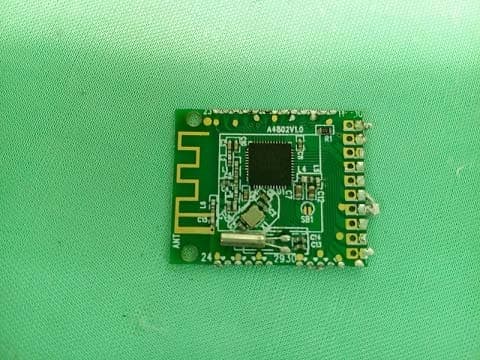
Internal Photos(964F) BT ANT
Test Report
A Test Lab Techno Corp. Report Number:1408FR39 Page 1 of 43 FCC RF Test Report Product Type : BLE Alarm Clock Applicant : Electronics Tomorrow Ltd. Address : Unit 903-7, 9/F., Tower 1, Harbour Center, 1 Hok Cheung Street, Hung Hom, Kowloon,HK Trade Name : N/A Model Number : 964F Test Specification : FCC 47 CFR PART 15 SUBPART C: Oct., 2013 RSS-210 Issue 8 December 2010 ANSI C63.10:2009 KD558074 D01 DTS Meas Guidance v03r02 Receive Date : 18 August, 2014 Test Period : 25 August, 2014 to 02 September, 2014 Issue Date : 05 September, 2014 Issue by A Test Lab Techno Corp. No. 140-1, Changan Street, Bade City, Taoyuan County 334, Taiwan R.O.C. Tel:+886-3-2710188 / Fax:+886-3-2710190 Taiwan Accreditation Foundation accreditation number: 1330 Note: This report shall not be reproduced except in full, without the written approval of A Test Lab Techno Corp. This document may be altered or revised by A Test Lab Techno Corp. personnel only, and shall be noted in the revision section of the document. The client should not use it to claim product endorsement by TAF, or any government agencies. The test results in the report only apply to the tested sample. A Test Lab Techno Corp. Report Number:1408FR39 Page 2 of 43 Revision History Rev. Issue Date Revisions Revised By 00 05 September, 2014 Initial Issue A Test Lab Techno Corp. Report Number:1408FR39 Page 3 of 43 V e r i f i c a t i o n o f C o m p l i a n c e Issued Date: 09/05/2014 Product Type : BLE Alarm Clock Applicant : Electronics Tomorrow Ltd. Address : Unit 903-7, 9/F., Tower 1, Harbour Center, 1 Hok Cheung Street, Hung Hom, Kowloon,HK Trade Name : N/A Model Number : 964F FCC ID : PEQ964F110813 EUT Rated Voltage : DC 3.0V --2×AA battery Test Voltage : DC 3V Applicable Standard : FCC 47 CFR PART 15 SUBPART C: Oct., 2013 RSS-210 Issue 8 December 2010 ANSI C63.10:2009 KD558074 D01 DTS Meas Guidance v03r02 Test Result : Complied Performing Lab. : Shenzhen Academy of Metrology and Quality Inspection No.4 Tongfa Road, Xili Town, Nanshan District, Shenzhen, Guangdong, China Tel:0086-755-86928965 / Fax:0086-755-86009898-31396 Web: www.smq.com.cn The EUT described above is tested by Shenzhen Academy of Metrology and Quality Inspection EMC Laboratory to determine the maximum emissions from the EUT. Shenzhen Academy of Metrology and Quality Inspection EMC Laboratory assumed full responsibility for the accuracy of the test results. The test data, data evaluation, test procedures, and equipment configurations shown in this report were made in accordance with the procedures given in ANSI C63.4 (2003) and the energy emitted by the sample EUT tested as described in this report is in compliance with FCC Rules Part 15.207, 15.209 and 15.247. The test results of this report relate only to the tested sample identified in this report. Approved By : Reviewed By : (Manager) (Murphy Wang) (Testing Engineer) (Fly Lu) A Test Lab Techno Corp. Report Number:1408FR39 Page 4 of 43 CONTENT 1. General Information ........................................................................................................................... 5 2. Test Summary ..................................................................................................................................... 5 3. Description of the Equipment under Test (EUT) ............................................................................... 6 4. Measurement Uncertainty ............................................................................................................... 10 5. Main Test Instruments ..................................................................................................................... 10 6. Test Conditions and Results ............................................................................................................. 12 6.1 AC Power Conducted Emission .......................................................................................................... 12 6.2 Radiated Emissions ............................................................................................................................ 15 6.3 Maximum Peak Output Power .......................................................................................................... 21 6.4 Power Spectral Density...................................................................................................................... 22 6.5 Band Edge Compliance of RF Emission ............................................................................................. 25 6.6 Spurious RF Conducted Emission ...................................................................................................... 29 6.7 6dB Bandwidth................................................................................................................................... 40 6.8 Antenna Requirement ....................................................................................................................... 43 A Test Lab Techno Corp. Report Number:1408FR39 Page 5 of 43 1. General Information 1.1 Applied Standard Applied Rules: FCC 47 CFR PART 15 SUBPART C: Oct., 2013 Test Method: FCC 558074 D01 DTS Meas Guidance FCC KDB 662911 D01MultipleTransmitter Output 1.2 Test Location Test Location 1: Shenzhen Academy of Metrology and quality Inspection Address: No.4 Tongfa Road, Xili Town, Nanshan District, Shenzhen, Guangdong, China 1.3 Test Environment Condition Ambient Temperature: 19.5to 25°C Ambient Relative Humidity: 40 to 55 % Atmospheric Pressure: Not applicable 2. Test Summary Test Item FCC Part No. Requirements Verdict DTS (6 dB) Bandwidth 15.247(a)(2) ≥ 500 kHz. PASS Maximum Peak Conducted Output Power 15.247(b)(3) For directional gain:< 30dBm – (G[dBi] –6 [dB]),peak; Otherwise :< 30dBm, peak. PASS Maximum Power Spectral Density Level 15.247(e) For directional gain :< 8dBm/3 kHz – (G[dBi] –6[dB]), peak. Otherwise :< 8dBm/3 kHz, peak. PASS Band Edges Compliance 15.247(d) < -20dBr/100 kHz if total peak power ≤pow…
Text truncated - open the document above for the full version.
Test Setup Photos
Radiated Emission Below 1 GHz Above 1 GHz
Contact Information
Applicant
Steve Lam(Senior Engineering Manager)
Test Firm
cetecom advanced GmbHGerald Schmidt
Technical Specifications
| # | Rule Parts | Frequency Range | Power Output |
|---|---|---|---|
| 1 | 15C | 2.40 GHz - 2.48 GHz | 730.00 µW |
Other Applications from Electronics Tomorrow Ltd.
PEQA55000515
Jul 11, 2015Bluetooth Cooking Thermometer
Equipment Class
DTS - Digital Transmission System
PEQA480110813
Sep 15, 2014BLE Vibration Alarm
Equipment Class
DTS - Digital Transmission System
PEQA43071013
Oct 22, 2013Remote Thermo-Hygrometer
Equipment Class
DXX - Part 15 Low Power Communication Device Transmitter
PEQ790E90712
Sep 02, 2012WWVB RC and RF wall clock
Equipment Class
CYY - Communications Receiver used w/Pt 15 Transmitter
PEQA240900411
May 08, 2011433MHz RF Cooking Thermometer - Receiver
Equipment Class
CYY - Communications Receiver used w/Pt 15 Transmitter