QFE632012.4GHz 40-Chnnl Crdls Phn w/ CID & Call Waiting
Newcont Electronic Co., Ltd.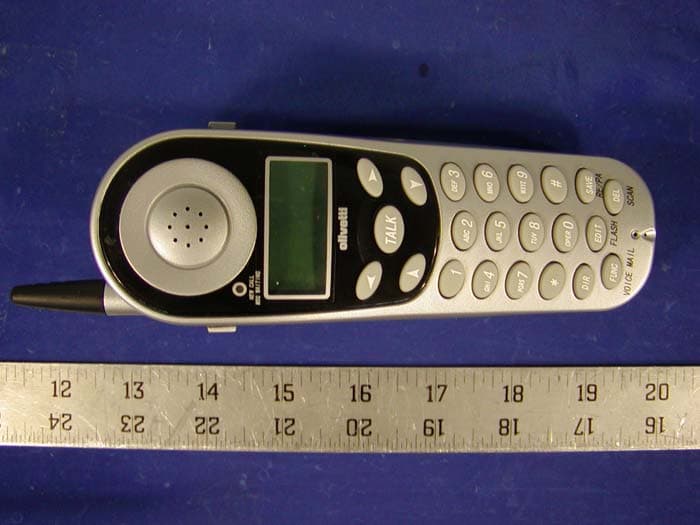
Click to zoom
Application Details
- Equipment Class
- DXT - Part 15 Low Power Transceiver, Rx Verified
- Date of Grant
- Jun 16, 2002
- Application Purpose
- Original Equipment
- Date of Application
- Jun 16, 2002
- Equipment Note
- 2.4GHz 40-Chnnl Crdls Phn w/ CID & Call Waiting
- Frequency Range
- 2474.00000000 - 2475.95000000
- Company
- Newcont Electronic Co., Ltd.
- Country
- China
Documents & Files
Document Text
Text extracted from the exhibit documents filed with the FCC. Open a document above to read the original.
Users Manual
OWNER'S MANUAL INSTALLATION AND OPERATING INSTRUCTIONS PLEASE READ THIS MANUAL CAREFULLY BEFORE USE. KEEP FOR YOUR REFERENCE. 40 CHANNEL AUTOSCAN 2.4GHz CORDLESS CALLER ID TELEPHONE WITH CALL WAITING NTP-6304D NEWCONTNEWCONT NEWCONTNEWCONT NEWCONTNEWCONT Made in China 2002.8 ongratulations on your selection of a quality NEWCONT product. With proper care and by following the setup and user instructions in this manual, this unit will provide you with years of trouble free service. NEWCONT is committed to providing quality products that fit your needs. We would like to have any comments or suggestions you might have on this product . You may mail your comments to: 40 Floor, Block C, Electronics science &Technology Bldg, Shennanzhonglu, Shenzhen , P.R.C 518031 website: www. newcont. com Special Features C When examining your new NEWCONT cordless telephone, you will find an array of special features including: Filtered Sound System - Receives considerably less noise than conventional cordless telephones because of a special circuit which delivers the clearest possible reception. 40 Channel Auto Scan - Press the /SCAN button on the HANDSET to find and lock on to the clearest channel for any call. TONE or PULSE Dialing - Use this phone for either TONE or push-button PULSE(rotary ) dialing . Automated Functions - Redial the last number called and automatic STANDBY mode. Security - Ensures greater privacy because a built-in security code with 65,536 combinati- ons prevents use of your telephone line by another nearby cordless phone. Dependable Battery - Recharge your BATTERY PACK many times with the built-in charger The battery low warning tone tells you when the BATTERY PACK needs recharging (See page 26) Special Services - Use the / FLASH button to access special services such as Call Waiting supplied by your telephone company or company switchboard . STANDBY Mode - When in STANDBY mode (ON-HOOK),the telephones is capable of receiving a call. When the HANDSET is on the BASE UNIT, it is automatically in the STANDBY mode ( ON-HOOK).When the HANDSET is taken off the BASE UNIT, it remains in the STANDBY mode until you activate the button. Battery Power Saver - Once fully charged, in STANDBY mode, the HANDSET can receive/send calls for a maximum of three days without the need for recharging. Length of charge depends on frequency of use. A DEL TALK Special Features Luminous LCD Screen - The LCD Screen emits light for 8 seconds every time you press any of the TELEPHONE KEYPAD buttons. HANDSET Ringer Volume Level - Select the ringer volume level (HI, LOW, OFF). HANDSET Volume Control Switch - Select the receiver volume level(HI.MID,LOW). HEADSET JACK - Your telephone can utilize a headset for hands-free communication BELT CLIP- Use the BELT CLIP to hang your HANDSET on your belt. CALLER ID SYSTEM Multi-Function Large LCD Screen - Shows the number you are dialing and with Caller ID service (available through subscription from your local telephone company), displays information about the caller before you answer the call. Name and Number Directory - Stores up to 64 names and numbers so that you can call them with a single key stroke. Caller List - Available with Caller ID service .Stores up to 80 calls to keep track of every- one who called. The name, phone number ,time and date of the call are recorded. Allows you to return their calls with a single key stroke . Preferred Calls - You can mark the name and number of a welcome caller in the DIREC- TORY. When that number calls in, the caller's name will appear on the DISPLAY and a special ring sound will be heard. Blocked calls - You can mark the name and number of an unwelcome caller in the DIRE- CTORY When that number calls in, the caller's name will appear on the DISPLAY and the ringer will be disabled. Repeat Call Indicator - Shows if a new incoming call has called more than once. Out of Area Call Indicator - Advises you that the incoming call is not in a Caller ID service area. Call Waiting Service - Displays the name and number of the second caller, if you have subscribed for Call Waiting service from your local telephone company (see page 12). Voice Mail - Indicates message waiting signal if you subscribed to Voice Mail message service and requested Visual Message Indication from your local telephone company. (see page 12). B HANDSET Controls C Notes IMPORTANT In order to get maximum life from the HANDSET battery pack, be sure to charge the HANDSET for 12 hours before initial use. IMPORTANT PlacingyourBASEUNITnearappliances such astelevisions,refrigerators,radios,or microwave ovensmaycauseinterference. IMPORTANT IMPORTANT The AC ADAPTOR must always be plugged into an electrical outlet. IMPORTANT Toobtainthebestreception,besureto aise r theBASEUNITANTENNA. IMPORTANT Ifyou live inanarea whichgets frequent thunderstorms,westronglyrecommendplugging yourACADAPTORintoasurgeprotector. 30 Whenyouhearinterference,pressthe buttontochargetheoperatingchannel. /SCAN DEL 1. HANDSET ANTENNA 2.NEW CALL/MESSAGE WAITING LED INDICATOR 3.LARGE LCD SCREEN 10. BATT LOW INDICATOR 11. SCROLL UP-DOWN/ SHIFT LEFT-RIGHT BUTTON 9. VOLUME CONTROL (HI, MID, LOW) SWITCH 4.TALK BUTTON NEW CALL MSG WAITING 13. TELEPHONE KEYPAD 14. SAVE/REDIAL/PAUSE BUTTON 15. SCAN/DEL(DELETE) BUTTON , 8. FLASH/EDIT BUTTON 12. HEADSET JACK 6. DIRECTORY BUTTON 7. FUNCTION /VOICE MAIL BUTTON 16. CHARGE CONTACTS L D C C F CALLS AM MIN NEW PM SEC RPT TOTAL BATT MSG DIR 5. TEMPORARY TONE ()BUTTON * TALK WXYZ OPER CALLER ID SYSTEM ABC GHI PQRS JKL TUV MNO DEF 4 DIR DEL EDIT FUNC FLASH SCAN RE/PA VOICE MAIL SAVE 1.HANDSET ANTENNA 2. NEW CALL/MSG(MESSAGE )WAITING LED Indicator: Blinks when recording a new incoming call or when receiving a Message Waiting signal, if you have subscribed to a Voice Mail message service from your local telephone company. (See page 11 ). 3. Large LCD Screen: Shows call information, phone status, prompts and directory items. HANDSET Controls 4. TALK Button: Press to answer an inc…
Text truncated - open the document above for the full version.
Block Diagram
ANT FSK ( IC : NW6006 ) NS301 CORDLESS PHONE BASE PRINCIPLE 450KHz FILTER 10.7MHZ FILTER RX RF AMP F I L T E R TX RF. AMP IC:7805 Mixer 1 IF AMP Mixer 2 IF AMP IF AMP RX VCO 11.15MHz Oscillator RX PLL TX PLL TX VCO Quadrature Coil Expand RXDATA CONTROL Carrier Detect 2400MHzRF Frequency Modulation Compressor Communicate Electric circuit RX DATA MCUSIGDET CLK/STB/DATATX DATA VDD DTMF 3 . 582MH AF AMP RING Detect Electricity 9V PHONE LINE ANT 3 NS301 CORDLESS PHONE HA NDSET PRINCIPLE 450KHz FILTER 10.7MHz FILTER RX RFAMP F I L T E R TX RF AMP Mixer 1 IF AMP Mixer 2 IF AMP Limit IF AMP RX VCO 11.15MHz Oscillator RX PLL TX PLL TX VCO Quadrature Coil Expan d Data slicing comparator CONTROL Carrier Detector Frequency Modulation Compressor RX DATA MCU W742C811 SIGDET LOW BATT CLK/STB/DATA TX DATA BATTER 3.582MHz RESET 2400MHzRF Low battery Detector KEY LCD AF AMP SP. VDD MIC.
External Photos
APPENDIX C - EUT EXTERNAL PHOTOGRAPHS Handset Chassis - Top View Handset Chassis - Bottom View Base Chassis - Top View Base Chassis - Bottom View Base Chassis - Front View Power Adapter - Overall View
ID Label/Location Info
APPENDIX A - FCC PRODUCT LABELING AND WARNING STATEMENT FCC ID Label Specifications : Text is black or white in color and is left justified. Labels are silk- screened and shall be “permanently affixed” at a conspicuous location on the EUT. Proposed Label Location on EUT Bottom Side of Base/Proposed FCC ID Label Location / Handset
Internal Photos
APPENDIX C - EUT INTERNAL PHOTOGRAPHS Handset Main Board - Component View Handset Main Board - Solder View Handset Transceiver - Component View Handset Transceiver - Solder View Base Main Board - Component View Base Transceiver - Solder View Base Transceiver - Component View Base Transceiver - Solder View
Operational Description
OWNER'S MANUAL INSTALLATION AND OPERATINGINSTRUCTIONSPLEASE READ THIS MANUAL CAREFULLYBEFORE USE.KEEP FOR YOUR REFERENCE. 40 CHANNEL AUTOSCAN 2.4GHz CORDLESS CALLER ID TELEPHONE WITH CALL WAITING NTP 6304 NEWCONT NEWCONT NEWCONT ongratulations on your selection of a quality NEWCONT product. With proper care and by following the setup and user instructions in this manual, this unit will provide you with years of trouble free service.NEWCONT is committed to providing quality products that fit your needs. We would like to have any comments or suggestions you might have on this product .You may mail your comments to: 40 Floor, Block C, Electronics science &Technology Bldg, Shennanzhonglu, Shenzhen , P.R.C 518031 website: www. newcont. com Special Features Special Features C When examining your new NEWCONT cordless telephone, you will find an array of special features including:Filtered Sound System - Receives considerably less noise than conventional cordless telephones because of a special circuit which delivers the clearest possible reception.40 Channel Auto Scan - Press the SCAN/DEL button on the HANDSET to find and lock on to the clearest channel for any call.Desk or Wall Mount - Use this equipment as a desk phone or as a wall phone . TONE or PULSE Dialing - Use this phone for either TONE or push-button PULSE(rotary ) dialing .Automated Functions - Redial the last number called and automatic STANDBY mode. Security - Ensures greater privacy because a built-in security code with 65,536 combinati- ons prevents use of your telephone line by another nearby cordless phone. Dependable Battery - Recharge your BATTERY PACK many times with the built-in charger The battery low warning tone tells you when the BATTERY PACK needs recharging (See page 28)Special Services - Use the FLASH/EDIT button to access special services such as Call Waiting supplied by your telephone company or company switchboard .STANDBY Mode - When in STANDBY mode (ON-HOOK),the telephones is capable of receiving a call. When the HANDSET is on the BASE UNIT, it is automatically in the STANDBY mode ( ON-HOOK).When the HANDSET is taken off the BASE UNIT , it remains in the STANDBY mode until you activate the button. Battery Power Saver - Once fully charged, in STANDBY mode, the HANDSET can receive/send calls for a maximum of two days without the need for recharging. Length of charge depends on frequency of use. Luminous LCD Screen - The LCD Screen emits light for 5 seconds every time you press any of the TELEPHONE KEYPAD buttons.HANDSET Ringer Volume Level - Select the ringer volume level (HI, LOW, OFF). HANDSET Volume Control Switch - Select the receiver volume level(HI.MID,LOW). HEADSET JACK - Your telephone can utilize a headset for hands-free communication BELT CLIP- Use the BELT CLIP to hang your HANDSET on your belt. CALLER ID SYSTEMMulti-Function Large LCD Screen - Shows the number you are dialing and with Caller ID service (available through subscription from your local telephone company), displays information about the caller before you answer the call. Name and Number Directory - Stores up to 64 names and numbers so that you can call them with a single key stroke.Caller List - Available with Caller ID service .Stores up to 80 calls to keep track of every- one who called. The name, phone number ,time and date of the call are recorded. Allows you to return their calls with a single key stroke .Preferred Calls - You can mark the name and number of a welcome caller in the DIREC- TORY. When that number calls in, the caller's name will appear on the DISPLAY and a special ring sound will be heard.Blocked calls - You can mark the name and number of an unwelcome caller in the DIRE- CTORY When that number calls in, the caller's name will appear on the DISPLAY and the ringer will be disabled.Repeat Call Indicator - Shows if a new incoming call has called more than once. Out of Area Call Indicator - Advises you that the incoming call is not in a Caller ID service area. Unknown Call Indicator - Advises you that the origin of the incoming call has no name and does not support the Caller ID system.Call Waiting Service - Displays the name and number of the second caller, if you have subscribed for Call Waiting service from your local telephone company (see page 14).Voice Mail - I ndicates message waiting signal if you subscribed to Voice Mail message service and requested Visual Message Indication from your local telephone company. (see page 14). 1.HANDSET ANTENNA2 . NEW CALL/MSG(MESSAGE )WAITING LED Indicator: Blinks when recording a new incoming call or when receiving a Message Waiting signal, if you have subscribed to a Voice Mail message service from your local telephone company. (See page 13 ). 3 . Large LCD Screen: Shows call information, phone status, prompts and directory items. HANDSET Controls HANDSET Controls RE/PASAVE RE/PASAVE FUNC VOICE MAIL 4 . TALK Button: Press to answer an incoming call or to place a call. Press to end a call.5 . TEMPORARY TONE Button: Press to temporarily change the dialing mode from PULSE to TONE for rotary service users . (Press once before entering numbers to access the Answering System or electronic banking services, etc.)6 . DIR button: Press to access names and numbers stored in the DIRECTORY. 7 . FUNC(FUNCTION)/VOICE MAIL Button: (FUNCTION)- Press and hold down to access Special functions operation in STANDBY mode. (For special functions see page 21). (VOICE MAIL) - Press to automatically dial the Voice Mail Post Code in your area to access your Voice Mail message in HANG-OFF mode. (Format) - Press to change the format of the displayed number when reviewing the Caller ID list or phone book.8 . FLASH/EDIT button: (FLASH) Press to answer a call if you have Call Waiting. (EDIT) Press to edit listed items.9 . HANDSET Volume Control(hi,mid ,low) Switch: Select the receiver volume level (HI, MID, LOW).10 . BATT LOW INDICATOR : Appears on the LCD Screen when the battery charge is low. (See page 28 for…
Text truncated - open the document above for the full version.
Schematics
cs6304bm.sch-1 - Mon Apr 29 08:29:47 2002 PDF 文件以 "PDF 制作工厂" 试用版创建 http://www.fineprint.com CS6304HM.sch-1 - Mon Apr 29 08:31:14 2002 PDF 文件以 "PDF 制作工厂" 试用版创建 http://www.fineprint.com
Test Report
Note: This test report is specially limited to the above client company and the product model only. It may not be duplicated without prior written consent of Bay Area Compliance Laboratory Corporation. This report must not be used by the client to claim product endorsement by NVLAP or any agency of the U.S. Government. FCC PART 15 Subpart C EMI MEASUREMENT AND TEST REPORT For NEWCONT ELE CO., LTD. 40F, BLOCK C SCIENCE & TECHNOLOGY BLDG SHENNANZHONGLU, SHENZHEN, P.R.CHINA FCC ID: QFE63201 June 7, 2002 This Report Concerns: Original Report Equipment Type: Cordless Phone Test Engineer:Benjamin Jin Report No.:R02042911 Test Date:May 28, 2002 Reviewed By:Jeff Lee Prepared By:Bay Area Compliance Laboratory Corporation 230 Commercial Street Sunnyvale, CA 94085 Tel (408) 732-9162 Fax (408) 732-9164 NEWCONT ELE CO., LTD. FCC ID: QFE63201 Report # R02042911Page 2 of 33FCC Part 15 Subpart C Test Report TABLE OF CONTENTS 1 - GENERAL INFORMATION.................................................................................................................................................4 1.1 PRODUCT DESCRIPTION FOR EQUIPMENT UNDER TEST (EUT).........................................................................................4 1.2 OBJECTIVE................................................................................................................................................................................4 1.3 RELATED SUBMITTAL(S)/GRANT(S)......................................................................................................................................4 1.4 TEST METHODOLOGY.............................................................................................................................................................4 1.5 TEST FACILITY.........................................................................................................................................................................4 1.6 TEST EQUIPMENT LIST............................................................................................................................................................5 1.8 LOCAL SUPPORT EQUIPMENT LIST AND DETAILS...............................................................................................................5 1.9 EXTERNAL I/O CABLING LIST AND DETAILS......................................................................................................................5 2 - SYSTEM TEST CONFIGURATION..................................................................................................................................6 2.1 DESCRIPTION OF TEST CONFIGURATION..............................................................................................................................6 2.2 CONFIGURATION OF TEST SYSTEM (BASE).........................................................................................................................7 2.3 TEST SETUP BLOCK DIAGRAM..............................................................................................................................................7 2.4 EQUIPMENT MODIFICATIONS.................................................................................................................................................7 3 - CONDUCTED EMISSIONS TEST DATA........................................................................................................................8 3.1 MEASUREMENT UNCERTAINTY.............................................................................................................................................8 3.2 EUT SETUP...............................................................................................................................................................................8 3.3 SPECTRUM ANALYZER SETUP...............................................................................................................................................8 3.4 TEST PROCEDURE....................................................................................................................................................................9 3.5 SUMMARY OF TEST RESULTS.................................................................................................................................................9 3.6 CONDUCTED EMISSIONS TEST DATA....................................................................................................................................9 3.7 PLOT OF CONDUCTED EMISSIONS TEST DATA....................................................................................................................9 4 - RADIATED EMISSION DATA..........................................................................................................................................11 4.1 MEASUREMENT UNCERTAINTY...........................................................................................................................................11 4.2 EUT SETUP.............................................................................................................................................................................11 4.3 SPECTRUM ANALYZER SETUP.............................................................................................................................................11 4.4 TEST PROCEDURE..................................................................................................................................................................12 4.5 CORRECTED AMPLITUDE & MARGIN CALCULATION......................................................................................................12 4.6 SUMMARY OF TEST RESULTS...............................................................................................................................................13 4.7 RADIATED EMISSIONS TEST RESULT DATA...........................................................................................…
Text truncated - open the document above for the full version.
Test Setup Photos
APPENDIX B - TEST SETUP PHOTOGRAPHS Base Conducted Emission - Front View Base Conducted Emission - Rear View Base Radiated Emission - Front View Base Radiated Emission - Rear View Handset Radiated Emission - Front View Handset Radiated Emission - Rear View
Test Setup Photos
APPENDIX B - TEST SETUP PHOTOGRAPHS Base Conducted Emission - Front View Base Conducted Emission - Rear View Base Radiated Emission - Front View Base Radiated Emission - Rear View NEWCONT ELE CO., LTD. FCC ID: QFE63201 Handset Radiated Emission - Front View Handset Radiated Emission - Rear View
Contact Information
Applicant
Dinghui Wu(R & D Director)
Test Firm
Bay Area Compliance LaboratoryJohn Chan
Technical Specifications
| # | Rule Parts | Frequency Range | Power Output |
|---|---|---|---|
| 2 | 15C | 2.47 GHz - 2.48 GHz | - |
Other Applications from Newcont Electronic Co., Ltd.

QFENTP-6451A
Oct 24, 20052.4GHz Digital Cordless Telephone
Equipment Class
DSS - Part 15 Spread Spectrum Transmitter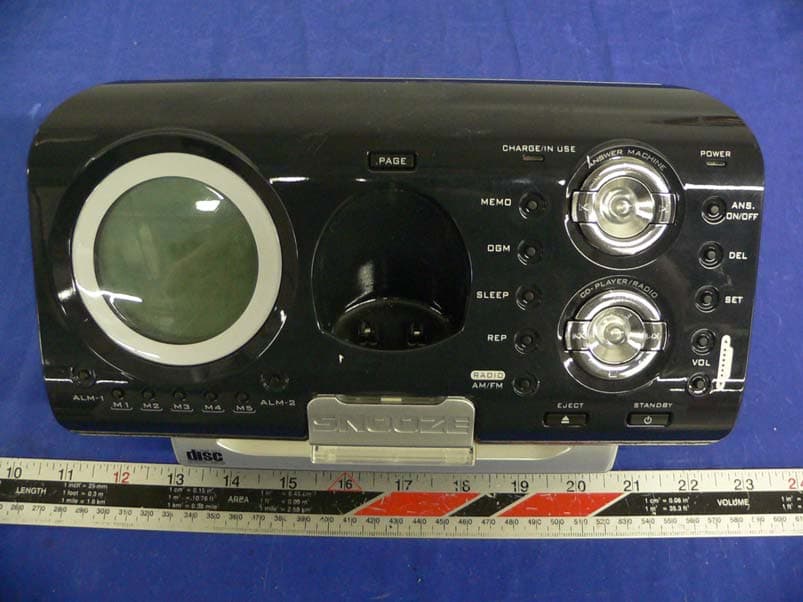
QFENTP3422
Jul 06, 20052.4GHz Digital Cordless Telephone
Equipment Class
DSS - Part 15 Spread Spectrum Transmitter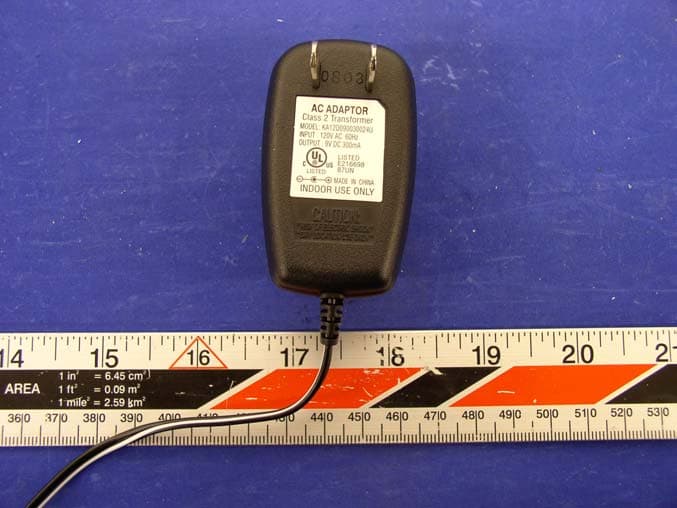
QFENTP6348S
Feb 26, 20042.4GHz Cordless Telephone W Call Waiting Caller ID
Equipment Class
DXX - Part 15 Low Power Communication Device Transmitter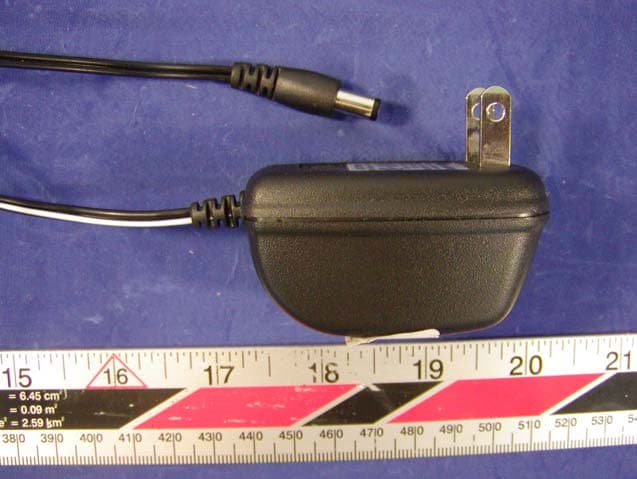
QFE35135
Sep 22, 2003900MHz Cordless Telephone
Equipment Class
DXX - Part 15 Low Power Communication Device Transmitter
QFENTP-6309
Jan 14, 20032.4 GHz Cordless Phone
Equipment Class
DXX - Part 15 Low Power Communication Device Transmitter