QISAP5010DNAGNWireless LAN Access Point
Huawei Technologies Co.,Ltd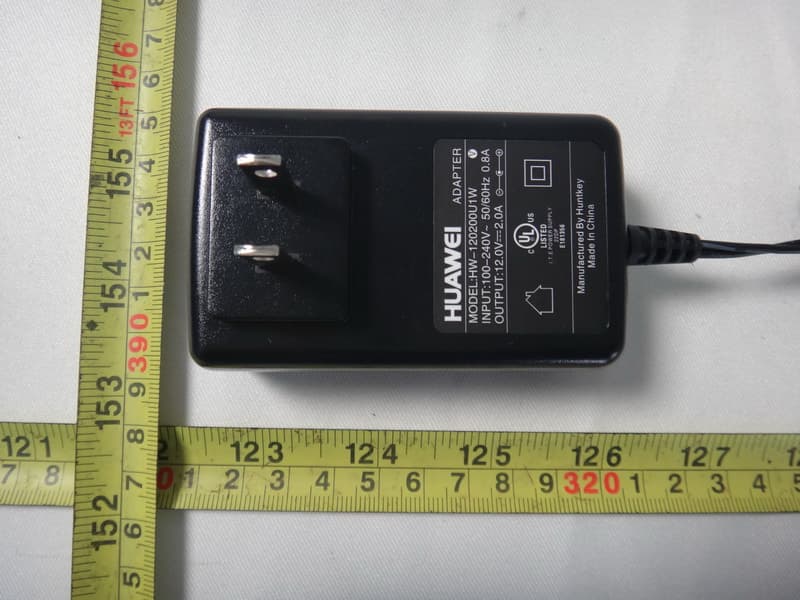
Click to zoom
Application Details
- Equipment Class
- NII - Unlicensed National Information Infrastructure TX
- Date of Grant
- Mar 11, 2013
- Application Purpose
- Original Equipment
- Date of Application
- Dec 04, 2012
- Equipment Note
- Wireless LAN Access Point
- Frequency Range
- 5660.00000000 - 5700.00000000
- Company
- Huawei Technologies Co.,Ltd
- Country
- China
Documents & Files
Document Text
Text extracted from the exhibit documents filed with the FCC. Open a document above to read the original.
Users Manual
AP Series Indoor Wireless LAN Access Points Quick Start Guide Copyright © Huawei Technologies Co., Ltd. 2012. All rights reserved. No part of this document may be reproduced or transmitted in any form or by any means without prior written consent of Huawei Technologies Co., Ltd. 1 Trademarks and Permissions and other Huawei trademarks are trademarks of Huawei Technologies Co., Ltd. All other trademarks and trade names mentioned in this document are the property of their respective holders. Notice The purchased products, services and features are stipulated by the contract made between Huawei and the customer. All or part of the products, services and features described in this document may not be within the purchase scope or the usage scope. Unless otherwise specified in the contract, all statements, information, and recommendations in this document are provided "AS IS" without warranties, guarantees or representations of any kind, either express or implied. The information in this document is subject to change without notice. Every effort has been made in the preparation of this document to ensure accuracy of the contents, but all statements, information, and recommendations in this document do not constitute the warranty of any kind, express or implied. Huawei Technologies Co., Ltd. Address: Huawei Industrial Base Bantian, Longgang Shenzhen 518129 People’s Republic of China Website: http://enterprise.huawei.com Symbol Description Alerts you to a potentially hazardous situation that could, if not avoided, result in equipment damage, data loss, performance deterioration, or unanticipated results. Provides additional information to emphasize or supplement important points of the main text. Alerts you to a medium or low risk hazard that could, if not avoided, result in moderate or minor injury. Alerts you to a high risk hazard that could, if not avoided, result in serious injury or death. Preface 2 This document describes the hardware configuration, installation preparation, installation method, installation procedure, cable connection, and procedure for logging in to the indoor APs. The preface is organized as follows: • Intended Audience •Symbol Conventions •Documentation Obtaining •Technical Support Symbol Conventions The symbols that may be found in this document are defined as follows: WARNING DANGER NOTE CAUTION Intended Audience This document is intended for: •Hardware installation engineers •Onsite maintenance engineers •Network administrators configuring and maintaining the network Documentation Obtaining You can visit http://enterprise.huawei.com to obtain the latest product documentations. Choose Product Support > Enterprise Networking > Datacom Network > WLAN > Product Documentation, and then select the document of a specified version. You can select the document as required. For example, if you want to obtain AP7110DN-AGN documents, select AP7110DN-AGN. 3 NOTE Technical Support If you have trouble in locating or rectifying faults during maintenance or troubleshooting by following instructions in this document, contact the Huawei customer service center (CSC) for help. •Tel: 4008229999 You can also visit http://enterprise.huawei.com, click Contact Us in the lower area of the page, and select the country to obtain contact information about Huawei local office. Change History Changes between document issues are cumulative. Therefore, the latest document issue contains all the changes in previous issues. Change in Issue 01 (2012-10-31) Initial commercial release. 4 5 Device Introduction The Huawei AP series indoor wireless LAN access point provides eight models: AP3010DN-AGN, AP5010DN-AGN, AP5010SN-GN, AP6010DN-AGN, AP6010SN-GN, AP6310SN-GN, AP7110DN-AGN, and AP7110SN-GN. The indoor AP features high reliability, high security, simple network deployment, automatic AC discovery and configuration, and real-time management and maintenance. The APs are recommended in scenarios where the building structure is simple and the building area is small, have a high density of users, and have high capacity demands, for example, small-scale meeting rooms, bars, and entertainment places. The APs can be flexibly deployed. Table 1 lists the dimensions and weights of indoor APs. Table 1 Dimensions and weight Model Dimensions Weight AP3010DN-AGN AP5010DN-AGN AP5010SN-GN AP6010DN-AGN AP6010SN-GN 180mm×180mm×50mm(W×D×H) 0.4kg AP6310SN-GN 130mm×150mm×35mm(W×D×H) 0.6kg AP7110DN-AGN 200mm×200mm×45mm(W×D×H) 0.95kg AP7110SN-GN 200mm×200mm×45mm(W×D×H) 0.92kg Table 2 Interfaces on indoor APs AP3010DN-AGN AP5010DN-AGN AP5010SN-GN AP6010DN-AGN AP6010SN-GN AP6310SN-GN 1 2 3 4 5 DC 12V Default ETH/PoE Console 1 2 3 4 6 8 6 Device Introduction No. Name Description 1 DC 12V Connected to the power adapter. 2 Default Press and hold down the Reset button for 3 seconds to restore the factory settings and restart the AP. 3 ETH/PoE 10/100/1000M port, which connects to the wired Ethernet. The port can connect to a PoE switch or a PoE power supply to provide power for APs. 4 Console Connected to the maintenance terminal for device configuration and management. 5 Security slot Connected to the security lock. 6 2.4 GHz antenna port A port connected to the 2.4 GHz antenna. 7 5 GHz antenna port A port connected to the 5 GHz antenna. 8 Ground screw Connect the ground cable to the AP with a ground screw. Table 2 Interfaces on indoor APs Table 3 Interfaces on indoor APs AP7110DN-AGN AP7110SN-GN 1 2 3 4 5 6 1 2 3 4 5 6 7 Console ETH/PoE Default DC 12V Console ETH/PoE Default DC 12V 8 8 7 Installation Preparations 1. Safety Precautions 2. Installation Environment Check Before installation, verify that the device runs in a favorable environment. The table lists requirements on the environment that a device works in, including the temperature, humidity, altitude, and pressure. Table 4 Requirements on the environment Only the qualified personnel are permitted to install and remove the device and its accessories. Before installation a…
Text truncated - open the document above for the full version.
Users Manual
AP7110DN&AP5010DN&AP7110SN &AP5010SN Product Compliance and Safety Manual Issue 01 Date 2012-11-22 HUAWEI TECHNOLOGIES CO., LTD. Issue (2012-11-23) Huawei Technologies Proprietary i Copyright © Huawei Technologies Co., Ltd. 2011. All rights reserved. No part of this document may be reproduced or transmitted in any form or by any means without prior written consent of Huawei Technologies Co., Ltd. Trademarks and Permissions and other Huawei trademarks are trademarks of Huawei Technologies Co., Ltd. All other trademarks and trade names mentioned in this document are the property of their respective holders. Notice The purchased products, services and features are stipulated by the contract made between Huawei and the customer. All or part of the products, services and features described in this document may not be within the purchase scope or the usage scope. Unless otherwise specified in the contract, all statements, information, and recommendations in this document are provided "AS IS" without warranties, guarantees or representations of any kind, either express or implied. The information in this document is subject to change without notice. Every effort has been made in the preparation of this document to ensure accuracy of the contents, but all statements, information, and recommendations in this document do not constitute the warranty of any kind, express or implied. Huawei Technologies Co., Ltd. Address: Huawei Industrial Base Bantian, Longgang Shenzhen 518129 People's Republic of China Website: http://www.huawei.com Email: [email protected] Compliance and Safety Manual Contents Issue (2012-11-23) Huawei Technologies Proprietary iii About This Document Intended Audience This document describes Electromagnetic Compatibility (EMC) and other safety standards compliance and information about the AP. This document provides the general safety guidelines for handling, installing or operating the AP. This document is intended for: Maintenance engineers Technical support engineers Installation engineers Network planning engineers Symbol Conventions The symbols that may be found in this document are defined as follows. Symbol Description Indicates a hazard with a high level of risk, which if not avoided, will result in death or serious injury. Indicates a hazard with a medium or low level of risk, which if not avoided, could result in minor or moderate injury. Indicates a potentially hazardous situation, which if not avoided, could result in equipment damage, data loss, performance degradation, or unexpected results. Indicates a tip that may help you solve a problem or save time. Provides additional information to emphasize or supplement important points of the main text. Contents Compliance and Safety Manual iv Huawei Technologies Proprietary Issue (2012-11-23) Change History Changes between document issues are cumulative. Therefore, the latest document issue contains all the changes in previous issues. Changes in Issue 01 (2012-11-22) Initial commercial release. Compliance and Safety Manual Contents Issue (2012-11-23) Huawei Technologies Proprietary v Contents 1 Regulatory Compliance Information ..................................................................................... 1-1 1.1 USA Regulatory Compliance ........................................................................................................................ 1-1 1.1.1 FCC Part 15.......................................................................................................................................... 1-1 1.2 Canada Regulatory Compliance .................................................................................................................... 1-2 1.2.1 RSS-Gen & RSS-210 statement ........................................................................................................... 1-2 2 Safety Information ..................................................................................................................... 2-3 2.1 Overview ....................................................................................................................................................... 2-4 2.1.1 Safety Precautions ................................................................................................................................ 2-4 2.1.2 General Requirements .......................................................................................................................... 2-4 2.2 Electricity Safety ........................................................................................................................................... 2-6 2.2.1 High Voltage ........................................................................................................................................ 2-6 2.2.2 Thunderstorm ....................................................................................................................................... 2-6 2.2.3 Tools ..................................................................................................................................................... 2-7 2.2.4 High Electrical Leakage ....................................................................................................................... 2-7 2.2.5 Power Cable ......................................................................................................................................... 2-7 2.2.6 Fuse ...................................................................................................................................................... 2-8 2.2.7 Electrostatic Discharge......................................................................................................................... 2-8 2.3 Inflammable Environment ............................................................................................................................. 2-9 2.4 Laser .........................................................…
Text truncated - open the document above for the full version.
Users Manual
AP5010DN-AGN Wireless LAN Access Point V200R002C00 Product Description Issue01 Date2012-10-31 HUAWEI TECHNOLOGIES CO., LTD. Copyright © Huawei Technologies Co., Ltd. 2012. All rights reserved. No part of this document may be reproduced or transmitted in any form or by any means without prior written consent of Huawei Technologies Co., Ltd. Trademarks and Permissions and other Huawei trademarks are trademarks of Huawei Technologies Co., Ltd. All other trademarks and trade names mentioned in this document are the property of their respective holders. Notice The purchased products, services and features are stipulated by the contract made between Huawei and the customer. All or part of the products, services and features described in this document may not be within the purchase scope or the usage scope. Unless otherwise specified in the contract, all statements, information, and recommendations in this document are provided "AS IS" without warranties, guarantees or representations of any kind, either express or implied. The information in this document is subject to change without notice. Every effort has been made in the preparation of this document to ensure accuracy of the contents, but all statements, information, and recommendations in this document do not constitute a warranty of any kind, express or implied. Huawei Technologies Co., Ltd. Address:Huawei Industrial Base Bantian, Longgang Shenzhen 518129 People's Republic of China Website:http://enterprise.huawei.com Issue 01 (2012-10-31)Huawei Proprietary and Confidential Copyright © Huawei Technologies Co., Ltd. i Contents 1 Product Orientation and Characteristics...................................................................................1 2 Product Structure...........................................................................................................................5 3 Functions and Features.................................................................................................................7 4 Technical Specifications.............................................................................................................10 AP5010DN-AGN Wireless LAN Access Point Product DescriptionContents Issue 01 (2012-10-31)Huawei Proprietary and Confidential Copyright © Huawei Technologies Co., Ltd. ii 1 Product Orientation and Characteristics Product Orientation The AP5010DN-AGN is a standard indoor dual-band 2x2 MIMO access point (AP) that supports 2.4 GHz and 5 GHz frequency bands. It complies with IEEE 802.11a/b/g/nsupports 2.4 GHz and 5 GHz frequency bands, and has enhanced coverage performance and protection capabilities. It supports wireless bridging, complies with IEEE 802.11a/b/g/n,connects a large number of users, and works as a Fit AP. The AP5010DN-AGN has the following advantages: lHigh reliability lHigh security lSimple network deployment lAutomatic AC discovery and configuration lReal-time management and maintenance The AP5010DN-AGN is recommended for use in buildings with a simple structure, small area, a high density of users, and require a high capacity, for example, small-scale meeting rooms, bars, and entertainment places. The AP5010DN-AGN APs can be flexibly deployed in these places and work in both Fit AP and bridge mode . The AP5010DN-AGN is for use in Fit AP and bridge networking scenarios. AP5010DN-AGN Wireless LAN Access Point Product Description1 Product Orientation and Characteristics Issue 01 (2012-10-31)Huawei Proprietary and Confidential Copyright © Huawei Technologies Co., Ltd. 1 Figure 1-1 Fit AP networking AP n AP1 ...... NMS AC Authentication system Switch Management channel between NMS and AC Management channel between the AC and the AP and data channel Where data flows are encapsulated with CAPWAP Channel where data flows are not encapsulated with CAPWAP Business users Residential users WLAN teminal In this networking, the AP5010DN-AGN functions as a Fit AP that provides only data forwarding functions. The AC is responsible for user access, authentication, AP management, and configurations of security protocols, routing, and QoS. Figure 1-2 WDS networking (point-to-point) AP 1 AP 2 LAN Segment 1 LAN Segment 2 AP5010DN-AGN Wireless LAN Access Point Product Description1 Product Orientation and Characteristics Issue 01 (2012-10-31)Huawei Proprietary and Confidential Copyright © Huawei Technologies Co., Ltd. 2 Figure 1-3 WDS networking (point-to-multipoint) AP 2 AP 1 AP 3 AP 4 LAN Segment 1 LAN Segment 2 LAN Segment 3 LAN Segment 4 In this networking, the AP5010DN-AGN connects two or more independent wired or wireless LANs through wireless links to realize communication between the LANs. In a Wireless Distribution System (WDS), the AP5010DN-AGN supports point-to-point, point-to-multipoint networking modes. The AP implements wireless bridging and access functions using 5 GHz and 2.4 GHz frequency bands. Product Characteristics The AP5010DN-AGN has the following characteristics on the WLAN. Product Characteristics Description Highly reliable wireless access lComplies with IEEE 802.11 b/g/n. lSupports2x2 MIMO, and provides a maximum rate of 300 Mbit/s for each spatial stream. lUses Wi-Fi Multimedia (WMM) to implement priority scheduling based on the service type (voice, video, or data), and supports priority mapping on the air interface and wired interface. lSupports wired link integrity check. lSupports load balancing. lSupports roaming without service interruptions. lSupports AC Dual-Link Backup. lSupports the beamforming technique. lUses the latest 802.11n chip to provide higher performance and wider coverage. lHas a strong coverage capability. Comprehensive user access control capability lSupports access control lists (ACLs) and user access controls based on user group policies. lProvides per-user bandwidth management. lSupports user isolation policies. lSupports AC authentication. AP5010DN-AGN Wireless LAN Access Point Product Description1 Product Orientation and Characteristics…
Text truncated - open the document above for the full version.
Users Manual
AP Series Indoor Wireless LAN Access Points Quick Start Guide Copyright © Huawei Technologies Co., Ltd. 2013. All rights reserved. No part of this document may be reproduced or transmitted in any form or by any means without prior written consent of Huawei Technologies Co., Ltd. 1 Trademarks and Permissions and other Huawei trademarks are trademarks of Huawei Technologies Co., Ltd. All other trademarks and trade names mentioned in this document are the property of their respective holders. Notice The purchased products, services and features are stipulated by the contract made between Huawei and the customer. All or part of the products, services and features described in this document may not be within the purchase scope or the usage scope. Unless otherwise specified in the contract, all statements, information, and recommendations in this document are provided "AS IS" without warranties, guarantees or representations of any kind, either express or implied. The information in this document is subject to change without notice. Every effort has been made in the preparation of this document to ensure accuracy of the contents, but all statements, information, and recommendations in this document do not constitute the warranty of any kind, express or implied. Huawei Technologies Co., Ltd. Address: Huawei Industrial Base Bantian, Longgang Shenzhen 518129 People’s Republic of China Website: http://enterprise.huawei.com Preface 2 This document describes the hardware configuration, installation preparation, installation method, installation procedure, cable connection, and procedure for logging in to the indoor APs. The preface is organized as follows: • Intended Audience •Symbol Conventions •Documentation Obtaining •Technical Support Symbol Conventions The symbols that may be found in this document are defined as follows: Intended Audience This document is intended for: •Hardware installation engineers •Onsite maintenance engineers •Network administrators configuring and maintaining the network Symbol Description Indicates a hazard with a high level or medium level of risk which, if not avoided, could result in death or serious injury. Indicates a hazard with a low level of risk which, if not avoided, could result in minor or moderate injury. Indicates a potentially hazardous situation that, if not avoided, could result in equipment damage, data loss, performance deterioration, or unanticipated results. Provides a tip that may help you solve a problem or save time. Provides additional information to emphasize or supplement important points of the main text. Documentation Obtaining You can visit http://enterprise.huawei.com to obtain the latest product documentations. Choose Support > Product Support > Enterprise Networking > WLAN > AP, and then select the document of a specified product. You can select the document as required. For example, if you want to obtain AP7110DN-AGN documents, select AP7110DN-AGN. 3 NOTE Technical Support If you have trouble in locating or rectifying faults during maintenance or troubleshooting by following instructions in this document, contact the Huawei customer service center (CSC) for help. •Tel: 4008229999 You can also visit http://enterprise.huawei.com, click Contact Us in the lower area of the page, and select the country to obtain contact information about Huawei local office. Change History Changes between document issues are cumulative. Therefore, the latest document issue contains all the changes in previous issues. Changes in Issue 03 (2013-01-30) This version has the following updates: The following information is added: Description about power adapters delivered with APs Method to remove the AP Changes in Issue 02 (2012-12-31) This version has the following updates: The following information is added: Power adapter cable connection figure Change in Issue 01 (2012-10-31) Initial commercial release. 4 5 Device Introduction The Huawei AP series indoor wireless LAN access point provides eight models: AP3010DN-AGN, AP5010DN-AGN, AP5010SN-GN, AP6010DN-AGN, AP6010SN-GN, AP6310SN-GN, AP7110DN-AGN, and AP7110SN-GN. The indoor AP features high reliability, high security, simple network deployment, automatic AC discovery and configuration, and real-time management and maintenance. The APs are recommended in scenarios where the building structure is simple and the building area is small, have a high density of users, and have high capacity demands, for example, small-scale meeting rooms, bars, and entertainment places. The APs can be flexibly deployed. Table 1 lists the dimensions and weights of indoor APs. Table 1 Dimensions and weight Model Dimensions Weight AP3010DN-AGN AP5010DN-AGN AP5010SN-GN AP6010DN-AGN AP6010SN-GN 180mm×180mm×50mm(W×D×H) 0.4kg AP6310SN-GN 130mm×150mm×35mm(W×D×H) 0.6kg AP7110DN-AGN 200mm×200mm×45mm(W×D×H) 0.95kg AP7110SN-GN 200mm×200mm×45mm(W×D×H) 0.92kg Table 2 Interfaces on indoor APs AP3010DN-AGN AP5010DN-AGN AP5010SN-GN AP6010DN-AGN AP6010SN-GN AP6310SN-GN 1 2 3 4 5 DC 12V Default ETH/PoE Console 1 2 3 4 6 8 6 Device Introduction No. Name Description 1 DC 12V Connected to the power adapter. 2 Default Press and hold down the Reset button for 3 seconds to restore the factory settings and restart the AP. 3 ETH/PoE 10/100/1000M port, which connects to the wired Ethernet. The port can connect to a PoE switch or a PoE power supply to provide power for APs. 4 Console Connected to the maintenance terminal for device configuration and management. 5 Security slot Connected to the security lock. 6 2.4 GHz antenna port A port connected to the 2.4 GHz antenna. 7 5 GHz antenna port A port connected to the 5 GHz antenna. 8 Ground screw Connect the ground cable to the AP with a ground screw. Table 2 Interfaces on indoor APs Table 3 Interfaces on indoor APs AP7110DN-AGN AP7110SN-GN 1 2 3 4 5 6 1 2 3 4 5 6 7 Console ETH/PoE Default DC 12V Console ETH/PoE Default DC 12V 8 8 7 Installation Preparations 1. Safety Precautions 2. Installation Environment Che…
Text truncated - open the document above for the full version.
Attestation Statements
287378 D01 Equipment Shipping Instructions v01 EQUIPMENT SHIPPING INSTRUCTIONS Equipment may be hand-delivered to the FCC Laboratory with prior approval. A. LABELING OF SAMPLES – If a test sample cannot be associated with an application or a sample request letter, it may be returned for insufficient identification. ALL samples and accessories for pre- grant or post-grant sampling test should have identification tags listing the items below: • The identical FCC ID s chcown on application (Form 731) or grant (Form 731A). • Name, address, and telephone number of person to contact should sample malfunction during test, or if it is necessary to return sample for repair. B. SHIPPING ADDRESS (UPS, COURIER SERVICE, FREIGHT, OR AIR) Federal Communications Commission 7435 Oakland Mills Road Gate A Columbia, Maryland 21046 Attention: Telephone: (301) 362-3000 C. ALL TEST SAMPLES SHOULD BE ACCOMPANIED BY A COPY OF THE SAMPLE REQUEST LETTER AND A COMPLETED RETURN SHIPMENT AUTHORIZATION FORM. D. SPECIAL NOTE TO FOREIGN APPLICANTS – Foreign applicants with American subsidiaries or agents should ship equipment to them for forwarding to the Laboratory. If no American subsidiary is available, arrangements must be made for clearance of shipment through U. S. Customs, delivery to the Laboratory, and return shipment to the applicant. The Commission will not make delivery arrangements, or pay any related charges associated with foreign shipments. E. If you require notification that your equipment has been received at the Laboratory, please contact your shipper for delivery date. F. All test samples submitted should include all of the applicable items below: 1. All installation instructions, software, user’s manuals, and operating instructions necessary to configure and test the device. 2. All cables and adapters required to configure the sample and connect it to all accessories. 3. For battery operated devices chargers and each battery option should be submitted. 4. For modules a host device should be submitted. 5. For body worn devices each type of holster and belt clip should be submitted. RETURN SHIPMENT AUTHORIZATION This completed form, along with a copy of the sample request letter and return shipping labels, must accompany all equipment. Failure to follow these instructions will delay testing of your equipment. All equipment and accessories, if any, must be listed and properly labeled. Type of Equipment FCC ID (if no FCC ID assigned, list model / type number) Serial Number _____________________________________ [email protected]_________________ Printed Name of Responsible Person Printed Email Address of Responsible Person _Huawei Technologies Co.,Ltd +86-755-2878-1879 Name of Company Telephone no. (Include area code – USA ONLY) Please check here if equipment is not to be returned. If equipment is to be returned, please complete the following: ___________________________________________________________________________________ Complete shipping address, including ZIP code Preferred carrier for return shipment: ___________________________________________________________________________________ Name of company and your account number 287378 D01 Equipment Shipping Instructions v01 Please check if an addational sheet is used
Cover Letter(s)
Huawei Technologies Co.,Ltd. 022311 – 6 Authority to Act as Agent Date: 2012-11-16 American Certification Body, Inc. 6731 Whittier Avenue Suite C110 McLean, VA 22101 To Whom It May Concern: _____Neutron Engineering, Inc./Cathy Wang is authorized to act on our behalf, until otherwise notified, for applications to American Certification Body, Inc. (ACB). We certify that we are not subject to denial of federal benefits, that includes FCC benefits, pursuant to Section 5301 of the Anti-Drug Abuse Act of 1988, 21 U.S.C. 862. Further, no party, as defined in 47 CFR 1.2002 (b), to the application is subject to denial of federal benefits, that includes FCC benefits. Thank you, Agency Agreement Expiration Date: _____(2013-11-16)_____ By: ____ Xinghai Zhang _____________ (Print name) (Signature) Title: ______ EMC Laboratory Manager ____________________ On behalf of: _______ Huawei Technologies Co.,Ltd.___________________ (Company Name) Telephone: ______ +86-755-2878-1879 ____________________
Cover Letter(s)
Huawei Technologies Co.,Ltd. Request for Confidentiality Date: _2012-11-16 _ Subject: Confidentiality Request for: ____ __QISAP5010DNAGN ______ Pursuant to FCC 47 CRF 0.457(d) and 0.459 and IC RSP-100, Section 10, the applicant requests that a part of the subject FCC application be held confidential. Type of Confidentiality Requested Exhibit Short Term Permanent Block Diagrams Short Term External Photos Short Term Permanent* 1 Internal Photos Short Term Permanent Operation Description/Theory of Operation Short Term Permanent Parts List & Placement/BOM Short Term Permanent Tune-Up Procedure Short Term Permanent Schematics Short Term Test Setup Photos Short Term Permanent* User’s Manual *Note: ____________ ______ (Huawei Technologies Co.,Ltd.)______ has spent substantial effort in developing this product and it is one of the first of its kind in industry. Having the subject information easily available to "competition" would negate the advantage they have achieved by developing this product. Not protecting the details of the design will result in financial hardship. Permanent Confidentiality: The applicant requests the exhibits listed above as permanently confidential be permanently withheld from public review due to materials that contain trade secrets and proprietary information not customarily released to the public. Short-Term Confidentiality: The applicant requests the exhibits selected above as short term confidential be withheld from public view for a period of ____ days from the date of the Grant of Equipment Authorization and prior to marketing. This is to avoid premature release of sensitive information prior to marketing or release of the product to the public. Applicant is also aware that they are…
Text truncated - open the document above for the full version.
Contact Information
Applicant
Zhang Xinghai
Technical Contact
American Certification Body, Inc.Mike Violette
[email protected]703-847-4700
6731 Whittier Ave. Suite C110 · McLean, Virginia · United States
Test Firm
BTL Inc.Daisy Dai
Technical Specifications
| # | Rule Parts | Frequency Range | Power Output |
|---|---|---|---|
| 4 | 15E | 5.66 GHz - 5.70 GHz | 38.00 mW |
Other Applications from Huawei Technologies Co.,Ltd

QISSUN2000
Jun 27, 2021Solar Inverter
Equipment Class
DTS - Digital Transmission System
QISCP81-1
Oct 22, 2020Watch Wireless Charger
Equipment Class
DCD - Part 15 Low Power Transmitter Below 1705 kHz
QISRRU3278
Sep 02, 2020Remote Radio Unit
Equipment Class
CBD - Citizens Band Category A and B Devices
QISR2561
Jul 11, 2020Indoor Router
Equipment Class
DTS - Digital Transmission System
QISSMARTLOGGER310
Mar 23, 2020Solar Smart Monitor & Data Logger
Equipment Class
DTS - Digital Transmission System