QISE169HSDPA USB Stick
Huawei Technologies Co.,Ltd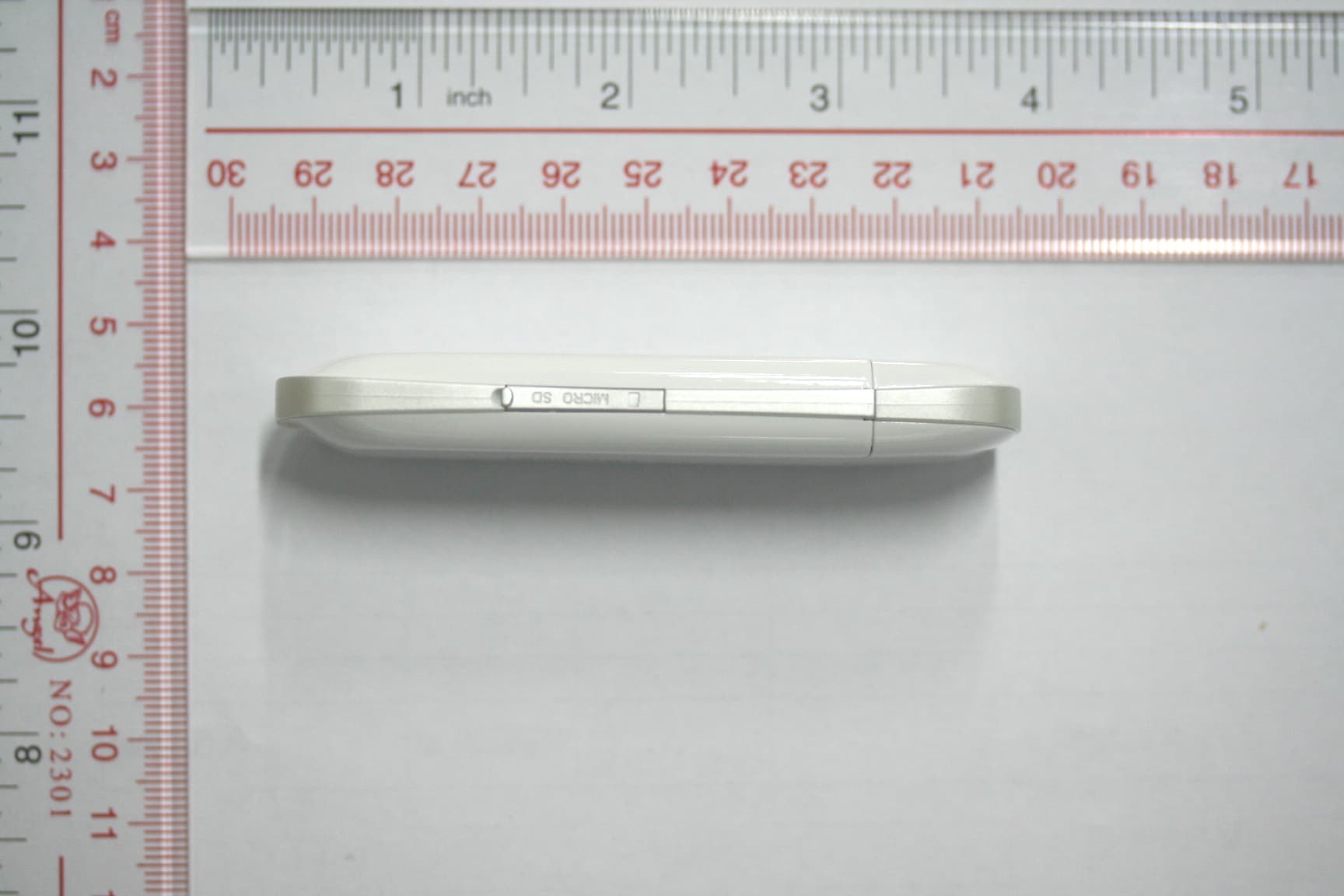
Click to zoom
Application Details
- Equipment Class
- PCB - PCS Licensed Transmitter
- Date of Grant
- Feb 26, 2008
- Application Purpose
- Original Equipment
- Date of Application
- Feb 26, 2008
- Equipment Note
- HSDPA USB Stick
- Frequency Range
- 1850.20000000 - 1909.80000000
- Company
- Huawei Technologies Co.,Ltd
- Country
- China
Documents & Files
Document Text
Text extracted from the exhibit documents filed with the FCC. Open a document above to read the original.
Users Manual
i Copyright © 2007 Huawei Technologies Co., Ltd. All Rights Reserved No part of this document may be reproduced or transmitted in any form or by any means without prior written consent of Huawei Technologies Co., Ltd. Trademarks and Permissions and other Huawei trademarks are trademarks of Huawei Technologies Co., Ltd. All other trademarks and trade names mentioned in this document are the property of their respective holders. Notice The information in this document is subject to change without notice. Every effort has been made in the preparation of this document to ensure accuracy of the contents, but all statements, information, and recommendations in this document do not constitute the warranty of any kind, express or implied. ii Table of Contents What Is in Your Package ................................................................................. 1 Getting to Know Your E169 ........................................................................... 2 Preparation .................................................................................................... 4 Installation/Removal Guide ............................................................................. 5 Warnings and Precautions .............................................................................. 7 Acronyms and Abbreviations ........................................................................ 13 1 Thank you for choosing Huawei E169 HSDPA USB Stick (hereinafter referred to as the E169). With the E169, you can access the Internet through wireless network at a high speed. Note: This manual describes the appearance, installation and removal of the E169. For the operation of the management program, refer to the User Manual. What Is in Your Package The package of your E169 contains the following items: One E169 One Quick Start One USB cable 2 Getting to Know Your E169 The following figure shows the appearance of the E169. It is only for your reference. The actual product may differ. 1 2 3 45 n USB Interface It connects the E169 to a computer. o SIM/USIM Card Slot It is where you insert the subscriber identity module/UMTS subscriber identity module (SIM/USIM) card. 3 p Indicator It indicates the status of the E169. Colour Status Meaning Green Blinking (on for 100ms and off for 100ms; then on for 100ms and off for 2700ms) The E169 is powered on. Green Blinking (on for 100ms and off for 2900ms) The E169 is registered to a GPRS (GSM/GPRS/EDGE) network. Blue Blinking (on for 100ms and off for 2900ms) The E169 is registered to a UMTS (WCDMA/HSDPA) network. Green On The E169 is connected to a GPRS network. Blue On The E169 is connected to a WCDMA network. Cyan On The E169 is connected to a HSDPA network. - Off The E169 is removed. q Micro SD Card Slot It is where you insert the Micro Secure Digital Memory (SD) card r External antenna jack It connects the E169 to an external antenna. 4 Preparation Requirements for the Computer To use the E169, the computer must meet the following requirements: USB Type A Receptacle, Compatible with USB 2. 0 Full Speed. CPU: 133 MHz or above. 500 MHz or above is recommended. Memory: 128 MB RAM or above. Free space on the hard disk: 50 MB or above. Windows XP/2000/Vista is installed. Resolution for the display: 800 × 600 or above. 1024 × 768 is recommended. Getting Your E169 Ready Remove the UMTS USIM/SIM card slot from the E169. Insert the USIM/SIM card into the card slot. Insert the card slot into the E169. 5 Installation/Removal Guide On different operating systems (OSs), the installation and removal procedures may differ. Follow the system prompts during operation. Connecting the E169 with a Computer Note: First, power on the computer. Then connect the E169 with the computer. Otherwise, the E169 cannot be installed as normal. Plug the E169 into the USB interface of the laptop or desktop computer. You can connect the E169 to a laptop or desktop computer using the USB cable for better signals. 6 The OS automatically detects and recognises new hardware and starts the installation wizard. Follow the prompts of the installation wizard. After the program is installed, a shortcut icon for the E169 management program is displayed on the desktop. Starting the Management Program Double-click the shortcut icon on the desktop to start the management program of the E169. Enter the personal identity number (PIN) code if you have enabled the PIN lock. Removing the E169 Remove the E169 directly. Removing the Management Program Click Start Menu. Click Control Panel. Click Add/Remove Program to remove the management program of the E169. Note: Before removing the management program, exit the management program. 7 Warnings and Precautions Please read the safety information carefully to ensure the correct and safe use of your wireless device. General Recommendations for Use Always handle your wireless device with care and keep it in a clean and dust-free place. Do not expose your wireless device to open flames or lit tobacco products. Always keep your wireless device dry. Do not drop, throw or try to bend your wireless device. Do not paint or scratch your wireless device. Do not attempt to disassemble your wireless device. Doing so will void warranty. Only authorized personnel are allowed to do so. Use approved accessories only. Do not connect your wireless device to any incompatible products. Laws and Regulations Do not operate your wireless device where it may be unsafe to do so or where you are required not to do so. To deactivate your wireless device, stop all applications using the wireless device first and then remove the wireless device from your PC. Obey all local laws, regulations, rules, orders, signs and notices while using the wireless device. Signs about the use of mobile phones should also be obeyed as referring to other wireless equipment including wireless devices provided by Huawei. 8 Electronic Device Deactivate your …
Text truncated - open the document above for the full version.
Cover Letter(s)
Huawei Technologies Co., Ltd. AddressHuawei Industrial Base,Bantian Longgang,Shenzhen 518129, P.R China Post ZIP518129 Page 1/1 To: CETECOM Fax : NULL From:Zhang Xinghai Fax:0086-755-89652518 Tel:0086-755-89651014 Email address: [email protected] Http: www.huawei.com SubjectLetter of Confidentiality Federal Communications Commission 7435 Oakland Mills Road Columbia, MD 21046 Gentlemen: This letter is to comply with the Code of Federal Regulations Title 47 Section 0.457 and 0.459 pertaining to confidential material. Huawei Technologies Co., Ltd. would like the following documents regarding this submission for FCC ID: QISE169 to be kept confidential: 1. Schematic diagram . 2. Block Diagram. 3. Parts list (BOM) Information. 4. Operational description. 5. Ture-up procedure The above material contains trade secrets or technical data, which would customarily be guarded from competitors. We do not want these documents to be accessible to the general public. Sincerely, For and Behalf of: Huawei Technologies Co., Ltd. Zhang Xinghai EMC Laboratory Manager
Cover Letter(s)
Huawei Technologies Co., Ltd. Administration Building, Huawei Base, Bantian, Longgang District, Shenzhen 518129 P.R.C. +86 755 28780808 www.huawei.com Huawei internal reference RCT-US-01-01 USA FCC Short Term Confidentiality Request template Effective date: 2007-01-06 Version 1.1 Short Term Confidentiality Request 2008-02-03 Federal Communications Commission Office of Engineering and Technology Equipment Authorization Division 7345 Oakland Mills Road Columbia, Maryland 21046 Subject: SHORT-TERM Confidentiality Request for FCC ID: QISE169 Product Name: HSDPA USB STICK Product Model: E169/E169G To whom maybe concern: Pursuant to sections 0.457 and 0.459 of CFR 47 and to avoid premature release of sensitive information prior to marketing or release of the product to the public, Huawei Technologies Co., Ltd requests the following documents contained in this certification application be temporarily withheld from public disclosure for an initial period of 90 days: 1. External Photos 2. Internal Photos 3. Test Setup Photos 4. Users Manual The applicant also acknowledges that they will also provide appropriate notice to CETECOM should either of the following occur: A) If the applicant requires additional 45 day extension periods they will notify CETECOM with a new request letter at least 7 days prior to the short-term confidentiality expiration date-[Note: up to maximum of 3 extensions only are allowed], or b) Immediately notify CETECOM in the event the information regarding the product of the product is made available to the public. CETECOM will then release the documents listed above for public disclosure pursuant to FCC Public Notice DA 04-1705. Sincerely,
External Photos
E169 SECRET Page1,Total 6 External Photos of HUAWEI E169 E169 SECRET Page2,Total 6 E169 SECRET Page3,Total 6 E169 SECRET Page4,Total 6 E169 SECRET Page5,Total 6 E169 SECRET Page6,Total 6
External Photos
E169G SECRET Page1,Total 5 External Photos of HUAWEI E169G E169G SECRET Page2,Total 5 E169G SECRET Page3,Total 5 E169G SECRET Page4,Total 5 E169G SECRET Page5,Total 5
ID Label/Location Info
In diesem PDF-Paket sind mehrere Dateien zusammengefasst. Zum Arbeiten mit Dokumenten eines PDF-Pakets wird die Verwendung von Adobe Reader oder Adobe Acrobat Version 8 oder höher empfohlen. folgende Vorteile stehen Ihnen bei einem Update auf die neueste Version zur Verfügung: • Optimierte und integrierte PDF-Anzeige • Einfaches Drucken • Schnelle Suchfunktionen Sie haben die aktuelle Version von Adobe Reader noch nicht? Klicken Sie hier zum Herunterladen der neuesten Version von Adobe Reader Verfügen Sie bereits über Adobe Reader 8, klicken Sie auf eine in diesem PDF-Paket enthaltene Datei, um diese anzuzeigen.
ID Label/Location Info
E169 SECRET Page1, Total 1 ID Label Location_E169
ID Label/Location Info
E169G SECRET Page1, Total 1 ID Label Location_E169G
Internal Photos
E169 SECRET Page1,Total 6 Internal Photos of HUAWEI E169 E169 SECRET Page2,Total 6 E169 SECRET Page3,Total 6 E169 SECRET Page4,Total 6 E169 SECRET Page5,Total 6 E169 SECRET Page6,Total 6
Internal Photos
E169G SECRET Page1,Total 6 Internal Photos of HUAWEI E169G E169G SECRET Page2,Total 6 E169G SECRET Page3,Total 6 E169G SECRET Page4,Total 6 E169G SECRET Page5,Total 6 E169G SECRET Page6,Total 6
RF Exposure Info
HUAWEI E169/E169G Electromagnetic Radiation Exposure Estimation 1 Maximum Permissible Exposure (MPE) Estimation for E169/E169G 1 Introduction HUAWEI E169/E169G HSDPA/UMTS/EDGE/GPRS/GSM dual mode 4 BAND USB Stick is subscriber equipment in the UMTS/GSM system. The WCDMA frequency is Band I and Band VIII. The GSM/GPRS/EDGE frequency band includes GSM850, EGSM900, DCS1800 and PCS1900, E169/E169G implements such functions as RF signal receiving/transmitting, HSDPA/WCDMA and EDGE/GPRS/GSM protocol processing, data service etc. Externally it provides USB interface (to connect to the notebook etc.), USIM card interface and antenna interface. E169/E169G has an internal antenna as default. E169G is the USB stick which changes some component from E169. The PCB and antenna are the same. The differences between E169 and E169G are: 1. E169 support WCDMA band 8. E169G do not support and clear the WCDMA 900M component on the PCB. 2. E169 supports TF card and external antenna. E169G do not supports the external interface and the TF interface. There are 3 kind of external color for both of them. They are silver, white and black. 2 Limits and Guidelines on Exposure to Electromagnetic Fields According to the FCC Part 2.1091, we know: mobile device (transmitting device designed to be used in other than fixed locations and to generally be used in such a way that a separation distance of at least 20 centimeters is normally maintained between the transmitters radiating structure(s) and the body of the user or nearby persons). And the Cellular radiotelephone service and PCS services are subject to routine environmental evaluation for RF exposure prior to equipment authorization or use if they operate at frequencies of 1.5 GHz or below and their effective radiated power (ERP) is 1.5 watts or more, or if they operate at frequencies above 1.5 GHz and their ERP is 3 watts or more. The radiated power of 850M/1900M for E169/E169G is 2W/1W, so for E169/E169G only the 850M band is need to be subjected to routine the environmental evaluation for RF exposure. Uncontrolled limits are used for general public. General population/uncontrolled exposure apply in situations is which the general public may be exposed, or in which persons that HUAWEI E169/E169G Electromagnetic Radiation Exposure Estimation 2 are exposed as a consequence of their employment may not be fully aware of the potential for exposure or can not exercise control over their exposure. The exposure levels can be expressed in terms of power density, electric field strength, or magnetic field strength, as averaged over 30 minutes for the general public and 6 minutes for trained personnel. The exposure criterion is frequency dependent, and a chart covering the range from 3 kHz to 100 GHz can be found in NCRP No.86 (references IEEE C95.1-1999). Below are the limits. Limits for Occupational/Controlled Exposure Frequency Range (MHz) Electric Field Strength (E) (V/m) Magnetic Field Strength (H) (A/m) Power Density (S) (mW/cm2) 0.003-0.1 0.1-3.0 3.0-30 30-100 100-300 300-3000 3000-15,000 15,000-100,000 614 614 1842/f 61.4 61.4 -- -- -- 163 16.3/f 16.3/f 16.3/f 0.163 -- -- -- (100)* (100)* (900/f2)* 1.0 1.0 f/300 10 10 Limits for General Population/Uncontrolled Exposure Frequency Range (MHz) Electric Field Strength (E) (V/m) Magnetic Field Strength (H) (A/m) Power Density (S) (mW/cm2) 0.003-0.1 0.1-1.34 1.34-3.0 3.0-30 30-100 100-300 300-3000 3000-15,000 15,000-100,000 614 614 823.8/f 823.8/f 27.5 27.5 -- -- -- 163 16.3/f 16.3/f 16.3/f 158.3 / f1.668 0.0729 -- -- -- (100)* (100)* (180/f2)* ((180/f2)* 0.2 0.2 f/1500 f/1500 10 Power density S [mW/cm2] for controlled area at 850 MHz (TX: 824MHz – 849MHz) 75.2 300 824 300 )( === MHzf S mW/cm 2 Power density S [mW/cm2] for uncontrolled area at 850 MHz HUAWEI E169/E169G Electromagnetic Radiation Exposure Estimation 3 55.0 1500 824 1500 )( === MHzf SmW/cm 2 S= 0.55 mW/ cm 2 = 5.5 W/m 2 for uncontrolled exposure Reference levels are provided for exposure assessment to determine whether the basic restrictions on exposure of humans to electromagnetic fields are exceeded. The basic restrictions on exposure to electromagnetic fields are based directly on established health effects and biological considerations. 3 Location of EUT The EUT uses one monopole antenna. The source of the radiation is mounted on terminal; generally the direction of the antenna position is uprightness tabletop. The highest level of emission would be expected in close vicinity of the antenna and in line of sight to the antenna. 4 Prediction of the Exposure to Electromagnetic Fields Calculations can be made on a site by site basis to ensure the power density is below the limits given above, or guidelines can be done beforehand to ensure the minimum distances from the antenna is maintained through the site planning. The calculations are based on FCC OET 65 Appendix B. 4.1 Calculation of the Safe Distance Below method describes a theoretical approach to calculate possible exposure to electromagnetic radiation around a base station transceiver antenna. Precise statements are basically only possible either with measurements or complex calculations considering the complexity of the environment (e.g. soil conditions, near buildings and other obstacles) which causes reflections, scattering of electromagnetic fields. The maximum output power (given in EIRP) of a base station is usually limited by license conditions of the network operator. A rough estimation of the expected exposure in power flux density on a given point can be made with the following equation. The calculations are based on FCC OET 65 Appendix B. π∗∗ ∗ = )(4 )( 2 mr GWP S numeric Whereas: HUAWEI E169/E169G Electromagnetic Radiation Exposure Estimation 4 P = Maximum output power in W of the site G numeric = Numeric gain of the antenna relative to isotropic antenna R = distance between the antenna and the point of exposure in meters 4.2 Technical Description E169/E169G Technical Specification: Output…
Text truncated - open the document above for the full version.
RF Exposure Info
NO.: RZA2008-0074FCC OET 65 TEST REPORT Test name Electromagnetic Field (Specific Absorption Rate) Product HSDPA USB STICK Model E169,E169G FCC ID QISE169 Client HUAWEI Technologies Co., Ltd. TA Technology (Shanghai) Co., Ltd. TA Technology (Shanghai) Co., Ltd. Test Report No. RZA2008-0074FCC Page 2of 107 GENERAL TERMS 1. The test report is invalid if not marked with “exclusive stamp for the data report” or the stamp of the TA. 2. Any copy of the test report is invalid if not re-marked with the “exclusive stamp for the test report” or the stamp of TA. 3. The test report is invalid if not marked with the stamps or the signatures of the persons responsible for performing, revising and approving the test report. 4. The test report is invalid if there is any evidence of erasure and/or falsification. 5. If there is any dissidence for the test report, please file objection to the test center with in 15 days from the date of receiving the test report. 6. Normally, entrust test is only responsible for the samples that have undergone the test. 7. This test report cannot be used partially or in full for publicity and/or promotional purposes with out previous written permissions of TA. Address: Room4,No.399,Cailun Rd,Zhangjiang Hi-Tech Park, Pudong Shanghai,China Post code: 201203 Telephone: +86-021-50791141/2/3 Fax:+86-021-50791147 Website: http://www.ta-shanghai.com E-mail: [email protected] TA Technology (Shanghai) Co., Ltd. Test Report No. RZA2008-0074FCC Page 3of 107 GENERAL SUMMARY Product HSDPA USB STICK Model E169,E169G Client HUAWEI Technologies Co., Ltd. Type of test Entrusted Manufacturer HUAWEI Technologies Co., Ltd. Arrival Date of sample Jan.21 st , 2008 Place of sampling (Blank) Carrier of the samples Ting Zhang Quantity of the samples One Date of product (Blank) Base of the samples (Blank) Items of test SAR Series number D42AB108111800063 (E169), D62AA10812300012 (E169G) Standard(s) EN 50360–2001: Product standard for the measurement of Specific Absorption Rate related to human exposure to electromagnetic fields from mobile phones. EN 50361–2001: Basic standard for the measurement of Specific Absorption Rate related to human exposure to electromagnetic fields from mobile phones. ANSI C95.1–1999: IEEE Standard for Safety Levels with Respect to Human Exposure to Radio Frequency Electromagnetic Fields, 3 kHz to 300 GHz IEEE 1528–2003: Recommended Practice for Determining the Peak Spatial-Average Specific Absorption Rate (SAR) in the Human Body Due to Wireless Communications Devices: Experimental Techniques. OET Bulletin 65 (Edition 97-01) and Supplement C (Edition 01-01): Additional Information for Evaluating Compliance of Mobile and Portable Devices with FCC Limits. IEC 62209-2 (Draft): Human exposure to radio frequency fields from hand-held and body-mounted wireless communication devices – Human models, instrumentation, and procedures –Part 2: Procedure to determine the Specific Absorption Rate (SAR)in the head and body for 30MHz to 6GHz Handheld and Body-Mounted Devices used in close proximity to the body. Vodafone SAR_Data_cards_V1.1: Global Test Specification for Terminals for Performance Measurements –Performance TST- Specific Absorption Rate (SAR) for Data Cards and External Antennas. Conclusion Localized Specific Absorption Rate (SAR) of this portable wireless equipment has been measured in all cases requested by the relevant standards cited in Clause 6.2 of this test report. Maximum localized SAR is below exposure limits specified in the relevant standards cited in Clause 6.1 of this test report. General Judgment: Pass (Stamp) Date of issue: Feb.2 nd ,2008 Comment TX Freq. Band: GSM850 GSM1900 Max. Power: 2Watt 1Watt The test result only responds to the measured sample. Approved by (Zhengchenguang) Revised by (Yangweizhong) Performed by (Lingminbao) TA Technology (Shanghai) Co., Ltd. Test Report No. RZA2008-0074FCC Page 4of 107 TABLE OF CONTENT 1. COMPETENCE AND WARRANTIES........................................................................................... 6 2. GENERAL CONDITIONS............................................................................................................. 6 3. DESCRIPTION OF EUT .............................................................................................................. 6 3.1. A DDRESSING INFORMATION RELATED TO EUT .......................................................................... 6 3.2. C ONSTITUENTS OF EUT .......................................................................................................... 7 3.3. G ENERAL DESCRIPTION.......................................................................................................... 7 4. OPERATIONAL CONDITIONS DURING TEST ........................................................................... 8 4.1. S CHEMATIC TEST CONFIGURATION........................................................................................... 8 4.2. P OSITION OF MODULE IN PORTABLE DEVICES............................................................................ 9 4.3. P ICTURE OF HOST PRODUCT.................................................................................................. 10 5. SAR MEASUREMENTS SYSTEM CONFIGURATION.............................................................. 12 5.1. SAR MEASUREMENT SET-UP................................................................................................. 12 5.2. D ASY4 E-FIELD PROBE SYSTEM............................................................................................ 13 5.3. E- FIELD PROBE CALIBRATION................................................................................................ 14 5.4. O THER TEST EQUIPMENT...................................................................................................... 14 5.4.1. Device Holder for Transmitters....................................................................................14 5.4.2. Phantom ........................…
Text truncated - open the document above for the full version.
RF Exposure Info
TA Technology (Shanghai) Co., Ltd. Test Report No. RZA2008-0074FCC Page 67of 107 Figure 44 Z-Scan at power reference point [GSM 1900 GPRS (2 timeslots in uplink) with BenQ Joy book S72 Test Position 3 channel 661] TA Technology (Shanghai) Co., Ltd. Test Report No. RZA2008-0074FCC Page 68of 107 GSM 1900 GPRS (2 timeslots in uplink) with BenQ R55V Test Position 4 Middle Communication System: GSM 1900+GPRS(2Up); Frequency: 1880 MHz;Duty Cycle: 1:4 Medium parameters used: f = 1880 MHz; σ = 1.51 mho/m; ε r = 52.9; ρ = 1000 kg/m 3 Probe: ET3DV6 - SN1737; ConvF(4.64, 4.64, 4.64); Electronics: DAE3 Sn452; Test Position 4 Middle/Area Scan (51x91x1): Measurement grid: dx=15mm, dy=15mm Maximum value of SAR (interpolated) = 0.268 mW/g Test Position 4 Middle/Zoom Scan (7x7x7)/Cube 0: Measurement grid: dx=5mm, dy=5mm, dz=5mm Reference Value = 12.3 V/m; Power Drift = 0.099 dB Peak SAR (extrapolated) = 0.407 W/kg SAR(1 g) = 0.247 mW/g; SAR(10 g) = 0.142 mW/g Maximum value of SAR (measured) = 0.272 mW/g Figure 45 GSM 1900 GPRS (2 timeslots in uplink) with BenQ R55V Test Position 4 channel 661 TA Technology (Shanghai) Co., Ltd. Test Report No. RZA2008-0074FCC Page 69of 107 Figure 46 Z-Scan at power reference point [GSM 1900 GPRS (2 timeslots in uplink) with BenQ R55V Test Position 4 channel 661] TA Technology (Shanghai) Co., Ltd. Test Report No. RZA2008-0074FCC Page 70of 107 GSM 1900 GPRS (2 timeslots in uplink) with BenQ R55V Test Position 5 Middle Communication System: GSM 1900+GPRS(2Up); Frequency: 1880 MHz;Duty Cycle: 1:4 Medium parameters used: f = 1880 MHz; σ = 1.51 mho/m; ε r = 52.9; ρ = 1000 kg/m 3 Probe: ET3DV6 - SN1737; ConvF(4.64, 4.64, 4.64); Electronics: DAE3 Sn452; Test Position 5 Middle/Area Scan (51x91x1): Measurement grid: dx=15mm, dy=15mm Maximum value of SAR (interpolated) = 0.283 mW/g Test Position 5 Middle/Zoom Scan (7x7x7)/Cube 0: Measurement grid: dx=5mm, dy=5mm, dz=5mm Reference Value = 12.0 V/m; Power Drift = -0.015 dB Peak SAR (extrapolated) = 0.401 W/kg SAR(1 g) = 0.255 mW/g; SAR(10 g) = 0.155 mW/g Maximum value of SAR (measured) = 0.276 mW/g Figure 47 GSM 1900 GPRS (2 timeslots in uplink) with BenQ R55V Test Position 5 channel 661 TA Technology (Shanghai) Co., Ltd. Test Report No. RZA2008-0074FCC Page 71of 107 Figure 48 Z-Scan at power reference point [GSM 1900 GPRS (2 timeslots in uplink) with BenQ R55V Test Position 5 channel 661] TA Technology (Shanghai) Co., Ltd. Test Report No. RZA2008-0074FCC Page 72of 107 GSM 1900 GPRS (2 timeslots in uplink) with BenQ R55V Test Position 6 High Communication System: GSM 1900+GPRS(2Up); Frequency: 1909.8 MHz;Duty Cycle: 1:4 Medium parameters used: f = 1910 MHz; σ = 1.55 mho/m; ε r = 52.8; ρ = 1000 kg/m 3 Probe: ET3DV6 - SN1737; ConvF(4.64, 4.64, 4.64); Electronics: DAE3 Sn452; Test Position 6 High/Area Scan (51x91x1): Measurement grid: dx=15mm, dy=15mm Maximum value of SAR (interpolated) = 1.72 mW/g Test Position 6 High/Zoom Scan (7x7x7)/Cube 0: Measurement grid: dx=5mm, dy=5mm, dz=5mm Reference Value = 27.9 V/m; Power Drift = -0.196 dB Peak SAR (extrapolated) = 2.22 W/kg SAR(1 g) = 1.26 mW/g; SAR(10 g) = 0.662 mW/g Maximum value of SAR (measured) = 1.41 mW/g Figure 49 GSM 1900 GPRS (2 timeslots in uplink) with BenQ R55V Test Position 6 channel 810 TA Technology (Shanghai) Co., Ltd. Test Report No. RZA2008-0074FCC Page 73of 107 Figure 50 Z-Scan at power reference point [GSM 1900 GPRS (2 timeslots in uplink) with BenQ R55V Test Position 6 channel 810] TA Technology (Shanghai) Co., Ltd. Test Report No. RZA2008-0074FCC Page 74of 107 GSM 1900 GPRS (2 timeslots in uplink) with BenQ R55V Test Position 6 Middle Communication System: GSM 1900+GPRS(2Up); Frequency: 1880 MHz;Duty Cycle: 1:4 Medium parameters used: f = 1880 MHz; σ = 1.51 mho/m; ε r = 52.9; ρ = 1000 kg/m 3 Probe: ET3DV6 - SN1737; ConvF(4.64, 4.64, 4.64); Electronics: DAE3 Sn452; Test Position 6 Middle/Area Scan (51x91x1): Measurement grid: dx=15mm, dy=15mm Maximum value of SAR (interpolated) = 1.81 mW/g Test Position 6 Middle/Zoom Scan (7x7x7)/Cube 0: Measurement grid: dx=5mm, dy=5mm, dz=5mm Reference Value = 20.7 V/m; Power Drift = -0.102 dB Peak SAR (extrapolated) = 2.20 W/kg SAR(1 g) = 1.29 mW/g; SAR(10 g) = 0.651 mW/g Maximum value of SAR (measured) = 1.48 mW/g Figure 51 GSM 1900 GPRS (2 timeslots in uplink) with BenQ R55V Test Position 6 channel 661 TA Technology (Shanghai) Co., Ltd. Test Report No. RZA2008-0074FCC Page 75of 107 Figure 52 Z-Scan at power reference point [GSM 1900 GPRS (2 timeslots in uplink) with BenQ R55V Test Position 6 channel 661] TA Technology (Shanghai) Co., Ltd. Test Report No. RZA2008-0074FCC Page 76of 107 GSM 1900 GPRS (2 timeslots in uplink) with BenQ R55V Test Position 6 Low Communication System: GSM 1900+GPRS(2Up); Frequency: 1850.2 MHz;Duty Cycle: 1:4 Medium parameters used (interpolated): f = 1850.2 MHz; σ = 1.48 mho/m; ε r = 53; ρ = 1000 kg/m 3 Probe: ET3DV6 - SN1737; ConvF(4.64, 4.64, 4.64); Electronics: DAE3 Sn452; Test Position 6 Low/Area Scan (51x91x1): Measurement grid: dx=15mm, dy=15mm Maximum value of SAR (interpolated) = 1.66 mW/g Test Position 6 Low/Zoom Scan (7x7x7)/Cube 0: Measurement grid: dx=5mm, dy=5mm, dz=5mm Reference Value = 22.3 V/m; Power Drift = -0.100 dB Peak SAR (extrapolated) = 1.96 W/kg SAR(1 g) = 1.08 mW/g; SAR(10 g) = 0.540 mW/g Maximum value of SAR (measured) = 1.24 mW/g Figure 53 GSM 1900 GPRS (2 timeslots in uplink) with BenQ R55V Test Position 6 channel 512 TA Technology (Shanghai) Co., Ltd. Test Report No. RZA2008-0074FCC Page 77of 107 Figure 54 Z-Scan at power reference point [GSM 1900 GPRS (2 timeslots in uplink) with BenQ R55V Test Position 6 channel 512] TA Technology (Shanghai) Co., Ltd. Test Report No. RZA2008-0074FCC Page 78of 107 GSM 1900 GPRS (2 timeslots in uplink) with BenQ R55V Test Position 7 Middle Communication System: GSM 1900+GPRS(2Up); Frequency: 1880 MHz;Duty Cycle: 1:4 Medium parameters used: f = 1880 MHz; σ = 1.51 mho/m; ε r = 52.9; ρ = 1000 kg/m 3 Probe: ET3DV6 - SN1737; ConvF(4.64, 4.64, 4.64);…
Text truncated - open the document above for the full version.
Test Report
In diesem PDF-Paket sind mehrere Dateien zusammengefasst. Zum Arbeiten mit Dokumenten eines PDF-Pakets wird die Verwendung von Adobe Reader oder Adobe Acrobat Version 8 oder höher empfohlen. folgende Vorteile stehen Ihnen bei einem Update auf die neueste Version zur Verfügung: • Optimierte und integrierte PDF-Anzeige • Einfaches Drucken • Schnelle Suchfunktionen Sie haben die aktuelle Version von Adobe Reader noch nicht? Klicken Sie hier zum Herunterladen der neuesten Version von Adobe Reader Verfügen Sie bereits über Adobe Reader 8, klicken Sie auf eine in diesem PDF-Paket enthaltene Datei, um diese anzuzeigen.
Test Report
FCC Test Report Product Name: HSDPA USB Stick Model Number: E169/E169G Report No: SYBH (R) 045012008EB-2 FCC ID: QISE169 Reliability Laboratory of Huawei Technologies Co., Ltd. Huawei Base, Bantian, Longgang District, Shenzhen 518129, P.R. China Tel: +86 755 28780808 Fax: +86 755 89652518 FCC Test Report of E169/E169G FCC ID: QISE169/E169G Security Level: Public Report No: SYBH (R) 045012008EB-2 Confidential Information of Huawei. No Distribution without Written Permission Page2, Total31 Notice 1. The laboratory has obtained the accreditation of China National Accreditation Service for Conformity Assessment (CNAS), and accreditation number: L0310. 2. The laboratory has obtained the accreditation of THE AMERICAN ASSOCIATION FOR LABORATORY ACCREDITATION (A2LA), and Accreditation Council Certificate Number: 2174.01. 3. The laboratory has been listed on the US Federal Communications Commission list of test facilities recognized to perform electromagnetic emissions measurements. The site recognition number is 97456. 4. The laboratory has been listed by industry Canada to perform electromagnetic emission measurement. The site recognition number is 6369A-1. 5. The laboratory a…
Text truncated - open the document above for the full version.
Contact Information
Applicant
Zhang Xinghai
Technical Specifications
| # | Rule Parts | Frequency Range | Power Output | Emission | Tolerance |
|---|---|---|---|---|---|
| 4 | 24E | 1.85 GHz - 1.91 GHz | 410.00 mW | 300KG7W | 0.02 ppm |
Other Applications from Huawei Technologies Co.,Ltd

QISSUN2000
Jun 27, 2021Solar Inverter
Equipment Class
DTS - Digital Transmission System
QISCP81-1
Oct 22, 2020Watch Wireless Charger
Equipment Class
DCD - Part 15 Low Power Transmitter Below 1705 kHz
QISRRU3278
Sep 02, 2020Remote Radio Unit
Equipment Class
CBD - Citizens Band Category A and B Devices
QISR2561
Jul 11, 2020Indoor Router
Equipment Class
DTS - Digital Transmission System
QISSMARTLOGGER310
Mar 23, 2020Solar Smart Monitor & Data Logger
Equipment Class
DTS - Digital Transmission System