QISG2103GSM Mobile Phone
Huawei Technologies Co.,Ltd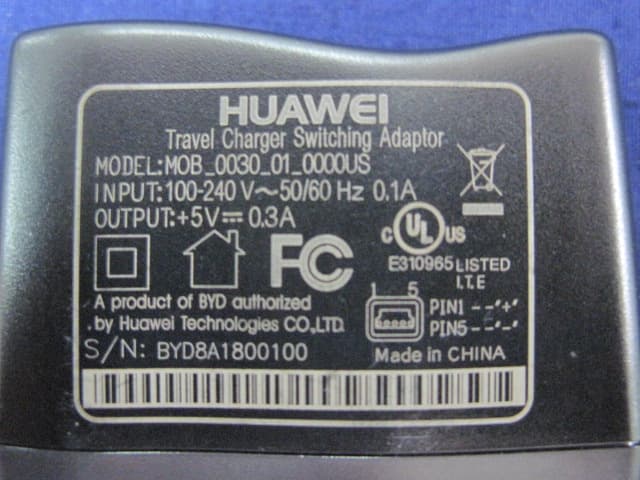
Click to zoom
Application Details
- Equipment Class
- PCE - PCS Licensed Transmitter held to ear
- Date of Grant
- Jun 22, 2011
- Application Purpose
- Original Equipment
- Date of Application
- Jun 19, 2011
- Equipment Note
- GSM Mobile Phone
- Frequency Range
- 1850.20000000 - 1909.80000000
- Company
- Huawei Technologies Co.,Ltd
- Country
- China
Documents & Files
Document Text
Text extracted from the exhibit documents filed with the FCC. Open a document above to read the original.
Users Manual
G1103&G2103 GSM Mobile Phone User Guide Copyright © Huawei Technologies Co., Ltd. 2011. All rights reserved. Trademarks and Permissions , , and are trademarks or registered trademarks of Huawei Technologies Co., Ltd. Other trademarks, product, service and company names mentioned are the property of their respective owners. NO WARRANTY THE CONTENTS OF THIS MANUAL ARE PROVIDED “AS IS”. EXCEPT AS REQUIRED BY APPLICABLE LAWS, NO WARRANTIES OF ANY KIND, EITHER EXPRESS OR IMPLIED, INCLUDING BUT NOT LIMITED TO, THE IMPLIED WARRANTIES OF MERCHANTABILITY AND FITNESS FOR A PARTICULAR PURPOSE, ARE MADE IN RELATION TO THE ACCURACY, RELIABILITY OR CONTENTS OF THIS MANUAL. TO THE MAXIMUM EXTENT PERMITTED BY APPLICABLE LAW, IN NO CASE SHALL HUAWEI TECHNOLOGIES CO., LTD BE LIABLE FOR ANY SPECIAL, INCIDENTAL, INDIRECT, OR CONSEQUENTIAL DAMAGES, OR LOST PROFITS, BUSINESS, REVENUE, DATA, GOODWILL OR ANTICIPATED SAVINGS. i Contents Your Phone ........................................................................................... 1 Keys and Functions ........................................................................... 2 Screen Icons ......................................................................................... 5 Installing the SIM Card .................................................................... 6 Removing the SIM Card.................................................................. 6 Charging the Battery........................................................................ 7 Working with the Function Menus............................................. 7 Making a Call....................................................................................... 8 Answering a Call................................................................................. 9 Phone Lock ........................................................................................... 9 PIN and PUK ........................................................................................ 9 Locking the Keypad ........................................................................10 Changing the Text Input Modes................................................10 Multi-tap Input Mode ....................................................................11 Predictive Input Mode ...................................................................11 Entering a Digit.................................................................................12 Entering a Symbol ...........................................................................12 Flashlight (Optional) .......................................................................12 FM Radio (Optional) .......................................................................13 Warnings and Precautions ...........................................................14 1 Features marked with "optional" are optional. These features may vary according to certain models. Your Phone The following figure shows the appearance of your phone and is provided only for your reference. 1 Earpiece 7 Flashlight 2 Screen 8 # key 3 Left soft key 9 Number keys 4 Navigation key 10End/Power key 2 5 Call/Answer key 11Right soft key 6 * key 12Charger jack Keys and Functions Press... To... Call/Answer key z Make a call. z Answer a call. z Access Dialed calls in standby mode. End key z Power the phone on or off (by pressing and holding the key for about 3s). z End or reject a call. z Return to the standby mode. Left soft key z Access Menu in standby mode. z Select a highlighted item. Right soft key z Access Contacts in standby mode. z Return to the previous menu. 3 Press... To... Navigation keys z Tur n t he Flashlight on (by pressing and holding the up navigation key for about 3s or by pressing the up navigation key twice in standby mode). z Tur n t he Flashlight off (by pressing the up navigation key). z Access the Alarm clock (by pressing the down navigation key) in standby mode. z Access Call Records (by pressing the left navigation key) in standby mode. z Access the Calculator (by pressing the right navigation key) in standby mode. z Increase the volume (by pressing the right navigation key) or decrease the volume (by pressing the left navigation key) during a call. 4 Press... To... Number keys z Enter numbers, letters, and symbols. z Enter + in standby mode (by pressing and holding the 0 key for about 3s). z Call the voicemail in standby mode (by pressing and holding the 1 key for about 3s). z Speed-dial phone numbers in standby mode (by pressing and holding the desired key 2–9 for about 3s). z Select a submenu item labeled with the corresponding number. * key z Enter * (by pressing the key) or enter P (by pressing and holding the key) in standby mode. z Display the symbol list in any input mode. # key z Enter #. z Lock the keypad in standby mode (by pressing and holding the key for about 3s). z Switch between input methods in text editing mode. 5 If the phone cannot be powered on after you press and hold End/Power key, the reason is probably that the battery is used up. In this case, charge the phone for five minutes (during this period, the charging icon may not be displayed on the screen) and power it on again. Screen Icons Icon Description Signal strength. New text message. Roaming. Call forwarding enabled. Alarms activated. Keypad locked. Battery power level. Standard profile activated. Conference profile activated. Outdoor profile activated. Mute profile activated. 6 Customize profile activated. FM radio activated. Missed call(s). Installing the SIM Card Before installing the Subscriber Identification Module (SIM) card, ensure that your phone is powered off. When inserting the SIM card, ensure that the golden contact area on the SIM card is facing downward and that the beveled edge of the SIM card is properly aligned with that of the SIM card slot. Removing the SIM Card Before removing the SIM card, ensure that your phone is powered off. 7 If the phone does not work properly or if cra…
Text truncated - open the document above for the full version.
Cover Letter(s)
Huawei Technologies Co.,Ltd Date: June 10,2011 Federal Communications Commission Authorization and Evaluation Division FCC ID: QISG2103 ATTESTATION FCC ID: QISG2103 Product: GSM Mobile Phone Model: HUAWEI G2103 We don't provide any controls or software to allow operation outside the USA frequency band when we sell this product in USA. Sincerely, __________________ Zhang Xinghai/manager Huawei Technologies Co.,Ltd
Cover Letter(s)
RF_160, Issue 02 Huawei Technologies Co.,Ltd Declaration of Authorization We Name: Huawei Technologies Co.,Ltd Address: Administration Building, Huawei Base, Bantian, Longgang District, Shenzhen 518129 City: SHENZHEN . Country:China . Declare that: Name Representative of agent: Gene Chang (1) Agent Company name: QuieTek Corp. Address: Fl.2, No.345, Xin-hu 2 nd Rd., Nei-hu District City: Taipei Country Taiwan is authorized to apply for Certification of the following product(s): Product description: GSM Mobile Phone Type designation: HUAW EI G2103 Trademark: HUAW EI . on our behalf. Date: 2011/06/10.. City: SHENZHEN .. Name: Zhang Xinghai .. (2) Function: ......Manager............................... Signature: Notes: (1): Required for FCC application (2): For FCC it must be the Grantee Code “owner” or the authorized agent.
Cover Letter(s)
Huawei Technologies Co.,Ltd Date:June 10,2011 Federal Communications Commission Authorization and Evaluation Division FCC ID: HUAW EI G2103 Confidentiality Request Pursuant to Sections 0.457 and 0.459 of the Commission’s Rules, the Applicant hereby requests confidential treatment of information accompanying this Application as outlined below: 1 Schematics 2 Block Diagram 3 Operational Description 4 BOM List 5 Tune up procedure The above materials contain trade secrets and proprietary information not customarily released to the public. The public disclosure of these matters might be harmful to the Applicant and provide unjustified benefits to its competitors. The Applicant understands that pursuant to Rule 0.457, disclosure of this Application and all accompanying documentation will not be made before the date of the Grant for this application. Sincerely, _________________________ Zhang Xinghai/manager Huawei Technologies Co.,Ltd
External Photos
Report No: 115S062R-HP-US-P07V01 Page: 43 of 54 8. Attachment ¾ EUT Photograph (1) EUT Photo (2) EUT Photo Report No: 115S062R-HP-US-P07V01 Page: 44 of 54 (3) EUT Photo (4) EUT Photo Report No: 115S062R-HP-US-P07V01 Page: 51 of 54 (17) EUT Photo (18) EUT Photo Report No: 115S062R-HP-US-P07V01 Page: 52 of 54 (19) EUT Photo (Adapter #1) (20) EUT Photo (Adapter #1) Report No: 115S062R-HP-US-P07V01 Page: 53 of 54 (21) EUT Photo (Adapter #2) (22) EUT Photo (Adapter #2) Report No: 115S062R-HP-US-P07V01 Page: 54 of 54 (23) EUT Photo
RF Exposure Info
Report No : 115S062R-HP-US-P03V01 Page: 1 of 96 SAR Test Report Product Name : GSM Mobile Phone Model No. : HUAWEI G2103 FCC ID : QISG2103 Applicant : HUAWEI TECHNOLOGIES CO.,LTD Address : Administration Building, Huawei Base, Bantian, Longgang District, Shenzhen 518129 Date of Receipt : 30/05/2011 Date of Test : 01/06/2011 Issued Date : 07/06/2011 Report No. : 115S062R-HP-US-P03V01 Report Version : V1.0 The test results relate only to the samples tested. The test report shall not be reproduced except in full without the written approval of Quie Tek Corporation. Report No : 115S062R-HP-US-P03V01 Page: 2 of 96 Test Report Certification Issued Date: 07/06/2011 Report No: 115S062R-HP-US-P03V01 Product Name : GSM Mobile Phone Applicant : HUAWEI TECHNOLOGIES CO.,LTD Address : Administration Building, Huawei Base, Bantian, Longgang District, Shenzhen 518129 Manufacturer : HUAWEI TECHNOLOGIES CO.,LTD Address : Administration Building, Huawei Base, Bantian, Longgang District, Shenzhen 518129 Model No. : HUAWEI G2103 FCC ID : QISG2103 Brand Name : HUAWEI EUT Voltage : DC 3.7V Applicable Standard : FCC Oet65 Supplement C June 2001 IEEE Std. 1528-2003,47CFR § 2.1093 Test Result : Max. SAR Measurement (1g) Head: 1.270 W/kg Body: 0.866 W/kg Performed Location : Suzhou EMC Laboratory No.99 Hongye Rd., Suzhou Industrial Park Loufeng Hi-Tech Development Zone., Suzhou, China TEL: +86-512-6251-5088 / FAX: +86-512-6251-5098 FCC Registration Number: 800392 Documented By : (Engineering ADM: Alice Ni) Reviewed By : (Senior Engineer: Robin Wu) Approved By : (Engineering Supervisor: Marlin Chen) Report No : 115S062R-HP-US-P03V01 Page: 3 of 96 Laboratory Information We, QuieTek Corporation, are an independent EMC and safety consultancy that was established the whole facility in our laboratories. The test facility has been accredited/accepted(audited or listed) by the following related bodies in compliance with ISO 17025, EN 45001 and specified testing scope: The related certificate for our laboratories about the test site and management system can be downloaded from QuieTek Corporation’s Web Site : http://www.quietek.com/tw/ctg/cts/accreditations.htm The address and introduction of QuieTek Corporation’s laboratories can be founded in our Web site : http://www.quietek.com/ If you have any comments, Please don’t hesitate to contact us. Our contact information is as below: HsinChu Testing Laboratory : No.75-2, 3rd Lin, Wangye Keng, Yonghxing Tsuen, Qionglin Shiang, Hsinchu County 307, Taiwan, R.O.C. TEL:+886-3-592-8858 / FAX:+886-3-592-8859 E-Mail : [email protected] LinKou Testing Laboratory : No. 5-22, Ruei-Shu Valley, Ruei-Ping Tsuen, Lin-Kou Shiang, Taipei, Taiwan, R.O.C. TEL : 886-2-8601-3788 / FAX : 886-2-8601-3789 E-Mail : [email protected] Suzhou (China) Testing Laboratory : No. 99 Hongye Rd., Suzhou Industrial Park Loufeng Hi-Tech Development Zone., Suzhou,China. TEL : +86-512-6251-5088 / FAX : +86-512-6251-5098 E-Mail : [email protected] Taiwan R.O.C. :BSMI, NCC, TAF Germany :TUV Rheinland Norway :Nemko, DNV USA :FCC, NVLAP Japan :VCCI Report No : 115S062R-HP-US-P03V01 Page: 4 of 96 TABLE OF CONTENTS Description Page 1. General Information .................................................................................................6 1.1. EUT Description ..................................................................................................6 1.2. Test Environment.................................................................................................7 2. SAR Measurement System ......................................................................................8 2.1. DASY5 System Description.................................................................................8 2.1.1. Applications .....................................................................................................9 2.1.2. Area Scans ......................................................................................................9 2.1.3. Zoom Scan (Cube Scan Averaging) ................................................................9 2.1.4. Uncertainty of Inter-/Extrapolation and Averaging ...........................................9 2.2. DASY5 E-Field Probe........................................................................................10 2.2.1. Isotropic E-Field Probe Specification .............................................................10 2.3. Boundary Detection Unit and Probe Mounting Device...................................... 11 2.4. DATA Acquisition Electronics (DAE) and Measurement Server ........................ 11 2.5. Robot.................................................................................................................12 2.6. Light Beam Unit .................................................................................................12 2.7. Device Holder ....................................................................................................13 2.8. SAM Twin Phantom...........................................................................................13 3. Tissue Simulating Liquid .......................................................................................14 3.1. The composition of the tissue simulating liquid .................................................14 3.2. Tissue Calibration Result...................................................................................15 3.3. Tissue Dielectric Parameters for Head and Body Phantoms .............................16 4. SAR Measurement Procedure ...............................................................................17 4.1. SAR System Validation......................................................................................17 4.1.1. Validation Dipoles ..........................................................................................17 4.1.2. Validation Result ............................................................................................18 4.2.…
Text truncated - open the document above for the full version.
Test Report
FCC Part22H&24E Test Report Product Name : GSM Mobile Phone Model No. : HUAWEI G2103 FCC ID : QISG2103 Applicant : HUAWEI TECHNOLOGIES CO.,LTD Address : Administration Building, Huawei Base, Bantian, Longgang district, Shenzhen 518129 Date of Receipt : 30/05/2011 Test Date : 30/05/2011~06/06/2011 Issued Date : 07/06/2011 Report No. : 115S062R-HP-US-P07V01 Report Version : V 1.1 The test results relate only to the samples tested. The test results shown in the test report are traceable to the national/international standard through the calibration of the equipment and evaluated measurement uncertainty herein. This report must not be used to claim product endorsement by TAF, NVLAP, NIST or any agency of the Government. The test report shall not be reproduced except in full without the written approval of QuieTek Corporation. Report No: 115S062R-HP-US-P07V01 Page: 2 of 54 Test Report Certification Issued Date : 07/06/2011 Report No. : 115S062R-HP-US-P07V01 Product Name : GSM Mobile Phone Applicant : HUAWEI TECHNOLOGIES CO.,LTD Address : Administration Building, Huawei Base, Bantian, Longgang District, Shenzhen 518129 Manufacturer : HUAWEI TECHNOLOGIES CO.,LTD Address : Administration Building, Huawei Base, Bantian, Longgang District, Shenzhen 518129 Model No. : HUAWEI G2103 FCC ID : QISG2103 EUT Voltage : DC 3.7V Brand Name : HUAWEI Applicable Standard : FCC CFR Title 47 Part 2,TIA/EIA 603-C FCC Part22 Subpart H, FCC Part24 Subpart E Test Result : Complied Performed Location : Suzhou EMC Laboratory No.99 Hongye Rd., Suzhou Industrial Park Loufeng Hi-Tech Development Zone., Suzhou, China TEL: +86-512-6251-5088 / FAX: +86-512-6251-5098 FCC Registration Number: 800392 Documented By : (Engineering ADM: Alice Ni) Reviewed By : (Senior Engineer: Robin Wu) Approved By : (Engineering Supervisor: Marlin Chen) Report No: 115S062R-HP-US-P07V01 Page: 3 of 54 Laboratory Information We, QuieTek Corporation, are an independent EMC and safety consultancy that was established the whole facility in our laboratories. The test facility has been accredited/accepted(audited or listed) by the following related bodies in compliance with ISO 17025, EN 45001 and specified testing scope: The related certificate for our laboratories about the test site and management system can be downloaded from QuieTek Corporation’s Web Site : http://www.quietek.com/tw/ctg/cts/accreditations.htm The address and introduction of QuieTek Corporation’s laboratories can be founded in our Web site : http://www.quietek.com/ If you have any comments, Please don’t hesitate to contact us. Our contact information is as below: HsinChu Testing Laboratory : No.75-2, 3rd Lin, Wangye Keng, Yonghxing Tsuen, Qionglin Shiang, Hsinchu County 307, Taiwan, R.O.C. TEL:+886-3-592-8858 / FAX:+886-3-592-8859 E-Mail : [email protected] LinKou Testing Laboratory : No. 5-22, Ruei-Shu Valley, Ruei-Ping Tsuen, Lin-Kou Shiang, Taipei, Taiwan, R.O.C. TEL : 886-2-8601-3788 / FAX : 886-2-8601-3789 E-Mail : [email protected] Suzhou (China) Testing Laboratory : No. 99 Hongye Rd., Suzhou Industrial Park Loufeng Hi-Tech Development Zone., Suzhou,China. TEL : +86-512-6251-5088 / FAX : +86-512-6251-5098 E-Mail : [email protected] Taiwan R.O.C. :BSMI, NCC, TAF Germany :TUV Rheinland Norway :Nemko, DNV USA :FCC, NVLAP Japan :VCCI Report No: 115S062R-HP-US-P07V01 Page: 4 of 54 TABLE OF CONTENTS Description Page 1. General Information .................................................................................................... 6 1.1. EUT Description ......................................................................................................... 6 1.2. Mode of Operation...................................................................................................... 7 1.3. Tested System Details ................................................................................................ 8 1.4. Configuration of Tested System .................................................................................. 9 1.5. EUT Exercise Software............................................................................................. 10 2. Technical Test ........................................................................................................... 11 2.1. Summary of Test Result............................................................................................ 11 2.2. Test Environment...................................................................................................... 12 3. Peak Output Power .................................................................................................. 13 3.1. Test Equipment......................................................................................................... 13 3.2. Test Setup................................................................................................................. 14 3.3. Limit ..........................................................................................................................14 3.4. Test Procedure......................................................................................................... 14 3.5. Uncertainty ............................................................................................................... 16 3.6. Test Result................................................................................................................ 17 3.7. Test Photograph....................................................................................................... 19 4. Occupied Bandwidth................................................................................................. 21 4.1. Test Equipment......................................................................................................... 21 4.2. Test Setup................................................................................................................. 21 4.3. Limit ................................................…
Text truncated - open the document above for the full version.
Test Setup Photos
Report No:115S062R-HP-US-P03V01 Page: 61 of 96 Appendix C. Test Setup Photographs & EUT Photographs Test Setup Photographs Left-Cheek Touch Left-Tilt 15° Report No:115S062R-HP-US-P03V01 Page: 62 of 96 Right-Cheek Touch Right-Tilt 15° Report No:115S062R-HP-US-P03V01 Page: 63 of 96 Body SAR Back 15mm Body SAR Front 15mm Report No:115S062R-HP-US-P03V01 Page: 64 of 96 Body SAR Back 15mm with Headset Report No:115S062R-HP-US-P03V01 Page: 65 of 96 Depth of the liquid in the phantom – Zoom in Note: The position used in the measurements were according to IEEE 1528 - 2003 Report No: 115S062R-HP-US-P07V01 Page: 19 of 54 3.7. Test Photograph Description: ERP Test Setup Description: Substitution Antenna for ERP Test Report No: 115S062R-HP-US-P07V01 Page: 20 of 54 Description: EIRP Test Setup Description: Substitution Antenna for EIRP Test Report No: 115S062R-HP-US-P07V01 Page: 37 of 54 6.7. Test Photograph Description: ERP Test Setup Description: Substitution Antenna for ERP Test Report No: 115S062R-HP-US-P07V01 Page: 38 of 54 Description: EIRP Test Setup Description: Substitution Antenna for EIRP Test
Contact Information
Applicant
Zhang Xinghai
Technical Contact
QuieTek Technology (Suzhou) Co.,Ltd.Marlin Chen
[email protected]86-0512-6251-5088
No.99 Hongye RD.Suzhou Industrial Park, · Suzhou · China
Non-Technical Contact
QuieTek Technology (Suzhou) Co.,Ltd.Stella Lu
[email protected]86-0512-6251-5088
Test Firm
DEKRA Testing and Certification (Suzhou) Co., Ltd.Jerry Pan
Technical Specifications
| # | Rule Parts | Frequency Range | Power Output | Emission | Tolerance |
|---|---|---|---|---|---|
| 2 | 24E | 1.85 GHz - 1.91 GHz | 1.081 W | 300KGXW | 2.5 ppm |
Other Applications from Huawei Technologies Co.,Ltd

QISSUN2000
Jun 27, 2021Solar Inverter
Equipment Class
DTS - Digital Transmission System
QISCP81-1
Oct 22, 2020Watch Wireless Charger
Equipment Class
DCD - Part 15 Low Power Transmitter Below 1705 kHz
QISRRU3278
Sep 02, 2020Remote Radio Unit
Equipment Class
CBD - Citizens Band Category A and B Devices
QISR2561
Jul 11, 2020Indoor Router
Equipment Class
DTS - Digital Transmission System
QISSMARTLOGGER310
Mar 23, 2020Solar Smart Monitor & Data Logger
Equipment Class
DTS - Digital Transmission System