QISG510-0100HSPA /UMTS/GSM/GPRS/EDGE Mobile Phone
Huawei Technologies Co.,Ltd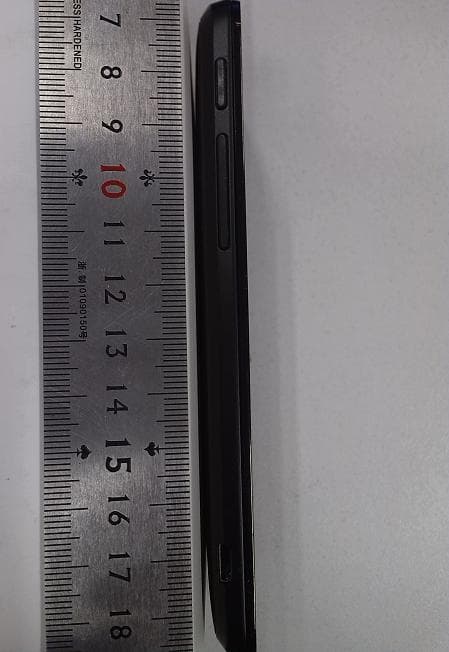
Click to zoom
Application Details
- Equipment Class
- PCE - PCS Licensed Transmitter held to ear
- Date of Grant
- Dec 16, 2012
- Application Purpose
- Original Equipment
- Date of Application
- Dec 16, 2012
- Equipment Note
- HSPA /UMTS/GSM/GPRS/EDGE Mobile Phone
- Frequency Range
- 1850.20000000 - 1909.80000000
- Company
- Huawei Technologies Co.,Ltd
- Country
- China
Documents & Files
Document Text
Text extracted from the exhibit documents filed with the FCC. Open a document above to read the original.
Users Manual
Quick Start Guide • Getting to know your phone Thank you for choosing the Huawei smartphone. Before you start, let's take a look at your new phone. • Touch to return to the previous screen or exit an application. • Touch to return to the home screen. • Touch to display an option menu. • Press and hold the power button to power on your phone. After your phone powers on, press the power button to turn off or awaken the screen. Headset jack Power Volume key Charger/ Data port Front camera Earpiece BackHomeMenu Status indicator • Preparing your phone Installing a SIM card To install a SIM card, perform operations shown in the following figure. 1. Remove the battery cover. 2. Insert the SIM card into the SIM card slot with its metal contacts facing down. Installing a microSD card You can expand your phone's memory capacity by installing a microSD card. To do so, perform operations shown in the following figure. Installing the battery To install the battery, perform operations shown in the following figure. 1. Align the battery's metal contacts with those at the top of the battery compartment (refer to position a in the preceding figure). 2. Press the other end of the battery (position b in the preceding figure) to fix it to the battery compartment. 3. Close the battery cover. Charging the battery 1. Connect your charger to the provided USB cable. 2. Connect the charger to a power outlet. 3. Connect your phone to the USB cable to start charging. a b • Locking and unlocking the screen When you are not using the phone, press the power button to turn off the screen. After idle for a specified period of time, your phone automatically locks its screen. Follow the onscreen instructions and drag to unlock the screen or open an application. • Personalizing your home screen Applications are displayed right on the home screen, giving you easier access to your favorite applications. The unique Me Widget can integrate functions that you mostly use. You can touch an icon to open an application. Touch and hold Me Widget, and touch to customize your Me Widget. Status bar Display area Edit Me Widget 10:23 • Managing contacts Touch to open People . From the contact list, touch > Manage contacts to import contacts from the SIM card, microSD card, or another Bluetooth device. Touch the tab page to group your contacts for easier management. Create contact • Making a call Touch to open the dialer. You can dial a phone number directly or touch to choose a contact. You can also touch a phone number in a message, email, webpage, and more to make a call. To answer an incoming call, drag to . ********** • Sending messages Touch to open Messaging. Adding a photo or audio clip to a text message turns it into a multimedia message. You can also save attachments from multimedia messages. Happy birthday! Attach file ********** • Capturing the moment Touch to open Camera. In photo mode, let your camera focus automatically or touch the screen to focus the camera. Then touch to take a photo. In video mode, frame the scene and touch to record a video. Switch between front and rear cameras Set flashlight Open option menu Zoon in or out Replay photo or video A Switch between photo and video modes • Listening to music Touch to open Music+. You can play songs by name, artist, album, and more. You can also mark your favorite songs to add them to the Favorites playlist. Progress bar Mark as favorite Enable or disable DTS sound effect • Surfing the web Flick the status bar down to open the notification panel. You can then turn on the mobile data connection or Wi-Fi quickly. Touch to open Browser. Your phone's browser lets you surf the web and browse web pages. Stay on the ball with the latest news and information using your phone. Your browser supports multi-page browsing. Touch to switch between pages. www.huaweidevice.com. Touch for more options • Android Beam Touch > All. In the Wireless & networks section, touch More, and select the NFC check box to enable the NFC and Android Beam functions. Android Beam lets you share data quickly. To share webpages, contacts, and other files, simply place two NFC- enabled phones back to back. • For more help Encounter any issues while using your phone? Touch to open Help Center. Want to obtain the user guide? Search for and download the HUAWEI Ascend G510 User Guide from www.huaweidevice.com. Want to know more about Huawei Emotion UI? Visit cn.ui.vmall.com for the latest information. ?? • FAQs For more information, please visit http:// www.huaweidevice.com/cn/faq.do?method=index. How can I free up the phone memory? • Move files and email attachments from your phone memory to your microSD card. • Open the Browser application, and delete locally cached content. • Uninstall applications you no longer use. • Restore your phone to its factory settings. How can I save battery? • When you do not need Internet access, open the notification panel and touch to turn off your mobile data connection. • When you do not need to use wireless data services, such as GPS, Bluetooth, or Wi-Fi, open the notification panel, and touch , , or to turn them off. • Touch > All > Display to set the screen brightness and screen timeout period to small values. When you do not need to use your phone, press to turn off the screen. • Close applications that you do not need. • Decrease the tone volumes. How can I use a microSD card to import contacts from another phone? Your phone supports contact files in .vcf format only. 1. Save the contacts you want to import as a .vcf file and save the file to a microSD card. 2. Insert the microSD card into your phone. Touch then File Manager to find the .vcf file. 3. Touch the .vcf file. The phone displays a message asking whether you want to import the contacts. 4. Touch OK to import the contacts. Compatibility problems may occur with .vcf files created by other phones, and certain contact information may be lost when contacts are imported. How can I use HiSuite to import contacts from ano…
Text truncated - open the document above for the full version.
Attestation Statements
Huawei Technologies Co.,Ltd Bantian, Longgang District, Shenzhen, 518129 Guangdong, P.R.China Tel: +86-755-2878-1879 ; Fax: +86-755-2878-1889 Date: December 12, 2012 Statement We, Huawei Technologies Co.,Ltd, states that our device, FCC ID: QISG510-0100, has a battery, But the battery will not be placed in the battery compartment when delivery, it is visible to the users as they purchase the products and install the battery. For and Behalf of: Huawei Technologies Co., Ltd. Zhang Xinghai EMC Laboratory Manager
Cover Letter(s)
Huawei Technologies Co.,Ltd. Federal Communications Commission 2012-12-12 7435 Oakland Mills Road Columbia MD 21046 Subject: Request for Confidentiality FCC ID: QISG510-0100 To Whom It May Concern: Pursuant to the provisions of Sections 0.457 and 0.459 of the Commission’s rules (47 CFR §§ 0.457, 0.459), we are requesting the Commission to withhold the following attachments as confidential document from public disclosure indefinitely. Schematic Diagram Block Diagram Operational Description Bom List Tune-Up Procedure Above mentioned document contains detailed system and equipment description are considered as proprietary information in operation of the equipment. The public disclosure of above documents might be harmful to our company and would give competitor an unfair advantage in the market. ***************************************************************************** In additional to above mentioned documents, pursuant to Public Notice DA 04-1705 of the Commission’s policy, in order to comply with the marketing regulations in 47 CFR §2.803 and the importation rules in 47 CFR §2.1204, while ensuring that business sensitive information remains confidential until the actual marketing of newly authorized devices. We are requesting the Commission withholds the following documents from public viewing until 2013-02-28: External Photos Internal Photos Test Setup Photos User Manual ****************************************************************************** It is our understanding that all measurement test reports, FCC ID label format and correspondent during certification review process cannot be granted as confidential documents and those information will be available for public review once the grant of equipment authorization is issued. Best Regards Zhang Xinghai EMC Laboratory Manager Huawei Technologies Co., Ltd. E-mail: [email protected] Fax: 0086-0755-89650226
External Photos
HUAWEI G510-0100, G510-0100 HSPA/UMTS/GPRS/GSM/EDGE Mobile Phone with Bluetooth; HUAWEI Ascend G510 SECRET Page1,Total 6 External Photos of HUAWEI G510-0100, G510-0100 HUAWEI G510-0100, G510-0100 HSPA/UMTS/GPRS/GSM/EDGE Mobile Phone with Bluetooth; HUAWEI Ascend G510 SECRET Page2,Total 6 HUAWEI G510-0100, G510-0100 HSPA/UMTS/GPRS/GSM/EDGE Mobile Phone with Bluetooth; HUAWEI Ascend G510 SECRET Page3,Total 6 HUAWEI G510-0100, G510-0100 HSPA/UMTS/GPRS/GSM/EDGE Mobile Phone with Bluetooth; HUAWEI Ascend G510 SECRET Page4,Total 6 HUAWEI G510-0100, G510-0100 HSPA/UMTS/GPRS/GSM/EDGE Mobile Phone with Bluetooth; HUAWEI Ascend G510 SECRET Page5,Total 6 HUAWEI G510-0100, G510-0100 HSPA/UMTS/GPRS/GSM/EDGE Mobile Phone with Bluetooth; HUAWEI Ascend G510 SECRET Page6,Total 6
ID Label/Location Info
HUAWEI G510-0100, G510-0100 HSPA/UMTS/GPRS/GSM/EDGE Mobile Phone with Bluetooth; HUAWEI Ascend G510 SECRET Page1, Total 5 Label Location HUAWEI G510-0100, G510-0100 HUAWEI G510-0100, G510-0100 HSPA/UMTS/GPRS/GSM/EDGE Mobile Phone with Bluetooth; HUAWEI Ascend G510 SECRET Page2, Total 5 HUAWEI G510-0100, G510-0100 HSPA/UMTS/GPRS/GSM/EDGE Mobile Phone with Bluetooth; HUAWEI Ascend G510 SECRET Page3, Total 5 HUAWEI G510-0100, G510-0100 HSPA/UMTS/GPRS/GSM/EDGE Mobile Phone with Bluetooth; HUAWEI Ascend G510 SECRET Page4, Total 5 HUAWEI G510-0100, G510-0100 HSPA/UMTS/GPRS/GSM/EDGE Mobile Phone with Bluetooth; HUAWEI Ascend G510 SECRET Page5, Total 5
Internal Photos
HUAWEI G510-0100, G510-0100 HSPA/UMTS/GPRS/GSM/EDGE Mobile Phone with Bluetooth; HUAWEI Ascend G510 SECRET Page1,Total 9 Internal Photos of HUAWEI G510-0100, G510-0100 HUAWEI G510-0100, G510-0100 HSPA/UMTS/GPRS/GSM/EDGE Mobile Phone with Bluetooth; HUAWEI Ascend G510 SECRET Page2,Total 9 HUAWEI G510-0100, G510-0100 HSPA/UMTS/GPRS/GSM/EDGE Mobile Phone with Bluetooth; HUAWEI Ascend G510 SECRET Page3,Total 9 HUAWEI G510-0100, G510-0100 HSPA/UMTS/GPRS/GSM/EDGE Mobile Phone with Bluetooth; HUAWEI Ascend G510 SECRET Page4,Total 9 HUAWEI G510-0100, G510-0100 HSPA/UMTS/GPRS/GSM/EDGE Mobile Phone with Bluetooth; HUAWEI Ascend G510 SECRET Page5,Total 9 HUAWEI G510-0100, G510-0100 HSPA/UMTS/GPRS/GSM/EDGE Mobile Phone with Bluetooth; HUAWEI Ascend G510 SECRET Page6,Total 9 HUAWEI G510-0100, G510-0100 HSPA/UMTS/GPRS/GSM/EDGE Mobile Phone with Bluetooth; HUAWEI Ascend G510 SECRET Page7,Total 9 HUAWEI G510-0100, G510-0100 HSPA/UMTS/GPRS/GSM/EDGE Mobile Phone with Bluetooth; HUAWEI Ascend G510 SECRET Page8,Total 9 HUAWEI G510-0100, G510-0100 HSPA/UMTS/GPRS/GSM/EDGE Mobile Phone with Bluetooth; HUAWEI Ascend G510 SECRET Page9,Total 9
RF Exposure Info
TA Technology (Shanghai) Co., Ltd. Test Report Report No.: RHA1211-0104SAR01 Page 1 of 144 TESTING No. L2264 OET 65 TEST REPORT Product Name HSPA/UMTS/GPRS/GSM/EDGE Mobile Phone with Bluetooth; HUAWEI Ascend G510 Model HUAWEI G510-0100, G510-0100 FCC ID QISG510-0100 Client Huawei Technologies Co., Ltd. TA Technology (Shanghai) Co., Ltd. TA Technology (Shanghai) Co., Ltd. Test Report Report No.: RHA1211-0104SAR01 Page 2 of 144 GENERAL SUMMARY Product Name HSPA/UMTS/GPRS/GSM/EDGE Mobile Phone with Bluetooth; HUAWEI Ascend G510 Model HUAWEI G510-0100, G510-0100 Report No. RHA1211-0104SAR01 FCC ID QISG510-0100 Client Huawei Technologies Co., Ltd. Manufacturer Huawei Technologies Co., Ltd. Reference Standard(s) IEEE Std C95.1, 1999: IEEE Standard for Safety Levels with Respect to Human Exposure to Radiofrequency Electromagnetic Fields, 3 kHz to 300 GHz. IEEE Std 1528™-2003: IEEE Recommended Practice for Determining the Peak Spatial-Average Specific Absorption Rate (SAR) in the Human Head from Wireless Communications Devices: Measurement Techniques. SUPPLEMENT C Edition 01-01 to OET BULLETIN 65 Edition 97-01 June 2001 including DA 02-1438, published June 2002: Evaluating Compliance with FCC Guidelines for Human Exposure to Radiofrequency Electromagnetic Fields Additional Information for Evaluation Compliance of Mobile and Portable Devices with FCC Limits for Human Exposure to Radiofrequency Emissions. RSS-102 Issue 4 March 2010: Radio Frequency (RF) Exposure Compliance of Radiocommunication Apparatus (All Frequency Bands) KDB 648474 D01 SAR Handsets Multi Xmiter and Ant, v01r05: SAR Evaluation Considerations for Handsets with Multiple Transmitters and Antennas. KDB 941225 D03 Test Reduction GSM_GPRS_EDGE v01 Recommended SAR Test Reduction Procedures for GSM/GPRS/EDGE KDB 941225 D06 Hot Spot SAR v01 SAR Evaluation Procedures for Portable Devices with Wireless Router Capabilities KDB 447498 D01 Mobile Portable RF Exposure V04 Mobile and Portable Device RF Exposure Procedures and Equipment Authorization Policies Conclusion This portable wireless equipment has been measured in all cases requested by the relevant standards. Test results in Chapter 7 of this test report are below limits specified in the relevant standards. General Judgment: Pass (Stamp) Date of issue: December 5 th , 2012 Comment The test result only responds to the measured sample. Approved by Director Revised by SAR Manager Performed by SAR Engineer TA Technology (Shanghai) Co., Ltd. Test Report Report No.: RHA1211-0104SAR01 Page 3 of 144 TABLE OF CONTENT 1. General Information ..................................................................................................................... 5 1.1. Notes of the Test Report.......................................................................................................5 1.2. Testing Laboratory ................................................................................................................ 5 1.3. Applicant Information ............................................................................................................ 6 1.4. Manufacturer Information ...................................................................................................... 6 1.5. Information of EUT................................................................................................................ 7 1.6. The Maximum SAR 1g Values ................................................................................................ 9 1.7. Maximum Conducted Power of each tested Mode.............................................................. 10 1.8. Test Date ............................................................................................................................ 10 2. SAR Measurements System Configuration ................................................................................ 11 2.1. SAR Measurement Set-up .................................................................................................. 11 2.2. DASY5 E-field Probe System ............................................................................................. 12 2.2.1. ES3DV3 Probe Specification ....................................................................................... 12 2.2.2. E-field Probe Calibration .............................................................................................. 13 2.3. Other Test Equipment .........................................................................................................13 2.3.1. Device Holder for Transmitters .................................................................................... 13 2.3.2. Phantom...................................................................................................................... 14 2.4. Scanning Procedure........................................................................................................... 14 2.5. Data Storage and Evaluation .............................................................................................. 16 2.5.1. Data Storage................................................................................................................ 16 2.5.2. Data Evaluation by SEMCAD ...................................................................................... 16 3. Laboratory Environment............................................................................................................. 18 4. Tissue-equivalent Liquid ............................................................................................................ 19 4.1. Tissue-equivalent Liquid Ingredients................................................................................... 19 4.2. Tissue-equivalent Liquid Properties .................................................................................... 21 5. System Check ......................................................................................................................…
Text truncated - open the document above for the full version.
RF Exposure Info
TA Technology (Shanghai) Co., Ltd. Test Report Report No.: RHA1211-0104SAR01 Page 96 of 144 ANNEX D: Probe Calibration Certificate TA Technology (Shanghai) Co., Ltd. Test Report Report No.: RHA1211-0104SAR01 Page 97 of 144 TA Technology (Shanghai) Co., Ltd. Test Report Report No.: RHA1211-0104SAR01 Page 98 of 144 TA Technology (Shanghai) Co., Ltd. Test Report Report No.: RHA1211-0104SAR01 Page 99 of 144 TA Technology (Shanghai) Co., Ltd. Test Report Report No.: RHA1211-0104SAR01 Page 100 of 144 TA Technology (Shanghai) Co., Ltd. Test Report Report No.: RHA1211-0104SAR01 Page 101 of 144 TA Technology (Shanghai) Co., Ltd. Test Report Report No.: RHA1211-0104SAR01 Page 102 of 144 TA Technology (Shanghai) Co., Ltd. Test Report Report No.: RHA1211-0104SAR01 Page 103 of 144 TA Technology (Shanghai) Co., Ltd. Test Report Report No.: RHA1211-0104SAR01 Page 104 of 144 TA Technology (Shanghai) Co., Ltd. Test Report Report No.: RHA1211-0104SAR01 Page 105 of 144 TA Technology (Shanghai) Co., Ltd. Test Report Report No.: RHA1211-0104SAR01 Page 106 of 144 TA Technology (Shanghai) Co., Ltd. Test Report Report No.: RHA1211-0104SAR01 Page 107 of 144 ANNEX E: D835V2 Dipole Calibration Certificate TA Technology (Shanghai) Co., Ltd. Test Report Report No.: RHA1211-0104SAR01 Page 108 of 144 TA Technology (Shanghai) Co., Ltd. Test Report Report No.: RHA1211-0104SAR01 Page 109 of 144 TA Technology (Shanghai) Co., Ltd. Test Report Report No.: RHA1211-0104SAR01 Page 110 of 144 TA Technology (Shanghai) Co., Ltd. Test Report Report No.: RHA1211-0104SAR01 Page 111 of 144 TA Technology (Shanghai) Co., Ltd. Test Report Report No.: RHA1211-0104SAR01 Page 112 of 144 TA Technology (Shanghai) Co., Ltd. Test Report Report No.: RHA1211-0104SAR01 Page 113 of 144 TA Technology (Shanghai) Co., Ltd. Test Report Report No.: RHA1211-0104SAR01 Page 114 of 144
RF Exposure Info
TA Technology (Shanghai) Co., Ltd. Test Report Report No.: RHA1211-0104SAR01 Page 115 of 144 ANNEX F: D1900V2 Dipole Calibration Certificate TA Technology (Shanghai) Co., Ltd. Test Report Report No.: RHA1211-0104SAR01 Page 116 of 144 TA Technology (Shanghai) Co., Ltd. Test Report Report No.: RHA1211-0104SAR01 Page 117 of 144 TA Technology (Shanghai) Co., Ltd. Test Report Report No.: RHA1211-0104SAR01 Page 118 of 144 TA Technology (Shanghai) Co., Ltd. Test Report Report No.: RHA1211-0104SAR01 Page 119 of 144 TA Technology (Shanghai) Co., Ltd. Test Report Report No.: RHA1211-0104SAR01 Page 120 of 144 TA Technology (Shanghai) Co., Ltd. Test Report Report No.: RHA1211-0104SAR01 Page 121 of 144 TA Technology (Shanghai) Co., Ltd. Test Report Report No.: RHA1211-0104SAR01 Page 122 of 144 TA Technology (Shanghai) Co., Ltd. Test Report Report No.: RHA1211-0104SAR01 Page 123 of 144 ANNEX G: D2450V2 Dipole Calibration Certificate TA Technology (Shanghai) Co., Ltd. Test Report Report No.: RHA1211-0104SAR01 Page 124 of 144 TA Technology (Shanghai) Co., Ltd. Test Report Report No.: RHA1211-0104SAR01 Page 125 of 144 TA Technology (Shanghai) Co., Ltd. Test Report Report No.: RHA1211-0104SAR01 Page 126 of 144 TA Technology (Shanghai) Co., Ltd. Test Report Report No.: RHA1211-0104SAR01 Page 127 of 144 TA Technology (Shanghai) Co., Ltd. Test Report Report No.: RHA1211-0104SAR01 Page 128 of 144 TA Technology (Shanghai) Co., Ltd. Test Report Report No.: RHA1211-0104SAR01 Page 129 of 144 TA Technology (Shanghai) Co., Ltd. Test Report Report No.: RHA1211-0104SAR01 Page 130 of 144 TA Technology (Shanghai) Co., Ltd. Test Report Report No.: RHA1211-0104SAR01 Page 131 of 144 ANNEX H: DAE4 Calibration Certificate TA Technology (Shanghai) Co., Ltd. Test Report Report No.: RHA1211-0104SAR01 Page 132 of 144 TA Technology (Shanghai) Co., Ltd. Test Report Report No.: RHA1211-0104SAR01 Page 133 of 144 TA Technology (Shanghai) Co., Ltd. Test Report Report No.: RHA1211-0104SAR01 Page 134 of 144 TA Technology (Shanghai) Co., Ltd. Test Report Report No.: RHA1211-0104SAR01 Page 135 of 144
Test Report
FCC RF Test Report Product Name: HSPA/UMTS/GPRS/GSM/EDGE Mobile Phone with Bluetooth; HUAWEI Ascend G510 Model Number: HUAWEI G510, G510-0100 Report No: SYBH(Z-RF)016112012-2001 FCC ID: QISG510-0100 Reliability Laboratory of Huawei Technologies Co., Ltd. Administration Building, Headquarters of Huawei Technologies Co., Ltd., Bantian, Longgang District, Shenzhen, 518129, P.R.C Tel: +86 755 28780808 Fax: +86 755 89652518 FCC Test Report of HUAWEI G510, G510-0100 FCC ID: QISG510-0100 Report No: SYBH(Z-RF)016112012-2001 Confidential Information of Huawei. No Distribution without Written Permission Page2, Total18 Notice 1. The laboratory has obtained the accreditation of China National Accreditation Service for Conformity Assessment (CNAS), and accreditation number: L0310. 2. The laboratory has been listed on the US Federal Communications Commission list of test facilities recognized to perform electromagnetic emissions measurements. The site recognition number is 97456. 3. The laboratory has been listed by industry Canada to perform electromagnetic emission measurement. The site recognition number is 6369A-2. 4. The test report is invalid if not marked with "exclusive stamp for the test report". 5. The test report is invalid if not marked with the stamps or the signatures of the persons responsible for performing, revising and approving the test report. 6. The test report is invalid if there is any evidence of erasure and/or falsification. 7. If there is any dissidence for the test report, please file objection to the test centre within 15 days from the date of receiving the test report. 8. Normally, the test report is only responsible for the samples that have undergone the test. 9. Context of the test report cannot be used partially or in full for publicity and/or promotional purposes without previous written approval of the laboratory. FCC Test Report of HUAWEI G510, G510-0100 FCC ID: QISG510-0100 Report No: SYBH(Z-RF)016112012-2001 Confidential Information of Huawei. No Distribution without Written Permission Page3, Total18 Applicant: Huawei Technologies Co., Ltd. Address: Administration Building, Headquarters of Huawei Technologies Co., Ltd., Bantian, Longgang District, Shenzhen, 518129, P.R.C Date of Receipt Test Item: Nov., 20, 2012 Start Date of Test: Nov., 21, 2012 End Date of Test: Nov., 27, 2012 Test Result: Pass Approved By Senior Engineer Nov., 30, 2012 Dai Linjun Date Name Signature Reviewed By Nov., 30, 2012 Cousy Xu Date Name Signature Operated By Nov., 30, 2012 Feng Nianwei Date Name Signature FCC Test Report of HUAWEI G510, G510-0100 FCC ID: QISG510-0100 Report No: SYBH(Z-RF)016112012-2001 Confidential Information of Huawei. No Distribution without Written Permission Page4, Total18 Contents 1 General Information .................................................................................................................................. 5 1.1 APPLIED STANDARD............................................................................................................................... 5 1.2 TEST LOCATION ..................................................................................................................................... 5 1.3 TEST ENVIRONMENTAL CONDITION ......................................................................................................... 5 2 Summary .................................................................................................................................................... 6 3 Product Description .................................................................................................................................. 7 3.1 PRODUCT INFORMATION ........................................................................................................................ 7 4 Test Description ........................................................................................................................................ 9 4.1 SUPPORTED FREQUENCY RANGE ........................................................................................................... 9 4.2 TRANSMITTER / RECEIVER CHARACTERISTICS ......................................................................................... 9 4.3 ANTENNA GAIN ...................................................................................................................................... 9 5 General Test Conditions / Configurations ............................................................................................. 10 5.1 RF CHANNELS UNDER TEST ................................................................................................................. 10 5.2 TEST MODES ....................................................................................................................................... 10 5.3 TEST ENVIRONMENT ............................................................................................................................ 10 5.4 TEST SETUP ........................................................................................................................................ 11 5.5 TEST CONDITIONS ............................................................................................................................... 15 6 Main Test Instruments ............................................................................................................................ 17 7 Test Results ............................................................................................................................................. 18 8 Measurement Uncertainty ....................................................................................................................... 18 FCC Test Report of HUAWEI G510, G510-0100 FCC ID: QISG510-0100 Report No: SYBH(Z-RF)016112012-2001 Confidential Information of Huawei. No Distribution without Written Permission Page5, Total18 1 General Information 1.1 Applied Standard Applie…
Text truncated - open the document above for the full version.
Test Report
FCC RF Test Report Product Name: HSPA/UMTS/GPRS/GSM/EDGE Mobile Phone with Bluetooth; HUAWEI Ascend G510 Model Number: HUAWEI G510, G510-0100 Report No: SYBH(Z-RF)016112012-2002 FCC ID: QISG510-0100 Reliability Laboratory of Huawei Technologies Co., Ltd. Administration Building, Headquarters of Huawei Technologies Co., Ltd., Bantian, Longgang District, Shenzhen, 518129, P.R.C Tel: +86 755 28780808 Fax: +86 755 89652518 FCC Test Report of HUAWEI G510, G510-0100 FCC ID: QISG510-0100 Report No: SYBH(Z-RF)016112012-2002 Confidential Information of Huawei. No Distribution without Written Permission Page2, Total18 Notice 1. The laboratory has obtained the accreditation of China National Accreditation Service for Conformity Assessment (CNAS), and accreditation number: L0310. 2. The laboratory has been listed on the US Federal Communications Commission list of test facilities recognized to perform electromagnetic emissions measurements. The site recognition number is 97456. 3. The laboratory has been listed by industry Canada to perform electromagnetic emission measurement. The site recognition number is 6369A-2. 4. The test report is invalid if not marked with "exclusive stamp for the test report". 5. The test report is invalid if not marked with the stamps or the signatures of the persons responsible for performing, revising and approving the test report. 6. The test report is invalid if there is any evidence of erasure and/or falsification. 7. If there is any dissidence for the test report, please file objection to the test centre within 15 days from the date of receiving the test report. 8. Normally, the test report is only responsible for the samples that have undergone the test. 9. Context of the test report cannot be used partially or in full for publicity and/or promotional purposes without previous written approval of the laboratory. FCC Test Report of HUAWEI G510, G510-0100 FCC ID: QISG510-0100 Report No: SYBH(Z-RF)016112012-2002 Confidential Information of Huawei. No Distribution without Written Permission Page3, Total18 Applicant: Huawei Technologies Co., Ltd. Address: Administration Building, Headquarters of Huawei Technologies Co., Ltd., Bantian, Longgang District, Shenzhen, 518129, P.R.C Date of Receipt Test Item: Nov., 20, 2012 Start Date of Test: Nov., 21, 2012 End Date of Test: Nov., 27, 2012 Test Result: Pass Approved By Senior Engineer Nov., 30, 2012 Dai Linjun Date Name Signature Reviewed By Nov., 30, 2012 Cousy Xu Date Name Signature Operated By Nov., 30, 2012 Feng Nianwei Date Name Signature FCC Test Report of HUAWEI G510, G510-0100 FCC ID: QISG510-0100 Report No: SYBH(Z-RF)016112012-2002 Confidential Information of Huawei. No Distribution without Written Permission Page4, Total18 Contents 1 General Information .................................................................................................................................. 5 1.1 APPLIED STANDARD............................................................................................................................... 5 1.2 TEST LOCATION ................…
Text truncated - open the document above for the full version.
Contact Information
Applicant
Zhang Xinghai
Test Firm
Huawei Technologies Co., LTDZhou Fengyum
Technical Specifications
| # | Rule Parts | Frequency Range | Power Output | Emission | Tolerance |
|---|---|---|---|---|---|
| 4 | 24E | 1.85 GHz - 1.91 GHz | 560.00 mW | 248KG7W | 0.01 ppm |
Other Applications from Huawei Technologies Co.,Ltd

QISSUN2000
Jun 27, 2021Solar Inverter
Equipment Class
DTS - Digital Transmission System
QISCP81-1
Oct 22, 2020Watch Wireless Charger
Equipment Class
DCD - Part 15 Low Power Transmitter Below 1705 kHz
QISRRU3278
Sep 02, 2020Remote Radio Unit
Equipment Class
CBD - Citizens Band Category A and B Devices
QISR2561
Jul 11, 2020Indoor Router
Equipment Class
DTS - Digital Transmission System
QISSMARTLOGGER310
Mar 23, 2020Solar Smart Monitor & Data Logger
Equipment Class
DTS - Digital Transmission System