QISHWD31Mobile WiFi
Huawei Technologies Co.,Ltd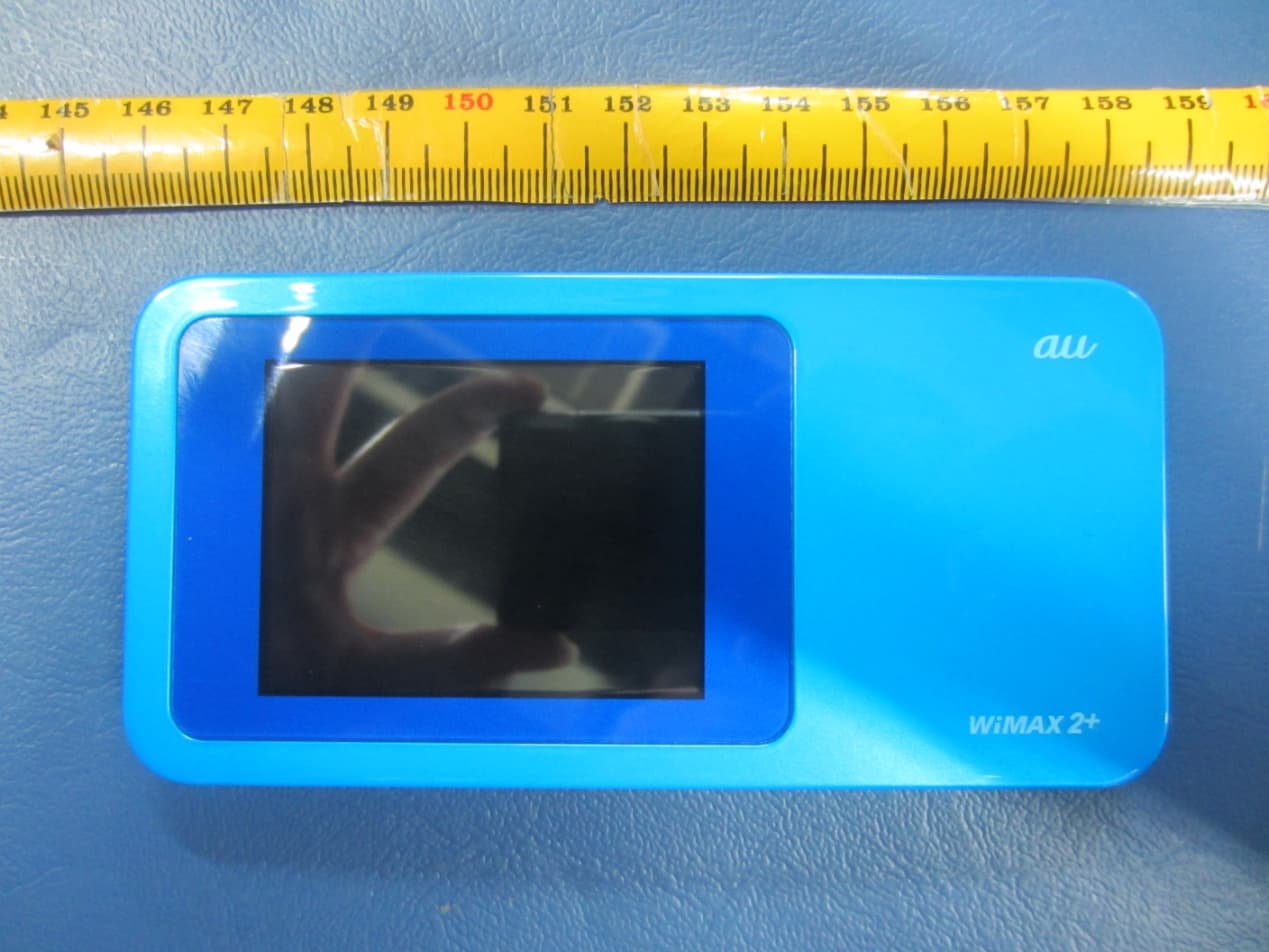
Click to zoom
Application Details
- Equipment Class
- PCB - PCS Licensed Transmitter
- Date of Grant
- Jan 08, 2015
- Application Purpose
- Original Equipment
- Date of Application
- Jan 08, 2015
- Equipment Note
- Mobile WiFi
- Frequency Range
- 709.00000000 - 711.00000000
- Company
- Huawei Technologies Co.,Ltd
- Country
- China
Documents & Files
Document Text
Text extracted from the exhibit documents filed with the FCC. Open a document above to read the original.
Users Manual
Quick Start 1 Thank you for purchasing the Mobile WiFi. This Mobile WiFi brings you a high speed wireless network connection. This document will help you understand your Mobile WiFi so you can start using it right away. Please read this document carefully before using your Mobile WiFi. For detailed information about the functions and configurations of the Mobile WiFi, refer to the online help on the web management page that comes with the Mobile WiFi. For detailed instructions for logging in to the web management page, refer to "Logging In to the Web Management Page". RF exposure guidelines require that the device be used at a minimum of 1.5 cm from the human body. This device meets guidelines that developed by the International Commission on Non-Ionizing Radiation Protection (ICNIRP). 2 Getting to Know Your Mobile WiFi Note: The Mobile WiFi function descriptions and illustrations in this document are for your reference only. The product you have purchased may vary. Application Scenarios Wi-Fi devices (such as smartphones, tablet computers, and game consoles) or computers can all access the Internet through Mobile WiFi. The specific connection procedure depends on the operating system of the Wi-Fi device or computer. Establish a connection according to your device's specific instructions. To access the Internet through a USB port connection, install the driver according to the instructions. 3 Scenario 1: Connecting multiple devices through Wi-Fi Scenario 2: Connecting a single device through USB 4 Scenario 3: Connecting multiple devices through Wi-Fi and USB simultaneously 5 Appearance Power button Screen SIM card slot Micro USB port 6 Screen 7 8 9 SSID and Wireless Network Encryption Key When a Wi-Fi device establishes a connection to the Mobile WiFi for the first time, you may need to enter the default Service Set Identifier (SSID) and wireless network encryption key. It is recommended that you can log in to the web management page and change your SSID and wireless network encryption key. To view the current SSID and wireless network encryption key on the screen: 1. Press the About. 2. Press the SSID&Password. 10 3. The SSID&Password will display on the screen. 11 Getting Started Charging the Battery The device has a built-in, non-removable battery. Do not attempt to remove the battery, otherwise the device may be damaged. To replace the battery, take the device to an authorized service center. If the Mobile WiFi has not been used for a long time or if the battery is fully depleted, the Mobile WiFi may not power on immediately after the charger is plugged in. Please charge the battery for a while before attempting to power on the Mobile WiFi. Method 1: Use the charger to charge the device Note: Only use chargers compatible with the Mobile WiFi and provided by a designated manufacturer. Use of an incompatible charger or one from an unknown manufacturer may cause the Mobile WiFi to malfunction, fail, or could even cause a fire. 12 Such use voids all warranties, whether expressed or implied, on the product. The charger is an optional accessory. If it is not included in the package, you may contact an authorized dealer to buy a charger compatible with the Mobile WiFi. The Mobile WiFi’s charger model is HWD14PQA. Method 2: Charge the device through a computer connection Use the data cable provided with your device to connect the Mobile WiFi to the computer. 13 Connecting to the Internet via Wi-Fi The Mobile WiFi's management parameters have been preset according to your operator's requirements. You can quickly connect to the Internet by following these steps: Step 1: Turn on the Mobile WiFi Press and hold the button until the screen lights up, indicating that the Mobile WiFi is turned on. Note: Press and hold the button to turn off the Mobile WiFi. If your Mobile WiFi malfunctions or cannot be properly powered off, press and hold the button for at least 10 seconds to forcibly power off your Mobile WiFi. 14 Step 2: Establish a Wi-Fi connection (using a computer running the Windows 7 operating system as an example) 1. Ensure that the Mobile WiFi's Wi-Fi function is on. 2. Select Start > Control Panel > Network and Internet > Connect to a network. Note: Before establishing a Wi-Fi connection, ensure that the computer is equipped with a wireless network adapter. If the computer indicates a wireless network connection, the wireless network adapter can be used. Otherwise, verify that your wireless network adapter is working properly. 3. Select the wireless network connection with the Mobile WiFi's SSID and click Connect. Note: If the wireless network connection is encrypted, enter the correct wireless network encryption key. 4. Wait a moment for the wireless network connection icon to appear in the system tray in the lower right corner of the computer screen. The wireless network connection is then established. 15 Step 3: Connect to the Internet If data is transmitted, the Mobile WiFi will automatically connect to the Internet. If data is not transmitted for a period of time, the Mobile WiFi will automatically disconnect from the network connection. Note: You ca n log in to the web management page and enable or disable the automatic dialing while roaming function. If this function is turned off, when the Mobile WiFi enters a roaming network, it will automatically disconnect from the Internet connection that has already been established. You will need to manually establish this network connection again. 16 Logging In to the Web Management Page 1. Make sure the connection between the Mobile WiFi and the Wi-Fi device or computer is working normally. 2. Open the browser, and enter http://192.168.100.1 in the address box. 3. Enter the user name and password to log in to the web management page. Note: The default user name is admin. The default password is the last five IMEI number. 17 Example 1: Connecting to a Game Console (for example, PSP) through Wi-Fi 1. On the PSP, turn on …
Text truncated - open the document above for the full version.
Users Manual
Copyright © Huawei Technologies Co., Ltd. 2014. All rights reserved. No part of this manual may be reproduced or transmitted in any form or by any means without prior written consent of Huawei Technologies Co., Ltd. and its affiliates ("Huawei"). The product described in this manual may include copyrighted software of Huawei and possible licensors. Customers shall not in any manner reproduce, distribute, modify, decompile, disassemble, decrypt, extract, reverse engineer, lease, assign, or sublicense the said software, unless such restrictions are prohibited by applicable laws or such actions are approved by respective copyright holders. Trademarks and Permissions , , and are trademarks or registered trademarks of Huawei Technologies Co., Ltd. Other trademarks, product, service and company names mentioned may be the property of their respective owners. Notice Some features of the product and its accessories described herein rely on the software installed, capacities and settings of local network, and therefore may not be activated or may be limited by local network operators or network service providers. Thus, the descriptions herein may not exactly match the product or its accessories which you purchase. Huawei reserves the right to change or modify any information or specifications contained in this manual without prior notice and without any liability. DISCLAIMER ALL CONTENTS OF THIS MANUAL ARE PROVIDED “AS IS”. EXCEPT AS REQUIRED BY APPLICABLE LAWS, NO WARRANTIES OF ANY KIND, EITHER EXPRESS OR IMPLIED, INCLUDING BUT NOT LIMITED TO, THE IMPLIED WARRANTIES OF MERCHANTABILITY AND FITNESS FOR A PARTICULAR PURPOSE, ARE MADE IN RELATION TO THE ACCURACY, RELIABILITY OR CONTENTS OF THIS MANUAL. TO THE MAXIMUM EXTENT PERMITTED BY APPLICABLE LAW, IN NO EVENT SHALL HUAWEI BE LIABLE FOR ANY SPECIAL, INCIDENTAL, INDIRECT, OR CONSEQUENTIAL DAMAGES, OR LOSS OF PROFITS, BUSINESS, REVENUE, DATA, GOODWILL SAVINGS OR ANTICIPATED SAVINGS REGARDLESS OF WHETHER SUCH LOSSES ARE FORSEEABLE OR NOT. THE MAXIMUM LIABILITY (THIS LIMITATION SHALL NOT APPLY TO LIABILITY FOR PERSONAL INJURY TO THE EXTENT APPLICABLE LAW PROHIBITS SUCH A LIMITATION) OF HUAWEI ARISING FROM THE USE OF THE PRODUCT DESCRIBED IN THIS MANUAL SHALL BE LIMITED TO THE AMOUNT PAID BY CUSTOMERS FOR THE PURCHASE OF THIS PRODUCT. Import and Export Regulations Customers shall comply with all applicable export or import laws and regulations and be responsible to obtain all necessary governmental permits and licenses in order to export, re-export or import the product mentioned in this manual including the software and technical data therein. Privacy Policy To better understand how we protect your personal information, please see the privacy policy at http://consumer.huawei.com/privacy-policy. Safety information This section contains important information about the operation of your device. It also contains information about how to use the device safely. Read this information carefully before using your device. Electronic device Do not use your device if using the device is prohibited. Do not use the device if doing so causes danger or interference with other electronic devices. Interference with medical equipment Follow rules and regulations set forth by hospitals and health care facilities. Do not use your device where prohibited. Some wireless devices may affect the performance of hearing aids or pacemakers. Consult your service provider for more information. Pacemaker manufacturers recommend that a minimum distance of 15 cm be maintained between a device and a pacemaker to prevent potential interference with the pacemaker. If using a pacemaker, hold the device on the side opposite the pacemaker and do not carry the device in your front pocket. Areas with flammables and explosives Do not use the device where flammables or explosives are stored (in a gas station, oil depot, or chemical plant, for example). Using your device in these environments increases the risk of explosion or fire. In addition, follow the instructions indicated in text or symbols. Do not store or transport the device in containers with flammable liquids, gases, or explosives. Traffic security Observe local laws and regulations while using the device. To reduce the risk of accidents, do not use your wireless device while driving. Concentrate on driving. Your first responsibility is to drive safely. RF signals may affect the electronic systems of motor vehicles. For more information, consult the vehicle manufacturer. Do not place the device over the air bag or in the air bag deployment area in a motor vehicle. Doing so may hurt you because of the strong force when the air bag inflates. Do not use your device while flying in an aircraft or immediately before boarding. Using wireless devices in an aircraft may disrupt wireless networks, present a hazard to aircraft operation, or be illegal. Operating environment Avoid dusty, damp, or dirty environments. Avoid magnetic fields. Using the device in these environments may result in circuit malfunctions. Do not use your device during thunderstorms to protect your device against any danger caused by lightning. Ideal operating temperatures are 0°C to +35°C. Ideal storage temperatures are -10°C to +45°C. Extreme heat or cold may damage your device or accessories. Keep the device and accessories in a well-ventilated and cool area away from direct sunlight. Do not enclose or cover your device with towels or other objects. Do not place the device in a container with poor heat dissipation, such as a box or bag. Do not expose your device to direct sunlight (such as on a car dashboard) for prolonged periods. To protect your device or accessories from fire or electrical shock hazards, avoid rain and moisture. Keep the device away from sources of heat and fire, such as a heater, microwave oven, stove, water heater, radiator, or candle. Stop using your device or applications for a while if the device is overheat…
Text truncated - open the document above for the full version.
Cover Letter(s)
Huawei Technologies Co., Ltd. Address:Huawei Industrial Base, Bantian, Longgang, Shenzhen, P.R China Post ZIP:518129 Page :1/1 To: TUV PS Fax : NULL From:Zhang Xinghai Fax0086-755-89650226 Tel: 0086-755-28970299 Email address: [email protected] Http: www.huawei.com Subject:Letter of Authorization 2014-12-26 To whom it may concern: We the undersigned, hereby authorize TUV PS to act on our behalf in all manners relating to application for equipment authorization, including signing of all documents relating to these matters. Any and all acts carried out by TUV PS on our behalf shall have the same affect as acts of our own. This authorization is valid until further written notice from Huawei Technologies Co., Ltd. . Sincerely, For and Behalf of: Huawei Technologies Co., Ltd. Zhang Xinghai EMC Laboratory Manager
Cover Letter(s)
Huawei Technologies Co.,Ltd. Federal Communications Commission 2014-11-28 7435 Oakland Mills Road Columbia MD 21046 Subject: Request for Confidentiality FCC ID: QISHWD31 To Whom It May Concern: Pursuant to the provisions of Sections 0.457 and 0.459 of the Commission’s rules (47 CFR §§ 0.457, 0.459), we are requesting the Commission to withhold the following attachments as confidential document from public disclosure indefinitely. Schematic Diagram Block Diagram Operational Description Bom List Tune-Up Procedure Above mentioned document contains detailed system and equipment description are considered as proprietary information in operation of the equipment. The public disclosure of above documents might be harmful to our company and would give competitor an unfair advantage in the market. ***************************************************************************** In additional to above mentioned documents, pursuant to Public Notice DA 04-1705 of the Commission’s policy, in order to comply with the marketing regulations in 47 CFR §2.803 and the importation rules in 47 CFR §2.1204, while ensuring that business sensitive information remains confidential until the actual marketing of newly authorized devices. We are requesting the Commission withholds the following documents from public viewing until 2015-1- 30: External Photos Internal Photos Test Setup Photos User Manual ****************************************************************************** It is our understanding that all measurement test reports, FCC ID label format and correspondent during certification review process cannot be granted as confidential documents and those information will be available for public review once the grant of equipment authorization is issued. Best Regards Zhang Xinghai EMC Laboratory Manager Huawei Technologies Co., Ltd. Address: Administration Building, Headquarters of Huawei Technologies Co., Ltd., Bantian, Longgang District, Shenzhen, 518129, P.R.C E-mail: [email protected] Tel: 0086-0755-28970299 Fax: 0086-0755-89650226
External Photos
HWD31 SECRET 2014-12-26 Page1, Total4 External Photos of HWD31 HWD31 SECRET 2014-12-26 Page2, Total4 HWD31 SECRET 2014-12-26 Page3, Total4 HWD31 SECRET 2014-12-26 Page4, Total4
ID Label/Location Info
HWD31 SECRET Page 1 Total 1 Electronic label:
ID Label/Location Info
HWD31 SECRET Page 1 Total 1 ID Label Location_ HWD31 Check FCC ID in the following steps: ‘ Setting’→’About’→’Certification’
RF Exposure Info
TA Technology (Shanghai) Co., Ltd. Test Report Report No.: RHA1411-0106SAR01R1 Page 157 of 202 TA Technology (Shanghai) Co., Ltd. Test Report Report No.: RHA1411-0106SAR01R1 Page 158 of 202 TA Technology (Shanghai) Co., Ltd. Test Report Report No.: RHA1411-0106SAR01R1 Page 159 of 202 TA Technology (Shanghai) Co., Ltd. Test Report Report No.: RHA1411-0106SAR01R1 Page 160 of 202 TA Technology (Shanghai) Co., Ltd. Test Report Report No.: RHA1411-0106SAR01R1 Page 161 of 202 TA Technology (Shanghai) Co., Ltd. Test Report Report No.: RHA1411-0106SAR01R1 Page 162 of 202 TA Technology (Shanghai) Co., Ltd. Test Report Report No.: RHA1411-0106SAR01R1 Page 163 of 202 TA Technology (Shanghai) Co., Ltd. Test Report Report No.: RHA1411-0106SAR01R1 Page 164 of 202 ANNEX G: D1900V2 Dipole Calibration Certificate TA Technology (Shanghai) Co., Ltd. Test Report Report No.: RHA1411-0106SAR01R1 Page 165 of 202 TA Technology (Shanghai) Co., Ltd. Test Report Report No.: RHA1411-0106SAR01R1 Page 166 of 202 TA Technology (Shanghai) Co., Ltd. Test Report Report No.: RHA1411-0106SAR01R1 Page 167 of 202 TA Technology (Shanghai) Co., Ltd. Test Report Report No.: RHA1411-0106SAR01R1 Page 168 of 202 TA Technology (Shanghai) Co., Ltd. Test Report Report No.: RHA1411-0106SAR01R1 Page 169 of 202 TA Technology (Shanghai) Co., Ltd. Test Report Report No.: RHA1411-0106SAR01R1 Page 170 of 202 TA Technology (Shanghai) Co., Ltd. Test Report Report No.: RHA1411-0106SAR01R1 Page 171 of 202 TA Technology (Shanghai) Co., Ltd. Test Report Report No.: RHA1411-0106SAR01R1 Page 172 of 202 ANNEX H: D2450V2 Dipole Calibration Certificate TA Technology (Shanghai) Co., Ltd. Test Report Report No.: RHA1411-0106SAR01R1 Page 173 of 202 TA Technology (Shanghai) Co., Ltd. Test Report Report No.: RHA1411-0106SAR01R1 Page 174 of 202 TA Technology (Shanghai) Co., Ltd. Test Report Report No.: RHA1411-0106SAR01R1 Page 175 of 202 TA Technology (Shanghai) Co., Ltd. Test Report Report No.: RHA1411-0106SAR01R1 Page 176 of 202 TA Technology (Shanghai) Co., Ltd. Test Report Report No.: RHA1411-0106SAR01R1 Page 177 of 202 TA Technology (Shanghai) Co., Ltd. Test Report Report No.: RHA1411-0106SAR01R1 Page 178 of 202 TA Technology (Shanghai) Co., Ltd. Test Report Report No.: RHA1411-0106SAR01R1 Page 179 of 202 TA Technology (Shanghai) Co., Ltd. Test Report Report No.: RHA1411-0106SAR01R1 Page 180 of 202 ANNEX I: D5GHzV2 Dipole Calibration Certificate TA Technology (Shanghai) Co., Ltd. Test Report Report No.: RHA1411-0106SAR01R1 Page 181 of 202 TA Technology (Shanghai) Co., Ltd. Test Report Report No.: RHA1411-0106SAR01R1 Page 182 of 202 TA Technology (Shanghai) Co., Ltd. Test Report Report No.: RHA1411-0106SAR01R1 Page 183 of 202 TA Technology (Shanghai) Co., Ltd. Test Report Report No.: RHA1411-0106SAR01R1 Page 184 of 202 TA Technology (Shanghai) Co., Ltd. Test Report Report No.: RHA1411-0106SAR01R1 Page 185 of 202 TA Technology (Shanghai) Co., Ltd. Test Report Report No.: RHA1411-0106SAR01R1 Page 186 of 202 TA Technology (Shanghai) Co., Ltd. Test Report Report No.: RHA1411-0106SAR01R1 Page 187 of 202 TA Technology (Shanghai) Co., Ltd. Test Report Report No.: RHA1411-0106SAR01R1 Page 188 of 202 TA Technology (Shanghai) Co., Ltd. Test Report Report No.: RHA1411-0106SAR01R1 Page 189 of 202 TA Technology (Shanghai) Co., Ltd. Test Report Report No.: RHA1411-0106SAR01R1 Page 190 of 202 TA Technology (Shanghai) Co., Ltd. Test Report Report No.: RHA1411-0106SAR01R1 Page 191 of 202 TA Technology (Shanghai) Co., Ltd. Test Report Report No.: RHA1411-0106SAR01R1 Page 192 of 202 TA Technology (Shanghai) Co., Ltd. Test Report Report No.: RHA1411-0106SAR01R1 Page 193 of 202 TA Technology (Shanghai) Co., Ltd. Test Report Report No.: RHA1411-0106SAR01R1 Page 194 of 202 TA Technology (Shanghai) Co., Ltd. Test Report Report No.: RHA1411-0106SAR01R1 Page 195 of 202 ANNEX J: DAE4 Calibration Certificate TA Technology (Shanghai) Co., Ltd. Test Report Report No.: RHA1411-0106SAR01R1 Page 196 of 202 TA Technology (Shanghai) Co., Ltd. Test Report Report No.: RHA1411-0106SAR01R1 Page 197 of 202
Test Report
FCC RF Test Report Product Name: Mobile WiFi Model Number: HWD31 Report No: SYBH(Z-RF)035102014-2001 FCC ID:QISHWD31 Reliability Laboratory of Huawei Technologies Co., Ltd. Administration Building, Headquarters of Huawei Technologies Co., Ltd., Bantian, Longgang District, Shenzhen, 518129, P.R.C Tel: +86 755 28780808 Fax: +86 755 89652518 RF Test Report of HWD31 Report No: SYBH(Z-RF)035102014-2001 Huawei Proprietary and Confidential Copyright © Huawei Technologies Co., Ltd. Page 2 of 23 Notice 1. The laboratory has Passed the accreditation by China National Accreditation Service for Conformity Assessment (CNAS). The accreditation number is L0310. 2. The laboratory has Passed the accreditation by The American Association for Laboratory Accreditation (A2LA). The accreditation number is 2174.01. 3. The laboratory has been listed by the US Federal Communications Commission to perform electromagnetic emission measurements. The site recognition number is 97456. 4. The laboratory has been listed by Industry Canada to perform electromagnetic emission measurements. The recognition numbers of test site are 6369A-2. 5. The test report is invalid if not marked with the signatures of the persons responsible for preparing and approving the test report. 6. The test report is invalid if there is any evidence of erasure and/or falsification. 7. The test report is only valid for the test samples. 8. Content of the test report, in part or in full, cannot be used for publicity and/or promotional purposes without prior written approval from the laboratory. RF Test Report of HWD31 Report No: SYBH(Z-RF)035102014-2001 Huawei Proprietary and Confidential Copyright © Huawei Technologies Co., Ltd. Page 3 of 23 Applicant: Huawei Technologies Co., Ltd. Address: Administration Building, Headquarters of Huawei Technologies Co., Ltd., Bantian, Longgang District, Shenzhen, 518129, P.R.C Date of Receipt Sample: 2014-11-28 Start Date of Test: 2014-11-28 End Date of Test: 2014-12-08 Test Result: Pass Approved by Senior Engineer: 2014-12-11 Liu Chunlin Date Name Signature Prepared by: 2014-12-11 Zhang Guocai Date Name Signature RF Test Report of HWD31 Report No: SYBH(Z-RF)035102014-2001 Huawei Proprietary and Confidential Copyright © Huawei Technologies Co., Ltd. Page 4 of 23 Modification Record No. Last Report No. Modification Description 1 First report. RF Test Report of HWD31 Report No: SYBH(Z-RF)035102014-2001 Huawei Proprietary and Confidential Copyright © Huawei Technologies Co., Ltd. Page 5 of 23 CONTENT 1 General Information ................................................................................................................................................ 6 1.1 Applied Standard........................................................................................................................................ 6 1.2 Test Location ............................................................................................................................................. 6 1.3 Test Environment Condition ....................................................................................................................... 6 2 Test Summary ........................................................................................................................................................ 7 2.1 Cellular Band (824-849 MHz paired with 869-894 MHz) ............................................................................ 7 2.2 PCS Band (1850-1915 MHz paired with 1930-1995 MHz) ......................................................................... 8 2.3 Band (704-716MHz paired with 734-746 MHz) .......................................................................................... 9 3 Description of the Equipment under Test (EUT) ................................................................................................... 10 3.1 General Description ................................................................................................................................. 10 3.2 EUT Identity ............................................................................................................................................. 10 3.3 Technical Specification ............................................................................................................................ 11 4 General Test Conditions / Configurations ............................................................................................................. 12 4.1 Test Modes .............................................................................................................................................. 12 4.2 Test Environment ..................................................................................................................................... 12 4.3 Test Frequency ........................................................................................................................................ 13 4.4 DESCRIPTION OF TESTS ...................................................................................................................... 15 4.5 Test Setups .............................................................................................................................................. 18 4.6 Test Conditions ........................................................................................................................................ 20 5 Main Test Instruments .......................................................................................................................................... 22 6 Measurement Uncertainty..................................................................................................................................... 23 RF Test Report of HWD31 Report No: SYBH(Z-RF)035102014-2001 Huawei Proprietary and Confidential Copyright © Huawei Technologies Co., Ltd. Page 6 of 23 1 General Information 1.1 Applied Standard Applied Rul…
Text truncated - open the document above for the full version.
Test Report
RF Test Report of HWD31 Report No: SYBH(Z-RF)035102014-2001 Huawei Proprietary and Confidential Copyright © Huawei Technologies Co., Ltd. Page 1 of 116 Appendix for test report RF Test Report of HWD31 Report No: SYBH(Z-RF)035102014-2001 Huawei Proprietary and Confidential Copyright © Huawei Technologies Co., Ltd. Page 2 of 116 1Appendix_A: Effective (Isotropic) Radiated Power Output Data Part I - Test Results Test Band Test Mode Test Channel Conducted Power [dBm] ERP [dBm] Limit [dBm] Verdict WCDMA850 UMTS/TM1 LCH 22.51 22.11 38..5 PA SS MCH 22.45 22.05 38.5 PA SS HCH 22.35 21.95 38.5 PA SS Test Band Test Mode Test Channel Conducted Power [dBm] EIRP [dBm] Limit [dBm] Verdict WCDMA1900 UMTS/TM1 LCH 22.37 24.47 33 PA SS MCH 22.54 24.64 33 PA SS HCH 22.49 24.59 33 PA SS RF Test Report of HWD31 Report No: SYBH(Z-RF)035102014-2001 Huawei Proprietary and Confidential Copyright © Huawei Technologies Co., Ltd. Page 3 of 116 Test Band(LTE) Test Mode Test Bandwidth Test Channel Test RB Measured [dBm] EIRP [dBm] Limit [dBm] Verdict BAND17 BAND17 LTE/TM1 5 LCH RB1#0 22.04 21.75 34.8 PA SS RB1#13 22 21.71 34.8 PA SS RB1#24 21.75 21.46 34.8 PA SS RB12#0 20.99 20.7 34.8 PA SS RB12#6 21.02 20.73 34.8 PA SS RB12#13 21 20.71 34.8 PA SS RB25#0 21.06 20.77 34.8 PA SS MCH RB1#0 21.86 21.57 34.8 PA SS RB1#13 21.99 21.7 34.8 PA SS RB1#24 22.21 21.92 34.8 PA SS RB12#0 20.96 20.67 34.8 PA SS RB12#6 20.83 20.54 34.8 PA SS RB12#13 21.09 20.8 34.8 PA SS RB25#0 20.8 20.51 34.8 PA SS HCH RB1#0 21.68 21.39 34.8 PA SS RB1#13 22.19 21.9 34.8 PA SS RB1#24 22.29 22 34.8 PA SS RF Test Report of HWD31 Report No: SYBH(Z-RF)035102014-2001 Huawei Proprietary and Confidential Copyright © Huawei Technologies Co., Ltd. Page 4 of 116 Test Band(LTE) Test Mode Test Bandwidth Test Channel Test RB Measured [dBm] EIRP [dBm] Limit [dBm] Verdict RB12#0 21.28 20.99 34.8 PA SS RB12#6 21.41 21.12 34.8 PA SS RB12#13 21.32 21.03 34.8 PA SS RB25#0 21.3 21.01 34.8 PA SS 10 LCH RB1#0 22.3 22.01 34.8 PA SS RB1#25 21.96 21.67 34.8 PA SS RB1#49 22.08 21.79 34.8 PA SS RB25#0 21.28 20.99 34.8 PA SS RB25#13 21.27 20.98 34.8 PA SS RB25#25 21.11 20.82 34.8 PA SS RB50#0 21.19 20.9 34.8 PA SS MCH RB1#0 22.25 21.96 34.8 PA SS RB1#25 22.09 21.8 34.8 PA SS RB1#49 22.21 21.92 34.8 PA SS RB25#0 21.33 21.04 34.8 PA SS RB25#13 21.31 21.02 34.8 PA SS RB25#25 21.21 20.92 34.8 PA SS RF Test Report of HWD31 Report No: SYBH(Z-RF)035102014-2001 Huawei Proprietary and Confidential Copyright © Huawei Technologies Co., Ltd. Page 5 of 116 Test Band(LTE) Test Mode Test Bandwidth Test Channel Test RB Measured [dBm] EIRP [dBm] Limit [dBm] Verdict RB50#0 21.23 20.94 34.8 PA SS HCH RB1#0 22.4 22.11 34.8 PA SS RB1#25 22.08 21.79 34.8 PA SS RB1#49 22.19 21.9 34.8 PA SS RB25#0 21.29 21 34.8 PA SS RB25#13 21.39 21.1 34.8 PA SS RB25#25 21.36 21.07 34.8 PA SS RB50#0 21.39 21.1 34.8 PA SS LTE/TM2 5 LCH RB1#0 21 20.71 34.8 PA SS RB1#13 21.16 20.87 34.8 PA SS RB1#24 20.99 20.7 34.8 PA SS RB12#0 20.84 20.55 34.8 PA SS RB12#6 20.9 20.61 34.8 PA SS RB12#13 20.92 20.63 34.8 PA SS RB25#0 20.81 20.52 34.8 PA SS MCH RB1#0 21.01 20.72 34.8 PA SS RB1#13 20.86 20.57 34.8 PA SS RF Test Report of HWD31 Report No: SYBH(Z-RF)035102014-2001 Huawei Proprietary and Confidential Copyright © Huawei Technologies Co., Ltd. Page 6 of 116 Test Band(LTE) Test Mode Test Bandwidth Test Channel Test RB Measured [dBm] EIRP [dBm] Limit [dBm] Verdict RB1#24 20.97 20.68 34.8 PA SS RB12#0 20.97 20.68 34.8 PA SS RB12#6 20.85 20.56 34.8 PA SS RB12#13 20.87 20.58 34.8 PA SS RB25#0 20.85 20.56 34.8 PA SS HCH RB1#0 20.85 20.56 34.8 PA SS RB1#13 21.34 21.05 34.8 PA SS RB1#24 21.43 21.14 34.8 PA SS RB12#0 20.75 20.46 34.8 PA SS RB12#6 20.95 20.66 34.8 PA SS RB12#13 20.92 20.63 34.8 PA SS RB25#0 20.88 20.59 34.8 PA SS 10 LCH RB1#0 21.2 20.91 34.8 PA SS RB1#25 21.1 20.81 34.8 PA SS RB1#49 21.19 20.9 34.8 PA SS RB25#0 21.03 20.74 34.8 PA SS RB25#13 21.03 20.74 34.8 PA SS RF Test Report of HWD31 Report No: SYBH(Z-RF)035102014-2001 Huawei Proprietary and Confidential Copyright © Huawei Technologies Co., Ltd. Page 7 of 116 Test Band(LTE) Test Mode Test Bandwidth Test Channel Test RB Measured [dBm] EIRP [dBm] Limit [dBm] Verdict RB25#25 20.86 20.57 34.8 PA SS RB50#0 20.96 20.67 34.8 PA SS MCH RB1#0 21.26 20.97 34.8 PA SS RB1#25 21 20.71 34.8 PA SS RB1#49 21.26 20.97 34.8 PA SS RB25#0 21.04 20.75 34.8 PA SS RB25#13 21.02 20.73 34.8 PA SS RB25#25 20.92 20.63 34.8 PA SS RB50#0 20.98 20.69 34.8 PA SS HCH RB1#0 21.28 20.99 34.8 PA SS RB1#25 20.88 20.59 34.8 PA SS RB1#49 21.07 20.78 34.8 PA SS RB25#0 21.04 20.75 34.8 PA SS RB25#13 20.99 20.7 34.8 PA SS RB25#25 20.96 20.67 34.8 PA SS RB50#0 21 20.71 34.8 PA SS Note1: a, For getting the ERP (Efficient Radiated Power…
Text truncated - open the document above for the full version.
Contact Information
Applicant
Zhang Xinghai
Test Firm
Huawei Technologies Co., LTDZhou Fengyum
Technical Specifications
| # | Rule Parts | Frequency Range | Power Output | Emission | Tolerance |
|---|---|---|---|---|---|
| 6 | 27 | 709 MHz - 711 MHz | 130.00 mW | 8M98W7D | 8.7 Hz |
Other Applications from Huawei Technologies Co.,Ltd

QISSUN2000
Jun 27, 2021Solar Inverter
Equipment Class
DTS - Digital Transmission System
QISCP81-1
Oct 22, 2020Watch Wireless Charger
Equipment Class
DCD - Part 15 Low Power Transmitter Below 1705 kHz
QISRRU3278
Sep 02, 2020Remote Radio Unit
Equipment Class
CBD - Citizens Band Category A and B Devices
QISR2561
Jul 11, 2020Indoor Router
Equipment Class
DTS - Digital Transmission System
QISSMARTLOGGER310
Mar 23, 2020Solar Smart Monitor & Data Logger
Equipment Class
DTS - Digital Transmission System