QIST330GSM 850/1900 Mobile Phone
Huawei Technologies Co.,Ltd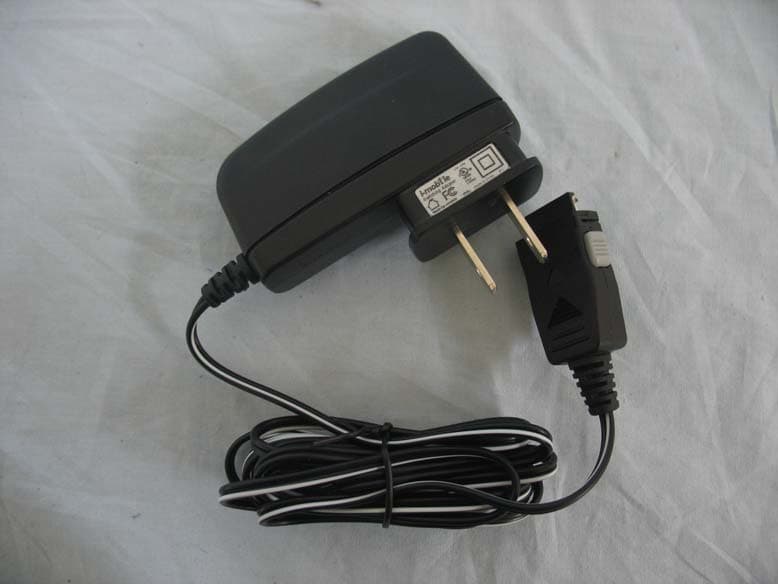
Click to zoom
Application Details
- Equipment Class
- PCE - PCS Licensed Transmitter held to ear
- Date of Grant
- Mar 21, 2008
- Application Purpose
- Original Equipment
- Date of Application
- Mar 19, 2008
- Equipment Note
- GSM 850/1900 Mobile Phone
- Frequency Range
- 1850.20000000 - 1909.80000000
- Company
- Huawei Technologies Co.,Ltd
- Country
- China
Documents & Files
Document Text
Text extracted from the exhibit documents filed with the FCC. Open a document above to read the original.
Users Manual
T330 GSM Mobile Phone Copyright © 2008 Huawei Technologies Co., Ltd. and other Huawei trademarks are the trademarks or registered trademarks of Huawei Technologies Co., Ltd. in the People’s Republic of China and certain other countries. All other trademarks mentioned in this manual are the property of their respective holders. The information in this manual is subject to change without notice. Every effort has been made in the preparation of this manual to ensure accuracy of the contents, but all statements, information, and recommendations in this manual do not constitute the warranty of any kind, express or implied. Huawei Technologies Co., Ltd. Address: Huawei Industrial Base, Bantian, Longgang, Shenzhen 518129, People's Republic of China Tel: +86-755-28780808 Global Hotline: +86-755-28560808 E-mail: [email protected] Website: www.huawei.com 1 Your Phone Earpiece Screen Navigation keys Left Soft keyRight Soft key Ta l k S o f t k e y/End Power key/ OK key *key#key Charger interface Headset jack/ Number keys 2 Keys and Functions Press... To... z View the dialed, received or missed calls in the idle mode. z Make or answer a call. z Power on or off the phone (by pressing and holding it). z End a call or reject an incoming call. z Return to the idle mode. Confirm a selection. Select the option displayed on the lower left corner of the screen. Select the option displayed on the lower right corner of the screen. z Display the Shortcuts interface (), the FM Radio interface ( ), the Alarm interface (), and the Inbox interface ( ) in the standby mode. 3 Press... To... – z Enter numbers and characters. z Speed-dial phone numbers in the idle mode (by long pressing 2-9 keys). z Select a submenu item labeled with the corresponding number. z Enter the * symbol. z Enable the Meeting or Outdoor profile (by pressing and holding it) in the idle mode. z When editing, press it to display the symbol list. z Enter the # symbol. z Lock the keypad in the standby mode (by pressing and holding it). z Unlock the keypad by pressing and . z Press it to switch between input modes when editing. Screen Icons Icon Description IconDescription Network signal strength Indoor mode Phone lock enabled Meeting mode New voice mail Alarm clock on No service Headset 4 Icon Description IconDescription Message received Roaming General mode Battery level Missed calls Outdoor mode 5 Menu Tree 6 Installing the SIM Card and Battery Consult the network operator whether a SIM card is needed. Make sure that the golden area on the SIM card is facing downwards and the cut-off edge is correctly aligned with the card holder. Removing the Battery and SIM Card Make sure that your phone is powered off. Charging the Battery 1. Connect the charger to the charger interface at the bottom of your phone. Make sure that the arrow on the charger connector faces the front side of the phone. 2. Connect the charger to an AC power socket. 3. During the charging, the charging icon is displaying in animation. 7 4. When the charging icon becomes static, the battery is fully charged. Disconnect the charger from the AC power socket. 5. Press the gray buttons on both sides of the charger connector inwards to disconnect the charger from the phone. Using the Function Menu 1. In the idle mode, press ( Menu ) to display the menu interface. 2. Press to scroll to a menu item. 3. Press ( Ok ) to display the menu. 4. Display the submenu in either of the ways: z Press to scroll to a submenu item and press ( Ok ) to display the submenu. z Press the number key corresponding to the number of a submenu to display it. 5. Press (Back) to return to the previous menu or quit the function menu. Press to return to the idle mode. Making a Call 1. In the standby mode, enter a phone number. z To make a domestic call, enter the area code and phone number. To edit the number on the screen, press to move the cursor to the left; press to move it to the right. Press ( Clear ) to delete the digit on the left of the cursor. 8 z To make an international call, press and hold to enter the international long distance code of "+". Then enter the number to be dialed, in the format of "country code + region code + phone number". 2. Press to dial the number. 3. Press to end the call. Note z When the phone is locked, enter the lock code to unlock the phone first; otherwise, you can make emergency calls or answer calls only. z In the standby mode, press to view the dialed calls. Select a record and press to dial. z Select a contact from the phonebook and press to dial. z Select a message in the inbox and press ( Option ), then select Use Number, then choose Dial to make a call. Answering a Call When there is an incoming call, you can press to answer it; Press or to reject the call. z If the Any-key Answer function is enabled, you can press any key except and to answer an incoming call. z If the Headset Auto Answer function is enabled, and the headset is connected to the phone, the incoming call is answered automatically. z If the headset is connected to the phone, you can press the button on the headset cable to answer or end a call. 9 Phone Lock The phone lock protects your phone from unauthorized use. You can change it into any numeric string. If the phone lock function is enabled, you need to enter the correct phone lock code when the phone is powered on or in the standby mode. PIN and PUK The personal identity number (PIN) protects your SIM card from unauthorized use. The PIN unlocking key (PUK) can unblock the blocked PIN. Both PIN and PUK are delivered with the SIM card. For details, consult your service provider. If you enter wrong PINs for a specified number of times consecutively, the phone asks you to enter the PUK code. If you enter wrong PUKs for a specified number of times consecutively, the SIM card is invalidated permanently. Contact your service provider for a new card. Locking the Keypad In the standby mode, press for 3 seconds to lock the keypad. When the keypad is locked, you can…
Text truncated - open the document above for the full version.
External Photos
GSM 850/1900 Mobile Phone (M/N: T330) EUT Photograph – External Photographs (1) EUT Photo (2) EUT Photo (3) EUT Photo (4) EUT Photo (5) EUT Photo (6) EUT Photo (7) EUT Photo
ID Label/Location Info
照片 0002 (2048x1536x24b jpeg)
Internal Photos
GSM 850/1900 Mobile Phone (M/N: T330) ¾ EUT Photograph – internal Photographs (1) EUT Photo (2) EUT Photo (3) EUT Photo (4) EUT Photo (5) EUT Photo (6) EUT Photo
RF Exposure Info
Report No:082023R-HPUSP10V01 Page: 1 of 26 Version:1.0 SAR Test Report Product Name : GSM 850/1900 Mobile Phone Model No. : T330 Applicant : Huawei Technologies Co., Ltd Address : Huawei Base BanTian Longgang Shenzhen 518129 P.R.C Date of Receipt:2008/01/29 Issued Date :2008/02/27 Report No. :082023R-HPUSP10V01 Version :V1.0 The test results relate only to the samples tested. The test report shall not be reproduced except in full without the written approval of QuieTek Corporation. Report No:082023R-HPUSP10V01 Page: 2 of 26 Version:1.0 Test Report Certification Issued Date: 2008/02/27 Report No.:082023R-HPUSP10V01 Product Name : GSM 850/1900 Mobile Phone Applicant : Huawei Technologies Co., Ltd Address : Huawei Base BanTian Longgang Shenzhen 518129 P.R.C Manufacturer : Huawei Technologies Co., Ltd Trade Name : Huawei Model No. : T330 Applicable Standard : FCC Oet65 Supplement C June 2001 IEEE Std. 1528-2003 47CFR § 2.1093 Test Result : Max. SAR Measurement (1g) GSM 850MHz: 0.749 W/kg PCS 1900MHz: 0.860 W/kg The test results relate only to the samples tested. The test report shall not be reproduced except in full without the written approval of QuieTek Corporation. Documented By : (Engineering Adm. Assistant / Nicole Huang) Tested By : (Engineer / Jung Chang) Approved By : (Deputy Manager /Vincent Lin) Report No:082023R-HPUSP10V01 Page: 3 of 26 Version:1.0 TABLE OF CONTENTS Description Page 1. General Information.............................................................................. 5 1.1 EUT Description ............................................................................................................5 1.2 Test Environment ...........................................................................................................5 2. SAR Measurement System .................................................................. 6 2.1 ALSAS-10U System Description .................................................................................. 6 2.1.1 Applications ................................................................................................................ 6 2.1.2 Area Scans................................................................................................................... 6 2.1.3 Zoom Scan (Cube Scan Averaging)............................................................................ 7 2.1.4 ALSAS-10U Interpolation and Extrapolation Uncertainty......................................... 7 2.2 Isotropic E-Field Probe .................................................................................................. 7 2.2.1 Isotropic E-Field Probe Specification ......................................................................... 9 2.3 Boundary Detection Unit and Probe Mounting Device ................................................. 9 2.4 Daq-Paq (Analog to Digital Electronics) ..................................................................... 10 2.5 Axis Articulated Robot ................................................................................................ 10 2.6 ALSAS Universal Workstation.................................................................................... 11 2.7 Universal Device Positioner......................................................................................... 11 2.8 Phantom Types............................................................................................................. 11 2.8.1 APREL SAM Phantoms ........................................................................................... 12 2.8.2 APREL Laboratories Universal Phantom ................................................................. 12 3. Tissue Simulating Liquid ................................................................... 13 3.1 The composition of the tissue simulating liquid .......................................................... 13 3.2 Tissue Calibration Result ............................................................................................. 13 3.3 Tissue Dielectric Parameters for Head and Body Phantoms ....................................... 15 4. SAR Measurement Procedure ........................................................... 16 4.1 SAR System Validation................................................................................................ 16 4.1.1 Validation Dipoles..................................................................................................... 16 4.1.2 Validation Result ....................................................................................................... 16 4.2 Arrangement Assessment Setup ................................................................................... 17 4.2.1 Test Positions of Device Relative to Head................................................................ 17 4.2.1.1 Definition of the “Cheek” Position ........................................................................ 17 4.2.1.2 Definition of the “Tilted” Position......................................................................... 18 4.2.2 Test Positions for body-worn.................................................................................... 19 4.3 SAR Measurement Procedure ...................................................................................... 19 Report No:082023R-HPUSP10V01 Page: 4 of 26 Version:1.0 4.3.1 SAR Measurement Procedure ................................................................................... 20 5. SAR Exposure Limits ......................................................................... 21 6. Test Equipment List............................................................................ 22 7. Measurement Uncertainty .................................................................. 23 8. Test Results......................................................................................... 24 8.1 SAR Test Results Summary ..........................................................................…
Text truncated - open the document above for the full version.
RF Exposure Info
Report No:082023R-HPUSP10V01 Page: 1 of 6 Version:1.0 Appendix C. Test Setup Photographs & EUT Photographs Test Setup Photographs Right Head (EUT Cheek) Left Head (EUT Cheek) Report No:082023R-HPUSP10V01 Page: 2 of 6 Version:1.0 Right Head (EUT Tilted) Left Head (EUT Tilted) Report No:082023R-HPUSP10V01 Page: 3 of 6 Version:1.0 Left Head (EUT Cheek)-Slip Body Note: The positions used in the measurements were according to IEEE 1528-2003. Report No:082023R-HPUSP10V01 Page: 4 of 6 Version:1.0 Test EUT Photographs Report No:082023R-HPUSP10V01 Page: 5 of 6 Version:1.0 Report No:082023R-HPUSP10V01 Page: 6 of 6 Version:1.0 Appendix D. Probe Calibration Miniature Isotropic RF Probe M/N: ALS-E-020 S/N: 264 835MHz Head Calibration 835MHz Body Calibration
RF Exposure Info
Appendix D. Probe Calibration Miniature Isotropic RF Probe M/N: ALS-E-020 S/N: 264 1900MHz Head Calibration 1900MHz Body Calibration
RF Exposure Info
Appendix E. Dipole Calibration Data Validation Dipole 835MHz P/N: ALS-D-835-S-2 S/N: QTK-315 Appendix E. Dipole Calibration Data Validation Dipole 1900MHz P/N: ALS-D-1900-S-2 S/N: QTK-318
Test Report
Test Report Product Name : GSM 850/1900 Mobile Phone Model No. : T330 FCC ID : QIST330 Applicant : HUAWEI TECHNOLOGIES CO., LTD Address : Huawei Base BanTian Longgang Shenzhen 518129 P.R.C Date of Receipt : 2008/01/25 Issued Date : 2008/02/25 Report No. : 082S019-HP-US-P07V01 The test results relate only to the samples tested. The test results shown in the test report are traceable to the national/international standard through the calibration of the equipment and evaluated measurement uncertainty herein. This report must not be used to claim product endorsement by CNLA, NVLAP, NIST or any agency of the Government. The test report shall not be reproduced except in full without the written approval of QuieTek Corporation. Report No: 082S019-HP-US-P07V01 Page: 2 of 70 Test Report Certification Issued Date : 2008/02/25 Report No. : 082S019-HP-US-P07V01 Product Name : GSM 850/1900 Mobile Phone Applicant : HUAWEI TECHNOLOGIES CO., LTD Address : Huawei Base BanTian Longgang Shenzhen 518129 P.R.C Manufacturer : HUAWEI TECHNOLOGIES CO., LTD Model No. : T330 FCC ID : QIST330 Rated Voltage : AC 120 V / 60 Hz EUT Voltage : DC 3.7V Trade Name : Huawei Applicable Standard : FCC CFR Title 47 Part 2, Part 22H and Part 24E EIA/TIA 603-C Test Result : Complied Performed Location : SuZhou EMC laboratory No.99 Hongye Rd., Suzhou Industrial Park Loufeng Hi-Tech Development Zone., SuZhou, China TEL: +86-512-6251-5088 / FAX: +86-512-6251-5098 FCC Registration Number: 800392 Documented By : ( Any Liu ) Reviewed By : ( Dream Cao ) Approved By : ( Murphy Wang ) Report No: 082S019-HP-US-P07V01 Page: 3 of 70 Laboratory Information We , QuieTek Corporation, are an independent EMC and safety consultancy that was established the whole facility in our laboratories. The test facility has been accredited by the following accreditation Bodies in compliance with ISO 17025, EN 45001 and Guide 25: The related certificate for our laboratories about the test site and management system can be downloaded from QuieTek Corporation’s Web Site : http://tw.quietek.com/modules/myalbum/ The address and introduction of QuieTek Corporation’s laboratories can be founded in our Web site : http://www.quietek.com/ If you have any comments, Please don’t hesitate to contact us. Our contact information is as below: HsinChu Testing Laboratory : No.75-2, 3rd Lin, Wangye Keng, Yonghxing Tsuen, Qionglin Shiang, Hsinchu County 307, Taiwan, R.O.C. TEL:+886-3-592-8858 / FAX:+886-3-592-8859 E-Mail : [email protected] LinKou Testing Laboratory : No. 5, Ruei-Shu Valley, Ruei-Ping Tsuen, Lin-Kou Shiang, Taipei, Taiwan, R.O.C. TEL : +886-2-8601-3788 / FAX : 886-2-8601-3789 E-Mail : [email protected] Suzhou Testing Laboratory : No.99 Hongye Rd., Suzhou Industrial Park Loufeng Hi-Tech Development Zone., SuZhou, China TEL : +86-512-6251-5088 / FAX : 86-512-6251-5098 E-Mail : [email protected] Taiwan R.O.C. :BSMI, DGT, CNLA Germany :TUV Rheinland Norway :Nemko, DNV USA :FCC, NVLAP Japan :VCCI Report No: 082S019-HP-US-P07V01 Page: 4 of 70 TABLE OF CONTENTS Description Page 1. General Information................................................................................................................... 6 1.1. EUT Description ................................................................................................................... 6 1.2. Mode of Operation ...............................................................................................................7 1.3. Tested System Details ......................................................................................................... 8 1.4. Configuration of Tested System ........................................................................................... 9 1.5. EUT Exercise Software ...................................................................................................... 10 2. Technical Test ......................................................................................................................... 11 2.1. Summary of Test Result..................................................................................................... 11 2.2. Test Environment ...............................................................................................................13 3. Peak Output Power ................................................................................................................. 14 3.1. Test Equipment ..................................................................................................................14 3.2. Test Setup .......................................................................................................................... 15 3.3. Limit....... ........................................................................................................................... 15 3.4. Test Procedure................................................................................................................... 16 3.5. Uncertainty ......................................................................................................................... 17 3.6. Test Result ......................................................................................................................... 18 3.7. Test Photograph.................................................................................................................20 4. Modulation Characteristic........................................................................................................ 22 4.1. Test Equipment ..................................................................................................................22 4.2. Test Setup .......................................................................................................................... 22 4.3. Limit....... ........................................................................................................................... 23 4.4. Test Procedure...............…
Text truncated - open the document above for the full version.
Test Setup Photos
Page: 1 of 6 GSM 850/1900 Mobile Phone (M/N: T330) Test Setup Photographs for Radiated Emission of FCC 22&24 Test Mode: Mode 1: GSM 850 Description: Radiated Peak Output Power Test Setup for EUT Test Mode: Mode 1: GSM 850 Description: Radiated Peak Output Power Test Setup for Substitution Antenna Page: 2 of 6 Test Mode: Mode 2: PCS 1900 Description: Radiated Peak Output Power Test Setup for EUT Test Mode: Mode 2: PCS 1900 Description: Radiated Peak Output Power Test Setup for Substitution Antenna Page: 3 of 6 Test Mode: Mode 1: GSM 850 Description: Radiated Spurious Emission Test Setup for EUT (Below 1GHz) Test Mode: Mode 1: GSM 850 Description: Radiated Spurious Emission Test Setup for Substitution Antenna (Below 1GHz) Page: 4 of 6 Test Mode: Mode 1: GSM 850 Description: Radiated Spurious Emission Test Setup for EUT (Above 1GHz) Test Mode: Mode 1: GSM 850 Description: Radiated Spurious Emission Test Setup for Substitution Antenna (Above 1GHz) Page: 5 of 6 Test Mode: Mode 2: PCS 1900 Description: Radiated Spurious Emission Test Setup for EUT (Below 1GHz) Test Mode: Mode 2: PCS 1900 Description: Radiated Spurious Emission Test Setup for Substitution Antenna (Below 1GHz) Page: 6 of 6 Test Mode: Mode 2: PCS 1900 Description: Radiated Spurious Emission Test Setup for EUT (Above 1GHz) Test Mode: Mode 2: PCS 1900 Description: Radiated Spurious Emission Test Setup for Substitution Antenna (Above 1GHz)
Contact Information
Applicant
Zhang Xinghai
Technical Contact
Quietek Technology (Suzhou) Co., Ltd.Dream Cao
[email protected]86-0512-6251-5088
No.99 Hongye RD.Suzhou Industrial Park, Loufeng · Suzhou · China
Non-Technical Contact
Quietek Corp.Micki Ho
[email protected]886-2-87926808
Test Firm
DEKRA Testing and Certification (Suzhou) Co., Ltd.Jerry Pan
Technical Specifications
| # | Rule Parts | Frequency Range | Power Output | Emission | Tolerance |
|---|---|---|---|---|---|
| 2 | 24E | 1.85 GHz - 1.91 GHz | 248.00 mW | 300KGXW | 0.1 ppm |
Other Applications from Huawei Technologies Co.,Ltd

QISSUN2000
Jun 27, 2021Solar Inverter
Equipment Class
DTS - Digital Transmission System
QISCP81-1
Oct 22, 2020Watch Wireless Charger
Equipment Class
DCD - Part 15 Low Power Transmitter Below 1705 kHz
QISRRU3278
Sep 02, 2020Remote Radio Unit
Equipment Class
CBD - Citizens Band Category A and B Devices
QISR2561
Jul 11, 2020Indoor Router
Equipment Class
DTS - Digital Transmission System
QISSMARTLOGGER310
Mar 23, 2020Solar Smart Monitor & Data Logger
Equipment Class
DTS - Digital Transmission System