QISU8651THSDPA/UMTS/GPRS/GSM/EDGE Mobile Phone with Bluetooth
Huawei Technologies Co.,Ltd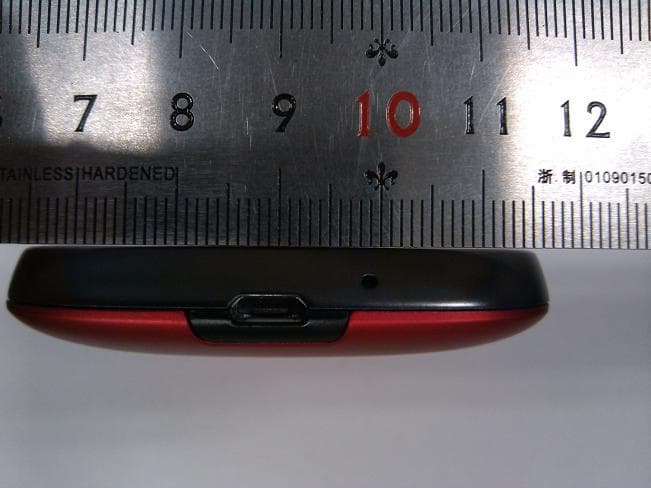
Click to zoom
Application Details
- Equipment Class
- DTS - Digital Transmission System
- Date of Grant
- Mar 05, 2012
- Application Purpose
- Original Equipment
- Date of Application
- Mar 05, 2012
- Equipment Note
- HSDPA/UMTS/GPRS/GSM/EDGE Mobile Phone with Bluetooth
- Frequency Range
- 2412.00000000 - 2462.00000000
- Company
- Huawei Technologies Co.,Ltd
- Country
- China
Documents & Files
Document Text
Text extracted from the exhibit documents filed with the FCC. Open a document above to read the original.
Users Manual
1 Legal Notice Copyright © Huawei Technologies Co., Ltd. 2012. All rights reserved. No part of this document may be reproduced or transmitted in any form or by any means without prior written consent of Huawei Technologies Co., Ltd. The product described in this manual may include copyrighted software of Huawei Technologies Co., Ltd. and possible licensors. Customers shall not in any manner reproduce, distribute, modify, decompile, disassemble, decrypt, extract, reverse engineer, lease, assign, or sublicense the said software, unless such restrictions are prohibited by applicable laws or such actions are approved by respective copyright holders. Trademarks and Permissions , , and are trademarks or registered trademarks of Huawei Technologies Co., Ltd. Android is a trademark of Google Inc. Other trademarks, product, service and company names mentioned are the property of their respective owners. Notice Some features of the product and its accessories described herein rely on the software installed, capacities and settings of local network, and therefore may not be activated or may be limited by local network operators or network service providers. Thus the descriptions herein may not match exactly the product or its accessories you purchase. Huawei Technologies Co., Ltd. reserves the right to change or modify any information or specifications contained in this manual without prior notice and without any liability. Third-Party Software Statement Huawei Technologies Co., Ltd. does not own the intellectual property of the third-party software and applications that are delivered with this product. Therefore, Huawei Technologies Co., Ltd. will not provide any warranty of any kind for these third-party software and applications. Neither will Huawei Technologies Co., Ltd. provide support to customers who use these third-party software and applications, nor be responsible or liable for the functions of these third-party software and applications. 2 Third-party software and applications services may be interrupted or terminated at any time. Huawei Technologies Co., Ltd. does not guarantee that any content or service would be maintained for any period during its availability. Third-party service providers provide content and services through network or transmission tools outside of the control of Huawei Technologies Co., Ltd. To the greatest extent permitted by applicable law, it is explicitly stated that Huawei Technologies Co., Ltd. shall not compensate or be liable for services provided by third-party service providers, or the interruption or termination of third-party contents or services. Huawei Technologies Co., Ltd. shall not be responsible for the legality, quality, or any other aspects of any software installed on this product, or for any uploaded or downloaded third-party works, such as texts, images, videos, or software. Customers shall bear the risk for any and all effects, including incompatibility between the software and this product, which result from installing software or uploading or downloading the third-party works. This product uses the open-source Android™ platform. Huawei Technologies Co., Ltd. has made necessary changes to the platform. Therefore, this product may not support all the functions that are supported by the standard Android platform or may be incompatible with third-party software. Huawei Technologies Co., Ltd. shall not be liable for any of such situation. DISCLAIMER OF WARRANTIES THE CONTENTS OF THIS MANUAL ARE PROVIDED “AS IS”. EXCEPT AS REQUIRED BY APPLICABLE LAWS, NO WARRANTIES OF ANY KIND, EITHER EXPRESS OR IMPLIED, INCLUDING BUT NOT LIMITED TO, THE IMPLIED WARRANTIES OF MERCHANTABILITY AND FITNESS FOR A PARTICULAR PURPOSE, ARE MADE IN RELATION TO THE ACCURACY, RELIABILITY OR CONTENTS OF THIS MANUAL. LIMITATIONS OF LIABILITY TO THE MAXIMUM EXTENT PERMITTED BY APPLICABLE LAW, IN NO EVENT SHALL HUAWEI TECHNOLOGIES CO., LTD. BE LIABLE FOR ANY SPECIAL, INCIDENTAL, INDIRECT, OR CONSEQUENTIAL DAMAGES, OR LOST PROFITS, BUSINESS, REVENUE, DATA, GOODWILL OR ANTICIPATED SAVINGS. 3 THE MAXIMUM LIABILITY (THIS LIMITATION SHALL NOT APPLY TO LIABILITY FOR PERSONAL INJURY TO THE EXTENT APPLICABLE LAW PROHIBITS SUCH A LIMITATION) OF HUAWEI TECHNOLOGIES CO., LTD. ARISING FROM THE USE OF THE PRODUCT DESCRIBED IN THIS DOCUMENT SHALL BE LIMITED TO THE AMOUNT PAID BY CUSTOMERS FOR THE PURCHASE OF THIS PRODUCT. Import and Export Regulations Customers shall comply with all applicable export or import laws and regulations and be responsible to obtain all necessary governmental permits and licenses in order to export, re-export or import the product mentioned in this manual including the software and technical data therein. 4 Warnings and Precautions This section contains important information pertaining to the operating instructions of your device. It also contains information about how to use the device safely. Read this information carefully before using your device. Electronic Device Power off your device if using the device is prohibited. Do not use the device when using the device causes danger or interference with electronic devices. Medical Device • Follow rules and regulations set forth by hospitals and health care facilities. Do not use your device when using the device is prohibited. • Pacemaker manufacturers recommend that a minimum distance of 15 cm be maintained between a device and a pacemaker to prevent potential interference with the pacemaker. If you are using a pacemaker, use the device on the opposite side of the pacemaker and do not carry the device in your front pocket. • Some wireless devices may affect the performance of hearing aids. For any such problems, consult your service provider. • To ensure that the Hearing Aid Compatibility rating for your device is maintained, secondary transmitters such as Bluetooth and Wi-Fi components must be disabled during a call. Potentially Explosive Atmosphere Power off your device in any area with a potentially explosive…
Text truncated - open the document above for the full version.
Users Manual
Personal Information and Data Security The use of some functions or third-party applications on your device could result in your personal information and data being lost or becoming accessible to others. Several measures are recommended to help you protect personal and confidential information. • Place your device in a safe area to prevent it from unauthorized use. • Set your device screen to lock and create a password or unlock pattern to open it. • Periodically back up personal information kept on your memory card or stored in your device memory. If you change to a different device, be sure to move or delete any personal information on your old device. • If you are worried about viruses when you receive messages or emails from a stranger, you can delete them without opening them. • If you use your device to browse the Internet, avoid websites that might pose a security risk to avoid theft of your personal information. • If you use services such as Wi-Fi tether or Bluetooth, set passwords for these services to prevent unauthorized access. When these services are not in use, turn them off. • Install or upgrade device security software and regularly scan for viruses. • Be sure to obtain third-party applications from a legitimate source. Downloaded third-party applications should be scanned for viruses. • Install security software or patches released by Huawei or third-party application providers. • Some applications require and transmit location information. As a result, a third-party may be able to share your location information. • Your device may provide detection and diagnostic information to third-party application providers. Third party vendors use this information to improve their products and services. • If you have concerns about the security of your personal information and data, please contact [email protected]. What is in Your Box For more information about how to use your phone, please go to http://www.huaweidevice.com/worldwide. Phone at a Glance If you apply protective film on the phone, please use the protective film with good transmittance. • Mobile phone •Charger • USB cable •Battery • Quick start guide 1Earpiece2 Home 3 Menu 4 Back 5 Search 6Speaker 1 2 7 8 11 634 5 9 10 Key Functions at Your Fingertips 7Camera8Volume keys 9 The second microphone 10Headset jack 11 Power • Press and hold to power on your mobile phone. • Press and hold to open the Phone options menu. • Press to lock the screen when your mobile phone is active. • Touch to return to the previous screen or exit any application you are running. • Touch to hide the keyboard. Touch to open the menu on an active screen. • Touch to return to the Home screen. • Touch and hold to show the most recently used applications. • Touch to open Google search for searching your mobile phone and the web. • Touch and hold to open Google search by voice. Before getting started 1 Removing battery cover 2 Installing SIM card 3 Installing *microSD card 4 Installing battery 5 Installing battery cover *microSD card is optional Charging the Battery If your mobile phone is charged when it is powered on, the battery icon on the Notification bar shows the charging status. When the battery icon changes to , it indicates that your mobile phone is fully charged. Status Indicator The color of the status indicator tells the battery status of your mobile phone. Status Indicator Green: Fully charged (when connected to charger). Orange: Charging in progress (when connected to charger). Red: Battery low. Powering On Your Mobile Phone Press and hold . The first time you power on your phone, you will be asked to sign in to your account and set up your mobile phone. Powering Off Your Mobile Phone 1. Press and hold to open the Phone options menu. 2. Touch Power off. 3. Touch OK. Home Screen 10:23 Touch to open the Phone application. Touch to view all your applications. Touch to open the Browser. Notifications bar: Displays the reminders and status icons of your phone. Flick down to open the notifications panel. Display area: Shows the operation and display areas of your phone. Screen switching dots: Indicate the number of the screens on the left or right. Touch the left or right dots to switch between the screen. Viewing Other Parts of the Home Screen Service Shortcuts 1. Open the notification bar. 2. Touch at the top of the screen to switch on or off data services. You can also touch , , or to switch on or off corresponding services. Adding a New Screen Item 1. Touch and hold a blank area on the Home screen until the Add to Home screen menu is displayed. 2. Select an item to add it to the Home screen. Changing the Wallpaper 1. On the Home screen, touch > Wallpaper. 2. Touch option to select a picture and set it as the wallpaper. 10:23 Touch and hold the small dots to view thumbnails of the Home screen and its extensions. Touch a thumbnail to open the Home screen or its extensions. Flick your finger left or right across the Home screen. Locking the Screen • When your phone is on, press to lock the screen. When the screen is locked, you can still receive messages and calls. • If your phone is idle for a while, the screen will lock automatically. Unlocking the Screen 1. Press to wake up the screen. 2. Drag the lock icon from left to right to unlock the screen. Adding a Contact 1. In the contact list, touch > Create contact. 2. If you have more than one account with contacts, touch the account to which you want to add the contact. 3. Enter the contact's name, and then add detailed information such as phone number or address. 4. When you are finished, touch Done to save the contact information. Importing Contacts from a SIM Card 1. In the contact list, touch > Manage contacts. 2. Touch Copy from SIM card. 3. Wait for the SIM card contents to be loaded. Select the contacts you want to import or touch Select all to select all contacts. 4. Touch Copy > Phone. 5. If you have more than one account on your phone, touch the account into which you want to impo…
Text truncated - open the document above for the full version.
Cover Letter(s)
Huawei Technologies Co.,Ltd. 2012-02-17 Federal Communications Commission 7435 Oakland Mills Road Columbia MD 21046 c.c. Compliance Certification Services Certification Division 47173 Benicia Street Fremont, CA 94538, USA Ref: FCC ID:QISU8651T To whom it may concern: I, the undersigned, hereby authorize Mr.Mike Kuo of Compliance Certification Services and hereafter referred to as CCS, to act on our behalf in all manners relating to application for equipment authorization, including signing of all documents relating to these matters. Any and all acts carried out by Mr.Mike Kuo of CCS on our behalf shall have the same effect as acts of our own. I, the undersigned, hereby certify that we are not subject to a denial of federal benefits, that includes FCC benefits, pursuant to Section 5301 of the Anti-Drug Abuse Act of 1988, 21 U.S.C. 853(a). In authorizing CCS as our agent, we still recognize that we are responsible to: a) comply with the relevant provisions of the certification program; b) make all necessary arrangements for the conduct of the evaluation, including provision for examining documentation and access to all areas, records (including internal audit reports) and personnel for the purposes of evaluation (e.g. testing, inspection, assessment, surveillance, reassessment) and resolution of complaints; c) make claims regarding certification only in respect of the scope for which certification has been granted; d) do not use our product certification in such a manner as to bring the Certification Division into disrepute and not make any statement regarding our product certification which the Certification Division may consider misleading or unauthorized; e) upon suspension or cancellation of certification, discontinue use of all advertising matter that contains any reference thereto and return any certification documents as required by the Certification Division; f) use certification only to indicate the products are certified as being in conformity with specified standards; g) endeavor to ensure that no certificate or report nor any part thereof is used in a misleading manner; h) ensure that any reference to our product certification in communication media such as documents, brochures or advertising, complies with the requirements of the Certification Division; i) keep a record of all complaints made known to the us relating to the product’s compliance with requirements of the relevant standard and to make these records available to the Certification Division when requested; j) take appropriate action with respect to such complaints and any deficiencies found in products or services that affect compliance with the requirements for certification; k) document the actions taken. This authorization is valid until further written notice from the applicant. Sincerely Yours, Zhang Xinghai EMC Laboratory Manager Huawei Technologies Co., Ltd. E-mail: [email protected] Fax: 0086-0755-89650226
Cover Letter(s)
Huawei Technologies Co.,Ltd. Federal Communications Commission 2012-02-17 7435 Oakland Mills Road Columbia MD 21046 Subject: Request for Confidentiality FCC ID: QISU8651T To Whom It May Concern: Pursuant to the provisions of Sections 0.457 and 0.459 of the Commission’s rules (47 CFR §§ 0.457, 0.459), we are requesting the Commission to withhold the following attachments as confidential document from public disclosure indefinitely. Schematic Diagram Block Diagram Operational Description Bom List Tune-Up Procedure Above mentioned document contains detailed system and equipment description are considered as proprietary information in operation of the equipment. The public disclosure of above documents might be harmful to our company and would give competitor an unfair advantage in the market. In additional to above mentioned documents, pursuant to Public Notice DA 04-1705 of the Commission’s policy, in order to comply with the marketing regulations in 47 CFR §2.803 and the importation rules in 47 CFR §2.1204, while ensuring that business sensitive information remains confidential until the actual marketing of newly authorized devices. We are requesting the Commission withholds the following documents from public viewing for ninety days after the date the grant of equipment authorization is issued: External Photos Internal Photos Test Setup Photos User Manual It is our understanding that all measurement test reports, FCC ID label format and correspondent during certification review process cannot be granted as confidential documents and those information will be available for public review once the grant of equipment authorization is issued. Best Regards Zhang Xinghai EMC Laboratory Manager Huawei Technologies Co., Ltd. E-mail: [email protected] Fax: 0086-0755-89650226
External Photos
HUAWEI U8651T, U8651T, U8651, Astro HSDPA/UMTS/GPRS/GSM/EDGE Mobile Phone with Bluetooth; SECRET Page1,Total 6 External Photos of HUAWEI U8651T, U8651T, U8651, Astro HUAWEI U8651T, U8651T, U8651, Astro HSDPA/UMTS/GPRS/GSM/EDGE Mobile Phone with Bluetooth; SECRET Page2,Total 6 HUAWEI U8651T, U8651T, U8651, Astro HSDPA/UMTS/GPRS/GSM/EDGE Mobile Phone with Bluetooth; SECRET Page3,Total 6 HUAWEI U8651T, U8651T, U8651, Astro HSDPA/UMTS/GPRS/GSM/EDGE Mobile Phone with Bluetooth; SECRET Page4,Total 6 HUAWEI U8651T, U8651T, U8651, Astro HSDPA/UMTS/GPRS/GSM/EDGE Mobile Phone with Bluetooth; SECRET Page5,Total 6 HUAWEI U8651T, U8651T, U8651, Astro HSDPA/UMTS/GPRS/GSM/EDGE Mobile Phone with Bluetooth; SECRET Page6,Total 6
ID Label/Location Info
HUAWEI U8651T, U8651T, U8651, Astro HSDPA/UMTS/GPRS/GSM/EDGE Mobile Phone with Bluetooth; SECRET Page1, Total 2 ID Label OF HUAWEI U8651T, U8651T, U8651, Astro HUAWEI U8651T, U8651T, U8651, Astro HSDPA/UMTS/GPRS/GSM/EDGE Mobile Phone with Bluetooth; SECRET Page2, Total 2 HUAWEI U8651T, U8651T, U8651, Astro HSDPA/UMTS/GPRS/GSM/EDGE Mobile Phone with Bluetooth; SECRET Page3, Total 2
ID Label/Location Info
HUAWEI U8651T, U8651T, U8651, Astro HSDPA/UMTS/GPRS/GSM/EDGE Mobile Phone with Bluetooth; SECRET Page1, Total 4 Label Location HUAWEI U8651T, U8651T, U8651, Astro HUAWEI U8651T, U8651T, U8651, Astro HSDPA/UMTS/GPRS/GSM/EDGE Mobile Phone with Bluetooth; SECRET Page2, Total 4 HUAWEI U8651T, U8651T, U8651, Astro HSDPA/UMTS/GPRS/GSM/EDGE Mobile Phone with Bluetooth; SECRET Page3, Total 4
Internal Photos
HUAWEI U8651T, U8651T, U8651, Astro HSDPA/UMTS/GPRS/GSM/EDGE Mobile Phone with Bluetooth; SECRET Page1,Total 11 Internal Photos of HUAWEI U8651T, U8651T, U8651, Astro HUAWEI U8651T, U8651T, U8651, Astro HSDPA/UMTS/GPRS/GSM/EDGE Mobile Phone with Bluetooth; SECRET Page2,Total 11 HUAWEI U8651T, U8651T, U8651, Astro HSDPA/UMTS/GPRS/GSM/EDGE Mobile Phone with Bluetooth; SECRET Page3,Total 11 HUAWEI U8651T, U8651T, U8651, Astro HSDPA/UMTS/GPRS/GSM/EDGE Mobile Phone with Bluetooth; SECRET Page4,Total 11 HUAWEI U8651T, U8651T, U8651, Astro HSDPA/UMTS/GPRS/GSM/EDGE Mobile Phone with Bluetooth; SECRET Page5,Total 11 HUAWEI U8651T, U8651T, U8651, Astro HSDPA/UMTS/GPRS/GSM/EDGE Mobile Phone with Bluetooth; SECRET Page6,Total 11 HUAWEI U8651T, U8651T, U8651, Astro HSDPA/UMTS/GPRS/GSM/EDGE Mobile Phone with Bluetooth; SECRET Page7,Total 11 HUAWEI U8651T, U8651T, U8651, Astro HSDPA/UMTS/GPRS/GSM/EDGE Mobile Phone with Bluetooth; SECRET Page8,Total 11 HUAWEI U8651T, U8651T, U8651, Astro HSDPA/UMTS/GPRS/GSM/EDGE Mobile Phone with Bluetooth; SECRET Page9,Total 11 HUAWEI U8651T, U8651T, U8651, Astro HSDPA/UMTS/GPRS/GSM/EDGE Mobile Phone with Bluetooth; SECRET Page10,Total 11 HUAWEI U8651T, U8651T, U8651, Astro HSDPA/UMTS/GPRS/GSM/EDGE Mobile Phone with Bluetooth; SECRET Page11,Total 11
RF Exposure Info
TA Technology (Shanghai) Co., Ltd. Test Report Report No.: RZA1201-0064SAR01R2 Page 1 of 213 TESTING No. L2264 OET 65 TEST REPORT Product Name HSDPA/UMTS/GPRS/GSM/EDGE Mobile Phone with Bluetooth; Model HUAWEI U8651T, U8651T, U8651, Astro FCC ID QISU8651T IC 6369A-U8651T Client Huawei Technologies Co., Ltd. TA Technology (Shanghai) Co., Ltd. TA Technology (Shanghai) Co., Ltd. Test Report Report No.: RZA1201-0064SAR01R2 Page 2 of 213 GENERAL SUMMARY Product Name HSDPA/UMTS/GPRS/GSM/EDGE Mobile Phone with Bluetooth; Model HUAWEI U8651T, U8651T, U8651, Astro FCC ID QISU8651T IC 6369A-U8651T Report No. RZA1201-0064SAR01R2 Client Huawei Technologies Co., Ltd. Manufacturer Huawei Technologies Co., Ltd. Reference Standard(s) IEEE Std C95.1, 1999: IEEE Standard for Safety Levels with Respect to Human Exposure to Radiofrequency Electromagnetic Fields, 3 kHz to 300 GHz. IEEE Std 1528™-2003: IEEE Recommended Practice for Determining the Peak Spatial-Average Specific Absorption Rate (SAR) in the Human Head from Wireless Communications Devices: Measurement Techniques. SUPPLEMENT C Edition 01-01 to OET BULLETIN 65 Edition 97-01 June 2001 including DA 02-1438, published June 2002: Evaluating Compliance with FCC Guidelines for Human Exposure to Radiofrequency Electromagnetic Fields Additional Information for Evaluation Compliance of Mobile and Portable Devices with FCC Limits for Human Exposure to Radiofrequency Emissions. RSS-102 Issue 4 March 2010: Radio Frequency (RF) Exposure Compliance of Radiocommunication Apparatus (All Frequency Bands) KDB 648474 D01 SAR Handsets Multi Xmiter and Ant, v01r05: SAR Evaluation Considerations for Handsets with Multiple Transmitters and Antennas. KDB 941225 D06 Hot Spot SAR v01 SAR Evaluation Procedures for Portable Devices with Wireless Router Capabilities Conclusion This portable wireless equipment has been measured in all cases requested by the relevant standards. Test results in Chapter 7 of this test report are below limits specified in the relevant standards. General Judgment: Pass (Stamp) Date of issue: February 24 th , 2012 Comment The test result only responds to the measured sample. Approved by Director Revised by SAR Manager Performed by SAR Engineer TA Technology (Shanghai) Co., Ltd. Test Report Report No.: RZA1201-0064SAR01R2 Page 3 of 213 TABLE OF CONTENT 1. General Information ..................................................................................................................... 5 1.1. Notes of the Test Report.......................................................................................................5 1.2. Testing Laboratory ................................................................................................................ 5 1.3. Applicant Information ............................................................................................................ 6 1.4. Manufacturer Information ...................................................................................................... 6 1.5. Information of EUT................................................................................................................ 7 1.6. The Maximum SAR 1g Values ................................................................................................ 9 1.7. Maximum Conducted Power of each tested Mode.............................................................. 11 1.8. Test Date ............................................................................................................................ 11 2. SAR Measurements System Configuration ................................................................................ 12 2.1. SAR Measurement Set-up .................................................................................................. 12 2.2. DASY4 E-field Probe System ............................................................................................. 13 2.2.1. EX3DV4 Probe Specification ....................................................................................... 13 2.2.2. E-field Probe Calibration .............................................................................................. 14 2.3. Other Test Equipment .........................................................................................................14 2.3.1. Device Holder for Transmitters .................................................................................... 14 2.3.2. Phantom...................................................................................................................... 15 2.4. Scanning Procedure........................................................................................................... 15 2.5. Data Storage and Evaluation .............................................................................................. 17 2.5.1. Data Storage................................................................................................................ 17 2.5.2. Data Evaluation by SEMCAD ...................................................................................... 17 3. Laboratory Environment............................................................................................................. 19 4. Tissue-equivalent Liquid ............................................................................................................ 20 4.1. Tissue-equivalent Liquid Ingredients................................................................................... 20 4.2. Tissue-equivalent Liquid Properties .................................................................................... 22 5. System Check ............................................................................................................................ 24 5.1. Description of System Check .............................................................................................. 24 5.2. System Check Results ............................................................…
Text truncated - open the document above for the full version.
RF Exposure Info
TA Technology (Shanghai) Co., Ltd. Test Report Report No.: RZA1201-0064SAR01R2 Page 166 of 213 TA Technology (Shanghai) Co., Ltd. Test Report Report No.: RZA1201-0064SAR01R2 Page 167 of 213 TA Technology (Shanghai) Co., Ltd. Test Report Report No.: RZA1201-0064SAR01R2 Page 168 of 213 ANNEX E: D835V2 Dipole Calibration Certificate TA Technology (Shanghai) Co., Ltd. Test Report Report No.: RZA1201-0064SAR01R2 Page 169 of 213 TA Technology (Shanghai) Co., Ltd. Test Report Report No.: RZA1201-0064SAR01R2 Page 170 of 213 TA Technology (Shanghai) Co., Ltd. Test Report Report No.: RZA1201-0064SAR01R2 Page 171 of 213 TA Technology (Shanghai) Co., Ltd. Test Report Report No.: RZA1201-0064SAR01R2 Page 172 of 213 TA Technology (Shanghai) Co., Ltd. Test Report Report No.: RZA1201-0064SAR01R2 Page 173 of 213 TA Technology (Shanghai) Co., Ltd. Test Report Report No.: RZA1201-0064SAR01R2 Page 174 of 213 TA Technology (Shanghai) Co., Ltd. Test Report Report No.: RZA1201-0064SAR01R2 Page 175 of 213 TA Technology (Shanghai) Co., Ltd. Test Report Report No.: RZA1201-0064SAR01R2 Page 176 of 213 ANNEX F: D1750V2 Dipole Calibration Certificate TA Technology (Shanghai) Co., Ltd. Test Report Report No.: RZA1201-0064SAR01R2 Page 177 of 213 TA Technology (Shanghai) Co., Ltd. Test Report Report No.: RZA1201-0064SAR01R2 Page 178 of 213 TA Technology (Shanghai) Co., Ltd. Test Report Report No.: RZA1201-0064SAR01R2 Page 179 of 213 TA Technology (Shanghai) Co., Ltd. Test Report Report No.: RZA1201-0064SAR01R2 Page 180 of 213 TA Technology (Shanghai) Co., Ltd. Test Report Report No.: RZA1201-0064SAR01R2 Page 181 of 213 TA Technology (Shanghai) Co., Ltd. Test Report Report No.: RZA1201-0064SAR01R2 Page 182 of 213 TA Technology (Shanghai) Co., Ltd. Test Report Report No.: RZA1201-0064SAR01R2 Page 183 of 213 TA Technology (Shanghai) Co., Ltd. Test Report Report No.: RZA1201-0064SAR01R2 Page 184 of 213 TA Technology (Shanghai) Co., Ltd. Test Report Report No.: RZA1201-0064SAR01R2 Page 185 of 213 ANNEX G: D1900V2 Dipole Calibration Certificate TA Technology (Shanghai) Co., Ltd. Test Report Report No.: RZA1201-0064SAR01R2 Page 186 of 213 TA Technology (Shanghai) Co., Ltd. Test Report Report No.: RZA1201-0064SAR01R2 Page 187 of 213 TA Technology (Shanghai) Co., Ltd. Test Report Report No.: RZA1201-0064SAR01R2 Page 188 of 213 TA Technology (Shanghai) Co., Ltd. Test Report Report No.: RZA1201-0064SAR01R2 Page 189 of 213 TA Technology (Shanghai) Co., Ltd. Test Report Report No.: RZA1201-0064SAR01R2 Page 190 of 213 TA Technology (Shanghai) Co., Ltd. Test Report Report No.: RZA1201-0064SAR01R2 Page 191 of 213 TA Technology (Shanghai) Co., Ltd. Test Report Report No.: RZA1201-0064SAR01R2 Page 192 of 213 TA Technology (Shanghai) Co., Ltd. Test Report Report No.: RZA1201-0064SAR01R2 Page 193 of 213 ANNEX H: D2450V2 Dipole Calibration Certificate TA Technology (Shanghai) Co., Ltd. Test Report Report No.: RZA1201-0064SAR01R2 Page 194 of 213 TA Technology (Shanghai) Co., Ltd. Test Report Report No.: RZA1201-0064SAR01R2 Page 195 of 213 TA Technology (Shanghai) Co., Ltd. Test Report Report No.: RZA1201-0064SAR01R2 Page 196 of 213 TA Technology (Shanghai) Co., Ltd. Test Report Report No.: RZA1201-0064SAR01R2 Page 197 of 213 TA Technology (Shanghai) Co., Ltd. Test Report Report No.: RZA1201-0064SAR01R2 Page 198 of 213 TA Technology (Shanghai) Co., Ltd. Test Report Report No.: RZA1201-0064SAR01R2 Page 199 of 213 TA Technology (Shanghai) Co., Ltd. Test Report Report No.: RZA1201-0064SAR01R2 Page 200 of 213 TA Technology (Shanghai) Co., Ltd. Test Report Report No.: RZA1201-0064SAR01R2 Page 201 of 213 ANNEX I: DAE4 Calibration Certificate TA Technology (Shanghai) Co., Ltd. Test Report Report No.: RZA1201-0064SAR01R2 Page 202 of 213 TA Technology (Shanghai) Co., Ltd. Test Report Report No.: RZA1201-0064SAR01R2 Page 203 of 213 TA Technology (Shanghai) Co., Ltd. Test Report Report No.: RZA1201-0064SAR01R2 Page 204 of 213 TA Technology (Shanghai) Co., Ltd. Test Report Report No.: RZA1201-0064SAR01R2 Page 205 of 213
Test Report
FCC&IC Test Report Product Name: HSDPA/UMTS/GPRS/GSM/EDGE Mobile Phone with Bluetooth Model Number: HUAWEI U8651T, U8651T, U8651, Astro Report No: SYBH(Z-RF)002022012-2006 FCC ID:QISU8651T IC ID: 6369A-U8651T Reliability Laboratory of Huawei Technologies Co., Ltd. Huawei Base, Bantian, Longgang District, Shenzhen 518129, P.R. China Tel: +86 755 28780808 Fax: +86 755 89652518 FCC Test Report of HUAWEI U8651T, U8651T, U8651, Astro FCC ID: QISU8651T…
Text truncated - open the document above for the full version.
Contact Information
Applicant
Zhang Xinghai
Technical Contact
Huawei Technologies Co., LTDMike Zhou
[email protected]0086-0755-36836102
Administration Building, Huawei Base, Bantian, Lon · ShenZhen · China
Non-Technical Contact
Huawei Technologies Co., LTDMike Zhou
[email protected]0086-0755-36836102
Test Firm
Huawei Technologies Co., LTDZhou Fengyum
Technical Specifications
| # | Rule Parts | Frequency Range | Power Output |
|---|---|---|---|
| 1 | 15C | 2.41 GHz - 2.46 GHz | 604.00 mW |
Other Applications from Huawei Technologies Co.,Ltd

QISSUN2000
Jun 27, 2021Solar Inverter
Equipment Class
DTS - Digital Transmission System
QISCP81-1
Oct 22, 2020Watch Wireless Charger
Equipment Class
DCD - Part 15 Low Power Transmitter Below 1705 kHz
QISRRU3278
Sep 02, 2020Remote Radio Unit
Equipment Class
CBD - Citizens Band Category A and B Devices
QISR2561
Jul 11, 2020Indoor Router
Equipment Class
DTS - Digital Transmission System
QISSMARTLOGGER310
Mar 23, 2020Solar Smart Monitor & Data Logger
Equipment Class
DTS - Digital Transmission System