QISU8950-1HUAWEI U8950-1, U8950-1 mobile phone, with GSM, Bluetooth, WLAN
Huawei Technologies Co.,Ltd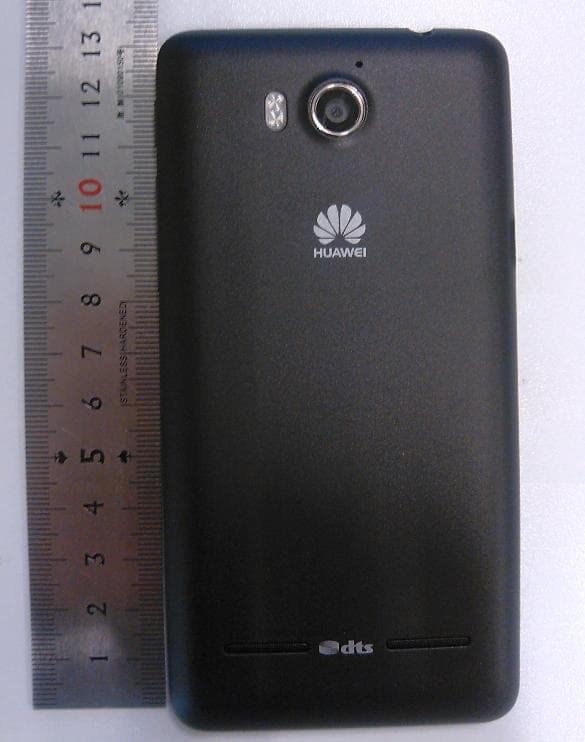
Click to zoom
Application Details
- Equipment Class
- PCE - PCS Licensed Transmitter held to ear
- Date of Grant
- Sep 17, 2012
- Application Purpose
- Original Equipment
- Date of Application
- Sep 17, 2012
- Equipment Note
- HUAWEI U8950-1, U8950-1 mobile phone, with GSM, Bluetooth, WLAN
- Frequency Range
- 1850.20000000 - 1909.80000000
- Company
- Huawei Technologies Co.,Ltd
- Country
- China
Documents & Files
Document Text
Text extracted from the exhibit documents filed with the FCC. Open a document above to read the original.
Users Manual
User Guide Welcome to HUAWEI HUAWEI Acsend G600 Contents i 1 Read Before Proceeding .......................................................1 1.1 Safety Precautions....................................................................... 1 1.2 Personal Information and Data Security ...................................... 2 1.3 Legal Notice ................................................................................. 3 2 Getting Started.......................................................................6 2.1 Key Functions at Your Fingertips................................................. 6 2.2 Important Information About the Battery ...................................... 6 2.3 Power Saving Tips ...................................................................... 7 2.4 Power On or Off Your Mobile Phone ........................................... 7 2.5 Using the Touchscreen ................................................................ 8 2.6 Locking and Unlocking the Screen .............................................. 9 2.7 Home Screen ............................................................................. 10 2.8 Application Screen ..................................................................... 15 2.9 Using a microSD Card ............................................................... 15 3 Calling..................................................................................16 3.1 Making a Call ............................................................................. 16 3.2 Answering or Rejecting a Call.................................................... 17 3.3 Other Operations During a Call ................................................. 19 3.4 Using the Call log....................................................................... 19 3.5 Using Airplane Mode ................................................................. 20 4 Contacts...............................................................................20 4.1 Opening the Contacts Application ............................................. 20 4.2 Importing Contacts from a SIM Card ......................................... 20 4.3 Adding a Contact ....................................................................... 21 4.4 Adding a Contact to Your Favorites ........................................... 21 4.5 Searching for a Contact ............................................................. 21 4.6 Editing a Contact ....................................................................... 21 4.7 Communicating with Your Contacts........................................... 22 ii 4.8 Deleting a Contact ..................................................................... 22 4.9 Backing Up and Synchronizing Contacts................................... 22 4.10 Managing Groups .................................................................... 23 4.11 Joining and Separating Contacts ............................................. 24 4.12 Sending Contacts .................................................................... 25 5 Using the Onscreen Keyboard.............................................25 5.1 Displaying the Keyboard ............................................................ 25 5.2 Customizing Keyboard Settings................................................. 27 6 Messaging ...........................................................................27 6.1 SMS and MMS........................................................................... 27 6.2 Email .......................................................................................... 29 7 Getting Connected...............................................................32 7.1 Mobile Networks ........................................................................ 32 7.2 Wi-Fi .......................................................................................... 32 7.3 Sharing Your Phone’s Data Connection .................................... 33 7.4 Browser...................................................................................... 34 7.5 Bluetooth.................................................................................... 36 8 Entertainment ......................................................................37 8.1 Taking Photos and Recording Videos ....................................... 38 8.2 Using the Gallery ....................................................................... 39 8.3 DTS Envelo™ ............................................................................ 41 8.4 Enjoying Music........................................................................... 41 8.5 Listening to the FM Radio .......................................................... 43 9 Google Services ..................................................................44 9.1 Creating a Google Account........................................................ 44 9.2 Gmail ......................................................................................... 45 9.3 Talk ............................................................................................ 46 9.4 Maps .......................................................................................... 47 9.5 YouTube .................................................................................... 48 iii 9.6 Market ........................................................................................ 49 10 Synchronizing Information .................................................50 10.1 Managing Your Accounts......................................................... 50 10.2 Customizing Your Account Synchronization ............................ 52 11 Using Other Applications ...................................................53 11.1 Traffic Manager........................................................................ 53 11.2 Calendar .................................................................................. 54 11.3 File Manager ..........................................…
Text truncated - open the document above for the full version.
Users Manual
Warnings and Precautions This section contains important information pertaining to the operating instructions of your device. It also contains information about how to use the device safely. Read this information carefully before using your device. Electronic Device Power off your device if using the device is prohibited. Do not use the device when using the device causes danger or interference with electronic devices. Medical Device • Follow rules and regulations set forth by hospitals and health care facilities. Do not use your device when using the device is prohibited. • Pacemaker manufacturers recommend that a minimum distance of 15 cm be maintained between a device and a pacemaker to prevent potential interference with the pacemaker. If you are using a pacemaker, use the device on the opposite side of the pacemaker and do not carry the device in your front pocket. Potentially Explosive Atmosphere Power off your device in any area with a potentially explosive atmosphere, and comply with all signs and instructions. Areas that may have potentially explosive atmospheres include the areas where you would normally be advised to turn off your vehicle engine. Triggering of sparks in such areas could cause an explosion or a fire, resulting in bodily injuries or even deaths. Do not power on your device at refueling points such as service stations. Comply with restrictions on the use of radio equipment in fuel depots, storage, and distribution areas, and chemical plants. In addition, adhere to restrictions in areas where blasting operations are in progress. Before using the device, watch out for areas that have potentially explosive atmospheres that are often, but not always, clearly marked. Such locations include areas below the deck on boats, chemical transfer or storage facilities, and areas where the air contains chemicals or particles such as grain, dust, or metal powders. Ask the manufacturers of vehicles using liquefied petroleum gas (such as propane or butane) whether this device can be safely used in their vicinity. Traffic Security Observe local laws and regulations while using the device. In addition, if using the device while driving a vehicle, comply with the following guidelines: • Concentrate on driving. Your first responsibility is to drive safely. • Do not talk on the device while driving. Use hands-free accessories. • When you have to make or answer a call, park the vehicle at the road side before using your device. • RF signals may affect electronic systems of motor vehicles. For more information, consult the vehicle manufacturer. • In a motor vehicle, do not place the device over the air bag or in the air bag deployment area. Otherwise, the device may hurt you owing to the strong force when the air bag inflates. • Do not use your device while flying in an aircraft. Power off your device before boarding an aircraft. Using wireless devices in an aircraft may cause danger to the operation of the aircraft and disrupt the wireless telephone network. It may also be considered illegal. Operating Environment • Do not use or charge the device in dusty, damp, and dirty places or places with magnetic fields. Otherwise, it may result in a malfunction of the circuit. • The device complies with the RF specifications when the device is used near your ear or at a distance of 1.5cm from your body. Ensure that the device accessories such as a device case and a device holster are not composed of metal components. Keep your device 1.5cm away from your body to meet the requirement earlier mentioned. • On a stormy day with thunder, do not use your device when it is being charged, to prevent any danger caused by lightning. • When you are on a call, do not touch the antenna. Touching the antenna affects the call quality and results in increase in power consumption. As a result, the talk time and the standby time are reduced. • While using the device, observe the local laws and regulations, and respect others' privacy and legal rights. • Keep the ambient temperature between -10°C and 40°C while the device is being charged. Keep the ambient temperature between -10°C to 40°C for using the device powered by a battery. Prevention of Hearing Damage Using a headset at high volume can damage your hearing. To reduce the risk of damage to hearing, lower the headset volume to a safe and comfortable level. Safety of Children Comply with all precautions with regard to children's safety. Letting the child play with your device or its accessories, which may include parts that can be detached from the device, may be dangerous, as it may present a choking hazard. Ensure that small children are kept away from the device and accessories. Accessories Choose only batteries, chargers, and accessories approved for use with this model by the device manufacturer. The use of any other type of battery, charger, or accessory may invalidate any warranty for the device, may be in violation of local rules or laws, and may be dangerous. Please contact your dealer for information about the availability of approved batteries, chargers, and accessories in your area. Use only the following listed AC Adapters/Power Supplies: HUAWEI: HW-050100E1W, HW-050100E3W, HW-050100A1W, HW-050100B1W, HW-050100U2W, HW-050100U1W Battery and Charger • Unplug the charger from the electrical plug and the device when not in use. • The battery can be charged and discharged hundreds of times before it eventually wears out. When the standby time and the talk time are shorter than the normal time, replace the battery. • Use the AC power supply defined in the specifications of the charger. An improper power voltage may cause a fire or a malfunction of the charger. • Do not connect two poles of the battery with conductors, such as metal materials, keys, or jewelries. Otherwise, the battery may be short-circuited and may cause injuries and burns on your body. • If battery electrolyte leaks out, ensure that the electrolyte does not touch your skin and eyes. W…
Text truncated - open the document above for the full version.
Attestation Statements
Justification Letter Date (14/09/2012) BABT TCB Balfour House, Churchfield Road, Walton-on-Thames, Surrey, KT12 2TD Dear Sir or Madam, We, Huawei Technologies Co., Ltd. Bantian, Longgang District, Shenzhen, 518129, China hereby to do the Justification on original FCC application: HSPA/UMTS/GPRS/GSM/EDGE Mobile Phone with Bluetooth; Ascend G600, HUAWEI U8950-1, U8950-1, FCC ID: QISU8950-1 as following: HUAWEI U8950-1, U8950-1is a mobile phone, which supports GMS/GPRS/EDGE850/1900, WiFi, BT. The difference between U8950N-1 (Product Type: HSPA/UMTS/GPRS/GSM/EDGE Mobile Phone with Bluetooth; Ascend G600; Model No.: HUAWEI U8950-1, U8950-1; FCC ID: QISU8950N-1) and U8950-1: U8950N-1 is a mobile phone, which supports GMS/GPRS/EDGE850/1900 , WiFi, BT and NFC. U8950-1 have the identical electronic structure with U8950N-1, except: 1) U8950-1 have been removed the NFC transmitter from model U8950N-1. The PCB and circuit are the same. It doesn’t affect all the radio bands performance. 2) With different model no.. The difference between N8950-1 and U8950N-1 is also shown in following table: U8950N-1 U8950-1 GSM four bands the same the same WCDMA bands the same the same FLASH the same the same Mainboard the same the same Appearance the same the same NFC Have Without Bluetooth mode the same the same WLAN mode the same the same BT/ WLAN antenna the same the same GSM/ WCDMA antenna the same the same External camera the same the same internal camera the same the same Adapter the same the same Battery the same the same Chipset the same the same Memory the same the same Form factor Bar type, Internal antenna Bar type, Internal antenna RF Parameter The same RF Parameter in the same band The same RF Parameter in the same band BT RF Parameter the same the same Dimension the same the same Weight the same the same Bluetooth the same the same External camera the same the same Main Frequency NV The same NV in the same band The same NV in the same band BT conducted power the same the same WIFI conducted power the same the same So in FCC application for U8950-1 (FCC ID: QISU8950-1), Test data for GSM/GPRS/EDGE 850MHz in submitted report “SYBH(Z-RF)018082012-2007” is from report “SYBH(Z-RF) 018082012-2001” in FCC application for U8950N-1(FCC ID: QISU8950N-1), and this data according to Part 22 remains valid and applicable and they are representative of the compliance of U8950-1. Test data for GSM/GPRS/EDGE 1900MHz in submitted report “SYBH(Z-RF)018082012-2008” is from report “SYBH(Z-RF) 018082012-2002” in FCC application for U8651T U8950N-1(FCC ID: QISU8950N-1), and this data according to Part 24 remains valid and applicable and they are representative of the compliance of U8950-1. New test report “SYBH(Z-EMC)195082012-3” for Part 15B Unintentional Radiator was described the difference between U8950-1 and U8950N-1, and given the justification on U8950-1 comply the FCC Part 15B requirement without further test. Test data for Part 15B Unintentional Radiator refer to report “SYBH(Z-EMC)195082012-2” in FCC application for U8950N-1(FCC ID: QISU8950N-1), and this data according to Part 15B remains valid and applicable and they are representative of the compliance of U8950-1 Test data for Part 15C Bluetooth in submitted report “SYBH(Z-RF)018082012-2009” and “SYBH(Z-RF) 018082012-2010” is from report “SYBH(Z-RF) 018082012-2003” and “SYBH(Z-RF) 018082012-2004” in FCC application for U8950N-1(FCC ID: QISU8950N-1), and this data according to Part 15C remains valid and applicable and they are representative of the compliance of U8950-1. Test data for Part 15C WLAN in submitted report “SYBH(Z-RF) 018082012-2011” is from report “SYBH(Z-RF) 018082012-2005” in FCC application for U8950N-1(FCC ID: QISU8950N-1), and this data according to Part 15C remains valid and applicable and they are representative of the compliance of U8950-1. SAR Test data for GSM/GPRS/EDGE850/1900, WIFI in submitted report “SYBH(Z-SAR)011092012-2” is from report “SYBH(Z-SAR)044082012-2” in FCC application for U8950N-1(FCC ID: QISU8950N-1), and this data according to OET Bulletin No. 65, Supplement C-2001, IEEE 1528-2003, IEEE Std C95.1-1999, KDB941225 D03, KDB 648474 D01, KDB248227 D01, KDB941225 D06 remains valid and applicable and they are representative of the compliance of U8950-1. Sincerely, For and Behalf of: Huawei Technologies Co., Ltd. Zhangxinghai EMC Laboratory Manager
Cover Letter(s)
Huawei Technologies Co.,Ltd Bantian, Longgang District, Shenzhen, 518129 Guangdong, P.R.China Tel: +86-755-2878-1879 ; Fax: +86-755-2878-1889 Date: September 12, 2012 Statement We, Huawei Technologies Co.,Ltd, states that our device, FCC ID: QISU8950-1, has a battery, But the battery will not be placed in the battery compartment when delivery, it is visible to the users as they purchase the products and install the battery. For and Behalf of: Huawei Technologies Co., Ltd. Zhang Xinghai EMC Laboratory Manager
Cover Letter(s)
Huawei Technologies Co., Ltd. Date (9/12/2012) BABT TCB Balfour House, Churchfield Road, Walton-on-Thames, Surrey, KT12 2TD Dear Sir or Madam, We, Huawei Technologies Co., Ltd. Huawei Industrial Base, Bantian Longgang, Shenzhen 518129, P.R China Hereby authorize TUV-SUD China Shenzhen Branch 6/F, H Hall, Century Craftwork Culture Square, No.4001 Fuqiang Road, Futian District, Shenzhen 518048 P.R. China Louis Lin Phone:+86-755-88286998 e-mail:[email protected] to act as our agent in all matters relating to applications for equipment authorization, including the signing of all documents relating to these matters. We also hereby certify that neither we nor any party to this application are subject to denial of U.S. Federal benefits, which include FCC benefits, pursuant to section 5301 of Anti-Drug Abuse Act of 1988,U.S.C.862 because of conviction for possession or distribution of controlled substance. This authorization is application to following FCC ID application: FCC ID:QISU8950-1 Sincerely, Zhang Xinghai EMC Laboratory Manager
Cover Letter(s)
Huawei Technologies Co.,Ltd. Federal Communications Commission 2012-09-05 7435 Oakland Mills Road Columbia MD 21046 Subject: Request for Confidentiality FCC ID: QISU8950-1 To Whom It May Concern: Pursuant to the provisions of Sections 0.457 and 0.459 of the Commission’s rules (47 CFR §§ 0.457, 0.459), we are requesting the Commission to withhold the following attachments as confidential document from public disclosure indefinitely. Schematic Diagram Block Diagram Operational Description Bom List Tune-Up Procedure Above mentioned document contains detailed system and equipment description are considered as proprietary information in operation of the equipment. The public disclosure of above documents might be harmful to our company and would give competitor an unfair advantage in the market. ***************************************************************************** In additional to above mentioned documents, pursuant to Public Notice DA 04-1705 of the Commission’s policy, in order to comply with the marketing regulations in 47 CFR §2.803 and the importation rules in 47 CFR §2.1204, while ensuring that business sensitive information remains confidential until the actual marketing of newly authorized devices. We are requesting the Commission withholds the following documents from public viewing until 2012-12-30: External Photos Internal Photos Test Setup Photos User Manual ****************************************************************************** It is our understanding that all measurement test reports, FCC ID label format and correspondent during certification review process cannot be granted as confidential documents and those information will be available for public review once the grant of equipment authorization is issued. Best Regards Zhang Xinghai EMC Laboratory Manager Huawei Technologies Co., Ltd. E-mail: [email protected] Fax: 0086-0755-89650226
External Photos
HUAWEI U8950-1, U8950-1 HSPA/UMTS/GPRS/GSM/EDGE Mobile Phone with Bluetooth; Ascend G600 SECRET Page1,Total 5 External Photos of HUAWEI U8950-1, U8950-1 HUAWEI U8950-1, U8950-1 HSPA/UMTS/GPRS/GSM/EDGE Mobile Phone with Bluetooth; Ascend G600 SECRET Page2,Total 5 HUAWEI U8950-1, U8950-1 HSPA/UMTS/GPRS/GSM/EDGE Mobile Phone with Bluetooth; Ascend G600 SECRET Page3,Total 5 HUAWEI U8950-1, U8950-1 HSPA/UMTS/GPRS/GSM/EDGE Mobile Phone with Bluetooth; Ascend G600 SECRET Page4,Total 5 HUAWEI U8950-1, U8950-1 HSPA/UMTS/GPRS/GSM/EDGE Mobile Phone with Bluetooth; Ascend G600 SECRET Page5,Total 5
ID Label/Location Info
HUAWEI U8950-1, U8950-1 HSPA/UMTS/GPRS/GSM/EDGE Mobile Phone with Bluetooth; Ascend G600 SECRET Page1, Total 4 Label Location HUAWEI U8950-1, U8950-1 HUAWEI U8950-1, U8950-1 HSPA/UMTS/GPRS/GSM/EDGE Mobile Phone with Bluetooth; Ascend G600 SECRET Page2, Total 4 HUAWEI U8950-1, U8950-1 HSPA/UMTS/GPRS/GSM/EDGE Mobile Phone with Bluetooth; Ascend G600 SECRET Page3, Total 4
Internal Photos
HUAWEI U8950-1, U8950-1 HSPA/UMTS/GPRS/GSM/EDGE Mobile Phone with Bluetooth; Ascend G600 SECRET Page1,Total 12 Internal Photos of HUAWEI U8950-1, U8950-1 HUAWEI U8950-1, U8950-1 HSPA/UMTS/GPRS/GSM/EDGE Mobile Phone with Bluetooth; Ascend G600 SECRET Page2,Total 12 HUAWEI U8950-1, U8950-1 HSPA/UMTS/GPRS/GSM/EDGE Mobile Phone with Bluetooth; Ascend G600 SECRET Page3,Total 12 HUAWEI U8950-1, U8950-1 HSPA/UMTS/GPRS/GSM/EDGE Mobile Phone with Bluetooth; Ascend G600 SECRET Page4,Total 12 HUAWEI U8950-1, U8950-1 HSPA/UMTS/GPRS/GSM/EDGE Mobile Phone with Bluetooth; Ascend G600 SECRET Page5,Total 12 HUAWEI U8950-1, U8950-1 HSPA/UMTS/GPRS/GSM/EDGE Mobile Phone with Bluetooth; Ascend G600 SECRET Page6,Total 12 HUAWEI U8950-1, U8950-1 HSPA/UMTS/GPRS/GSM/EDGE Mobile Phone with Bluetooth; Ascend G600 SECRET Page7,Total 12 HUAWEI U8950-1, U8950-1 HSPA/UMTS/GPRS/GSM/EDGE Mobile Phone with Bluetooth; Ascend G600 SECRET Page8,Total 12 HUAWEI U8950-1, U8950-1 HSPA/UMTS/GPRS/GSM/EDGE Mobile Phone with Bluetooth; Ascend G600 SECRET Page9,Total 12 HUAWEI U8950-1, U8950-1 HSPA/UMTS/GPRS/GSM/EDGE Mobile Phone with Bluetooth; Ascend G600 SECRET Page10,Total 12 HUAWEI U8950-1, U8950-1 HSPA/UMTS/GPRS/GSM/EDGE Mobile Phone with Bluetooth; Ascend G600 SECRET Page11,Total 12 HUAWEI U8950-1, U8950-1 HSPA/UMTS/GPRS/GSM/EDGE Mobile Phone with Bluetooth; Ascend G600 SECRET Page12,Total 12
RF Exposure Info
Administration Building, Headquarters of Huawei Technologies Co., Ltd., Bantian, Longgang District, Shenzhen, 518129, P.R.C Tel: +86 755 28780808 Fax: +86 755 89652518 FCC SAR Compliance Test Report Project Name:_______________________ Model :_______________________ FCC ID : _______________________ Report No. : _______________________ APPROVED CHECKED PREPARED BY DATE 2012-09-06 2012-09-06 2012-09-06 The test results of this test report relate exclusively to the item(s) tested , The HUAWEI does not assume responsibility for any conclusions and generalisations drawn from the test results with regard to other specimens or samples of the type of the equipment represented by the test item. The test report may only be reproduced or published in full. Reproduction or publication of extracts from the report requires the prior written approval of HUAWEI. Reliability Laboratory of Huawei Technologies Co., Ltd. HUAWEI U8950-1, U8950-1 QISU8950-1 SYBH(Z-SAR)011092012 -2 HSPA/UMTS/GPRS/GSM/EDGE Mobile Phone with Bluetooth; Ascend G600 Report No.:SYBH(Z-SAR)011092012-2 FCC ID:QISU8950-1 2012-09-06 Page 2 of 33 Table of Contents 1 General Information ............................................................................................................................................................ 4 1.1 Statement of Compliance .......................................................................................................................................... 4 1.2 RF exposure limits...................................................................................................................................................... 4 1.3 EUT Description ......................................................................................................................................................... 5 1.3.1 General Description ........................................................................................................................................... 5 1.4 Test specification(s) .................................................................................................................................................. 7 1.5 Testing laboratory ....................................................................................................................................................... 7 1.6 Applicant and Manufacturer ...................................................................................................................................... 7 1.7 Application details ...................................................................................................................................................... 7 1.8 Ambient Condition ..................................................................................................................................................... 7 2 SAR Measurement System ............................................................................................................................................. 8 2.1 SAR Measurement Set-up ....................................................................................................................................... 8 2.2 Test environment ........................................................................................................................................................ 9 2.3 Data Acquisition Electronics description ................................................................................................................ 9 2.4 Probe description ..................................................................................................................................................... 10 2.5 Phantom description ................................................................................................................................................ 11 2.6 Device holder description ........................................................................................................................................ 11 2.7 Test Equipment List ................................................................................................................................................. 12 3 SAR Measurement Procedure ...................................................................................................................................... 13 3.1 Scanning procedure ................................................................................................................................................. 13 3.2 Spatial Peak SAR Evaluation ................................................................................................................................. 14 3.3 Data Storage and Evaluation .................................................................................................................................. 15 4 System Verification Procedure ........................................................................................................................................ 17 4.1 Tissue Verification .................................................................................................................................................... 17 4.2 System Check ........................................................................................................................................................... 19 4.3 Validation Procedure................................................................................................................................................ 20 5 Measurement Uncertainty Evaluation .......................................................................................................................... 21 5.1 Measurement uncertainty evaluation for SAR test .............................................................................................. 21 5.2 Measurement uncertainty evaluation for system validation ............................…
Text truncated - open the document above for the full version.
RF Exposure Info
Report No.: SYBH(Z-SAR)044082012-2 FCC ID:QISU8950-1 Appendix A. System Check Plots Table of contents SystemPerformanceCheck-D 835-EX-Head SystemPerformanceCheck-D 835-EX- Body SystemPerformanceCheck-D 1900- EX-Head SystemPerformanceCheck-D 1900-EX- Body SystemPerformanceCheck-D 2450-EX-Head SystemPerformanceCheck-D 2450-EX-Body Date/Time: 8/23/2012 12:26:53 Test Laboratory: HUAWEI SAR Lab SystemPerformanceCheck-D835-EX-Head DUT: Dipole 835 MHz D835V2; Type: D835V2; Serial: D835V2 - SN:4d126 Communication System: CW; Frequency: 835 MHz;Duty Cycle: 1:1 Medium parameters used: f = 835 MHz; σ = 0.906 mho/m; ε r = 41.581; ρ = 1000 kg/m 3 Phantom section: Flat Section DASY5 Configuration: lProbe: EX3DV4 - SN3736; ConvF(9.01, 9.01, 9.01); Calibrated: 4/26/2012; lSensor-Surface: 4mm (Mechanical Surface Detection) lElectronics: DAE4 Sn852; Calibrated: 11/16/2011 lPhantom: SAM4; Type: SAM; Serial: TP-1620 lMeasurement SW: DASY52, Version 52.8 (2); SEMCAD X Version 14.6.6 (6824) Configuration/d=15mm,pin=250mW/Area Scan (6x13x1): Measurement grid: dx=15mm, dy=15mm Maximum value of SAR (measured) = 2.72 W/kg Configuration/d=15mm,pin=250mW/Zoom Scan (7x7x7)/Cube 0: Measurement grid: dx=5mm, dy=5mm, dz=5mm Reference Value = 53.396 V/m; Power Drift = -0.18 dB Peak SAR (extrapolated) = 3.679 mW/g SAR(1 g) = 2.45 mW/g; SAR(10 g) = 1.61 mW/g Maximum value of SAR (measured) = 2.65 W/kg 0 dB = 2.65 W/kg = 8.46 dB W/kg Date/Time: 8/26/2012 10:57:56 Test Laboratory: HUAWEI SAR Lab SystemPerformanceCheck-D835-EX-Body DUT: Dipole 835 MHz D835V2; Type: D835V2; Serial: D835V2 - SN:4d126 Communication System: CW; Frequency: 835 MHz;Duty Cycle: 1:1 Medium parameters used: f = 835 MHz; σ = 0.984 mho/m; ε r = 55.495; ρ = 1000 kg/m 3 Phantom section: Flat Section DASY5 Configuration: lProbe: EX3DV4 - SN3736; Conv…
Text truncated - open the document above for the full version.
Contact Information
Applicant
Zhang Xinghai
Test Firm
Huawei Technologies Co., LTDZhou Fengyum
Technical Specifications
| # | Rule Parts | Frequency Range | Power Output | Emission | Tolerance |
|---|---|---|---|---|---|
| 4 | 24E | 1.85 GHz - 1.91 GHz | 550.00 mW | 247KG7W | 26 Hz |
Other Applications from Huawei Technologies Co.,Ltd

QISSUN2000
Jun 27, 2021Solar Inverter
Equipment Class
DTS - Digital Transmission System
QISCP81-1
Oct 22, 2020Watch Wireless Charger
Equipment Class
DCD - Part 15 Low Power Transmitter Below 1705 kHz
QISRRU3278
Sep 02, 2020Remote Radio Unit
Equipment Class
CBD - Citizens Band Category A and B Devices
QISR2561
Jul 11, 2020Indoor Router
Equipment Class
DTS - Digital Transmission System
QISSMARTLOGGER310
Mar 23, 2020Solar Smart Monitor & Data Logger
Equipment Class
DTS - Digital Transmission System